

Just another contact form plugin. Simple but flexible.
About Qubely – Advanced Gutenberg Blocks
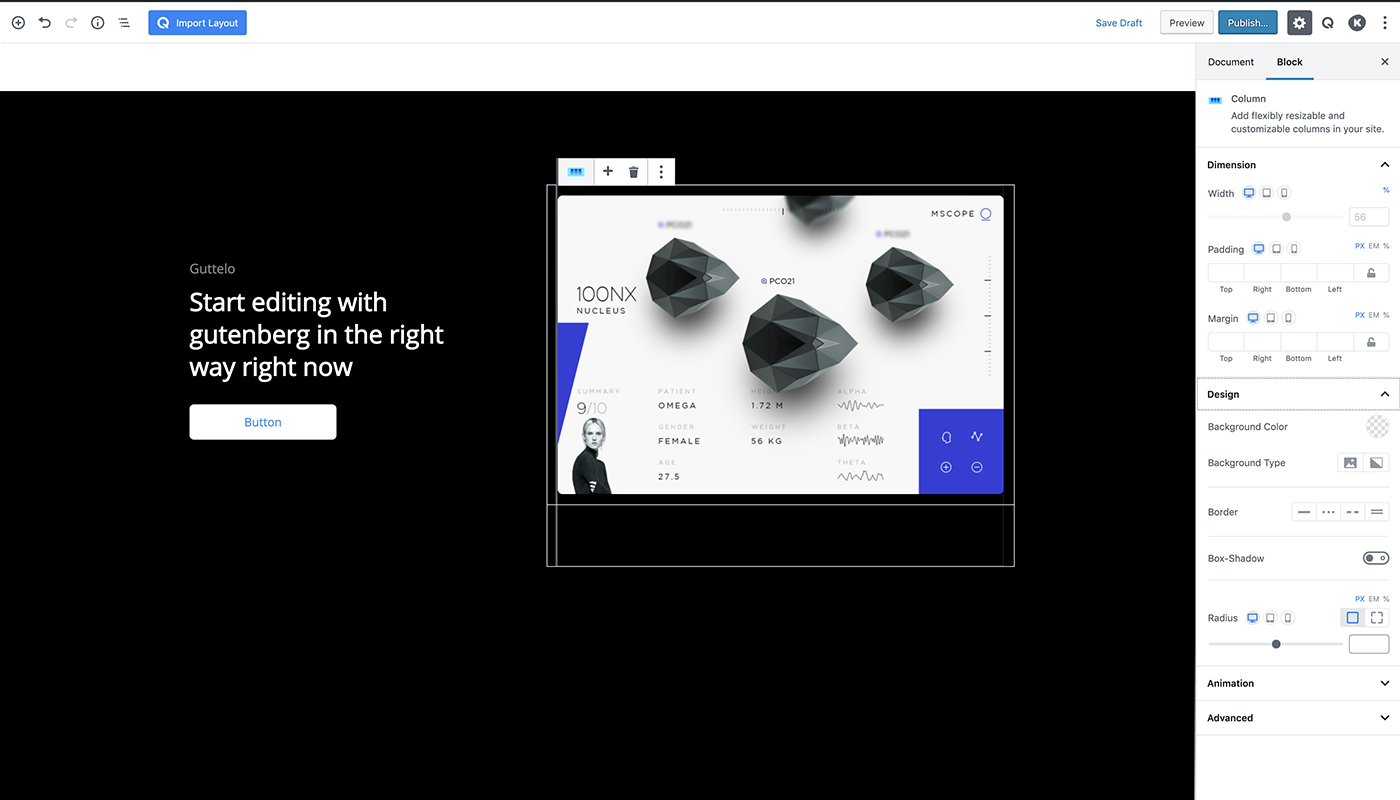
Qubely is a Gutenberg block toolkit that adds custom blocks and styling options to the Gutenberg editor, allowing you to create beautiful and mobile-optimized web pages. It offers a wide range of blocks, including buttons, testimonials, icons, Google Maps, and more, with advanced customization features and responsive controls. Plus, it now includes previously paid Pro features for free, such as form builders, image galleries, and pricing lists.Screenshots



Frequently asked questions
What is Qubely?
Qubely is a full-fledged Gutenberg block toolkit with plenty of custom blocks, predefined sections and starter packs to create beautiful web pages.
What are the core features of Qubely Gutenberg blocks?
The core features of Qubely Gutenberg blocks include predefined sections, modern layout packs, highly customizable row columns, row video background & blend mode, drag column resizing, shape divider/builder, device specific responsive controls, unlimited Google web fonts & system fonts, classic & gradient color and background, built-in animation, box-shadow, Font Awesome 5 Icons and line icons, and custom CSS.
What are the advanced Gutenberg blocks inside Qubely?
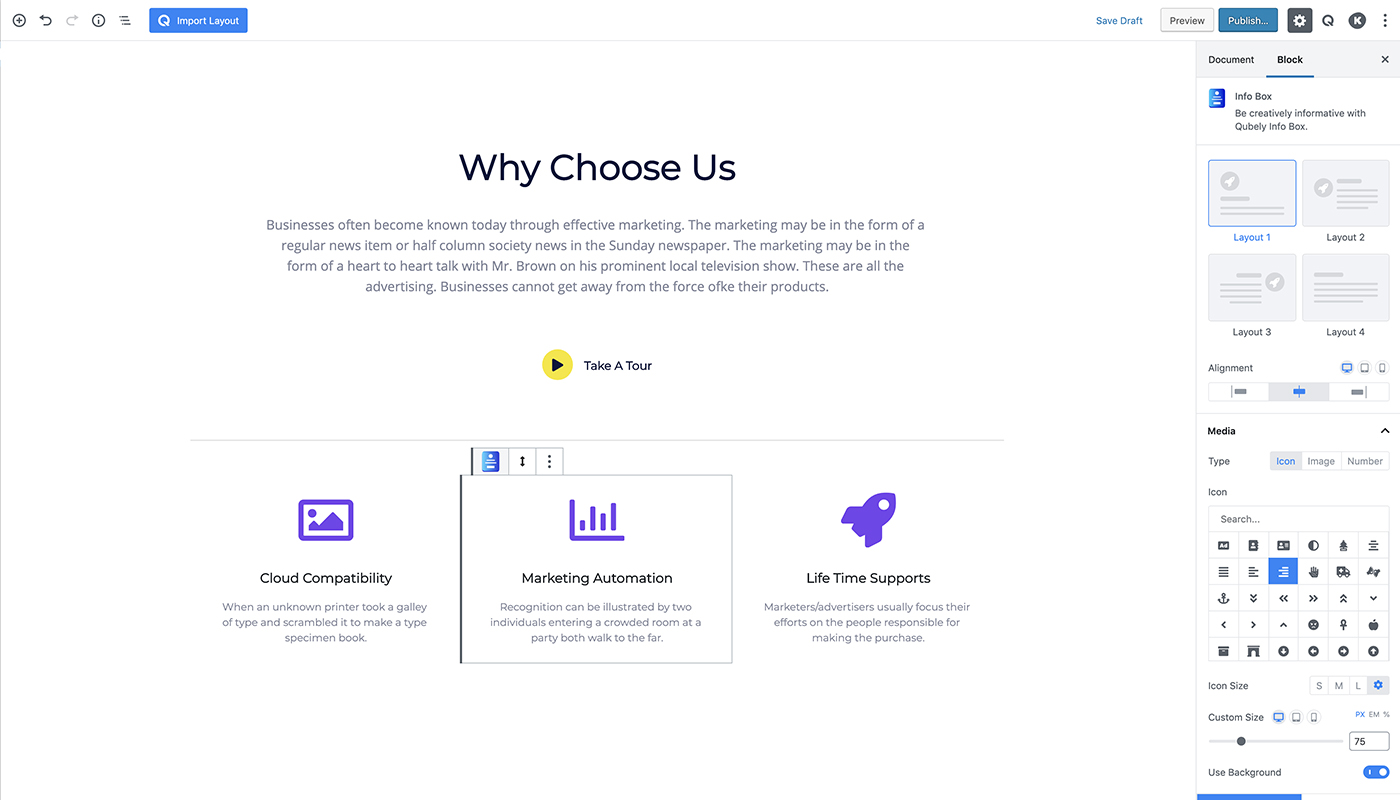
The advanced Gutenberg blocks inside Qubely include Row, Button, Testimonial, Heading, Counter, Tabs, Accordion/Toggle, Advanced Text, Video Popup, Google Map, Progress Bar, Social Icons, Button Group, Info Box, Advanced List, Contact Form, Icon List, Pricing, Team, Image, Timeline, and Post Grid.
What are the pro features of Qubely?
The pro features of Qubely include Form Builder, Image Gallery, Image Carousel, Post Carousel, Advanced Post Grid, Pricing List, Team Carousel, Testimonial Carousel, Media Card, Pie Progress, Countdown, Table Builder, Woo Products, and Woo Carousel.
What are some of the features of Qubely Gutenberg blocks?
Some of the features of Qubely Gutenberg blocks are predesigned sections, row-column structure, advanced row-column settings, device specific responsive controls, custom typography controls, and more.
Changelog
1.8.13
Update: Security Update(Prevent Cross-Site Scripting)
1.8.12
Update: Added WordPress 6.6 Compatibility
1.8.11
Compatibility: Improved compatibility with Qubely Pro
Update: Enhanced overall stability
Fix: Image carousel breaks when there is only one image
Fix: Removed pre-made layouts and sections
1.8.10
Compatibility: PHP 8.1 & 8.2 Compatibility Added
1.8.9
Fix: Resolved table of contents issue.
Fix: Fixed settings color preset issue.
Fix: Enhanced security measures.
Update: Unlocked all premium features.
1.8.8
Fix: Resolved some CSS issues
1.8.7
Update: Improved security
1.8.6
Update: Addressed security vulnerability issue
1.8.5
New: Jetpack compatibility is introduced
Update: All Stylesheet and Script libraries are updated to the latest version
Update: More security improvements is introduced
Fix: Form Builder had an issue with the Recipient Email input field
1.8.4
Update: Implemented more security update for improved security
New: Introduced “Deprecation” in case of the “Block Recovery Issue” for Update
1.8.3
Update: Email Sending Mechanism is improved in terms of Security and Performance
Update: PHP version compatibility is improved
Fix: Counter was not working properly
Fix: Row Padding was not being implemented the same way as it is shown in the Preview page
Fix: Pre-made templates were appearing differently when editing than how they appear on the frontend
1.8.2
Update: Compatibility with the latest WPML plugin is introduced
Fix: PHP Notice Message was appearing on some Pages
Fix: The “Number of Columns” setting was not working in the latest Qubely
Fix: Mobile View Styles Break after the latest update to 1.8.0
1.8.1
New: Introduced the “Hide on Desktop” feature for Blocks
Update: Significant security improvements on authorization and authentication
Fix: Known functional bug fixes
Fix: Known design bug fixes
1.8.0
Update: In Advanced List Block, Ordered List is introduced
Update: Add Bullet Point feature is introduced in the Table Content
Update: Table Contents will now support Advanced Text Header
Fix: Contact Form was not sending Email with proper header information
Fix: In Post Grid Block, the Title Tag was not being changed
1.7.9
New: Introducing WordPress 5.9 compatibility for Qubely
Update: Improved authorization check for the Qubely settings page
Update: Same style IDs will not re-render anymore
Update: Use Reusable Blocks without any issue or dependency
Update: Pre-made layouts are now a separate tab for better implementation
Fix: Pagination issue for the Post Grid block
Fix: Multiple Contact Form was not working on the same page
1.7.8
Update: Security Update
1.7.7
Update: Security Update
Fix: Layout Breaking Issue for Already Designed Pages/Posts
Fix: Infobox Block – Icons style is not circular issue
Fix: Divider Block – Width percent not working
Fix: Postgrid Block – Preview characters not converted to UTF8
Fix: Info box and Advanced Text Block – Typography issue
Fix: Post Carousel Block – Number of columns not working
Fix: Accordion Block – Toggle option not working
Fix: Inline Toolbar Padding Block width issue
Fix: Button Block – Box shadow width not working
Fix: Image Block – Radius option not working
1.7.6
Fix: Layout breaking issue
Fix: Contact Form not sending issue
1.7.5
Update: Security Update
1.7.4
Update: Security Update
1.7.3 – 3 November, 2021
Fix: Security Update
Fix: Tab Block Image Jumping Issue
1.7.2 – 23 August, 2021
Fix: Tab Block not Working issue
Fix: Multiple Pie Progress not Working issue
Fix: Contact Form Block not Working issue
Fix: In Row Column, Advanced Background Settings Width CSS issue
1.7.1 – 16 July
Update: Added WordPress 5.8 Compatibility
Fix: Animated Headline block – Animated text repetition issue
1.7.0 – 23 June, 2021
Fix: Team block – Image width settings issue on layout 3
Fix: Icon List block – List icon picker not displaying properly
Fix: Post Grid block – Post image thumbnail issue
1.6.9 – 10 June, 2021
Fix: Reusable Block and it’s CSS saving issues in WordPress 5.7
Fix: Divider block – divider options not showing
Fix: Table of Contents block – Invalid JSON while parsing headings
Fix: Advanced Text block – Title color not working if inline link added
1.6.8 – 23 March, 2021
Fix: Interaction conflict with WordPress 5.7
1.6.7 – 11 March, 2021
Fix: Theme demo importing conflict with global settings
1.6.6 – 04 March, 2021
Fix: Google fonts retrieve issue from Global settings
1.6.5 – 22 February, 2021
New: Settings to enable/disable loading Font Awesome CSS on frontend
New: Settings to enable/disable loading Google Fonts on the frontend
1.6.4 – 09 February, 2021
Update: Optimised Font Awesome CSS loading on Front-end
Update: Contact Form block – Linebreak support in message
Fix: Table of Contents block – Indent value not saving
Fix: Row block – Shape divider picker not showing
Fix: Media field – Image picker conflict with WordPress 5.6
1.6.3 – 18 December, 2020
Update: Backend API changes from layout/sections in Backend
Fix: Import layout button missing in WordPress 5.6
1.6.2 – 08 December, 2020
New: Post Grid block – Restructured Pagination in Backend
Update: Row block – Removed unnecessary padding,margin for better UX
Update: Image block – Custom height option for image
Update: Infobox block – Custom height option for image
Fix: Image block – Border-radius issue for smaller images
Fix: Table of Contents block – Back to top button error on Frontend
1.6.1 – 20 November, 2020
New: Tab block – Auto switch & Progress-bar option
New: Post Grid block – Custom Post-type support
New: Tabs block – New layouts for tab titles
Update: CSS preview issue on Frontend
Update: Replaced deprecated jQuery functions
Fix: Tab block – Missing add new block option in new tab for latest WordPress version
1.6.0 – 23 October, 2020
New: Richtext Custom font-size format
New: Range field – disable option
Fix: CSS issue on Preview posts
Fix: Team block – Internationalization issue on Frontend
Fix: Table of content block – List styling issue
Fix: Advanced Text block – Typography issue
Update: Border filed – Custom Border disable option
1.5.5 – 16 September, 2020
Fix: Fixed Plugin build issue for version 1.5.4
1.5.4 – 16 September, 2020
New: Richtext Tooltip format
Update: Restored missing fonts
Update: ‘Edit as html’ option in parent blocks
Fix: Contact Form block – Email sending issue
Fix: Contact Form block – Deprecated support
Fix: Advanced Text block – Text font size in editor
Fix: Global Settings – Old installations undefined preset issue
Fix: Import layout button conflict with new Gutenberg Plugin
1.5.3 – 21 August, 2020
New: Import Sections/Layouts with Global settings
New: Inline Color and Background Color compatibility with Global settings
New: Theme Preset activation hook
New : Row block – Even Column Height option
Update: All blocks – Context Menu refs
Fix: Parse Qubely block issue for CSS generator
Fix: Accordion block – inline style issue
Fix: Accordion block – Accordion title editing issue on Safari
Fix: Dropdown Component – initial options issue with API call
1.5.2 – 29 July, 2020
New: Accordion block – Rich Snippet added
New: Row block – Shape divider flip option
Update: Added 100+ Google fonts
Fix: Divider block – Divider options in Panel
Fix: Button block – Font size issue in Frontend
Fix: Button block – Button width in Backend
Fix: Button block – Text editing issue in Safari browser
Fix: Table of Contents block – CSS issue
1.5.1 – 08 July, 2020
New : Theme colors support in Global settings
New : Row Container width settings in Global settings
New : Row Container width filter hook to modify default values from theme
Update: Blocks initial primary color updated with preset color
Update: Gradient field – Global setting color support
Update: Post Grid pagination default margin added
Fix: Post Grid pagination backend spacing issue
Fix: Accordion Block gradient Issue
1.5.0 – 16 June, 2020
Fix: Image Block whitespace issue
Fix: Inspector Tabs Error
Fix: External ajax request issue
Fix: Minor CSS issues
1.4.2 – 13 June, 2020
Fix: Image Block display issue
1.4.1 – 12 June, 2020
New: Post Grid pagination
New: Getting Started page redesign
Fix: Minor bug fix
1.4.0 – 21 May, 2020
New: Global Settings
New: Qubely Settings page – with Google Map API key, reCAPTCHA key storage
Fix: Accordion block – Active Panel color
Fix: Contact Form block – Form Submit issue
1.3.91 – 29 April, 2020
Fix: Typography & Box Shadow panel css issue
Fix: Image comparison block firefox touch issue
Update: Performance improvement.
1.3.9 – 27 April, 2020
Fix: Testimonial block – ratings backward compatibility issue
Fix: Image comparison block responsive issue
1.3.8 – 22 April, 2020
New: Image comparison Block
Update: Tabs inner blocks new structure support
Fix: Tabs Block contents is not displaying
Fix: Table of Contents block – Attributes value saving issue
Fix : Heading block – Typography disable issue in backend
Fix : Conflict with Table of Contents Plus plugin
1.3.7 – 03 April, 2020
Fix: Image block – Alignment issue in Simple layout
Fix: Panel Sticky tab conflict with WordPress 5.4
Fix: Post Grid block – Orderby issue with Random, Menu Order
1.3.6 – 24 March, 2020
Update: All blocks – Major improvement in Panel UI & UX
Fix: Advanced Settings – Hide Tablet/ Hide Mobile issue
Fix: Row block – Full width option not working in Twenty Twenty Theme
1.3.5 – 16 March, 2020
New: Support for WordPress 5.4
New: Image block – URL in blurb layout
Update: Button Group block – Restructure
Fix: Team block – Alignment option in layout 3
Fix: Testimonial block – Ratings CSS issue
Fix: Contact form block – Value encryption issue
Fix: Info Box block – Media background CSS issue
Fix: Advanced list block – Number, Bullet size & color not working
Fix: CSS generator – String type attributes (Color) value reset not working
1.3.4 – 27 February, 2020
New: Team block – External image option
Update: Counter block – Viewport support added
Fix: CSS generator block duplication issue
Fix: Column block – uniqueId issue in case of Row duplication
Fix: Row block – Advanced background option
Fix: Image block – Whitespace issue
Fix: Heading block – Separator color in the backend
Fix: Range field – CSS updating issue on unit change
Fix: Typography field – CSS updating issue on unit change
1.3.3 – 18 February, 2020
Fix: Post Grid block – Translation issue of the dates
Fix: Post Grid block – Post title position settings in frontend
Fix: CSS issue on template selection
Update: Performance improvement
1.3.2 – 12 February, 2020
New : Background field – external image option
Update : Performance improvement in CSS generator
Fix: Context menu z-index issue
1.3.1 – 31 January, 2020
New: Table of Contents block
Update : Map block – Default place id
Fix: PageModal conflict with Learndash
Fix: Customizer – Loading Async script issue
1.3.0 – 21 January, 2020
New: Animated Headline block
Update: Block specific script loading on the frontend
Update: Conditional script loading for interactions, animations, and parallax
Update: Optimised CSS files on the frontend
Update: Infobox block – External image option
Fix: BuddyBoss conflict issue
Fix: Row block – Background overlay issue
Fix: Gradient field – Default preview issue
1.2.9 – 13 January, 2020
New: Image block – External Image option
Fix: Contact form block – focus border issue
1.2.8 – 06 January, 2020
Fix: Contact form block – reCAPTCHA issue
Fix: Additional CSS class issue in Back-end
Fix: Button Group block – Button width issue
Fix: Carousel blocks – Active item dot indicator in Back-end
Update: Block specific script loading in Front-end

