

Just another contact form plugin. Simple but flexible.

About Page Specific Menu Items
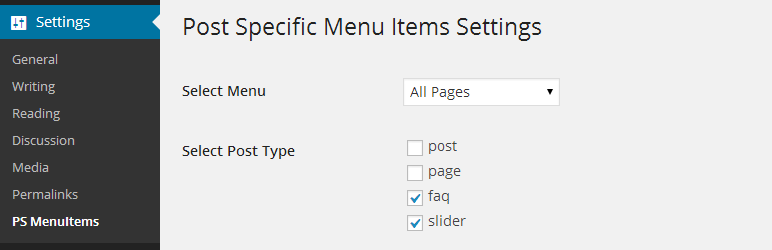
This plugin allows users to select different menu items to show on different pages. It also allows users to choose which menu to use for cherry-picking menu items on a page-by-page basis. If you encounter any issues or want to customize the plugin further, it is recommended to hire a developer or contact the plugin author for support.Screenshots

Changelog
1.6.4 (2016-04-17)
- Compatible with wordPress version 4.5
1.6.4 (2016-01-18)
- Compatible with wordPress version 4.4.1
1.6.3 (2015-10-11)
- Bug fixes
1.6.2 (2015-10-4)
- Hotfix update
1.6.1 (2015-10-4)
- Added option to easily select and deselect menu items
- Added option to set visibility of menu items by default
- Fixed plugin does not have a valid header issue (Thanks to DesignsCheap)
- Compatible with wordPress version 4.3.1
1.6 (2015-4-21)
- Added option to easily select and deselect menu items
- Compatible with wordPress version 4.2
1.4.4 (2014-6-3)
- Removed li from the plugin styles (some users are not using li for menu items)
- Moved plugin styles to footer
1.4.3 (2014-5-10)
- Added more weight to the class ‘hide_this_item’
- Updated faq (please read faq first) and readme file
1.4.2 (2014-2-4)
- Added support for custom post types
- Added screenshots
1.3 (2014-2-3)
- Fixed the warning on plugin install
- Plugin should now work smoothly
1.2 (2014-1-29)
- Bug fixes and optimization
1.1 (2014-1-28)
- Fixed menu selection on setting page
- Changed show to hide (now check items to hide)
- Warning and notices fixes and other changes
1.0 (2014-1-27)
- Initial Release

