

Enables the previous "classic" editor and the old-style Edit Post screen with TinyMCE, Meta Boxes, etc. Supports all…

About HTML Forms
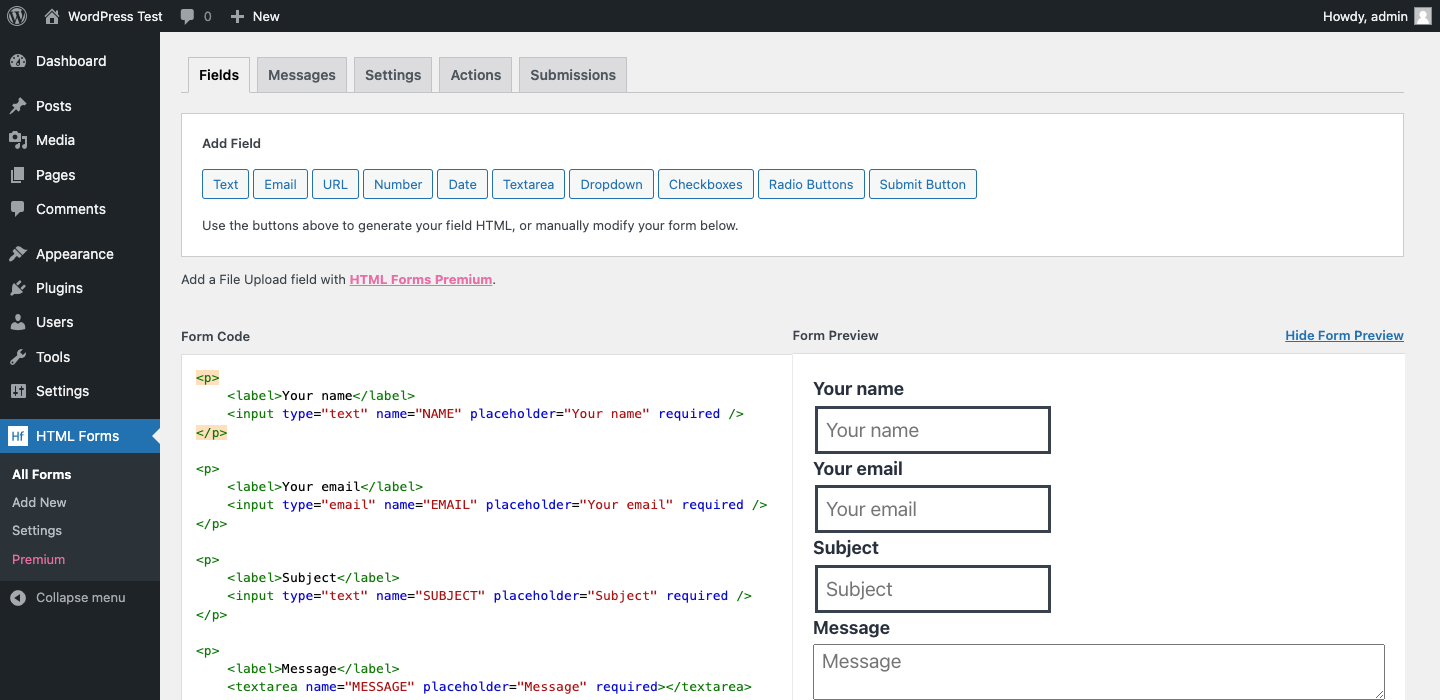
HTML Forms is a WordPress plugin that allows you to easily add customizable forms to your website. Unlike other form builders, you manage the form HTML while the plugin takes care of the PHP and JavaScript. With HTML Forms, you have full control over your form fields and can configure actions such as email notifications or database saving.Screenshots



Frequently asked questions
What is HTML Forms?
HTML Forms is a WordPress plugin that allows you to add multi-purpose forms to your site. It differs from other form builders by letting you manage the form HTML directly. The plugin handles the PHP and some JavaScript for form submission and data management.
How do I define form fields?
You define your form fields using valid HTML. Ensure all input elements have a 'name' attribute so the data entered in that field can be saved.
What actions can be configured for form submissions?
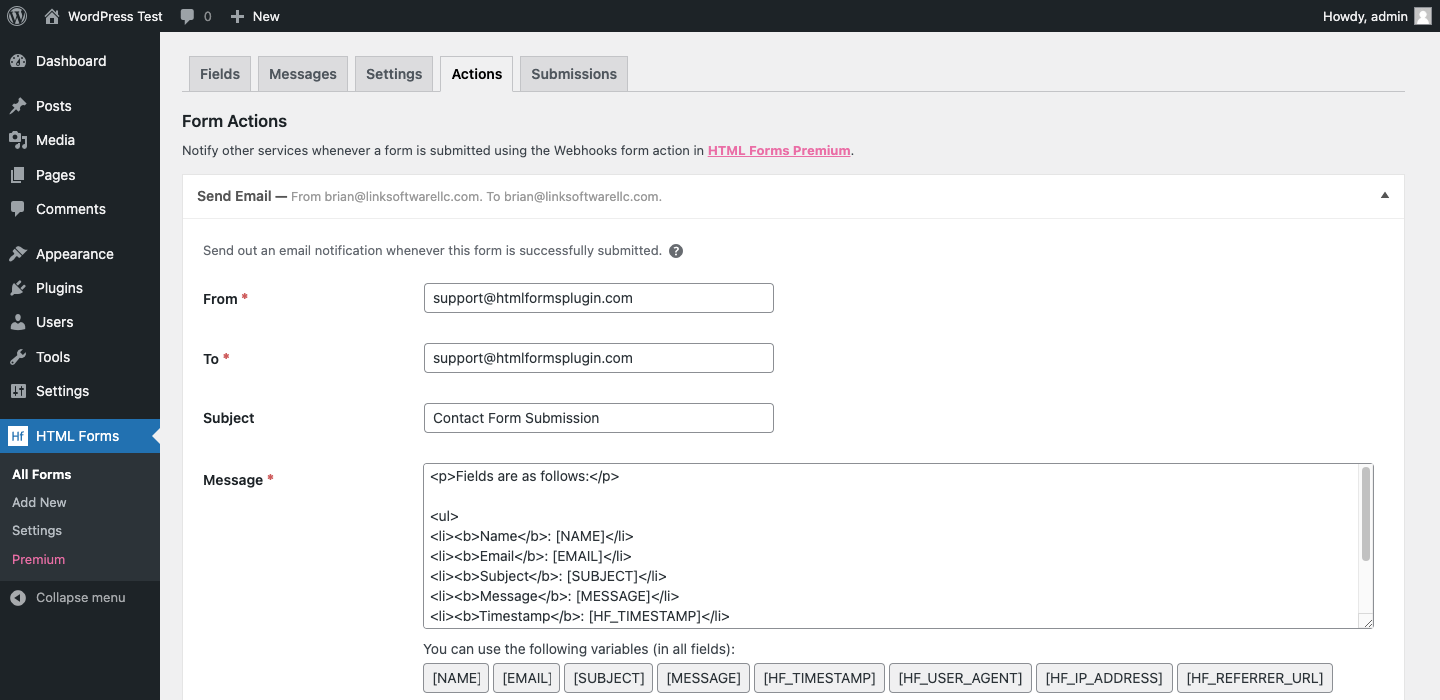
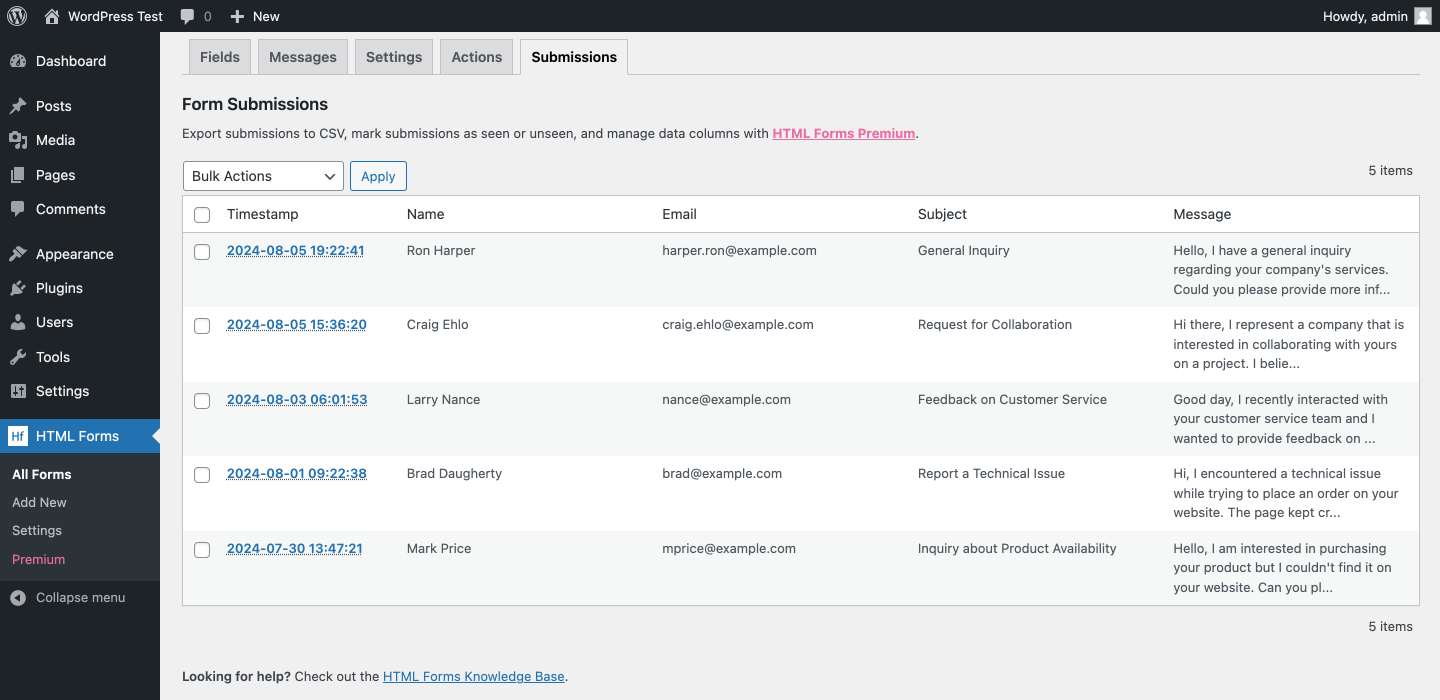
By default, form submissions are automatically saved. You can configure an unlimited amount of other actions to run, such as sending email notifications or subscribing to Mailchimp.
How do I display a form on my WordPress site?
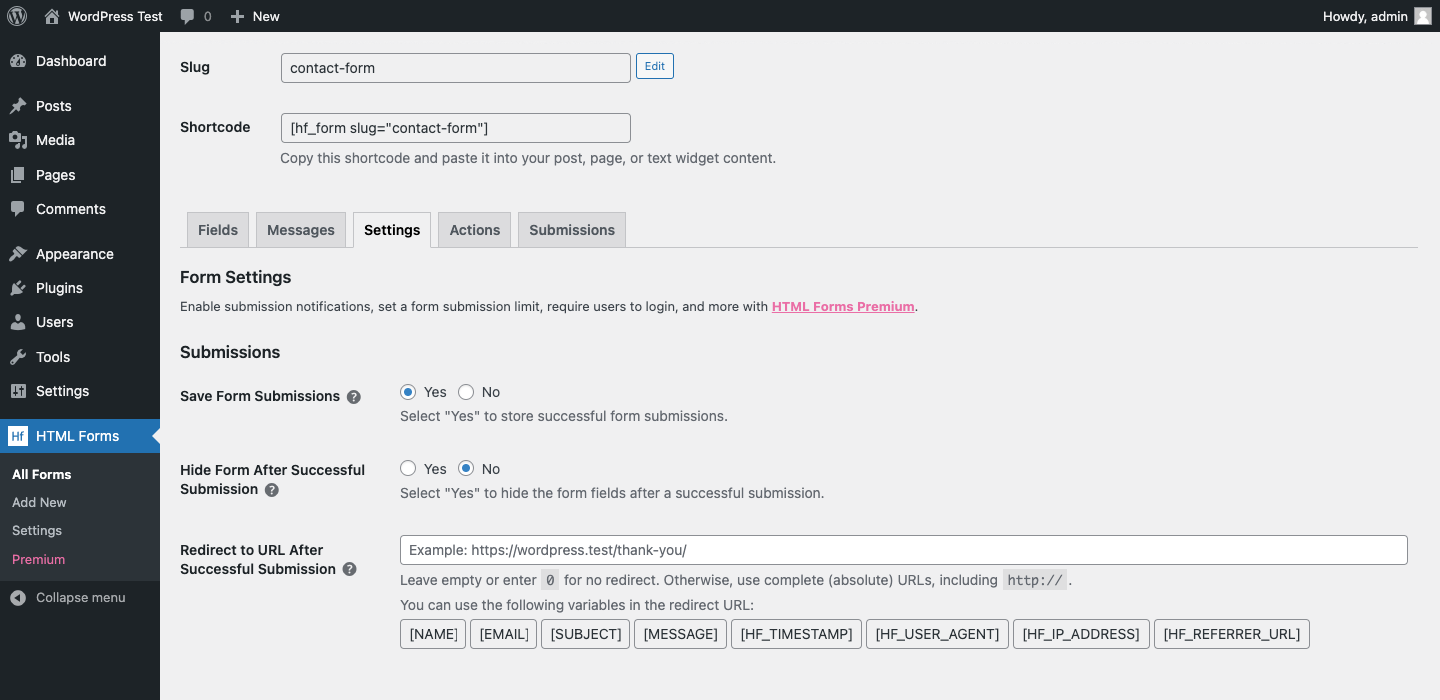
You can show your form by using the [hf_form] shortcode. This shortcode can be placed in your WordPress posts, pages, or widget areas.
Does HTML Forms offer a drag & drop interface?
No, HTML Forms does not include an intuitive drag & drop interface. The plugin's design philosophy emphasizes direct HTML control for greater flexibility and simplicity.
Changelog
1.5.1
- Bug fix when getting error code responses when submission data is unavailable.
- Bug fix for _load_textdomain_just_in_time error when plugin text is being translated.
- Interface changes.
1.5.0
- New Variables for HTML Forms Submission Data (Timestamp, User Agent, IP Address, and Referrer URL).
- Interface changes.
1.4.2
- Bug fix to prevent XSS on HTML Forms list table.
1.4.1
- Added hooks for HTML Forms Premium features.
- Added Knowledge Base links throughout.
- Interface changes.
1.4.0
- Added a “Submissions” column to the forms table.
- New “Wrapper Tag” setting to configure what HTML tag wraps fields in the form editor.
- Added “Hide Preview” option to the form editor.
- Improved integration with the hCaptcha for WordPress plugin.
- Interface changes.
1.3.34 – July 7th, 2024
- Made the Submissions tab a direct link.
- Raw submission data is now scrollable.
- Added nonce verification to bulk actions on the HTML Forms list table.
1.3.33 – June 24th, 2024
- Fix for adding additional choices to the Dropdown, Checkboxes, and Radio Buttons fields.
- Fix to prevent XSS on form Messages.
- Fix for the Mailchimp action’s check for an email field.
- Interface changes.
1.3.32 – June 17th, 2024
- Better handling for line breaks in field data.
- Fix for the “d/m/Y” date format not being handled correctly.
1.3.31 – May 20, 2024
- Interface changes.
1.3.30 – Mar 7, 2024
- Run form mark-up through KSES filter if user lacks
unfiltered_htmlcapability.
1.3.29 – Feb 6, 2024
- Fix
get_field_count()used for anti-spam protection not correctly counting fields when attribute key came directly after a line-break. Thanks yann1cks! - Fix
data-hide-ifattribute not updating required fields correctly. Thanks yann1cks! - Remove unused class input from Gutenberg block. Thanks yann1cks!
- Remove use of
tliteJS dependency. - Update JS dependencies.
1.3.28 – Sep 19, 2023
- Update browserslist to support the same set of browsers as WordPress core.
- Delay initializing the field builder component until the DOM has fully loaded. Fixes an issue with the file upload button (from HTML Forms Premium) not appearing.
1.3.27 – Jun 30, 2023
- Fix PHP notice for calling
WPDB::preparewith mixed argument types. - Update JS dependencies.
1.3.26 – Nov 15, 2022
- Add pagination to submissions overview page if there are more than 500 items to show.
- “Move to trash” action for submissions now properly called “Delete permanently”. Thanks to Rakesh Sabale.
1.3.25 – Oct 21, 2022
This release fixes a SQL injection vulnerability where users with the administrator role could execute arbitrary SQL commands.
Thanks to Nguyen Duy Quoc Khanh via WPScan for the responsible disclosure.
Other changes:
- Use default WordPress collation when creating tables. Props bengs.
1.3.24 – Sep 23, 2022
- Compatibility with Swup.js, thanks to Sam Brown
- Update JavaScript dependencies.
1.3.23 – Mar 2, 2022
- Add support for swup.js in conditional fields logic.
- Safer support for Full-Site Editing by splitting up registering and enqueueing of JS and CSS assets.
1.3.22 – Jun 7, 2021
- Always load minified asset files, regardless of SCRIPT_DEBUG constant.
- Optimize JavaScript event callbacks in form editor.
- Fix required fields logic for when field names have multiple spaces in them.
- Add action parameter to AJAX endpoint for submitting forms.
1.3.21 – May 14, 2021
- Add multisite compatibility for storing form submissions. Thanks to Ismail Hardoum.
- Fix required fields logic for fields with spaces in their name.
- Fix replacement variables logic for fields with spaces or special characters in their name.
- Add nonce verification to all URL’s using
_hf_admin_action.
1.3.20 – May 7, 2021
- Change type of referer_url column in database to
TEXT. - Pass form object to
hf_form_markupfilter hook. - Refresh form editor after navigating via tabs.
1.3.19 – Feb 16, 2021
- Add filter for file-uploads to use direct links to file instead of WP media attachment.
- Fix field variables not showing correctly in available tags for email action message body.
1.3.18 – Jan 13, 2021
- Updated JS dependencies.
- Change plugin domain to htmlformsplugin.com.
1.3.17 – Dec 21, 2020
- Forms are now sortable by name on overview page.
- Update internal dependencies to their latest versions.
- Add
role="alert"to form messages. - Optimize size of public JavaScript file (25% size reduction) by rewriting some dependencies.
- Add filter for tabs in admin area.
1.3.16 – May 6, 2020
- Add filter hook for successful form responses:
hf_form_response - Only try to detect WPBruiser hidden input fields whenever that plugin is activated.
- Stop explicitly enabling shortcodes in text widgets as this is now handled by WordPress core (as of version 4.9).
- Explicitly set engine and charset on submissions database table.
1.3.14 – Nov 6, 2019
Improvements
- Stop using
supress_filtersargument when retrieving forms, for a possible performance improvement. - Prevent extra SQL query for options when global settings have not been saved yet.
1.3.13 – Oct 18, 2019
Fixes
- Special HTML characters being encoded even in plain text emails.
Improvements
- HTML tags are no longer stripped from field values, so forms can now accept HTML. HTML is still escaped upon display to prevent XSS.
1.3.12 – Oct 11, 2019
Compatibility with Mailchimp for WordPress 4.6.
1.3.11 – Sep 17, 2019
Improvements
- Write results from Mailchimp action to MC4WP debug log.
1.3.10 – Sep 5, 2019
Fixes
- PHP warning introduced in latest update when using array fields.
1.3.9 – Sep 2, 2019
Fixes
- Strip out WPBruiser token field to prevent it from being stored.
Improvements
- Add filter hooks to variables inside the email action. Thanks to Ryan Salerno.
1.3.8 – May 28, 2019
Fixes
- Invalid HTML for generated textarea tag.
Improvements
- Improved HTML escaping, preserve double and single quotes.
- Explicitly set charset of HTML emails to UTF-8 by default.
- Escape HTML after limiting string length, not before.
1.3.7 – April 8, 2019
Additions
- Add Gutenberg block for adding shortcode to content.
- Add setting in field builder for the
multipleattribute on<select>elements. - Add
hf_get_forms()function for retrieving multiple form objects.
Improvements
- Add
edit_formcapability to user that activates the plugin.
1.3.6 – March 27, 2019
Improvements
- Don’t strip HTML from variable replacements in HTML emails. This change allows you to link to uploaded files properly.
1.3.5 – January 29, 2019
Improvements
- Allow adding form field variables to the form’s redirect URL.
1.3.4 – January 9, 2019
Improvements
- Reload available field variables when adding action on form settings page.
- Add role=”alert” attribute to all form messages.
- Emit “message” event whenever message is shown to user.
1.3.3 – November 6, 2018
Fixes
- Fix selected state of email content type.
Improvements
- Add filter & action hook for extending forms with custom messages & message settings.
- Don’t add line-breaks automatically when using HTML emails.
- Delete all related postmeta when deleting a submission.
1.3.2 – Aug 6, 2018
Improvements
- Default to an empty string value in conditional fields logic. This allows you to show or hide elements when a field is empty or has not been set yet.
1.3.1 – June 12, 2018
Improvements
- Format dates, files and arrays when using data variables.
- Format dates, files and arrays on the submissions overview and submissions details pages.
- Allow cancelling a form’s submit event in JavaScript (with
event.stopPropagation()) to prevent form submission.
1.3.0 – May 28, 2018
Fixes
- PHP notice because of namespace import outside of any namespace.
- Removed usage of PHP 5.4+ feature.
- Enforce HTTPS in form preview iframe when WP Admin uses HTTPS but public site does not.
Improvements
- Hook into GDPR Personal Data Export & Erase functionality. Requires WP 4.9.6.
- Allow updating stored Submissions with empty values. Allows clearing out IP address & user agents.
- Internal field should start with underscore to hide it in column view.
- Add for attribute to generated label element. Allows for simple multi-step forms.
Additions
- Add support for button clicks in conditional element logic.
1.2.0 – April 24, 2018
Fixes
- Remove use of short-array syntax, which is only available in PHP 5.4 or later.
Improvements
- You can now hide columns on the submissions tab using screen options (in the top right corner).
- You can now disable saving submissions on a per-form basis.
- Allow pre-checking multiple checkboxes when using the field helper
- Fields with matching URL parameter names will automatically be prefilled.
- Use SVG icon in admin menu.
Additions
- Add simple action for subscribing to Mailchimp. Requires the Mailchimp for WordPress plugin.
1.1.5 – April 9, 2018
Fixes
- Conditionally hidden fields are now ignored in server-side required field validation too. Thanks Jeroen Sormani!
Improvements
- Added foundational stuff for being able to handle file uploads.
Additions
- Added
hf_process_formaction to execute code before the form actions run.
1.1.4 – March 28, 2018
Fixes
- Ensure form is fully functional in live preview.
- Show all forms on the forms overview page (limit was 5).
- Parse field variables in custom email headers. Thanks Jeroen Sormani!
Improvements
- You can now bind JavaScript events using the default browser API, eg
document.getElementById('hf-form-5').addEventListener('hf-success', ..); - Only load JavaScript file on pages with a form on it.
- Don’t add line-breaks in HTML generated by the Field Builder.
- Conditional elements now accept wildcard values:
* - Available field variables in email action settings are now clickable.
Additions
- Added several action & filter hooks to enable advanced functionality in HTML Forms Premium.
1.1.3 – February 12, 2018
Fixes
- Form preview was not working when WPML was activated.
Improvements
- Improved theme compatibility for the form preview.
- Print submission details as JSON instead of PHP object.
- Form messages are now added to the element as data attributes, so they can be used in JavaScript event callbacks.
Additions
- Conditional logic now accepts multiple values, separated by the |-character.
1.1.2 – January 18, 2018
Fixes
- Conditional elements visible in form preview.
- WP_List_Table issue on forms overview page.
Improvements
- Allow disabling submission storage through a global setting.
- Hide submissions tab when submission storage is disabled.
- Prevent PHP notice if
$_SERVERglobal is missing properties. - Update JavaScript dependencies.
Additions
- Filter:
hf_ignored_field_names
1.1.1 – December 21, 2017
Fixes
- Incorrect role capability for administrators.
1.1 – December 21, 2017
Fixes
- JavaScript error in some older browser when submitting the form.
Improvements
- Use custom user capability base for editing & viewing forms.
- Delay form response until a later hook so other plugins get a chance to hook in.
- Disable client-side validation for conditional fields marked as required.
Additions
- Added live preview to the form editor.
1.0.6 – December 11, 2017
Fixes
- Array replacements in email message were showing “Array” instead of a comma separated list of values.
- Don’t reset form when there are errors. Thanks Jeroen Sormani!
Additions
- You can now use certain template variables in the form content which will be dynamically replaced.
- Added
hf_validate_form_{$form_slug}filter hook. - Added
hf_form_{$form_slug}_successaction hook.
1.0.5 – November 18, 2017
Fixes
- Could not save more than one “Email” action.
1.0.4 – November 10, 2017
Fixes
- Incompatibility with PHP versions before 5.6.
- Data variables could not be placed on the same line.
Improvements
- Clear output buffer before sending AJAX response to prevent issues with response parsing.
Additions
- Added
hf_form_message_{$code}filter hook.
1.0.3 – November 6, 2017
Additions
- Added support for conditional elements by using
data-show-ifanddata-hide-ifattributes.
Improvements
- Accept
idargument in[hf_form]shortcode. - Catch errors in shortcode’s
slugattribute. - Allow changing form slug after initial form is saved.
Fixes
- Fixes stylesheet URL when option to load stylesheet is toggled.
1.0.2 – October 30, 2017
Fixes
- Form validation always failing when form has 0 required fields.
Improvements
- Fake success response when honeypot validation fails.
- Validate request by comparing size of POST array with number of form fields.
- Ensure submit button never has label element when using the field helper.
- Optimize URL generation of asset files on frontend.
Additions
- Added
hf_validate_form_request_sizefilter hook.
1.0.1 – October 28, 2017
Improvements
– Added SVG admin menu icon.
– Field names are now sanitized before they are saved in the database.
– Submit button was missing for default form fields.
– Unneeded <form> tags are now stripped from the form before saving.
Additions
– Added data-title and data-slug attributes to the <form> element on the frontend.
1.0 – October 25, 2017
Introducing a first version of HTML Forms, a different approach to forms for WordPress sites.

