
Just another contact form plugin. Simple but flexible.
About Copy Anything to Clipboard
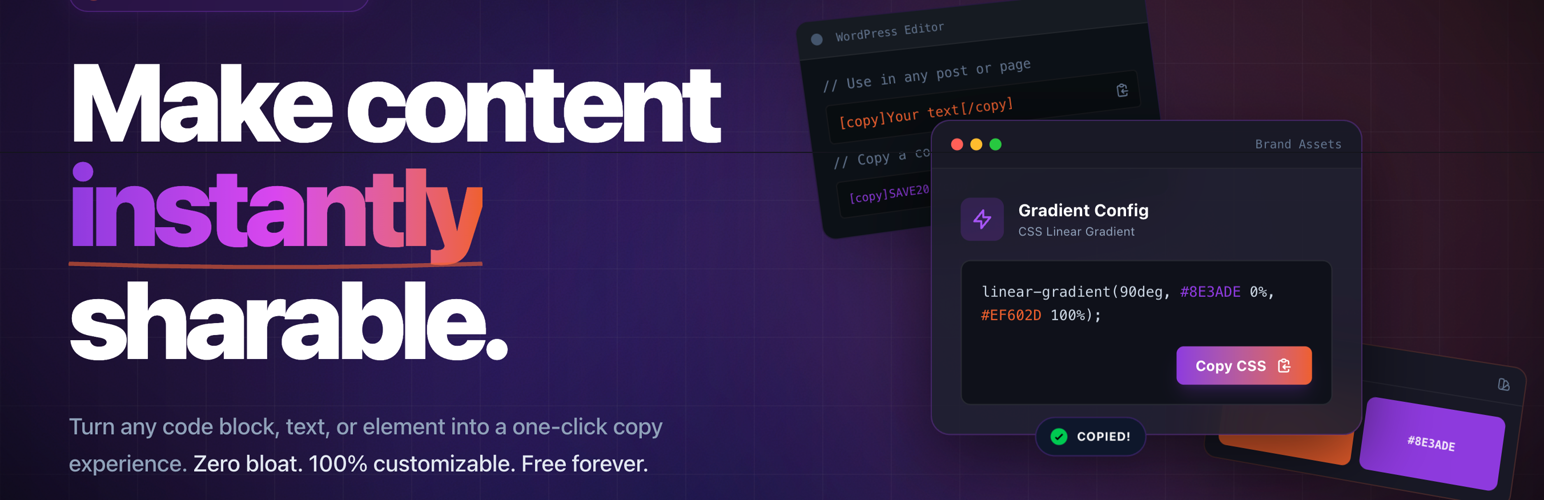
The "Copy Anything to Clipboard" WordPress plugin has over 227,949 downloads and is the #1 plugin in its category. By upgrading to the pro version, customers can get a discount of up to 20% to 30% and enjoy additional features. The plugin can be used automatically with CSS selectors, manually with shortcodes, or with Elementor widgets, and it offers benefits such as ease of use, versatility, seamless integration, and more.Frequently asked questions
What is the "Copy Anything to Clipboard" plugin?
The "Copy Anything to Clipboard" plugin adds a copy button to your website, making it easy for users to copy content. It is suitable for bloggers, developers, and anyone who wants to simplify content copying for their users.
How can I use the plugin automatically with a CSS Selector?
To use the plugin automatically with a CSS Selector, go to "Copy to Clipboard," click "Add New," add your desired selector (e.g., "pre" or "blockquote"), and then click "Create." This will add the copy button to all elements matching that selector.
How can I use the plugin manually with a Shortcode?
You can use the shortcode method to add a copy button to a specific element. Use either the [copy] or [copy_inline] shortcodes around the content you want to make copyable.
Changelog
4.0.5
- Improvement: Updated Freemius SDK library with version 2.11.0.
- Improvement: Compatibility to WordPress 6.7.2.
4.0.4
- Fixed: Disallow to add script for the contributor level user in the shortcode.
- Improvement: Updated Freemius SDK library with version 2.9.0.
- Improvement: Compatibility to WordPress 6.7.1.
4.0.3
- Hot fix: The dependency not works for post types.
4.0.2
- Fix: The js dependency not works for the shortcode.
4.0.0
- New: Added the Gutenberg block “Term Title”.
- New: Added the Gutenberg block “Social Share”.
- New: Added the Gutenberg block “Copy Button”.
- New: Added the Gutenberg block “Copy Icon”.
- Improvement: Updated Freemius SDK library with version 2.7.4.
- Improvement: Compatibility to WordPress 6.6.1.
3.8.3
- Improvement: Updated the recurring cron job registration logic.
3.8.2
- Fixed: Elementor copy button not works due to missing dependency.
3.8.1
- Fixed: The copy animation not works for the shortcode.
- Improvement: Compatibility to WordPress 6.5.3.
3.8.0
- New: Added display conditions for the copy to clipboard to load the assets only on selected pages.
- Improvement: Fixed the copy icon Gutenberg block title issue.
- Improvement: Loading the Gutenberg block assets only on the block used pages.
- Improvement: Added default copied button text.
- Improvement: Compatibility to WordPress 6.5.2.
3.7.0
- New: Added the copy icon Gutenberg block.
3.6.0
- New: Added the target selector support for the copy content in the Elementor widget.
- Improvement: Added to support to copy the markup content from the Copy Icon Elementor widget.
3.5.2
- Improvement: Added the dynamic content support for email, phone, and address Elementor widgets.
- Improvement: Compatibility to WordPress 6.4.3.
3.5.1
- Improvement: Added the background image support for all the Elementor widgets.
- Improvement: Updated Freemius SDK library with version 2.6.2.
3.5.0
- New: Added the “Contact Information” Elementor widget.
- Improvement: Compatibility to WordPress 6.4.2.
3.4.3
- Fix: The shortcode copy the display text instead of the content.
3.4.2
- Improvement: Added the shortcode support for the Elementor widget.
- Improvement: Added the missing table widget in the Elementor category.
3.4.1
- Fix: The button customization is not working in the dashboard screen.
3.4.0
- New: Added table Elementor widget to display content in horizontal, or vertical table and allow to copy the content.
3.3.0
- New: Added button styling support for Elementor widget Copy Icon.
- New: Added button styling support for Elementor widget Copy Button.
- New: Added button styling support for Elementor widget Email Sample.
- New: Added button styling support for Elementor widget Email Address.
- New: Added button styling support for Elementor widget Phone Number.
- New: Added button styling support for Elementor widget Blockquote.
- New: Added button styling support for Elementor widget Code Snippet.
- New: Added button styling support for Elementor widget Message.
- New: Added button styling support for Elementor widget Deal.
- New: Added button styling support for Elementor widget Coupon.
- New: Added button styling support for Elementor widget AI Prompt Generator.
- Improvement: Updated Freemius SDK version 2.6.0.
3.2.1
- Improvement: Improved the Elementor “Coupon Code” widget controls and structure.
- Improvement: Improved the Elementor “Deal” widget controls and structure.
- Improvement: Improved the Elementor “Email Address” widget controls and structure.
- Improvement: Improved the Elementor “Email Sample” widget controls and structure.
- Improvement: Improved the Elementor “Message” widget controls and structure.
- Improvement: Improved the Elementor “Phone Number” widget controls and structure.
- Improvement: Improved the Elementor “Shayari” widget controls and structure.
- Improvement: Improved the Elementor “SMS” widget controls and structure.
- Improvement: Improved the Elementor “Wish” widget controls and structure.
3.2.0
- New: Added the Elementor widget category “Copy Anything to Clipboard”.
- Improvement: Compatibility to WordPress 6.4.1.
- Improvement: Improved the Elementor “AI Prompt Generator” widget controls and structure.
- Improvement: Improved the Elementor “Blockquote” widget controls and structure.
- Improvement: Improved the Elementor “Code Snippet” widget controls and structure.
- Improvement: Improved the Elementor “Copy to Clipboard Button” widget controls and structure.
- Improvement: Improved the Elementor “Copy to Clipboard Icon” widget controls and structure.
3.1.0
- New: Added button styling support for Elementor widget Copy Icon.
- New: Added button styling support for Elementor widget Copy Button.
- New: Added button styling support for Elementor widget Email Sample.
- New: Added button styling support for Elementor widget Email Address.
- New: Added button styling support for Elementor widget Phone Number.
- New: Added button styling support for Elementor widget Blockquote.
- New: Added button styling support for Elementor widget Code Snippet.
- New: Added button styling support for Elementor widget Message.
- New: Added button styling support for Elementor widget Deal.
- New: Added button styling support for Elementor widget Coupon.
- New: Added button styling support for Elementor widget AI Prompt Generator.
- Improvement: Updated Freemius SDK version 2.6.0.
3.2.1
- Improvement: Improved the Elementor “Coupon Code” widget controls and structure.
- Improvement: Improved the Elementor “Deal” widget controls and structure.
- Improvement: Improved the Elementor “Email Address” widget controls and structure.
- Improvement: Improved the Elementor “Email Sample” widget controls and structure.
- Improvement: Improved the Elementor “Message” widget controls and structure.
- Improvement: Improved the Elementor “Phone Number” widget controls and structure.
- Improvement: Improved the Elementor “Shayari” widget controls and structure.
- Improvement: Improved the Elementor “SMS” widget controls and structure.
- Improvement: Improved the Elementor “Wish” widget controls and structure.
3.2.0
- New: Added the Elementor widget category “Copy Anything to Clipboard”.
- Improvement: Compatibility to WordPress 6.4.1.
- Improvement: Improved the Elementor “AI Prompt Generator” widget controls and structure.
- Improvement: Improved the Elementor “Blockquote” widget controls and structure.
- Improvement: Improved the Elementor “Code Snippet” widget controls and structure.
- Improvement: Improved the Elementor “Copy to Clipboard Button” widget controls and structure.
- Improvement: Improved the Elementor “Copy to Clipboard Icon” widget controls and structure.
3.1.0
- New: Added new shortcode [copy_inline] which allow you to copy content from the inline element.
- New: Added Elementor widget Copy Icon.
- New: Added Elementor widget Copy Button.
- New: Added Elementor widget Email Sample.
- New: Added Elementor widget Email Address.
- New: Added Elementor widget Phone Number.
- New: Added Elementor widget Blockquote.
- New: Added Elementor widget Code Snippet.
- New: Added Elementor widget Message.
- New: Added Elementor widget Deal.
- New: Added Elementor widget Coupon.
- New: Added Elementor widget AI Prompt Generator.
3.0.0
- New: Improve the dashboard UI with the new design.
- Improvement: Added the support to edit the existing copy to clipboard post.
- Improvement: Compatibility to WordPress 6.3.2.
- Improvement: Updated Freemius SDK version 2.5.12.
2.6.5
- Improvement: Compatibility to WordPress 6.3.1.
- Improvement: Address a reflected Cross-Site Scripting vulnerability from
icon-colorshortcode parameter.
2.6.4
- Improvement: Updated Freemius SDK version 2.5.10 to address a Reflected Cross-Site Scripting vulnerability via fs_request_get.
2.6.3
- Improvement: Added the shortcode attribute
colorto set the custom color for the text. E.g.[copy content="Custom Text.." color="#2dcd78"]Copy me![/copy] - Improvement: Added the shortcode attribute
icon-colorto set the custom color for the icon. E.g.[copy content="Custom Text.." style="icon" icon-color="#9437f6"][/copy] - Improvement: Added the shortcode attribute
styleto show the icon. E.g.[copy content="Custom Text.." style="icon"][/copy]
2.6.2
- Improvement: Compatibility to WordPress 6.1.1.
- Improvement: Updated Freemius SDK wit version 2.5.3.
- Improvement: Added the support to copy emojis from the content into the clipboard.
2.6.1
- Improvement: Avoided the button copy to clipboard for Google Docs and Email format.
- Improvement: Avoided the “Copy” text from the clipboard.
2.6.0
- New: Added the Copy Format setting to copy the content for Google Docs or Email.
- Improvement: Added filter
copy_the_code_shortcode_attsfor shortcode to redirect the user to another page after copying the content to the clipboard. - Improvement: Added the support to Trim Lines with filter
copy_the_code_localize_vars. - Improvement: Added translation support for pt_BR language.
2.5.0
-
New: Added a link to easily upgrade to the premium version which was recently not easily visible.
-
Improvement: Improve the default button style.
- Improvement: Improve the welcome message by adding the plugin name. Thanks @Andre
2.4.2
- Fix: The message “You are just one step away..” is not disappearing after clicking on button. Thanks @MingHong
2.4.1
- Improvement: Added the sub-menus page links into the post type screen.
- Improvement: Removed the sub-menus Dashboard, Contact Us, Upgrade, and Support Forum.
2.4.0
- New: Integrated the Freemius library for automatic updates, upgrade and for quick support.
- Improvement: Add new dashboard admin page for Copy Anything to Clipboard.
- Improvement: Deprecated the Shortcode admin page which is no longer used.
2.3.5
- Improvement: UI improvements in the shortcode information admin page.
- Improvement: Added the title tag support for the shortcode. So, Whenever the user hovers on shortcode text then it’ll see the title.
- Improvement: Avoid the remove spaces support by setting false values to the parameter remove_spaces. Use filter from code snippet https://gist.github.com/7c086cdf0837f5864596945086c603c8
2.3.4
- Improvement: Keep the welcome message only for first time user activate.
2.3.3
- Improvement: Added a welcome message to the user for smooth plugin onboarding.
2.3.2
- Improvement: Improve the code with PHPCS fixes.
2.3.1
- Improvement: Keep the tab spaces while copy to clipboard. Thanks @marius84
- Improvement: Users can now share non-personal usage data to help us test and develop better products.
2.3.0
- New: Added support to redirect user after copy to clipboard. Thanks @zecke Read more https://wp.me/P4Ams0-aAq
2.2.2
- Improvement: Getting multiple white spaces in Gutenberg editor.
- Fix: The add new link was wrong which navigate to invalid page.
2.2.1
- Improvement: Move the parent menus as submenu in settings menu.
2.2.0
- New – Added shortcode [copy] to copy the content. E.g. [copy]12345[/copy]. Read more at https://clipboard.agency/doc/
2.1.1
- Improvement – Compatibility to WordPress 5.7.
2.1.0
- New: Added filter
copy_the_code_localize_varsto allow to copy the content as HTMl instead of text.
2.0.0
- Tweak: Create a new post copy to clipboard post depends on the old user settings.
- Deprecated: Removed the filter
copy_the_code_enabledwhich is no more useful. - Deprecated: Removed the option
Copy the contentwhich is no more useful. Will add the support though filter if required. - New: Added custom post type support to add multiple copy to clipboard buttons with different selectors and styles.
- New: Improve the UI with live preview.
- New: Added the new
SVG Iconbutton style to show the SVG icon instead of button. - New: Added inside and outside position support for the new style SVG Icon.
- New: Added the new
Coverstyle to copy the small element in which we could not add the copy button. Such as Emoji and Symbols.
1.8.0
- New: Set the
Copy Content Asdefault option withtext. - Improvements: Converted the
<br>tags into the new line if the option “Copy Content As” selected asText. - Improvements: Converted the
<div>tags into the new line if the option “Copy Content As” selected asText. - Improvements: Converted the
<p>tags into the new line if the option “Copy Content As” selected asText. - Improvements: Converted the
<li>tags into the new line if the option “Copy Content As” selected asText. - Improvements: Remove the white spaces and trim the content if the option “Copy Content As” selected as
Text. - Fix: Copy the content as text works different on Chrome, Firefox and Internet Explorer browsers.
1.7.5
- Fix: The
<br>tag converted into the next line. Select theTextfrom optionCopy Content As. Reported by Konrad. - Fix: Single level selector copies the selector in the clipboard. Reported by Seb.
1.7.4
- Fix: Nested selectors was not working due to mismatch the copy button position.
1.7.3
- Fix: The
<br>tags was not copied as new line. Reported by @psanger.
1.7.2
- Improvement: Removed unwanted code.
1.7.1
- Improvement: Updated Freemius SDK library with version 2.3.2.
- Improvement: Added the latest new section.
- Fix: The submit button is not visible form the settings page. Reported by Nicolas Tizio
1.7.0
- New: Added General & Style tabs.
1.6.1
- Improvement: Added WordPress 5.4 compatibility.
1.6.0
- New: Added filter
copy_the_code_default_page_settingsto change the default page settings. - New: Added filter
copy_the_code_page_settingsto change the page settings.
1.5.0
- New: Added option ‘Button Text’ to set the default button text. Default ‘Copy’.
- New: Added option ‘Button Copy Text’ to set the button text after click on copy. Default ‘Copied!’.
- New: Added option ‘Button Title’ to set the default button title which appear on hover on button. Default ‘Copy to Clipboard’.
- New: Added option ‘Button Position’ to set the button position. Inside or outside the selector. Default ‘inside’.
- Improvement: Added support for Internet Explorer devices. Reported by @rambo3000
1.4.1
- Fix: Added support for IOS devices. Reported by @radiocure1
1.4.0
- New: Added option ‘Copy Content As’ to copy the content as either HTML or Text.
1.3.1
- Improvement: Updated the strings and compatibility for WordPress 5.0.
1.3.0
- New: Added support, contact links.
1.2.0
- New: Added settings page for customizing the plugin. Added option
selectorto set the JS selector. Default its<pre>html tag.
1.1.0
- Fix: Removed
Copybutton markup from the copied content from the clipboard.
1.0.0
- Initial release.

