

Just another contact form plugin. Simple but flexible.
About AI for SEO – Bulk Generate Metadata, Alt Text, Image Titles, Captions, Descriptions
AI for SEO is a powerful tool that helps improve your website's search engine rankings, driving more traffic and sales. It automatically generates metadata for your content, integrates with popular SEO plugins, and even assists in meeting accessibility requirements. Plus, it offers a free plan with daily credits and a money-back guarantee.Screenshots
Changelog
2.0.1
- Fixed a bug that prevented the Media Attributes Editor from generating data correctly.
- Fixed 17 minor bugs, typos and security updates.
2.0.0
- Complete UI/UX Overhaul: The look, feel, design, layout, and navigation of the plugin have been completely redesigned.
- Enhanced Mobile Experience: Improved usability and user experience for mobile users.
- New “Account” Page: Users can now manage their license key directly from this page.
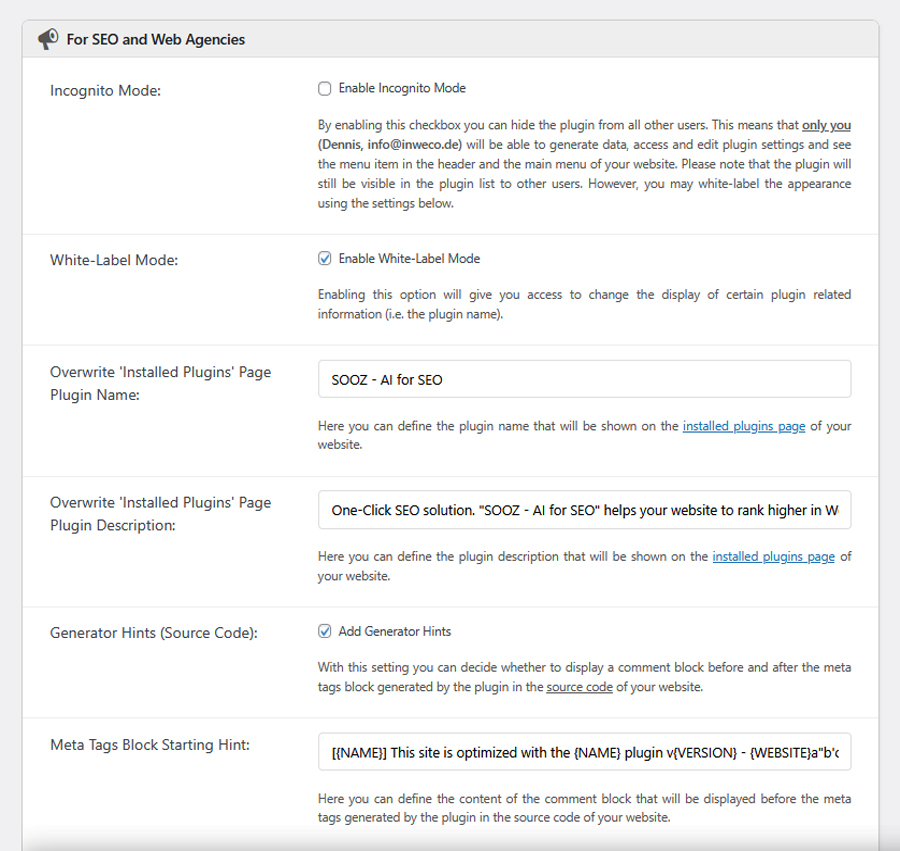
- Incognito Mode: SEO and web agencies can hide the plugin from other users/admins (available in the new “Account” page).
- White-Label Feature: SEO and web agencies can rebrand the plugin with their own name or further hide it from other users/admins (available in the new “Account” page).
- Customizable Generator Hints: Added a setting to modify or disable generator hints in the source code for additional privacy (available in the “Account” page).
- Privacy & Data Policy Update: Moved to the new “Account” page.
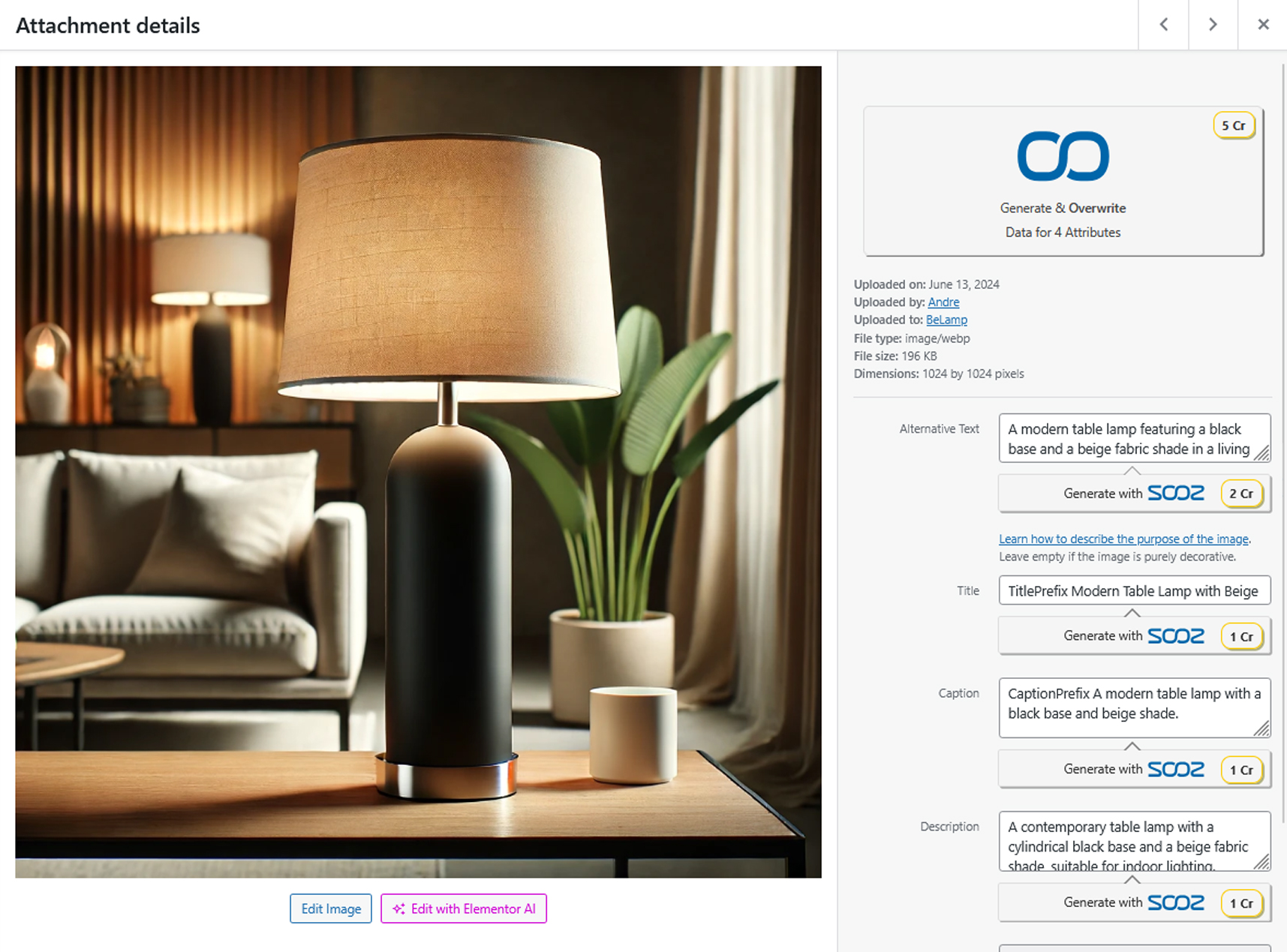
- New Metadata Customization Options: Added settings to apply prefixes and suffixes to metadata and media attributes.
- Advanced Media Attribute Control: New setting allows users to specify which media attributes the plugin should use.
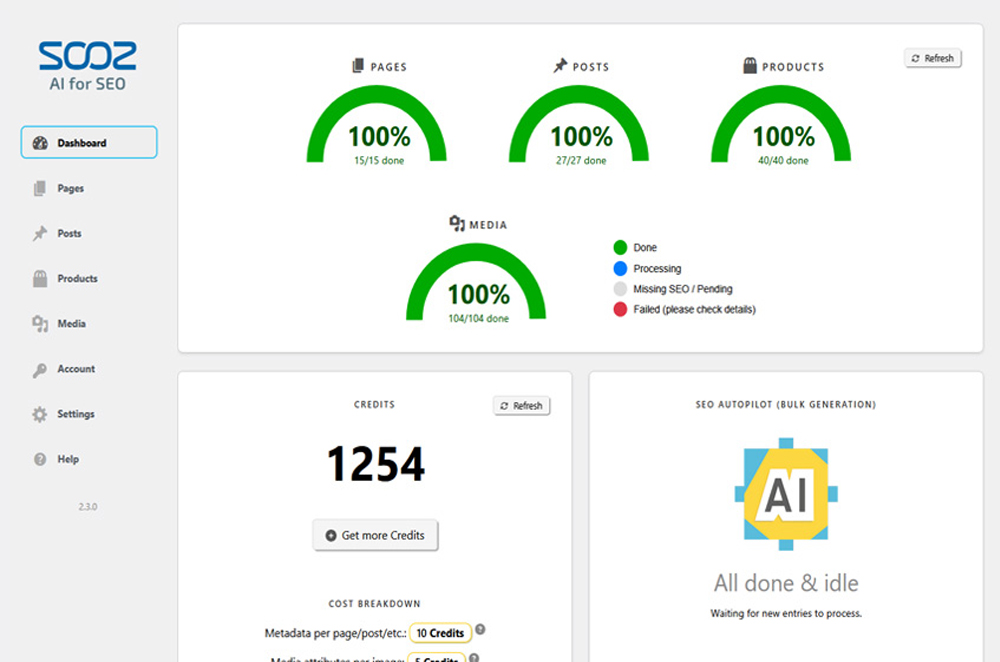
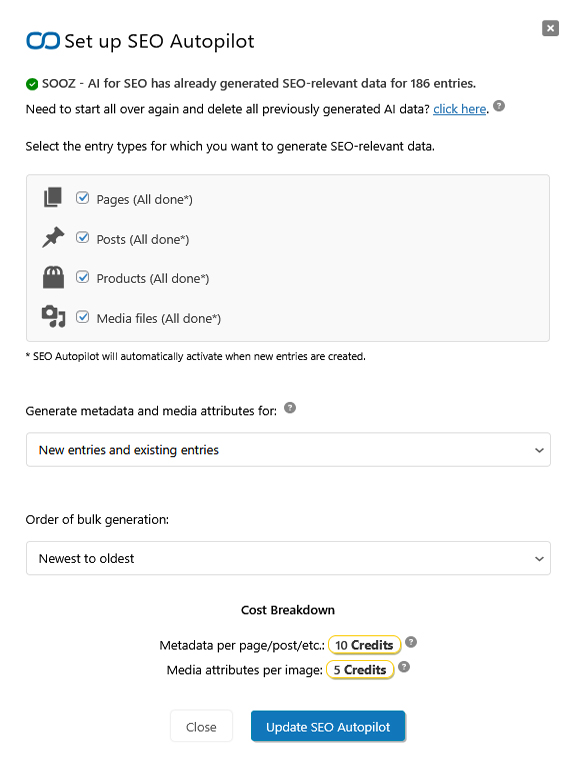
- “SEO Autopilot” Feature: Replaces bulk generation checkboxes with a more intuitive and easy-to-use interface, directly accessible from the dashboard.
- “Recent Activity” Dashboard Section: Track all manual and automatic metadata and media attribute generations in one place.
- Implemented new ways to get credits:
- Introduced Credit Packs, allowing users to purchase additional credits as needed.
- Added a Pay-As-You-Go option for automatic credit refills when running low.
- All credit purchasing options are now combined in a “Get More Credits” modal, accessible from the dashboard.
- “Guarantee” Section: Review our Guarantees and Refund Policy directly on the dashboard.
- “Recent Plugin Updates” Section: Stay informed about the latest updates from the dashboard.
- New “Support & Feedback” Section: Easily access support and provide feedback directly from the dashboard.
- Tons more minor improvements, bug fixes, and performance enhancements.
1.2.15
- Fixed 2 minor bugs and added additional FAQ entries to assist users with common issues.
1.2.14
- Added a setting to control whether entries with a complete metadata set are ignored during bulk generation (default) or included, overwriting all of their existing metadata.
- Added a setting to control whether entries with a complete media attribute set are ignored during bulk generation (default) or included, overwriting all of their existing media attributes.
- Added a setting called “Bulk Generation Duration” in Help > Troubleshooting to adjust the runtime of a single bulk generation process. This can be useful in cases where server limitations impact processing.
- Fixed 9 minor bugs and implemented 4 quality-of-life improvements.
1.2.13
- Added compatibility with ACF (Advanced Custom Fields): Content created using ACF is now fully recognized and processed correctly by the plugin.
- Added a setting to choose which metadata fields to sync with your preferred third-party SEO plugin.
1.2.12
- Added a troubleshooting section in the help menu to assist users with common issues by resetting various plugin data.
1.2.11
- Enhanced license username and key management: You can now view your username and license key directly in the plugin dashboard using the “Show License” button.
- Introduced support for linking additional websites to a main account: Enter your username and license key in the “Already purchased?” section to activate the license on other websites.
1.2.10
- Added a setting to customize the order of bulk generation.
- Introduced a setting to include or exclude new and/or existing entries from bulk generation.
- Fixed 2 minor bugs, added 1 quality of life improvement, and 1 security update.
1.2.9
- Added compatibility with the WPML multilanguage plugin, enabling improved language recognition for metadata and media attribute generation.
- Enhanced overall usability on mobile devices.
- Fixed 14 minor bugs, added 5 quality of life improvements, and 2 security updates.
1.2.8
- Added a “Lost your license key?” link to the “Already purchased?” section on the dashboard page.
- Added 3 FAQ entries regarding what to do if you lose your license key, how to handle third party seo plugins.
- Added compatibility with WordPress 6.7.0+.
- Fixed 17 minor bugs, added 5 quality of life improvements, and 2 security updates.
1.2.7
- Fixed a bug that prevented the plugin from automatically generating metadata / media attributes.
- Fixed 3 minor bugs, and improved performance and security.
1.2.6
- Updated Terms of Service: Users must review and accept the new ToS to continue using the plugin.
- Extended support for various payment methods, including Alipay, PayPal, Apple Pay, Google Pay, Giropay, iDEAL, SEPA, Direct Debit, WeChat Pay, Cartes Bancaires, MobilePay, Multibanko, BLIK, Bancontact, EPS, Przelewy24, SOFORT, TWINT and Klarna.
- Fixed 21 minor bugs, and improved performance and security.
1.2.5
- Added a new setting with four meta tag output modes: “Disable AI for SEO Meta Tags,” “Force AI for SEO Meta Tags,” “Replace Existing Meta Tags,” and “Complement Existing Meta Tags.” The default mode, “Replace Existing Meta Tags,” helps resolve compatibility issues with other plugins and may improve SEO performance by eliminating duplicate meta tags.
- Added support for additional SEO plugins, including Blog2Social.
- Added a “Help” button in the plugin library, providing users with quick access to the FAQ and support resources.
- Fixed 11 minor bugs, and improved performance and security.
1.2.4
- Added support for additional SEO plugins, including Yoast SEO, Rank Math, SEOPress, All in One SEO, Slim SEO, SEO Simple Pack, Squirrly SEO, and The SEO Framework.
- Introduced a setting to choose whether to sync metadata with your preferred SEO plugin.
- Added an option to enable or disable the overwriting of existing metadata.
- Added an option to enable or disable the overwriting of existing media attributes.
- Resolved six minor bugs and implemented performance improvements and security updates.
1.2.3
- Added a setting to enable or disable synchronization with the Yoast SEO plugin. Support for more SEO plugins will follow shortly.
- Fixed a bug that prevented settings from being saved correctly.
- Implemented three minor bug fixes.
1.2.2
- All users now receive 5 free credits daily, allowing continued use of the basic features at no cost.
- Overhauled pricing and credit rewards: Basic plan now includes 500 credits (up from 200). Pro plan now includes 1,500 credits (up from 600). Premium plan now includes 5,000 credits (up from 3,000).
- Added a “Getting Started” guide to the Help section, providing a step-by-step tutorial on how to use the plugin.
- Implemented seven minor bug fixes, along with performance improvements and security updates.
1.2.1
- Introduced a new “Help” section that includes a comprehensive FAQ and useful links to assist users in getting started with the plugin.
- Added “Select All / Unselect All” buttons to the settings page to enhance the user experience.
- Fixed a bug that occasionally caused statistics to display outdated or incorrect data.
- Added a “Metadata Editor” button to the top admin bar for smaller screens, making it easier to access the metadata editor.
- Implemented better error logging to help users troubleshoot issues more effectively.
- Implemented six minor bug fixes, along with performance improvements and security updates.
1.2.0
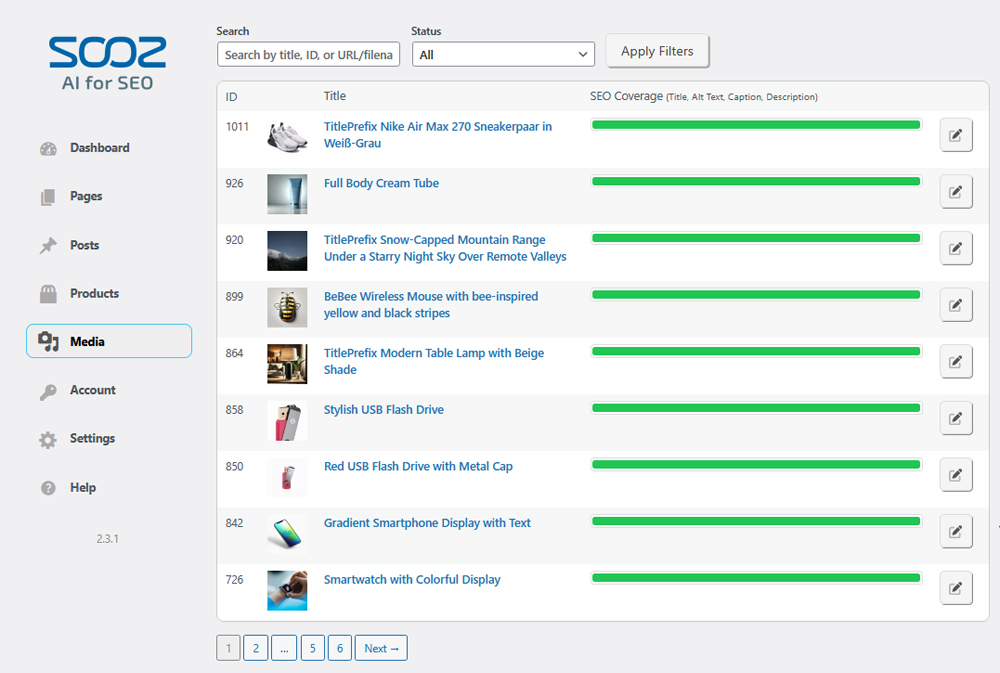
- Image Metadata Generation: Added support for generating alt text, titles, captions, and descriptions for all images on your website. You can use the bulk or manual generation options available. Simply click the ‘Generate with AI’ button in the media library or explore the new ‘Media’ tab within the AI for SEO plugin.
- New ‘Settings’ Tab: We have introduced a ‘Settings’ tab with various options to enhance your experience (details below).
** Meta Tag Inclusion: This option allows you to include or exclude specific meta tags from being output in the header by our plugin. Note that this setting does not affect meta tags generated by other plugins. For instance, if you prefer the meta titles generated by another plugin, you may choose to exclude them here.
** Language Selection: Allows you to override the AI’s language detection, which is helpful if your content is in a language different from what the AI has detected.
** User Management: Controls which user roles can access and use the plugin. By default, only administrators have access.
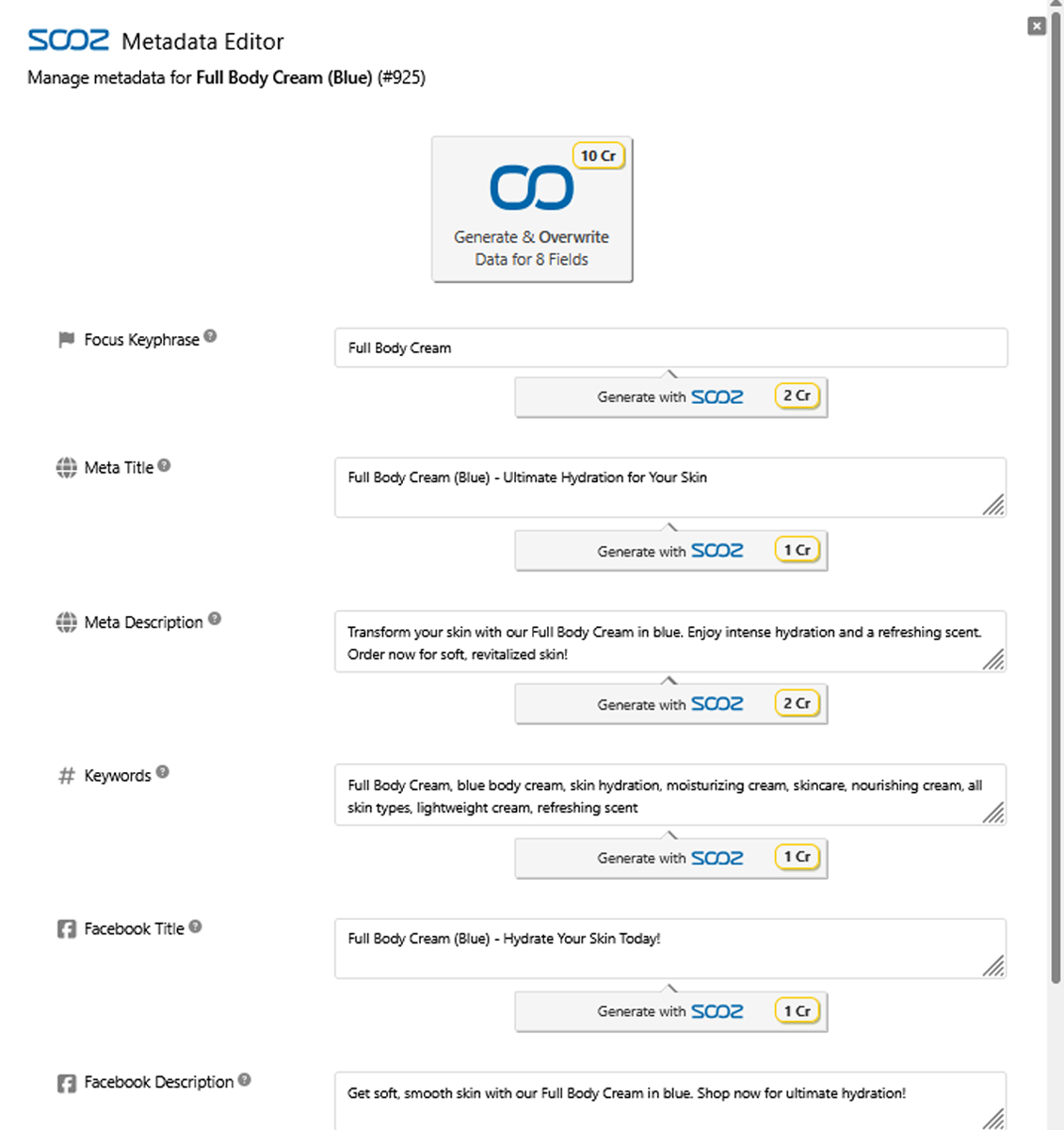
** Improved Metadata Editor: We have overhauled the metadata editor’s design to enhance usability and provide a better user experience. - General Enhancements: Implemented 12 minor bug fixes, performance improvements, and security updates.
1.1
- SEO data generation for WooCommerce products is now available. This feature is visible only if the WooCommerce plugin is installed, integrating SEO capabilities directly with your e-commerce activities.
- Introduced statistics in the dashboard page, providing users with insights into their progress in generating SEO metadata for pages, posts, products, and more. This feature aims to help users track their SEO optimization efforts more effectively.
- Added admin notices to alert users when their credits are running low or to remind them of the remaining credits and opportunities to generate SEO data for pages, posts, and products.
- Added a button to reestablish the license connection in the dashboard page, making it easier for users to reconnect their license if it has been disconnected. For example in case of uninstalling and reinstalling the plugin.
- All plugin texts are now translatable, making it easier for international users to optimize their SEO efforts.
- Refined some visual aspects of the dashboard page, improving the user interface and overall user experience.
- 11 Bug fixes and performance improvements.

