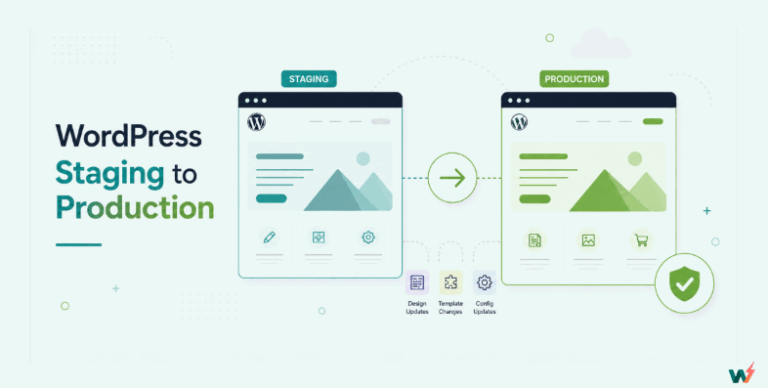
Staging environments are vital in WordPress website development, providing a safe space to test changes before going live. While various staging solutions are available, InstaWP stands out with its unique features and benefits that set it apart from other providers.
Table of Contents
What is Staging in WordPress?
Staging in WordPress allows you to ensure everything works correctly and looks good before it is visible to the public.
WordPress staging refers to creating a replica of your website in a separate environment where you can test changes, updates, or new features before making them live on your website.
To ensure a smooth transition, it is crucial to thoroughly test any code modifications, software updates, or design changes in a staging environment before implementing them on your live website.
This process helps identify and rectify any errors or issues before they impact the live site’s functionality.
By leveraging staging, developers and content agencies can mitigate risks, enhance efficiency, and deliver an optimal user experience on their live sites.
InstaWP‘s WordPress Staging Solution
InstaWP is the top choice among WordPress agencies, offering personalized solutions, deep expertise, ongoing enhancements, seamless integration, and exceptional customer service. Experience the unparalleled advantages of InstaWP and take your website staging to new heights today. Below are some comparative analyses of why Instawp leads the way in WordPress staging.
InstaWP Vs. Other WordPress Staging Solutions

1. Plugin-Based Staging Vs InstaWP
There are free and premium WordPress staging plugins out there that allow WordPress users to create staging sites.
These staging plugins usually replicate the site within a subfolder of the site’s root folder.
The staging site can then be accessed using the corresponding URL path to the created folder.
Consequences
- Prone to failure
Most live WordPress sites are usually built on several plugins and themes. These have their folders, subfolders, and rows in the database. All these change a simple WordPress installation to a complex and heavy site.
Now what if these plugins copy the whole site into a folder or subfolder within this website’s content?
It will make the site heavy. That’s how most of the plugin-based staging solution works.
So more often than not, plugin-based staging will likely fail or stage a site imperfectly. This is due to the due to heavy copying process that it follows.
The staging site may end up inaccessible or have lots of errors and bugs that, if pushed to the live site without proper care, can negatively and permanently affect the live site.
- Extra Load on live site
Because plugin-based staging uses the resources allocated to the live site, its staging process can put a heavy load on a live site and cause it to malfunction or subject the live site users to a bad user experience.
- Compromised security
The staging folder, which is uploaded to your WordPress content somewhere, can inadvertently expose the entire live site, leaving it vulnerable to hackers and malware.
What makes InstaWP a better option?
Although InstaWP staging is carried out using a staging plugin, i.e. InstaWP Connect, it doesn’t create the staging site on the allocated resources of the live site.
Instead, the plugin bridges the live site and the InstaWP cloud-based staging environment where the staging is executed.
This means the staging is performed on InstaWP servers entirely independent of the live site resources.
Therefore, using InstaWP will minimize load on the live site during staging site creation and give developers secure access control without compromising the live site security.
2. Third-Party Plugins/Services Vs InstaWP
Other third-party staging plugins and services let you create and host staging sites outside your live site.
For example, several SaaS platforms provide hosted staging environments on their servers.
Consequences
- May need more flexibility and control than Others: And result in security compromises and more, maybe?
- Outdated copying methods: They copy entire sites, just like various plugins. The method is resource-heavy, slow and can cause failure.
- Some tools might have vulnerabilities or result in security issues: Some tools have either not been updated for a while or abandoned, making them prone to vulnerabilities and security issues. Connecting your live site with them can transfer those vulnerabilities onto your live site and negatively impact your site’s security.
What makes InstaWP a better option?
InstaWP provides more features, flexibility, and user-friendly solutions for staging site creation than any third-party plugin/service. Our solution is fully secure and follows the standard process of authorization. In fact, we do not access your data personally.
InstaWP offers seamless two-way sync functionality and allows the use of SSH/SFTP for added security.
Why settle for less when you could get more?
3. Hosting Company Staging Vs InstaWP
The following form of WordPress staging is provided by hosting companies.
For this option, the hosting company allows the entire live site to be cloned into a staging environment from the hosting control panel within the live site’s allocated storage space.
Consequences
- Limited flexibility
Most hosting company staging is usually complete site staging. This means that when you create a staging from the control panel, you won’t be able to perform some flexible actions, such as excluding tables, media folders, etc. during replication.
- Limited Allocated Resources
Like plugin-based staging, hosting companies stage websites within the confinement of the live site allocated resources. This means that hosting companies may not be ideal for sites on shared hosting, as performing staging may cause you to use up allocated resources and force you to upgrade to a more expensive hosting plan.
- Complex process at times
Staging from hosting requires you to know your way around the backend of your site (i.e. the control panel), and the process from creating a staging site to pushing it to a live site can be complex to execute.
What makes InstaWP a better option?
It is simple to use and highly flexible.
InstaWP supports 2-way sync that allows you to push changes between staging and live sites on different hosting providers and lets you go live using its native WordPress hosting service.
Why is InstaWP the best WordPress Staging tool?
Now, let’s look at a few of InstaWP’s staging features that make us the best staging provider for WordPress sites.
2-Way Sync: Want to track changes you make in staging and push selective ones (or all) to live? Try the 2-way sync feature that allows seamless synchronization between staging and live WordPress sites, even across different hosting providers.
Code and Database Editor: With InstaWP’s code and database editor, you can seamlessly modify the plugin or theme codes and databases. Additionally, you can access detailed logs of your changes, enabling you to enhance your code functionality, monitor modifications, and troubleshoot errors effortlessly.
Shared Templates: With InstaWP, you can create a shareable replica of your staging site by converting it to a shared template. Sharable templates come with a link to your shared template, which you or your client can use to create a lookalike clone of your staging site easily.
Conclusion
The significance of a staging environment in website development must be considered. When choosing a staging environment in WordPress, select the option that gives you the best value.
InstaWP stands out as the best option for staging in WordPress by offering a superior staging solution that excels in efficiency, flexibility, security, and seamless synchronization features. You can confidently test changes and seamlessly deploy them to live environments by utilizing our platform.