Your trainer, lead, teammates, and clients often tell you what you must do as a WordPress developer. However, only mistakes can give you a brief on what not to do.
Well, there is another way, and that is reading this article.
This article serves as a guide for WordPress developers, outlining eleven crucial aspects often overlooked in the development process. We delve into each point, unraveling why neglecting these aspects could jeopardize the success of your projects.
11 Things You Must Avoid as a WordPress Developer
It’s time! In this section, we delve into eleven critical aspects that every WordPress developer should steer clear of — common missteps that, if neglected, can hinder efficiency, compromise security, and impact client satisfaction.
Let’s begin.
1. Do Not Procrastinate When it Comes to Taking Backups
Picture the stress and potential loss if an update unexpectedly causes issues. With a backup, you have a safety net to quickly restore the site to its previous state, ensuring minimal disruption to your clients who rely on a fully functioning website.
The takeaway is – Always prioritize taking a backup before making any significant changes to your WordPress site. Neglecting this crucial step can lead to irreversible data loss in case something goes wrong during updates or modifications.
Taking the time to back up your site ensures that, in the event of a misstep, you can swiftly revert to a stable version. This is not just about protecting your data; it’s about safeguarding your reputation and the trust your clients place in a fully operational website. So, don’t just consider backup a step; consider it an essential part of responsible and reliable website management.
While it’s time-consuming to take backups in general, InstaWP lets you speed up this task.
When you build a website in our staging environment, you can save your site’s versions instead of taking backups. It’s literally a 1-click task.
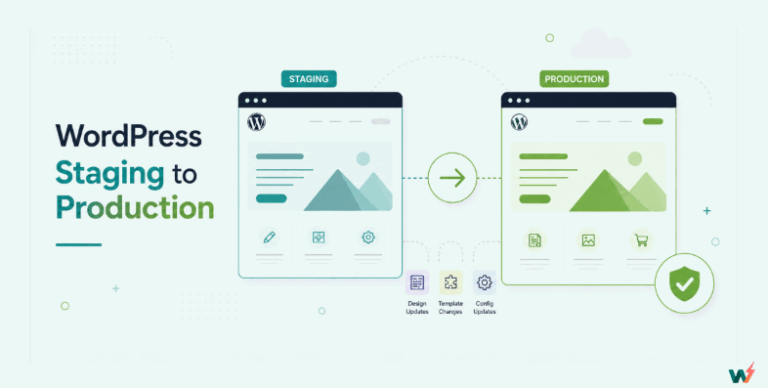
2. Do not Skip Building, Managing, and Updating Site in Staging
In the intricate process of web development, the staging environment is your rehearsal space—a controlled arena for refining your moves before stepping onto the grand stage of the live site. Neglecting the significance of this preparatory phase is equivalent to rehearsing a performance in front of a live audience, untested and prone to unforeseen hiccups.
Building, managing, and updating your site in staging with InstaWP ensures meticulous rehearsal. It’s not just about avoiding a misstep; it’s about perfecting your routine.
You can experiment with design, functionality, and updates, confident that the synchronization mechanism will smoothly transfer validated changes to the live site.
This approach minimizes the risk of errors and guarantees a polished performance, enhancing both your development workflow and the end-user experience on the main stage—the live website.
3. Do not Ignore PHP, WordPress, Plugin, or Theme Updates
Regularly updating your site’s PHP, WordPress core, plugins, and theme is essential for security, bug fixes, and new features. Neglecting updates exposes your site to vulnerabilities.
InstaWP takes this critical aspect of web management to the next level by providing a secure environment for testing updates.
Using InstaWP, you can preview changes in a staging setting before implementing them on the live site, ensuring compatibility and minimizing the risk of disruptions.
Embracing this proactive approach to updates not only enhances the stability of your site but also reflects a commitment to keeping it resilient, secure, and equipped with the latest features for an optimal user experience.
There’s one more thing to add here.
For those who develop custom plugins or themes, testing and improving their product with each WordPress/PHP version is imperative.
You can perform beta testing in InstaWP.
4. Do not forget to Prioritize Site Security
Neglecting robust security measures is like leaving the doors of your online space wide open to potential threats and vulnerabilities.
Prioritizing site security involves more than just ticking boxes; it’s about implementing a comprehensive strategy. A secure website is not only a shield against potential breaches but a foundation of trust for users.
Implementing strong passwords, enabling two-factor authentication, and keeping plugins and themes up to date are not mere formalities but essential practices in fortifying your online presence.
Recognizing the significance of this, developers should strive to create websites that stand as bastions of security. It’s not about adopting security measures as an add-on but ingraining them as an integral part of the development process.
By embracing these practices, developers contribute not only to the resilience of their websites but also to the broader narrative of a safer online ecosystem.
5. Do Not Repeat the Same Steps for WordPress Development
Yup, there is no need to reinvent the wheel, that too, for each of your WordPress projects.
InstaWP encourages a more efficient approach by offering Templates — an ingenious tool that allows you to save and reuse development steps.
Avoiding the redundancy of starting afresh each time, InstaWP Templates become your virtual assembly line, providing ready-to-import sites. This not only saves substantial time but ensures consistency in your projects. You can replicate successful configurations, eliminating the need to reinvent your process with each new endeavor.
Think of it as having a repository of blueprints at your disposal, enabling you to focus on the unique aspects of each project while maintaining a streamlined and effective development process.
With InstaWP Templates, you’re not just building websites; you’re optimizing your workflow, enhancing productivity, and delivering consistent, high-quality results to your clients.
6. Do not Skip Testing your Site for Mobile Devices
Always test your website for mobile responsiveness before launching.
Imagine the disappointment of users trying to navigate a website on their mobile devices, only to encounter glitches and a subpar experience. Mobile testing ensures that your website is not just functional but provides a seamless and enjoyable user experience across various screen sizes.
Aids like responsive design and media queries become your allies in this process.
By prioritizing mobile testing, developers contribute to inclusivity and accessibility, acknowledging the diverse ways users engage with websites. The goal is not just to build a website but to craft a digital experience that effortlessly adapts to the preferences and habits of an increasingly mobile-centric audience.
7. Do not Disregard SEO Best Practices
You heard it right. Integrating SEO best practices is not an optional add-on but a strategic imperative. And it cannot be achieved with the help of content alone. In fact, it starts from the very beginning of the website development process.
Overlooking SEO considerations can lead to poor search engine rankings and reduced visibility for your client’s website. By integrating SEO best practices from the inception of a project, you ensure that their websites are not just aesthetically pleasing but also positioned to perform well on search engines.
You must craft a website that aligns with SEO best practices, e.g., thoughtful structuring of content, prioritizing user experience, and creating a logical site architecture. It’s about understanding how search engines interpret and rank content and tailoring your development choices accordingly.
Additionally, you can also take up tasks like optimizing meta tags, creating descriptive alt text for images, and crafting compelling yet concise content. Ignoring these practices risks relegating your website to the digital shadows.
8. Do not Neglect User Experience
User experience (UX) is not a mere feature but the very essence of audience engagement. It isn’t just about aesthetics; it’s about functionality and accessibility.
Building without considering UX is like crafting a captivating story but neglecting the audience’s preferences.
Neglecting UX considerations can result in high bounce rates, dissatisfied users, and diminished overall site performance.
Developers should approach each project with a user-centric mindset, contemplating how visitors will interact with and navigate through the website.
Considerations like intuitive navigation, clear calls-to-action, and responsive design become critical elements in this process. Ignoring these factors risks creating a digital space that may be technically sound but fails to resonate with its intended audience.
By putting user experience at the forefront of development decisions, developers ensure that the websites they build are not only visually appealing but also intuitive, engaging, and aligned with the preferences and expectations of the end-users.
9. Do not Add too many Plugins to the websites you built.
It’s important for developers to be cautious about how many plugins they use on a website.
While plugins can add cool features, using too many can make the website slow and might even cause security problems.
Developers should choose plugins wisely, only picking the ones that are really needed for the website to work well. By not going overboard with plugins, developers keep the website running smoothly without any unnecessary issues.
Confused about which plugins to keep and which to discard?
InstaWP’s staging feature also allows for isolated testing, ensuring that experiments with new plugins or theme updates won’t impact the live site. This means developers can freely explore enhancements or changes without the fear of disrupting the user experience on the main website.
Want to know how a plugin or theme will work with your current setup?
Create staging of your live site in your InstaWP dashboard, test how various plugins and themes work for your site, and you will be able to optimize your website efficiently.
10. Do not Overlook the Importance of Clean Code
When building a website, it’s crucial for developers to write clean and organized code.
Writing messy code is like giving the website jumbled instructions, making it hard to understand and fix if something goes wrong. It’s also a headache for developers who will work on this project next.
Clear and tidy code, on the other hand, is like a well-organized recipe. It’s easier for developers to read, understand, and fix if needed. Messy code can lead to confusion, slow down the website, and create problems that are tough to solve.
By focusing on writing neat code, developers ensure that the website runs smoothly, is easier to update, and is less likely to have issues down the line. It’s about keeping things straightforward and making sure the website’s code is like a well-arranged set of instructions that anyone can follow.
11. Do not Hesitate When it Concerns Demos or Communication
When building a website, it’s crucial to update and communicate with your client regularly.
Remember – When working on a WordPress project, you’re not just creating a website; you’re working together with your clients to make sure the website turns out exactly how they want it. So, never forget to share your work and have a good chat with your client along the way!
Not sharing your progress and thoughts can lead to misunderstandings and may result in a website that doesn’t meet your expectations. So, it is a good idea to add live demo sites as a permanent part of your development process. It will help your client to keep track of the development progress in real-time, and provide feedback instantly.
If you are not working on a client project but a plugin or theme, it is recommended to set up product demos instead. With this, your prospective end-users will be able to try our awesome product and understand it better.
Conclusion
In this article, we talked about eleven things that, as a WordPress developer, you should steer clear of. These are the tricky spots that can slow you down, cause problems, or make your clients a bit unhappy.
By sidestepping these common missteps, you’re not just creating websites; you’re crafting digital wonders that work great, look awesome, and make everyone happy. So, keep these in mind as you venture into the WordPress world, and may your coding journey be smooth and your websites be simply amazing.