Enter the world of WordPress Form Builders, the unsung heroes in the quest for interactive and user-friendly websites. This blog will take you on a journey through the realms of these powerful plugins, revealing how they can transform your website into a dynamic hub for your audience.
Table of Contents
1. WS Form LITE

WS Form LITE is a robust, user-friendly contact form builder plugin for WordPress. This plugin allows users to create professional, mobile-friendly, and accessible forms.
You can create unlimited forms and receive unlimited submissions, making it ideal for businesses of all sizes. The plugin offers a unique drag-and-drop form editor, making it easy for beginners to use without any knowledge of HTML/CSS.
WS Form LITE is free to use but has a PRO version with additional features. The Pro version includes over 55 field types, calculated fields, conditional logic, e-commerce capabilities, data encryption, and more.
Key Features:
- Unlimited forms and submissions
- Drag and drop layout editor
- Mobile-friendly, responsive forms
- Single-click templates
- Multiple tab forms
The PRO version also offers integrations with Airtable, Akismet, Amazon S3, and other services.
In conclusion, WS Form LITE is a versatile form builder plugin with an easy-to-use interface. With its premium features and integrations, the plugin can also cater to advanced needs.
2. IvyForms

IvyForms is a fresh and modern WordPress form builder that focuses on simplicity and speed without compromising flexibility. IvyForms is built by the team behind WPAmelia, wpDataTables, and Traff—trusted by thousands. With over 10 years of WordPress experience, we’ve crafted another powerful tool to meet your needs. IvyForms offers a smooth drag-and-drop experience, pre-built templates.
Whether you’re building contact forms or collecting customer feedback, it’s a solid pick for anyone who values clean design and ease of use.
Key Features:
- Intuitive drag-and-drop form builder
- Pre-designed templates for quick setup
- Real-time form previews
- Lightweight and fast-loading forms
- Spam protection
- Responsive design
- Easy customization without coding
3. Bit Form

Bit Form is a powerful drag-and-drop form builder for WordPress, offering a clean and user-friendly interface for creating a wide variety of forms such as contact forms, surveys, feedback forms, booking requests, and payment forms. It allows users to build complex forms without writing a single line of code.
Bit Form offers built-in integration support even in the free version, allowing you to connect with tools like Google Sheets, Mailchimp, Webhooks, and more, making automation easy without needing third-party add-ons.
As your requirements grow, you can upgrade to the Pro version, which unlocks advanced features such as payment gateway integrations (PayPal, Stripe, Razorpay, and Mollie), PDF generation, custom JS/CSS code editor, and Google Ads. Whether you’re building simple contact forms or automating complex workflows, Bit Form is a flexible and lightweight solution tailored to your website’s growing needs.
Key Features:
- User-friendly drag-and-drop form builder
- Unlimited forms and submissions
- Advanced conditional logic
- Seamless third-party integrations
- Multi-step forms
- Custom JS/CSS editor
- Spam protection including Google reCaptcha V2 or V3, Turnstile
- Smart form analytics and detailed submission tracking
- Payment processing with multiple gateway support
- GDPR compliant with privacy-focused features
In conclusion, Bit Form is a user-friendly WordPress form builder that can be used by both beginners and advanced users. Bit Form’s robust feature set, which includes conditional logic, payment integrations, PDF generation, and automation tools, along with its modern interface, enables users to create anything from basic contact forms to intricate, data-driven workflows.
4. ARForms
ARForms is a powerful, easy-to-use form builder plugin for WordPress. This plugin allows users to create a variety of forms for different purposes, such as contact forms, registration forms, multi-step forms, and survey forms.
You can easily create forms with a drag-and-drop builder, offering a friendly user interface with no coding at all. This plugin offers advanced field types that easily integrate with popular payment options and email marketing tools, offering many customization options.
Its free version, ARForms Lite, offers basic features, but if you opt for more advanced features, the ARForms Pro version is here. The ARForms Pro offers premium form editing features, over 33 advanced form fields, conditional logic, payment gateway integrations, math calculations, multiple form submission actions, and more.
Key Features:
- User-friendly drag-and-drop builder
- Wizard-style, multistep, and other advanced forms
- Easy to embed third-party media files
- Multiple form styling options with trendy material designs
- 50+ fully designed, ready-to-go professional form templates
- Fully responsive, SEO & mobile-friendly designs
- Progressive file upload and autosave form progress
- Powerful submission management with data collection features
The ARForm Pro offers third-party integrations with multiple popular platforms such as PayPal, Stripe, Razorpay, Google Sheets, ZOHO, Google reCAPTCHA, ActiveCampaign, Advanced Mailchimp, and many more.
Pricing Structure:
- ARForms Lite: Free
- ARForms Pro: Only $39 (Lifetime)
5. Gravity Forms

Gravity Forms is a powerful and intuitive plugin for WordPress designed to simplify the process of creating and managing forms on your website.
As one of the most popular form builder plugins in the WordPress ecosystem, Gravity Forms enables users to quickly build custom forms for a variety of purposes, including contact forms, surveys, user registrations, and online orders, without needing to write any code.
Key Features:
- Drag-and-Drop Form Builder: Gravity Forms comes with a user-friendly drag-and-drop interface that makes it easy to create complex forms. Users can select from a wide range of field types, such as text, email, dropdowns, checkboxes, and file uploads, and then arrange them according to their needs.
- Conditional Logic: This feature allows forms to dynamically change based on user input. You can show or hide fields, sections, pages, or even the submit button based on the selections the user makes, creating a personalized form experience.
- Multi-Page Forms: For longer forms, such as detailed surveys or application processes, Gravity Forms supports multi-page forms with progress bars, making it easier for users to complete the form in stages.
- Integrations and Add-Ons: Gravity Forms offers a wide range of add-ons and integrations with popular services and applications like PayPal, Stripe, Mailchimp, Zapier, and more. This allows for automation and streamlining of workflows, such as collecting payments, signing up users to newsletters, or sending form submissions to other platforms.
- Entry Management: The plugin provides a robust system for managing form submissions. Users can view, edit, or delete entries directly from the WordPress dashboard, making data management straightforward.
- Security and Reliability: Gravity Forms emphasizes security, offering features like CAPTCHA, Akismet spam filtering, and SSL compatibility to ensure that form submissions are secure and reliable.
Pricing Structure:
Gravity Forms offers a tiered pricing structure to accommodate the needs of different users, from individuals and small businesses to large enterprises. While pricing details are subject to change, the structure typically includes several levels:
- Basic License: Designed for individual site owners, offering access to the core form-building features and basic add-ons for $59 per year.
- Pro License: Aimed at small businesses and professionals needing more advanced features and integrations, including a wider range of add-ons at $159 per year.
- Elite License: Geared towards developers, agencies, and large organizations, providing access to all available features, add-ons, and priority support at $159 per year.
6. JetFormBuilder

JetFormBuilder is a plugin that allows users to build forms using dynamic blocks within the Gutenberg editor. It stands out for its ease of use, flexibility, and the wide range of functionalities it provides. With JetFormBuilder, users can create forms for a variety of purposes, from simple contact forms to complex booking forms, surveys, and more.
Benefits of the Plugin:
- Gutenberg Integration: Fully integrates with the WordPress block editor, allowing for a seamless form-building experience within the familiar Gutenberg interface.
- Dynamic Field Capabilities: Supports dynamic field values, enabling the creation of forms that can dynamically populate fields based on user input or other criteria.
- Conditional Logic: Comes with built-in conditional logic, allowing forms to show or hide fields based on the user’s selections, making forms more interactive and user-friendly.
- Post Submission Actions: Offers a range of actions after a form is submitted, such as redirecting to a specific URL, updating user metadata, or triggering custom actions, enhancing the form submission process.
- No Coding Required: Designed to be user-friendly, enabling both beginners and experienced developers to create forms without the need for custom coding.
Key Features:
- Pre-designed Form Templates: Offers a variety of templates to quickly start creating forms.
- Custom Post Type Support: Allows forms to submit to custom post types, broadening the scope of content that can be managed through forms.
- Repeater Fields: Supports repeater fields for collecting repeatable data, such as multiple work experiences in a job application form.
- Integration with Popular Services: Provides integration options with popular services for email marketing, CRM, and more, to automate workflows.
- Responsive Design: Ensures forms look great on all devices, providing a consistent user experience across desktops, tablets, and smartphones.
Pricing Structure:
JetFormBuilder — Dynamic Blocks Form Builder plugin is available for free from the WordPress.org plugin repository. This makes it an accessible option for website owners and developers looking to enhance their site’s functionality without incurring additional costs. The core plugin provides a comprehensive set of features that cater to most form-building needs.
- Site Pro: $39 for 1 site
- Agency Pro: $79 for unlimited sites
7. WPForms
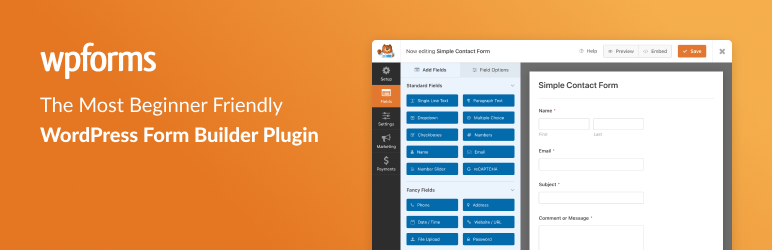
WPForms is a powerful and easy-to-use WordPress plugin that lets you build a variety of forms for your website. These can range from simple contact forms to more complex forms like feedback forms, subscription forms, payment forms, and more.
The plugin uses a drag-and-drop form builder, making it an excellent option for beginners. It also offers integrations with popular page builders like the WordPress Block Editor (Gutenberg), Classic Editor, Elementor, and Divi.
WPForms is a freemium plugin. The Lite version is free and offers basic features, while the Pro version provides advanced functionalities such as email subscription forms, extra payment integrations, form templates, and more.
Key Features:
- Allows easy creation and customization of forms.
- Saves time in creating forms from scratch.
- Mobile Ready, SEO friendly, and optimized for speed thus ensuring forms look good on all devices and load quickly.
- Helps in creating custom survey forms and polls.
- Allows creation of custom WordPress login forms and user registration forms.
- Payment Form, Donation Form, Booking Form: Integrates with PayPal, Stripe, Square, and Authorize.Net for payment processing.
In conclusion, WPForms is a versatile and user-friendly plugin that simplifies form creation on WordPress. Whether you’re a business owner, designer, or developer, WPForms can save you time and effort in creating professional-looking forms.
8. Ninja Forms

Ninja Forms is a drag-and-drop form builder for WordPress, offering a user-friendly platform to create a range of forms, including contact forms, surveys, and registration forms. It is designed to be 100% beginner-friendly, requiring no coding skills. The interface enables easy design of complex forms with its drag and drop fields and row and column layouts, setting it apart from competitors.
The plugin is freemium, meaning it offers a free version with basic functionalities but also has premium features available at different pricing tiers. The core Ninja Forms builder is always free and offers features such as a drag and drop form builder, 27+ field types, customizable form templates, unlimited forms and submissions, and spam protection.
As your needs grow, you can choose to purchase individual add-on features such as layout & styles, conditional logic, multi-part forms, file uploads, PDF form submissions, Excel export, save progress, user management, and many more.
Key Features:
- Drag and drop form builder
- Customizable form templates
- Fully responsive, SEO, & mobile friendly
- Easy WordPress GDPR compliance
- Unlimited forms and form submissions
- Customizable email notifications from any form
- Spam protection including Akismet and Google reCaptcha
- Export and import forms
Ninja Forms also offers more integrations than any other WordPress form builder, including with PayPal, Stripe, MailChimp, Constant Contact, Campaign Monitor, Salesforce CRM, Zoho CRM, Insightly CRM, and more.
In conclusion, Ninja Forms stands out as a versatile and user-friendly form builder for WordPress, designed to cater to the needs of both beginners and advanced users. It offers a range of integrations and add-on features to enhance its functionality and align with your specific needs.
9. Forminator

Forminator is an intuitive WordPress form builder plugin suitable for every website and all kinds of situations.
Whether you need a contact form, order form, payment form, email form, feedback widgets, interactive polls, quizzes, service estimators, or registration forms with payment options, Forminator has you covered. It integrates seamlessly with PayPal and Stripe, making it easy to handle payments directly through your forms.
The Forminator interface is user-friendly, featuring a drag-and-drop visual builder, making it accessible to both beginners and advanced users alike. It stands out for its versatility, allowing users to create custom forms with as many fields as desired, interactive polls, fun quizzes, lead-generating calculators, and payment forms with integrated Stripe and PayPal options.
Forminator is a freemium plugin, meaning it is free to use with optional premium features. It comes with a host of integrations like HubSpot, Campaign Monitor, ActiveCampaign, Google Sheets, Trello, MailChimp, AWeber, and Slack, among others.
Key Features:
- Custom form creation with unlimited fields
- Interactive polls with dynamic settings
- Fun or challenging quizzes for visitor engagement
- Calculators for information collection and lead generation
- Stripe and PayPal payment integration for easy payment collection
- Drag and drop form blocks for easy form creation
- Multiple third-party integrations
- Email routing and pre-population for efficient visitor input and responses
- Google reCAPTCHA to prevent spam
- Custom login and registration forms
In conclusion, Forminator is a comprehensive form-building plugin that caters to a wide range of form-building needs. Its user-friendly interface, versatile features, and multiple integrations make it a valuable tool for any WordPress website.
10. Formidable Forms

Formidable Forms is an advanced WordPress forms plugin that allows users to create a range of forms including contact forms, surveys, quizzes, registration forms, payment forms, and even calculator forms. With a focus on providing solutions, this plugin features a drag-and-drop form builder that makes it easy to create customized forms for any purpose.
The user interface is designed to be intuitive and easy to use, making it suitable for both beginners and advanced users. No HTML or CSS knowledge is required, and the drag-and-drop form builder allows for fast and efficient form creation. Formidable Forms also stands out for its speed and server performance optimization, making it one of the fastest form builders on the market.
Formidable Forms operates on a freemium model, with a free version available that provides basic features, and a premium version, Formidable Pro, that offers advanced features like multi-page forms, file upload forms, payment integrations, form templates, and more.
Key Features:
- Complete Entry Management for Web Forms and Surveys
- Advanced Styler for customizing form appearance
- Smart Surveys with Beautiful Reports
- Advanced WordPress Registration Form creation
- Credit Card and Payment Collection
- Data-Driven Web Applications with Formidable View
- WooCommerce Product Order Forms
- Quiz Forms & Calculators
In conclusion, Formidable Forms is a comprehensive and powerful form builder plugin for WordPress that offers a wide range of features and capabilities, making it easy to create any form you can imagine. Whether you’re a novice or an experienced user, Formidable Forms has the tools to help you create effective, responsive, and attractive forms for your site.
11. Form Maker
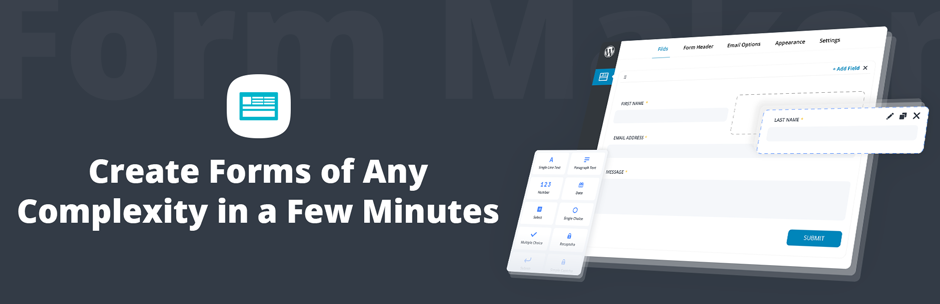
Form Maker by 10Web is a leading WordPress drag and drop plugin that allows users to create forms of varying complexity within a few clicks. This plugin is useful for creating contact forms, surveys, registration forms, and more, making it an excellent tool for enhancing user interaction on your website.
The user interface is intuitive and beginner-friendly, featuring a drag-and-drop builder for constructing forms. This eliminates the need for knowledge of HTML/CSS, making it accessible to users of all skill levels.
It stands out from competitors by offering a multitude of features such as mobile-friendly and responsive designs, 43 different form field types, easy form embed options, pre-built templates, customizable themes, and protection from spam.
Form Maker offers both a free and premium version. The premium version unlocks additional features like receiving payments through PayPal and Stripe gateways, building multi-page forms, and file upload capability.
Key Features:
- Mobile-friendly and responsive designs
- Easy form embed options
- Pre-built templates
- Customizable themes
- Spam protection
- Ability to receive payments (Premium only)
- Multi-page forms capability (Premium only)
- File upload capability (Premium only)
Form Maker by 10Web also offers a range of extensions available in its Plugin Bundle. These extensions offer features like saving form progress, conditional mailing, export/import capability, Mailchimp integration, WordPress registration, and more.
In conclusion, Form Maker by 10Web is a comprehensive, user-friendly form builder plugin that can cater to a wide variety of form creation needs. Whether you’re a beginner or an advanced user, this plugin offers a wealth of features to enhance your website’s interactivity and user engagement.
12. Contact Form Plugin

The Fluent Forms plugin is a highly customizable contact form builder for WordPress that offers a drag-and-drop interface, designed with user-friendliness in mind. It provides a variety of form types, including contact forms, subscription forms, payment forms, and quiz forms.
The user interface is intuitive and beginner-friendly, requiring no knowledge of HTML/CSS. It also offers a unique feature of a multi-column form layout, which allows for a compact and organized display of forms. Fluent Forms also stands out for its mobile responsiveness, ensuring that forms look great on any device.
The plugin operates on a freemium model; it offers a free version with basic functionalities and a pro version with advanced features and integrations. The pro version includes more than 50 form field types, in-depth analytics, and over 50 third-party integrations.
Key Features:
- Conversational forms and classic form builder
- Drag and drop contact form builder
- Multi-column contact form layout
- Smart conditional logic form fields
- Conditional confirmation messages
- Reusable form templates
- Email notifications for form submissions
- Customizable thank you page
- Form restriction by user role or time/date range
- Data export in various formats
- One-click migration from other form builder plugins
In conclusion, Fluent Forms offers a comprehensive solution for creating and managing forms on your WordPress site. It provides a wide range of features that cater to both beginners and advanced users, making it a versatile choice for any website owner.
13. Contact Form 7

Contact Form 7 is a versatile WordPress plugin designed to manage multiple contact forms. It allows users to customize forms and mail contents using simple markup language. The plugin also supports Ajax-powered submissions, CAPTCHA, and Akismet spam filtering, making it a comprehensive tool for creating and managing contact forms on your website.
Contact Form 7 boasts a straightforward user interface that is friendly to both beginners and advanced users. It does not require knowledge of HTML/CSS, making it an accessible tool for individuals with varying technological expertise. One of its unique features is its support for various languages, setting it apart from many competitors.
This plugin is free but encourages donations from its users to support its continued development and user support. It doesn’t track users by stealth, write any user personal data to the database, send any data to external servers, or use cookies, ensuring user privacy.
Key Features:
- Management of multiple contact forms
- Customization of forms and mail contents with simple markup
- Support for Ajax-powered submissions
- CAPTCHA and Akismet spam filtering
- Does not compromise user privacy
- Supports multiple languages
In conclusion, Contact Form 7 is a reliable and user-friendly WordPress plugin that offers a range of features for managing and customizing contact forms. Its commitment to user privacy and multilingual support makes it a standout choice in the realm of form builder plugins.
Final Word
In conclusion, each of the discussed WordPress form builder plugins has unique features, benefits, and potential limitations. It is recommended that users choose a form builder plugin that best aligns with their specific needs and skill levels.
To explore these options further, users should consider trying out these plugins or reading more detailed reviews. Engage with us by leaving a comment or sharing this blog post.