Finding the perfect theme for a WordPress agency can feel like searching for a needle in a haystack. But with the rise of full-site editing (FSE), the game has changed! Now, WordPress agencies can design every corner of a website—from headers to footers—without a single line of code.
Full-site editing themes empower your team to create unique, client-tailored sites with flexibility and ease. In this guide, we’ll explore the best full-site editing themes for WordPress agencies that prioritize style, functionality, and seamless customization.
Get ready to transform your workflow and deliver stunning, on-brand websites in record time!
Table of Contents
What is Full Site Editing?
Full Site Editing (FSE) is a revolutionary feature in WordPress that allows users to design and customize an entire website visually—from headers and footers to individual post templates—all within the WordPress block editor.
Introduced to give developers and non-developers alike complete control over a website’s look and feel, FSE removes the need for complex coding and third-party plugins by bringing site-wide customization directly into the WordPress dashboard.
With FSE, you can edit theme elements like headers, footers, sidebars, and global styles seamlessly, using intuitive drag-and-drop blocks instead of traditional PHP or CSS edits. This means WordPress users can now craft cohesive, custom designs that reflect their brand or client needs while reducing dependency on rigid theme structures.
Full Site Editing is more than just a feature; it’s a game-changer, especially for agencies and content creators aiming to enhance workflows, deliver personalized designs, and maximize site control.
Check out this full site editing guide to learn more about it.
Best Full Site Editing Themes for Agencies
Ready to streamline your agency’s workflow and create custom, client-ready designs in record time? With Full Site Editing (FSE) themes, agencies can now craft fully branded, responsive sites without the hassle of heavy coding.
These full site editing themes empower you to edit every part of a site—from headers to footers—directly in the block editor, giving you ultimate design control and flexibility. Let’s dive into the best full-site editing themes for agencies that make it easy to deliver high-quality, unique websites your clients will love!
Gutena
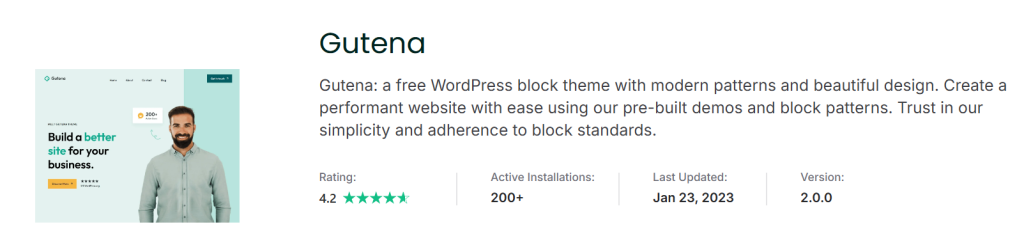
Gutena is a stylish, free block theme for WordPress that embodies the principles of Full Site Editing (FSE). Designed with versatility in mind, Gutena comes loaded with elegant block patterns that cater to a wide range of website styles and use cases, making it an ideal choice for agencies.
Built to provide a high-performance experience, Gutena consistently achieves Core Web Vitals scores of 95 or above, ensuring a fast, optimized website that meets today’s speed and usability standards.
Setting up Gutena is hassle-free with the Gutena Kit companion plugin, which allows agencies to quickly import pre-built demos or use fully built block patterns. Known for its simplicity and adherence to block standards, Gutena is perfect for agencies that want a streamlined, efficient workflow without sacrificing creativity or control.
| Pros | Cons |
|---|---|
| Easy-to-use pre-built patterns | Limited multi-column layouts |
| High performance with Core Web Vitals | Limited advanced customization |
| Free with premium-level design quality | Requires Gutena Kit for full functionality |
| FSE compatibility for full control | Limited customer support options |
| Adheres to WordPress block standards | Fewer features for e-commerce sites |
Key Features
- Modern Block Patterns: Pre-designed layouts that can be easily customized for various site styles and needs.
- Custom Colors and Logo: Personalize the site’s color scheme and branding with ease.
- Editor Style Compatibility: See changes live as you customize with seamless editor styles.
- Featured Images Integration: Create visually engaging pages with support for featured images.
- Single Column Layout: A clean, minimal single-column layout for modern design aesthetics.
Pricing
Gutena is available as a free full-site editing theme on the WordPress repository, offering a robust solution for agencies without any cost. The optional Gutena Kit plugin enhances the theme’s functionality by adding pre-built demos and is also available for free, making Gutena an affordable and powerful choice for WordPress agencies.
Neve FSE
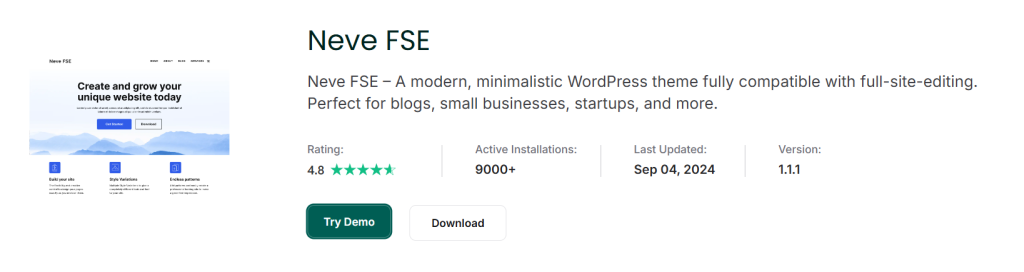
Neve FSE is a streamlined, modern theme designed as an experimental, full-site editing-focused version of the popular Neve theme. With its minimalist design and compatibility with WordPress’s latest Full Site Editing (FSE) capabilities, Neve FSE caters to agencies, small businesses, e-commerce stores, and creative portfolios.
This full-site editing theme is optimized for those ready to embrace FSE without the constraints of backward compatibility code, allowing for a fast and flexible design experience.
Perfect for those seeking a clean and professional look, Neve FSE includes a range of block patterns and style variations to help users create a unique website. With WordPress templates that suit blogs, agencies, e-commerce, and more, Neve FSE is ideal for WordPress agencies looking to offer clients easy customization, modern design, and an optimized user experience.
| Pros | Cons |
|---|---|
| Fully optimized for full-site editing | Limited backward compatibility |
| Variety of pre-built patterns and layouts | May be challenging for beginners |
| E-commerce support for online stores | The minimalistic design may not suit all brands |
| Multi-language support, including RTL | Limited advanced design customization |
| Excellent for small businesses and agencies | Experimental and may evolve in updates |
Key Features
- Diverse Block Patterns: Choose from multiple layout patterns for posts, archives, and call-to-action sections.
- Customizable Colors and Logo: Tailor the site’s color palette and branding with ease.
- E-commerce Ready: Equipped with e-commerce functionality for online shops and retail needs.
- RTL Support and Threaded Comments: A great choice for multilingual sites and blogs with high engagement.
- Style Variations: Several pre-designed style options to match your brand’s look and feel.
Pricing
Neve FSE is available for as a free full-site editing theme in WordPress, providing a full-site editing solution at no cost. Users can extend functionality with optional premium add-ons available through the Neve theme family, offering additional support and features tailored for professional WordPress agencies.
Inspiro Blocks
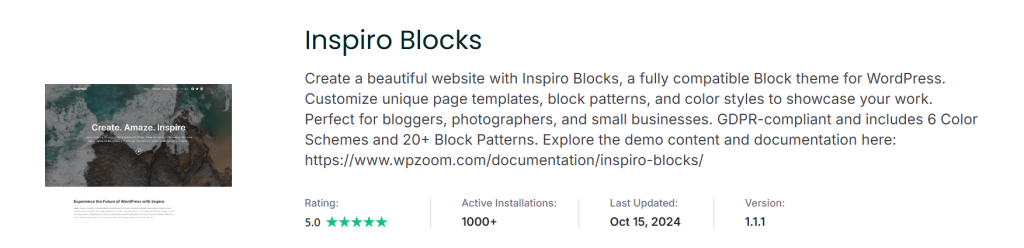
Inspiro Blocks is a sleek, modern block theme built to work seamlessly with WordPress’s Full Site Editor (FSE). It’s designed for those who want the freedom to create a visually stunning website by simply dragging and dropping blocks into place, making it a breeze to build and customize unique layouts without needing to code.
With a minimalist yet elegant design, Inspiro Blocks is ideal for photographers, videographers, bloggers, and small businesses, particularly those looking to showcase their creative work in a professional, visually engaging format.
One of the standout features of Inspiro Blocks is its portfolio integration, which allows users to display their projects using grid or masonry layouts—perfect for photographers, designers, and videographers who want to highlight their work.
Additionally, Inspiro Blocks prioritizes privacy and compliance, as all fonts are locally hosted, ensuring the theme is fully GDPR-compliant and free of external Google Fonts. With 6 color schemes, 20+ block patterns, and customizable templates, Inspiro Blocks offers flexibility and style that’s hard to beat.
| Pros | Cons |
|---|---|
| Perfect for portfolio and creative sites | Minimalist design may not suit complex sites |
| Easy-to-use block patterns for beginners | Limited advanced design customization |
| GDPR-compliant with locally hosted fonts | Lacks robust multi-column layout options |
| Versatile layouts with grid/masonry options | Some customization options may require plugins |
| Wide compatibility with WordPress FSE | Limited support options for free users |
Key Features
- Portfolio Integration: Display projects in grid or masonry layouts, ideal for portfolios and creative showcases.
- Modern, Minimalist Design: Clean and professional aesthetic, suited for creatives and small businesses.
- Block Editor Customization: Drag-and-drop design with unique block patterns and templates for ease of use.
- GDPR Compliant: No external Google Fonts; all fonts are locally hosted.
- Extensive Color and Layout Options: 6 color schemes and 20+ block patterns for tailored design flexibility.
Pricing
Inspiro Blocks is available for free in the WordPress theme repository, offering exceptional features for creative professionals and small businesses at no cost. Additional support and documentation, along with demo content, can be accessed via the developer’s website, making it an affordable, flexible choice for users looking to build beautiful, modern websites without breaking the bank.
UniBlock

UniBlock is a premium, fully customizable WordPress theme crafted to offer complete design control for agencies, businesses, and freelancers alike. Featuring a powerful theme editor, UniBlock allows users to adjust colors, fonts, layouts, and global elements like the header and footer effortlessly.
Built with data protection in mind, UniBlock is fully GDPR-compliant and uses locally hosted fonts to ensure fast loading times and privacy standards.
UniBlock is rigorously tested for compatibility with popular plugins and page builders, providing smooth integration and reliable performance. For those looking for access to an extensive theme library, UniBlock comes as part of a package of 35+ premium themes and 4 premium plugins, giving users access to a complete suite of tools to create stunning websites that perform well.
| Pros | Cons |
|---|---|
| Full design control for extensive customization | Premium pricing may not suit small budgets |
| GDPR-compliant with locally hosted fonts | Some advanced features are limited to plugins |
| Includes access to 35+ themes and 4 plugins | Higher-tier plans are required for plugins |
| Automated compatibility testing with popular plugins | Customization might require some learning curve |
| Lifetime access option with no renewal fees | Support and updates only with an active subscription |
Key Features
- Theme Editor for Custom Design: Easily customize colors, fonts, layouts, headers, and footers.
- GDPR Compliance: Built-in data protection ensures user privacy.
- Locally Hosted Fonts: Faster load times and improved WordPress performance with no external dependencies.
- Plugin Compatibility: Regular compatibility testing with popular plugins and page builders.
- Extensive Theme Library: Access to 35+ premium themes and ongoing product releases.
Pricing
- All Themes Package: $99/year
- Themes + Plugins Bundle: $149/year
- Lifetime Access Pass: $599 (one-time fee)
UniBlock comes with a 14-day money-back guarantee, allowing users to explore the theme risk-free. This satisfaction guarantee ensures confidence in the quality and performance of UniBlock for WordPress websites.
Fork
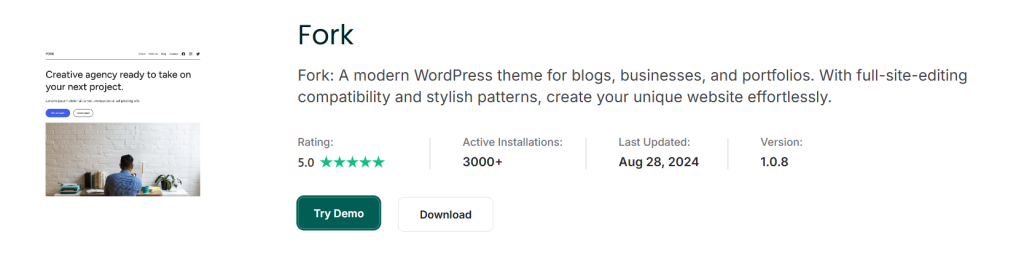
Fork is a full-site-editing (FSE) compatible theme designed for those seeking a simple yet powerful starting point for building custom WordPress sites. Fork integrates seamlessly with the Otter Blocks plugin and works well with popular page builders like Elementor, Brizy, Beaver Builder, and the WordPress Block Editor (Gutenberg).
With a minimalist design and robust editing tools, Fork empowers users to create dynamic layouts, making it a great choice for businesses, agencies, and creatives who want to customize their websites easily. Fork even offers a demo so users can explore its features firsthand.
| Pros | Cons |
|---|---|
| Full compatibility with FSE | Limited advanced customization options |
| Integrates well with popular page builders | Requires Otter Blocks for extended features |
| User-friendly, no coding required | Styling options may be basic for complex needs |
| Includes templates and template parts | Limited support for non-block-based layouts |
| Access to demo for testing | FSE editing might have a learning curve |
Key Features
- Full-Site Editing Compatibility: Modify every part of your website, from headers to footers, using WordPress’s full-site editor.
- Template and Template Parts: Includes prebuilt templates for pages, posts, and taxonomies, plus customizable header and footer template parts.
- Patterns Library: Built-in patterns provide design flexibility with drag-and-drop predesigned sections.
- Style Customization: Access color, typography, and layout options to adapt the theme’s appearance.
- Otter Blocks Integration: Enhanced functionality with Otter Blocks, providing extra customization and block options.
Pricing
Fork is an easy-to-use and free full-site editing theme that agencies can use to make effortless yet highly impressive WordPress sites for clients.
Conclusion
Full Site Editing (FSE) themes offer WordPress agencies unparalleled flexibility and customization, empowering you to create highly tailored websites with ease. Whether you’re looking for a minimalist design, an eCommerce solution, or a visually stunning portfolio, there’s an FSE theme that fits your needs.
With features like block patterns, template editing, and seamless integration with the block editor, FSE themes provide a modern approach to WordPress website development. By choosing the right full site editing theme for your agency, you can enhance productivity, streamline the design process, and offer clients beautifully crafted websites that are easy to manage and update.
FAQs
1. What is Full Site Editing (FSE) in WordPress?
Full Site Editing (FSE) is a feature introduced in WordPress that allows you to customize every part of your website using the block editor.
With FSE, you can edit not only posts and pages but also the header, footer, and other site-wide elements using blocks. This provides more flexibility and control over your website’s design without needing to write code.
2. How do Full Site Editing themes differ from regular themes?
Full Site Editing themes are specifically designed to take advantage of WordPress’s block-based editor.
Unlike traditional themes, which typically use a combination of widgets and PHP templates, FSE themes allow you to modify all parts of your website (header, footer, content) using blocks. This makes it easier for users to build custom websites without relying on third-party page builders.
3. Can Full Site Editing themes be used with any page builder?
FSE themes are primarily designed to work with the native WordPress block editor (Gutenberg). However, some FSE themes, like Fork, also integrate well with popular page builders like Elementor, Brizy, and Beaver Builder. It’s important to check the theme documentation for compatibility if you’re planning to use third-party builders.
4. Are Full Site Editing themes suitable for beginners?
Yes, many FSE themes are designed to be user-friendly, offering pre-built patterns and templates that can be easily customized with the block editor. However, there may still be a learning curve for beginners unfamiliar with FSE or the block editor. Fortunately, most FSE themes come with documentation and support to help you get started.
5. Can I create custom layouts with Full Site Editing themes?
Absolutely! Full Site Editing themes are all about flexibility. You can create custom layouts for your entire website using the built-in block patterns, templates, and template parts. This allows you to build unique designs for individual pages, posts, and other site components without needing to code.
6. Do Full Site Editing themes support eCommerce?
Yes, many Full Site Editing themes, such as Neve FSE, offer full compatibility with WooCommerce. This makes it easy to build eCommerce websites while maintaining complete design control over the shop pages, product layouts, and checkout process using blocks.
7. Are Full Site Editing themes SEO-friendly?
While Full Site Editing themes themselves do not guarantee SEO success, most are built with SEO best practices in mind.
They ensure that your content is structured properly and provide options for optimizing key elements like headings, images, and metadata. However, it’s essential to pair the right FSE theme with SEO plugins like Yoast or RankMath for maximum optimization.
8. Can I switch between different Full Site Editing themes?
Yes, one of the advantages of FSE themes is that you can switch between them easily, as they’re built on WordPress’s block system.
However, switching themes may require you to reconfigure some site elements, such as patterns and template parts. It’s always recommended to test the new theme on a staging site before making any changes live.
9. Are there free Full Site Editing themes available?
Yes, several free Full Site Editing themes are available in the WordPress theme repository, including popular options like Neve FSE and Gutena. These free themes offer basic FSE functionality and are a great starting point for agencies looking to experiment with full-site customization.
10. How can I get started with Full Site Editing themes?
To get started with FSE themes, simply install a compatible theme from the WordPress theme repository or a third-party provider. From there, you can access the site editor to start customizing your website’s layout, design, and content. Many themes also offer demo content or starter templates to make the process easier.