

The Elementor Website Builder has it all: drag and drop page builder, pixel perfect design, mobile responsive editing,…

About AfterShip Tracking – All-In-One WooCommerce Order Tracking (Free plan available)
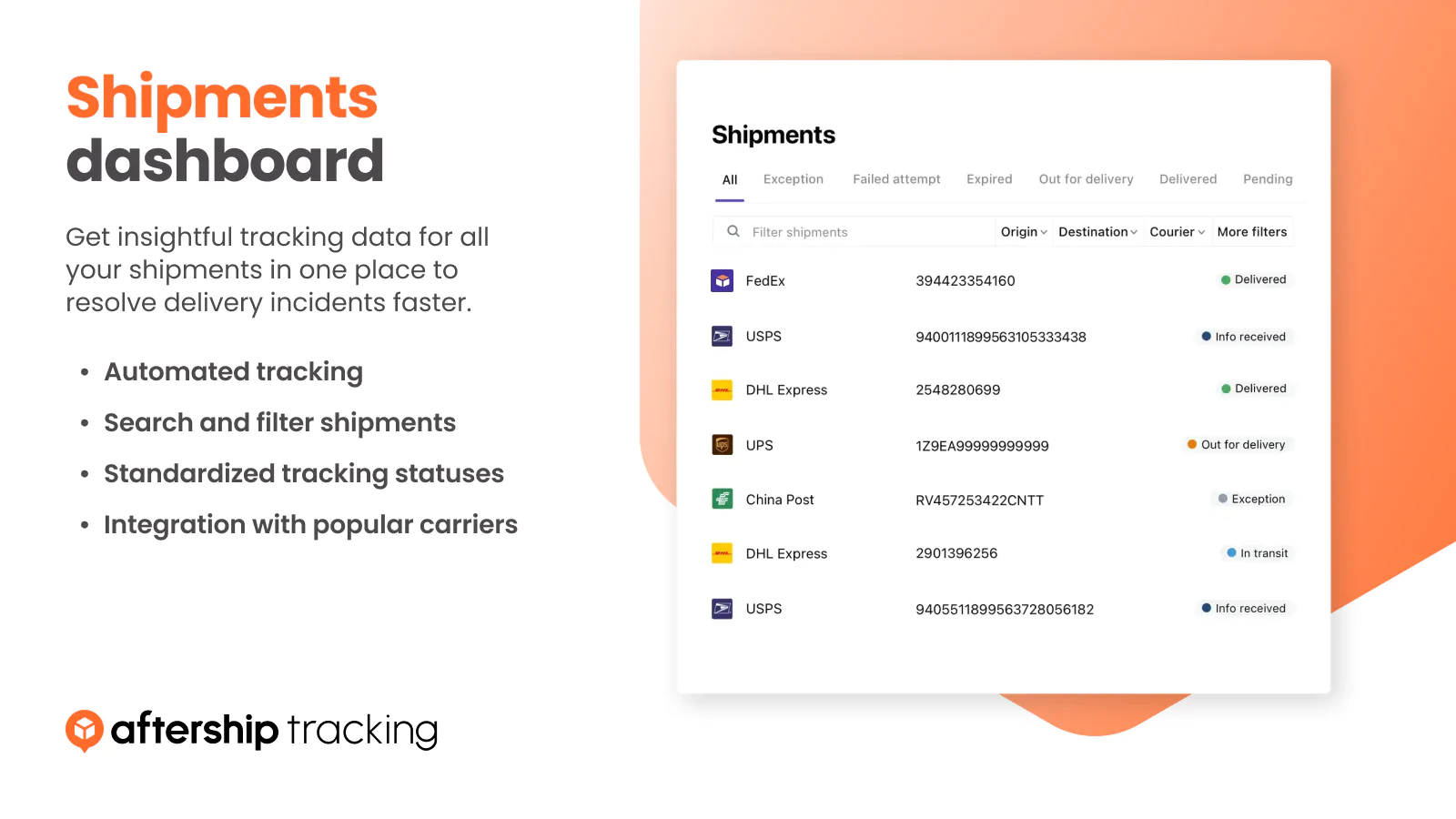
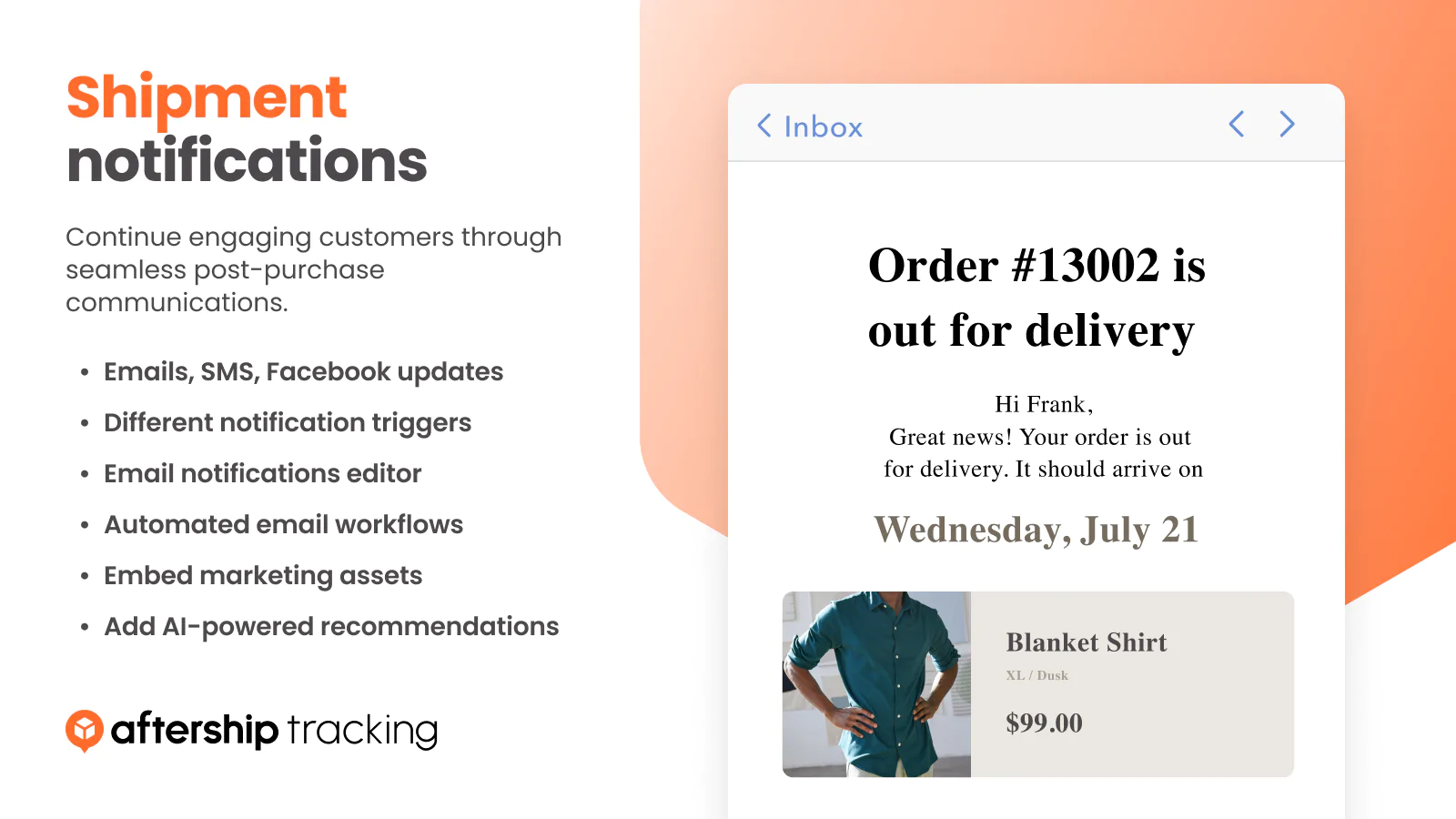
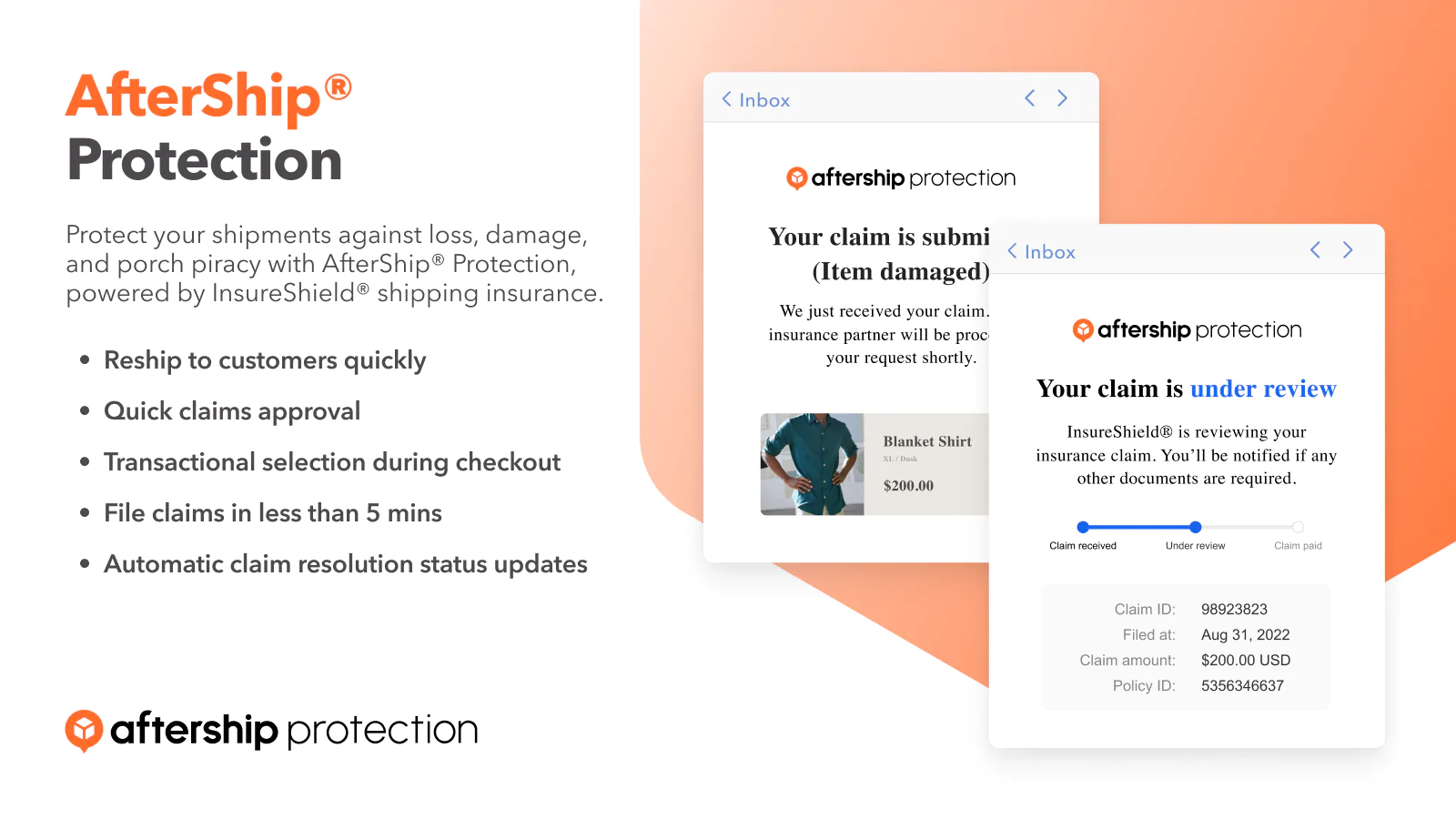
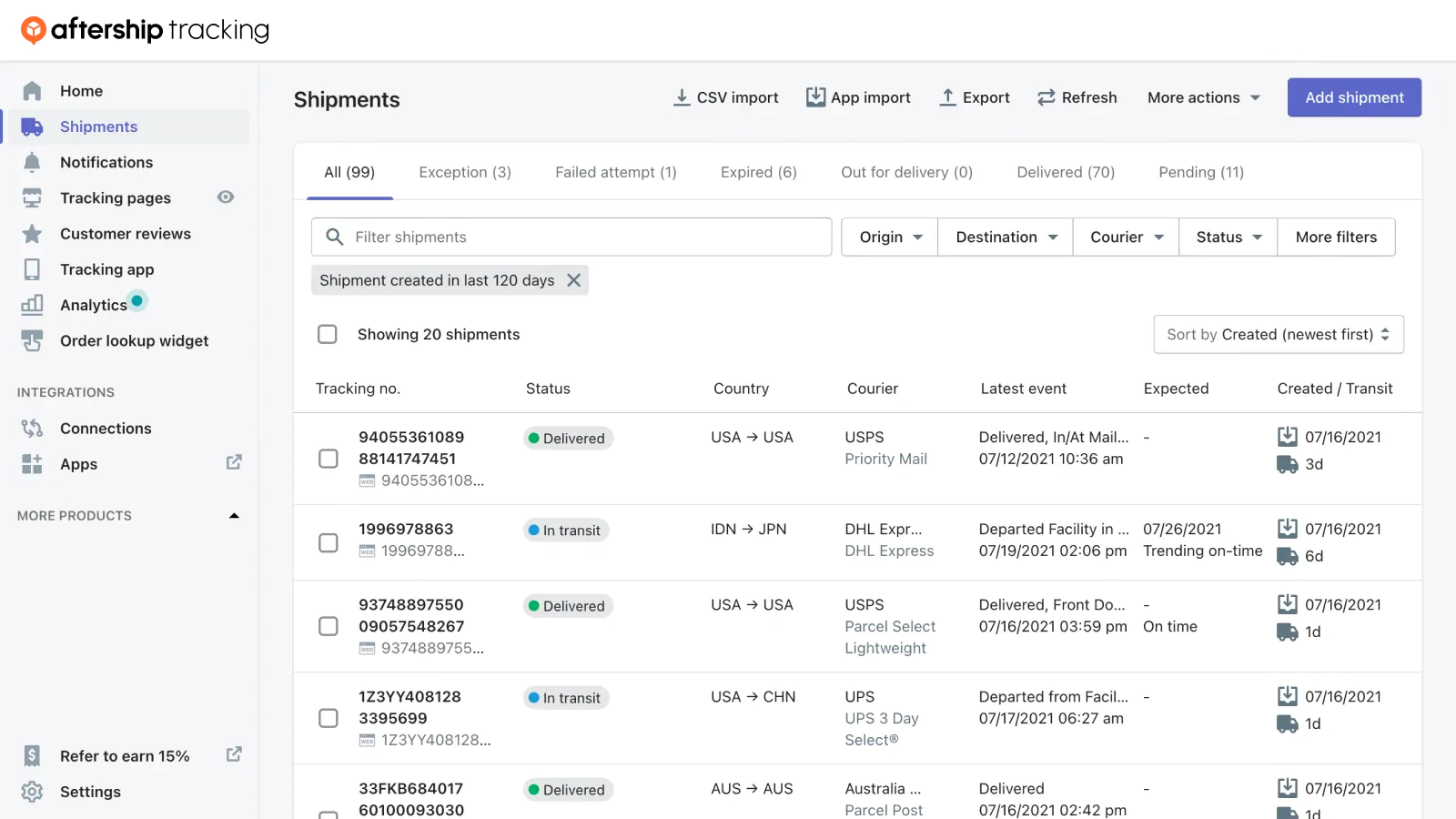
AfterShip is a shipping plugin for WooCommerce that offers free installation and provides a seamless shipping experience. It automatically adds tracking number and courier fields to your admin panel, allows you to import tracking numbers and get current tracking info from 900+ shipping providers, and offers features like automated email and SMS notifications, smart dashboard, branded order tracking page, and more. It also integrates with AfterShip Returns to streamline return processes.Screenshots


Frequently asked questions
What is AfterShip Tracking?
AfterShip Tracking is a WordPress plugin designed to enhance the shipping experience for WooCommerce stores. It helps manage and track orders, providing an all-in-one solution for shipment tracking and customer communication.
What are the key features of AfterShip Tracking?
Key features include automatic import of tracking numbers, a smart dashboard for filtering and sorting shipments, and automated email and SMS notifications for customers. It also allows for embedding a Track Button and adding tracking links to your WooCommerce store.
Does AfterShip Tracking support multiple languages?
Yes, the AfterShip admin portal is available in German, French, Italian, and Spanish.
How does AfterShip Tracking help with customer communication?
It enables sending shipping and delivery notifications to customers via email and SMS. It also allows customers to effortlessly track their orders through a branded tracking page, tracking links on order confirmation, and order history pages.
Changelog
1.17.17
- Minor bug fixes and optimizations
1.17.15
- Support multiple tracking numbers in one Shipment (Beta)
- Enable the option to select ‘Other’ as a courier when fulfilling orders.
1.17.14
- Fix known issue
1.17.13
- Update courier list
1.17.12
- Fix known issue
1.17.11
- Fix known issue
1.17.10
- Enhancement: support order number column (csv template) for Import Tracking
1.17.0
- Enhancement: support script tags API
1.16.9
- Update recommendation icons
1.16.8
- Fix known issue
1.16.6
- Fix known issue
1.16.4
- Fix known issue
1.16.2
- Update courier list
1.16.1
- Fix known issue
1.16.0
- Fix known issue
1.15.8
- Update media files
1.15.7
- Update media files
1.15.6
- Update media files
1.15.5
- Fix known issue
1.15.3
- Update courier list
1.15.2
- Fix known issue
1.15.1
- Update Readme.
1.15.0
- New Feature: (Tracking) Ability to add tracking number on orders list
1.14.8
- Fix known issue
1.14.6
- Fix known issue
1.14.2
- Fix known issue
1.14.1
- Fix known issue
1.14.0
- New Feature: Support fulfillment according to order items
1.13.10
- Update courier list
1.13.9
- Add some fields for settings API
1.13.8
- Update courier list
1.13.7
- Add modified_after & modified_before filter for customers
1.13.6
- Fix known issue
1.13.4
- Add tracking created time for AfterShip
1.13.3
- Update courier list
1.13.2
- GET v5/settings API add field: version
1.13.1
- fix OAuth link issue
1.13.0
- Enhancement – Added New Admin Menu
- Enhancement – Enhancement – Updated Settings Page Design
- Enhancement – Compatible with WooCommerce OAuth Authentication
1.12.15
- Update Courier list.
- Add _aftership_tracking_number for Compatible
1.12.13
- Update Readme.
1.12.10
- Update Readme.
1.12.9
- Compatible for get order data
1.12.8
- Update readme
1.12.7
- Compatible with Advanced Access Manager
1.12.6
- Update courier list
1.12.5
- Update courier list
1.12.4
- Update readme
1.12.1
- Update courier list
1.12.0
- Add v5/orders API endpoint
1.11.4
- Fix tracking missing when update plugin.
1.11.3
- Fix some plugin conflict issue
1.11.2
- Add new couriers
1.11.1
- Fix issue for generate API key
1.11.0
- Support Multiple Tracking Number
1.10.3
- Update readme
1.10.1
- Fix known issue
1.10.0
- Add v3/orders API endpoint
1.9.27
- Refresh supported couriers list
1.9.26
- Don’t import any data to AfterShip tracking custom_fields
1.9.25
- Don’t import any data to AfterShip tracking custom_fields
1.9.24
- Fix known issue
1.9.23
- Fix known issue
1.9.18
- Add new couriers (borderexpress)
1.9.17
- Fix known issue
1.9.16
- Fix known issue
1.9.15
- Add new api endpoint for orders sync
1.9.14
- Add new couriers
1.9.12
- Add new couriers (Spee-Dee Delivery)
1.9.11
- Add new couriers (total-express)
1.9.10
- Add new couriers
1.9.9
- Add PostNL Domestic postal code data
1.9.8
- Update readme.txt
1.9.7
- Add new couriers
1.9.6
- Fix the “Unable to connect to Woocommerce under specified circumstances” issue
1.9.5
- Add Latvijas Pasts courier support
1.9.4
- Add new courier
1.9.3
- Fix the “Illegal string offset” issue
1.9.2
- Add new couriers supported by Aftership
1.9.1
- Added custom fields import from order
1.8.7
- Updated couriers to latest
1.8.4
- Add couriers – Ninja Van Thailand, EFS (E-commerce Fulfillment Service)
1.8.2
- Add couriers – ninjavan-philippines, omniva
1.7.4
- Remove deprecated warning on Woocommerce 3
1.7.2
- Add new couriers
1.6.8
- Fix compatibility issue with Sendcloud plugin
1.6.7
- Add support for more couriers
1.6.6
- Fix courier list is sometimes empty
1.6.5
- Support new version of Woocommerce Shipment Tracking plugin
1.6.4
- Add new couriers
1.6.3
- Improved compatibility with PHP7
1.6.2
- Handling API key in more reliable way
1.6.1
- Fixed Woocommerce Tracking plugin provider error
1.6.0
- Custom tracking URL support
1.5.0
- Add credentials verification
- Enable importing note from customer
- Add new couriers
1.4.8
- Add new couriers
1.4.7
- Add new couriers
1.4.6
- Add new couriers
1.4.5
- Compatible up to WordPress 4.2.2
- Add new couriers
1.4.4
- Add new couriers
1.4.3
- Add new couriers
- Disable unused field for import orders to AfterShip system
1.4.2
- Fix carrier list data in setting page, to support new dropdown menu in WordPress 4.1
1.4.1
- Add order by filter option
1.4.0
- Remove courier url and telephone no.
1.3.9
- Disable get_cart_discount() and get_order_discount() as it’s deprecated in WooCommerce 2.3
1.3.8
- Force load the script to display the plugin if the script didn’t execute normally after 2 seconds while the page loaded.
1.3.7
- Add new courier
1.3.6
- Fix the display problem of required fields in order history page
1.3.5
- Fix carrier list data, to support new dropdown menu in WordPress 4.1
1.3.4
- Fix the custom track message tailing space problem
1.3.3
- Add the fields config
1.3.2
- Support new couriers, please check out supported couriers in https://www.aftership.com/courier
- Support new required field,
tracking keyandtracking destination country - Support custom track message on order history page
1.3.1
- Support 231 couriers, please check out supported couriers in https://www.aftership.com/courier
1.3.0
- Fix the redeclare class issues

