Unlock the transformative power of WordPress plugins with our handpicked selection of the best JetPack alternatives for WordPress Security Plugins! These plugins are essential tools that enhance the functionality, performance, and security of your WordPress websites.
In this listicle, we delve into the details of each WordPress Security Plugins, providing an in-depth analysis of their features, benefits, and pricing structure. From the comprehensive security solution of Wordfence Security to the brute-force protection of Loginizer, we leave no stone unturned.
By the end of this article, you will gain valuable insights into the world of WordPress security plugins, enabling you to make an informed decision about the best security solution for your site.
Table of Contents
WordPress Security Plugins for JetPack Alternatives
Sucuri Security
Sucuri Security is a WordPress plugin designed by the globally recognized authority in website security, Sucuri Inc., and now owned by GoDaddy. This security suite is specifically tailored for WordPress users and is intended to supplement your existing security measures.
Sucuri Security aims to solve the problem of website vulnerability by providing a comprehensive set of security features, thus fulfilling the need for robust cyber protection.
Features and Benefits
- Security Activity Auditing: Tracks all security-related activity on your website, monitoring logins, logouts, and changes made to help identify suspicious activity early.
- File Integrity Monitoring: Detects changes to your website’s files, aiding in the early detection of potential security threats.
- Remote Malware Scanning: Helps identify and remove malware from your website, ensuring its safe operation.
- Blocklist Monitoring: Ensures your website is not blacklisted, which can negatively impact SEO ranking and overall site reputation.
- Effective Security Hardening: Optimizes your website’s security settings, reducing the likelihood of potential attacks.
- Post-Hack Security Actions: Provides guidance on actions to take after a security breach, helping you recover quickly and efficiently.
- Security Notifications: Ensures you are promptly informed of any security issues, enabling fast reaction times.
- Website Firewall (premium): Offers an additional layer of protection by blocking malicious traffic before it reaches your site.
Pricing Structure
The plugin is free to use with the premium version starting from $199.99/ year.
Wordfence Security

Wordfence Security is a leading WordPress security plugin that offers a comprehensive suite of features to ensure your website’s safety.
With a focus on WordPress security, Wordfence is backed by a dedicated research team that consistently updates firewall rules and malware signatures, providing real-time protection for your website. It is not just a WordPress security division but a complete solution with a 24 hour global incident response team.
Features and Benefits
- WordPress Firewall: The Web Application Firewall identifies and blocks malicious traffic to keep your site secure. The premium version offers real-time firewall rule and malware signature updates, providing enhanced protection. This feature benefits your website by preventing unauthorized access and reducing the load on your site.
- WordPress Security Scanner: This feature checks your core files, themes, and plugins for any malicious elements, alerts you to potential threats, and allows you to repair altered files. The benefit of this feature is that it ensures the integrity of your site’s content, preventing potential security issues.
- Login Security: Wordfence offers two-factor authentication (2FA), one of the most secure forms of remote system authentication, and includes a Login Page CAPTCHA to prevent bots from logging in. The benefit to the user is enhanced login security, protecting your site from unauthorized access. Alongside website-level login controls, site administrators should also protect their personal digital accounts by evaluating identity guard alternatives for identity theft monitoring.
- Wordfence Central: This feature allows you to manage the security of multiple sites in one place with highly configurable alerts that can be delivered via email, SMS, or Slack. The benefit to the user is a streamlined security management system, making it easier to manage and monitor your website’s security status.
- Security Tools: Wordfence includes Live Traffic, which allows you to monitor visits and hack attempts in real-time. The premium version also offers country blocking. This feature benefits your website by giving you an in-depth view of your site’s traffic and potential threats.
Pricing Structure
The plugin is free to use with the premium version starting from $119/ year.
Limit Login Attempts Reloaded
Limit Login Attempts Reloaded is a powerful WordPress Security Plugin designed to protect your website from the risks of brute force attacks. This plugin guards your site by limiting the number of login attempts from a specific IP address or username. With over 2.5 million active users, it ensures your website’s login security requirements are met.
Features and Benefits
Free Version
- Limit Logins: Reduces the number of retry attempts when logging in per each IP, ensuring the security of your website.
- Configurable Lockout Timings: Enables you to set the duration a user or IP must wait after a lockout, providing an extra layer of security.
- Remaining Tries: Notifies the user about the remaining retries or lockout time on the login page.
- Lockout Email Notifications: Sends email notifications to the admin about lockouts, keeping you updated.
- Denied Attempt Logs: Allows you to view a log of all denied attempts and lockouts.
- IP & Username Safelist/Denylist: Allows you to control access to usernames and IPs, enhancing management of authorized and unauthorized users.
- Compatibility: This plugin is compatible with Sucuri, Wordfence, Ultimate Member, XMLRPC, Woocommerce, and supports multi-site with extra MU settings.
Premium Version
- Performance Optimizer: Protects your server resources from being strained by excessive failed logins, enhancing overall system efficiency.
- Enhanced IP Intelligence: Identifies repetitive and suspicious login attempts, detecting potential brute force attacks to improve security.
- Enhanced Throttling: Increments lockout intervals each time a malicious IP or username tries to login unsuccessfully, deterring persistent attackers.
- Deny By Country: Allows you to block logins by country for enhanced security, customizing access control geographically.
- Auto IP Denylist: Automatically adds IP addresses to your active cloud deny list that repeatedly fail login attempts, streamlining protection measures.
- Global Denylist Protection: Utilizes active cloud IP data from thousands of websites in the LLAR network, leveraging a vast source of security intelligence.
- Synchronized Lockouts & Safelist/Denylist: Shares lockout IP data and safelist/denylist IP and username data between multiple domains, ensuring consistent security across platforms.
- Premium Support: Provides email support with a security tech, offering direct assistance for any issues.
- Auto Backups of All IP Data: Stores your active IP data in the cloud, ensuring data is safe and recoverable.
- Enhanced Lockout Logs: Provides valuable insights into the origins of IPs that are attempting logins, aiding in the analysis and prevention strategies.
- CSV Download of IP Data: Allows you to download IP data directly from the cloud, facilitating easy access and management of security data.
Pricing Structure
The plugin is free to use with the premium version starting from $2.33/ month.
Loginizer
Loginizer is a powerful, user-friendly WordPress plugin designed to protect your website against bruteforce attacks. This plugin operates by blocking the IP address after it reaches the maximum allowed login attempts, thereby thwarting any potential security threats.
With more than a million active users, Loginizer offers an array of features ranging from Two Factor Auth and reCAPTCHA to PasswordLess Login, enhancing your website’s security manifold.
Features and Benefits
- Brute force protection: The plugin blocks IP addresses attempting to brute force your website, ensuring enhanced security and reducing potential threats.
- Failed login attempts logs: Keep track of failed login attempts, providing insights into any suspicious activities on your site.
- Blacklist and Whitelist IPs: Gives you the control to blacklist or whitelist specific IP addresses, offering a personalized security approach.
- Custom error messages: Allows you to customize error messages on failed login attempts, improving user experience.
- Permission check: The plugin checks permissions for crucial files and folders, ensuring they are secure.
- Trusted IP feature: This feature allows only trusted IPs to access the login page, further strengthening your site’s security.
- Blocked Screen: Replaces the login page with a blocked screen after repeated failed login attempts, enhancing site protection.
- Email Notification: Sends an email notification on successful login, keeping you informed of your website’s access.
Pricing Structure
The plugin is free to use with the premium version starting from $24/ year.
Security Optimizer – The All-In-One WordPress Protection Plugin
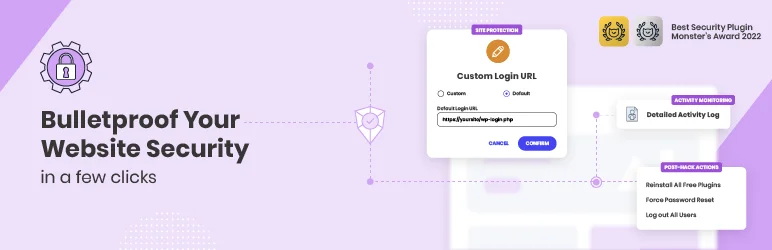
Security Optimizer is a comprehensive WordPress security plugin designed to protect your website from various security threats. Developed by the website security experts at SiteGround, this free plugin provides an all-in-one solution to safeguard your WordPress applications from potential attacks on any hosting platform.
Features and Benefits
- 2FA (Two-Factor Authentication): Adds an extra layer of security to your website by requiring a second form of identification, significantly reducing the risk of unauthorized access.
- Limit Login Attempts: Deters malicious login attempts and brute-force attacks by setting a limit on the number of login attempts, enhancing your website’s security.
- Custom Login URL: Avoids attacks by changing your default login URL to a custom one, making it harder for attackers to access the login page.
- Advanced XSS Protection: Fortifies your website against malicious attacks by blocking Cross-Site Scripting (XSS) vulnerabilities.
- Lock and Protect System Folders: Ensures no unauthorized or malicious scripts can be executed in your system folders, protecting critical system files.
- Disable Themes & Plugins Editor: Safeguards your website from unauthorized access via the WordPress editor, reducing the risk of malicious changes.
- Hide WordPress Version: Keeps your WordPress version hidden from prying eyes to prevent attackers from exploiting specific version vulnerabilities.
- Activity Log: Allows you to monitor your site and quickly prevent malicious actions by keeping a detailed log of all activities.
- Post-Hack Actions: Enables you to take immediate actions to prevent further damage after a hack, helping to quickly restore security and functionality.
Pricing Structure
The plugin is free to use.
All-In-One Security (AIOS) – Security and Firewall
All-In-One Security (AIOS) is a top-rated WordPress security and firewall plugin developed by the team behind UpdraftPlus. This plugin is designed to provide comprehensive security to your WordPress site, protecting it from various threats such as brute force attacks, spam comments, content theft, and much more.
With over a million installs, AIOS has received a 5-star rating from its users, making it the only WordPress security plugin to achieve such a feat.
Features and Benefits
- Login Security Tools: These tools protect your site from brute force attacks by bots, enhancing the default WordPress login security with features such as a login lockout system that locks out users after multiple failed login attempts.
- Web Application Firewall: Provides automatic protection from security threats, ensuring your site’s security is always up-to-date and resilient against emerging vulnerabilities.
- Content Protection Features: Protect your site’s content from theft or spam comments with tools such as iFrame prevention and copywriting protection, ensuring your content remains exclusive to your site.
- Malware Scanning (Premium only): Alerts you of any malware issues within 24 hours and provides daily site status monitoring to notify you if your site has been blacklisted, allowing for immediate remediation.
- Audit Log: Offers administrators a comprehensive view of events occurring on their WordPress site, enabling the detection of security risks or unusual activities to maintain site integrity.
Pricing Structure
The plugin is free to use with the premium version starting from $70/ year.
Solid Security
Solid Security is a comprehensive security plugin for WordPress websites. It was formerly known as iThemes Security. The plugin addresses the need for robust security measures in an increasingly risky online environment.
With more than 30,000 websites hacked daily and a 57% increase in cyberattacks in the US in 2022, the importance of a proactive, strategic approach to website security cannot be overstated. Solid Security offers a range of features designed to protect websites from brute force attacks, malware infections, and other cyber threats.
Features and Benefits
- Secure Your Website in Minutes: The Solid Security setup and onboarding experience is designed for easy use, providing peace of mind with robust security measures in place once set up.
- Security Site Templates: Tailored to the security needs of various types of websites, including eCommerce, network, non-profit, blog, portfolio, and brochure sites.
- Real-Time Website Security Dashboard: Monitor security-related events on your site in real time, with a dashboard that provides a snapshot of your site’s security status, including active lockouts, site scan results, and user security stats.
- WordPress Login Security: Features two-factor authentication, password requirements, reCAPTCHA, passwordless logins, trusted devices, and automated vulnerability patching to harden your site against threats.
- User Groups: Allows application of different levels of security to different user groups on your site, depending on their needs and privileges.
- Ban Users and Block Bad Bots: Permanently block repeat offenders and stop common methods of attack on WordPress sites.
- Site Scanner and File Change Detection: Detects malicious activity and offers twice-daily checks for known vulnerabilities, helping keep your site safe.
- Website Security Utilities: Enforce SSL connections, create database backups, and improve trusted devices through geolocation to bolster your site’s defenses.
- Advanced Security Tools: Identify server IPs and change the user ID for the first WordPress user, enhancing the security posture of your platform.
Pricing Structure
The plugin is free to use with the premium version starting from $99/ year.
Why You Need Jetpack Alternatives for WordPress Security Plugins
Jetpack is a popular WordPress plugin that offers a suite of features designed to enhance security, performance, and management of WordPress sites. It provides functionalities such as automated backups, malware scanning, downtime monitoring, and more.
However, depending on specific needs, preferences, or circumstances, some users may seek alternatives to Jetpack for their WordPress security needs. Here are several reasons why exploring alternatives can be beneficial:
- Focus and Specialization: Jetpack provides a broad range of tools, and security might not be its primary area of expertise. Dedicated security plugins often have more advanced features and deeper development focused solely on safeguarding your site. These plugins may offer real-time protection, firewalls, and more intricate malware detection capabilities.
- Granular Control: With Jetpack, security features might be bundled with other functionalities you might not need. Dedicated security plugins allow you to choose specific functionalities you require, giving you more granular control over your security setup.
- Cost-Effectiveness: Jetpack’s security features are often part of paid plans. If you only need security functionalities, a dedicated security plugin might be a more cost-effective option, especially if it offers a free tier or a plan that aligns better with your website’s needs.
- Performance Considerations: Jetpack, with its various features, can add some weight to your website. If website speed is a major concern, using a more focused security plugin might help maintain optimal performance.
It’s Important to Note that Jetpack can still be a valuable tool for many users. Its security features, while not the most comprehensive, can offer a good baseline of protection, especially for simpler websites.
Ultimately, the best choice depends on your specific needs and priorities. Consider the level of security required for your website, the budget, and the impact on website performance.
Final Word
Securing your WordPress website is crucial, and these JetPack alternatives offer robust security features to protect your site from threats. These plugins deliver a range of features from malware scanning, firewalls, and login security to content protection, all aimed at enhancing your website’s security.
By incorporating these plugins, not only will you be able to protect your website from potential threats, but also grow your audience, boost engagement, and establish authority in your niche. So, don’t wait! Take the next step towards securing your WordPress website and achieve your goals.
FAQs About WordPress Security Plugins
- What are WordPress Security Plugins?
WordPress security plugins are tools designed to protect WordPress websites from security threats like hacking, malware, brute force attacks, and other vulnerabilities. They typically offer features such as firewalls, malware scanning, and login security. - Why should I consider alternatives to Jetpack for WordPress security?
While Jetpack offers a range of features, including security tools, considering alternatives might provide more specialized security features, potentially better performance, cost efficiency, and customization options specific to your site’s needs. - What are some top Jetpack alternatives for WordPress Security Plugins?
Some highly regarded alternatives include Wordfence, Sucuri Security, iThemes Security, and All In One WP Security & Firewall. Each offers unique features tailored to enhance the security of WordPress sites. - Can WordPress Security Plugins affect the performance of my website?
Yes, some WordPress security plugins may impact site performance, especially if they are feature-rich or poorly optimized. Choosing a lightweight plugin or one optimized for performance can help mitigate this issue. - Are there free WordPress Security Plugins that are good alternatives to Jetpack?
Yes, there are free alternatives such as Wordfence (free version), All In One WP Security & Firewall, and iThemes Security (free version), which provide robust security measures without a cost. - How do I choose the right WordPress Security Plugin from the alternatives to Jetpack?
Evaluate your site’s specific security needs, budget, and the compatibility of the plugin with other tools you use. Consider the ease of use, features offered, and the reputation and support provided by the plugin developer. - Do WordPress Security Plugins provide real-time monitoring and alerts?
Many WordPress security plugins offer real-time monitoring and alerts as part of their feature set. This can include monitoring unauthorized access attempts, changes to the file system, and other suspicious activities. - Is it difficult to switch from Jetpack to another WordPress Security Plugin?
Switching plugins is generally straightforward but involves deactivating Jetpack’s security features and installing and configuring your new choice. Always ensure your site is backed up before making such changes. - How often should I update my WordPress Security Plugin?
Regular updates are crucial for maintaining security effectiveness. Always update your WordPress security plugins as soon as new versions are released to protect against the latest threats and vulnerabilities. - Can I use multiple WordPress Security Plugins at once?
While it’s possible to use multiple security plugins, doing so can lead to conflicts and resource issues. It’s generally better to select one comprehensive plugin that adequately addresses your security needs.


