

Just another contact form plugin. Simple but flexible.
About iThemes Security
Solid Security (formerly iThemes Security) is a WordPress plugin that offers proactive security measures to protect your website from cyber threats. It includes features such as brute force protection, two-factor authentication, password requirements, and real-time security monitoring. It also offers security templates based on the type of website you have and allows you to customize security settings for different user groups.Screenshots
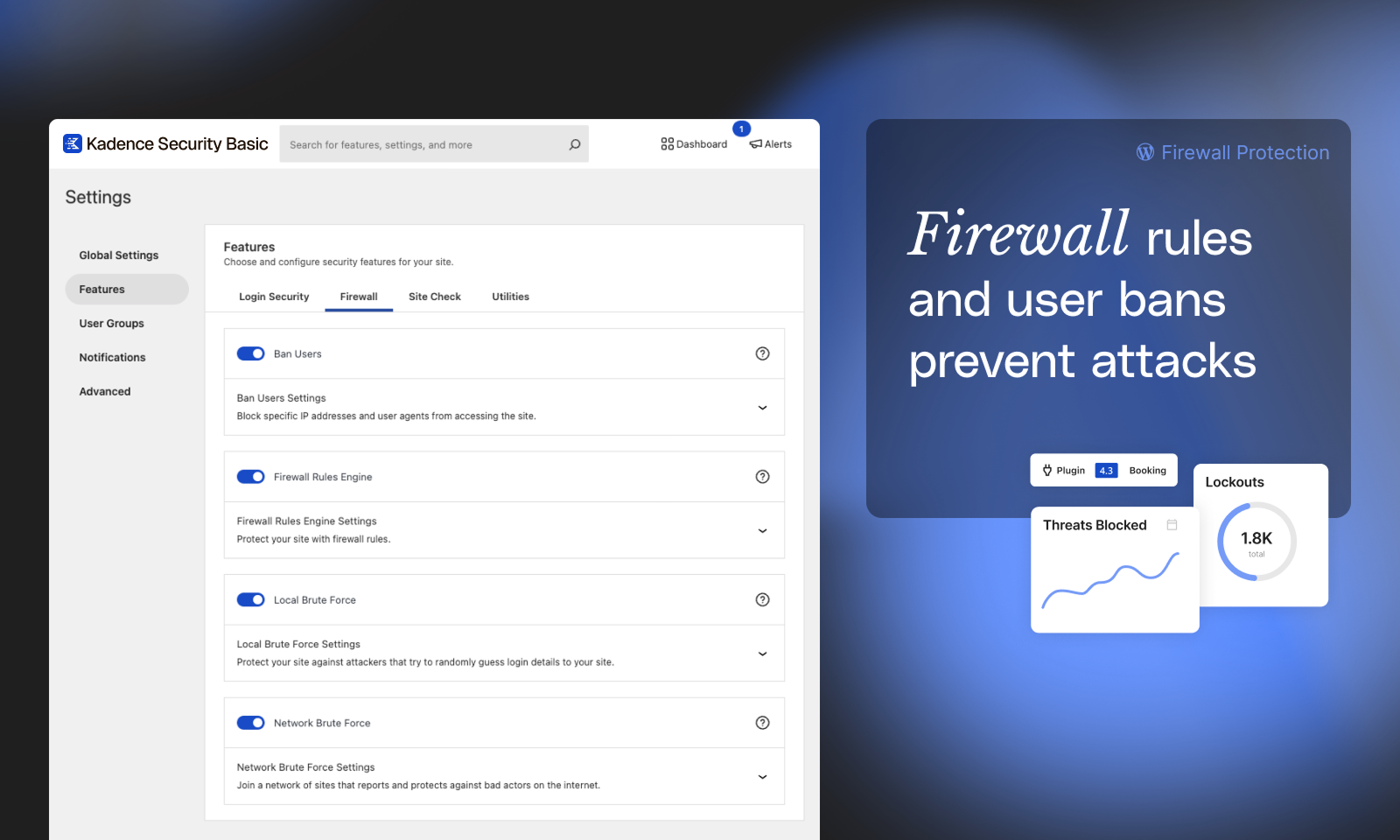
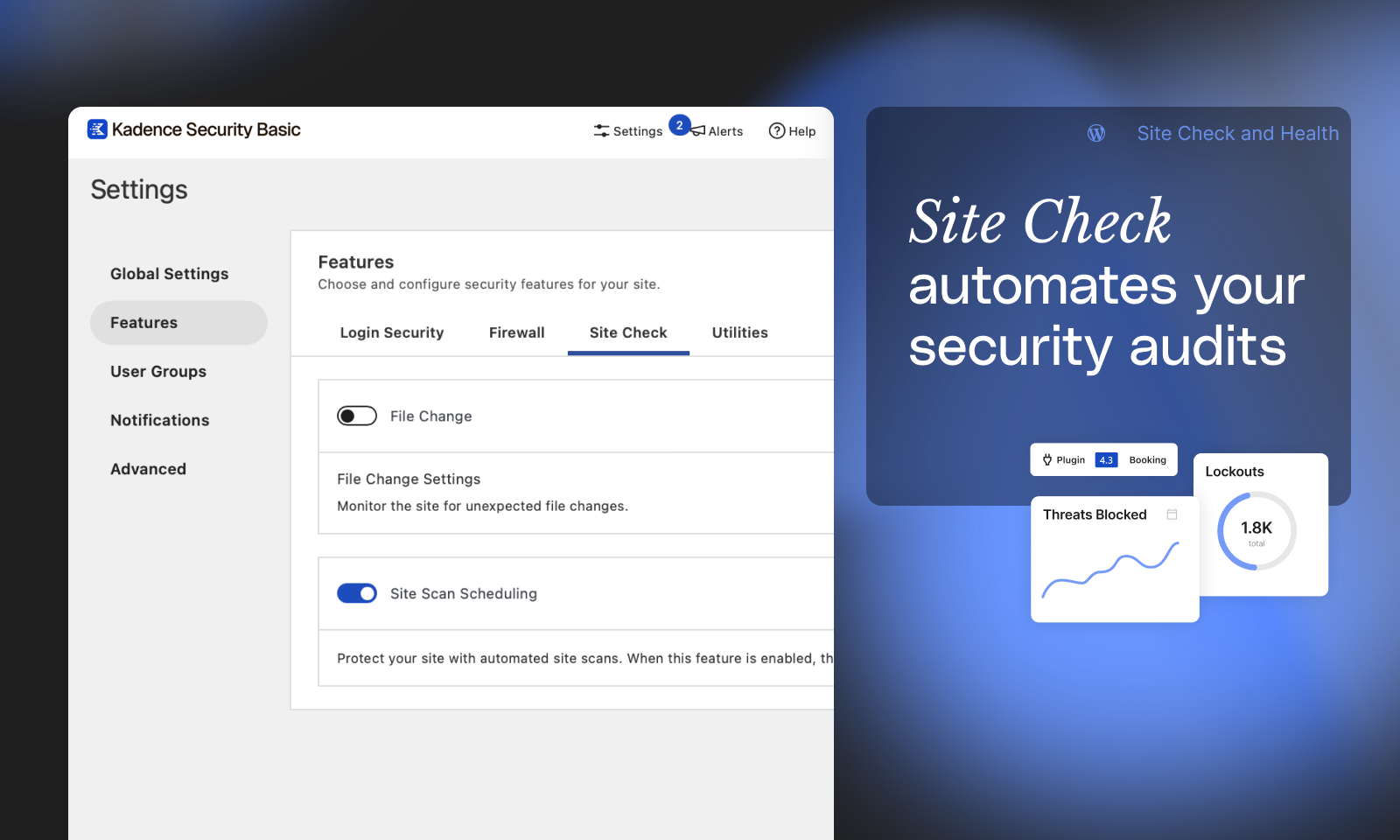
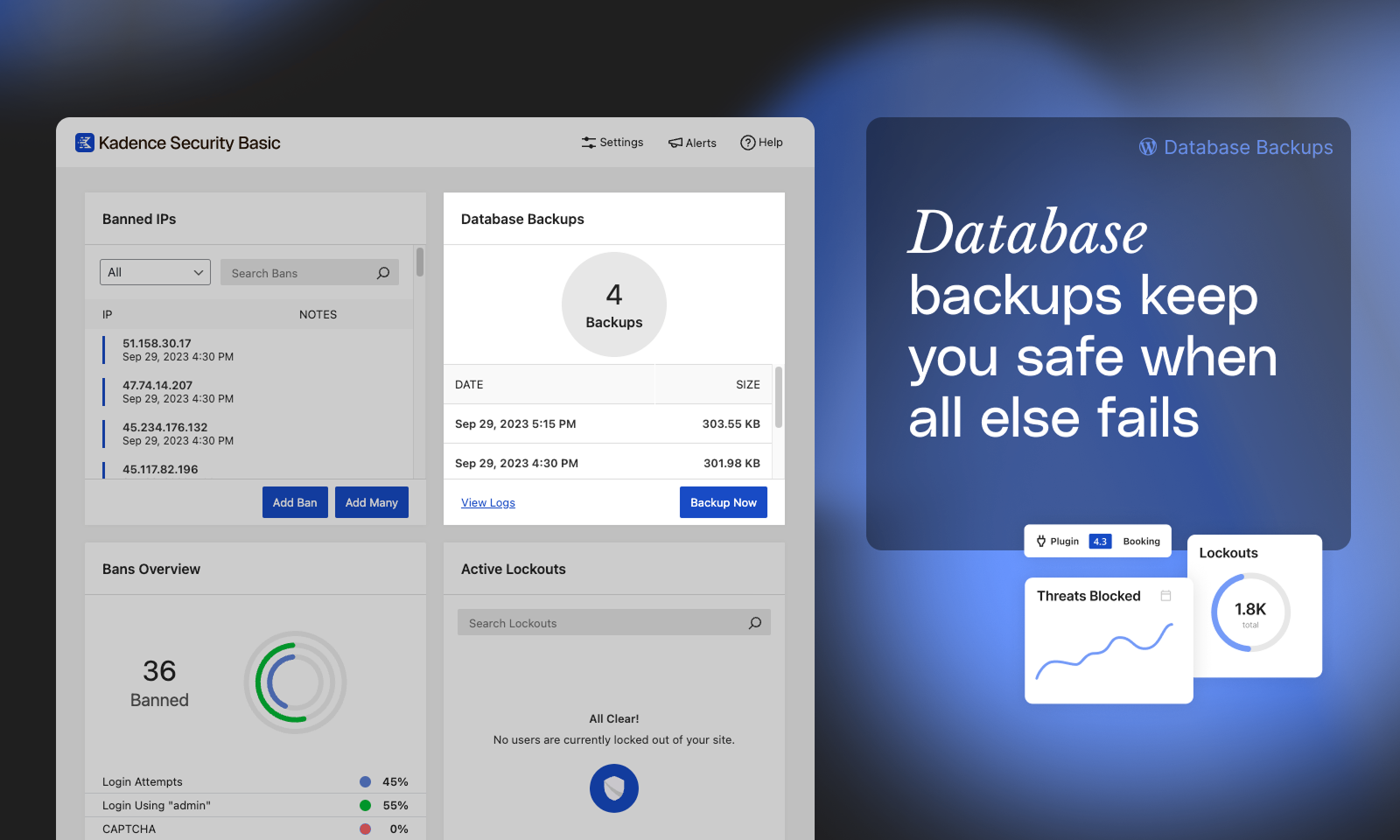
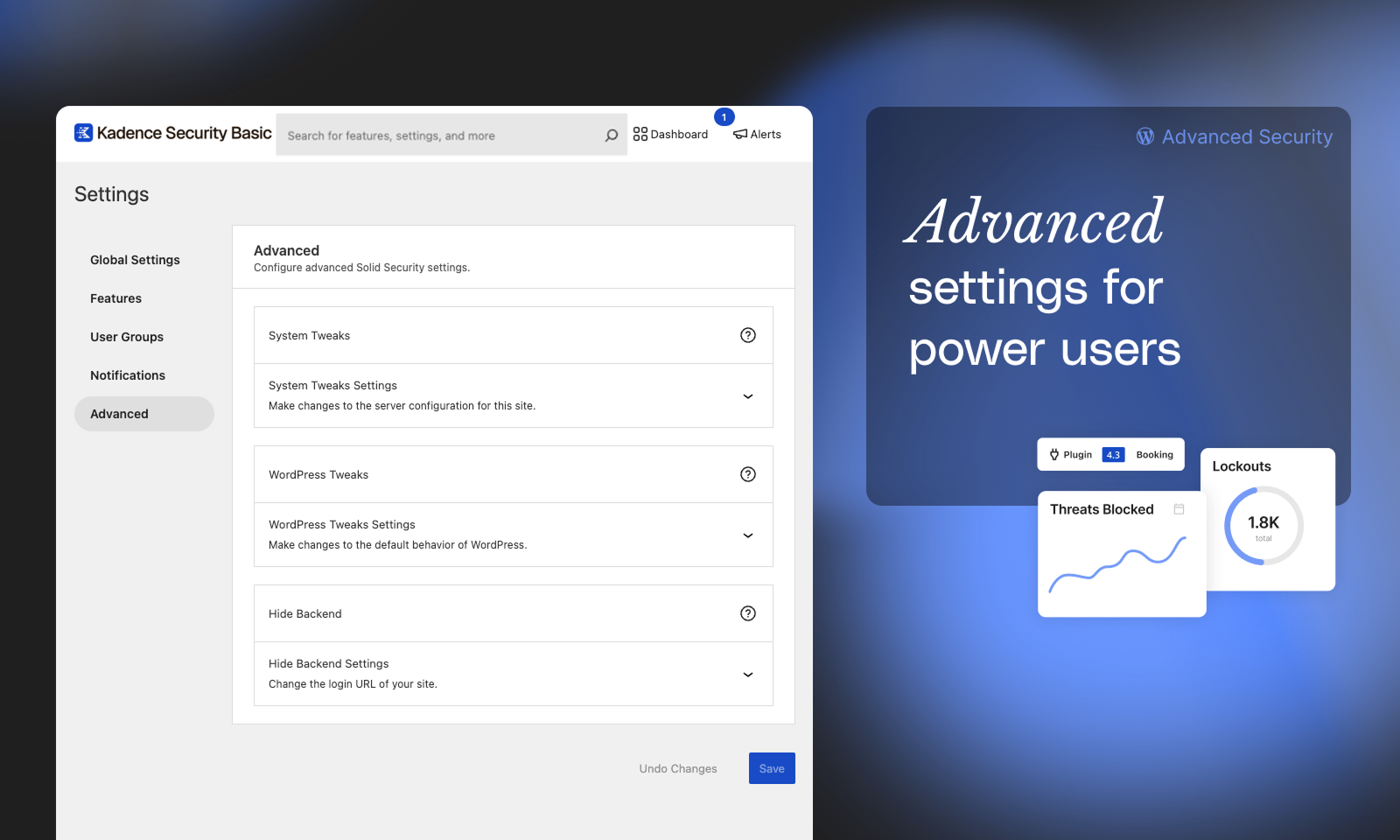
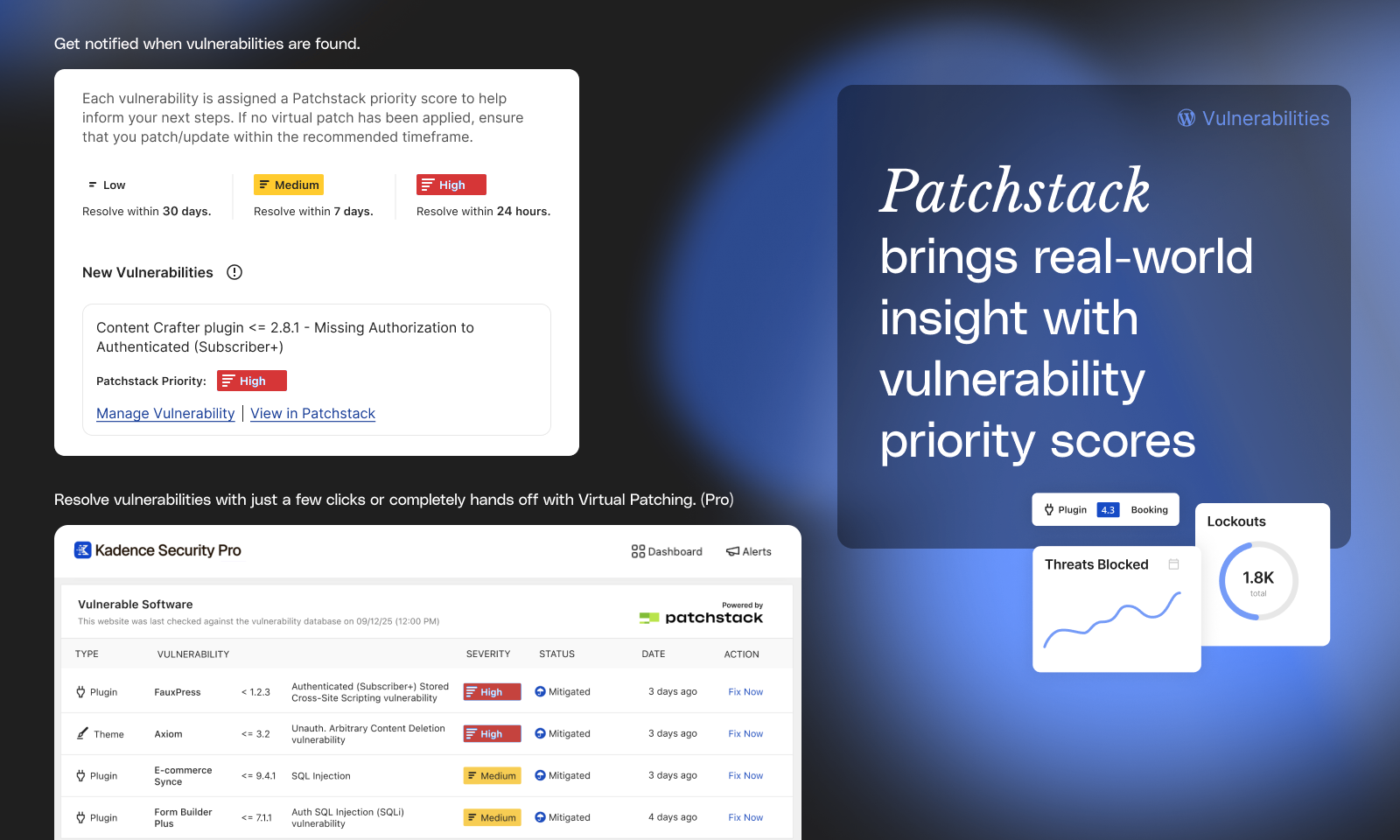
Frequently asked questions
What is Solid Security?
Solid Security is a WordPress plugin that provides proactive, strategic security measures to protect your website from cyberattacks and vulnerabilities.
How long does it take to set up Solid Security?
The setup and onboarding experience of Solid Security allows anyone to secure their WordPress website in under 10 minutes.
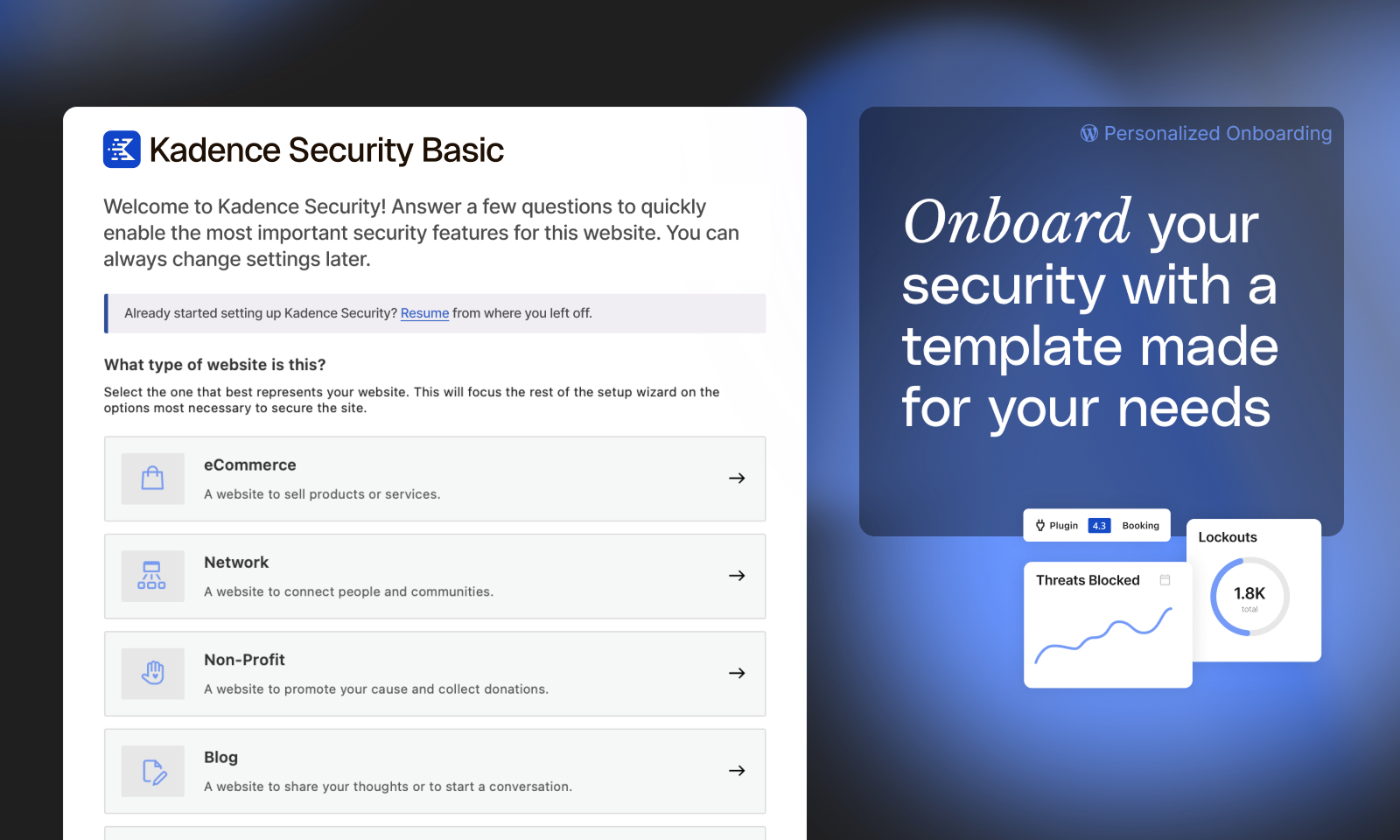
What are the different site templates available in Solid Security?
Solid Security offers six different site templates to apply the appropriate security settings based on the type of website you have: Ecommerce, Network, Non-Profit, Blog, Portfolio, and Brochure.
What features are included in Solid Security Pro?
Solid Security Pro includes features such as Two Factor Authentication (2FA), Password Requirements, reCAPTCHA, Passwordless Logins, Trusted Devices, and Automated Vulnerability Patching.
How does Solid Security monitor website security?
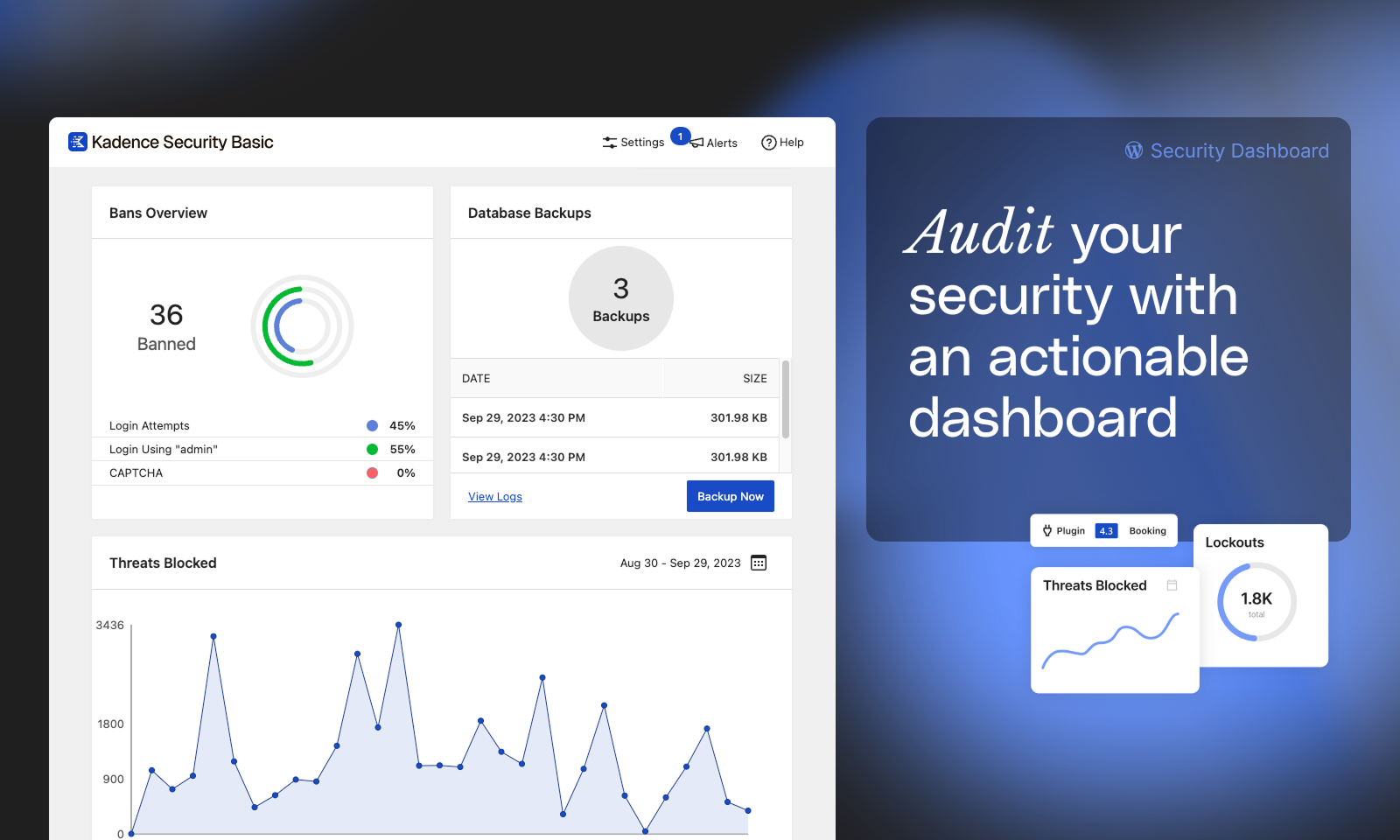
Solid Security provides a real-time WordPress security dashboard that monitors security-related events on your site, including brute force attacks, banned users, active lockouts, site scan results, and user security stats.
Changelog
9.3.8
- Tweak: Delete older JS files that were causing false-positives on scans. They have not been used since the UI was rewritten in React.
- Security: Update StellarWP Telemetry library to improve authorization checks.
9.3.7
- Enhancement: Use block API Version 3 for the Security Profile block.
- Bug Fix: PHP warning when HTTP_HOST not set.
9.3.6
- Enhancement: Better surface Login Security features during onboarding.
9.3.5
- Bug Fix: PHP warning about translations being loaded too early.
9.3.4
- Important: Solid Security now requires WordPress 6.5 or later.
- Tweak: Add a new
solid_security_mail_site_logofilter to modify the Site Logo used in email notifications. - Bug Fix: PHP fatal error on shutdown due to missing Event class on some sites.
- Bug Fix: PHP warning on Site Health page.
- Bug Fix: PHP warning in the SSL module on some server setups.
9.3.3
- Enhancement: Improve highlighting settings search results.
- Bug Fix: Crash during the onboarding process when starting over in some paths.
- Bug Fix: Checkbox styling issue on WordPress 6.6.
- Bug Fix: Fire an action when a vulnerability is unresolved due to plugin activation.
9.3.2
- Important: “Automatic (Insecure)” IP detection has been removed. Read more: https://go.solidwp.com/firewall-features-not-available
- Enhancement: Allow generating a new Two-Factor TOTP secret from the WP-Login UI.
- Bug Fix: The SolidWP logo appeared too large in some email clients.
- Bug Fix: An error would occur if we could not determine the length of database columns while saving log items.
9.3.1
- Tweak: Add a notice when a user’s role is demoted from the Site Scans page.
- Tweak: Update Privacy Policy generator text.
- Bug Fix: Could not proceed through onboarding when BuddyPress or BuddyBoss was active.
- Bug Fix: Some firewall rules could not be deactivated.
- Bug Fix: Allow opting in to Telemetry via the Settings Page.
- Bug Fix: PHP 8.2 deprecation warnings.
9.3.0
- New: The Firewall page has a new IP Management tab to provide easy access to blocking or authorizing IP addresses.
- New: Usage Data Sharing (opt-in only) allows users to share non-personal and non-sensitive information with StellarWP to inform decisions about how to improve Solid Security in the future.
- Enhancement: Add a snackbar notice when making changes on the Firewall Configure page.
- Tweak: Remove some straggling references and links to iThemes.
- Tweak: Consistently refer to 2FA as Two-Factor Authentication on the Profile page.
- Tweak: Allow performing more Site Scan actions when the issue is muted.
- Bug Fix: Truncate log item columns that are too long before inserting into the database.
- Bug Fix: Consistently order the Security Profile tabs.
- Bug Fix: Add missing text domain to new Solid Security Admin Menu items.
- Bug Fix: Reset filters on the Vulnerabilities page when starting a Site Scan.
- Bug Fix: PHP warning on the logs page when the File Change module logs unexpected data.
9.2.0
- New: Refreshed UI for manging per-user security settings like Two-Factor. The previous Two-Factor UI can be enabled using the SOLID_SECURITY_LEGACY_2FA_UI constant.
- New: A new block “Solid Security User Security Settings” let’s you display this UI on the front-end of your website. The [solid_security_user_profile_settings] shortcode can be used if you’re not yet using the Block Editor.
- Important: Solid Security now requires WordPress 6.3 or later.
- Enhancement: Display a snackbar notice when sending a 2FA reminder from the Site Scan page.
- Enhancement: Include a link directly to the Patchstack database in the Site Scanner alert email.
- Tweak: Remove iThemes Security is now Solid Security banners from the admin.
- Bug Fix: Trying to enable Network Brute Force from the Security messages center linked to the wrong place.
- Bug Fix: During onboarding, a double scrollbar was displayed on some screen sizes.
9.1.0
- New: Add support for creating custom firewall rules.
- Enhancement: Add support for configuring firewall settings from the Firewall page.
- Bug Fix: The firewall page would appear empty when geolocation could not retrieve a country code.
9.0.3
- Bug Fix: Remove an extra folder containing duplicate plugin files
9.0.2
- Bug Fix: Adding missing dist files to SVN
9.0.1
- Security: Don’t disclose the login URL when using Hide Backend on a site with comments enabled and comment registration required. Thanks to Naveen Muthusamy for disclosing this issue.
- Hardening: Check for the promote_user capability when using Privilege Escalation in addition to edit_user.
- Tweak: Remove the iThemes Security is now Solid Security banner from admin-facing email notifications.
- Bug Fix: Prevent the User Security page from crashing when “Show Avatars” is disabled in the WordPress discussion settings.
- Bug Fix: Fix some filters on the User Security page not working as expected.
- Bug Fix: Fix spacing on the Two-Factor form when backup methods are enabled.
- Bug Fix: Fix fatal error when there is an error retrieving Patchstack license information.
- Bug Fix: Styling issues on WordPress 6.4.
9.0.0
- New: iThemes Security is now Solid Security! Learn More: https://go.solidwp.com/security-welcome-to-solidwp
- Important: Solid Security now requires WordPress 6.2 or later.
- New: The Firewall screen brings together the Firewall functionality Solid Security provides into one easy to use screen. More Firewall features are coming soon!
- New: The Vulnerabilities screen identifies what vulnerable software you have on your site and guides you through next steps.
- New: Identify risks in your site’s security with the the expanded Site Scan functionality.
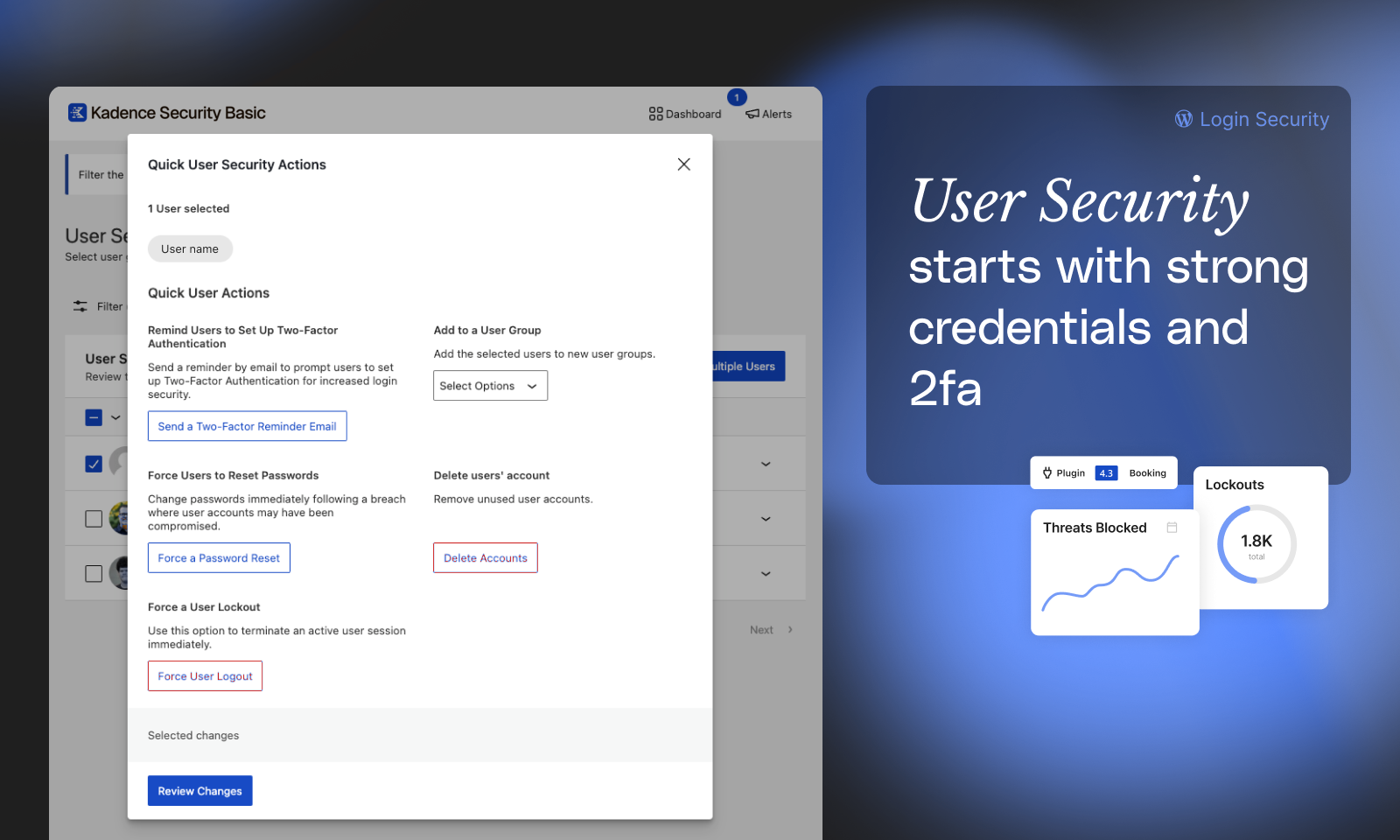
- New: The User Security screen keeps you appraised of the security practices your site’s users are following. Easily apply actions to multiple users in one-click like resetting passwords or logging out active sessions.
- Enhancement: The dashboard and settings screens have been redesigned to make it easier to find what you’re looking for.
- Enhancement: The Security Summary dashboard card gives you a snapshot of the most important security issues affecting your site.
- Enhancement: Add support for loading Solid Security via an MU-Plugin for improved performance when blocking attackers.
- Tweak: Remove the IP Tracker Online link from the logs page.
- Bug Fix: PHP 8.2 compatibility.
- Bug Fix: Resolved PHP warnings when unexpected data is encountered during software updates.
8.1.8
- News: iThemes Security is becoming Solid Security soon. Learn More: https://go.solidwp.com/security-free-notice-ithemes-becoming-solidwp
8.1.7
- Important: Enforce encryption for Two-Factor secrets.
- Tweak: Add Stellar and Solid banners.
- Bug Fix: Don’t require “Write to Files” to be enabled to use the “Rotate Encryption Key” tool.
8.1.6
- Bug Fix: Fallback to the homepage when Enforce SSL encounters a non-safelisted redirect destination.
- Bug Fix: IP Detection on sites behind Load Balancers that appended their IP address to X-Forwarded-For and did not provide a Real IP header.
8.1.5
- Security Hardening: Prevent open redirects attacks against the Enforce SSL module. This attack requires spoofing the Host header which requires additional conditions to exploit. Thanks to nlpro for reporting the issue. Read More: https://ithemes.com/?p=84309
- Bug Fix: Update Password Strength library to the latest version. This fixes discrepancies between the realtime password strength estimation and the enforced password strength.
8.1.4
- Tweak: Add “All” tab to the Features page.
- Tweak: Don’t show “Ban” buttons in Security Dashboard if the user won’t be able to create a ban.
- Bug Fix: Prevent Headers Already Sent warning when a lockout occurs during a WP Cron request on some server setups.
- Bug Fix: Manually load Sodium Polyfill for servers that have an older version of libsodium installed.
- Bug Fix: Error when saving the File Change settings when the “notify_admin” setting was set.
- Bug Fix: Prevent a redirect loop when logging in on sites that take more than 5 seconds to load the Dashboard.
8.1.3
- Important: iThemes Security now requires PHP 7.3 and WordPress 5.9 or later.
- Security: Add support for encrypting Two-Factor Mobile App secrets. Enable via Tools -> Set Encryption Key.
- Security: Deprecate Automatic Proxy Detection. Instead, manually configure Proxy Detection or use Security Check. Fix IP spoofing attacks.
- Enhancement: Add “Ban Lockout” button to the Active Lockouts card.
- Bug Fix: File Logs not rotating.
- Bug Fix: PHP warning when loading Icon Fonts in certain configurations.
- Bug Fix: Don’t attempt to Hide Backend when a Cron request is being processed.
- Bug Fix: Prevent entering invalid date values when selecting a custom date range in the Security Dashboard.
- Bug Fix: Preliminary PHP 8.1 compatibility.
- Bug Fix: File Change “notify_admin” settings validation error.
- Thanks to Calvin Alkan for reporting the security issues fixed in this release.
8.1.2
- Tweak: Require a Title when creating a new Dashboard.
- Bug Fix: Don’t attempt to send a Site Scan notification for Clean scans preventing a fatal error after scheduled site scans.
8.1.1
- Bug Fix: Error when visiting the Notifications page after activating a module with notifications for the first time.
- Bug Fix: Update deprecated withState usages to useState.
8.1.0
- Important: iThemes Security now requires WordPress 5.8 or later.
- New Feature: Include the full iThemes Security Site Scanner in iThemes Security Free. Scheduled scans are disabled by default.
- Tweak: Add new “Go Pro” page that includes an overview of features in iThemes Security Pro.
- Bug Fix: Scroll to top of window when navigating.
- Bug Fix: Allow searching for Password Requirements.
- Bug Fix: Don’t load WordPress and System Tweaks modules when the
ITSEC_DISABLE_MODULESconstant is enabled. - Bug Fix: Prevent incidentally loading the Two-Factor module when it is unregistered.
- Bug Fix: Conditionally display the NGINX File Path setting.
- Bug Fix: Allow saving Notifications when “default recipients must contain at least 1 item” error is present.
- Bug Fix: Help styling on WordPress 5.9.
- Bug Fix: Compatibility with plugins that expected a logged-in user during lockouts.
8.0.2
- Enhancement: Reintroduce Feature Flags management UI.
- Tweak: Reposition “Advanced” and “Tools” menu items to be more readable on lengthy screens.
- Bug Fix: When the Change Admin User tool is run, update any User Groups referencing the old user id.
- Bug Fix: WordPress footer would appear in the middle of the logs page.
- Bug Fix: Add missing translation strings file.
8.0.1
- Bug Fix: Sites that did not support HTTPS, but had the SSL module active, but not configured, on upgrade would get redirected to the HTTPS version of the site.
- Bug Fix: Unregister the iThemes Security Two-Factor module when the Two-Factor Feature Plugin is enabled.
- Bug Fix: Allow activation on WordPress 5.7.0.
- Bug Fix: Add missing textdomains.
8.0.0
- Important: iThemes Security now requires WordPress 5.7 and PHP 7.0 or later.
- New: iThemes Security gets a redesigned interface focused on making it easier to configure and find what you’re looking for. Read More: https://ithemes.com/?p=65086.
- New: Instantly search over everything in iThemes Security with a new instant search feature.
- New: Security Tools have been grouped into their own page. “Identify Server IPs” and “Security Check Pro” can be run manually without using Debug Mode.
- New: Relevant content from the Help Center, iThemes Blog, and iThemes YouTube channel is surfaced in a new Help area based on the current page. Click the “Help” button in the toolbar or the “Info” icon next to the page title to access it.
- New: The settings UI is now fully responsive and works great across mobile, tablet, and desktop devices.
- New: Two-Factor is now part of the core iThemes Security plugin.
- Enhancement: Improved keyboard and screen reader support.
- Enhancement: The Banned Users Card can add multiple bans at once.
- Tweak: Add a new Global setting to control “Automatically Temporarily Authorize Hosts”.
- Tweak: When the Global setting “Hide Security Menu in Admin Bar” is enabled, notices will no longer be printed on non-iThemes Security pages. Instead, you can access the Message Center from the Settings or Dashbaord toolbars.
- Tweak: The Database Backups module is no longer available if you have BackupBuddy installed. If this behavior isn’t desired, enable the “ITSEC_ENABLE_BACKUPS” constant.
- Tweak: The Geolocation API configuration used by Trusted Devices has been moved into it’s own dedicated “Geolocation” module.
- Tweak: Move “Have I Been Pwned” integration to the Core plugin.
- Tweak: Reduce filename length and complexity for built CSS and JS files.
- Removed: The following modules have been removed: 404 Detection, Away Mode, Change Content Directory, and Multisite Tweaks.
- Removed: The following WordPress and System Tweaks have been removed: Remove Windows Live Writer Header, EditURI Header, Comment Spam, Mitigate Attachment File Traversal Attack, Protect Against Tabnapping, Filter Long URL Strings, Filter Non-English Characters, Filter Request Methods, Remove File Writing Permissions.
- Removed: The “Backup Full Database” setting has been removed from the Backups module.
- Removed: The “Require SSL”, “Front End SSL Mode”, and “SSL for Dashboard” settings have been removed from the SSL module.
- Bug Fix: Fix fatal errors when using PHP 8.
- Bug Fix: Fix infinite loop when restricting who can use App Passwords on multisite installs.
- Bug Fix: Ensure the ITSEC_Setup class does not exist before trying to load it. Display schema errors on multisite in the Network Admin.
- Bug Fix: Labels for Disable PHP Execution in Plugins and Themes were reversed.
- Bug Fix: Add missing constants to the debug page.
- Bug Fix: Remove deleted recipients when saving notifications.
- Bug Fix: Correct Site Scan statuses for scans with no issues.
- Dev Note: Modules are now based on a module.json configuration file. If you are registering custom iThemes Security module, you should update it to include a module.json file that adheres to the core/module-schema.json JSON Schema.
- Dev Note: The Network Brute Force module had it’s folder updated to “network-brute-force” from “ipcheck”.
- Dev Note: New Object Oriented API for creating Password Requirements.
- Dev Note: New Settings and Modules REST API endpoints.
- Dev Note: New RPC REST API namespace. There is no backward compatibility promise for these API endpoints.

