Security Optimizer – The All-In-One WordPress Protection Plugin

Security Optimizer – The All-In-One WordPress Protection Plugin

Secure your WordPress site from brute-force attacks, threats, malware, and bots. Free to use and easy to set up.
Rating:
4.6
star-rating-1star-rating-2star-rating-3star-rating-4star-rating-5
Active Installations:
1000000+
Last Updated:
Apr 15, 2025
WordPress Version:
4.7 or higher
Tested up to:
6.8.1

Strengthen Website Security

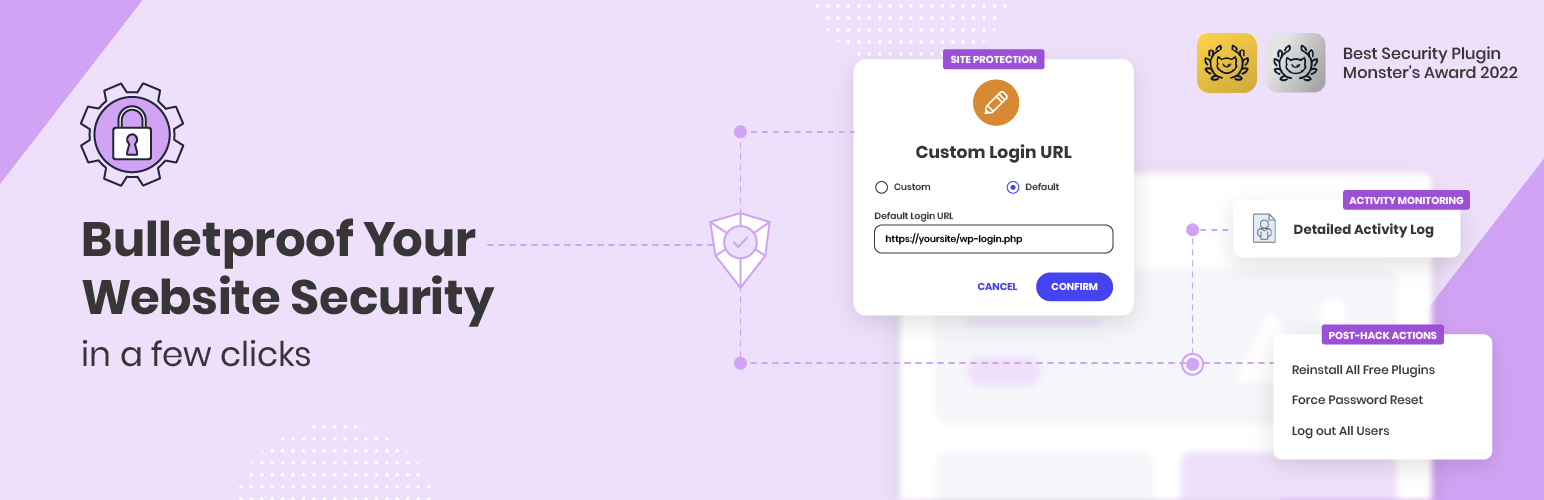
Bulletproof your website security with our free WordPress security plugin. Protect against security breaches, malware threats, and bots in just a few clicks.

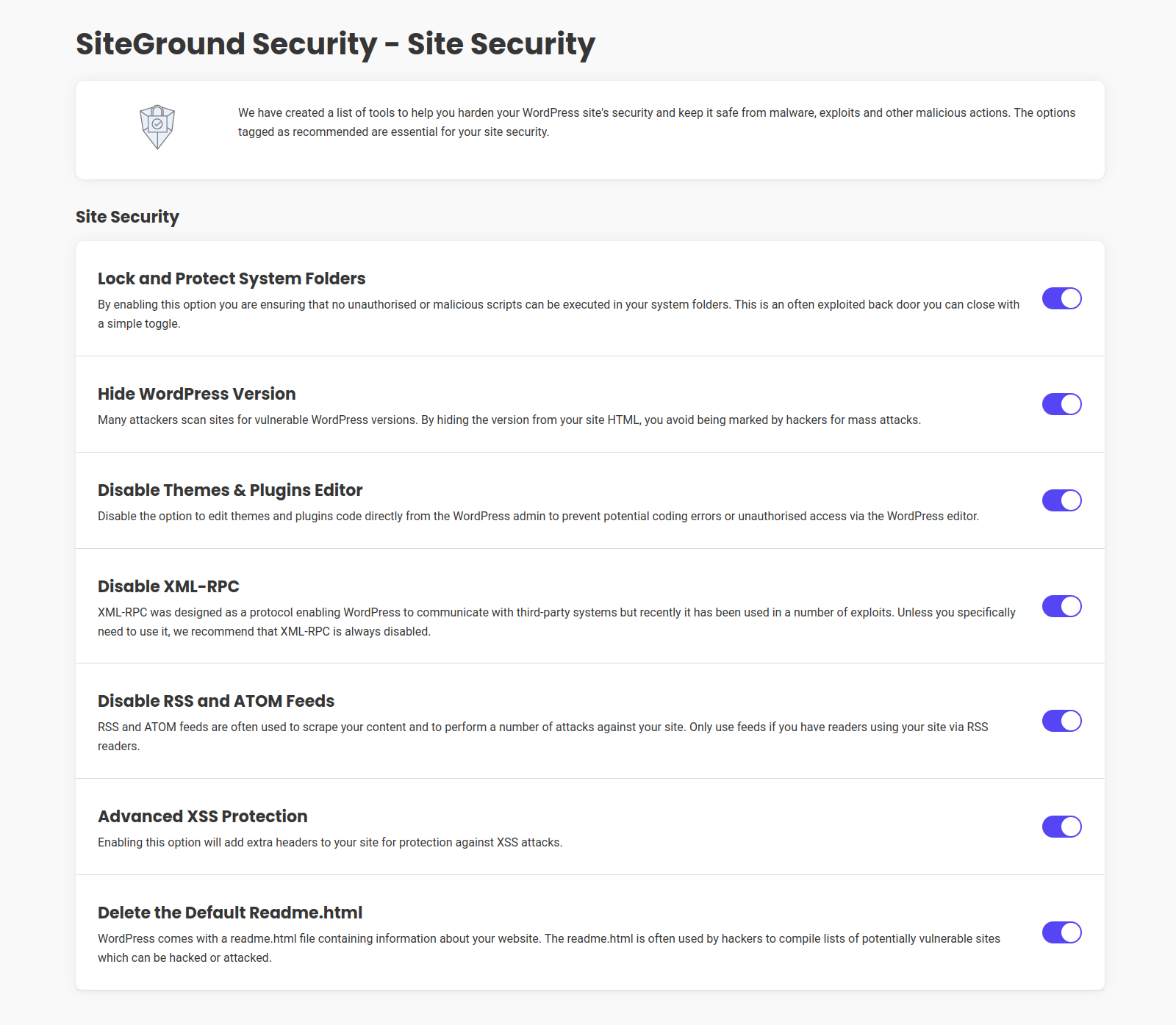
Proactively monitor and protect your website from various security threats, including brute-force attacks, malware, and bots. Our free WordPress security plugin, Security Optimizer, offers essential features such as 2FA, Limit Login Attempts, Custom Login URL, and Advanced XSS Protection to fortify your website's defenses.

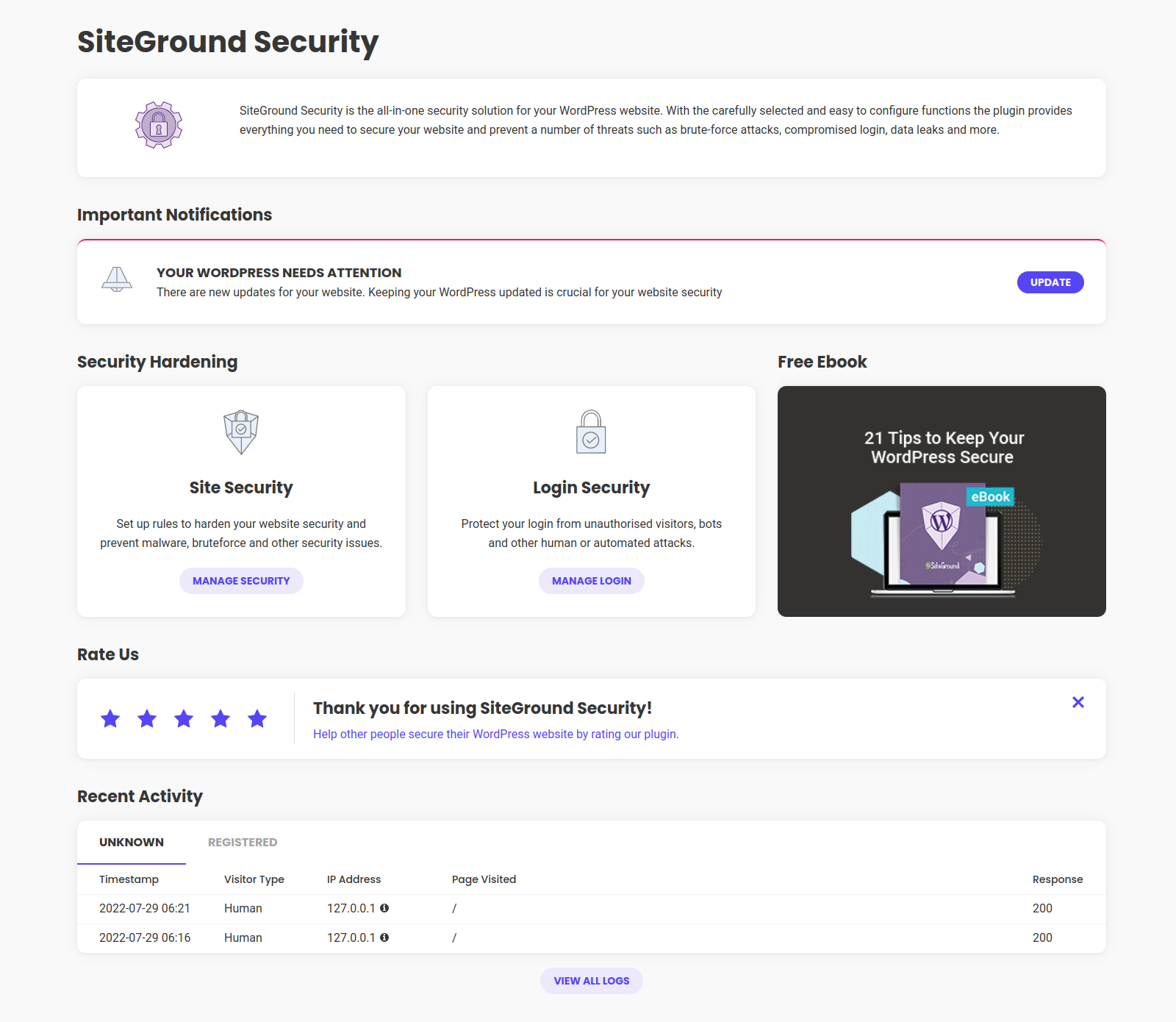
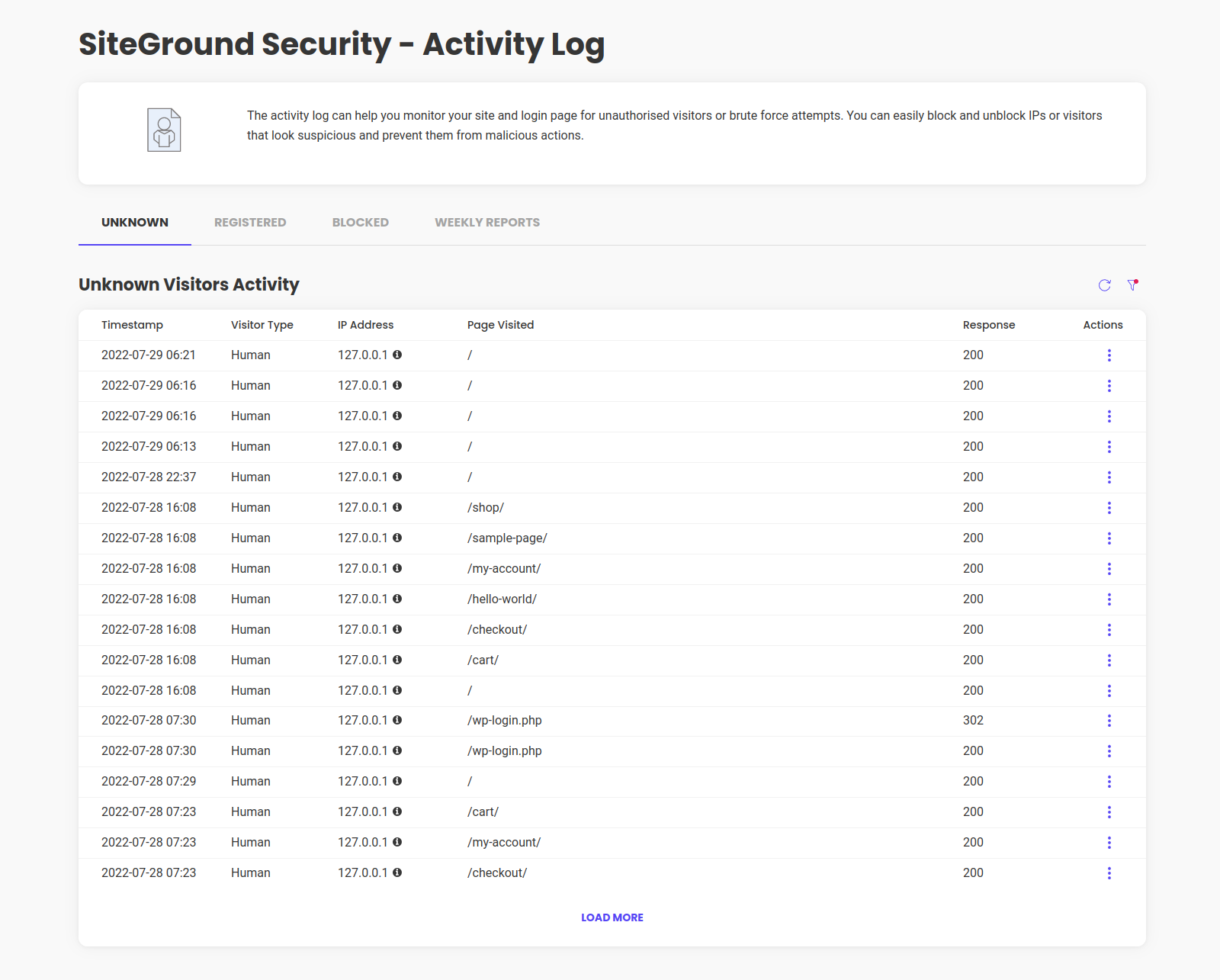
Monitor your site's security in real-time and take immediate actions to safeguard your site.

Proactive Security Monitoring

Detect and respond to suspicious activity immediately with our advanced security features. Monitor your site's security and take action to prevent further damage.

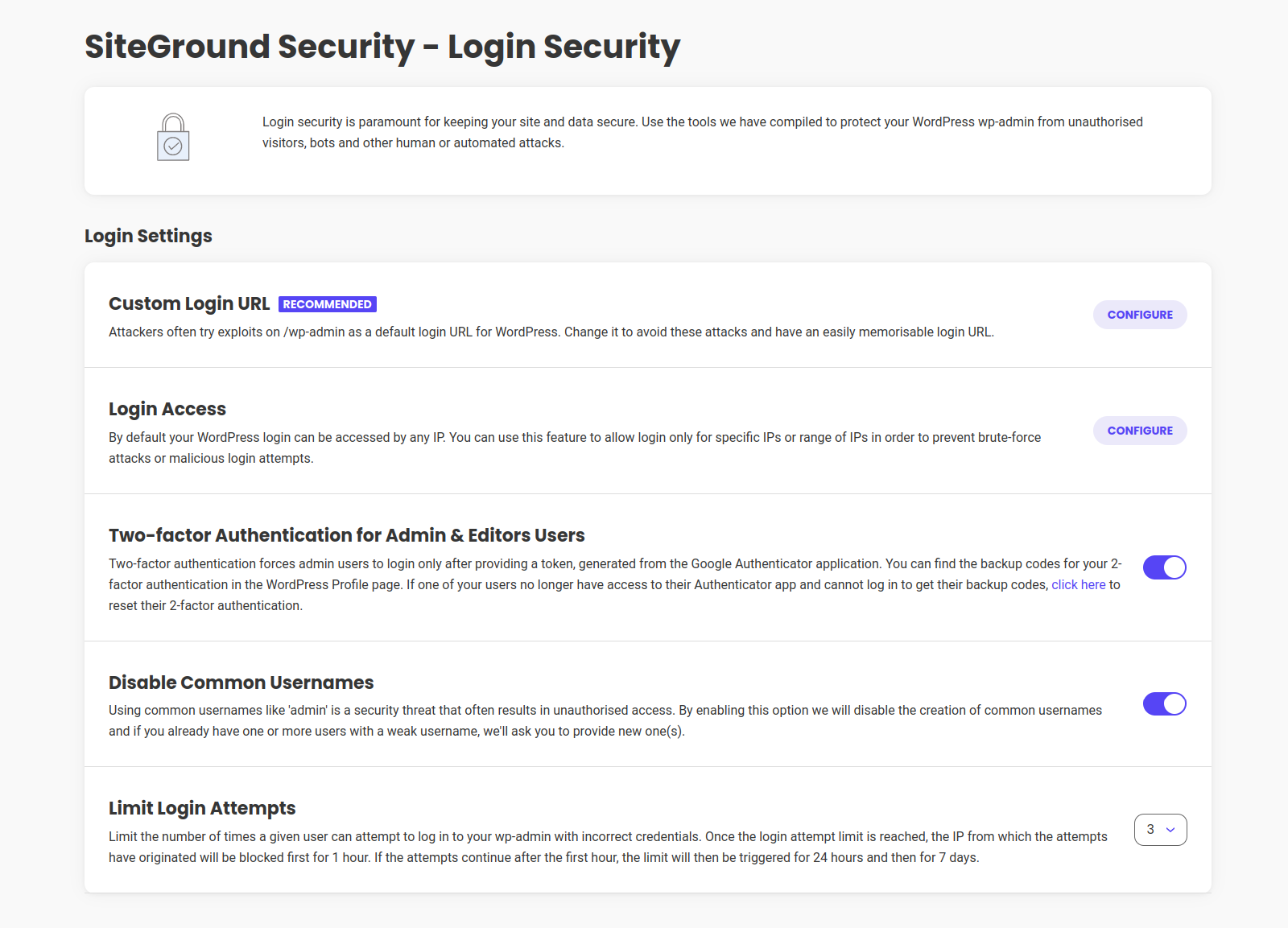
Secure Login Protection

Enhance login security with 2FA, limit login attempts, and customize your login URL. Safeguard your website from unauthorized access and brute-force attacks.

Version 1.5.7

Release Date Nov 21st, 2024

  • Translation loading improvements

Version 1.5.6

Release Date: Oct 9th, 2024

  • Custom Login URL improvements
  • 2FA improvements
  • Activity Log improvements

Version 1.5.5

Release Date: Sep 18th, 2024

  • Options improvements.
  • Block Service improvements.

Version 1.5.4

Release Date: Sep 10th, 2024

  • Activity log code improvements.
  • Salt Shaker code improvements.

Version 1.5.3

Release Date: Aug 27th, 2024

  • Code Improvements.

Version 1.5.2

Release Date: Aug 1st, 2024

  • Improved Custom Login Url handling
  • Improved Plugins Reinstall actions
  • Improved Translations
  • Improved plugin config
  • Fixed deprecated warnings in custom WP-CLI commands

Version 1.5.1

Release Date: July 17th, 2024

  • Improved Activity log bot detection
  • Improved Activity log logout handling
  • Improved 2FA with third-party custom logins
  • Improved compatibility with third-party plugins
  • Security improvements related to plugin notices

Version 1.5.0

Release Date: May 23rd, 2024

  • Improved support for PHP 8.2 and 8.3.
  • Improved plugin configuration.

Version 1.4.13

Release Date: Mar 27th, 2024

  • Plugin optimization.

Version 1.4.12

Release Date: Feb 20th, 2024

  • Bugfixes related to cookies and 2FA

Version 1.4.11

Release Date: Feb 14th, 2024

  • Security improvements related to cookies
  • Performance improvements

Version 1.4.10

Release Date: Jan 11th, 2024

  • Static assets are now part of the plugin package and load locally.
  • New users will be prompted to give their consent for the collection of technical data upon their initial use of the plugin.

Version 1.4.9

Release Date: Dec 12th, 2023

  • Improved detection of bots in activity log
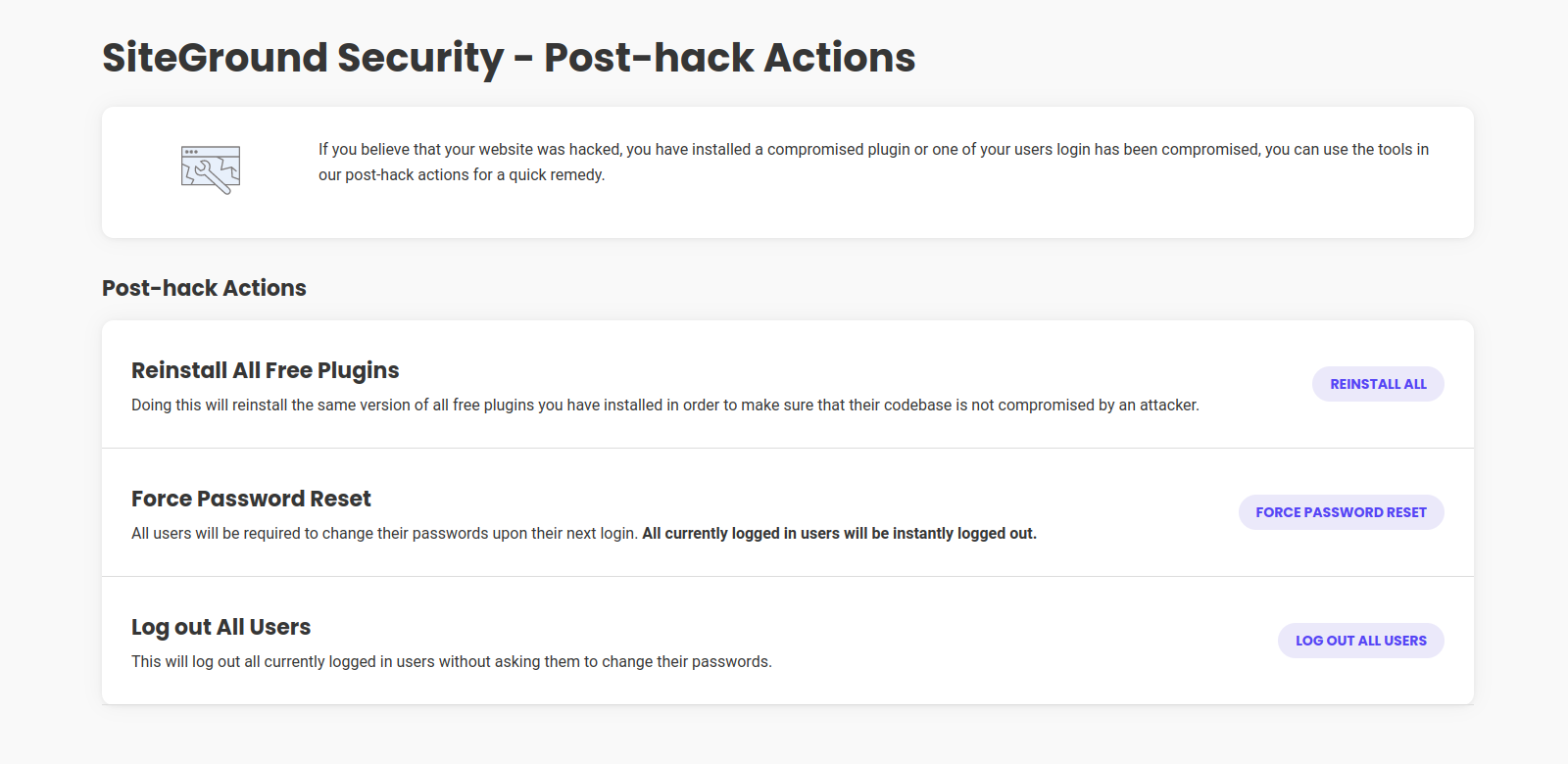
  • Improved feature “Reinstall All Free Plugins” – deactivated plugins no longer get activated after the reinstall.

Version 1.4.8

Release Date: Nov 22nd, 2023

  • Dashboard visuals improvements
  • Readme file improvements
  • Weekly Security Report improved translations

Version 1.4.7

Release Date: Oct 24th, 2023

  • Data collection opt out option
  • Readme file formatting improvements
  • Plugin name formatting improvements
  • Weekly Activity Report Sending Schedule Randomisation

Version 1.4.6

Release Date: Sept 26th, 2023

  • Changing the name we use inside the plugin from SiteGround Security to Security Optimizer
  • Updating data collection process and Introducing a link in the plugin interface to the Plugin Privacy notice

Version 1.4.5

Release Date: May 4th, 2023

  • Improved log cleanup

Version 1.4.4

Release Date: May 3rd, 2023

  • Improved Visitors DB table indexing
  • Block service restored

Version 1.4.3

Release Date: Apr 27th, 2023

  • Block service temporally disabled

Version 1.4.2

Release Date: Apr 27th, 2023

  • Improved Activity Log process and filters
  • Improved restricted login response code
  • Improved PHP 8.2 compatibility
  • Alternative constant added for non-standard cron job usage

Version 1.4.1

Release Date: Feb 23rd, 2023

  • Internal configuration improvements

Version 1.4.0

Release Date: Feb 1st, 2023

  • Internal configuration changes

Version 1.3.9

Release Date: Jan 25th, 2023

  • Improved Foogra Theme support

Version 1.3.8

Release Date: Dec 6th, 2022

  • Improved Rest response
  • Improved Settings Page checks
  • Improved Disable Themes & Plugins Editor

Version 1.3.7

Release Date: Nov 15th, 2022

  • SG Security Dashboard bugfix
  • Improved 2FA Encryption key validation
  • Improved Custom Login/Register URL validation
  • Improved LiteSpeed Cache support
  • Option to use custom 2FA encryption key filepath

Version 1.3.6

Release Date: Nov 8th, 2022

  • Improved 2FA security with encryption
  • Improved Access Log filters
  • New WP-CLI command: reset all users 2FA setup

Version 1.3.5

Release Date: Oct 18th, 2022

  • Improved Custom Login URL
  • Improved Activity log

Version 1.3.4

Release Date: Oct 10th, 2022

  • Install service fix

Version 1.3.3

Release Date: Oct 10th, 2022

  • New Manage Activity Log option
  • New filter – Disable activity log
  • Improved Custom login url
  • Improved WP-CLI support
  • Improved Jetpack plugin support
  • Improved error handling
  • Minor bug fixes
  • Legacy code removed

Version 1.3.2

Release Date: Sept 21st, 2022

  • 2FA Backup codes security strengthening

Version 1.3.1

Release Date: Sept 13th, 2022

  • 2FA Authentication Security Strengthening
  • IP Address detection Security Strengthening

Version 1.3.0

Release Date: July 14th, 2022

  • Brand New Design
  • Improved 2FA Authentication compatibility with Elementor custom login pages
  • Improved data collection
  • Minor fixes

Version 1.2.9

Release Date: June 20th, 2022

  • NEW Filters for “Lock and Protect System Folders” excludes
  • Improved IP Ranges support
  • Improved Blocked IP addresses list
  • Improved Delete the Default Readme.html
  • Improved 2FA Authentication validation
  • Improved 2FA Authentication support for “My Account” login
  • Improved Data Collection
  • Minor fixes

Version 1.2.8

Release Date: May 18th, 2022

  • Improved plugin security

Version 1.2.7

Release Date: April 8th, 2022

  • Minor bug fixes

Version 1.2.6

Release Date: April 7th, 2022

  • 2FA Refactoring

Version 1.2.5

Release Date: April 6th, 2022

  • 2FA Authentication refactoring
  • Improved Weekly Emails
  • HTST service deprecated

Version 1.2.4

Release Date: March 16th, 2022

  • Improved Weekly Emails
  • Improved Woocommerce Payments plugin support
  • 2FA Authentication Security Strengthening

Version 1.2.3

Release Date: March 11th, 2022

  • 2FA Authentication Security Strengthening

Version 1.2.2

Release Date: March 11th, 2022

  • 2FA Authentication Security Strengthening

Version 1.2.1

Release Date: March 9th, 2022

  • Improved Weekly reports
  • Improved HTTP Headers service
  • Code Refactoring

Version 1.2.0

Release Date: February 28th, 2022

  • NEW – Weekly Reports
  • Code Refactoring and General Improvements
  • Improved 2FA user role support
  • Improved error handling
  • Improved Limit Login IP Range support
  • Improved Event log
  • Improved Phlox theme support
  • Minor fixes
  • Improved WP-CLI support
  • Environment data collection consent added

Version 1.1.3

Release Date: October 1st, 2021
* Improved Hide WP version functionality

Version 1.1.2

Release Date: August 20th, 2021
* Improved Custom Login URL functionality
* Improved 2FA
* Improved success/error messages

Version 1.1.1

Release Date: August 12th, 2021
* Improved 2FA
* Improved logout functionality

Version 1.1.0

Release Date: July 27th, 2021
* NEW! Added 2FA backup codes to the profile edit page
* NEW! Custom login and registration URLs
* NEW! Added automatic HSTS headers generation
* Improved Disable common usernames functionality
* Improved Mass Logout Service
* Improved Activity Logging and added custom labeling
* Improved Password Reset functionality

Version 1.0.4

  • Improved Limit Login Attempts

Version 1.0.3

  • Fixed rating box bug on safari
  • Improved RSS & ATOM Feed Disabler service

Version 1.0.2

  • Added filter to configure log lifetime
  • Added WP CLI support
  • Improved strings

Version 1.0.1

  • Added defaults on install
  • Improved translation support
  • Added cleanup on uninstall

Version 1.0.0

  • First stable release.

Version 0.1

  • Initial release.

Minimislist, Lightweight and Secure

By forgeeky on June 18, 2025

Tried many security plugins, but this one is really simple with clean UI. The amazing part is it has 2FA and also offer to change default login path free of cost.

SG Optimizer: "Lock Folders" Feature Problematic, Custom Filters Ineffective

By Francesco (seventhose) on June 5, 2025

I have been using the SiteGround Security Optimizer plugin to enhance the security of a WordPress site. While the plugin offers a useful suite of tools, I encountered a significant and frustrating obstacle with its "Lock and Protect System Folders" feature and the related PHP custom filter mechanism, which proved ineffective in my specific case.

The Specific Problem: Activating the "Lock and Protect System Folders" option correctly identified and blocked direct access to a PHP JavaScript AJAX file (trp-ajax.php) belonging to a well-known and widely used multilingual translation plugin (TranslatePress). This block manifested as Apache AH01630: client denied by server configuration errors in the server logs. Although the basic translation of pages seemed to function initially, the persistence of these errors indicated an underlying malfunction that could compromise secondary but important AJAX functionalities of the translation plugin.

Deactivating the "Lock and Protect System Folders" option immediately eliminated the errors, confirming that the block was imposed by this specific SG Optimizer feature.

Troubleshooting Attempts Following Official SiteGround Documentation: Wanting to keep the folder protection active, I consulted SiteGround's official guide "How to Use Security Optimizer's Custom Filters" to create an exception (whitelist) for the legitimate file. The guide indicates using the sgs_whitelist_wp_content PHP filter.

I implemented the necessary PHP snippet via a dedicated code snippet management plugin (Fluent Snippets), ensuring it was active, globally executed, and that all caches (SiteGround server-side, optimization plugins, browser, CDN if present) were meticulously cleared after each modification and before each test.

The following path variations for the file to be added to the $whitelist[] array within the function hooked to the sgs_whitelist_wp_content filter were tested:

  1. Full relative path from the wp-content folder: Following the most common logic for WordPress filters operating on a base directory, I tried plugins/translation-plugin-name/includes/file-name.php.
  2. Base filename only: Literally interpreting the extremely simplified example ('file_name.php') provided in the SiteGround guide for the sgs_whitelist_wp_content hook, I tried adding only 'file-name.php'.
  3. Intermediate variations or absolute paths (the latter are generally not used in WordPress filters but were tested for completeness in the initial stages).

None of these attempts, despite scrupulously following the instructions and WordPress filter logic, succeeded in creating an effective exception. The trp-ajax.php file continued to be blocked, and the AH01630 errors persisted whenever the "Lock and Protect System Folders" protection was reactivated.

Interactions with SiteGround's AI Assistant: Seeking further assistance, I consulted SiteGround's AI Assistant. The interactions can be summarized as follows:

  • Initial Report: I described the problem, the error, and the failure of whitelisting attempts using the sgs_whitelist_wp_content filter as per their guide, specifying the path formats already tested.
  • AI's Responses: The AI Assistant repeatedly suggested the standard solutions already tried and communicated as ineffective:
    1. Using the sgs_whitelist_wp_content filter with only the base filename.
    2. Using the sgs_whitelist_wp_content filter with the full relative file path.
    3. Generic troubleshooting suggestions (clearing cache, testing in incognito, checking file permissions and .htaccess – the latter less relevant given the AH01630 error indicated a server/plugin configuration block, and the PHP filter was intended to manage that configuration).
  • Despite clarifying multiple times that these methods had already been applied unsuccessfully, the AI continued to propose them, entering a loop and eventually suggesting contact with human technical support.

Conclusions and Concerns: The experience demonstrates that, at least in my scenario (which I believe to be common: a PHP file from a popular plugin located in a subfolder of wp-content/plugins/), SiteGround Security Optimizer's custom filter system, particularly sgs_whitelist_wp_content, does not function as documented or as one would expect.

This leads to an unpleasant choice for the user:

  • Disable a key security feature ("Lock and Protect System Folders"), potentially reducing the site's protection level.
  • Accept the malfunctioning of legitimate and necessary plugins, with continuous errors in the logs.

The official documentation on custom filters, regarding the sgs_whitelist_wp_content hook, appears to be oversimplified and does not provide clear or effective examples for files nested in subdirectories, which constitute the majority of plugin files. The AI Assistant, relying on such documentation, is unable to offer practical solutions for this problem.

A review by SiteGround's development team would be desirable, both of the sgs_whitelist_wp_content filter's functionality to ensure it correctly handles full relative paths, and of the documentation to provide more accurate and applicable examples. Furthermore, a clear channel for reporting such product-related issues without the user being immediately directed to potentially paid support channels would be beneficial, especially when the problem seems to lie in a flaw or documentary shortcoming of the tool provided by the hosting itself.

As it stands, for anyone using plugins with specific PHP files that are blocked by "Lock and Protect System Folders," this aspect of the SiteGround Security Optimizer can be more of a hindrance than a help if one is unwilling to forgo that protection.

Incompatible with Translate press

By leopap on December 12, 2024

The plugin is quite heavy and makes conflict with translate press. Variations and titles of products disappeared in the second language. After disabling all is back to normal.

Has all of it

By Vedran Mandić (mandicvedran) on November 8, 2024

I like that this plugin involves all of the important things and does this in friendly manner ie. admin UI. Limit logins, 2fa, etc.

Apart from speed optimizer a must have.

Cannot unsubscribe from the emails

By swinggraphics on August 19, 2024

Cannot unsubscribe from the emails without admin access. In my experience, this makes the plugin extremely annoying. They do not plan to fix this.

Works Great

By tinaponting (ponting) on August 12, 2024

A simple plugin, who does what it supose to do - Protecting:)

Simple as we like it

By yannickburky on July 15, 2024

Finally, a simple plugin. No 300 menus and submenus. Just the essentials.

Good 2fa plugin

By danielarco on June 19, 2024

Good 2fa plugin

Good Job - Except

By art013 on May 27, 2024

The SiteGround security plugin does a very good job of hitting all the high points when it comes to WordPress website hardening. The one challenge is if the site uses a membership plugin (MemberPress, Socrates, etc.) AND you have selected the custom Admin login page option, there is a conflict created by the way the SiteGround development team implemented the custom URL option.

When asked, the SiteGround dev team said the function works as designed and using the standard admin URL (that every hacker bot in the world uses) should not be a problem. I disagree.

While this is not the end of the world, it has cost them a star on my review. There's no good reason that a site should have to use the standard wp-admin URL for admin logins if the site needs a membership plugin as well.

Works great (also with other webhosters)

By mdebeus on April 21, 2024

Using this plugin for about 3 yrs. First year with a SiteGround webhosting plan. But I started using ths plugin also with other webhositng companies. And so far it is working great. Very happy with the IP check and change login url. Recommended. I am using Astra and Divi themes and some plugins, not a problem so far.

Try other plugins too!

Titan Anti-spam & Security

Anti-spam, Site Security Check & Malware Scanner.

Try Demo More Details

Content Security Policy Manager

Plugin for configuring Content Security Policy headers for your site. Allows different CSP headers for admin, logged inn frontend and regular visitors

Try Demo More Details

The GDPR Framework By Data443

Easy to use tools to help make your website GDPR-compliant. Fully documented, extendable and developer-friendly. Extensions to enterprise GDPR compli …

Try Demo More Details
Screenshots
Author Site Author Site

Try Security Optimizer – The All-In-One WordPress Protection Plugin With InstaWP

Contact Sales

Reach out to us to explore how InstaWP can benefit your business.