In the digital era, showcasing your work online is a must, and what better way to do it than using WordPress Portfolio Plugins? These plugins transform your website into an interactive gallery, displaying your finest pieces in an attractive and organized manner.
Whether you’re a photographer, designer, artist, or a business owner, a well-curated online portfolio can be a game-changer, enhancing your online presence and attracting potential clients or customers.
This article will guide you through some of the best alternatives to Envira Gallery, focusing on various WordPress Portfolio Plugins. By the end of this listicle, you’ll have the knowledge to choose the right plugin that matches your portfolio needs, making your website not just visually pleasing, but also highly functional.
Table of Contents
Envira Gallery Alternatives: WordPress Portfolio Plugins
Visual Portfolio, Photo Gallery & Post Grid

Visual Portfolio, Photo Gallery & Post Grid is a top-rated WordPress plugin specially designed for creatives, agencies, and photographers. It provides a dynamic and intuitive platform to showcase their work and attract potential customers.
With its powerful tools and features, users can create beautiful, clean, and striking photo galleries and portfolio layouts. Visual Portfolio serves as a game-changer in the realm of WordPress showcases, enhancing your online presence, and increasing visitor engagement.
Features and Benefits
- Visual Gallery Builder: Allows users to build their portfolio and gallery blocks with no coding knowledge, supporting various layouts such as Masonry, Justified, Tiles, Grid, Slider, and Carousel, enabling personalized visual presentations.
- Optimized Performance: Despite its rich functionality, Visual Portfolio is fast and lightweight, employing lazy loading for images and compatibility with third-party WebP providers and image optimization plugins, enhancing site speed.
- Diverse Layouts: Offers popular layouts like Masonry and Justified (Flickr), ensuring galleries are optimally presented and visually appealing.
- Prebuilt Skins: Enables users to showcase their projects and gallery images with clean and beautiful skins, enhancing visual appeal without additional design work.
- Easy to Customize: Comes with a live preview gallery block that includes many point-and-click design settings, allowing customization without coding knowledge.
- Portfolio Post Type: Helps keep all your portfolios in a single post type, making it easier to group, sort, and display, enhancing content organization.
Pricing Structure
The plugin is free to use with the premium version starting from $39/ year for one website.
Portfolio Gallery – Image Gallery Plugin
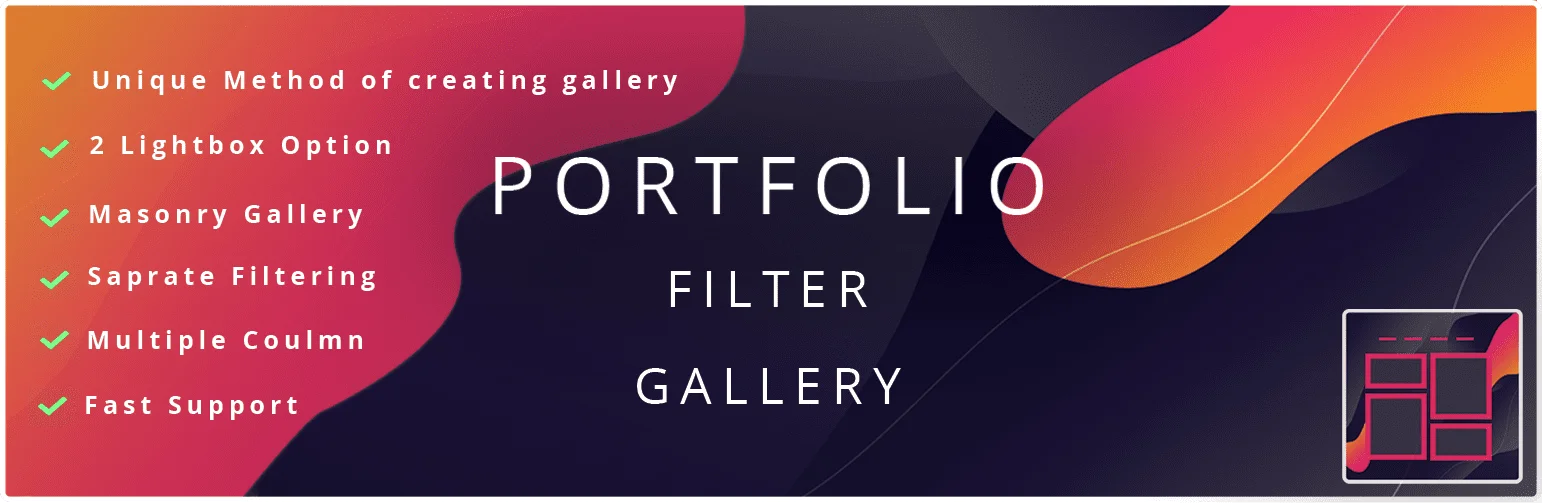
The Portfolio Gallery – Image Gallery Plugin is an intuitive solution for WordPress websites looking to showcase their work in an attractive, responsive portfolio. This plugin is the first of its kind to offer a separate category page, allowing for an organized and effortless display of your portfolio.
Whether you’re using a Macbook, desktop PC, tablet, or mobile, this plugin has been designed to work seamlessly across all devices, ensuring your portfolio always looks its best.
Features and Benefits
- Filters: The plugin offers an easy way to create filters for your portfolio galleries, enhancing user experience by making it easier for visitors to find what they’re looking for.
- Bootstrap Lightbox: This feature provides a responsive image lightbox that ensures your images are displayed beautifully and uniformly on all devices.
- Multiple Column Layout: Showcase your portfolio gallery in various column layouts such as two, three, or four columns, offering flexibility in how your work is displayed.
- Responsive: The plugin is fully compatible across all devices, ensuring your portfolio looks great whether viewed on a PC, Mac, tablet, or phone.
- Numbering: Enhance the organization of your gallery by displaying numbering on images, which adds a structured and professional look.
- Title Display: This function allows you to show image titles, labels, or captions on gallery images to provide more information about each piece in your portfolio.
Pricing Structure
The plugin is free to use with the premium version starting from $39.
WPZOOM Portfolio Lite – Filterable Portfolio Plugin
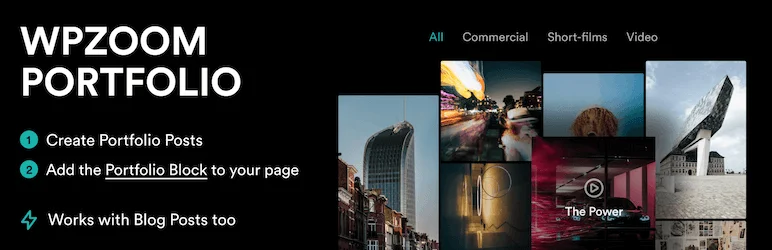
The WPZOOM Portfolio Lite is a highly customizable, responsive, and sleek WordPress portfolio plugin that elegantly displays your work. The plugin serves as an ultimate solution for individuals and businesses looking to showcase their portfolio in a variety of layouts such as grid, masonry, or a simple gallery.
Its advanced filtering and sorting options, lightbox and video support, and mobile-friendly design make it the perfect tool for displaying your work in an engaging and professional manner.
Features and Benefits
- Portfolio Posts & Reusable Portfolio Layouts: Create unique portfolio posts and reusable layouts that can be inserted on any part of your website using shortcodes, enhancing flexibility and design consistency.
- Portfolio Block: Display your portfolio posts using the portfolio block for a standardized and consistent layout, ensuring a uniform look across your site.
- Portfolio Layout Block & Shortcode: Use the Portfolio Layout Block and Shortcode to seamlessly insert your portfolio in any page builder, increasing integration capabilities.
- Blog Post Support: Not just portfolio posts, you can even use blog posts with this plugin, broadening the range of content you can display.
- Isotope Effect (category filter): Use the isotope effect for a dynamic and filtered display of your portfolio, allowing users to easily sort and view projects of interest.
- Image Lightbox: Create an immersive experience for your visitors with the image lightbox feature, enhancing the visual impact of your images.
- Multiple Layouts: Choose from grid with overlay, masonry, and columns layouts to best display your work, offering versatility in presentation.
- Different Image Aspect Ratio: Customize your visuals with different image aspect ratios, tailoring the display to suit your artistic vision.
Pro Features
- Video Integration: Integrate videos in your portfolio for a dynamic display that captures attention and enhances user engagement.
- Video Lightbox with YouTube, Vimeo & MP4 support: Embed videos from popular platforms such as YouTube, Vimeo, and MP4 files in your portfolio for a richer and more engaging user experience.
- Video Background on Hover: Add an interactive element to your portfolio with video backgrounds that activate on hover, making your portfolio more dynamic and captivating.
- Portfolio Re-order: Customize the order of your portfolio items as per your preference to highlight your best work or organize content strategically.
- Customize Colors: Align your portfolio with your brand’s color scheme, ensuring consistency and enhancing brand recognition.
Pricing Structure
The plugin is free to use with the premium version starting from $59/ year.
Portfolio & Image Gallery for WordPress | PowerFolio

PowerFolio is a powerful, user-friendly portfolio and gallery plugin for WordPress and Elementor. This plugin is designed to complement the modern WordPress platform, offering seamless integration with page builders for easy and quick portfolio and gallery creation. PowerFolio addresses the need for a simple, efficient way to showcase projects or images in a professional, appealing manner.
Features and Benefits
- Filterable Portfolio Addon/Widget for Elementor: This feature allows users to display posts of the portfolio post type in a filterable gallery, offering customization options for layout/grid and hover effects, simplifying the process of organizing and presenting portfolio content.
- Compatible with Elementor and Gutenberg: PowerFolio is fully compatible with these two popular page builders, facilitating the creation and customization of filterable image grids.
- Custom Grids: Users can choose from a variety of grid options, including classic box grid, masonry, and custom grids, beneficial for those looking to personalize their portfolio’s appearance.
- Fully Responsive: PowerFolio portfolios are responsive, ensuring optimal viewing and interaction experience on all types of screens – monitors, tablets, and mobile phones.
- CSS Animations and Transition Effects: Users can choose from several transition effects for their portfolio or image grid, adding a touch of excitement and creativity to their portfolios.
- Filterable Galleries: Enables users to sort items in the gallery according to the selected category, enhancing user experience and navigation.
Pricing Structure
The plugin is free to use.
Portfolio – WordPress Portfolio Plugin
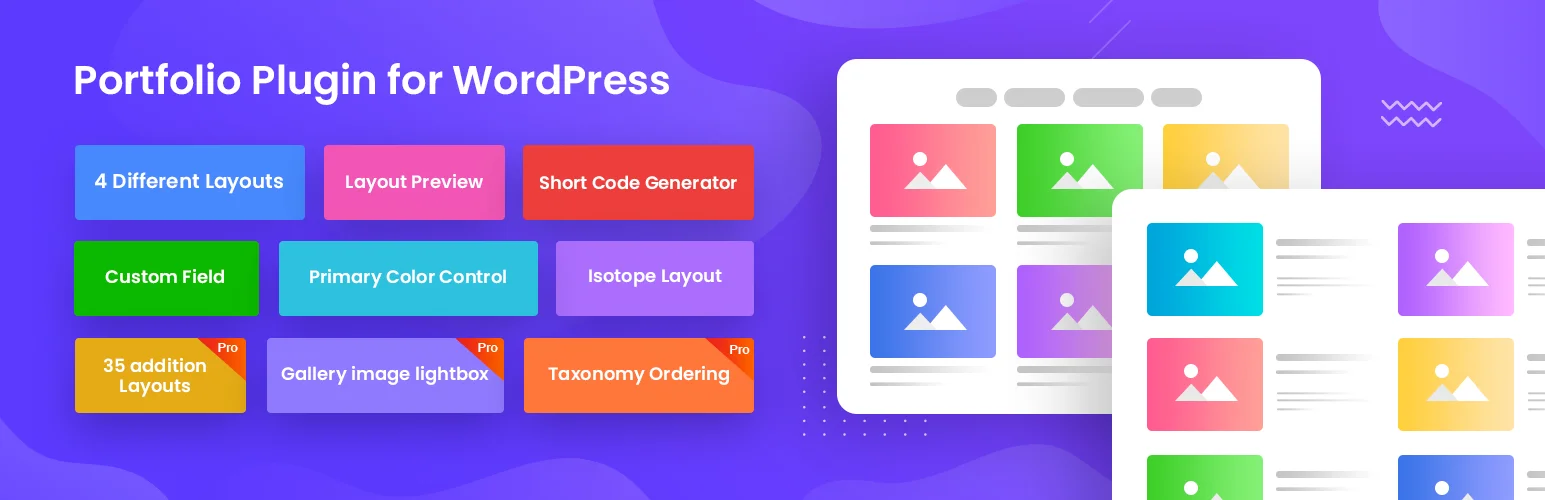
Portfolio by RadiusTheme is a top-notch WordPress portfolio plugin that aims to efficiently showcase your personal or company’s portfolio items. With its user-friendly interface, you can seamlessly add items directly from the admin panel. The plugin also offers a widget and a carousel slider with adjustable settings to suit your display preferences.
A key problem this plugin solves is the challenge of creating and customizing portfolio items. With its responsive design and customization options, you can easily tailor your portfolio items to your liking and ensure they look great on all devices.
Features and Benefits
- Grid Layouts: The plugin provides three grid layouts, allowing you to elegantly display your portfolio items with customizable features to ensure uniqueness in your displays.
- Slider Layout: It offers three slider layouts, ideal for showcasing your work in a more attractive manner with the option to add eye-catching animation effects.
- Isotope Filter: With three isotope filter layouts, you can control which portfolio items to display and which to hide, based on your criteria, enhancing user experience through dynamic sorting.
- Shortcode Generator with Layout Preview: This feature enables easy creation of shortcodes for your portfolio items and their insertion on any page or post, with a preview option before publishing.
- Ordering Option: This allows you to order your portfolio items either by title or date, and in ascending or descending order, giving you control over item arrangement.
- Image Size Control: This feature lets you limit the size of your images, ensuring that your site remains fast and responsive while managing bandwidth.
- Style Control: You can customize the appearance and arrangements of all items, including the color of the layouts and the shape of the image borders, allowing for a tailored aesthetic.
- Portfolio Filter Option: This enables you to display your items by category, tags, and tools, offering a flexible way to organize and showcase your work.
Pricing Structure
The plugin is free to use with the premium version starting from $29/ year.
Genesis Portfolio Pro

Genesis Portfolio Pro is a WordPress portfolio plugin that adds a new dimension to your website. This plugin is perfect for anyone who wants to showcase their work in a stylish and professional manner. It solves the problem of cluttered presentation, giving your website a clean and organized look.
Features and Benefits
- New Portfolio Post Type: Genesis Portfolio Pro adds a unique ‘Portfolio’ post type where you can add entries with images and galleries, allowing you to showcase your work efficiently, keeping your website neat and visually appealing.
- Default Template and Styles: The plugin provides a default template and styles that automatically creates a portfolio grid, showcasing your featured images in a landscape format. This feature not only enhances the look of your website but also makes navigation easier for your visitors.
- Control Over Content: With Genesis Portfolio Pro, you have complete control over your content, allowing you to manage text, images, and even galleries on your pages. This gives you the freedom to personalize your portfolio according to your preferences.
- Easy to Use: The plugin is user-friendly. Adding a new entry to your portfolio is as easy as clicking ‘add new’ under the ‘Portfolio’ menu item. It’s as simple as adding images and content just like you do with posts and hitting publish.
Pricing Structure
The plugin is free to use.
WordPress Portfolio Builder – Portfolio Gallery
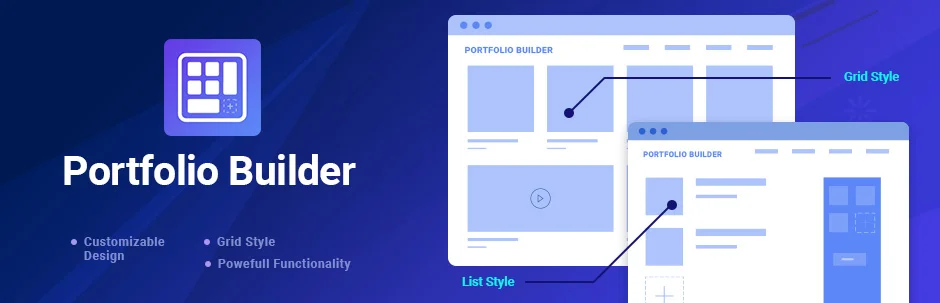
The WordPress Portfolio Builder – Portfolio Gallery is not just another portfolio plugin. It is a revolutionary tool that brings together creativity, customization, and convenience in a unified package.
This plugin is designed to meet a broad spectrum of portfolio needs, whether you’re a freelancer looking to showcase your work to prospective clients, a photographer wanting to display your art, or a business trying to impress potential investors.
With its newest features and multiple options for customization, the Portfolio Gallery plugin offers a seamless user experience and an effective way to present your work.
Features and Benefits
- Unlimited Portfolios: Create as many portfolios as you want, each with unlimited projects, offering the flexibility to showcase different categories of work separately.
- Versatile Content: Add images, videos, or any other type of content to your portfolio, including videos from sites like YouTube and Vimeo, making your portfolio more dynamic and engaging.
- Sorting Options: Organize your portfolio gallery by date or title, in ascending or descending order, or even in a random sequence, which helps in creating a well-structured and user-friendly portfolio.
- Seven Presentation Layouts: Choose from seven different layouts for presenting your work, each with their own animation effects, offering a variety of visual experiences for your viewers.
- Fully Responsive Design: The Portfolio Gallery plugin is designed to look great on all devices, ensuring that your portfolio is always presented at its best.
- Elementor Compatibility: The plugin is compatible with the Elementor page builder, making it even easier for you to build your portfolio page.
Pricing Structure
The plugin is free to use with the premium version starting from $19/ year.
Why You Need Envira Gallery Alternatives for WordPress Portfolio Plugins
Opting for alternatives to Envira Gallery for your WordPress portfolio can be a strategic choice for several reasons. Envira Gallery is a popular and robust WordPress gallery plugin that provides users with an efficient way to create beautiful, responsive galleries, portfolios, and albums.
However, every tool has its distinct features and limitations, and what works for one user or business might not necessarily be the best fit for another. Here are several detailed reasons why exploring alternatives might be beneficial:
- Diverse Feature Set: While Envira Gallery offers a range of features for creating portfolios on WordPress, exploring alternatives allows you to find a plugin that might offer a more tailored feature set to meet your specific needs. Different plugins may excel in areas such as customization options, gallery layouts, integration with other plugins or services, or performance optimization.
- Cost Considerations: Envira Gallery, like many premium plugins, comes with a price tag for more advanced features and support. Exploring alternatives can help you find options that offer similar functionality at a more competitive price point or even free of charge. This is particularly important for users operating on a tight budget or those who prefer to allocate resources elsewhere.
- Ease of Use and Interface: User experience is paramount when selecting a WordPress plugin. While Envira Gallery strives to provide an intuitive interface, alternative plugins might offer an even smoother user experience or a more visually appealing interface. Exploring different options allows you to find a plugin that aligns seamlessly with your workflow and preferences.
- Support and Documentation: Robust support and comprehensive documentation are essential for troubleshooting issues and maximizing the potential of any WordPress plugin. While Envira Gallery offers support and documentation, exploring alternatives enables you to assess the quality and responsiveness of support teams and the clarity of documentation provided by different plugin developers.
- Performance Optimization: The performance of your website, including page load times and resource consumption, can be heavily influenced by the plugins you use. Alternative portfolio plugins may offer superior performance optimization features or be better optimized for specific hosting environments, resulting in faster loading times and a smoother user experience for visitors to your site.
- Integration Possibilities: Depending on your broader website ecosystem, you may require seamless integration with other plugins or services such as eCommerce platforms, page builders, or social media networks. Exploring alternative portfolio plugins allows you to identify options that offer superior integration capabilities, enhancing the overall functionality and cohesion of your WordPress site.
By exploring alternatives to Envira Gallery for WordPress portfolio plugins, you can make a well-informed decision based on your specific requirements and preferences, ultimately enhancing the effectiveness and user experience of your portfolio website without disparaging Envira Gallery’s contributions to the WordPress ecosystem.
Final Word
In conclusion, these portfolio plugins offer a wealth of exciting possibilities for enhancing your WordPress website. They are powerful tools that can help you to showcase your work, attract a larger audience, and establish your authority in your niche.
With their diverse features, you can create visually stunning galleries, improve engagement, and optimize your website’s performance. So, take the next step and explore how these plugins can revolutionize your website. Don’t wait, leap into the world of endless possibilities today!
FAQs About WordPress Portfolio Plugins
- What are WordPress Portfolio Plugins?
WordPress Portfolio Plugins are tools designed to help users showcase their work on their WordPress websites in a structured and visually appealing way. These plugins often include features such as galleries, sliders, and lightboxes that display images, videos, and other media types. - Why might I consider alternatives to Envira Gallery for my WordPress portfolio?
While Envira Gallery is a powerful and popular option, you might look for alternatives to better match specific features like pricing, ease of use, customization options, or additional functionalities tailored to your particular project needs. - What are some key features to look for in a WordPress Portfolio Plugin?
Key features to consider include responsive design, ease of gallery creation, multimedia support (including videos and audio), SEO optimization, extensive customization options, drag-and-drop builders, social media integration, and reliable customer support. - Can WordPress Portfolio Plugins impact website speed?
Yes, some portfolio plugins can impact your site’s loading speed depending on how they manage resources such as JavaScript and CSS. Opt for plugins that are optimized for performance, offer lazy loading, and are compatible with caching plugins. - How do WordPress Portfolio Plugins handle mobile responsiveness?
Most modern WordPress portfolio plugins are designed to be fully responsive. This means they automatically adjust the layout and size of your galleries and portfolios to fit the screen size of smartphones, tablets, and other mobile devices. - What are some WordPress Portfolio Plugins that offer unique visualization styles?
Plugins like Modula, FooGallery, and NextGEN Gallery offer a variety of unique layouts and styles including masonry, grid, and slider options, which can help set your website apart from others. - How important is customer support when choosing a WordPress Portfolio Plugin?
Customer support can be crucial, especially if you run into issues or need help customizing your portfolio. Look for plugins that offer comprehensive documentation, active support forums, or direct support via email or chat. - Are there free alternatives to Envira Gallery that still offer robust features?
Yes, several free plugins like Modula and FooGallery offer robust features suitable for creating professional-looking portfolios without a financial investment, though they might also offer premium versions for advanced features. - How do I ensure the WordPress Portfolio Plugin I choose is compatible with my current WordPress theme?
Before installing a plugin, check the plugin documentation for any noted theme conflicts and ensure it states compatibility with the latest WordPress versions. Additionally, many plugin developers provide demo versions or have forums where you can inquire about specific theme compatibilities. - What steps should I take to switch from Envira Gallery to another WordPress Portfolio Plugin without losing content?
To switch plugins without losing content, first back up your website. Then, check if the new plugin offers an import tool or instructions for migrating from Envira Gallery. If not, you may need to manually recreate your galleries in the new plugin setup.


