Are you looking to enhance the performance of your WordPress website? Then, you’ve landed in the right place. This article will introduce you to some of the most effective WordPress optimization plugins that can dramatically transform your website’s speed and user experience.
WordPress optimization plugins are a fantastic alternative to WP Rocket, offering a range of features for caching, image optimization, speed enhancement, and more.
This listicle will focus on plugins that can help you achieve a faster, more efficient, and user-friendly website. From image compression to script minification, these plugins promise to take your website to the next level. So, buckle up and get ready to explore the best WP Rocket alternatives and what they can do for your WordPress site.
Table of Contents
WP Rocket Alternatives: WordPress Optimization Plugins
NitroPack

The NitroPack plugin is a robust caching and speed optimization solution for WordPress sites. It is designed to help you achieve a 90+ Performance score on PageSpeed Insights, pass Core Web Vitals, defer CSS & JS, lazy load images, and utilize a CDN.
NitroPack is a one-stop solution for all your website optimization needs, delivering top scores on Core Web Vitals and Lighthouse tests with its cloud-based infrastructure and advanced optimizations. It’s trusted by hundreds of thousands worldwide to boost website speed, improve Google rankings, and increase conversions.
Features and Benefits
- Instant Performance Boost Without Coding: NitroPack provides an immediate speed boost to your website without any need for complex coding or technical expertise, resulting in faster load times and improved PageSpeed scores.
- Automated Optimization for Core Web Vitals: The plugin automates the optimization of Core Web Vitals, ensuring your website consistently exceeds the performance metrics that impact user experience and search engine rankings.
- Optimizations with Zero Impact on Your Hosting’s CPU and RAM: NitroPack handles all resource-intensive optimizations on its servers, preserving your hosting resources and ensuring efficient performance enhancement without straining your server’s CPU or RAM.
- Advanced Caching: NitroPack provides advanced caching features like automatic cache warmup, smart invalidation, device and cookie-aware caching, and browser cache for fast and stable website performance.
- Code Optimization: The plugin allows you to minify, compress, and merge your HTML, CSS, and JS files for improved loading efficiency and website speed.
- Image Optimization: NitroPack shrinks your image file sizes by up to 7x while preserving their quality, ensuring your content is served at lightning speed.
- Font Optimization: NitroPack optimizes all your fonts, reducing file size by over 60% and improving your site’s speed.
- Built-in Global CDN: NitroPack offers a built-in Cloudflare CDN as part of its offering, ensuring fast content delivery regardless of the user’s location.
Pricing Structure
The plugin is free to use with the premium version starting from $17.50/ month.
LiteSpeed Cache

LiteSpeed Cache, a powerful WordPress Optimization plugin, is an all-in-one solution for efficient site acceleration. It focuses on speeding up your website’s load times by providing an exclusive server-level cache and a variety of optimization features.
This plugin is a great alternative to WP Rocket, especially for those seeking a plugin that supports WordPress Multisite and is compatible with popular plugins such as WooCommerce, bbPress, and Yoast SEO.
Features and Benefits
- Free QUIC.cloud CDN Cache: Improves your website’s performance and speed by leveraging a free Content Delivery Network (CDN).
- Object Cache Support: Enhances your website’s speed by caching frequently used data.
- Image Optimization: Reduces the size of your images without compromising their quality, leading to faster page load times.
- CSS, JavaScript, and HTML Minification: Reduces the size of your files, making your website load faster.
- Automatic Page Caching: Greatly boosts your website’s performance by storing fully rendered HTML pages.
- Lazy-load Images/Iframes: Increases your website’s speed by loading images and iframes only as they are needed.
- Database Cleaner and Optimizer: Enhances the performance of your website by optimizing your database.
- PageSpeed Score Optimization: Improves your website’s Google PageSpeed score.
- HTTP/2 and HTTP/3 Support: Enhances your website’s speed by supporting the latest HTTP protocols.
- Cloudflare API: Improves your website’s performance by integrating with the Cloudflare CDN.
- WooCommerce and bbPress Support: Ensures your e-commerce and forum pages are optimized for speed.
- DNS Prefetch: Speeds up the loading of external resources by reducing the time needed to resolve domain names.
Pricing Structure
The plugin is free to use with the premium version starting from $100.
Asset CleanUp: Page Speed Booster
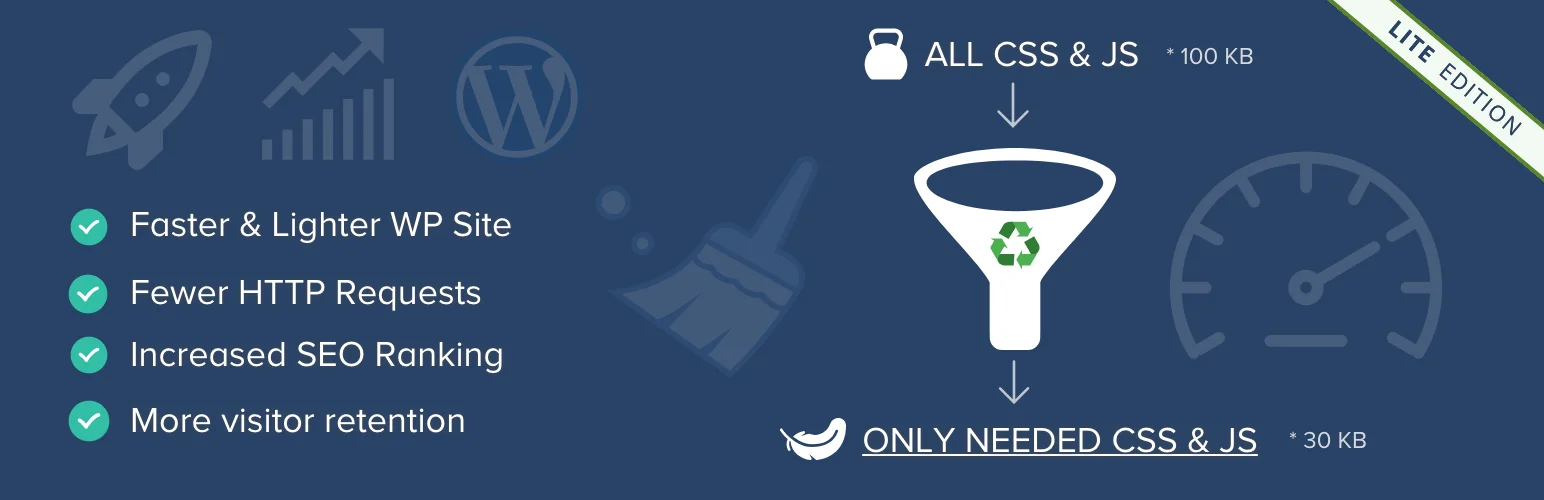
Page Speed Booster is a dynamic WordPress optimization plugin that provides a comprehensive solution to slow page load times, improving the overall user experience on your website. It acts as a strategic tool that enables you to minify and combine CSS/JavaScript files, reducing bloat and enhancing your page speed.
The plugin is particularly useful in situations where you’re using a theme and multiple plugins on the same page, but don’t need all of them. By preventing unnecessary styles and scripts from loading, Asset CleanUp takes a proactive approach to website speed optimization, resulting in happier visitors, increased conversions, and higher revenue.
Features and Benefits
- Decreases HTTP Requests: Asset CleanUp helps unload unnecessary CSS/JS, effectively decreasing HTTP requests and eliminating render-blocking resources, which results in faster page load times and improved user experience.
- Preload CSS/JS, Local Fonts & Google Fonts: This feature instructs the browser to download chosen assets as soon as possible, thereby boosting your website’s performance.
- Minify CSS and JavaScript Files: The plugin reduces the size of your CSS and JavaScript files, including inline code within STYLE and SCRIPT tags, further enhancing your website’s speed.
- Combine CSS & JavaScript Files: By combining the remaining loaded CSS & JavaScript files, Asset CleanUp prevents possible plugin/theme conflicts and improves your website’s performance score.
- Google Fonts Optimization/Removal: Asset CleanUp provides options for combining all Google Font requests into fewer requests, choosing delivery methods, preloading Google Font Files, applying “font-display” CSS property, and more, enhancing your website’s loading speed.
- Local Fonts Optimization: The plugin allows you to preload local font files and apply “font-display” CSS property value to LINK/STYLE tags.
- Removal of Useless Links, Meta Tags, and HTML Comments: Asset CleanUp helps clean up your website’s source code, making it easier for developers to scan and reducing the HTML code of the actual page.
- Disable XML-RPC Protocol: This feature allows you to disable the XML-RPC protocol, an API service used by WordPress for 3rd party applications if not in use, offering a more secure website.
- Asset CleanUp Pro: The Pro version of the plugin offers additional features like managing assets on all WordPress pages, unloading plugins site-wide or via Regex(es), moving the loading location of CSS/JS files, and premium support.
Pricing Structure
The plugin is free to use with the premium version starting from $49.
Smush
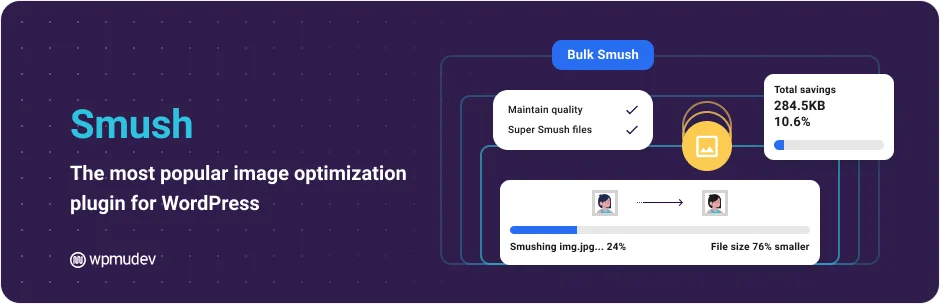
Smush is an industry-leading optimization plugin for WordPress that focuses on image optimization to enhance website performance.
Developed by the trusted WPMU DEV team, Smush is designed to optimize, resize, compress, and convert images to WebP format, all without compromising image quality. This award-winning plugin is used globally by over one million users to improve their website speed and quality.
Features and Benefits
- Image Optimization: Smush provides lossless and lossy compression options to optimize and compress images without degrading their quality, thereby improving website performance and load times.
- WebP Conversion: The plugin allows users to convert images into the next-generation WebP format, significantly reducing image size without loss in quality, contributing to faster page loads.
- Lazy Loading: This feature defers the loading of offscreen images, enhancing the initial load time of web pages and improving user experience.
- Bulk Smush: Users can optimize and compress multiple images simultaneously with just one click, saving valuable time and effort.
- Background Optimization: Even when the plugin is closed, Smush continues to optimize images in the background, ensuring constant improvement in website performance.
- 123-point Global CDN (Pro Only): This feature ensures quick image delivery worldwide, improving the user experience for visitors regardless of their location.
- Automated Optimization: Smush automatically optimizes attachments for quick compression during upload, streamlining the process.
- No Monthly Limits: Users can optimize all their images (up to 5 MB in size) without any daily, monthly, or annual limits, offering unlimited use.
- Multisite Compatible: Smush is compatible with multisite installations, offering flexible settings for global and subsite applications.
Pricing Structure
The plugin is free to use with the premium version starting from $15/ month.
WP Super Minify
WP Super Minify is an effective WordPress Optimization Plugin designed to enhance the speed and performance of your website. The plugin uses the Minify PHP Framework to combine, minify, and cache inline JavaScript and CSS files on-demand, thereby accelerating page loading times.
The primary issue it addresses is the slow loading times and sluggish performance often experienced with heavy or complex WordPress sites, making it an ideal solution for sites that require optimal speed and efficiency.
Features and Benefits
- Combines and Minifies JavaScript and CSS Files: The WP Super Minify plugin merges and shrinks your inline JavaScript and CSS files, reducing their size and enhancing your website’s performance, especially beneficial for websites with extensive inline scripts or stylesheets.
- Caching: The plugin provides robust caching features, storing versions of your site’s pages in the cache, which enables faster load times for recurring visitors or multiple page visits.
- Compression Statistics: The plugin offers a comprehensive compression report, detailing the size saved, the size before compression, and the size after compression, allowing you to monitor the plugin’s efficiency and the improvements it brings to your website.
- Support: WP Super Minify maintains a dedicated support thread for users to ask questions or report issues, ensuring a smooth and efficient user experience.
Pricing Structure
The plugin is free to use.
W3 Total Cache
W3 Total Cache (W3TC) is an optimization plugin for WordPress that significantly improves the SEO, Core Web Vitals, and overall user experience of your website. This is achieved by enhancing website performance and reducing load times through features such as content delivery network (CDN) integration and the application of the latest best practices.
W3TC is the only web host-agnostic Web Performance Optimization (WPO) framework for WordPress, trusted by millions of publishers, web developers, and web hosts worldwide for more than a decade.
Features and Benefits
- Compatibility: Works seamlessly with shared hosting, virtual private/dedicated servers, and dedicated servers/clusters, providing versatile hosting solutions.
- CDN Management: Transparent content delivery network management integrates with the Media Library, theme files, and WordPress itself, enhancing global content delivery.
- Mobile Support: Includes caching of pages specifically for mobile users and theme-switching capabilities based on referrer or user agent groups, optimizing mobile user experience.
- AMP and SSL/TLS Support: Supports Accelerated Mobile Pages and Secure Socket Layer/Transport Layer Security, ensuring fast and secure browsing.
- Advanced Caching: Enables caching of pages, posts, CSS, Javascript, feeds, search results, database objects, and fragments in memory, on disk, or on CDN, significantly speeding up website load times.
- Minification: Reduces the size of CSS, JS, HTML, posts, pages, and RSS feeds, improving loading speed and efficiency.
- Deferral and Lazy Load: Defers non-critical CSS and Javascript and uses Lazy Load for offscreen images to speed up page rendering.
- Browser Caching: Implements browser caching using cache-control, future expire headers, and entity tags (ETag) with “cache-busting” to enhance the responsiveness of the site.
Pricing Structure
The plugin is free to use with the premium version starting from $99/ year.
WP Super Cache

WP Super Cache is a powerful WordPress Optimization plugin that generates static HTML files from your dynamic WordPress blog.
It serves the majority of your users with these static files, significantly reducing the load on your server by avoiding the heavier WordPress PHP scripts. Ideal for high-traffic websites, this plugin ensures that your site remains fast and responsive, even under heavy load.
Features and Benefits
- Static HTML File Generation: The plugin generates static HTML files for your dynamic WordPress blog, ensuring faster load times for your users.
- User-specific Caching: It caters to users who are not logged in, have not left a comment on your blog, or have not viewed a password protected post, enhancing user experience and page efficiency.
- Different Caching Methods: The plugin offers three different caching methods – Expert, Simple, and WP-Cache caching, providing flexibility based on your website’s needs.
- Recommended Settings: These include Simple caching, page compression, caching for known users, cache rebuild, CDN support, and extra homepage checks, optimizing site performance.
- Garbage Collection: This feature cleans up out-of-date, stale cache files, freeing up space on your server and maintaining optimal performance.
- CDN Support: The plugin supports Content Delivery Network (CDN) integration, which can help speed up your site’s load times across different geographical locations.
- Preloading: This feature allows you to generate cached files for the posts, categories, and tags of your site, improving the load time for these pages and ensuring content is delivered faster.
- Custom Caching: You can hook into the caching process using the add_cacheaction() function, allowing for a more customized caching experience tailored to specific needs.
Pricing Structure
The plugin is free to use.
Cache Enabler

Cache Enabler is a high-performing WordPress caching plugin that streamlines your website’s performance by creating static HTML versions of your pages. This eliminates the need for resource-hungry backend processes every time a page loads, thus optimizing your site’s speed and efficiency.
Features and Benefits
- Fast and Efficient Cache Engine: Cache Enabler’s powerful engine ensures a swift and smooth operation, reducing the load time for your website.
- Automatic Smart Cache Clearing: This feature automatically clears cache when it’s no longer needed, preventing unnecessary storage usage.
- Manual Cache Clearing: You have the option to manually clear cache whenever you deem necessary.
- WP-CLI Cache Clearing: The plugin offers command-line interface compatibility, allowing for efficient cache management.
- Cache Expiry: Allows you to set an expiration time for your cache, ensuring your site always delivers fresh content.
- WebP Support: Convert images to WebP with Optimus to enhance load speed and performance.
- Mobile Support: Cache Enabler ensures your site performs optimally on mobile devices.
- Brotli and Gzip Pre-compression Support: These features enable further optimization of your site’s speed.
- Minification of HTML: This feature shrinks your site’s HTML, CSS, and JavaScript files, contributing to faster load times.
- Real-time Cache Size Display: The plugin displays the current cache size in the WordPress dashboard.
- Custom Post Type Support: Cache Enabler supports custom post types, allowing flexibility in content creation.
- ‘304 Not Modified’ Support: Helps in saving bandwidth by not downloading files that haven’t been modified.
- Autoptimize Compatibility: Works seamlessly with the Autoptimize plugin to further enhance your site’s performance.
Pricing Structure
The plugin is free to use with the premium version depending on the region you select.
Autoptimize

Autoptimize is an essential WordPress Optimization Plugin that ensures your website runs smoothly and quickly. It tackles the common problem of slow loading speeds by aggregating, minifying, and caching scripts and styles. It offers a comprehensive solution for website optimization, making your website more efficient and user-friendly.
Features and Benefits
- Aggregation, minification, and caching of scripts and styles: Ensures your website runs seamlessly and loads faster, enhancing user experience.
- Injection of CSS in the page head: Reduces unnecessary HTTP requests, boosting your website’s speed.
- Optimization and lazy-load of images: Improves your page loading speed by only loading images as they become visible on the screen.
- Optimization of Google Fonts: Reduces the number of HTTP requests, thereby speeding up your website.
- Removal of WordPress core emoji cruft: Helps in reducing the size of your website, further enhancing its speed.
Pricing Structure
The plugin is free to use with the premium version starting from $79/ year.
WP Fastest Cache

The WP Fastest Cache plugin is a top-tier optimization tool designed to drastically improve the speed of your WordPress sites. In the digital landscape where speed is of the essence, WP Fastest Cache comes as a savior, helping optimize your site’s performance and boost its Google PageSpeed, Core Web Vitals, GTmetrix, and Pingdom scores.
Furthermore, this plugin plays a major role in SEO ranking, as page speed is a vital factor in Google’s search algorithm.
Features and Benefits
- Mod_Rewrite: This fastest method is used in the plugin, speeding up your website’s loading time.
- Cache Management: The plugin deletes all cache files when a post or page is published, ensuring your site’s content is always fresh and up-to-date.
- Admin Control: Admins can delete all cached files and minified CSS and JS files from the options page for greater control over site performance.
- Cache Timeout: All cached files are automatically deleted at a predetermined time, helping maintain optimal site speed.
- Mobile Device and Logged-in User Control: Enables or disables cache options for mobile devices and logged-in users, offering a tailored user experience.
- SSL Support: Ensures your site’s security while maintaining its high-speed performance.
- CDN and Cloudflare Support: Enhances website speed and performance with seamless integration with leading CDN providers and Cloudflare.
- Preload Cache: Automatically creates a cache of the entire site, improving site loading speed.
- Proxy Cache: Integrates with Varnish Cache to clear proxy cached content automatically.
- Additionally, the plugin offers superior performance optimization features such as Minify Html, Minify Css, Enable Gzip Compression, Leverage Browser Caching, Add Expires Headers, Combine CSS, Combine JS, Disable Emoji.
- The premium version includes additional features like Mobile Cache, Widget Cache, Minify HTML Plus, Minify CSS Plus, Minify JS, Combine JS Plus, Defer Javascript, Optimize Images, Convert WebP, Database Cleanup, Google Fonts Async, Lazy Load, enhancing your website’s load times even further.
Pricing Structure
The plugin is free to use with the premium version starting from $49.
EWWW Image Optimizer

The EWWW Image Optimizer is a remarkable plugin that is dedicated to improving the speed and overall performance of your WordPress website. This plugin addresses the common issue of website lag caused by oversized and non-optimized images, ensuring your site runs smoothly and efficiently.
With its automatic optimization feature for new image uploads, EWWW Image Optimizer is a must-have tool for those seeking to improve their site’s speed, SEO rankings, and visitor experience.
Features and Benefits
- No Speed Limits: The plugin offers unlimited file size optimization, improving your site’s load speed without any restrictions.
- Smooth Handling: EWWW Image Optimizer uses industry-leading tools for pixel-perfect optimization and progressive rendering, ensuring your images look sharp and load swiftly.
- High Torque: The plugin provides premium compression for JPG, PNG, and PDF files, balancing image quality and file size.
- Adaptive Steering: The plugin intelligently converts images to the appropriate format (JPG, PNG, GIF, or WebP) for optimal performance.
- Free Parking: The core plugin is free, with paid services offering up to 80% compression and additional features.
- Comprehensive Coverage: The plugin optimizes all the images on your site, not just those in the WordPress Media Library.
- Safety First: All communications are secured with top SSL encryption, ensuring your data’s safety.
- Roadside Assistance: The plugin offers top-notch support, answering all queries with care.
- Pack a Spare: The plugin stores free image backups for 30 days, safeguarding your original images.
Pricing Structure
The plugin is free to use with the premium version starting from $7/ month.
Speed Optimizer – The All-In-One WordPress Performance-Boosting Plugin

Speed Optimizer is an all-in-one WordPress plugin designed to turbocharge your website’s performance, ensuring lightning-fast load times and a seamless user experience. With its intuitive interface and powerful optimization features, Speed Optimizer is perfect for anyone looking to improve their website’s speed without delving into complex technical details.
Whether you’re a blogger, a small business owner, or managing a large e-commerce site, Speed Optimizer provides all the tools you need to keep your site running smoothly and efficiently.
Features and Benefits
- Advanced Caching System: Utilize various caching types including page, browser, and object caching to significantly reduce load times and enhance overall site performance.
- Image Optimization: Automatically compress and convert images to next-gen formats without losing quality, helping your pages to load faster while conserving bandwidth.
- Lazy Loading: Implement lazy loading for images and videos to ensure they are only loaded when they enter the viewport, reducing initial page load times.
- Database Optimization: Clean up your WordPress database effortlessly, removing unnecessary data such as old revisions, spam comments, and orphaned metadata that can slow down your site.
- JavaScript and CSS Minification: Minimize the size of JS and CSS files by removing unnecessary whitespace and comments, improving load times and efficiency.
Pricing Structure
The plugin is free to use.
Why Consider Alternatives to WP Rocket
WP Rocket is a highly acclaimed caching and performance optimization plugin for WordPress that improves website loading times through a variety of technical enhancements. It is well-known for its ease of use and effectiveness, making it a popular choice among WordPress users.
However, there are several reasons why one might consider exploring alternatives:
- Cost Efficiency: WP Rocket is a premium plugin with no free version available. Those on a tight budget might look for free or less expensive alternatives that still provide adequate site optimization.
- Feature-Specific Needs: Some users might require specific features not emphasized in WP Rocket, such as more advanced lazy loading options, database cleaning tools, or integrations with certain hosting environments.
- Simplicity vs. Customizability: WP Rocket strikes a balance between being user-friendly and offering powerful features. However, some users might prefer a plugin that leans more towards greater customizability or a more streamlined, minimal setup.
- Compatibility Issues: While WP Rocket generally boasts excellent compatibility with most WordPress themes and plugins, like any plugin, it might not work perfectly with every setup. Users encountering such issues might seek alternatives that align better with their specific configuration.
By considering these points, users can make a more informed decision about whether sticking with WP Rocket or switching to another plugin might be better for their specific website needs.
Final Word
The world of WordPress optimization plugins offers an exciting array of tools that can supercharge your website’s performance, user experience, and SEO ranking. These plugins provide a wide range of functionalities, from caching and speed optimization to image compression and lazy loading, all designed to help you achieve your website goals.
Whether you’re looking to grow your audience, boost engagement, or establish your site as an authority in your niche, these plugins are your key to success. So, take the next step and dive into this vibrant ecosystem to discover the perfect tools to optimize your WordPress site.
FAQs About WordPress Optimization Plugins
1. What are WordPress optimization plugins and how do they improve website performance?
WordPress optimization plugins are tools designed to enhance various aspects of a website’s performance. These plugins can automate processes like caching, image optimization, and code minification to speed up page load times, reduce server load, and improve overall user experience.
2. Can WordPress optimization plugins significantly affect SEO rankings?
Yes, they can. By improving page load times and website efficiency, WordPress optimization plugins play a crucial role in enhancing search engine optimization (SEO). Faster sites are favored by search engines and tend to rank higher, leading to more visibility and traffic.
3. Are there WordPress optimization plugins that are particularly suited for high-traffic sites?
Absolutely. Plugins such as W3 Total Cache and WP Rocket are well-suited for high-traffic sites as they offer advanced caching mechanisms and other features that can handle large volumes of visitors without compromising on performance.
4. How do I choose the right WordPress optimization plugin for my website?
Consider your site’s specific needs, your technical expertise, and budget. Look for plugins that match your skill level and offer the specific features you need, such as image optimization, lazy loading, database optimization, or CDN integration. Reading reviews and testing a few plugins can also help determine the best fit for your site.
5. What is the difference between free and premium WordPress optimization plugins?
Free plugins often provide basic optimization features sufficient for many small to medium websites. Premium plugins typically offer more extensive features, dedicated support, regular updates, and more robust performance improvements suited for larger, more complex sites.
6. How do WordPress optimization plugins affect website backups?
Good optimization plugins should not interfere with the process of website backups. However, since optimization often involves changes to files and databases, ensure regular backups are part of your website maintenance routine to prevent data loss.
7. Can I use multiple WordPress optimization plugins at once?
While it’s possible, using multiple optimization plugins simultaneously can sometimes lead to conflicts and performance issues. It’s generally more effective to select one comprehensive plugin that covers all your optimization needs.
8. Do WordPress optimization plugins help with mobile site optimization?
Yes, many WordPress optimization plugins include features specifically designed to improve mobile performance, such as automatically optimizing images for different screen sizes and implementing mobile-specific caching.
9. What common problems can occur with WordPress optimization plugins, and how can I solve them?
Common issues include plugin conflicts, broken functionality after updates, or features not working as expected. Solving these problems usually involves checking plugin compatibility, ensuring all themes and plugins are up-to-date, or consulting the plugin’s support team.
10. How often should I update WordPress optimization plugins?
Always keep your plugins updated to the latest version. Updates not only bring new features but also fix security issues and bugs that could affect your site’s performance.


