The world of WordPress is constantly evolving, and with it, the array of plugins that are designed to help users manage their sites effectively. Among these, WordPress Maintenance Mode Plugins have emerged as indispensable tools for managing a website’s downtime without disrupting the user experience. This article will explore the best WordPress Maintenance Mode Plugins available in 2024.
From SeedProd’s Website Builder to the simplicity of the Maintenance Redirect plugin, we will dive into the unique features and benefits of each plugin, helping you understand which one is ideal for your needs.
The relevance of these plugins is immense, as they not only ensure seamless operation and maintenance of your website but also play a crucial role in retaining your audience during downtimes. Whether you’re a beginner or an experienced WordPress user, this list will equip you with the knowledge and insights to choose the right Maintenance Mode Plugin for your site.
Website Builder by SeedProd

SeedProd is a versatile and easy-to-use WordPress Website Builder that was initially designed to generate Coming Soon and Maintenance Mode pages. The plugin allows you to work on your website privately while your visitors see a “Coming Soon” or “Maintenance Mode” page.
Due to its popularity and robust functionality, SeedProd has evolved into a comprehensive WordPress theme builder, letting you create all parts of your WordPress custom theme without requiring any coding knowledge.
Benefits of using SeedProd as a Maintenance Mode Plugin:
SeedProd is renowned for its easy-to-use drag and drop page builder. No coding experience is needed.
- Versatility: You can create a variety of landing pages including Sales Pages, Coming Soon Pages, Maintenance Mode Pages, and more.
- Speed and Efficiency: Sites and pages built with SeedProd are lightweight and super-fast.
Key Features of SeedProd as a Maintenance Mode Plugin:
- WordPress Theme Builder: Allows you to create Headers, Footers, Pages, Posts, Archives, Sidebars, WooCommerce Pages, or any part of a WordPress theme with no-code Theme Builder.
- Fast Drag & Drop Page Builder: This is super fast, lightweight and responsive.
- Landing Page Templates: Includes Sale Pages, Coming Soon Pages, Maintenance Mode Pages, Webinar Pages, Giveaway Pages, Thank You Pages, 404 Pages, and Login Pages.
Pricing Structure
SeedProd offers a lite version with basic features suitable for small websites and blogs. The pro version includes all the features you will need to create great-looking landing pages, coming soon pages, and maintenance modes pages within your WordPress website with no code. For the pricing details, you can visit the SeedProd website.
Maintenance
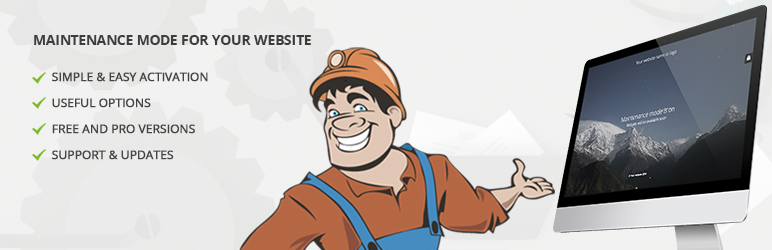
The Maintenance Mode plugin is a tool for WordPress site administrators that provides the ability to temporarily shut down the website for maintenance purposes. It offers the feature to enable “503 Service temporarily unavailable”, and set a temporary page with authorization, which can be edited via the plugin settings.
This plugin is simple to use and you can customize it to match your brand by adding your logo, and background image, and selecting your preferred colors and text. It ensures EU GDPR compliance through the use of Bunny Fonts.
Benefits of Maintenance Mode Plugin:
- It allows site administrators to temporarily shut down the website for maintenance.
- It is customizable with your logo, background image, colors, and text.
- It supports a retina-ready HTML/CSS layout.
- It supports user login on the front end.
- It provides Google analytics support.
- It is compatible with all popular caching plugins.
Key Features:
- Upload your own logo: This allows you to keep your brand consistent even during maintenance.
- Configurable colors for fonts, icons, and backgrounds: Allows for complete customization to match your brand.
- 503 error on/off: This feature enables or disables the 503 Service Unavailable status.
- Google Analytics support: This allows you to keep track of visitors even during maintenance.
- Exclusion of selected pages from Maintenance mode: This feature allows certain pages to remain accessible even during site maintenance.
Pricing Structure:
The Maintenance Mode plugin offers a PRO version with pre-made themes and over 3 million free images to build maintenance, coming soon, and landing pages faster.
LightStart
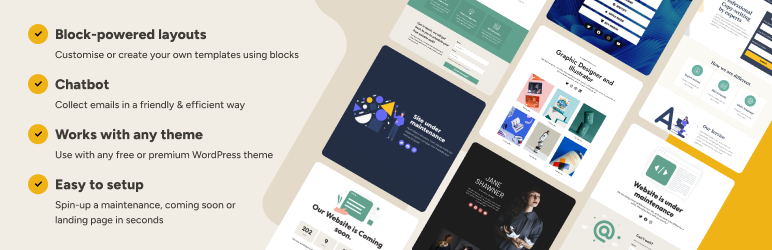
LightStart – Maintenance Mode, Coming Soon and Landing Page Builder is a versatile WordPress plugin that can be used to put your website in maintenance mode, create a ‘coming soon’ page for a new website, or establish a landing page for an existing site.
The plugin can be activated easily, and only users with admin rights will have full access to the front end of the website during the maintenance period.
Benefits of using the LightStart plugin:
- Provides a professional and user-friendly way to inform visitors about website downtime or the launch of a new website.
- Allows you to gather visitor emails through a subscription form and receive messages via a contact form.
Key Features::
- Fully customizable: Change colors, texts, and backgrounds to match your brand identity.
- Subscription form: Collect emails from visitors and export them to a .csv file.
- Countdown timer: Display the remaining time until the website goes live.
- Contact form: Allow visitors to send you emails directly from the maintenance page.
- Coming soon page: Create an engaging page to build anticipation for your new website.
- Landing page templates: Choose from different templates to create your landing page.
- Social media icons: Link to your social media profiles directly from the maintenance page.
- Exclude URLs from maintenance: Keep certain parts of your website accessible.
CMP Coming Soon & Maintenance Plugin
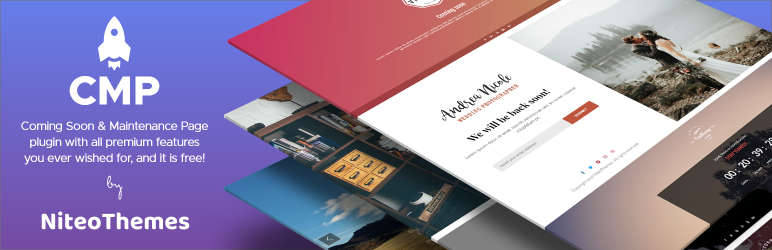
CMP – Coming Soon & Maintenance Plugin by NiteoThemes is a comprehensive solution for your WordPress maintenance needs. It is a user-friendly plugin that allows you to activate a maintenance, coming soon, or landing page with a single click.
It offers customization options in terms of layout, logo, background graphics, text, subscribe form, social networks icons, typography, colors, SEO, and much more.
Benefits of using CMP – Coming Soon & Maintenance Plugin
- User-friendly: This plugin is easy to use and can be activated with a single click.
- Customizable: It offers a wide range of customization options including layout, logo, background graphics, and text.
- SEO friendly: The plugin allows you to optimize your maintenance or coming soon page for search engines.
Key Features
- Enable CMP Landing page on specific pages only.
- Bypass URL to preview a website for your customers.
- Configurable Countdown Action.
- Redirect Mode to redirect your website to another website.
- Support for any website Analytics like Google Analytics or similar.
- Google Recaptcha integration for Subscribe feature.
- Insert any Custom CSS code.
Pricing Structure
The plugin is free to use and does not contain any advertisements. It is compatible with a variety of other plugins including Insert Headers and Footers, Simple Analytics, MailPoet, Mailster, MailOptin, WPS Hide Login, Cookie Notice for GDPR & CCPA, and Translate WP website – Weglot Translate.
Minimal Coming Soon
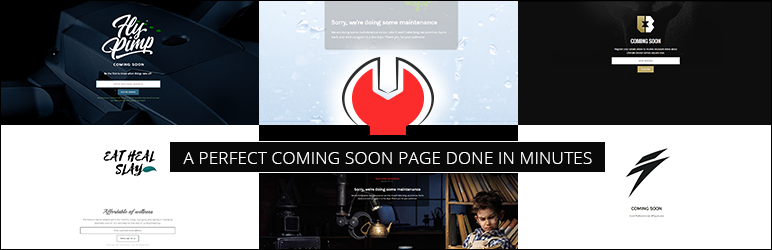
The Minimal Coming Soon & Maintenance Mode plugin is a versatile tool that allows you to easily set up a Coming Soon Page, Maintenance Mode Page, Landing Page, or Launch Page for your website. The plugin is particularly beneficial for new websites, enabling you to start collecting leads right from day one. It’s simple, flexible, and works with any WordPress theme and plugin.
Benefits of using the Minimal Coming Soon & Maintenance Mode plugin include:
- Full control over the front end of the website, allowing you to customize almost every aspect of your Coming Soon or Maintenance Mode page.
- Integration with MailChimp API for easy email collection from visitors.
- Compatibility with GDPR compliance requirements.
- Quick and easy setup, with a perfect Coming Soon Page done in minutes.
Key features:
- Compatibility with all WordPress themes and plugins.
- Complete customization of look and feel including background color, cover image, fonts, and logo.
- Over two million premium images in the PRO version.
- Configurable elements of the Coming Soon or maintenance page.
- Option to preview the Coming Soon or maintenance page before activation.
- SEO preview and analysis tools in the PRO version.
- Support for W3 Total Cache, WP Super Cache, Endurance Page Cache, SiteGround SuperCacher, WP Fastest Cache, Cache Enabler, and Swift Performance Cache.
- Capability to add Custom CSS and HTML.
- GDPR compatible, with no cookies set and an optional warning below the email field for newsletter subscription.
The PRO version of the plugin also features a redirection to the HTTPS version of the site and a WP login link on the Coming Soon Page.
Pricing Structure
The pricing structure for the Minimal Coming Soon & Maintenance Mode plugin is not stated within the given context. Please visit the official website for accurate pricing information.
Coming Soon & Maintenance Mode Page & Under Construction
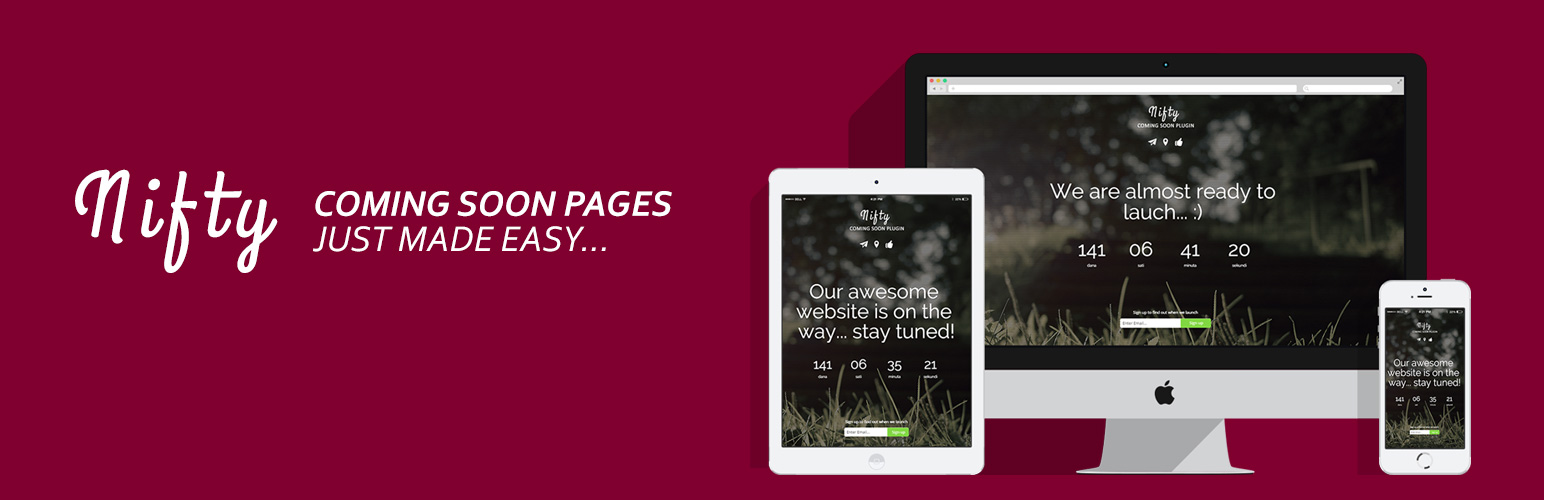
The Coming Soon & Maintenance Mode Page & Under Construction plugin is a simple and easy to setup plugin designed to help you create stunning and animated Coming Soon, Under Construction, and Maintenance pages. The plugin is highly responsive and is designed to adapt to any device.
Benefits of using this plugin include: the ability to create a professional and aesthetically pleasing maintenance mode page, keeping your visitors informed and engaged while you work on your website. It also allows you to collect emails via the built-in subscription form, ensuring that your visitors can be notified when your site is back up and running.
Key Features of this Maintenance Mode plugin include:
- Responsive and modern coming soon page design.
- All sections are editable from the plugin options panel.
- Countdown timer.
- Animated coming soon text messages.
- Background slider with pattern overlay and opacity.
- 16 Background slider animations to choose from.
- Option to turn on/off any section.
- Live Preview (you can preview your Coming soon page without the need to log out or use another browser).
Pricing Structure
In terms of pricing, the plugin offers a free version that includes the above-mentioned features. For additional features such as premade themes, content and color options, secret access, additional background modes, GDPR checkbox in Subscription, and many more, you can upgrade to the Pro version. The details and pricing for the Pro version can be found on the plugin’s website.
Under Construction
The Under Construction, Coming Soon & Maintenance Mode plugin is a versatile tool to set up a Maintenance Mode Page, Coming Soon Page, or Under Construction Page for your upcoming new WordPress website. This plugin is compatible with any WordPress theme or plugin, and it enables you to create a maintenance mode landing page without any coding skills.
The benefits of using this plugin are numerous. Apart from being completely free, it allows you to customize your maintenance mode landing page to match your brand. It supports multiple user roles, is SEO-friendly, and supports Google Analytics tracking for your landing page.
Key Features:
- Ability to change or upload any background image.
- Option to disable the Under Construction mode for different user roles (Admin, Editor, Author, Subscriber, Customer, Shop Manager, etc.).
- Capability to upload a logo and set its dimensions.
- Ability to update the content of your page, including main header text and subheading text.
- Feature to add social media icons and links to your landing page.
- Option to add custom CSS to customize the design of your landing page.
- SEO settings for your page including SEO Title, Description, Keyword, SEO URL, SEO Site Name, and SEO Author name.
- Ability to add the Google Analytics Tracking Code to your landing page.
- Option to set a start and end date for your maintenance mode.
Pricing Structure
The Under Construction, Coming Soon & Maintenance Mode plugin is free to use.
Maintenance Redirect

Maintenance Redirect is a WordPress plugin primarily intended for designers or developers who need to allow clients to preview sites before they are available to the general public. It is also useful for temporarily hiding your WordPress site while undergoing major updates.
Benefits of Using Maintenance Redirect:
- Flexibility: The behavior of this plugin can be enabled or disabled at any time without losing any of the settings configured in its settings pane.
- Control Over Access: The plugin allows a list of IP addresses to bypass maintenance mode, which is useful when you need to allow a client’s entire office to access the site without needing to maintain individual access keys.
- Notifications: The plugin allows three methods of notifying users that a site is undergoing maintenance: a simple message, a custom HTML page, or a redirect to a static HTML page.
Key Features of Maintenance Redirect:
- Privilege Setting: Any logged-in user with WordPress administrator privileges will be allowed to view the site regardless of the plugin’s settings.
- Header Types: When a redirect is enabled, it can send 2 different header types, “200 OK” and “503 Service Temporarily Unavailable,” depending on the situation.
- IP Address Setup: A list of IP addresses can be set up to completely bypass maintenance mode.
- Access Keys: Access keys work by creating a cookie on the user’s computer that will be checked for when maintenance mode is active.
- Notification Methods: The plugin allows for three methods of notifying users that a site is undergoing maintenance.
Pricing Structure
As of now, the Maintenance Redirect plugin is available for free. However, for advanced features and dedicated support, there may be premium versions or add-ons available at an additional cost. Please check the official website or contact the plugin’s developers for the most accurate and up-to-date information.
Slim Maintenance Mode
Slim Maintenance Mode is a plugin designed for the WordPress platform. It provides a simple and efficient way to put your website into maintenance mode, allowing only administrators to view the site during this period. This plugin is extremely beneficial for website owners who need to take their site offline for regular updates or troubleshooting without impacting the user experience.
Benefits:
- It’s a hassle-free solution for scheduled maintenance which saves time for administrators.
- It reduces the potential loss of visitors as users won’t be able to see the maintenance process.
- It enhances the website’s SEO performance as it sends HTTP response status code 503 to search engines during maintenance, indicating that the site is temporarily unavailable.
Key Features:
- Ease of Use: With no extra settings required, administrators can simply activate it when they need to do maintenance work and deactivate it once done.
- Alert Message: The plugin provides an alert message in the backend when it is active, ensuring administrators are aware that the site is in maintenance mode.
- Theme Compatibility: It works seamlessly with any theme, providing a versatile solution for all WordPress sites.
- Cache Plugin Support: It supports a range of cache plugins including Cachify, LiteSpeed Cache, Super Cache, WP Rocket, WP Fastest Cache, and W3 Total Cache. This ensures that your site’s speed and performance are maintained during the maintenance period.
- SEO-Friendly: It sends an HTTP response status code 503 during maintenance, which is crucial for search engines to understand the website is temporarily unavailable.
Pricing Structure
Slim Maintenance Mode is a free WordPress plugin. However, for additional support and advanced features, users can contact the plugin developer via the support forum on the WordPress.org website.
WP Maintenance
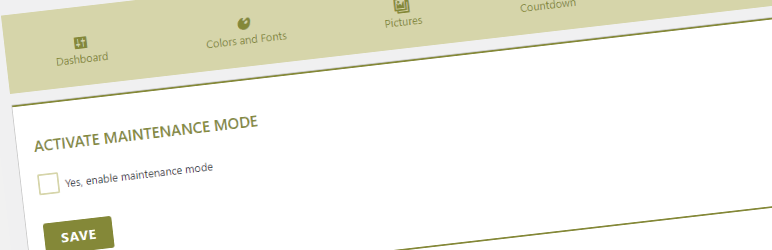
The WP Maintenance plugin is an essential tool for every WordPress website owner. It allows you to put your website in maintenance mode while you perform necessary updates or make changes to your site. This ensures that your visitors will only see a well-designed, professional page instead of an error message or a partially functioning website.
Benefits of using WP Maintenance plugin
- It keeps your website looking professional even during maintenance.
- It allows you to customize the maintenance page to your liking.
- It makes it easy for you to restrict access to your site during maintenance.
Key Features:
- Customize text colors and fonts: This feature allows you to maintain your brand consistency even during maintenance.
- Upload logo and background pictures: You can ensure your maintenance page still feels like a part of your website by using your logo and brand-specific imagery.
- Countdown timer: This can be used to inform visitors when your website will be back up.
- Custom Code Header for Analytics: This feature lets you track visits to your maintenance page.
- Social Networks ready: You can include links to your social media profiles on the maintenance page.
- Customize CSS: If you have the skills, you can customize the page even further with CSS.
- Shortcode insertion: You can include a newsletter signup or contact form on your maintenance page.
- Enable “503 Service temporarily unavailable”: This informs search engines that your site is temporarily down for maintenance.
- Access control by Roles, Capabilities, ID Pages, and IP addresses: This feature lets you decide who can access your site during maintenance.
Pricing Structure
WP Maintenance plugin is free to use. However, there is also a premium version available with extended features. Pricing for the premium version depends on the number of websites you want to use it on.
When Does Your Website Need WordPress Maintenance Mode Plugins
Your website may need WordPress maintenance mode plugins in various scenarios to ensure smooth operation, positive user experience, and effective management of updates. Here are some common situations where using maintenance mode plugins can be beneficial:
- Performing Updates: Whenever you need to perform updates to your WordPress site, whether it’s updating plugins, themes, or the WordPress core itself, it’s a good practice to activate maintenance mode. This ensures that visitors don’t encounter broken or incomplete pages during the update process.
- Making Significant Changes: When you’re making significant changes to your website’s design, functionality, or content, it’s advisable to use maintenance mode. This allows you to work on the changes without disrupting the user experience or presenting incomplete work to visitors.
- Fixing Errors or Issues: In case your website experiences errors, issues, or downtime due to technical problems, maintenance mode can be activated to inform visitors about the situation while you work on resolving the issues. This helps manage expectations and reduce user frustration.
- Launching New Features or Sections: If you’re launching new features, sections, or pages on your website, using maintenance mode beforehand can build anticipation and ensure a smooth transition. It also gives you the opportunity to fine-tune the new elements before making them publicly available.
- Performing Routine Maintenance: Regular maintenance tasks such as database optimization, security checks, and backups may require temporary downtime. Activating maintenance mode during these routine maintenance activities helps maintain the integrity and security of your website.
- Handling Scheduled Downtime: Sometimes, scheduled downtime is unavoidable due to server maintenance, domain migrations, or other technical reasons. Maintenance mode plugins allow you to communicate the scheduled downtime to your audience and minimize its impact on user experience.
- Testing and Development: During the testing and development phase of your website, you may need to make changes that aren’t ready for public viewing. Using maintenance mode ensures that only authorized users can access the website during this phase.
In summary, your website may need WordPress maintenance mode plugins whenever you’re performing updates, making changes, fixing errors, launching new features, performing routine maintenance, handling scheduled downtime, or working on testing and development.
By using maintenance mode strategically, you can maintain professionalism, transparency, and user satisfaction throughout various stages of website management.
Final Word
In the ever-evolving landscape of website management, WordPress maintenance mode plugins stand out as indispensable allies, offering a seamless and user-friendly solution to the challenges of site maintenance. By harnessing the power of these plugins, you can ensure that your WordPress site remains polished, professional, and accessible to your audience, even during periods of maintenance.
So why wait? Elevate your website maintenance game today and experience the difference that these plugins can make in simplifying your online journey.
FAQs
- What is maintenance mode, and why do I need it for my WordPress site?
Maintenance mode is a feature that allows you to temporarily hide your website from visitors while you perform updates, make changes, or fix errors. It ensures that users don’t encounter broken or incomplete pages during these processes, maintaining a positive user experience and professional appearance for your site. - How do WordPress maintenance mode plugins work?
WordPress maintenance mode plugins typically work by activating a special maintenance page or mode when certain conditions are met, such as when updates are being applied or when the site is undergoing maintenance. These plugins allow you to customize the maintenance page with messages, countdown timers, and other elements to communicate effectively with your audience. - Can I still access my WordPress dashboard when maintenance mode is activated?
Yes, in most cases, you can still access your WordPress dashboard even when maintenance mode is activated. This allows you to continue managing your site, applying updates, and making changes behind the scenes while visitors see the maintenance page. - Are there different types of maintenance mode plugins available for WordPress?
Yes, there are various maintenance mode plugins available for WordPress, each offering different features and customization options. Some plugins focus solely on activating a basic maintenance page, while others provide additional functionalities such as email capture, social media integration, and customizable design options. - How can I customize the maintenance page to match my website’s branding?
Many WordPress maintenance mode plugins offer customization options that allow you to tailor the appearance of the maintenance page to match your website’s branding. You can typically customize elements such as colors, fonts, logos, background images, and messaging to create a cohesive and professional look. - Is it possible to schedule maintenance mode for specific times or dates?
Yes, most WordPress maintenance mode plugins allow you to schedule maintenance mode for specific times or dates. This feature is particularly useful for handling scheduled downtime, updates, or maintenance activities during off-peak hours to minimize disruption to your audience. - Can I still allow certain users or IP addresses to access my site during maintenance mode?
Yes, some maintenance mode plugins offer functionality that allows you to whitelist certain users or IP addresses, granting them access to the site even when maintenance mode is activated. This can be useful for developers, administrators, or other authorized individuals who need to access the site during maintenance. - Are there any SEO considerations to keep in mind when using maintenance mode?
Yes, it’s important to consider the SEO implications of using maintenance mode for your WordPress site. To minimize any negative impact on SEO, you can use techniques such as setting up proper HTTP status codes, providing informative messages to search engines, and scheduling maintenance during off-peak hours when traffic is low. Additionally, some maintenance mode plugins offer SEO-friendly features to help mitigate any potential SEO issues.


