

Enables the previous "classic" editor and the old-style Edit Post screen with TinyMCE, Meta Boxes, etc. Supports all…

About Maintenance Redirect
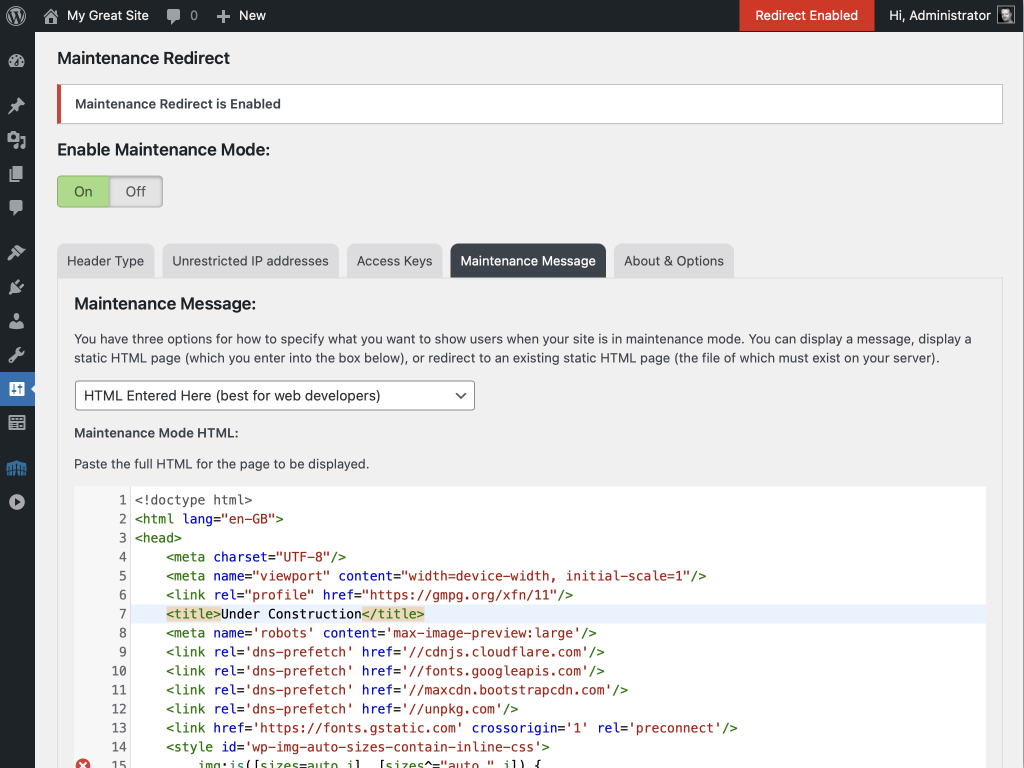
This plugin is designed for designers/developers who need to allow clients to preview sites before they are publicly available or to temporarily hide a WordPress site during updates. It allows logged-in administrators to view the site regardless of the plugin's settings and offers three methods of notifying users of maintenance. The plugin also offers the option to bypass maintenance mode for specific IP addresses.Screenshots




Frequently asked questions
Who is this plugin for?
This plugin is intended primarily for designers and developers who need to allow clients to preview sites before they are publicly available, or to temporarily hide a WordPress site during major updates.
How can administrators view the site during maintenance?
Any logged-in user with WordPress administrator privileges can view the site regardless of the plugin's settings. The exact privilege can be customized using a filter hook.
What are the different header types for maintenance mode?
The plugin can send either a "200 OK" header, best for sites under development, or a "503 Service Temporarily Unavailable" header, suitable for temporary offline periods. Using "503" for extended periods can negatively impact Google ranking.
How do IP addresses bypass maintenance mode?
A list of IP addresses can be configured to completely bypass maintenance mode. This is useful for allowing an entire office to access the site without individual access keys.
How do access keys work?
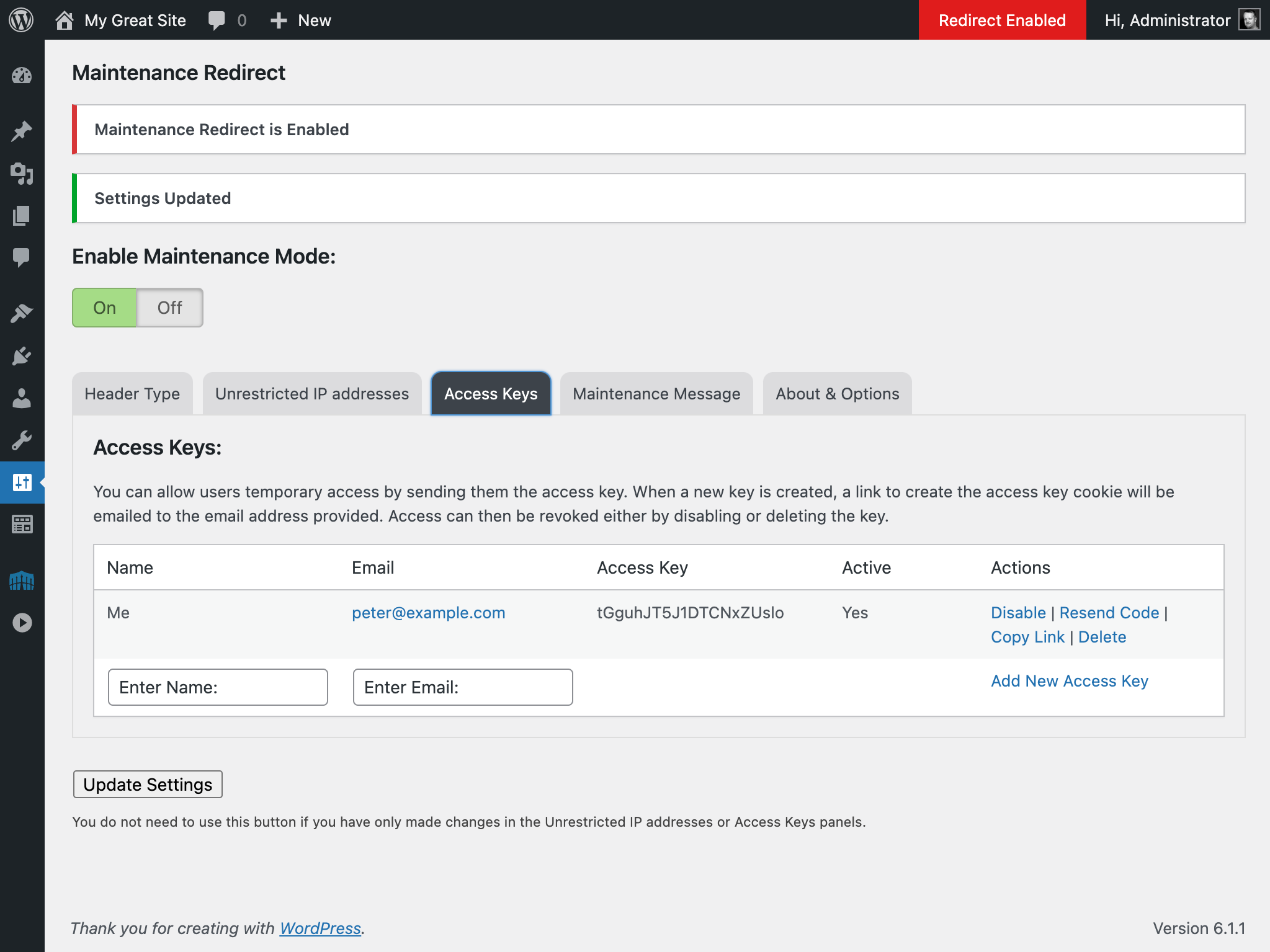
Access keys create a cookie on the user's computer, which is checked when maintenance mode is active. When a new key is created, a link to create the access key cookie is emailed to the provided address.
Changelog
2.1.1
- Removed the testing of X-FORWARDED-FOR header to get the IP address for the whitelisting bypass as some over-zealous security researcher says that can be spoofed. Access through a proxy must now be made by whitelisting the proxy IP rather than the end-user’s.
2.0.1
- Added clarification to readme and on-screen info about the scope of what this plugin blocks (see FAQs)
2.0
- Uodated minimum requirements for WP (5.1) and PHP (5.6).
- Updated the UI with tabs for each of the sections.
- Changed the activation method from a select menu to a toggle switch.
- Split the HTML and Message storage in the database to separate fields. When the plugin is updated the message text should be copied across, but please do double-check. I suggest that you make a copy of your message or HTML before updating just in case.
- Tweaked the HTML used for the Message option.
- Added an option to delete all of the plugin’s settings and database tables the next time that the plugin is deleted using the Plugins screen. There are caveats – see the About & Options tab in the plugin settings page for more info.
- Added responsive styling for the IP addresses and Access Keys tables to better display on mobile phone screens.
- Tidied up some of the on-screen information.
- Added an about section with a link to “buy me a coffee” ?
- Additional minor code tweaks
1.8.3
- Fixed sprintf() PHP warning.
1.8.2
- Added plugin status to the admin bar.
- Fixed bug where body text was being output twice.
1.8.1
- Fixed Update Settings button not working.
1.8
- Added button to copy full URL of an Access Key link to the clipboard.
- You can now click on your IP or Class C address to add it to the unrestricted IP addresses field.
- General hardening of translated text escaping.
1.7
- Added links to plugin screen and the dashboard notification to go to the Settings page.
- Added information to the Site Health screen.
1.6
- Added
wpjf3_matchesfilter to allow programatical bypasses. Thanks to @brianhenryie for this. - Added
wpjf3_user_canfilter to allow the WordPress capability check to be changed so logged-in users can be allowed to bypass the redirect.
1.5.3
- Fixed ability to set IP address using Class C wildcard (eg, 192.168.0.*) – thanks to @tsouts for bringing that to my attention.
1.5.2
- Tiny translation tweak
1.5.1
- Phooey! Found a couple of translation strings that I missed on the previous commit!
1.5
- Now translatable! I’m a typical Englishman who doesn’t speak any other language, so at time of release there aren’t any translation packs available. However, if you’re interested in contributing, just pop over to https://translate.wordpress.org/ and get translating!
- Minimum WordPress requirement now 4.6 due to usage of certain translation bits & bobs.
1.4
- Plugin taken over by @petervandoorn due to being unmaintained for over 4 years.
- Changed name to Maintenance Redirect
- Setting added to choose whether to return 200 or 503 header
- Added nonces and other, required, security checks
- General code modernisation
1.3
- Updated to return 503 header when enabled to prevent indexing of maintenance page.
- Also, wildcards are allowed to enable entire class C ranges. Ex: 10.10.10.*
- A fix affecting some installations using a static page has been added. Thanks to Dorthe Luebbert.
1.2
- Fixed bug in Unrestricted IP table creation.
1.1
- Updated settings panel issue in WordPress 3.0 and moved folder structure to work properly with WordPress auto install.
1.0
- First release. No Changes Yet.
