The ability to clone a WordPress site has now become more than just a technical convenience; it’s a strategic necessity. WordPress site cloning isn’t just about creating a carbon copy of your website.
It’s about ensuring continuity and security in a digital landscape that’s constantly changing. Whether it’s for creating robust site backups, establishing development or testing environments, or preparing for seamless website migration, cloning is pivotal.
Cloning a website manually is fraught with challenges – from the technical know-how required to the risks of data loss and potential downtime. WordPress Clone Plugins elegantly address these hurdles, offering streamlined and user-friendly solutions that simplify the cloning process, reduce the risk of errors, and save invaluable time.
Have you ever faced challenges while cloning a website? Well, we are here to help you with this blog by providing insights into the leading WordPress Clone Plugins. We’ll explore their features, discuss ease of use, delve into pricing models, and highlight scenarios where each plugin excels.
Duplicator
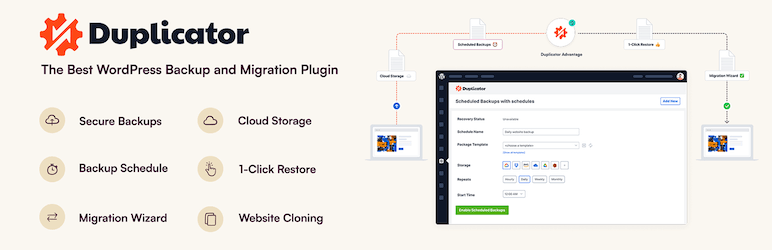
The Duplicator – WordPress Migration & Backup Plugin is a comprehensive tool designed to allow WordPress users to easily migrate, copy, clone, or move their sites from one location to another. It also serves as a simple backup utility, handling serialized and base64 serialized replacements.
Key Features
- Allows the migration, copying, or cloning of a WordPress site between domains or hosts with zero downtime.
- Enables the pulling down of a live site to localhost for development.
- Facilitates the transfer of a WordPress site from one host to another.
- Offers manual backup options for a WordPress site or parts of a site.
- Allows the duplication of a live site to a staging area or vice versa.
- Bundles up an entire WordPress site for easy reuse or distribution.
- Performs a full WordPress migration without the need for messy import/export SQL scripts.
The plugin is available in both free and premium versions. The premium version, Duplicator Pro, offers additional features such as drag and drop installs, scheduled backups, cloud storage to Dropbox, Google Drive, Microsoft OneDrive, Amazon S3 and FTP/SFTP, a special 2-step streamlined installer mode for mega-fast installs, and much more.
In conclusion, the Duplicator – WordPress Migration & Backup Plugin is a robust tool for managing and migrating your WordPress site, offering a range of features designed to streamline and simplify the process.
UpdraftPlus
The UpdraftPlus Backup & Migration Plugin is an essential tool for any WordPress website owner. It allows you to easily backup, restore, and migrate your website ensuring its safety and accessibility. It is used by over 3 million websites globally, making it one of the most trusted plugins in the WordPress community.
Key Features:
Backup your website to various storage locations including Dropbox, Google Drive, Amazon S3, Rackspace Cloud, and more.
Schedule backups to run at intervals of your choice.
Restore your website in just a few clicks.
Migrate your WordPress website to another web host, server, or domain.
Comprehensive and easy to use, proven to work on over 3 million sites.
UpdraftPlus offers a freemium model. The free version provides basic backup and migration features. The Premium version, however, includes additional features such as automatic backups before updates, incremental backups, more remote storage options, 1GB of integrated storage with UpdraftVault, and premium support.
Additionally, for users managing multiple websites, UpdraftCentral offers a remote control dashboard for WordPress that allows you to manage backups, updates, users, pages, posts, plugins, and themes from one central location. This is available in free and paid versions.
In conclusion, the UpdraftPlus Backup & Migration Plugin is a comprehensive solution for backing up, restoring, and migrating your WordPress website. Whether you need basic or advanced features, UpdraftPlus has a solution to meet your needs.
Migrate Guru
Migrate & Clone WordPress Free is a plugin that offers the fastest way to migrate WordPress sites. This plugin is designed to simplify complex WordPress migrations, including multi-site networks and large sites up to 200 GB.
Powered by BlogVault, Migrate Guru uses intelligent processes on its servers, eliminating any risk to your sites. It also offers automatic URL rewriting, bypasses import-export scripts, and handles serialized data.
Key Features:
- The migration process works on their servers, so it doesn’t crash your site.
- Can move or clone sites as large as 200 GB.
- No need for add-ons to move multi-sites, or sites with serialized data.
- Automatically copies your site to their servers and erases the copy after migration.
- Can move your site from and to any web host.
- Handles serialized data with accurate search and replace.
This plugin is free of cost. However, it does not currently support local host migrations or migration of multi-site network sub-sites to a different domain or migration of a site to a multi-site network subdivision.
Migrate & Clone WordPress Free is a comprehensive solution for WordPress site migration and cloning, offering a wide range of features to ensure seamless and risk-free migration.
WP STAGING
The WP STAGING WordPress Backup Plugin is an all-in-one tool designed for backup, staging, and duplicating your WordPress site. It enables you to create an exact copy of your website in seconds, ideal for backup, staging, or development purposes.
The plugin can clone your website into a subfolder or subdomain of your main WordPress installation, and the cloned site includes a complete copy of your database.
Key Features:
- Clones your entire site into a subdirectory.
- High-performance background processor for efficient backup without slowing down your website.
- The clone website is inaccessible to search engines.
- Every release passes thousands of unit and acceptance tests for robust, reliable, and fast performance.
- The plugin is freemium, offering a free version with basic features and a Pro version with enhanced features. The Pro version enables a custom directory for backup & cloned site, a custom subdomain as a destination for backup, user roles for accessing the clone site, multisite support, schedule recurring multiple backups, backup retention, backup to Google Drive, Amazon S3, (s)FTP, Dropbox, and priority support.
In conclusion, WP STAGING WordPress Backup Plugin is a robust and reliable tool for WordPress site management, offering an array of features for site backup, cloning, and migration. Its freemium model makes it accessible to users of all levels, while its Pro version provides advanced capabilities for more demanding users.
All-in-One WP Migration

All-in-One WP Migration is a widely trusted WordPress plugin that offers an easy way to migrate websites. The plugin is designed with a user-friendly interface allowing website owners to move their site without technical expertise.
This includes exporting your database, media files, plugins, and themes into a single file, and then unpacking it at the new location. The plugin requires minimal technical requirements and supports all versions of MySQL and MariaDB.
Key Features:
- One-Click Migration: Enables easy and reliable migration and cloning of a site with a single click
- Export and Import Functionality: Allows you to bundle your site’s database, media files, plugins, and themes into one file for export, and then import it using a drag-and-drop interface.
- Find and Replace Feature: Offers options to replace entries in the database, useful when changing domain names.
- Advanced Exclusion Options: Provides the ability to exclude specific content from the migration process.
All-in-One WP Migration is free to use but offers premium extensions for additional features. The plugin is trusted by big corporations and government organizations, making it a reliable choice for website migration. It is also compatible with most WordPress themes and plugins and syncs seamlessly with top cloud storage services.
In conclusion, All-in-One WP Migration is a powerful, reliable, and user-friendly plugin for migrating your WordPress website. Whether you’re a beginner or a seasoned professional, this plugin is designed to make moving your website as simple and stress-free as possible.
XCloner
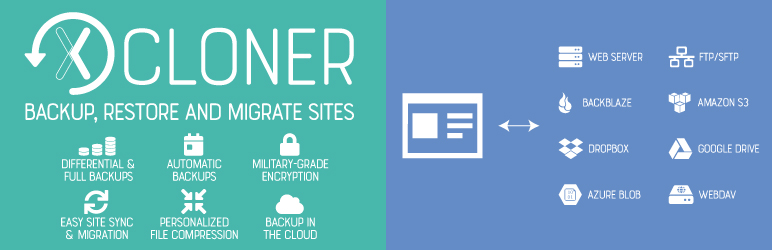
XCloner Plugin for WordPress is a comprehensive tool aimed at facilitating the backup, restoration, and migration of WordPress sites. It provides a secure and reliable method to clone your WordPress site, ensuring data safety and integrity.
Key Features:
- Supports automatic and manual backups of your WordPress site.
- Enables custom backups and restoration on any location with an automatic restore script.
- Offers safety features like creating backups before automatic updates.
- Ensures backup success with features like splitting backups into smaller parts.
- Offers secure and GDPR-compliant backups using open-source standards and encryption for data protection.
The XCloner plugin is free to use and offers comprehensive backup and restoration features. The plugin’s pricing details or premium offerings are not stated in the description.
In conclusion, the XCloner plugin offers a robust solution for cloning WordPress sites, ensuring optimum data safety, flexibility, and control. Whether you are looking to backup, restore, or migrate, XCloner is a great tool to consider.
NS Cloner
NS Cloner – Site Copier is a WordPress plugin designed for cloning sites on multisite networks. It enables you to create identical copies of your existing sites, including theme settings, plugins, content, images, videos, and other site settings.
This plugin is particularly useful for developers who manage multiple client sites, designers testing different theme designs, and teams setting up staging sites for collaboration.
Key Features:
- Clones an entire site in seconds
- Works in both subdomain or subdirectory mode
- Preserves all widgets, menus, theme, and plugin settings
- Duplicates all pages, posts, custom post types, and taxonomies
- Clones of all uploaded media files and associated data
- Runs in the background to avoid timeouts or memory shortages on large sites
NS Cloner operates on a freemium model. The core features of the plugin are available for free. However, for more advanced functions, you can upgrade to NS Cloner Pro. The Pro version offers features like remote cloning power, single site cloning, command line site copying, custom search and replacement on cloned content, database table management, user cloning, and preset cloning settings.
In conclusion, NS Cloner – Site Copier is a robust and user-friendly solution for quickly and effectively cloning your sites on a WordPress multisite network.
JetBackup
JetBackup is a WordPress plugin designed for comprehensive backup and migration services. It allows users to easily backup, restore, and migrate their WordPress-based website or blog. This includes the ability to backup or migrate files, databases, or both.
Key Features:
Free Version:
- Unlimited backups
- File and database backups
- Unlimited restore options
- Backup download and import capabilities
- Backup cancellation
- Backup management
- Backup customization
- Live backup and restore progress
- WordPress multisite/network support
Premium Version
- Website migration
- Scheduled backups
- Multiple scheduled profiles
- Backup naming customization
- Backup retention
JetBackup operates on a freemium model. The free version includes a wide range of backup features, while the premium version, which requires a paid subscription, offers enhanced features such as scheduled backups, multiple scheduled profiles, and integration with various cloud storage services.
In conclusion, JetBackup provides a comprehensive solution for WordPress backup and migration needs, with a user-friendly interface and robust set of features. Whether you’re a blogger or a business, JetBackup can help ensure your website data is secure and easily restorable.
Final Word
In summary, WordPress clone plugins provide a range of capabilities for website migration, backup, and restoration. Each plugin offers unique features and benefits, with varying levels of complexity and functionality depending on the user’s needs.
Whether you’re a novice or an expert, these tools can simplify the process of transferring your website, ensuring data safety and reducing downtime. We recommend trying out these plugins to find the one that best fits your requirements. For further insights, engage with our blog by sharing your experiences and thoughts in the comments.


