Welcome to the world of WordPress websites, where every click, every plugin, every line of code, and every tweak can make a significant difference. One wrong move and your site becomes non-functional.
As Quality Assurance (QA) analysts and testers in the WordPress ecosystem, your role is pivotal in ensuring that every website that goes live is flawless, seamless, and ready to impress visitors.
In this comprehensive guide, we’ll unravel the magic of WordPress staging and how it simplifies the lives of testing teams.
Table of Contents
Key Takeaways
1. WordPress staging is valuable for testing teams due to its role in mitigating risks associated with direct live site modifications.
2. It helps in ensuring that any changes, updates, or new features do not negatively impact the live site’s functionality or user experience.
3 The staging environment supports efficient teamwork among QA analysts, developers, and other stakeholders, enabling seamless collaboration, iteration, and feedback sharing.
3. Leveraging tools like InstaWP for staging streamlines the setup and deployment process, greatly reducing the time and effort required for testing.
Understanding WordPress Staging
Before we zoom into the perks, let’s grasp the basics.
What exactly is WordPress staging, and why is it a big deal?
With the growing complexities of websites and the constant need for updates, testing has become a cornerstone of the development process. That’s where staging comes into the picture.
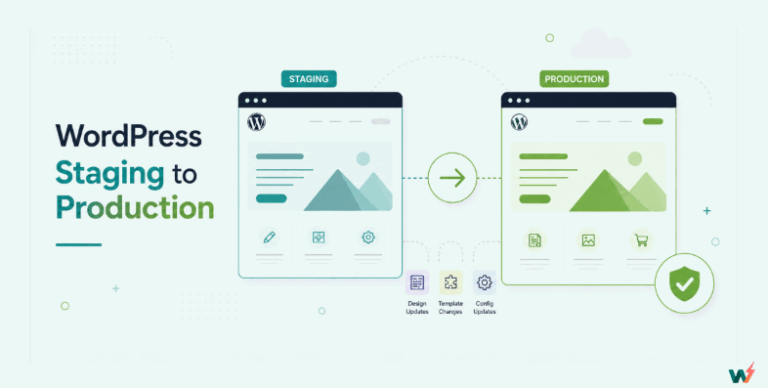
WordPress staging site is essentially a playground, a clone of your live website where you can safely test site changes, updates, and new features.
In case you are creating a full staging, the staging environment mirrors your live site in every aspect, from themes and plugins to content and functionality, providing a safe and controlled space for WordPress QA services and WordPress QA testing teams.

Importance of WordPress Staging for Testing Teams
WordPress staging holds immense significance for testing teams. Let’s delve into some of the key reasons why WordPress staging is indispensable for testing teams:
Risk Mitigation
Testing changes directly on the live site is more like walking a tightrope without a safety net. Any misstep or error can have dire consequences, potentially damaging your site’s reputation and user experience.
With WordPress staging, testing teams can mitigate risks by identifying and rectifying issues in a controlled environment before they impact the live site.
Quality Assurance
Quality is non-negotiable when it comes to website development. WordPress staging serves as a dedicated space for comprehensive testing, ensuring that every aspect of the site meets the highest standards. By rigorously testing changes in a staging environment, testing teams can uphold the integrity and reliability of the website.
Collaboration and Iteration
Testing is not a solitary endeavor – it requires collaboration and iteration.
WordPress staging facilitates seamless collaboration among testing teams, developers, designers, and stakeholders, enabling them to share feedback, iterate on changes, and fine-tune the website until it meets the desired objectives.
By fostering a collaborative environment, WordPress staging accelerates the testing process and ensures that all stakeholders are aligned on the final product.
Efficiency and Productivity
Time is of the essence in website development, and every minute saved translates to increased efficiency and productivity. WordPress staging streamlines the testing process by automating repetitive tasks, providing a centralized platform for testing activities, and eliminating the need for manual interventions.
By harnessing the power of WordPress staging, testing teams can optimize their workflows, reduce time-to-market, and deliver superior results in less time.
Common Types of WordPress Testing
Testing your WordPress site is key to making sure everything runs smoothly for your visitors. With the complexity of websites today, ensuring every part works perfectly is more important than ever. This brings us to an essential aspect of modern testing practices: automated testing.
What is automated testing in WordPress? It’s the process of using tools to automatically run tests on your site, identifying bugs or issues without needing manual intervention. This approach is crucial for maintaining a high-quality site efficiently.
Check out some common types of testing that benefit from automation:
- Cross-Browser Testing: Ensuring that your WordPress website delivers an excellent user experience across different browsers and devices is paramount. With cross-browser testing, you compare and analyze the behavior of your website in various operating systems, browsers, and browser versions, pinpointing compatibility errors and debugging them efficiently.
- Unit Testing: To ensure that your WordPress site is bug-free, unit testing focuses on testing individual components or functions of the website’s code. It involves testing everything from classes’ components to modules and functions, providing a low-level examination close to the source of your WordPress site.
- Functional Testing: This approach verifies the overall results delivered by your website when users interact with it. Functional tests focus on testing the business requirements directly, ensuring that your website functions as expected and meets the needs of your target audience.
- Visual Testing: Testing different visual elements of your website is crucial for analyzing user experiences. By conducting regular visual checks, you can identify design issues and bugs, ultimately enhancing the aesthetics and usability of your WordPress website.
- Speed Testing: Performance is key in providing users with a seamless browsing experience. Regular speed tests help you optimize your website’s load time, ensuring fast and smooth navigation for your visitors.
How to Utilize WP Staging as a Team?
So, how can testing teams make the most of WordPress staging? Here are some golden rules to live by:
a. Setting Up a WordPress Staging Environment: Use InstaWP Connect – your ticket to hassle-free WordPress staging. With this plugin, setting up staging sites is a breeze. One-click setup, automated testing – it’s a testing team’s dream come true.
b. Conducting Comprehensive Tests: Testing isn’t just about ticking boxes; it’s about digging deep. From functional testing to compatibility checks, thorough testing ensures your website is ready for the spotlight.
Setting Up Your WordPress Staging Environment
Now that we understand the significance of WordPress staging in the testing process, let’s dive into the practical aspects of setting up your staging environment.
While the thought of creating a staging environment may seem daunting at first, rest assured that with the right tools and techniques, you can have your staging site up and running in no time.
1. Choose Your Staging Method
There are several approaches to creating a staging environment, each with its own advantages and considerations:
Manual Staging: This method involves manually replicating your live site on a separate server or subdomain. While manual staging offers complete control over the staging environment, it can be time-consuming and prone to human error.
Plugin-Based Staging: Many hosting providers and WordPress plugins offer built-in staging functionality, allowing you to create a staging site with just a few clicks. Plugins like InstaWP Connect simplify the staging process by automating the setup and deployment of staging sites, saving you time and effort.
2. Install the InstaWP Connect Plugin on your Live Site
For quick WordPress staging of your live site, consider leveraging the InstaWP Connect plugin, which is designed to streamline the staging process and enhance collaboration among testing teams. It’ll create a testing-ready version of your site in your InstaWP dashboard.
In case you don’t know, you can create, manage, and deploy staging sites with ease using the InstaWP platform, eliminating the complexities associated with manual staging setups.
From one-click setup to automated testing, InstaWP Connect is a game-changer for testing teams everywhere.
With this WordPress staging and migration plugin, you can bid farewell to errors and hello to a flawless website. 1-click plugin and theme testing, 2-way sync, and 1-click staging creation are its major features.

Creating WordPress Staging with the Plugin
To install the InstaWP Connect plugin, simply navigate to your WordPress dashboard, go to the Plugins section, and click on “Add New.”
Search for “InstaWP Connect,” install the plugin, and activate it.
Once activated, you’ll be able to create quick, full, or custom staging of your live site.

3. Test and Improve Your Staging Site
Right! Now that you have a risk-free version of your site in your InstaWP dashboard, make the changes you want and test them for their performance.
Benefits of WordPress Staging for Testing Teams using InstaWP
Now, let’s unpack why WordPress staging is the unsung hero of testing teams everywhere:
Streamlining Testing Processes: Testing teams can collaborate seamlessly, share feedback, and iterate on changes without the fear of breaking the live site.
Minimizing Risks and Errors: By catching bugs and issues before they hit the live site, testing teams save the day and prevent potential disasters.
Enhancing Productivity and Efficiency: Teams can automate repetitive tasks, provide a central hub for testing activities, and boost productivity like never before.
Ensuring Quality and Reliability: When it comes to websites, quality is non-negotiable. Staging environments act as gatekeepers, ensuring only the best changes make it to the live site.
Go Live with InstaWP: It’s rare for testing tools and staging environments to offer high-quality hosting service, but not here. You can choose to go live with InstaWP itself or host your site with various other hosting providers while using this platform.
WordPress Staging Best Practices and Recommendations
Now that you understand the benefits of using InstaWP Connect for WordPress staging and testing, let’s dive into some best practices and recommendations to help you make the most of this powerful tool:
1. Plan Your Staging Strategy
Before creating a staging site, take the time to plan your staging strategy carefully. Determine the purpose of the staging site, the scope of testing required, and the timeline for testing activities. This will help you streamline the staging process and ensure that your testing efforts are focused and effective.
2. Choose the Right Staging Environment/Type
When creating a staging site with InstaWP Connect, consider the type of staging environment that best suits your testing needs. For quick and simple tests, a quick staging environment may be sufficient. However, for more comprehensive testing, opt for a full staging environment to replicate the live site accurately.
3. Collaborate Effectively with Your Team
Communication and collaboration are essential for successful WordPress staging and testing. Use InstaWP platform’s built-in collaboration features to share staging sites so that you can collaborate with your team in real-time. This will help ensure that everyone is aligned and working towards common goals.
4. Prioritize Security and Compliance
Protecting sensitive data and ensuring compliance with industry regulations are paramount when testing WordPress sites. With InstaWP’s security features like free SSL and SFTP, you can rest assured that your staging sites are secure and compliant, minimizing the risk of data breaches and compliance violations.
5. Monitor and Analyze Test Results
Once testing is complete, don’t forget to monitor and analyze the results carefully. Use log viewer, see your site’s frontend & backend, run performance tests, and check device compatibility of your WordPress site. This will help you continuously improve your testing processes and deliver better results for your clients.
FAQs
What is WordPress staging, and why is it important for testing teams?
WordPress staging creates a clone of your live website, allowing testing teams to safely test site changes, updates, and new features without affecting the live environment. It’s crucial for risk mitigation, quality assurance, and seamless collaboration among team members.
How does WordPress staging benefit QA analysts and testers?
WordPress staging allows you to find and fix problems before they affect the live site, ensures the website works well through thorough testing, and helps everyone involved work together and make improvements.
What is automated testing in WordPress?
Automated testing in WordPress refers to the use of software tools to automatically execute tests on the website, checking for bugs, performance issues, or compatibility problems without manual intervention. It’s an important part of maintaining high-quality standards efficiently, allowing for frequent and thorough testing of the site’s functionality and user experience.
What are the best practices for setting up a WordPress staging environment?
Planning your staging strategy, choosing the right staging environment, collaborating effectively with your team, prioritizing security and compliance, and monitoring and analyzing test results are key practices for making the most of WordPress staging.
How can InstaWP Connect simplify the staging process for testing teams?
InstaWP Connect offers a one-click setup for creating staging sites, automates testing processes, and enhances collaboration among testing teams. It streamlines the staging and testing workflow, making it easier and more efficient to ensure the website is ready for launch.
How does cross-browser testing enhance the user experience on WordPress sites?
Cross-browser testing ensures that a WordPress website delivers a consistent and excellent user experience across all browsers and devices. By identifying and fixing compatibility errors, it guarantees that every user, regardless of their choice of browser or device, enjoys a fully functional website.
Conclusion
In the world of WordPress development, testing is the secret sauce that separates the good from the great. As QA analysts and testers, your dedication to ensuring the highest standards of quality and performance in WordPress websites is commendable.
With WordPress staging by your side, testing teams can navigate the ever-changing landscape of website development with ease. By following the best practices and recommendations outlined in this guide, you will hopefully be able tto elevate your WordPress staging and testing efforts to new heights.