WordPress has always been great at publishing. But the workflow around it; writing titles, filling in excerpts, generating alt text, summarizing long posts; that’s where time gets lost.
WordPress 7.0, releasing April 9, 2026, addresses this directly. For the first time, AI is built into WordPress core. Not a plugin you hunt for on the repository. Not a third-party integration that breaks on updates. It’s native, it’s centralized, and it’s available the moment you connect an API key.
Here’s exactly what’s there.
Table of Contents
The Foundation: WP AI Client & Centralized API Management
Before getting into individual features, understand what makes this release different from every WordPress AI plugin that came before it.
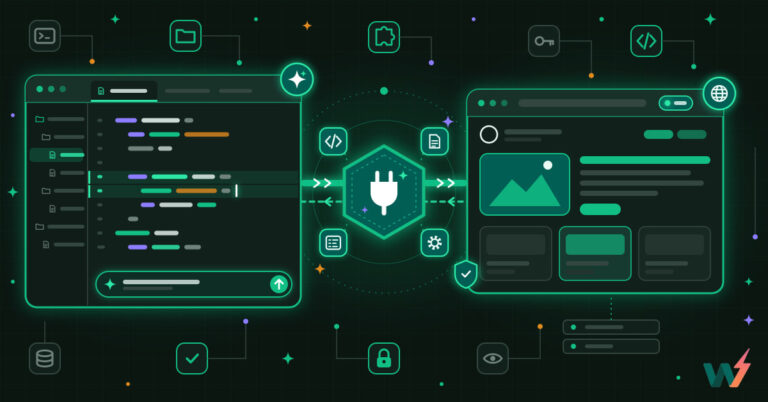
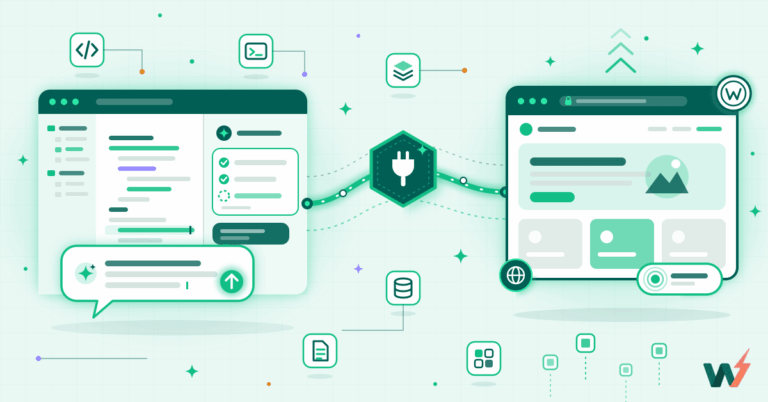
WordPress 7.0 ships with the WP AI Client; a core infrastructure layer that acts as a single command center for all AI interactions on your site.
Go to Settings → AI Connectors and you’ll see three default providers:

- Anthropic (Claude)
- Google (Gemini)
- OpenAI (GPT-4o)
Drop in your API key once. Every AI feature on the site; whether from core or from plugins built on this framework, reads from this one place.
This sounds like a small thing. It isn’t. Before 7.0, every AI plugin managed its own keys, its own settings screen, its own provider logic. Running three AI tools meant three separate configurations. WordPress 7.0 consolidates all of that into one place; and that’s the architectural win of this entire release.
Testing WordPress 7.0 AI Features: A Hands-On Guide Using InstaWP
WordPress with built-in AI sounds promising. But promises need to be tested. So we spun up a WordPress 7.0 site and put every AI feature through its paces; title generation, excerpts, image creation, alt text, content summaries, and review notes.
Here’s the honest breakdown of what works, what doesn’t, and how to test it yourself before the April 9 launch.
Watch the video to see the WordPress 7 AI features in action.
Step 1: Spin Up a WordPress Nightly Site on InstaWP
To test pre-release features, you need a site running the WordPress Nightly build; not a stable version. InstaWP makes this a two-minute job.
From the InstaWP Dashboard:
- Click Create Site
- Under the WordPress version dropdown, select Nightly
- Set PHP version to 8.3 (recommended for WP 7.0) or 8.4
- Hit Create; your site is live in seconds

That’s it. No server config, no CLI, no waiting. InstaWP provisions a fully functional WordPress environment instantly.
Why Nightly?
The Nightly build tracks the latest commits to WordPress core; including unreleased AI features that aren’t in Beta or RC yet. It’s the fastest way to get hands-on before the April 9 launch.
Step 2: Install Plugins Directly from InstaWP; No WP Admin Login Needed
For this testing to be completed, we need two plugins:
- WordPress Beta Tester — lets you switch to the RC (Release Candidate) channel
- AI Experiments — the plugin that actually unlocks all the AI features in WordPress 7.0
Here’s where InstaWP saves you a bunch of time. You don’t need to log into WP Admin just to install these plugins. Do it straight from the InstaWP site dashboard.
Just select the site you have just created.

From your site card in InstaWP, go to Install Plugins/Themes and enter the slug of both the plugins. You can enter as many as plugins you want. Just make sure they are sperated by commas.

Both install in a single click, no WP Admin required.
Step 3: Magic Login → WP Admin
Now you need to get into the WordPress dashboard to configure things.
From InstaWP, hit Magic Login on your site. It drops you straight into WP Admin; no username, no password, no friction.
Step 4: Switch to RC Channel in WordPress Beta Tester
Once inside WP Admin:
- Go to Tools → Beta Testing
- Under “Which version of WordPress would you like to use?”, select Release Candidate Only
- Click Save Changes
- Go to Dashboard → Updates and update to the latest RC build

This is important. The Nightly build is cutting-edge but unstable. The RC channel gives you the most polished pre-release version; the one closest to what ships on April 9. For testing AI features meaningfully, RC is the right call.
Step 5: Configure AI Connectors
Now the AI setup. Go to Settings → Connectors.

You’ll see three default providers:
| Provider | Models Available |
|---|---|
| Anthropic | Claude 3.5, Claude 3 Opus |
| Gemini 1.5 Pro, Gemini Flash | |
| OpenAI | GPT-4o, GPT-4 Turbo |
Drop in your API key for whichever provider you want to use. The smart part: these keys are centralized. Every AI feature in WordPress, whether from core or from future plugin, reads from this one place. You configure it once and you’re done.
Step 6: Enable AI Experiments
Now, you need to enable the AI Experiements to see which all AI features you’re going to get in WordPress 7.0. For this, go to Settings → AI Experiments. Click on Enable Experiements.

As you do so, you got a list of toggles available:
✅ Title Generation
✅ Excerpt Generation
✅ Alt Text Generation
✅ Image Generation
✅ Review Notes
✅ Content Summarization
✅Abilities Explorer.

Enable the ones you want. For this walkthrough, we turned on all of them.
The AI Features of WordPress 7.0: What Each One Does
With the site running on WordPress 7.0 RC, API keys connected, and AI Experiments fully enabled; the testing environment is set. Let’s get into what each feature actually does.

Title Generation
You’ve written the post. Now you’re staring at the title field.
Click “Regenerate Title” in the editor and WordPress generates three title options based on your content. Pick one, regenerate for more options, or use one as a starting point and edit it yourself.

It’s fast, it’s contextual, and it actually reads your content rather than producing generic suggestions. For anyone who writes regularly and loses 10 minutes per post agonizing over headlines, this is a genuine time-saver.
Verdict: Works well. Especially useful when you have the content but can’t land on a good headline. The suggestions are actually decent; not generic filler.
Excerpt Generation
The excerpt is one of the most consistently skipped fields in the WordPress editor. Most people either leave it blank or write something lazy that doesn’t represent the post. WordPress 7.0 ensure that you don’t miss it nowonwards. It provides you a crisp excerpt for your blogs and pages.
Click on the interlinked arrow icon next to Add an Excerpt section.

As you do so, WordPress 7.0 produces a concise summary of your post; pulled from the actual content, not made up. You can edit it, regenerate it, or use it as-is.

It removes the blank-page problem. That’s the whole value. It gives you something real to react to instead of starting from nothing.
You can edit it manually after generation or regenerate as many times as you need.

Verdict: Genuinely useful. Most editors either skip excerpts or write lazy one-liners. This gives you a solid starting point in seconds. It’s a tool, not a replacement for editorial judgment; but it removes the blank-page problem entirely.
Content Summarization
WordPress 7.0 lets you create a summary of your blog using AI. For long-form content like guides, tutorials, and deep dives, this is genuinely useful. Readers get context upfront. And the summary doubles as a strong starting point for meta descriptions, which makes it useful for SEO workflows too.
Click “Generate Summary” and WordPress creates a summary block that sits at the top of your post; giving readers an at-a-glance overview before they dive in.
Not happy with the first output? Edit it manually or hit regenerate and let the AI take another pass.

Most readers decide whether to keep reading within the first few seconds. A clear, well-placed summary changes that decision. It reduces bounce, improves time-on-page, and signals to search engines that your content is structured and reader-friendly.
For publishers pushing out high volumes of content, this compounds fast; every post gets a better first impression without any extra writing time.
Verdict: Solid. This is genuinely useful for long-form content; readers get context before diving in, and it doubles as a meta description starting point for SEO. Simple, no fuss, delivers what it promises.
Image Generation & Alt Text
This is where WordPress 7.0 handles two tasks in one flow. You can generate a featured image and its alt text directly from the editor; without leaving WordPress or opening a separate tool.
Click “Generate Featured Image” from the editor. WordPress generates an image based on your post content and drops it directly into your Media Library; no separate upload, no copy-pasting from an external tool.

What makes this more useful than just image generation: alt text, image title, and image description are pre-populated automatically the moment the image lands in your library. If you want different alt text, hit “Regenerate Alt Text” and it rewrites instantly.
Verdict: The workflow is smart; two tasks (image + its alt text) handled in one flow.
The image quality itself is functional but not impressive yet. Generation is also a bit slow. It works, but don’t expect Midjourney-level outputs.
Review Notes
WordPress 7.0 promises AI-generated review notes; a feature that’s supposed to scan your content, analyze the structure, headings, and paragraphs, and come back with suggestions on what could be improved.
Click “Generate Review Notes” in the panel and WordPress should return editorial feedback right inside the editor; no switching to a separate tool, no copy-pasting into an AI chatbot for a content review.

That’s the promise. Here’s the reality.
Honest take: It didn’t work. The button is there, the setting is enabled, but no review notes appeared; no output, no feedback, nothing. We tried it across multiple posts with different content lengths and structures. Same result every time. The feature exists in the settings and shows up in the editor, but it isn’t reliably delivering any output in the current RC build.
If review notes ever delivers on its intent, the impact would be significant. A built-in editorial assistant that flags weak structure, thin sections, or unclear headings before you hit publish would genuinely change the pre-publishing workflow; especially for teams without a dedicated editor. It’s the most ambitious AI feature in this release.
But right now, it needs more development time. Skip it for this release and check back on the first point update after April 9.
The Abilities API: What This Means for Developers
Under the hood, WordPress 7.0 ships the Abilities & Workflows API; the developer-facing side of all this.
In practical terms:
- Plugin developers can register their plugin’s capabilities so AI assistants can discover and use them
- The API is provider-agnostic; build once, works with any connected AI provider
- AI features built on this framework automatically benefit from the centralized Connectors UI
This is what separates WordPress 7.0 from simply adding AI features. It’s laying infrastructure so the entire plugin ecosystem can build consistent, interoperable AI tools; without every developer rebuilding the same credential management and provider abstraction layer from scratch.
What’s Worth Using Right Now
We tested all six AI features in WordPress 7.0. Some deliver, some don’t. Here’s the honest summary so you know exactly what to enable and what to leave off for now.
| Feature | Works Well? | Notes |
|---|---|---|
| Title Generation | ✅ Yes | Good suggestions, easy to regenerate |
| Excerpt Generation | ✅ Yes | Removes blank-page friction |
| Content Summarization | ✅ Yes | Solid output, useful for SEO |
| Alt Text | ✅ Yes | Removes a repetitive accessibility task |
| Image Generation | ⚠️ Partial | Slow, outputs are basic |
| Review Notes | ❌ Not yet | No output in current RC |
| Centralized API Keys | ✅ Yes | The biggest win in this release |
Try It Yourself
WordPress 7.0’s AI isn’t trying to be a creative partner. It’s pragmatic; it fills real gaps in the workflow where they actually exist. Titles, excerpts, summaries, alt text. The stuff that’s repetitive, often skipped, and just needs to be done.
Want to test it before April 9?
Spin up a WordPress Nightly site on InstaWP; it takes under two minutes, using the $25 in credits you get when you add a card. Install the Beta Tester and AI Experiments plugins straight from the InstaWP dashboard, connect your API key, and you’re testing WordPress 7.0 AI features today.