In this digital era, creating a seamless communication pathway for your website visitors can be a game-changer. This is where WhatsApp Chat WordPress Plugins come into play! These plugins revolutionize the way businesses engage with their visitors, converting them into potential customers through real-time, direct interactions.
This article will guide you through some of the best WhatsApp Chat WordPress Plugins that serve as excellent alternatives to Joinchat.
We’ll delve into the world of WordPress plugins and shed light on their transformative power. From enhancing user experience to boosting engagement and improving customer service, these plugins offer myriad benefits.
Read on to discover how these plugins can upgrade your WordPress site, enable convenient communication, and significantly impact your business growth.
Table of Contents
Best WhatsApp Chat Plugins: Joinchat Alternatives
Click to Chat – HoliThemes

Holithemes’ Click to Chat plugin allows your website visitors to contact you via WhatsApp or WhatsApp Business with a single click. This plugin provides a seamless communication gateway, opening up more opportunities for customer engagement and interaction.
Features and Benefits
- WhatsApp Chat: Enables website visitors to contact you through WhatsApp or WhatsApp Business with a single click, enhancing user experience and engagement.
- Customizable Styles: Offers 8 pre-defined customizable styles or designs. Users can add their own image or GIF, customize the element design, and select different styles and positions for mobile and desktop, allowing for a more personalized and branded user experience.
- Greetings Dialog: Allows users to add a greeting dialog text, image, or GIF to encourage visitor participation, with a rich text editor for further customization, enhancing the user experience.
- Form Filling: Enables website owners to gather necessary information from visitors before initiating a chat and integrates form data into the WhatsApp chat window, while also providing email notifications when a user fills out the form.
- Multi-Agent: Allows adding multiple WhatsApp chat accounts within a single Greetings dialog, facilitating more flexible and efficient customer service.
- Notification Badge: Attracts the user’s attention by displaying a notification badge on the WhatsApp Chat element, increasing the likelihood of user engagement.
- Pre-filled Message: Facilitates smoother communication by enabling a pre-filled message to appear in the WhatsApp chat window when a user clicks on WhatsApp.
- WooCommerce Integration: Enhances the shopping experience by adding a WhatsApp chat feature on WooCommerce product pages.
- Page Level Settings: Allows users to overwrite settings for each post with different WhatsApp numbers, pre-filled messages, and calls to action, providing a more tailored user experience.
- Analytics: Provides valuable data for website owners by creating an event when a user clicks on the WhatsApp icon/button.
Pricing Structure
The plugin is free to use with the premium features starting from $18/ year.
Chaty
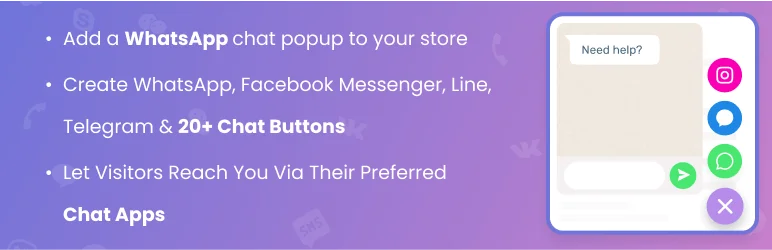
Contact Chat Icons, WhatsApp, Telegram Chat, Line Messenger, WeChat, Email, SMS, Call Button – Chaty is a versatile WordPress plugin that brings all your communication channels into one place.
This plugin enables website visitors to connect with you through their preferred channels such as WhatsApp chat, Facebook Messenger, and more. It provides a solution for businesses seeking to enhance their customer service and user experience by offering various communication options.
Features and Benefits
- Supports over 20 chat channels: This feature allows customers to choose their favorite communication channels, enhancing their user experience and increasing engagement.
- Better customer support: By offering multiple communication channels, you provide your customers with convenience and quick responses, improving your customer support.
- Click to Chat & Call Now Phone Button: This feature enables your visitors to instantly start a chat or phone call, increasing real-time engagement on your site.
- Customizable chat widget: You can tailor the chat widget to fit your brand and website aesthetic, providing a consistent user experience.
- Available days & hours (Pro feature): You can specify your availability, allowing customers to know when they can reach you.
- Chaty VS live chat: Giving customers the option to chat using their preferred chat app increases their likelihood to engage with your website.
- WhatsApp Business: You can chat with your customers via the popular WhatsApp Business platform, increasing your reach and customer satisfaction.
- Contact Form: Users can leave their details through the contact form, allowing you to collect customer information for future communications.
Pricing Structure
The plugin is free to use with the premium features starting from $49/ year.
WP Chat App

WP Chat App is an innovative WhatsApp Chat plugin for WordPress that seamlessly integrates a WhatsApp floating button, stationary button, widget, and web beacon into your website.
This plugin is designed to enhance your audience engagement, offer direct support, accept orders on WhatsApp, build trust, and increase customer loyalty. It solves the problem of disconnected communication by providing a platform for immediate, direct, and personalized interaction.
Features and Benefits
- WhatsApp Floating Widget: This feature allows you to show a WhatsApp chat widget on selected or all pages, enabling customization of the agent’s name, title, color, greetings, pre-filled message with dynamic shortcodes, availability, working hours, and avatar, which enhances your audience’s engagement by providing a personalized chat experience.
- WooCommerce WhatsApp Button: With this feature, you can add an ‘Order on WhatsApp’ button on your WooCommerce product pages, allowing you to choose a specific agent for products and display the button either before or after ‘Add to cart’, thus enabling seamless and convenient order processing.
- In-Post/Page WhatsApp Button with Shortcode: This feature provides unlimited display and lets you choose a specific agent to fit the page or post content, optimizing audience engagement by offering a direct line of communication within the content.
- Event Tracking: This feature enables Google Analytics, Google Tag Manager, and Google Analytics 4 event tracking, helping you monitor and understand your audience’s behavior, thus enabling you to make data-driven decisions.
- Multiple Agent Accounts: WP Chat App allows you to add multiple accounts into a WhatsApp box to display, offering a personalized experience to your customers by allowing them to communicate with specific members of your team.
- Compatibility with WordPress Cache Plugins: This chat plugin works smoothly with various WordPress caching systems and optimization plugins, ensuring efficient operation.
- Enhanced Customer Relationship: This plugin builds customer trust and loyalty by greeting customers by their name and letting them know whom they’re talking to.
- Easy to Use: The plugin supports color customization, agent profile customization, and is compatible with WPML for multilingual websites. It includes shortcodes for easy display and requires no coding, making it user-friendly.
Pricing Structure
The plugin is free to use with the premium features starting from $25/ year.
Cresta Help Chat
Cresta Help Chat is a dynamic and user-friendly WhatsApp chat plugin, designed to create a seamless communication channel between you and your website visitors. The plugin allows your users or customers to contact you directly on WhatsApp by simply clicking on a button.
The plugin is especially effective for businesses seeking to enhance their customer interaction and engagement on their website, fulfilling the need for real-time and direct contact with their audience.
Features and Benefits
- Add a button to open WhatsApp Chat at the bottom right of your site: This feature enhances your website’s accessibility by providing a direct line of communication for your visitors.
- Use the shortcode to add the WhatsApp button in your posts, pages, or custom post type: Allows for customization and flexibility of the plugin’s presence on your website.
- Choose which pages to show the WhatsApp Chat button: Cresta Help Chat gives you control over the pages where you want the chat button to appear, ensuring it aligns with your website’s design and purpose.
- Mobile version: The chat button automatically opens the WhatsApp App on mobile devices, providing convenience for mobile users.
- Change position of the box button (PRO): Allows for greater customization of the chat button’s location on your website.
- Change colors of the box button (PRO): You can align the chat button’s color with your website’s theme or branding.
- Add tooltip on the box button (PRO): Provide additional information to your visitors about the chat button.
- Change box size (PRO): Adjust the size of the chat box according to your website’s design.
- WhatsApp widget (PRO): Provides added functionality for your website.
- Different animations (PRO): Enhance user interaction with various animations.
Pricing Structure
The plugin is free to use with the premium features starting from 19.90€/ year.
Chat Widget: Bit Assist

Bit Assist is a versatile chat widget plugin that offers a convenient pathway for businesses to communicate with their customers. The plugin supports a wide range of social support and live chat platforms, making it an all-in-one solution for businesses to stay connected with their customers.
Despite not being a live chat plugin, Bit Assist bridges the gap between businesses and customers by providing an integrated platform for various social chat channels.
Features and Benefits
- Multi-Platform Support: Bit Assist supports over 30 chat buttons and icons, including Whatsapp, Facebook Messenger, Live Chat, Instagram, Telegram, WeChat, Viber, Slack, TikTok, Discord, Tawk Live Chat, Intercom Live Chat, and Tidio Live Chat, offering businesses the flexibility to connect with their customers via their preferred social chat platform.
- FAQ and Knowledge Base: The plugin includes an FAQ button and a Knowledge-Base button to help businesses answer common inquiries and provide useful information, enhancing customer service.
- Custom Form: Bit Assist features a custom form or contact form for customer support or chat support, allowing businesses to gather essential information for further communication.
- Floating Chat Button Assistant: This feature provides a convenient and accessible chat option for customers, improving the overall customer support experience.
- Analytic Feature: The plugin includes an analytic feature that enables businesses to analyze customer click counts and click rates on various chat buttons, helping to understand customer behavior and preferences to enhance customer support services.
Pricing Structure
The plugin is free to use with the premium features starting from $29/ year.
Form to Chat App
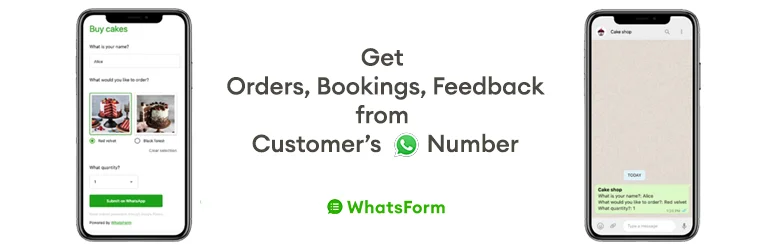
Form to Chat is a powerful WordPress plugin that bridges the gap between WhatsApp and your WordPress website. As an official WordPress plugin of WhatsForm, it is designed to facilitate seamless integration and communication between your website visitors and your WhatsApp line.
It addresses the need for a smooth and effective contact form that collects data and sends it directly to your WhatsApp number, allowing you to start a conversation with your customers almost instantly.
Features and Benefits
- Drag and drop builder: Form to Chat allows you to build a beautiful contact form using a user-friendly drag and drop builder, enabling customization without any coding knowledge.
- Floating widget: The plugin enables adding the contact form as a floating widget on your WordPress website, enhancing visibility and accessibility for visitors.
- Embed the form anywhere: You can embed the contact form anywhere on your WordPress page, offering flexibility in placement for maximum effectiveness.
- Single message information delivery: With Form to Chat, all information collected from the contact form is sent to your WhatsApp number in a single message, ensuring no information is missed.
- Kickstart conversations: This WhatsApp Chat plugin initiates conversations with your customers using the data collected, thereby improving customer service and interaction.
- Supports multiple languages: Form to Chat supports WhatsApp forms in English, Spanish, Portuguese, and Indonesian, catering to a diverse clientele.
- Agent routing: This feature facilitates the sharing of inquiry loads by routing conversations to different agents, improving response time and customer satisfaction.
Pricing Structure
The plugin is free to use with the premium features starting from $12/ month.
Click To Chat App
Click To Chat App is a powerful WordPress plugin that enables your customers to initiate a conversation with you directly from your website to your WhatsApp or WhatsApp Business number.
Whether you are looking to increase leads, boost sales, or simply offer an easy way for visitors to contact you, this plugin is the perfect solution. With a simple click, your customers can send you a pre-set message, which can be customized to suit your business needs.
Features and Benefits
- WhatsApp Button: This feature allows your visitors to send a message directly to your phone number, with options to customize the button layout, position, text, and include a pre-set message, enhancing customer service by making it easier for customers to reach out.
- WhatsApp Contact Box: Add a contact box with personalized information and a custom message on your site, providing customers with convenient access to your contact details, thereby facilitating easier communication.
- Customizable WhatsApp Button and Box Colors: Match the WhatsApp button and box with your website’s color scheme to maintain a consistent look and feel, enhancing the aesthetic integration of the feature.
- Integration with WooCommerce: Include a WhatsApp button directly on your WooCommerce product pages to allow customers to contact you with product-related queries, enhancing customer service and potentially increasing sales.
- Multiple WhatsApp Phone Numbers: Utilize multiple team member agents in the premium version of the plugin, catering to businesses with different support areas and allowing customers to directly reach the appropriate person.
- Business Hours: Display your business hours to inform customers of the best times to contact you, helping to manage expectations and minimize potential frustration.
Pricing Structure
The plugin is free to use with the premium features starting from $39/ year.
My Sticky Elements
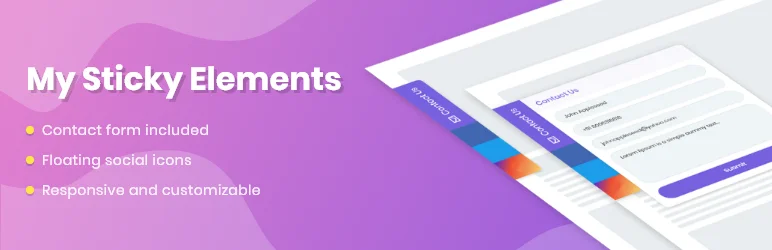
My Sticky Elements is a versatile WordPress plugin that serves as an all-in-one floating contact form, chat, and social icon tab. Its main goal is to streamline communication between your website visitors and your business by offering a wide array of contact options.
The plugin helps to solve the problem of missed connections and communication gaps by providing a fast, easy, and user-friendly way for visitors to reach out to you through WhatsApp chat, Facebook, YouTube, and many other popular channels.
Features and Benefits
- Capture More Leads: My Sticky Elements helps increase leads and messages through WhatsApp, Facebook Messenger, and other popular channels, enhancing customer engagement and reaching a wider audience.
- Get More Followers: This plugin encourages website visitors to follow your social media channels, thereby expanding your online presence and reach.
- Show Important Information: My Sticky Elements allows you to display crucial business information such as open hours and address, particularly benefiting local businesses that depend on foot traffic.
- Floating Contact Form: Includes a floating contact form that remains visible as users navigate your website, making it easy for them to contact you at any point.
- Variety of Contact Icons: Supports over 50 social icons, including Facebook, Twitter, Instagram, Pinterest, Whatsapp chat, and YouTube channel, enabling you to connect with your audience on their preferred platforms.
- Pro Plan Features: The Pro version offers unlimited tabs, direct email leads, page targeting, widget analytics, and integration with MailChimp and MailPoet, providing enhanced functionality and connectivity.
Pricing Structure
The plugin is free to use with the premium features starting from $49/ year.
OneClick Chat to Order

Simplify and accelerate your customer’s purchase process with OneClick Chat to Order. Formerly known as “OneClick WhatsApp Order”, this plugin is designed to facilitate smooth and quick ordering of your products directly through WhatsApp.
By integrating this plugin, you can connect your WooCommerce-powered online store with WhatsApp, enabling your customers to complete their orders via WhatsApp with a single click. This plugin is the perfect solution to streamline your sales procedure and enhance the customer buying experience.
Features and Benefits
- Three new selectable WhatsApp button positions on the single product page: Enhances the user interface and provides more flexibility in positioning the WhatsApp button.
- Hide WhatsApp and floating buttons on various pages: Allows customization of your site’s appearance based on specific posts, pages, product categories, and tags.
- Button color customization: Enables you to customize the color of your WhatsApp and floating buttons to match your website’s aesthetic.
- Multiple Numbers feature: Allows the addition of more than one WhatsApp number and assign them to specific pages on your entire store.
- Options to set button text and custom message for individual products: Personalize your approach to different products with custom messages and button texts.
- Option to include source page URL in the message when the floating button is clicked: Helps track the source of orders.
- GDPR-Ready: Ensures compliance with regulations to protect your customers’ data.
- Customizable Floating Button Position: Decide the positioning of your floating button.
- Shortcode Generator: Create your own shortcode and display the button anywhere on your site.
Pricing Structure
The plugin is free to use.
Why You Need Joinchat Alternatives
While Joinchat (formerly WAme) offers a handy way to connect website visitors with your WhatsApp account, there are limitations that might make you consider alternatives for your WordPress chat plugin. Here’s a breakdown of why you might explore other options:
Limited Functionality:
- WhatsApp Dependence: Joinchat relies solely on WhatsApp, restricting you to its features. Robust alternatives offer built-in chat functionalities, ticketing systems, and even co-browsing for a more comprehensive experience.
- One-on-One Communication: Joinchat caters to individual conversations. Alternatives can facilitate group chats, allowing you to manage discussions with multiple users simultaneously. Also read about WordPress Live Chat Plugins here.
Privacy and Security Concerns:
- Data Sharing: Some users express apprehension about sharing website visitor data through a third-party plugin like Joinchat. With some alternatives, communication stays within the WordPress environment, potentially offering a more secure feel.
- Limited Control: Since conversations happen on WhatsApp, Joinchat offers minimal control over chat history or data management. Alternatives might provide features for managing chat archives, canned responses, or agent collaboration.
Cost and Scalability:
- Limited Free Plan: Joinchat’s free plan has restrictions. For features like chat history or multi-agent support, you’ll need to upgrade. Alternatives might offer more generous free plans or tiered pricing structures that suit your business needs better.
- Scalability Concerns: As your website traffic grows, Joinchat might not scale as effectively. Alternatives may offer robust features for handling high volumes of chats and managing multiple agents.
Overall, choosing a Joinchat alternative depends on your specific needs. If you require a simple WhatsApp integration, Joinchat might suffice. But for a more feature-rich, secure, and scalable solution, exploring other WordPress chat plugins is recommended.
Final Word
Leveraging the power of WhatsApp can significantly transform your website’s functionality and customer engagement. By integrating these plugins, you can establish a seamless communication channel that allows customers to reach out via WhatsApp with a single click.
These plugins offer exciting possibilities like enhancing user experience, boosting engagement, and even growing your audience. They can help you establish authority in your niche and make your website more interactive and customer-friendly. So, why wait? Take your website to the next level by incorporating these dynamic features today!
FAQs About WhatsApp Chat WordPress Plugins
1. What is a WhatsApp Chat WordPress Plugin?
A WhatsApp Chat WordPress Plugin integrates WhatsApp messaging functionality into WordPress websites, allowing visitors to start conversations with the site’s support or sales team directly via WhatsApp.
2. Why should I use a WhatsApp Chat WordPress Plugin on my website?
Integrating a WhatsApp Chat WordPress Plugin enhances user engagement, boosts customer support, and can increase conversion rates by providing a direct and convenient communication channel.
3. How do I install a WhatsApp Chat WordPress Plugin?
Navigate to your WordPress dashboard, select ‘Plugins’, then ‘Add New’. Search for “WhatsApp Chat WordPress Plugin”, choose a suitable plugin, click ‘Install’, and finally ‘Activate’.
4. Are WhatsApp Chat WordPress Plugins mobile-friendly?
Yes, most of these plugins are designed to be responsive and mobile-friendly, ensuring accessibility and a seamless experience on all devices.
5. Can I customize the appearance of the WhatsApp button/chat window?
Most WhatsApp Chat WordPress Plugins allow you to customize the chat button and window to align with your website’s theme and branding.
6. Is it possible to automate responses with a WhatsApp Chat WordPress Plugin?
Some more advanced plugins offer automation features like automated responses or chatbots, which can improve response efficiency for common inquiries.
7. How does a WhatsApp Chat WordPress Plugin handle user privacy?
Typically, these plugins do not store personal messages on the website’s servers. It is important to choose plugins that comply with data protection regulations and to inform users about your data handling practices.
8. What are the best WhatsApp Chat WordPress Plugins available?
Popular choices include WP Social Chat, Click to Chat, and Chaty. Evaluate each based on features and compatibility with your specific needs.
9. Are there any costs associated with using WhatsApp Chat WordPress Plugins?
Many plugins offer free versions, but premium versions with additional features like expanded customization and better support may be available for a fee.
10. How do I ensure the WhatsApp Chat Plugin does not affect my website’s load time?
Opt for a plugin known for its optimization and performance. Testing your website’s speed before and after the plugin installation is recommended to ensure no significant impact on load times.


