For agencies developing data-extensive websites, clear data presentation is a must. Whether it’s showcasing pricing plans, product comparisons, or team directories, the ability to add tables in WordPress can make your website more organized, interactive, and user-friendly. But creating custom tables from scratch? That’s a time-draining task no agency wants.
This is where a WordPress table plugin becomes your secret weapon. With the best WordPress table plugin, you can design beautiful, responsive, and feature-rich tables in minutes — no coding required. Want sortable columns, filterable data, or interactive layouts? It’s all possible with the right tool.
Table of Contents
Best WordPress Table Plugins
Here are the best WordPress table plugins that enable seamless and sorted data representation on WordPress sites.
1. Tableberg

When it comes to creating dynamic, responsive tables on your website, TableBerg is a name that stands out. Designed as a simple yet powerful WordPress table plugin, it enhances the default table block with a host of advanced features. If you’ve ever used the basic WordPress table block, you’ll feel right at home — but with TableBerg, you get so much more.
From customizable headers and footers to unique content blocks like images, buttons, and lists, TableBerg gives you complete control to add tables in WordPress with style and functionality.
It’s an ideal solution for agencies that want to build sleek, responsive tables that look great on every device. No coding, no complex setup — just a clean, intuitive experience that saves you time and effort.
Key Features
- Optimized for all devices
- Content blocks like images, buttons, and lists
- Customizable headers and footers
- Color customization for headers, footers, rows, and columns
- Global font style control
- Border size adjustments for tables, rows, and columns
- Customizable table, row, and column dimensions
Pros and Cons of TableBerg
| ✅ Beginner-friendly | ❌ No data import/export option |
| ✅ Content blocks like buttons, images, and lists | ❌ Limited sorting and filtering options |
| ✅ Responsive design for mobile, tablet, and desktop | ❌ Not ideal for large datasets |
Pricing for TableBerg
- Free Plan – $0
- Pro Plan – $49/year
Our Verdict
With TableBerg, agencies can now add tables in WordPress that are functional, modern, and mobile-friendly. If you’re looking for a lightweight, user-friendly WordPress table plugin, TableBerg could be the perfect fit for your projects.
2. WooCommerce Product Table Plugin
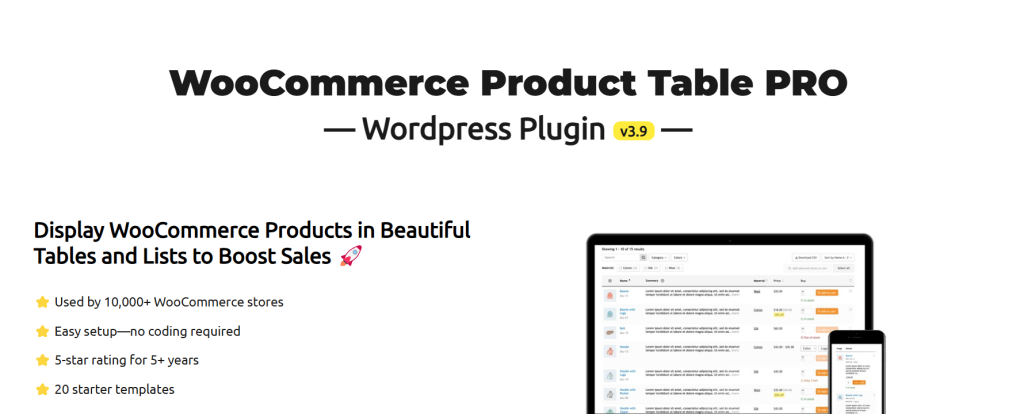
For agencies managing eCommerce websites, the WooCommerce Product Table plugin is a game-changer. This advanced tool is designed to create professional, fully customizable product tables that simplify shopping and supercharge user experience on the WooCommerce store.
Whether you need to showcase prices, categories, or attributes, this WordPress table plugin allows you to add tables in WordPress with elegance and precision.
With drag-and-drop simplicity, over 20 pre-made product tables, and compatibility with essential WooCommerce plugins, this is the best WordPress table plugin for managing product displays efficiently. Customers can filter, search, and compare products easily, making faster and smarter purchase decisions — a boon for agencies aiming to enhance sales conversions for clients.
Key Features
- Drag-and-drop table builder
- More than 20 pre-made templates
- Product filters, search box, and pagination
- Shortcode for table display anywhere
- WooCommerce variations in dropdowns or radio boxes
- Bulk product addition to the cart
Pros and Cons of WooCommerce Product Table Plugin
| ✅ Pros | ❌ Cons |
|---|---|
| ✅ Easy to create and customize tables | ❌ Free version offers limited features |
| ✅ Enhances user shopping experience | ❌ Not ideal for small-scale stores |
| ✅ Increases product visibility and conversions | ❌ Requires WooCommerce to function |
Pricing for WooCommerce Product Table Plugin
- Free Plan – $0
- Pro Plan – $59/year
Our Verdict
With the WooCommerce product table plugin, agencies can provide their clients with a seamless shopping experience, ensuring better product visibility and faster purchase decisions. If you’re looking for the best WordPress table plugin to transform eCommerce sites, this plugin is a must-have.
3. Ninja Tables

For agencies looking to streamline website management and present information in a visually appealing way, Ninja Tables is the perfect solution. This powerful WordPress table plugin allows you to create dynamic, fully customizable tables like pricing tables, comparison tables, employee lists, and more — all without writing a single line of code.
With its intuitive drag-and-drop builder, pre-made templates, and advanced customization options, Ninja Tables empowers agencies to add tables in WordPress that are sleek, responsive, and mobile-friendly. The Pro version takes it a step further, offering Google Sheets integration, WooCommerce product tables, and conditional formatting for even more control.
If you’re searching for the best WordPress table plugin for your agency’s clients, Ninja Tables is an all-in-one option that combines simplicity with advanced features.
Key Features
- Drag-and-drop table builder
- Pre-made templates for faster creation
- Customizable design and color options
- Stackable table design for mobile-friendliness
- Google Sheets and WooCommerce integration (Pro)
- Import/export data with ease
Pros and Cons of Ninja Tables
| ✅ Pros | ❌ Cons |
|---|---|
| ✅ User-friendly drag-and-drop | ❌ Free version has limited advanced features |
| ✅ Google Sheets & WooCommerce integration | ❌ Some advanced features only in the Pro version |
| ✅ Mobile-friendly and fully responsive tables | ❌ Lacks built-in analytics for table views |
Pricing for Ninja Tables
- Single Site – $47
- Agency –$77
- Unlimited –$179
Our Verdict
With Ninja Tables, agencies can add tables in WordPress that stand out in terms of both design and functionality. From WooCommerce product tables to dynamic comparison charts, this WordPress table plugin is ideal for creating engaging, mobile-friendly layouts that drive better user experiences.
4. WP Table Builder
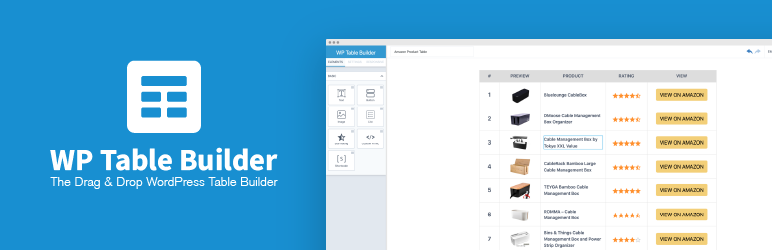
For agencies seeking a simple yet powerful solution to create stunning, fully customizable tables, WP Table Builder is a must-have tool. This intuitive WordPress table plugin allows users to create comparison tables, pricing tables, product lists, and more.
With its versatile customization options and pre-built elements like text, images, buttons, and star ratings, WP Table Builder makes it easy to add tables in WordPress that are visually appealing and mobile-responsive. The Pro version unlocks even more features, enabling agencies to offer their clients interactive and professional-grade table displays.
If you’re looking for the best WordPress table plugin that prioritizes simplicity and efficiency, WP Table Builder is an excellent choice for agencies working with diverse client needs.
Key Features
- Drag-and-drop editor for effortless table creation
- 7 customizable elements like text, image, button, and star rating
- Add, split, and merge cells for full table control
- Import/export support for CSV, XML, and TablePress files
- Embed tables anywhere using shortcodes
Pros and Cons of WP Table Builder
| ✅ Pros | ❌ Cons |
|---|---|
| ✅ Simple drag-and-drop interface | ❌ Advanced features are Pro-only |
| ✅ Import/export CSV, XML, and TablePress support | ❌ Limited customization in the free version |
| ✅ Fully responsive and mobile-friendly tables | ❌ No WooCommerce product table support |
Pricing for WP Table Builder
- Unlimited – $147
- Professional – $97
- Starter – $57
Our Verdict
With WP Table Builder, agencies can add tables in WordPress that are visually striking, user-friendly, and responsive. Its drag-and-drop simplicity makes it ideal for creating dynamic comparison tables, pricing lists, and product showcases. For agencies seeking an efficient WordPress table plugin, WP Table Builder is a smart, cost-effective choice.
5. TablePress

For agencies handling diverse data presentations, TablePress is the ultimate WordPress table plugin. Trusted by thousands, this plugin simplifies the creation, management, and display of data-driven tables in WordPress. Whether showcasing pricing plans, product comparisons, or client data, TablePress combines ease of use with powerful features to help agencies add tables in WordPress effortlessly.
The free version of TablePress is packed with robust capabilities, while the premium plans unlock advanced features and priority support. Its seamless integration with WordPress Dashboard ensures even non-coders can build interactive, professional-grade tables that are fully responsive.
If you’re looking for the best WordPress table plugin for creating dynamic, data-rich tables, TablePress is a dependable solution for agencies aiming to deliver high-quality results.
Key Features
- Create and manage data tables of any size
- Interactive features like live sorting, pagination, and search
- Support for images, links, and formulas within tables
- Import/export tables via Excel, CSV, HTML, or JSON files
- Embed tables easily with blocks or shortcodes
Pros and Cons of TablePress
| ✅ Pros | ❌ Cons |
|---|---|
| ✅ Intuitive interface for non-coders | ❌ Advanced features require Premium |
| ✅ Supports large datasets | ❌ Limited design customization |
| ✅ Free version includes core features | ❌ No drag-and-drop functionality |
Pricing for TablePress
- Pro – $89
- Max – $189
Our Verdict
With its balance of functionality and simplicity, TablePress stands out as an exceptional WordPress table plugin for agencies. Whether you’re managing client portfolios or creating comparison charts, it enables you to add tables in WordPress that are interactive, responsive, and highly professional.
6. wpDataTables

When your agency needs to handle large datasets and dynamic tables, wpDataTables is a powerful WordPress table plugin that makes the process seamless. Whether you’re dealing with Excel sheets, CSV files, JSON data, or PHP arrays, wpDataTables offers robust features that automate data display.
With its ability to generate dynamic, responsive tables and charts, wpDataTables provides agencies with a comprehensive solution to add tables in WordPress that are not only efficient but visually appealing.
From resizing columns to creating charts from your data, this plugin is packed with advanced features that enable your agency to handle and present data with ease, ensuring a smooth experience for your clients. The free version offers core functionalities, while the premium version unlocks even more powerful tools to elevate your table management.
If you’re searching for the best WordPress table plugin to organize and display complex data efficiently, wpDataTables is an excellent choice for agencies looking for a feature-rich, no-hassle solution.
Key Features
- Add and remove columns and rows easily
- Resize and reorder columns and rows
- Support for Excel, CSV, XML, JSON, and PHP data sources
- Custom cell formatting and HTML editor
- Create responsive charts
- Auto-update table cache from source files
Pros and Cons of wpDataTables
| ✅ Pros | ❌ Cons |
|---|---|
| ✅ Supports a wide range of data sources | ❌ Premium version required for advanced features |
| ✅ Allows for dynamic tables and charts | ❌ Can be complex for beginners |
| ✅ Cache data and auto-update features | ❌ Limited table styling options in the free version |
Pricing for wpDataTables
- Basic Plan – $49
- Premium Plan – $77
Our Verdict
wpDataTables is the go-to plugin for agencies that need to present large datasets in a clean and organized manner. Whether creating complex tables or responsive charts, this WordPress table plugin simplifies data management, making it easier for you to add tables in WordPress and keep your clients happy.
7. Data Tables Generator by Supsystic
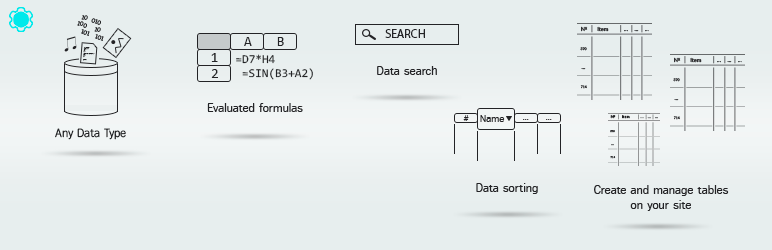
For agencies looking to display SEO-friendly, responsive tables with advanced features, Data Tables Generator by Supsystic is the perfect WordPress table plugin. With its user-friendly interface and powerful capabilities like sorting, filtering, and pagination, this plugin makes it easy to add tables in WordPress that not only look great but are also highly functional.
The Pro version unlocks even more exciting features, including frontend table editing and table export/import from various sources like CSV, Excel, and Google Sheets. If you need the best WordPress table plugin to create data tables that engage your audience, Data Tables Generator by Supsystic offers everything you need.
Key Features
- Supports responsive tables and large datasets
- Allows charts, graphs, and diagrams
- Sorting, searching, pagination, and filtering options
- Frontend table editing capabilities
- Import/export from CSV, Excel, PDF, and Google Sheets
- Integration with WooCommerce Product Table
Pros and Cons of Data Tables Generator by Supsystic
| ✅ Pros | ❌ Cons |
|---|---|
| ✅ Supports large tables and multiple data formats | ❌ Frontend editing only in Pro version |
| ✅ Easy to use and set up | ❌ Limited customization options in the free version |
| ✅ Integrates with WooCommerce Product Table | ❌ No built-in chart editor in the free version |
Pricing for Data Tables Generator by Supsystic
- Free Plan – $0
- Enterprise: $299 (6+ Sites)
- Developer: $149 (Five Sites)
- Personal: $89 (Single Site)
Our Verdict
Data Tables Generator by Supsystic is an excellent choice for agencies that need a powerful WordPress table plugin for creating and managing responsive, SEO-friendly tables. With its comprehensive features and easy integration with various tools, this plugin will streamline your table management and enhance your website’s functionality.
8. Visualizer

For agencies seeking to enhance their WordPress websites with interactive, visually appealing data tables and charts, Visualizer is the best WordPress table plugin to elevate your data presentation.
With an easy-to-use interface, this powerful plugin allows you to add tables in WordPress that are responsive and adaptable to all devices, helping to engage your audience and improve your site’s performance & usability.
With features like real-time data connectivity, chart customization, and export options, Visualizer is ideal for any agency looking to impress clients with dynamic data presentations.
Key Features
- Responsive design for all devices
- Multiple chart types (bars, lines, pies, etc.)
- Easy import from Excel, CSV, and more
- Interactivity with tooltips, animations, and clickable elements
- Customizable colors, fonts, and styles
- Real-time data connection
- Sorting and filtering options for user interaction
- Export options for PDF, CSV, and Excel
- Shortcodes to embed anywhere on your site
Pros and Cons of Visualizer
| ✅ Pros | ❌ Cons |
|---|---|
| ✅ Multiple chart types and formats | ❌ Some advanced features are limited in the free version |
| ✅ Easy to import data from Excel and CSV | ❌ Customization is more flexible in the Pro version |
| ✅ Responsive and mobile-friendly tables | ❌ Real-time data requires a Pro version |
Pricing for Visualizer
- Personal: $199.99/year
- Plus: $399.99/year
- Infinite: $799.99/year
Our Verdict
Visualizer is the ideal plugin for agencies looking to present data in a more engaging way. Whether you’re showcasing product features, business statistics, or customer insights, this WordPress table plugin is a must-have tool for any WordPress website that deals with data visualization.
9. Tablesome
Tablesome is a powerful WordPress table plugin designed to create responsive tables quickly and easily. Whether you’re running a blog, managing a business website, or handling large datasets, Tablesome has got you covered.
This plugin seamlessly integrates with popular tools like Contact Form 7, WPForms, Elementor Forms, MailChimp, and more, making it an all-in-one solution for displaying data and managing form submissions.
With Tablesome, you can add tables in WordPress in no time, featuring advanced functionalities such as table search, pagination, data imports, and customizable designs. It’s the best WordPress table plugin for agencies that need a reliable, user-friendly tool for their clients.
Key Features
- Responsive design for mobile and tablet compatibility
- Rich-text editor for cell-level formatting
- Table search, filtering, and pagination options
- Easy-to-use shortcode for embedding tables
- Sorting and stackable table mode for mobile views
- Fully customizable table colors, fonts, and styles
Pros and Cons of Tablesome
| ✅ Pros | ❌ Cons |
|---|---|
| ✅ Easy integration with forms and data | ❌ Some advanced features are limited to the Pro version |
| ✅ Fully responsive tables for all devices | ❌ Free version has fewer customization options |
| ✅ Import/export from Excel and Google Sheets | ❌ Advanced sorting and filtering are more limited in the free version |
Pricing for Tablesome
- Free Plan – $0
- Pro Plan – $49
Our Verdict
Tablesome is a must-have WordPress table plugin for any agency looking to manage and display data effectively. With its responsive design, ease of use, and comprehensive integrations, Tablesome transforms your WordPress website into a dynamic platform for data presentation and management.
10. Table Addons For Elementor
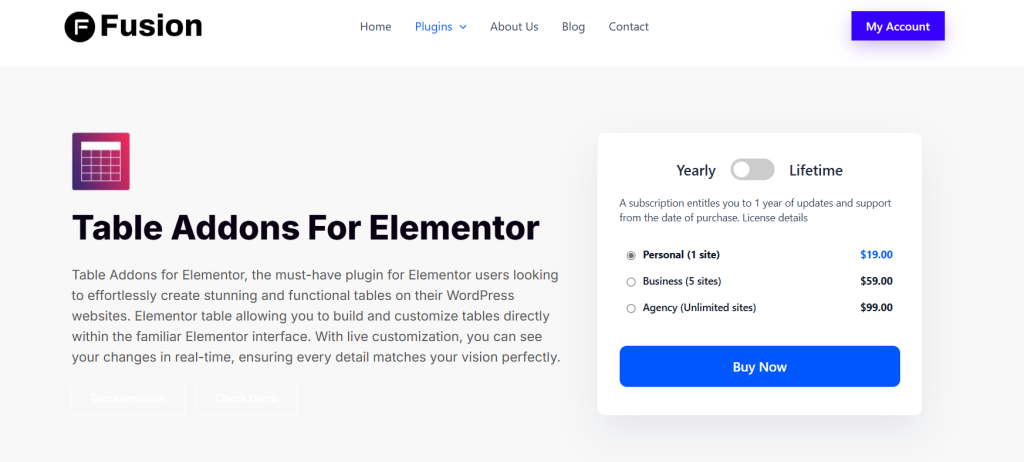
Table Addons For Elementor is the essential table plugin for Elementor users who want to create beautiful, functional tables directly within the Elementor interface. With this plugin, you can easily add and customize tables for comparison charts, pricing tables, schedules, and more, all without any coding knowledge.
The real-time customization allows you to adjust table styles, typography, and content effortlessly, ensuring that your tables blend seamlessly with your website’s design.
Key Features
- Make changes in real-time as you build your table
- Organize your data with flexible cell management
- Customize fonts, colors, borders, and backgrounds
- Apply distinct styles to the table header and body
- Enhance readability with customizable row styles
- Position text and background exactly as you wish
Pros and Cons of Table Addons For Elementor
| ✅ Pros | ❌ Cons |
|---|---|
| ✅ Fully integrated with Elementor | ❌ Advanced features are only available in the Pro version |
| ✅ Real-time live customization | ❌ Free version has limited customization options |
| ✅ Easy to create and manage tables without coding | ❌ Pro version may be necessary for complex table needs |
Pricing for Table Addons For Elementor
- Personal Plan (1 site) – $19/year
- Business Plan (5 sites) – $59/year
- Agency Plan (Unlimited sites) – $99/year
Our Verdict
Table Addons For Elementor provides a simple yet powerful solution for Elementor users who need to build professional and responsive tables quickly and easily. Whether you’re displaying comparison charts, pricing tables, or schedules, this plugin helps you customize your tables to perfectly match your website’s look and feel, making your content more organized and visually appealing.
11. Superb Tables

Superb Tables is a lightweight, SEO-optimized table plugin designed for WordPress users. It allows for the easy creation of responsive tables with beautiful designs, shortcodes for easy embedding, and schema markup to improve SEO performance.
This WordPress table plugin offers both free and premium versions with various customization options. With a focus on providing a user-friendly experience, Superb Tables allows users to create tables without any coding knowledge.
Key Features:
- Automatically adapts to different screen sizes, making tables look great on all devices, including mobile and tablets.
- Includes schema markup to help tables rank better in search engines.
- Use shortcodes to embed tables anywhere on your site (posts, pages, or custom post types).
- Includes customization for table fonts, sizes, and colors to align with your website’s branding.
- Enable or disable schema markup for better SEO performance.
- Allows users to quickly find data within a table.
- Display tables in full-width mode to enhance visibility.
- Replicate tables easily without starting from scratch.
- Fully responsive tables that work seamlessly on mobile and tablet devices.
Pros and Cons of Superb Tables:
| Pros | Cons |
|---|---|
| ✅ Automatically adapts to all devices | ❌ Advanced features are restricted to the premium version. |
| ✅ Choose from light, dark, and purple color schemes | ❌ The free version only offers basic search options, limiting the usability of large tables. |
| ✅ Quickly replicate tables to save time when you need to reuse the same structure. | ❌ Lacks advanced export features like CSV or Excel, which could be a downside for data-heavy users. |
Pricing for Superb Tables
- Annual Subscription: $59
- Lifetime Subscription: $129
Our Verdict
Superb Tables is a powerful and user-friendly plugin that enables WordPress users to create responsive, SEO-optimized tables with ease. With its easy-to-use shortcodes and design options, it’s an excellent tool for both beginners and experienced users.
12. Make Tables Responsive

The Make Tables Responsive plugin automatically makes HTML tables in WordPress posts, pages, and widgets mobile-friendly. On smaller screens, the tables are displayed in a two-column layout for better readability. The plugin is simple to install and configure, offering a seamless solution for making tables responsive without altering the original content.
Key Features:
- Automatically adjust tables for smaller screen sizes (like mobile devices), presenting them in a two-column format.
- You can customize the colors of the background and borders for even and odd rows.
- Works with content in posts, pages, excerpts, category descriptions, and HTML/text widgets.
- Option to disable responsiveness for specific tables using HTML class or ID.
- No need for advanced coding; everything works automatically after installation.
Pros and Cons of Make Tables Responsive
| Pros | Cons |
|---|---|
| ✅ Once installed, the plugin automatically makes all tables responsive without the need for further configuration. | ❌ The plugin requires the first row of the table to contain column names for proper responsiveness. |
| ✅ Does not modify the actual content in the database, keeping the original post/page intact. | ❌ Tables with merged cells are skipped, limiting the plugin’s compatibility with complex tables. |
| ✅ The plugin does not rely on JavaScript or jQuery for functionality, which reduces front-end performance issues. | ❌ In multi-row tables, if only some columns use “th” tags, the plugin may skip the table or not display it correctly. |
Pricing for Make Tables Responsive
The plugin is available for free and provides all the basic functionalities needed for making tables responsive without additional costs.
Our Verdict
Make Tables Responsive is an excellent plugin for WordPress users who need to make tables mobile-friendly without the need for advanced configurations. It is lightweight and automatic, making it ideal for users who want to improve the readability of their tables on smaller screens.
13. FlexTable

The FlexTable allows users to sync data from Google Sheets directly to WordPress tables, making data management easier. With features like responsive tables, unlimited row sync, and seamless integration with Elementor and Gutenberg, this plugin simplifies the process of creating and managing dynamic, data-driven tables on your website.
Key Features:
- Updates your WordPress tables automatically every time changes are made in the linked Google Sheet.
- Tables are mobile-friendly and responsive across all devices.
- Handle multiple sheets and display them as separate tables on your website.
- Select from various attractive pre-built styles to save time while customizing your tables.
- Customize the appearance of your tables, including color, layout, and more.
- Add your own custom CSS for full control over your table design.
- Display images and videos from Google Sheets directly in your WordPress tables.
Pros and Cons of FlexTable
| Pros | Cons |
|---|---|
| ✅ Once linked, the Google Sheets data syncs automatically with your WordPress table, saving time and effort. | ❌ Some advanced features, like Elementor widget support and unlimited row sync, are only available in the premium version. |
| ✅ Works with both Elementor and Gutenberg, making it easy to integrate with your existing page builder setup. | ❌ Advanced features like vertical scrolling and custom CSS are only available in the premium version. |
| ✅ You can modify table styles, headers, and data presentation to match your website’s theme. | ❌ Large datasets might face syncing delays or potential mismatches depending on the sheet updates. |
Pricing for FlexTable
- Yearly: 1 Site: $49.00 / year; 5 Sites: $57.65 / year
- Lifetime: 1 Site: $219.00; 5 Sites: $398.18 (Save 45%)
Our Verdict
The FlexTable is a powerful tool for seamlessly integrating Google Sheets data into your WordPress site. Its automatic syncing, responsive design, and page builder support make it an excellent choice for those who need to display dynamic, frequently updated tables without the hassle of manual updates.
Final Word
Whether you’re a business owner striving to showcase your products, a blogger sharing insights, or a data enthusiast eager to present research findings, the right WordPress table plugin can be your secret weapon. With the power of these plugins at your fingertips, you can transform mundane data into visually stunning and informative presentations.
It’s time to take your data presentation to the next level. Explore the world of WordPress table plugins and unlock the potential to engage, inform, and impress your audience like never before. Elevate your website today!
FAQs
What is a WordPress FAQ plugin?
A WordPress FAQ plugin allows website owners to easily create, manage, and display frequently asked questions (FAQs) on their site. It provides features to enhance the FAQ section with customizable layouts, search functionality, categories, and more, helping visitors find answers quickly.
Why should I use an FAQ plugin on my WordPress site?
Using an FAQ plugin helps organize your site’s content by providing answers to common questions in an accessible and easy-to-navigate format. It can improve the user experience, reduce the number of support inquiries, and help with SEO by adding relevant content.
What are the top features to look for in a WordPress FAQ plugin?
- Search Functionality: Allows visitors to easily find specific questions.
- Customizable Layouts: Lets you adjust the look and feel of your FAQ section to match your site’s design.
- Accordion and Toggle Views: Provides expandable or collapsible sections for better readability.
- Category Support: Organizes FAQs into different categories for easier navigation.
- SEO Optimization: Ensures that your FAQ content is indexed by search engines.
- Analytics: Tracks which FAQs are viewed the most to help improve your content.
Are FAQ plugins free?
Many WordPress FAQ plugins offer free versions with basic features. However, for advanced customization options, SEO settings, analytics, or additional styling, a premium version may be required.
Can I add an FAQ section to any page or post?
Yes, most WordPress FAQ plugins allow you to insert the FAQ section anywhere on your site, whether it’s a page, post, sidebar, or footer, using shortcodes or widgets.
Is an FAQ plugin SEO-friendly?
Yes, many FAQ plugins are designed to be SEO-friendly by ensuring that questions and answers are properly indexed by search engines. Some plugins even have schema markup, which helps search engines understand your content better and improve your site’s visibility in search results.
Do FAQ plugins integrate with page builders like Elementor?
Yes, many popular FAQ plugins are compatible with page builders like Elementor, allowing you to create and design your FAQ section with ease using drag-and-drop functionality.
What’s the difference between a simple FAQ plugin and a knowledge base plugin?
A simple FAQ plugin focuses on displaying a list of common questions and answers, while a knowledge base plugin provides more extensive support content, including detailed articles, guides, and resources. Knowledge base plugins often come with more advanced features like support ticket systems.
Can I add images and videos to my FAQ answers?
Yes, many FAQ plugins allow you to enhance your answers by adding multimedia content such as images, videos, or links to external resources for a more engaging user experience.
How can an FAQ plugin improve my website’s user experience?
An FAQ plugin improves user experience by providing quick answers to common questions, reducing frustration, and saving time. It also improves website navigation by organizing information in a clear and accessible way, which can encourage visitors to stay longer on your sit


