Imagine a restaurant website – the moment you land on the homepage, a steaming hot pizza spins into view, instantly grabbing your attention. As you scroll down, the menu items slide in from the sides, enticing you to explore further.
This is the power of CSS animation plugins WordPress, transforming a static website into an interactive user journey. For businesses, it’s a way to boost customer engagement, stand out from competitors, and ultimately, drive conversions.
Table of Contents
Best CSS Animation Plugins
Here are the best CSS animation plugins WordPress that WordPress agencies and developers can use to enhance their client’s website’s visual appeal and build a positive brand image.
Blocks Animation

Total Active Installations- 1000+
WordPress Version Supported- 5.0 or higher
Best Use Cases- Adding animations to blog posts, product descriptions, or any other site content.
Ideal For- Bloggers, E-commerce sites, Business websites, Designers
Why to Use- To make the website visually appealing, Increase user engagement, Enhance user experience
Pricing- Free
Blocks Animation by Themeisle is a powerful CSS animation plugin for Gutenberg Blocks and is a powerful tool that brings your WordPress website to life with stunning animations. This CSS animation plugin seamlessly integrates with Gutenberg blocks, enabling you to add a splash of movement to any element of your site.
It’s particularly useful for engaging visitors, enhancing user experience, and making your website stand out from the crowd.
The intuitive, native-feeling user interface makes it easy even for beginners to create visually appealing animations.
Key Features of This CSS Animation Plugin
1. Easy integration with Gutenberg blocks.
2. Wide range of animation options.
3. User-friendly interface.
4. Animation settings in Block Settings Sidebar.
5. Compatible with all WordPress themes.
6. Lightweight and fast-loading for optimal website performance.
7. Free to use.
Animator
Total Active Installations- 3000+
WordPress Version Supported- 4.0 or higher
Best Use Cases- Website Animations, Visual Enhancements, User Experience Improvement
Ideal For- Web Developers, Content Editors, WordPress Users with Minimum coding knowledge
Why to Use- Easy Implementation of CSS Animations, Custom Animation Builder, Global Control of Animations
Pricing- Personal- $19.00, Developer-$39.99
Animator – Scroll Triggered Animations is a potent tool that effortlessly breathes life into your WordPress site with captivating animations. It gives your website a dynamic and interactive appeal, enhancing user experience and engagement.
The best part? You don’t need to be well-versed in web coding to use this CSS animation plugin. It’s designed to be user-friendly, making it ideal for both web gurus and novices alike. With just a few clicks, you can animate your website and give it a professional touch.
This CSS animation plugin enables you to globally control your animations, offering over 25 preset animations right out of the box. Plus, it’s not confined to any framework, giving you the flexibility to use it with any theme.
Whether you choose to use preset animations or create your own through the Custom Animation Builder, Animator – Scroll Triggered Animations ensures your website stands out.
Key Features of This CSS Animation Plugin
1. User-friendly interface for easy use
2. Global control over animations
3. Over 25 preset animations available
4. Custom Animation Builder for personalized animations
5. Compatible with any theme
6. No framework restrictions
7. Suitable for users with minimal knowledge of web coding.
Microthemer Lite
Total Active Installations- 20,000+
WordPress Version Supported- 6.0 or higher
Best Use Cases- Website Design, Visual Editing, CSS Customization
Ideal For- Developers, Professionals, Beginners
Why to Use- Easy Styling, Code Editor, Extensive Features
Pricing- Single Site Lifetime: $125, Standard Lifetime: $249, Developer Lifetime: $499, Developer Monthly: $19.99
Microthemer Lite is a dynamic visual editor designed to redefine your website’s CSS styling. With its blend of simplicity and power, you can easily customize every aspect of your site, from Google fonts to responsive layouts.
This CSS animation plugin is perfect for both coders and non-coders and is compatible with popular page builders like Elementor, Beaver Builder, and Oxygen. It’s like having a personal tailor for your website, offering a lightweight solution that doesn’t compromise on features.
Key Features of This CSS Animation Plugin
1. The ability to style anything on your website.
2. Compatibility with any theme or plugin.
3. Point & click visual styling for a user-friendly experience.
4. Code editor (CSS, Sass, JS) for advanced customization.
5. Synchronizing code editor with the user interface.
6. Customizable breakpoints for responsive design.
7. HTML and CSS inspection for detailed analysis.
WP Smart Preloader

Total Active Installations- 8,000+
WordPress Version Supported- 3.0.1 or higher
Best Use Cases- Improve loading experience, Enhance website aesthetics, Boost user engagement
Ideal For- E-commerce websites, Blogs, Corporate websites
Why to Use- Enhance user experience, Reduce bounce rate, Improve site loading speed
Pricing- Free
WP Smart Preloader is a nifty CSS animation plugin that adds a delightful twist to your website loading experience. It uses CSS spinners and throbbers to provide visual feedback while content is being loaded. This not only enhances the visual appeal of your site but also keeps users engaged, reducing the likelihood of them leaving your site due to slow load times.
This fully responsive and cross-browser-compatible CSS animation plugin needs no coding knowledge. With WP Smart Preloader, your website loading becomes a visual treat that hooks your users right from the start!
Key Features of This CSS Animation Plugin
1. Fully Responsive and Cross Browser compatible
2. CSS only Preloader – No Gif or Image required
3. Full Customization options
4. Boosts Site Loading Speed
5. Converts Icon to Circle
6. No Coding Knowledge Required
7. Easy to Activate and Configure.
Visual CSS Style Editor
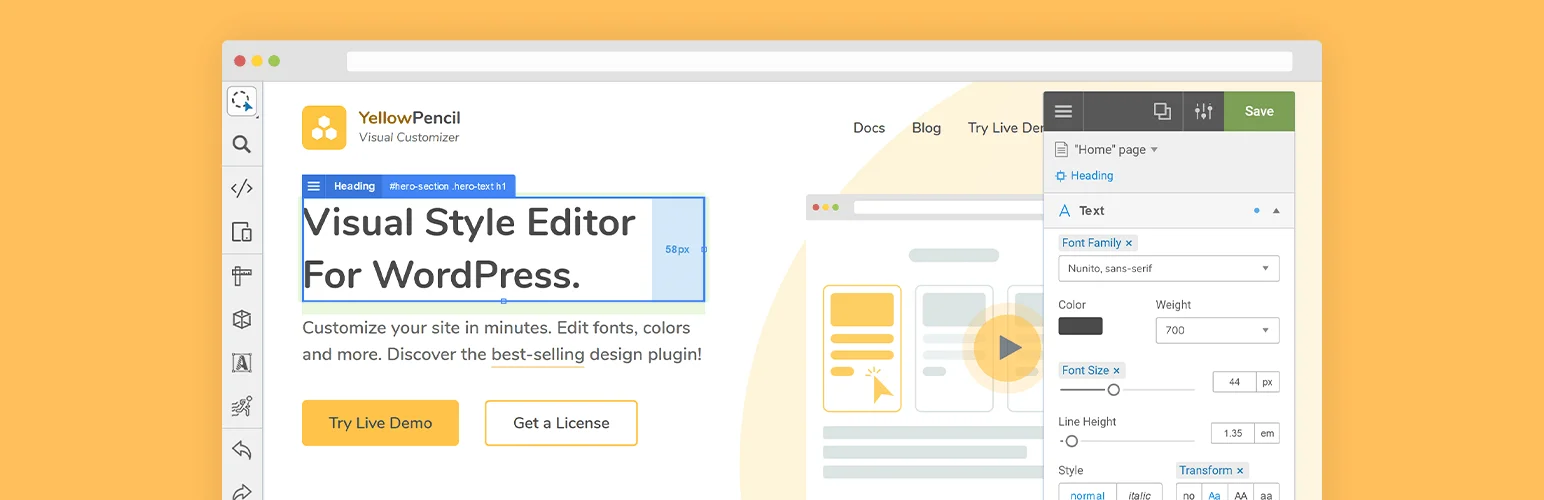
Total Active Installations- 60,000+
WordPress Version Supported- 4.7 or higher
Best Use Cases- Website Design, Theme Customization, Page Editing
Ideal For- Web Designers, Developers, Bloggers
Why to Use- Easy Visual Editing, No Coding Required, Compatible with any Theme or Plugin
Pricing- $32
Visual CSS Style Editor is a game-changer for any WordPress site. With this CSS animation plugin, you can customize any page and theme without the need for coding. It allows you to click on an element and start visual editing, adjusting colors, fonts, sizes, positions, and more.
It gives you full control over your website’s design with more than 60 style properties. You can experiment with design changes in real time with the live preview feature. It’s like having a professional web developer at your fingertips.
Key Features of This CSS Animation Plugin
1. Customize any page, any element
2. 60+ CSS properties
3. Visual Drag & Drop
4. Visual Margin & Padding editing
5. Live CSS editor
6. Live preview
7. Undo / Redo history
Final Word
Start exploring the world of CSS animation plugins for WordPress today. By incorporating these tools into your website, you can enhance user experience, increase engagement, and give your site a professional and visually appealing edge.
From easy integration to global control over animations, these CSS animation plugins are designed to make your website stand out in the digital crowd. So why wait? Give your WordPress site the visual boost it needs and watch your traffic grow!
FAQs
What is a CSS animation plugin?
A CSS animation plugin is a tool that allows you to easily create and implement animations on your website using CSS. These plugins offer pre-built animation effects or provide an interface to create custom animations without needing to write complex CSS code manually.
Why should I use a CSS animation plugin?
CSS animation plugins simplify the process of adding animations to your website, saving time and effort. They offer a range of customizable effects that can enhance user engagement, improve UI interactions, and make your website more visually appealing. Plus, they reduce the need for extensive coding knowledge.
Do CSS animation plugins slow down my website?
Most CSS animation plugins are optimized for performance and won’t significantly slow down your website. However, it’s essential to choose a lightweight plugin and avoid overloading your site with too many complex animations, which can affect page load times.
Are CSS animations compatible with all browsers?
CSS animations are widely supported across modern browsers, including Chrome, Firefox, Safari, and Edge. However, some older browsers may not fully support all CSS animation features. It’s always a good idea to check compatibility or provide fallback solutions for older browsers.
Can I use CSS animations for mobile devices?
Yes! CSS animations work on mobile devices and can enhance the user experience on smartphones and tablets. Most CSS animation plugins are designed to be responsive and ensure that animations run smoothly on mobile screens.
How do I add a CSS animation to my website?
To add a CSS animation, you can either use a plugin to generate the code or write custom CSS. Many plugins offer a simple user interface where you can select an animation effect, customize its parameters, and generate the necessary CSS code. Then, you can apply it to specific elements on your website.
Are CSS animation plugins free?
There are both free and premium CSS animation plugins available. Free plugins typically offer basic features, while premium options may provide more advanced effects, additional customization, and better support. The choice depends on your needs and budget.
Can I customize the animations using a CSS animation plugin?
Yes, most CSS animation plugins allow for extensive customization. You can adjust parameters like timing, duration, delay, and easing functions to fine-tune the animations and match the look and feel of your website.
How do I troubleshoot animation issues with a CSS plugin?
If your animations aren’t working as expected, check for compatibility issues with your website’s theme or other plugins.
Make sure that JavaScript and CSS files are properly loaded, and ensure that the animations are applied to the correct elements. If you continue facing issues, refer to the plugin’s documentation or support forum for troubleshooting tips.


