
Life Time Extra Credits Offer Extended

Validity: Dec 05 - Dec 12, 2025

Visual Editor Custom Buttons

Visual Editor Custom Buttons

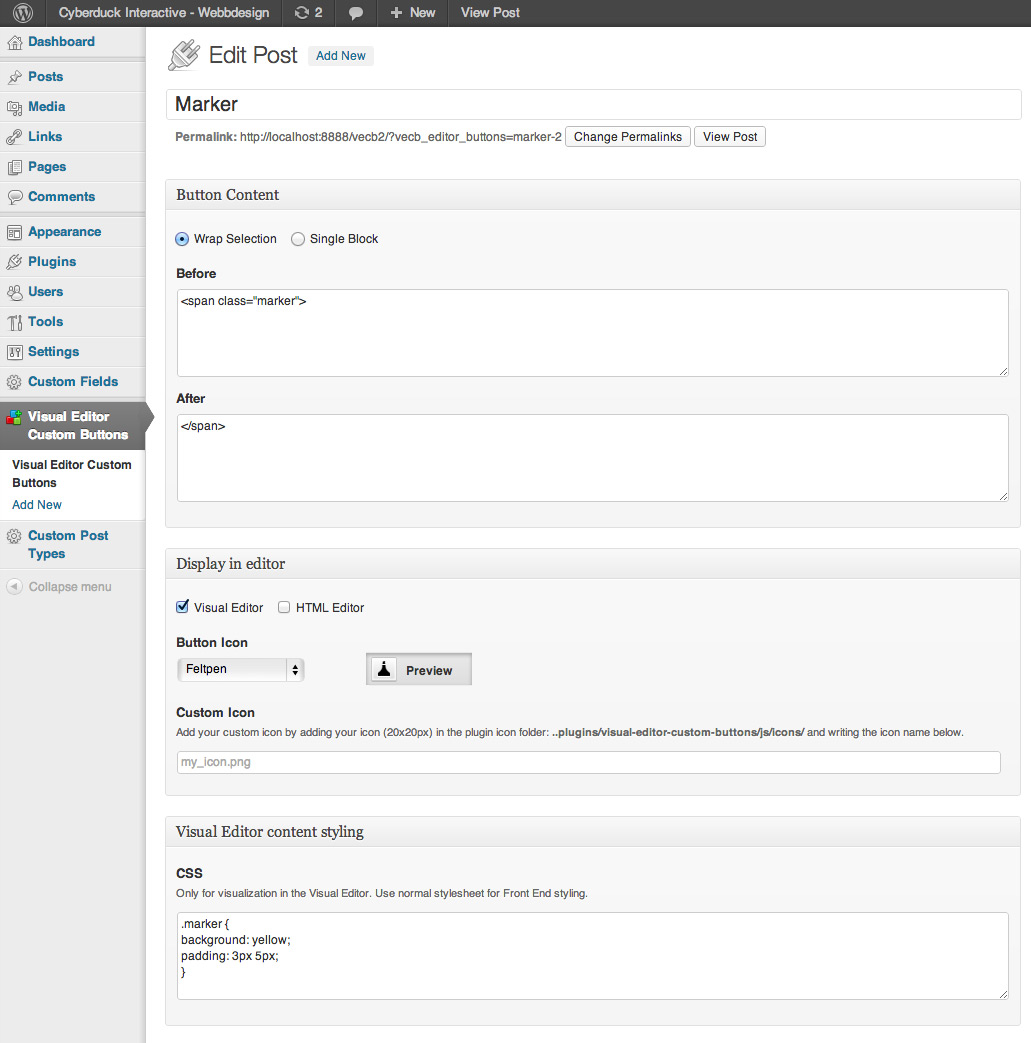
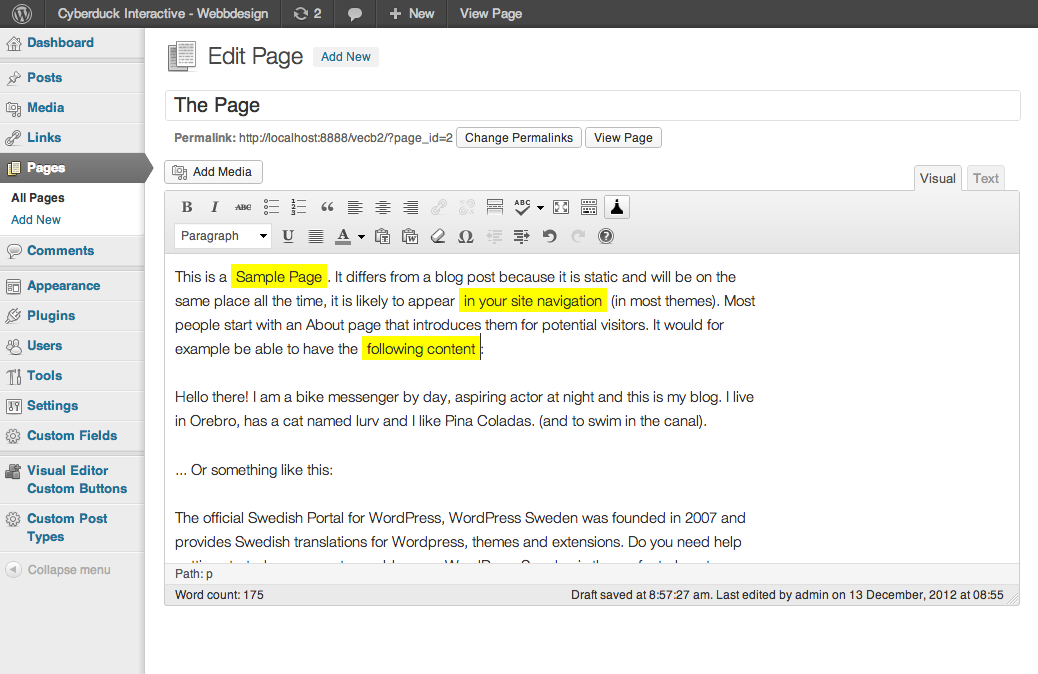
Visual Editor Custom Buttons lets you add custom buttons to the Wordpress Visual Editor.
Rating:
4.6
star-rating-1star-rating-2star-rating-3star-rating-4star-rating-5
Active Installations:
5000+
Last Updated:
May 26, 2023
WordPress Version:
4.9 or higher
Tested up to:
6.2.6

Customizable buttons for WordPress

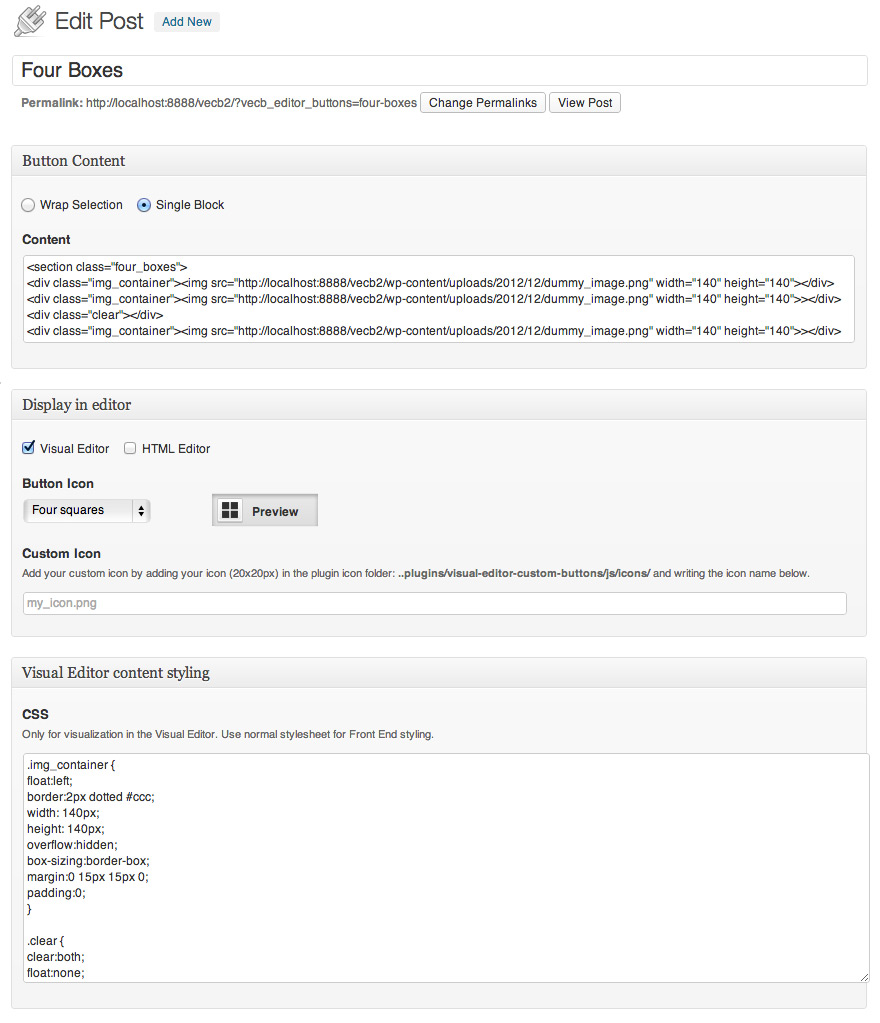
Easily add custom buttons to the Visual Editor and HTML Editor in WordPress, with the ability to add HTML code and set CSS style directly within the plugin.

Simplify content updates

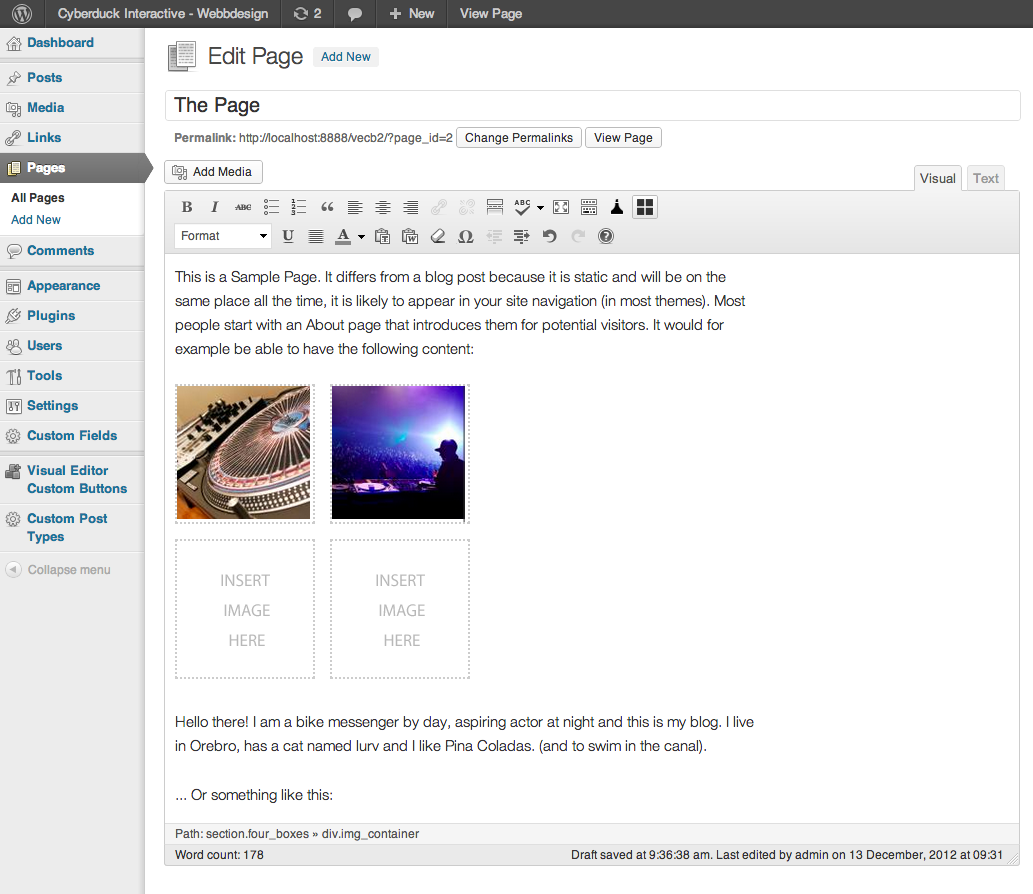
Make the content update process easier for novice users by adding custom buttons to the Visual Editor, allowing them to easily add special features without needing to know HTML code.

Ready-to-use button icons

Choose from a large selection of ready-to-use button icons, or add your own custom icons to personalize the Visual Editor in WordPress.

1.6.0.3

  • More bug fixed for php8

1.6.0.2

  • Bug fixed for php8

1.6.0.1

  • Bug fixed not able to load js-button-file

1.6

  • Prepared for php8
  • Prepared for Language translations
  • Default Square Meter Icon Added

1.5.2.3

  • count()-warning error fixed for php 7.x
  • Two new icons added, SEO bold, SEO italic

1.5.2.2

  • Php-error fixed. Thanks tim-reeves.
  • Function conflict error fixed.
  • Minor icon color change.

1.5.2.1

  • New Preamble Icon added.

1.5.2

  • Error: 8305 Uncaught ReferenceError: QTags is not defined error, is now fixed. Thanks luantt.

1.5.1

  • removing option for non authorized user to add custom buttons from the top admin bar.

1.5

  • Brand new Visual Icon Select menu! Now you can see the icon directly in the menu. No more need for the preview box.
  • block—plus.png bug fix. Thanks vtxyzzy.
  • Better hide/reveal solution for visual/text-editor-choices.
  • All new hires versions of all button icons.
  • Plenty of new Button icons.

1.4

  • Now only the Administrator can administer buttons by default.
  • Option to let other user roles administer buttons.
  • Possibility to add hires (double sized) custom button icons.
  • Plugin now works in a WordPress Network. Thanks cooms13.

1.3.2

  • Visual adjustments for TinyMCE 4.0

1.3.1

  • Visual adjustments for WordPress version 3.8 and higher.
  • Two new default icons:
    • Quote bubble
    • Inline header

1.3

  • Upgrading issues causing buttons to disappear when upgrading are now fixed.
  • It is now possible to change on which row your custom buttons will appear.

1.2.1

  • Bug that made it impossible to open add media pop-up and other issues is now fixed. Thanks Scanomat for the tip.
  • Bug causing broken Button Icon when using Single Block and Custom Icon is now fixed.

1.2

  • Custom Buttons are now uploaded in WordPress Upload Directory to prevent them from being deleted when upgrading the plugin.
  • Custom Buttons are automatically added to the Button Icon Dropdown menu when uploaded. No need to specify the name of the icon. All added icons are available through the drop down menu.
  • Seven new default icons.
    • Width
    • Height
    • Bordered
    • Framed
    • Tab Space
    • Single line
    • Double line
  • Minor Graphic and text changes

1.0

  • Fixed bug that killed tags and post thumbnails in posts and pages. Thanks kevincrank and marcus.fridholm for your input.
  • Post-type labels corrected.

0.9.2.1

  • Fixed upgrading issue.

0.9.2

  • Fixed Resize Handles to only scale vertically
  • Fixed Bug that automatically added css to Front End.

0.91

  • Added Resize Handle to the Single Block Textarea

Has glitches

By gqqnbig on August 25, 2023

It has been working for a long time, but recently I upgraded my site and this plugin fails to work.

Luckily, I just had to change

add_action('admin_print_footer_scripts', '_add_my_quicktags');

to

add_action('after_wp_tiny_mce', '_add_my_quicktags');

Then it works fine.

Besides, I have no idea how this plugin is updated. https://plugins.trac.wordpress.org/browser/visual-editor-custom-buttons/ has its history and it seems the author only edited the readme file, while all other files are last modified in 2012.

Simple, works perfectly

By Sagrav on April 23, 2019

Simple and does exactly the job.

Please update!

By jforena on May 31, 2018

Great plugin but generating errors. Please update!

Good but needs updating due to numerous errors.

By muzKore (muzoid) on April 13, 2018

The plugin in fantastic. Easily make custom buttons. Really great. Issue that I am having is that the plugin throws out numerous errors when debug is turned on. It would be great if the plugin author could fix this as it spams my error log every time the editor loads. Other than that, fantastic.

Not working on fairly new multisite installation

By pediwent on February 7, 2018

Several errors come up on installation. Some might be multisite issues, but at least two are coding issues. First, the plugin uses the deprecated get_currentuserinfo() function where it should use wp_get_current_user(). Not a show stopper, but if you have debug turned on, you'll get a big warning message. Second, there is a $count++ line of code but $count is never defined. It looks left over after the developer changed a for loop to a foreach one. Last, when I try to create a new button, I get a 502 Bad Gateway error. On top of that, the plugin doesn't exactly adhere to WordPress coding standards. I like the idea of the plugin, but uninstalling it for now.

simple, works great

By glendeni on December 9, 2017

simply, easy to understand, just works

Just Works

By demolishun on November 6, 2017

Needed to create custom html tagging inside Wordpress text editor. Installed this plugin to create a button on the toolbar to insert my custom "pre" tag with my custom shortcodes and parameters. Took about 5 minutes to install, setup and use! Thank You!

Crash Andrzej error

By heditox on September 24, 2017

Crash error bug

Excellent tool for customizations in the editor

By Knut Sparhell (knutsp) on May 25, 2017

This just works, simple and elegant. Create an editor toolbar button and define what it should insert in html.

works great

By lokavidu on September 14, 2016

easy way to customize the editor at least a bit :)
Try other plugins too!

Custom Post Type Maker

Custom Post Type Maker lets you create Custom Post Types and custom Taxonomies in a user friendly way.

Try Demo More Details

Post/Page specific custom CSS

Post/Page specific custom CSS will allow you to add cascade stylesheet to specific posts/pages. It will give you special area in the post/page edit fi …

Try Demo More Details

WP Edit

Take complete control over the WordPress content editor.

Try Demo More Details
Screenshots
Author Site Author Site

Try Visual Editor Custom Buttons With InstaWP

Contact Sales

Reach out to us to explore how InstaWP can benefit your business.