
Improve your WordPress SEO: Write better content and have a fully optimized WordPress site using the Yoast SEO…
About Sold Out Badge for WooCommerce
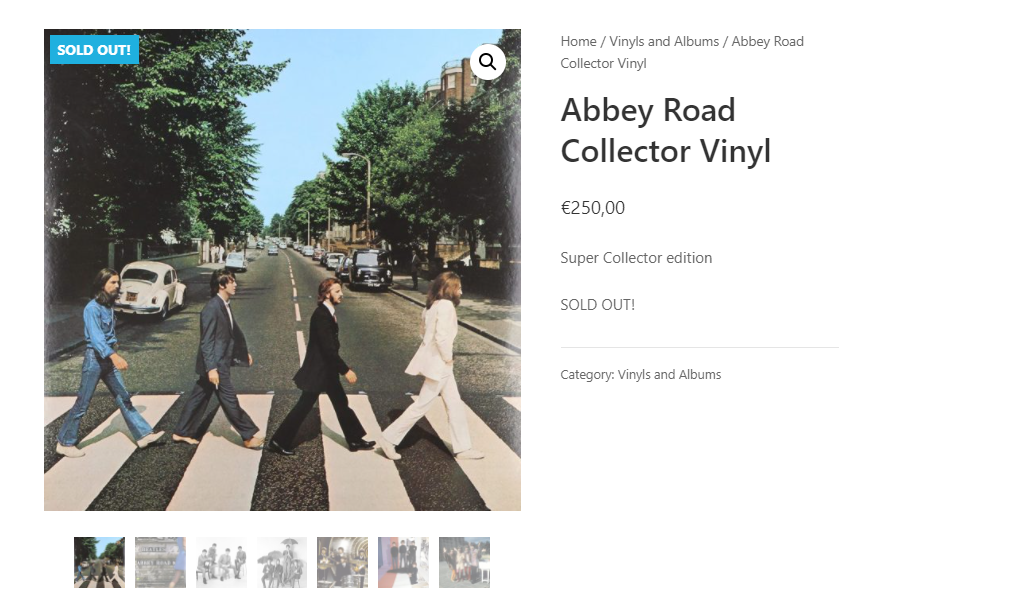
The Sold Out Badge for WooCommerce plugin allows you to display a "Sold Out!" badge on out-of-stock products. You can customize the text, background color, font size, width, and height of the badge, and also have the option to hide the badge if there is an overlap with other badges. The plugin is useful for anyone selling unique products or services and can also be used to display a badge on backorder products.Screenshots


Frequently asked questions
Where can I find the settings for this plugin?
You can customize the options for this plugin in Settings > Sold Out Badge for WooCommerce within your WordPress dashboard.
Changelog
4.4.0
- Support PHP 8.2
- Bump Carbon Fields version to 3.6.0
- Improve docs
4.3.6
- Fix compatibility issues with kadence blocks and woocommerce HPOS thanks to @ataypamart
4.3.5
- Fix missing hook in Elementor page builder
4.3.4
- Fix related and upsells products in some themes like Divi
4.3.1
- Adds compat with Elementor Archive posts widget
4.3.0
- Allows displaying badge on backorder products instead of/in addition to out of stock products
4.2.0
- Adds WPML compatibility
4.1.0
- Fixes Text Domain Path
- Fixes single product position settings being ignored
4.0.0
- Major code refactor (nothing is supposed to change unless you made custom dev using this plugin hooks or classes )
- Added compatibility with Lay Theme
3.2.2
- Minor fixes
3.2.1
- Fixes and improves alternative method
- Improves compatibility with Divi Builder on single product pages
3.2.0
- Adds an alternative method (pure CSS). Useful for some themes like Divi.
3.1.0
- Adds badge in search results
- Ability to turn off the badge on a per-product basis
3.0.1
- Fix missing “position: absolute” CSS rule
3.0.0
- Potential breaking change (in other words, do a backup before upgrading) : Adds settings options to control appearance (width, height, border-radius, etc.)
2.2.0
- Move to Singleton pattern to let other developpers unhook actions and filters.
If you want to unhook something, use it like this, for example:remove_filter( 'woocommerce_get_stock_html', [ WCSOB::get_instance(), 'replace_out_of_stock_text' ], 10, 2 );

