

Improve your WordPress SEO: Write better content and have a fully optimized WordPress site using the Yoast SEO…

About Product Delivery Date for WooCommerce – Lite
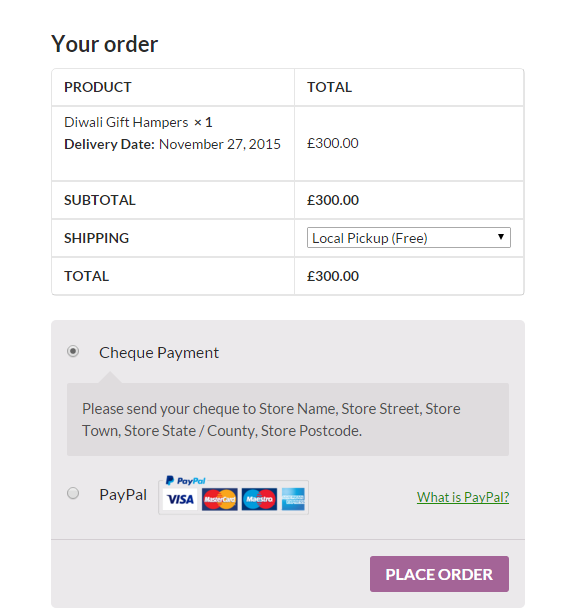
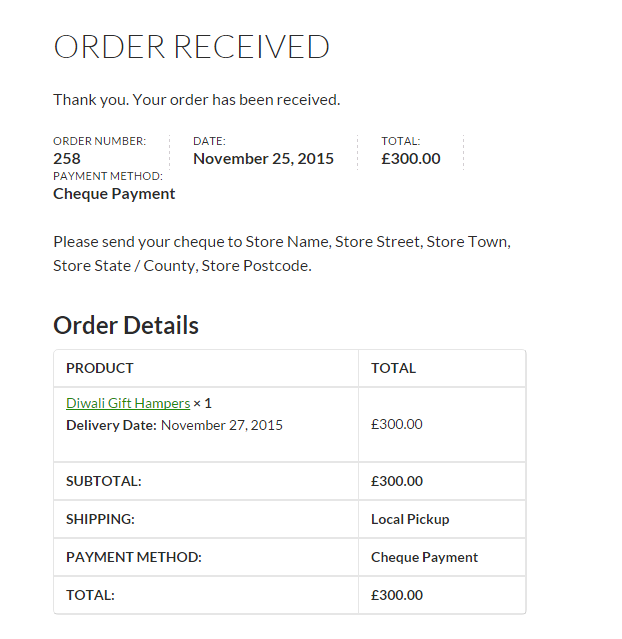
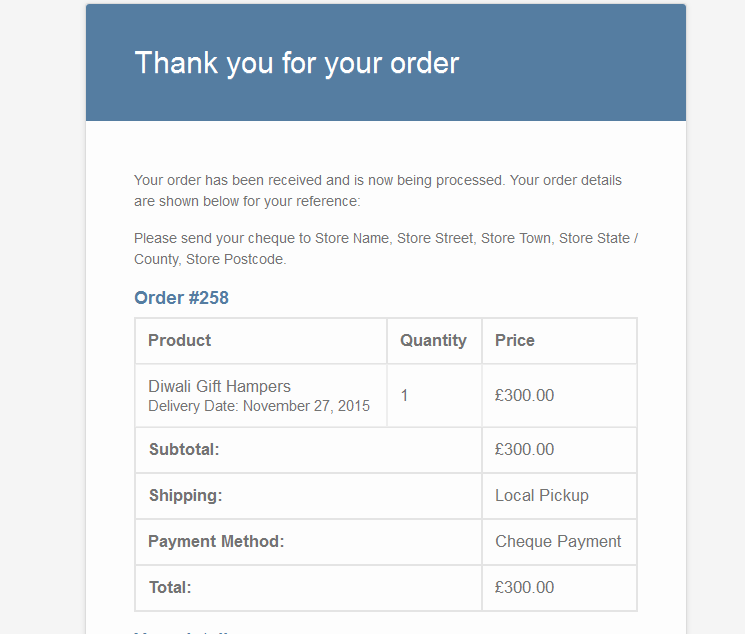
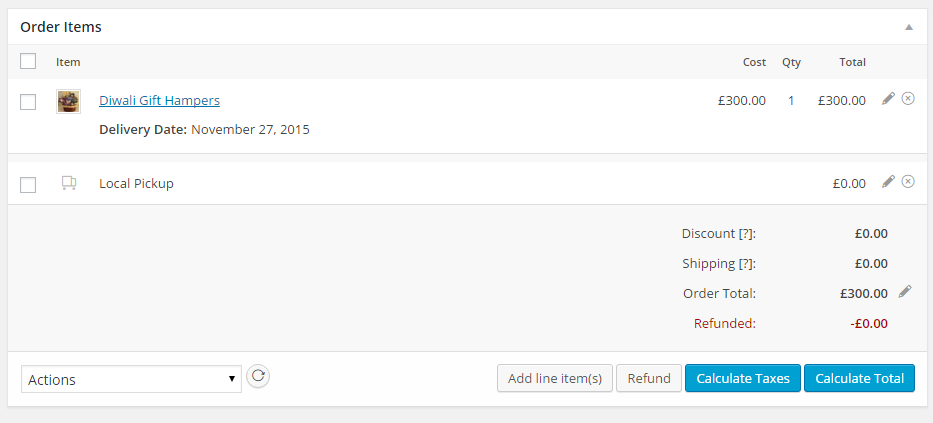
A new Flexi BOGO for WooCommerce plugin with revenue tracking is available at an introductory price. The WooCommerce Product Delivery Date plugin allows customers to choose a delivery date on the product page, enhancing customer service. The Pro version offers additional features like selecting delivery time, blocking dates, and different delivery charges based on weekdays or time slots.Screenshots


Changelog
= 3.0.0 ( 22.04.2025)
* Fix – Selected delivery date was not displaying on the Order Received and Edit Order pages when orders were placed using the block-based checkout page.
* Fix – Resolved all PHPCS warnings and aligned the code with WordPress Coding Standards to enhance quality and maintainability.
* Tweak – Updated for compatibility with WordPress 6.8.0
* Tweak – Updated for compatibility with WooCommerce 9.8.1
= 2.9.0 ( 14.01.2025)
* Tweak – Added Hebrew language localization to the plugin, providing admins with the option to enable and change the calendar language for Hebrew users.
= 2.8.2 (03.12.2024)
* Tweak: Removed the call to our tracking server to fetch the deactivation reasons and added them in the plugin itself.
* Fix: Resolved issues with untranslated strings.
* Fix: Fixed a notice that appeared when changing the site language in WordPress 6.7.
= 2.8.1 (11.11.2024)
* Fix – Fixed a Reflected Cross-Site Scripting (XSS) vulnerability.
2.8.0 (05.11.2024)
- Supporting code changes for the Trial Version of Product Delivery Date Pro for WooCommerce.
2.7.5 (22.10.2024)
- Fix – Deactivation survey request was being sent even though ‘Skip & deactivate’ was selected while deactivating the plugin.
2.7.4 (02.10.2024)
- Fix – Added a nonce check for Cross-Site Request Forgery (CSRF) vulnerability on the admin Notice.
2.7.3 (9.07.2024)
- Fix – Added a nonce check for Cross-Site Request Forgery (CSRF) vulnerability on the reset button.
- Fix – Updated our support link to email address ‘[email protected]”.
2.7.2 (2.04.2024)
- Tweak :- Update compatibility with WordPress 6.5.
- Tweak :- Update compatibility with WooCommerce 8.7.
2.7.1 (26.12.2022)
- Fix :- Vulnerability to Broken Access Control.
2.7.0 (07.12.2022)
Enhancement :- Plugin has been made compatible with WooCommerce High-Performance Order Storage.
2.6.0 (16.08.2022)
- Enhancement :- Created a filter named
prdd_lite_additional_holidaysto add custom holidays. - Enhancement :- Added
Settingslink on the Plugins page. - Fix :- “Number of Dates to choose” was not being calculated properly with the “Minimum Delivery time” set. This has been fixed.
- Fix :- The “Delivery Date” string was not getting translated to another language even if we had translated it. This has been fixed.
2.5.0 (14.12.2020)
- Update compatibility with WordPress 5.6
- Fix :- Delivery calendar Icon does not display correctly. This is fixed now.
2.4.0 (20.11.2020)
- Dev :- Changes in the database are made so that when the plugin is updated from Lite to Pro version, then the settings & delivery dates from Lite version are automatically migrated to Pro version.
2.3.0 (27.08.2020)
- Update compatibility with WordPress 5.5
- Fixed – Product settings not saved on Imported products. This is fixed now.
- Fixed – Global Delivery Settings tab was showned as an active tab when we are on FAQ & Support page in settings. This is fixed now.
- Dev – Added class for Delivery Date label instead of inline CSS.
2.2.1 (19.03.2020)
- Update compatibility with WooCommerce 4.0.0.
2.2 (12.02.2020)
- Fix – Delivery data was not being deleted upon deletion of plugin
- Tweak – Added ‘Remove Data on Uninstall?’ option to allow store admin to completely remove Product Delivery Date Lite data when plugin is deleted.
- Updated WooCommerce Release tag.
2.1.1 (17.09.2019)
- Fixed an error displayed on the View Deliveries page.
2.1 (17.09.2019)
- Made the plugin compliant with WPCS standards.
2.0 (02.08.2019)
- Now the delivery date field can be set as mandatory for each product. The customers will not be able to add the product to the cart without selecting a date if the Mandatory field option is enabled for the product.
- Now the nonworking holidays or dates can be set for individual products as well as for all the products at the global level.
- All the deliveries can now be viewed in one place under the Product Delivery Date -> View Deliveries menu. The deliveries can be filters using Deliveries From Today Onwards, Today’s Deliveries and Tomorrow’s Deliveries.
- Date format for the delivery date selection on the product page can now be preferably set.
- Delivery Date calendar language can now be set as per the language set for your website.
- Delivery Date calendar can now be set into default color themes provided as per the colors of your website.
- Prices in decimal values can now be set to the nearest integers using Enable Rounding of Prices option.
1.10 (03.04.2019)
- Fixed an issue where if the current day is unavailable for delivery, the Minimum Delivery Time needed setting is ignored when displaying the first available date for delivery.
- Calendar icon is not displayed in the date field on the product page. Fixed the same.
- Removed the Welcome Page
- Fixed some warnings being added in debug.log
- Fixed an issue where orphan records were being left behind when the plugin is deleted.
1.8 (23.05.2018)
- The plugin is now GDPR compliant.
- The Delivery Date for the orders will now be exported to the User’s Personal Data from the Tools -> Export Personal Data menu.
1.7 (23.01.2018)
- The Delivery Date field was appearing small when used with TwentySeventeen theme. This is fixed.
- The plugin is made compatible with Loco Translate plugin.
1.6 (01.11.2017)
- The selected delivery date for variable product was not displayed on the Order Received page and in the customer new order email notification. This is fixed now.
1.5 (17.08.2017)
- You can now disable weekdays on which you do not deliver in the delivery calendar on the product page.
1.4 (04.04.2017)
- All the delivery dates are displayed in first product on Order received page when same product is added with multiple delivery dates in single order. This is fixed now.
1.3 (28.06.2016)
-
A new setting named as ‘Minimum Delivery preparation time (in hours)’ is added on the admin product page which allows setting the minimum delivery preparation time required. Customers can choose the delivery dates only after the set time.
-
A new setting named as ‘Number of Dates to choose’ is added on the admin product page which allows limiting the delivery dates available for customers to choose deliveries from.
1.2 (29.01.2016)
- Delivery Date selected for the product was not coming in the email notifications sent to the customer and admin when the order is placed on the checkout page with WooCommerce v2.5.x. This is fixed now.
1.1 (15.12.2015)
- .po, .pot and .mo files are included in the plugin. The plugin strings can now be translated to any language using these files.
1.0 (27.11.2015)
- Initial release.

