

Enables the previous "classic" editor and the old-style Edit Post screen with TinyMCE, Meta Boxes, etc. Supports all…

About Page Generator
Page Generator is a plugin that allows you to create multiple pages in bulk by using keywords. It can be used for various types of pages, such as landing pages, personalized pages, and individual specific pages. The Pro version offers additional functionality, including the ability to generate posts and custom post types, import keyword lists, and support for page builders.Screenshots
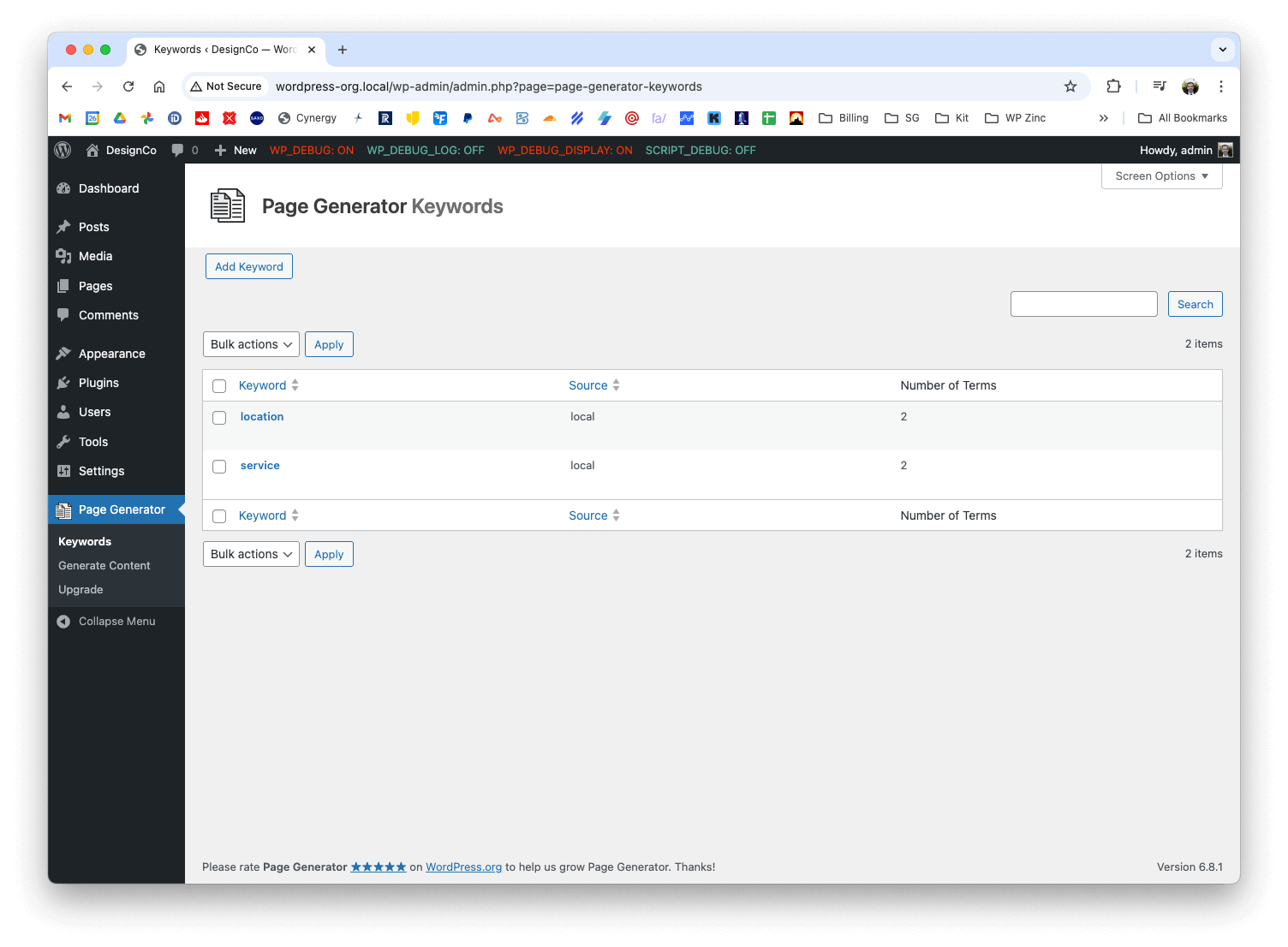
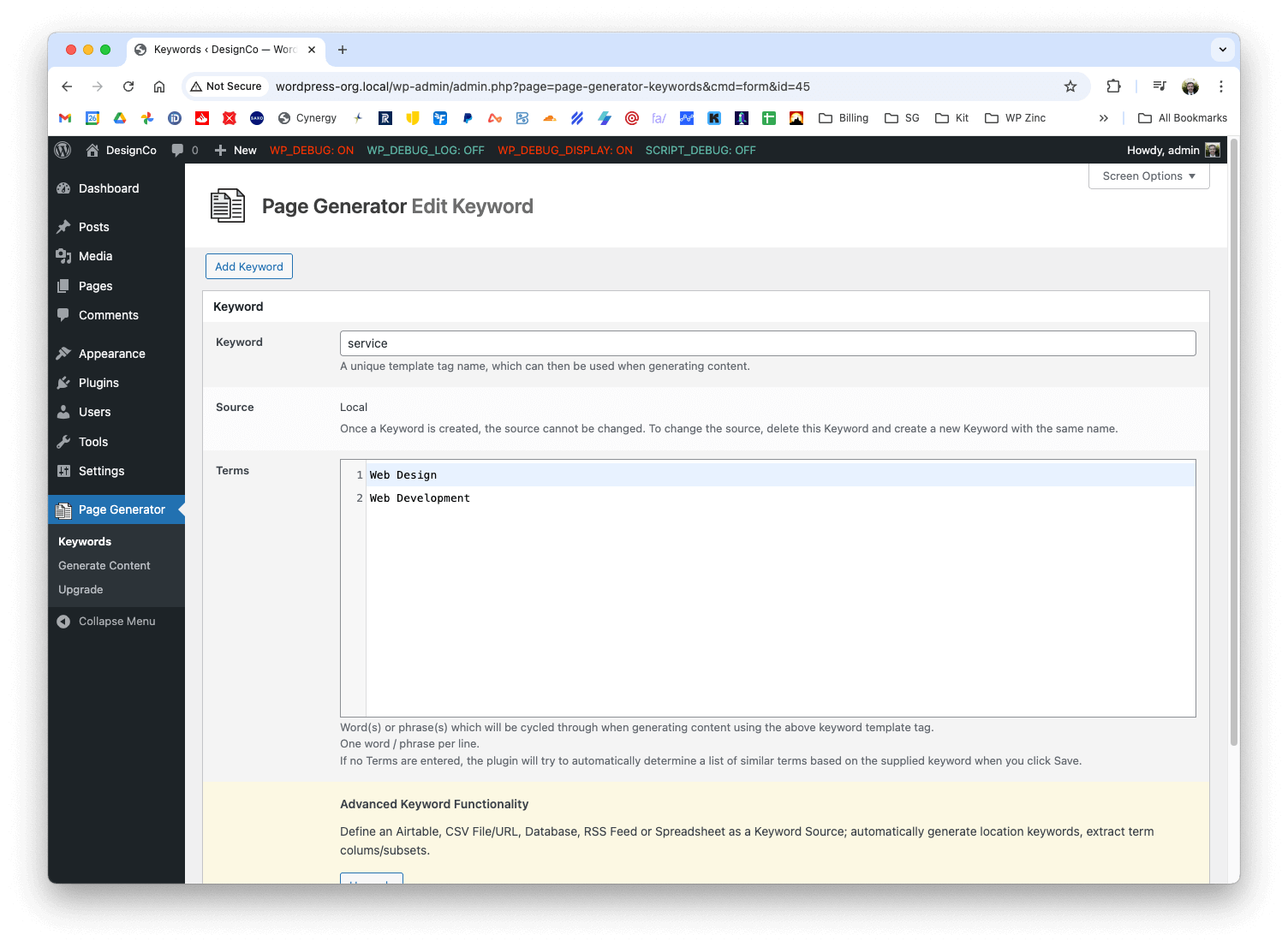
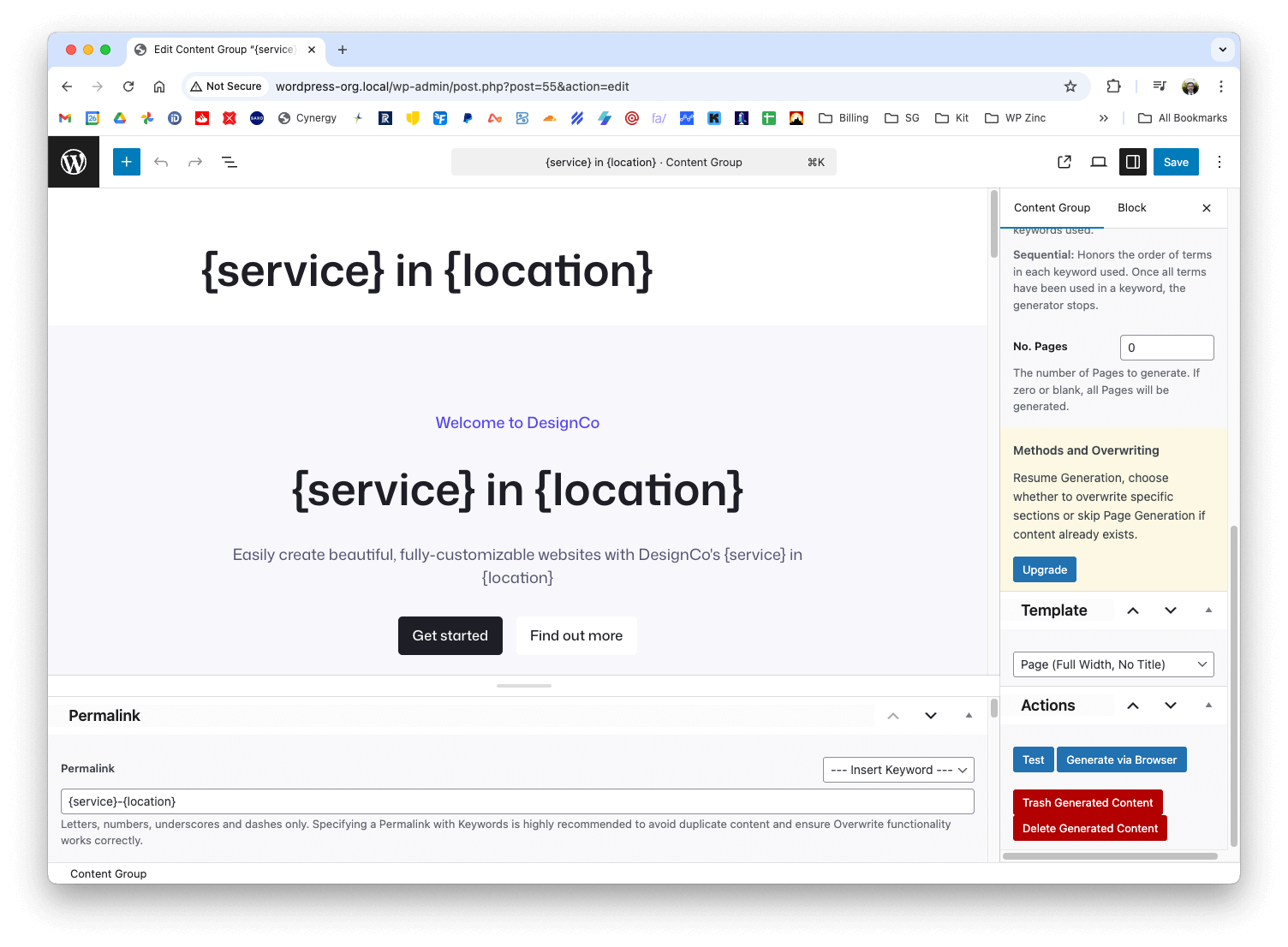
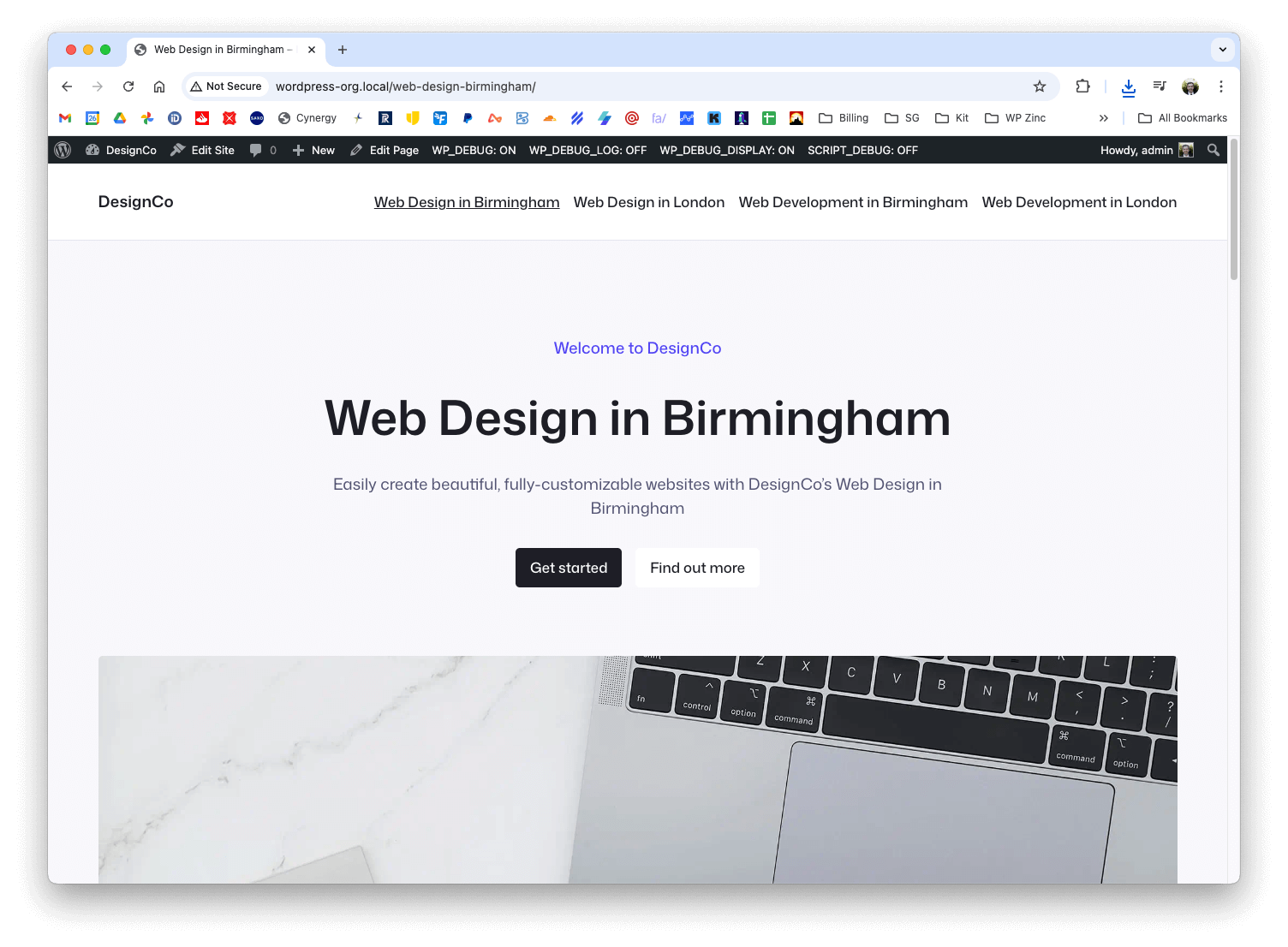
Changelog
1.7.3 (2024-07-22)
- Fix: Generate: Content: Improve performance when
Rotate Authorsoption is enabled.
1.7.2 (2023-10-26)
- Fix: Keywords: Use sanitize_sql_orderby() when defining order and order by parameters
1.7.1 (2023-09-07)
- Fix: Updated dashboard submodule
1.7.0 (2023-08-23)
- Fix: Updated WordPress Coding Standards to 3.0.0
1.6.9 (2023-08-03)
- Fix: PHP Deprecated notices in PHP 8.2
1.6.8 (2023-01-26)
- Notice: PHP 7.4 is the minimum required version
- Added: Generate: Content: Keyword Autocomplete: Gutenberg: Support for Keyword Autocomplete on Title field
- Added: Generate: Content: Check ID is a Content Group, and show an error if not
- Fix: Keyword Autocompleters: Don’t initialize in Gutenberg / Block Editor text blocks when editing Pages or Posts
- Fix: Keywords: Save: Replace utf8_encode() with mb_convert_encoding() for PHP 8.2 compatibility
- Fix: Generate: Content: Replace utf8_encode() with mb_convert_encoding() for PHP 8.2 compatibility
- Fix: Generate: Content: Keyword Autocomplete: Don’t initialize if no Keywords defined
- Fix: Generate: Content: Keywords: PHP Deprecated notice for count() and getIterator()
1.6.7 (2022-07-14)
- Fix: Error loading taxonomy class when adding/editing Post Categories or Tags
= 1.6.6.3 (2022-06-25)=
* Fix: Generate: Test Mode: Display link to test page
1.6.6.2 (2022-06-21)
- Fix: Coding Standards: Provide specific reasons when ignoring a coding standard
1.6.6.1 (2022-06-21)
- Fix: Keywords: Process form data with nonce verification outside of views folder
1.6.6 (2022-06-21)
- Added: Generate via Browser: Show dialog confirmation if navigating away from generation window whilst generation is running
- Added: Generate via Browser: Remove ‘Generating’ flag on Content Group if navigated away from generation window whilst generation is running
- Fix: Keywords: Add/Edit: Strip slashes from quotation marks when adding/editing a Keyword fails validation
- Fix: Keywords: Search: Strip slashes from ‘Search results for’ label
- Fix: Generate: Content: Test Mode: Honor Resume Index when using Test button in Gutenberg editor
- Fix: Ensure code meets WordPress Coding Standards
1.6.4 (2022-06-09)
- Added: Support for WordPress 6.0
1.6.3 (2022-05-12)
- Fix: Multisite: Activation: Conditionally load required hook depending on WordPress version
1.6.2 (2022-04-24)
- Fix: Upgrade link would incorrectly redirect to WordPress Admin dashboard
1.6.1 (2022-03-14)
- Fix: Generate via Browser: Call to a member function get_parameters() on null
- Fix: Undefined variable: minified
1.6.0 (2022-03-03)
- Added: Keywords: Add/Edit: Use WordPress Code Editor for Terms for improved editing, readibility and search
- Added: Generate: Content: Permalink: Validate that Keyword syntax is valid prior to Test / Generation
- Added: Generate: Content: Keyword Autocomplete: Classic Editor: Up and down keys can be used to select highlighted autocomplete suggestion
- Added: Generate: Content: Keyword Autocomplete: Classic Editor: Insert first displayed Keyword suggestion when enter key pressed
- Fix: Generate: Content: Keyword Autocomplete: Classic Editor: Don’t show autocompleter when left square bracket key pressed
- Fix: Generate: Content: Detect Keywords in Gutenberg Blocks and Page Builders that use nested JSON strings to store data
- Fix: Multisite: Activation: Use wp_insert_site hook when available in WordPress 5.1 and higher
1.5.9 (2021-09-17)
- Fix: Keywords: Correctly escape Keyword name
1.5.8
- Added: Generate: Content: All Method. See Docs: https://www.wpzinc.com/documentation/page-generator-pro/generate-methods/
- Fix: Don’t minify Plugin Javascript if a third party minification Plugin is active
- Fix: Keyword Autocompleters: Don’t initialize autocompletors if no Keywords have been specified
1.5.7
- Added: Localization support, with .pot file and translators comments
- Added: Generate via Browser: Clear log after 100 entries to improve browser and generation performance
- Fix: Keywords: Autocomplete: Don’t strip commas from existing field when selecting a Keyword from the autocomplete dropdown list
- Fix: Keywords: Cache calls made to get_keywords_and_columns() for the request lifecycle, to reduce duplicate queries and improve performance
- Fix: Keywords: Uncaught Error: Class ‘LeagueCsvReader’ not found
- Fix: Generate: Content: Reduce database requests for Generated Count and Last Index during generation to improve performance for larger sites
- Fix: Generate: Content: Prevent memory usage increasing by flushing WordPress’ Term cache occasionally during generation
- Fix: Generate: Content: Delete Generated Content: PHP Warnings or AJAX errors when no Generated Content exists
- Fix: Generate: Content: Test: URL would wrongly result in 404, even when Test Page/Post was successfully generated
- Fix: Generate: Content: Gutenberg: Don’t encode special characters in third party blocks
- Fix: Generate: Content: Detect Non-lowercase Keywords and replace them with Terms
- Fix: Generate: Content: PHP Warning: count(): Parameter must be an array or an object
- Fix: Generate: Content: Classic Editor: Bottom Actions Meta Box: Ensure Generate, Trash and Delete buttons perform action when clicked
- Fix: Generate via Browser: Display Start and End Index in counter correctly when Resume Index and/or No. Posts specified
- Fix: Generate: Content: Autocomplete: Title: Keyword suggestions hidden behind Classic Editor
- Fix: Generate: Content: Classic Editor: Autocomplete: Ensure autocomplete suggestions box height does not exceed 120px and is scrollable
- Fix: Generate: Content: Strip HTML tags from Keyword Term Log Output, to avoid browser memory errors
- Fix: bbPress: Settings: Forums: Forum Root: Fatal error
1.5.6
- Added: Keywords: Add/Edit: Don’t wrap a single Term onto multiple lines
- Fix: Keywords: Add/Edit: Validation: Improved error messages when validating field values
- Fix: Keywords: Add/Edit: Use for field names for accessibility
- Fix: Keywords: Edit: Form field values wouldn’t display immediately after correcting a validation error and successfully saving
- Fix: Keywords: Typo on table when no Keywords exist
- Added: Generate: Content: Trash and Delete Generated Content will Trash / Delete in batches to avoid timeouts
- Fix: Generate: Content: Gutenberg: Don’t remove Permalink field on non-Content Group Post Types
- Fix: Generate: Content: Set Author as current logged in WordPress User if none is specified
- Fix: Generate: Content: Ensure Author or Random Author specified prior to Generation. See Docs: https://www.wpzinc.com/documentation/page-generator-pro/generate-content/#fields–author
1.5.5
- Added: Generate: Content: Publish draft Content Group immediately before Test, Generate or Generate via Browser to ensure generation works in Gutenberg
- Added: Generate: Content: Prevent Preview of Content Group. Use Test functionality to test output
- Added: Keywords: Screen Options to define Keywords per Page
- Fix: Keywords: Retain Search, Order and Order By parameters when using Pagination
1.5.4
- Added: Generate: Content: Developer Actions. See Docs: https://www.wpzinc.com/documentation/page-generator-pro/developers/
- Added: Forms: Accessibility: Replaced Titles with elements that focus the given input element on click
- Added: Performance: Only load required Plugin classes depending on the request type
- Fix: Generate: Don’t attempt to replace Keywords that don’t exist
- Fix: CSS: Renamed option class to wpzinc-option to avoid CSS conflicts with third party Plugins
- Fix: Generate: Improved Performance by ~80% when using ~10,000+ Keyword Terms and/or Keyword Transformations, Columns and nth Terms.
- Fix: Activation: Prevent DB character set / collation errors on table creation by using WordPress’ native get_charset_collate()
- Fix: Generate: Content: Keyword Dropdown: Ensure width does not exceed meta box
- Fix: Generate: Content: Keyword Dropdown: Ensure height does not exceed 120px and is scrollable
- Fix: Keywords: Could not Save Keyword when defining several columns that would exceed 200 characters in total length
1.5.3
- Added: Keywords: Keyword Names can include any language
- Fix: Keywords: Terms: Remove empty newlines
- Fix: Keywords: Database error: Field ‘columns doesn’t have a default value
1.5.2
- Added: Generate: Content: Verbose logging on Generation
- Added: Generate: Content: Metaboxes are no longer filtered out or removed, ensuring better third party Theme / Plugin compatibility (e.g. SEO Plugins)
- Added: Generate: Content: Autocomplete Keyword Suggestions displayed when typing in Title and Permalink fields
- Added: Generate: Content: TinyMCE: Autocomplete Keyword Suggestions displayed when typing “{“
- Added: Generate: Content: Gutenberg Blocks: Autocomplete Keyword Suggestions displayed when typing
- Added: Generate: Content: Warning when specifying a static Permalink
- Added: Generate: Content: Trash / Delete Generated Content options if Generated Content exists
- Added: Generate: Content: Test: Verbose errors displayed on generated test Page / Post
- Fix: Keywords: Aligned “Search results for” label correctly when searching for Keywords
- Fix: Generate: Content: Only attempt to UTF-8 Post Excerpt when Page Generation fails and the Post Type supports Excerpts
- Fix: Generate: Content: Trim setting values to avoid failures
- Fix: Generate: Content: Renamed Remove Trackbacks and Pingbacks to Remove Track / Pingbacks, to avoid text overflowing in the UI
- Fix: Generate: Content: Gutenberg: Don’t display Gutenberg’s Permalink Panel in the sidebar, as it’s not used.
- Fix: Generate: Content: Only fetch Group Settings once, to improve performance
- Fix: Generate: Content: Only fetch Keywords once, to improve performance
- Fix: Generate: Ensure progress bar styles don’t override other styles in the WordPress Admin UI
- Fix: Removed unused logging from Javascript
- Fix: Localization strings
1.5.1
- Added: Generate: Content: Optimized performance for generation
- Fix: Compatibility when using multiple WP Zinc Plugins
- Fix: Only load JS when required for performance
- Fix: Activation: Fix ‘Specified key was too long; max key length is 767 bytes’ error on Keyword Table creation for MySQL 5.6 and lower
- Fix: Generate: Content: Undefined index: group_id Javascript errors
- Fix: Generate: Content: Author field search failing
- Fix: Minified all CSS and JS for performance
1.5.0
- Fix: Fatal error on Plugin Activation
1.4.9
- Added: Success and Error Notices can be dismissed
- Fix: Generate: Honor Page Template Setting
- Fix: Keywords: Ensure that Sorting Keywords in the table doesn’t re-trigger a duplicate or delete event
- Fix: Activation: Don’t specify ENGINE on CREATE TABLE syntax
- Fix: Multisite: Network Activation: Ensure database tables are automatically created on all existing sites
- Fix: Multisite: Network Activation: Ensure database tables are automatically created on new sites created after Network Activation of Plugin
- Fix: Multisite: Site Activation: Ensure database tables are created
- Fix: UI Enhancements for mobile compatibility
- Fix: ACF and Divi compatibility
- Fix: Generate: Action Buttons CSS to ensure buttons aren’t cut off
- Fix: Removed all select2 references, as select2 is no longer used
- Fix: Keywords: Allow Keywords to be sorted ascending and descending when clicking Keywords column in table
1.4.8
- Added: Generate Content: Test, Generate and Delete Generated Content Actions in Sidebar for Gutenberg Editor
- Added: Generate Content: Gutenberg Compatibility
- Added: Keywords: Use native wpdb class insert(), update() and delete() functions when creating, updating and deleting Keywords
- Added: Generate: Content: Yoast SEO: Prevent Yoast SEO stripping curly braces from Canonical URL
- Added: Generate: Output: Display Keywords + Term Replacements used in each Page Generation
- Fix: Generate Content: Gutenberg: Save all Settings
- Fix: Generate Content: Initialize array in a PHP 5+ compatible manner
- Fix: Generate Content: Ignore _wp_page_template if supplied in Post Meta; this ensures the Content Group’s Page Template is always honored.
- Fix: Generate Content: Improved error message in Test and Generate mode when the total number of possible keyword term combinations exceeds PHP’s floating point limit.
- Fix: Generate Content: Confirmation Dialogs localized for translation
- Fix: Generate Content: Correctly replace keywords when using PHP versions older than 5.5.x (please upgrade to PHP 7 – PHP 5.x is end of life January 1st 2019: http://php.net/supported-versions.php)
- Fix: Generate Content: Author field now uses selectize asynchronous search for better performance on sites with a large number of WordPress Users
- Fix: Exclude Content Groups from Yoast SEO Sitemaps, regardless of Yoast settings
1.4.7
- Fix: Call wp_enqueue_media() on Plugin screens, because Plugins which register Meta Boxes and Yoast SEO wrongly assume that there is always a Visual Editor and Featured Image on a Post Type
1.4.6
- Added: Don’t initialize plugin if the Pro version is installed; prevents 500 internal server errors when users wrongly attempt to run both Free + Pro versions at the same time
- Added: show_in_rest = false for Content Groups, until we’re happy that the Gutenberg editor is stable in WordPress
- Added: Generate: Output: Display Keywords + Term Replacements used in each Page and Post Generation
- Fix: Generate: Use date_i18n() instead of date() to ensure that published Posts honor WordPress’ locale
- Fix: Generate: Attributes: Only display Template option if the Post Type has registered templates available
- Fix: Generate: Prevent Preview / View of Group on frontend, which results in errors (use ‘Test’ method instead)
- Fix: Keywords: Prevent spaces in Keywords
- Fix: Generate: Prevent spaces in Permalink
- Fix: Code formatting
1.4.5
- Fix: Generate: Fatal error when using certain Themes
1.4.4
- Added: Post Type Template Support (WordPress 4.7+)
- Added: Generate: Support for large keyword term combinations in All mode (e.g. 100 million+ pages). Requires PHP 5.5+
- Fix: Keywords: Prevent spaces in Keywords
- Fix: Generate: Prevent spaces in Permalink
- Fix: Code formatting
- Fix: Generate: Use date_i18n() instead of date() to ensure that published Posts honor WordPress’ locale
- Fix: 404 errors on generated Pages when Page Parent was previous set and then removed
1.4.3
- Added: Improved UI
- Fix: Uncaught TypeError: Illegal constructor in admin-min.js for clipboard.js functionality
1.4.2
- Fix: Generate: Blank screen for some users
1.4.1
- Fix: Undefined variable errors
1.4.0
- Fix: Only display Review Helper for Super Admin and Admin
1.3.9
- Added: Review Helper to check if the user needs help
- Updated: Dashboard Submodule
1.3.8
- Added: Version bump to match Pro version, using same core codebase and UI for basic features. Fixes several oustanding bugs
- Added: Post Type: Use variable for Post Type Name for better abstraction
- Fix: Generate: Don’t attempt to test for permitted meta boxes if none exist
- Fix: Generate: Check Custom Fields are set before running checks on them
- Fix: Use Plugin Name variable for better abstraction
- Fix: Improved Installation and Upgrade routines
1.0.6
- Fix: Changed branding from WP Cube to WP Zinc
1.0.5
- Fix: Display keywords in keyword table
1.0.4
- Tested with WordPress 4.3
- Fix: plugin_dir_path() and plugin_dir_url() used for Multisite / symlink support
1.0.3
- Fix: Dashboard errors
- Fix: Changed Menu Icon
- Fix: WordPress 4.0 compatibility
1.0.2
- Added: Support for HTML elements in keyword data
1.0.1
- Added translation support and .pot file
1.0
- First release.
