

Improve your WordPress SEO: Write better content and have a fully optimized WordPress site using the Yoast SEO…

About Floating Notification Bar, Sticky Menu on Scroll, Announcement Banner, and Sticky Header for Any Theme – myStickymenu
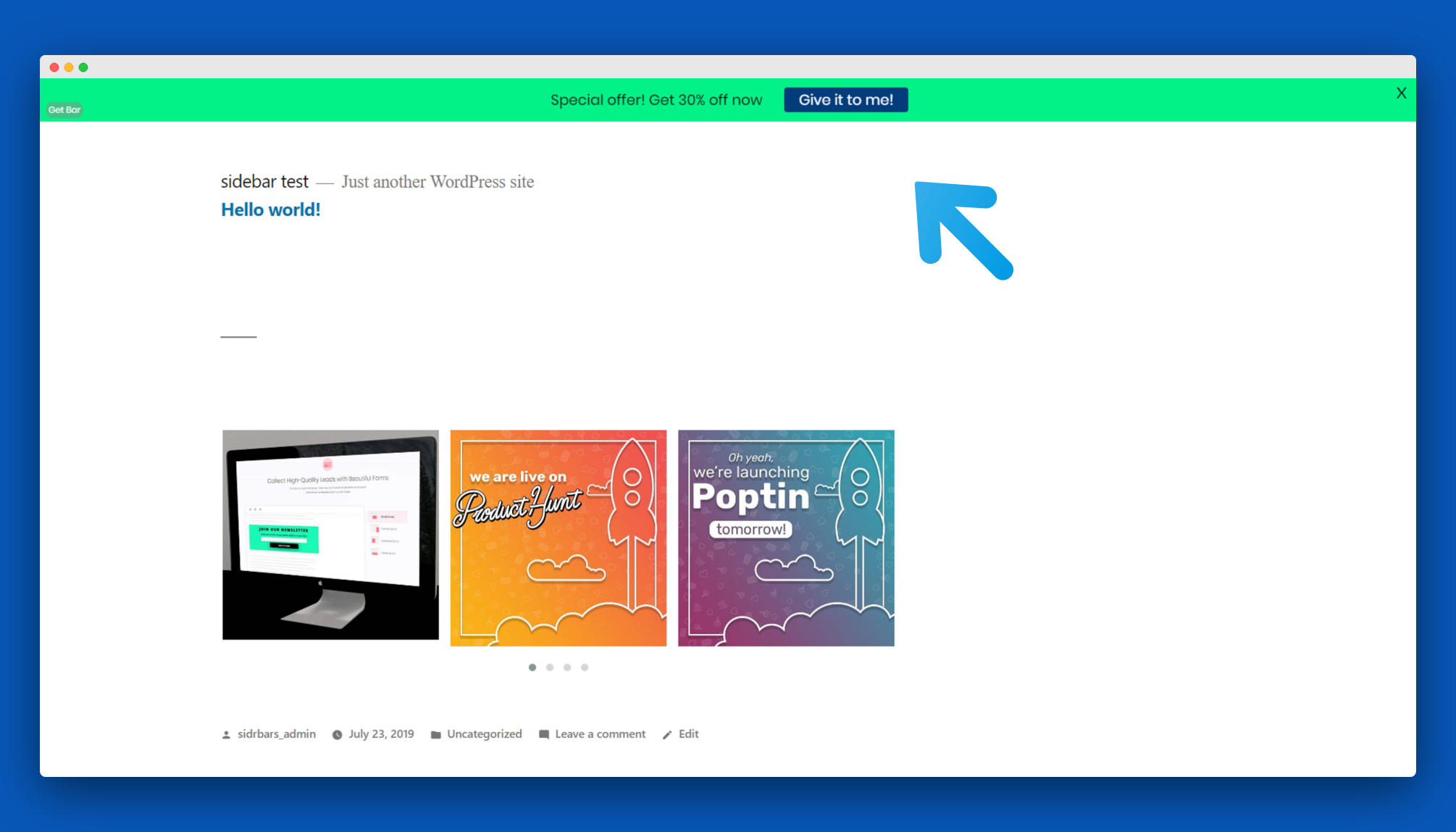
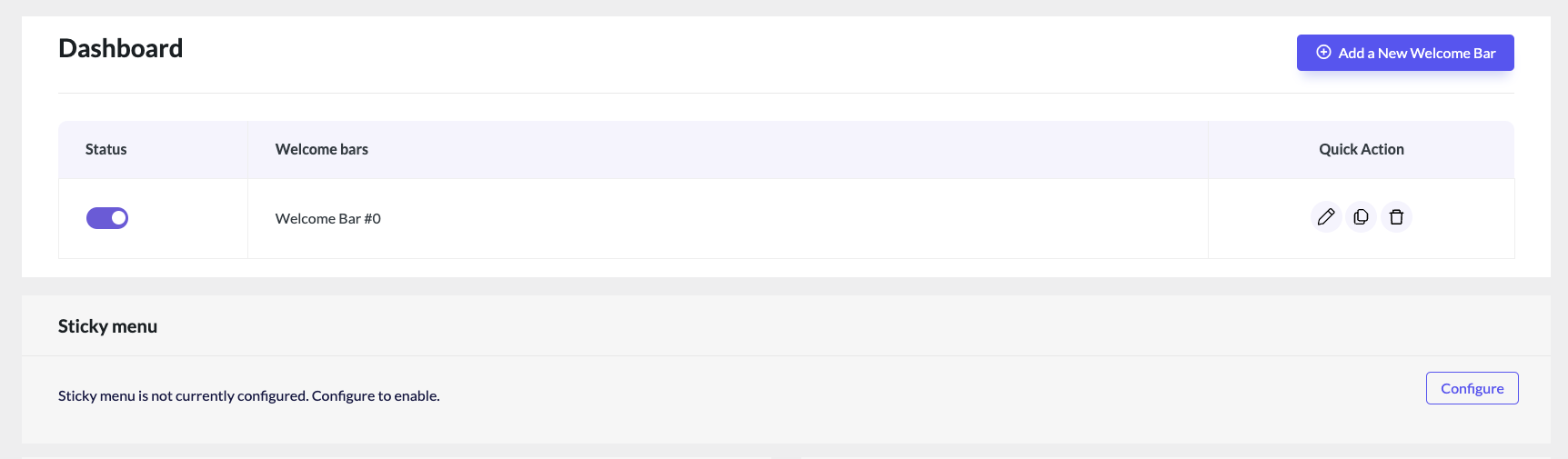
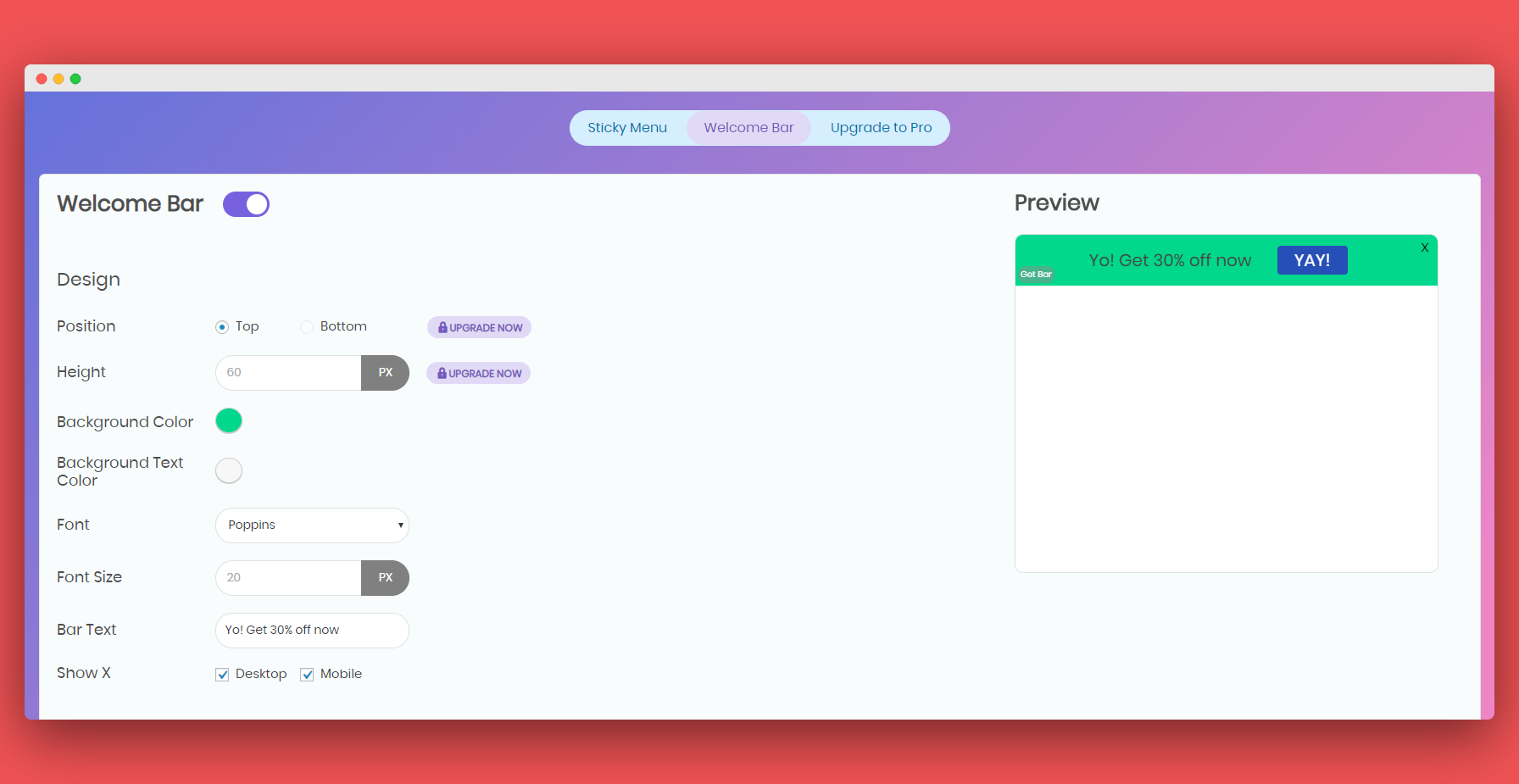
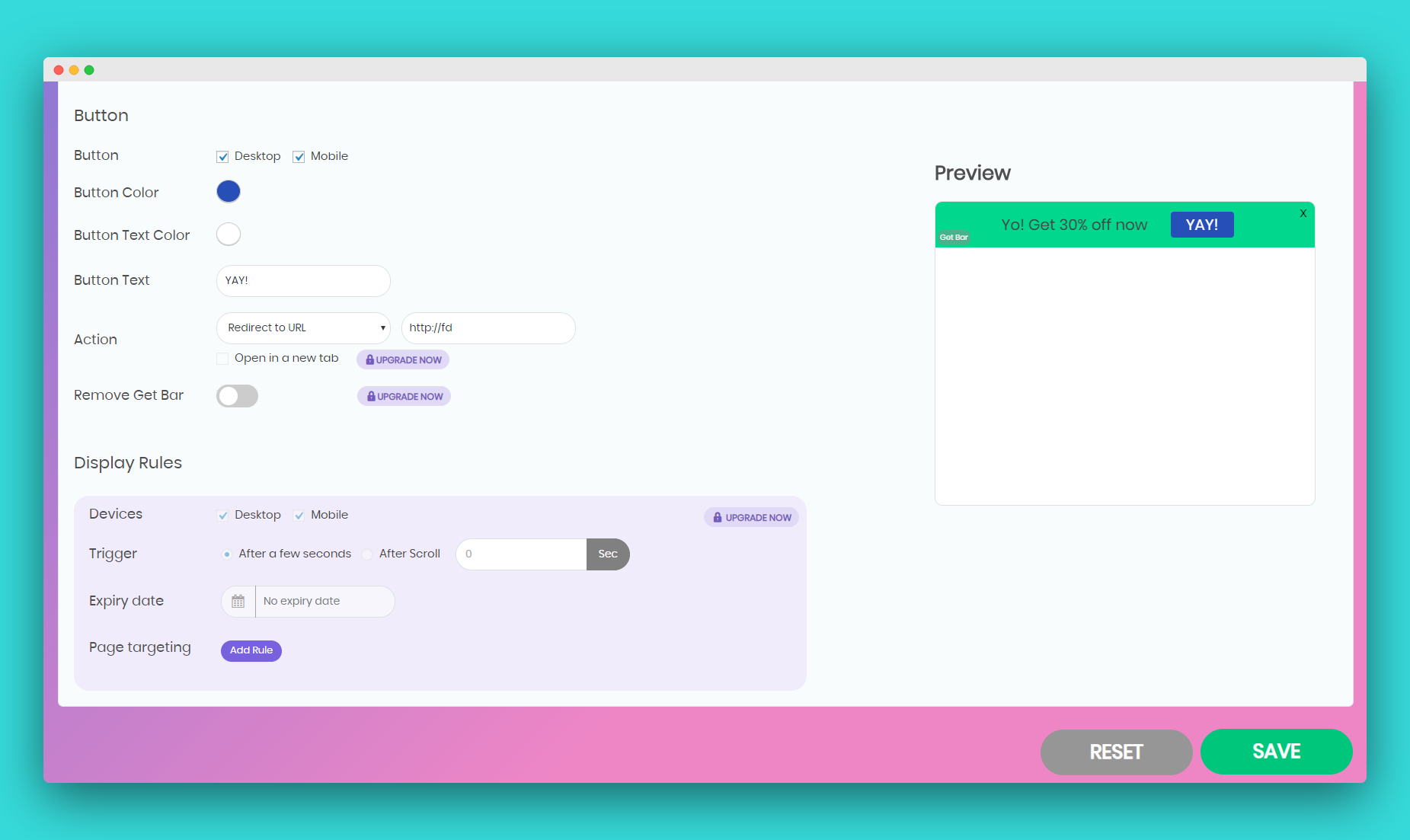
My Sticky Bar is a plugin that allows you to create a sticky menu or notification bar for your website. It improves user experience, makes your website look modern, and increases page views and visitor engagement. The Pro version offers additional features such as countdown timers, contact forms, and country targeting.Screenshots

Frequently asked questions
What is My Sticky Menu?
My Sticky Menu is a WordPress plugin that creates a floating notification bar and makes your menu or header sticky on scroll. It helps improve user experience by providing easy access to navigation.
What can I use the notification bar for?
You can use the notification bar for announcements, promotions, and to welcome visitors. It allows you to display important messages without requiring coding skills.
How does the sticky menu feature work?
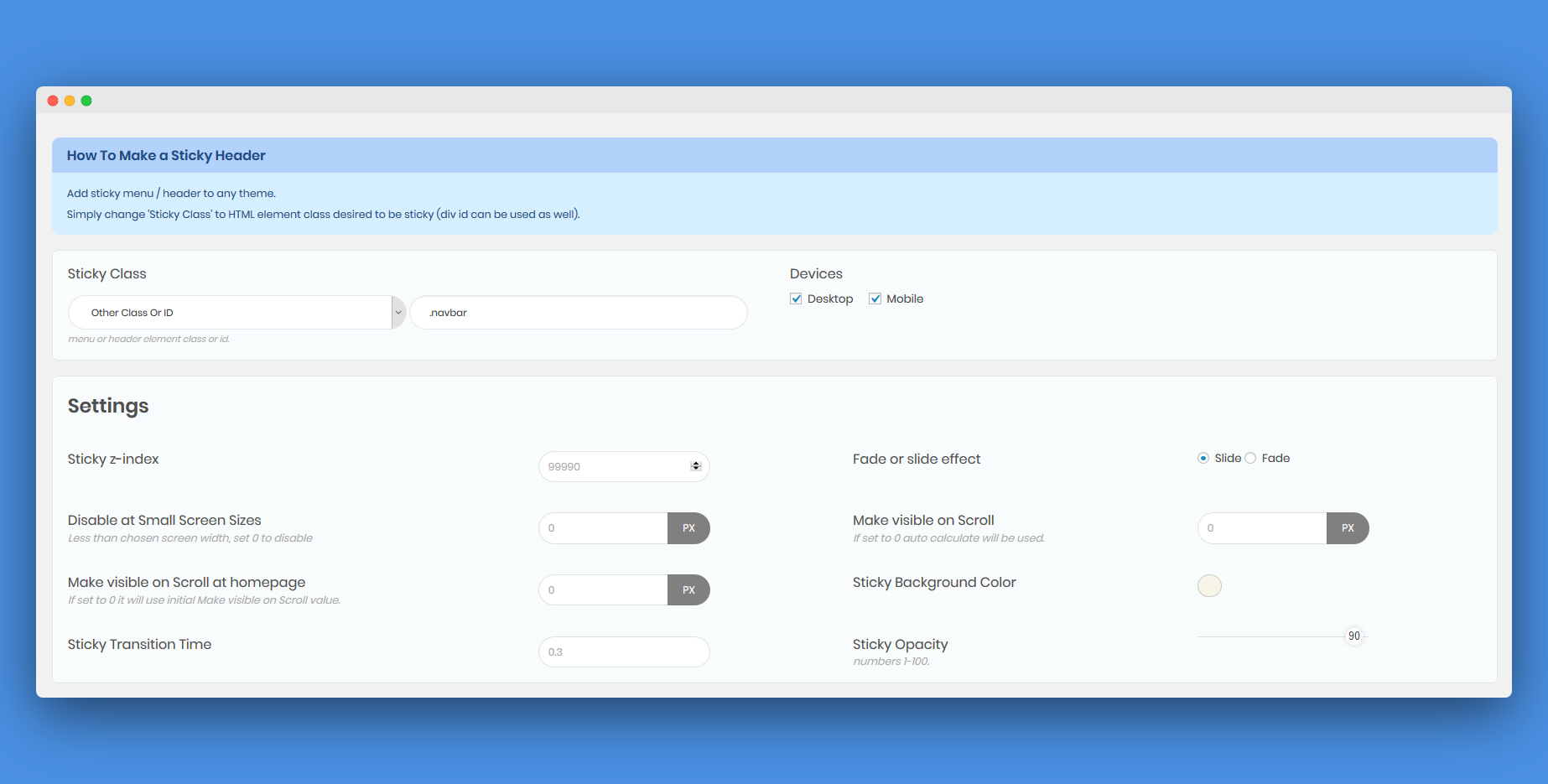
The sticky menu feature makes your menu or header stick to the top of the page after a desired number of pixels when scrolled. By default, it targets the element class ".navbar" but can be configured for different themes in the plugin settings.
What are the benefits of using My Sticky Menu?
Benefits include improving user experience, making your website look more modern, increasing page views, and creating a welcome bar for deals and announcements.
Are there advanced features available?
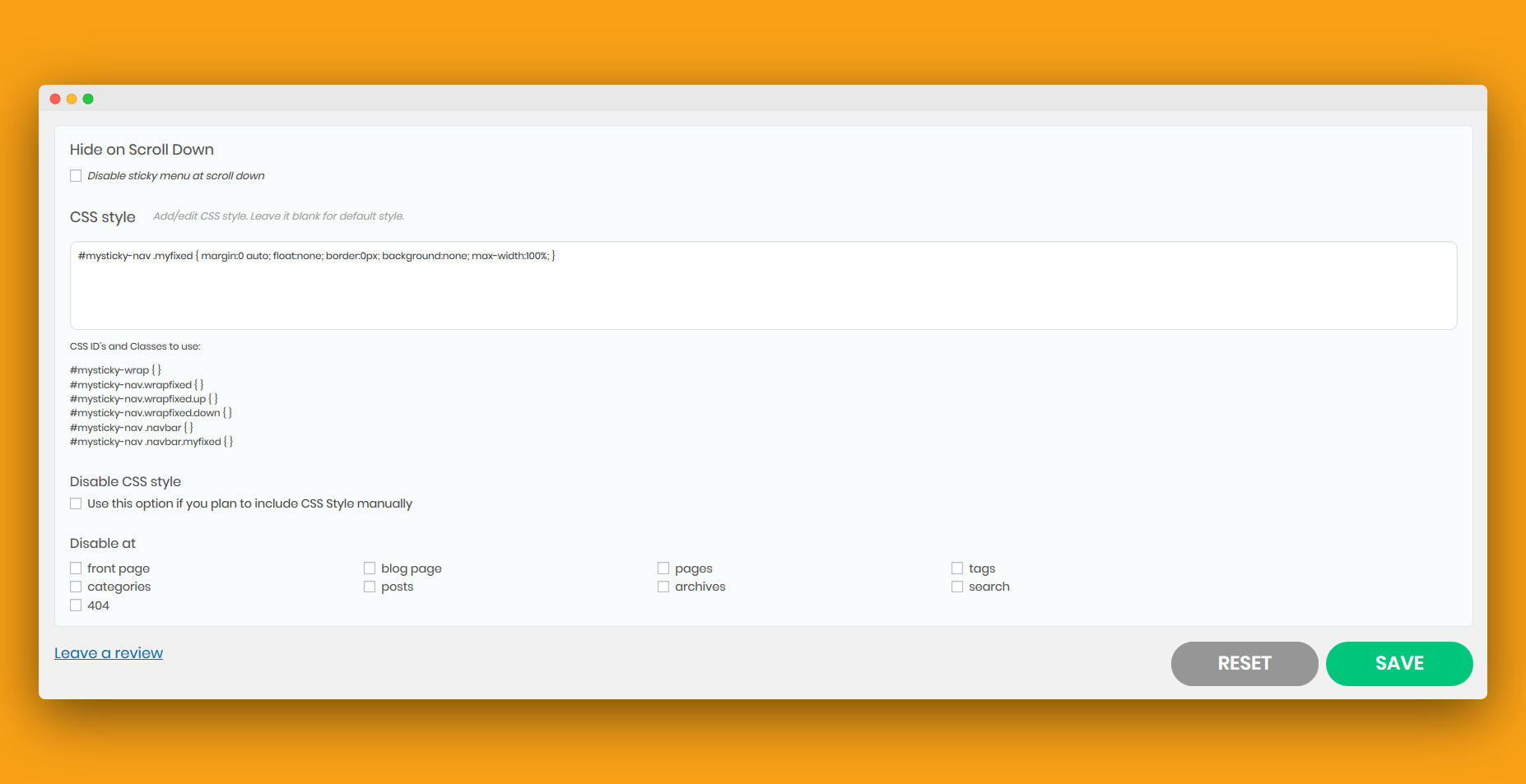
The Pro version offers additional features such as changing CSS style, disabling the sticky menu on scroll down, or disabling it on specific pages.
Changelog
2.7.7
WordPress admin panel CSS bug fixed
2.7.6
Option to add Poptin pop ups to your website
Improved flow to align the button compared to the text position
Various bugs fixed
2.7.5
Sticky menu settings bug fixed
2.7.4
Various bugs were fixed
2.7.3
Notification bar analytics: track the number of visitors and clicks
Option to add a background image to the notification bar
Show the bar only for logged-in or logged-out users
Option to show the coupon code right away
Improved preview for notification bar (full screen)
Set a specific date & time for your notification bar to appear
Various bugs were fixed
2.7.2
JavaScript in notification bar text bug fixed
2.7.1
Button bug fixed
2.7
Bar text bug fixed
2.6.9
WordPress 6.5 compatibility
2.6.8
Editor access bug fixed
2.6.7
Leads page export bug fixed
2.6.6
Onboarding modal bug fixed
2.6.5
Renamed My Sticky Menu to My Sticky Bar
Option to hide/show the notification bar based on tags, categories, posts, and pages (Pro feature)
Notification bar sliding texts transition period and speed settings
Fixed pagination bug
Added “defer” to our script tags to improve performance
Added an option to set an hour to the countdown
Google Page Speed Insight bug fixed
Bugs fixed
2.6.4
Bugs fixed
2.6.3
Sliding texts – Display multiple lines of content in your notification bar that can scroll automatically in your desired direction. You can use it to promote different products, as a news ticker, or any other changing content in your notification bar (Pro feature)
Country targeting – Show or hide your notification bar for specific countries. Create unique notification bars for different countries and tailor your messaging to specific audiences (Pro feature)
2.6.2
Flow changes
2.6.1
Removed character limit of the contact form’s button in the notification bar
2.6
Add a contact form to your Welcome bar and collect your visitors’ contact information
Pro feature: add a discount coupon code element to your Welcome bar
Pro feature: get email notifications for contact form leads
We’ve also fixed some bugs
2.5.9
Fixed notification bar activation bug, fixed UI font bug, and added tooltips and improved the interface content
2.5.8
Plans text change
2.5.7
Improvement: Better support for languages that read from right to left (like Hebrew or Arabic)
Improvement: We’ve also added inherit & system stack font options to give you flexibility when it comes to font choices on your menu bar.
Improvement: New My Sticky Bar dashboard to help you manage your top bars and sticky menus better.
Improvement: Disabling sticky menu features – you can now disable the sticky menu feature if you want to use top bars only
Improvement:
Fixed: Optimized the JS and fix “console.log” on mystickymenu.js bug
For Pro plan users:
Added: You can now put countdown timers on your sticky menu! Best used for promotions or launch announcements!
2.5.6
Z-index welcome bar fix
2.5.5
Fixed notification bar & WordPress admin panel bar overlap bug
2.5.4
Poptin support was added, you can now launch Poptin pop ups
2.5.3
Support route changed
2.5.2
Bugs fixed
2.5.1
WordPress 5.7 adjustments
2.5
Better instructions for the sticky menu feature & explainer video
2.4.9
Mobile bug fixed
2.4.8
JQuery bug fixed
2.4.7
Background color fix
2.4.6
Height fix
2.4.5
Background color fix
2.4.4
New entrance effects and bug fixes
2.4.3
Infrastructure changes
2.4.2
iPhone and iPad notification bar and sticky menu frontend issues fixed
2.4.1
Credit removal
2.4
You can now change the sticky menu font color when the menu is sticky. We’ve also fixed a resize issue and a Divi gap bug
2.3.9
Notification bar fix
2.3.8
You can add custom HTML to your notification bar now
2.3.7
Change the welcome announcement bar frequency
2.3.6
WP 5.4 compatibility, and welcome announcement bar fixed
2.3.5
Review change
2.3.4
Frontend fixes
2.3.3
Slight CSS fixes
2.3.2
Minor bug fixes
2.3.1
If the sticky menu is on, and welcome bar is disabled, google fonts aren’t downloaded
2.3
Fixed some appearance issues
2.2.9
Multiple lines support for the Welcome Bar
2.2.8
WP-admin submit button styling bug fixed
2.2.7
Added attention effects for the button
2.2.6
Sanitize input fixes
2.2.5
myStickyelements now works out-of-the-box with the following themes (which means you don’t need to find your menu’s class, it should work right after installation): Twenty Nineteen, Twenty Seventeen, Hello Elementor, OceanWP, Astra, Storefront, Twenty Sixteen, Neve, Hestia, Sydney, Shapely, GeneratePress, Mesmerize, Ashe, and Total. We’ve also added Google Lighthouse compatibility
2.2.4
Smoother transition when the sticky menu disappears
2.2.3
Pro version changes
2.2.2
Fixed apostrophes bug for Welcome bar
2.2.1
Sticky menu and welcome bar conflict fix
2.2
You can now add a welcome bar to your website
2.1.8
Upgrade page update
2.1.7
Fixed undefined indexes
2.1.6
Saving issue bug fixed
2.1.5
Security update
2.1.4
Fixed some page builders issues
2.1.3
Fixed variable output warnings bugs
2.1.2
Upgrade page change
2.1.1
- Added a testimonial
2.1
- New and easy UI, you can now select your menu from a dropdown
2.0.6
- Fixed: Enable / Disable at 404 page
2.0.5
- Added: Admin settings sidebar right
- Added: Admin separated js script
- Added: Admin separated css script
2.0.4
- Added: Hide for large screens
2.0.3
- Fixed: Missing bg color field
2.0.1
- Fixed: If user logged in but admin bar is not showing (error to calculate activation height)
- Fixed: Admin style conflict with Scripts n Styles plugin
2.0
- Added: If Make visible on Scroll is set to 0 automatic activation and deactivation scroll height will be used (useful for responsive designs).
- Added: Tabs for settings.
- Added: option to disable on scroll down (show only on scroll up).
- Added: Class .up and .down on scroll up or down.
- Added: Reset to default settings.
- Added: remove myStickymenu settings on plugin uninstall.
- Added: index.php to plugin root to prevent directory browsing.
- Fixed: If sticky menu class does not exist (null or undefined), it will show console log instead of error.
- Fixed: slide effect now slides on deactivate as well.
- Fixed: admin bar overlap for screens less than 600 px wide.
1.9.1
- Changed: admin bar is fixed as default, and menu goes under it.
1.9
- Fixed: enable / disable for search pages.
1.8.9
- Added: New option – Disable at certain posts and pages.
1.8.8
- Fixed: removed esc_attr for echo css, since input is already sanitized.
1.8.7
- Fixed: minor bug when browser resized.
1.8.6
- Fixed: minor bug.
1.8.5
- Improved: Improved performance and optimized scripts.
1.8.4
- Fixed: changed is_home() to is_front_page() for menu activation height on front page.
1.8.3
- Change: minor cosmetic changes…
1.8.2
- Fixed: js load on https
1.8.1
- Added: “Disable CSS“. If you plan to add style manually to your style.css in order to improve your site performance disable plugin CSS style printed by default in document head element.
- Minimized mystickymenu.js to improve performance.
1.8
- Added: “Make visible when scrolled on Homepage” after number of pixels. Now it’s possible to have one activation height for home page and another for the rest of the pages.
- Added German language
1.7
- Added multi language support (localization).
- Added languages – English (default), Spanish, Serbian and Croatian.
- Added Iris color picker script.
- Fixed jumping of page on scroll while menu is activated (height is defined before scroll event).
- mystickymenu.js moved to js folder
1.6
- Added: “Make visible when scroled” after number of pixels option.
- Fixed opacity 100 bug.
1.5
- Added option to enter exact width in px when sticky menu should be disabled “Disable at Small Screen Sizes”.
- Added “.myfixed css class” setting field – edit .myfixed css style via plugin settings to create custom style.
- Fixed google adsense clash and undefined index notice.
- is_user_logged_in instead of old “Remove CSS Rules for Static Admin Bar while Sticky” option
1.4
- Added fade in or slide down effect settings field for sticky class.
- Added new wrapped div around selected sticky class with id mysticky_wrap which should make menu works smoother and extend theme support.
1.3
- Added “block direct access” to the mystickymenu plugin file (for security sake).
- Added Enable / Disable at small screen sizes and Remove not necessary css for all themes without admin bar on front page.
- Added “margin-top :0px” to .myfixed class in head which should extend theme support.
1.2
- Fixed mystickymenu.js for IE browsers, so myStickymenu is now compatible with IE 10, 11
1.1
- Added administration options, now available through Dashboard / Settings / myStickymenu. Options are as follows: Sticky Class, Sticky z-index, Sticky Width, Sticky Background Color, Sticky Opacity, Sticky Transition Time.
- Old mystickymenu.css file is deprecated and not in use anymore.
1.0
- First release of myStickymenu plugin

