
Improve your WordPress SEO: Write better content and have a fully optimized WordPress site using the Yoast SEO…
About Custom Order Status Manager for WooCommerce
The Custom Order Status Manager for WooCommerce plugin allows you to create, delete, and edit order statuses to better control the flow of your orders. You can customize the status label, icon or text color, enable email notifications, and more. The plugin is entirely free and includes features that most pro versions have.Screenshots
Frequently asked questions
What is Custom Order Status Manager for WooCommerce?
Custom Order Status Manager for WooCommerce is a WordPress plugin that allows you to create, delete, and edit order statuses to better control the flow of your orders. It helps manage order pipelines by providing customizable status options.
What features does Custom Order Status Manager for WooCommerce offer?
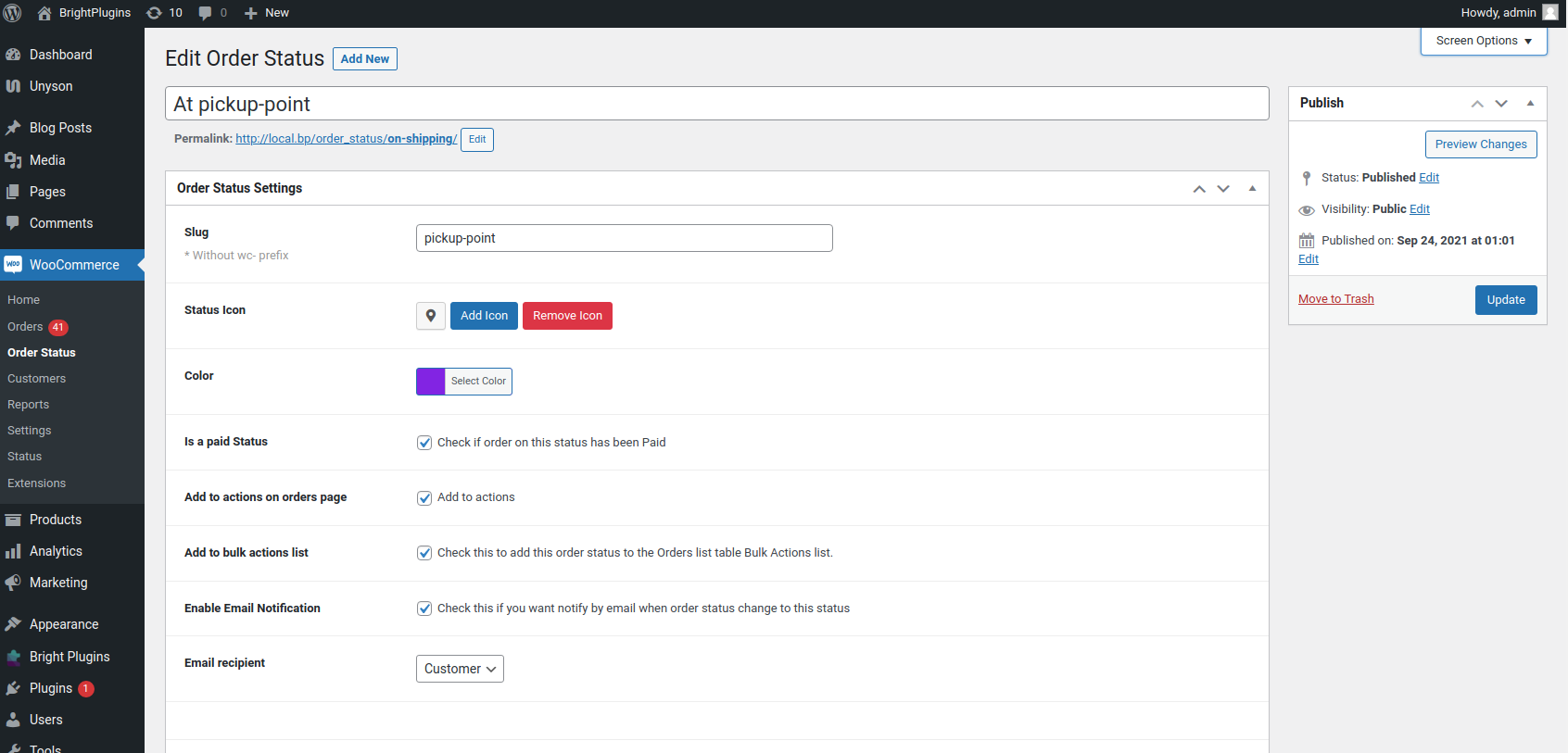
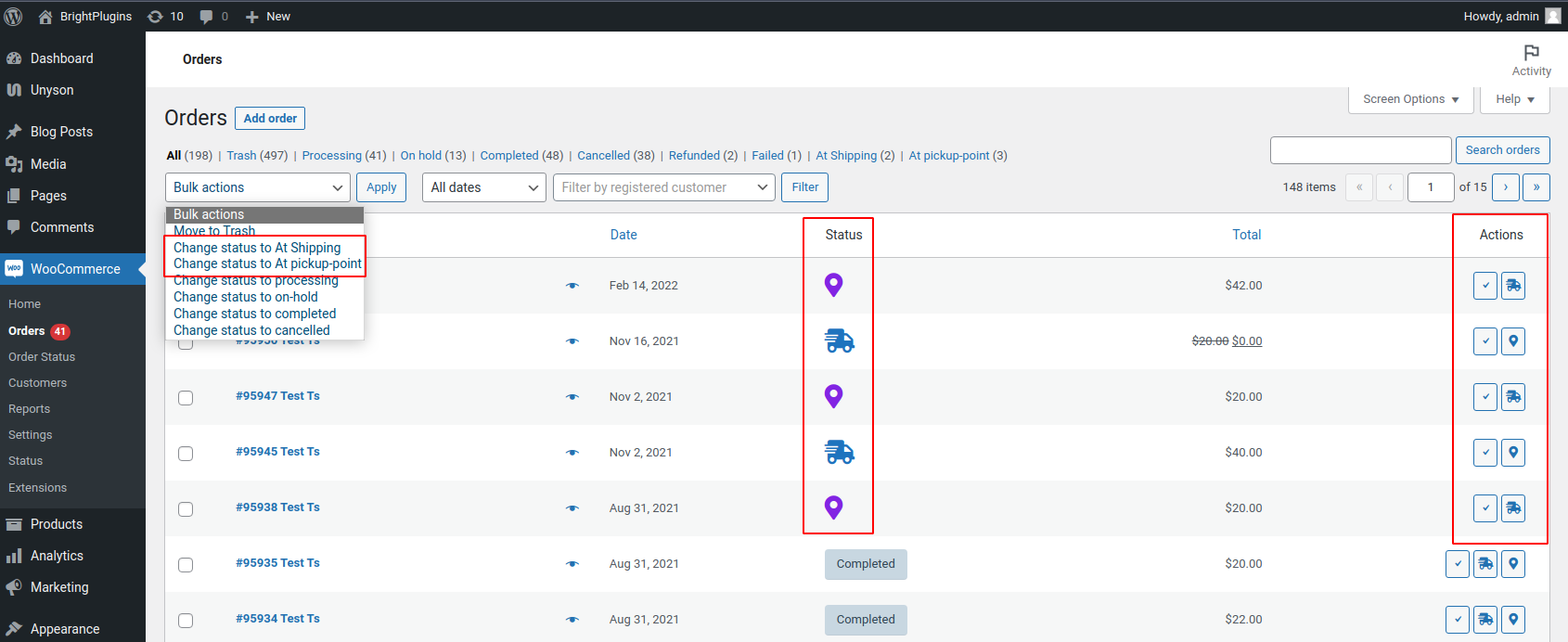
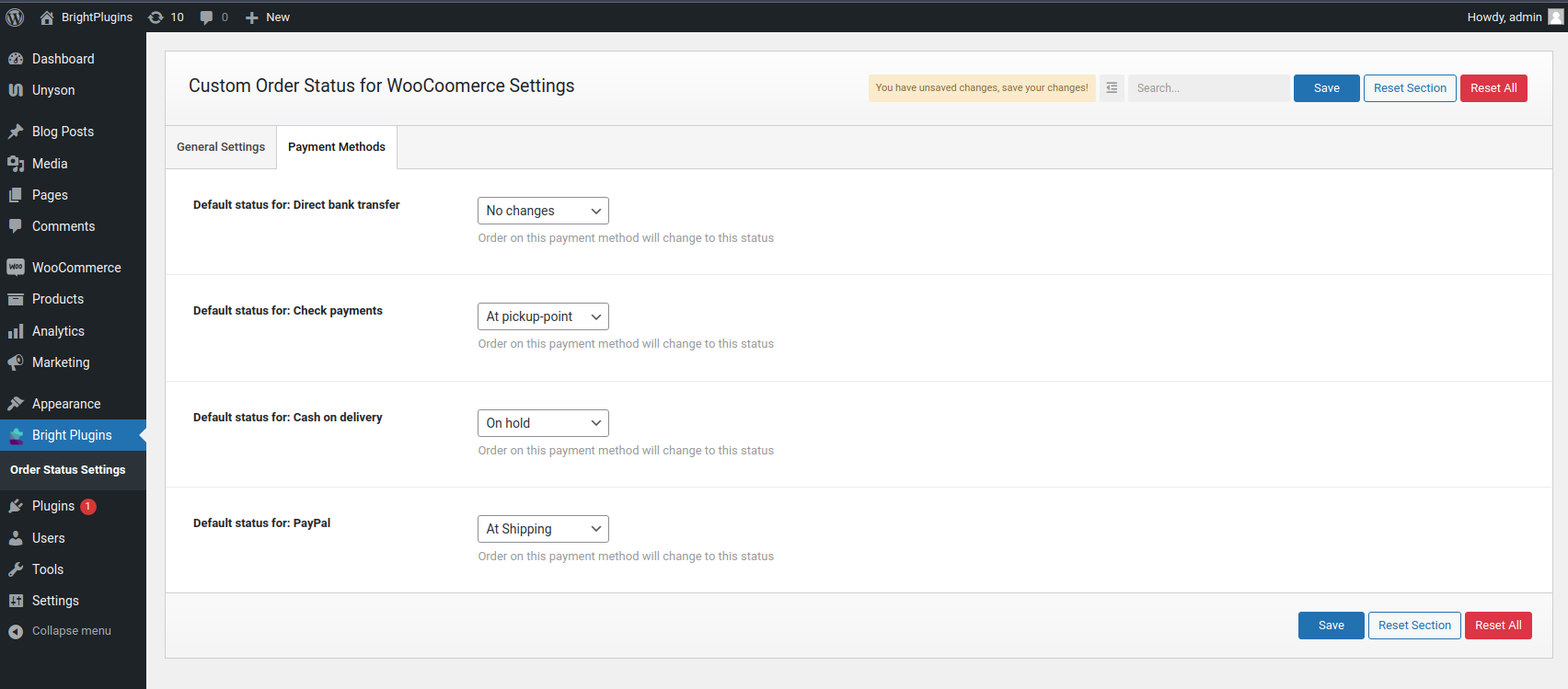
The plugin offers features such as creating unlimited order statuses, customizing status labels, icons, and text colors. It also allows setting default statuses for payment methods, enabling email notifications for customers or administrators, and adding a status column to the order list page.
How do I create a custom order status?
To create a custom order status, navigate to WooCommerce > Order Status menu, click "Add New," enter an order title name and a unique slug, then press "Publish."
How do I activate the email template for a custom order status?
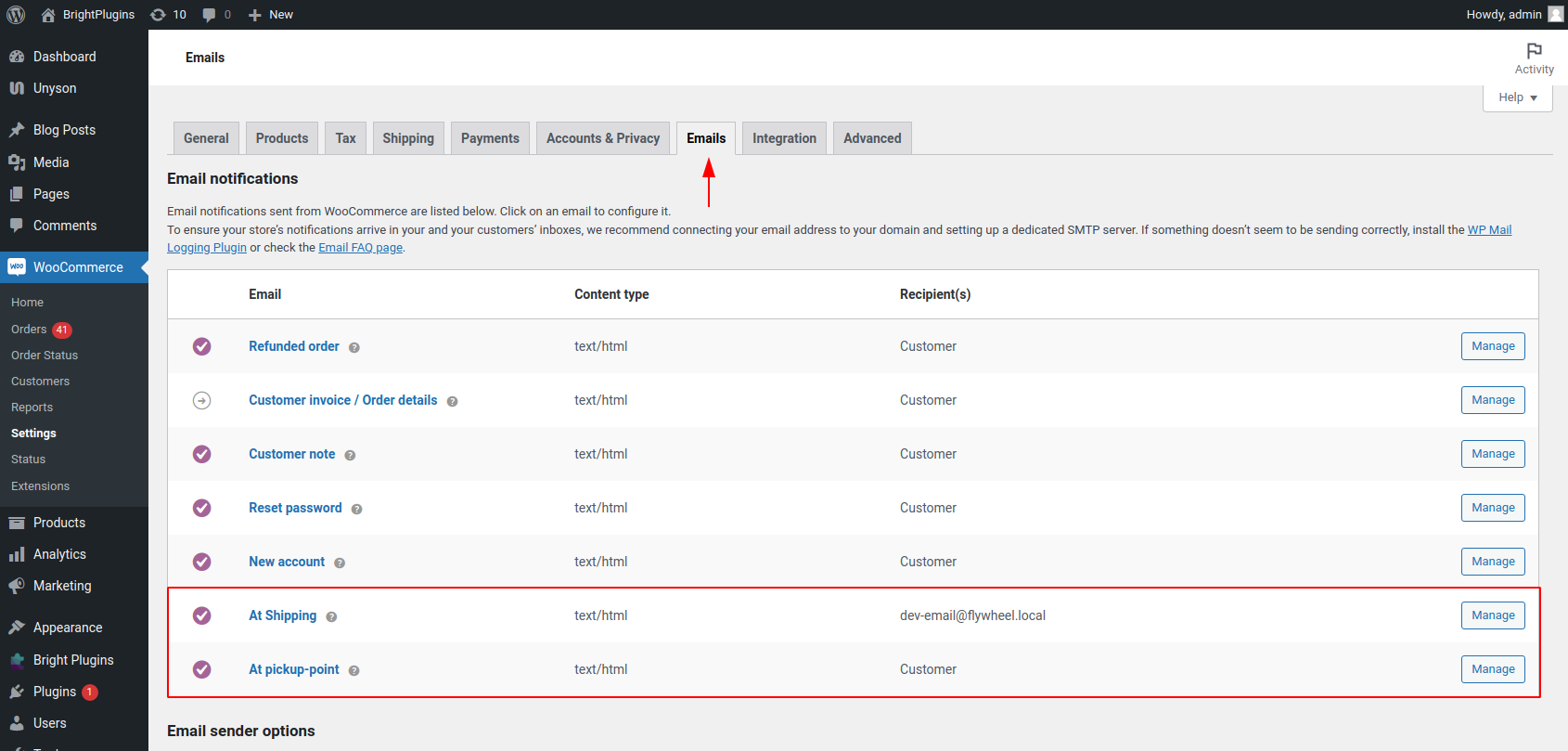
To activate the email template, navigate to WooCommerce > Settings > Email Tab, select the email template name of your custom order status, click the "Enable/Disable" checkbox, and then hit "Save Changes."
Is Custom Order Status Manager for WooCommerce free?
Yes, the plugin is entirely free and includes features often found in pro versions, such as notifications, to support the community and store owners.
Changelog
1.1.5 – 4 Dec 24
- Fixed: remove dashboard notice
1.1.4 – Date 28 Nov 24
- Fixed:
default_body_textphp error - Update: Plugin Framework
- Support for WooCommerce 9.4.x
1.1.3.2 – Date 24 Dec 23
- Fixed: Fatal error on new order admin page
- Fixed: php 8.2 deprecated errors
1.1.3.1 – Date 23 Dec 23
- Fixed: The admin notice cannot be closed for some sites due to a third-party plugin conflict.
1.1.3 – Date 6 Nov 23
Fixed: revert to the previous version code for admin email issue [1.1.2]
1.1.2 – Date 5 Nov 23
- Fixed: New Order admin email notification not working for custom order status
1.1.1 – Date 24 Oct 23
- Fixed: Automatically change order status in some cases
- Fixed: Prevent Font Awesome CSS loading for all pages except “My Account”
- Fixed: When performing bulk actions, email notifications are not sent.
- Tweak: Revert back the complete action button for the custom order status column
- Support for WooCommerce 8.2.x
1.1 – Date 8 Aug 23
- Fixed: Dokan icons Not showing on the orders page in vendor dashboard
- Fixed: Product stock levels are not changing for custom order status
-
Tweak: If the custom status paid option is enabled, display payment details in the order metadata.
-
Support for WooCommerce 7.9
1.0 – Date 9 May 23
- Fixed: Email template file for specific status not working (child theme)
- Tweak: Code refactor
- Support for WooCommerce 7.6
0.12 – Date 21 Feb 23
- Added: Order editable option for custom order status
- Added: Display CPT metadata in the order status column
- Added: COT/HPOS compatibility
- Tweak: Update email template hook
- Support for WooCommerce 7.4
0.11 – Date 11 Jan 23
- Fix email recipients
- Fix: Changed plugin load for more compatibility with method payment plugins
- Added support to override default email template
- Added option to grant access to downloadable products
- Update: Option to use icon only on action buttons and show status name
- Update: codestar Framework
- Experimental: WPML compatibility
- Support for WooCommerce 7.x
0.10 – Date 12 Sep 22
- Update: Add option for change background color of custom status
- Update: Multiple recipients option for email when custom order status changes
- Update: Change order status from preorder
- Fix: “Additional content” is not showing on the email
- Support for WooCommerce 6.8
0.9 – Date 12 Aug 22
- Update: Add “Order status settings” link into plugin meta
- Fix: WooCommerce inactive notice showing for multisite enable dashboard
- Fix: stripe payment gateway is not showing on the plugin option page
- Support for WooCommerce 6.8
0.8 – Date 26 Jul 22
- Bug fix
0.7 – Date 14 Jun 22
- Bug fix
- Support for WooCommerce 6.7
0.6 – Date 22 Jun 22
- Bug fix
- thrid party stripe plugin not showing on the checkout page
- Support for WooCommerce 6.6.1
0.5 – Date 10 Jun 22
- Bug fix
- Support for WooCommerce 6.5.1
- Support for WordPress 6.x
0.4 – Date 11 Mar 22
- Update: Update plugin structure for payment gatways conflicts
0.3 – Date 11 Mar 22
- Fix: Fatal error
0.2 – Released on 18 Feb 22
- Fix: order not showing if status slug have capital letter
0.1
- first release – 17 Feb 22

