As part of our continuous effort to make WordPress faster, smarter, and more secure, we are excited to bring you v2.45.0. This release is packed with enhancements aimed at improving site security visibility, WooCommerce syncing capabilities, and user engagement for SaaS demo templates.
Table of Contents
Let’s quickly brief you on what v2.45.0 brings to the table before we cover major updates in-depth.
- Vulnerability Graph enables you to visualize security issues for connected sites.
- Reply-to Name and Email fields let you receive responses to your Template emails.
- Exclude Core Folders option helps you speed up migrations.
- Increased Backup Limit lets you store 3x on-demand backups for added security.
- Improved WooCommerce Syncing is here to reduce manual efforts for you.
- Faster InstaWP Dashboard will keep you happy throughout your journey.
Most Important Updates from Changelog 2.45.0
#1 – Vulnerability Graph for Connected Sites
There was a significant surge in vulnerabilities, with the percentage of new vulnerabilities rated as high or critical increasing from 13% in 2022 to 42.9% in 2023. WordPress vulnerabilities follow the same trend, underscoring the necessity for robust security measures across all WordPress sites.
To address these rising concerns, we introduced a Vulnerability Graph for Connected Sites in InstaWP v2.44.0.
Building on the previous release, we’ve extended the vulnerability graph to the connected sites’ dashboard/details page (alongside the vulnerability scanner page).
Now, it’s easier than ever to visualize and address potential security issues across your sites without diving into every detail manually.
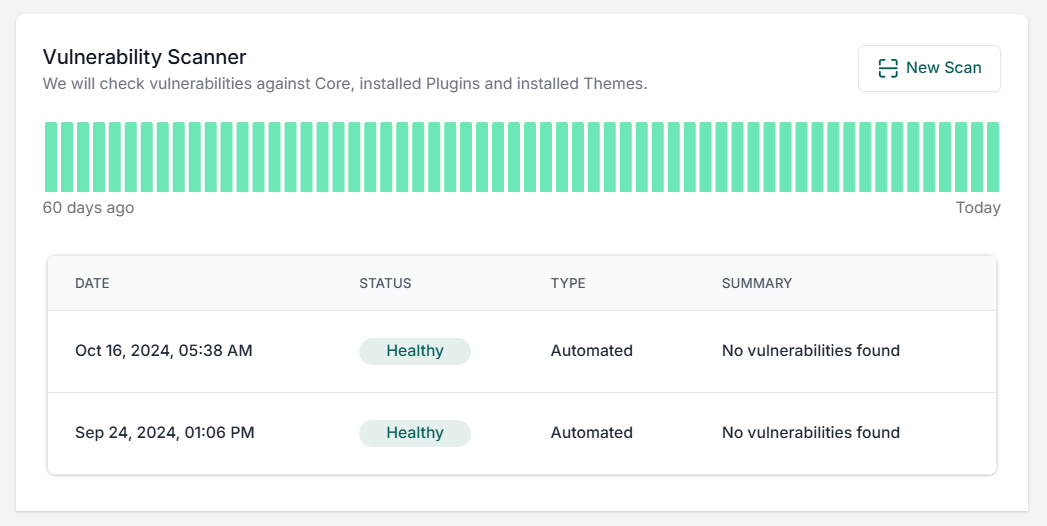
Go to your connected site > Vulnerability Scanner.
Just hover the day-wise candles to view the count of vulnerabilities detected on a particular day (for the last 30 days).
With this, your site’s security status is literally just a glance away!
Note: This feature will be free through the end of 2024.
#2 – Reply-To Details for Product Demo emails
A few days ago, one of our valued clients asked if they could receive replies to their template emails. We realized that’s a great point. So, if you’re using InstaWP templates for your SaaS demos or WordPress products, you’re in luck!
Go to your Template > Email Collection and add relevant details to the “Reply-to Name” and “Reply-to Email” fields.
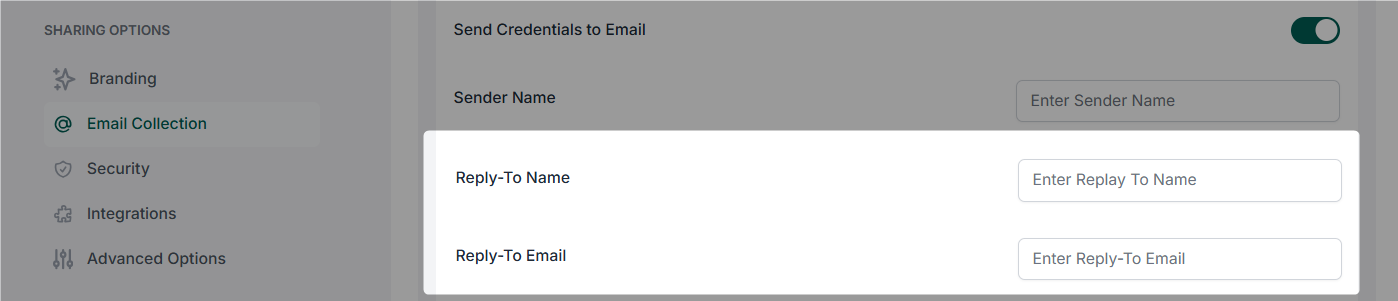
Adding this information will help you foster better relationships and increase conversions, we believe ?
#3 – Option to exclude WordPress core folders from Migrations
Speeding up migrations is always a priority for us. With v2.45.0, you now have the option to exclude WordPress core folders when migrating a site.
InstaWP’s migration tool automatically installs the necessary WordPress core files on the destination site, so there’s no need to explicitly move these from the source site.
This cuts down migration time and simplifies the process.
#4 – 3x on-demand backup limit for the Sites with InstaWP Live
Do you feel 1 backup is not enough?
InstaWP Live now allows you to keep 3x more backups on-demand stored in your dashboard. This new limit is ideal for users who frequently update or tweak their sites and need to ensure they always have a recent backup at hand.
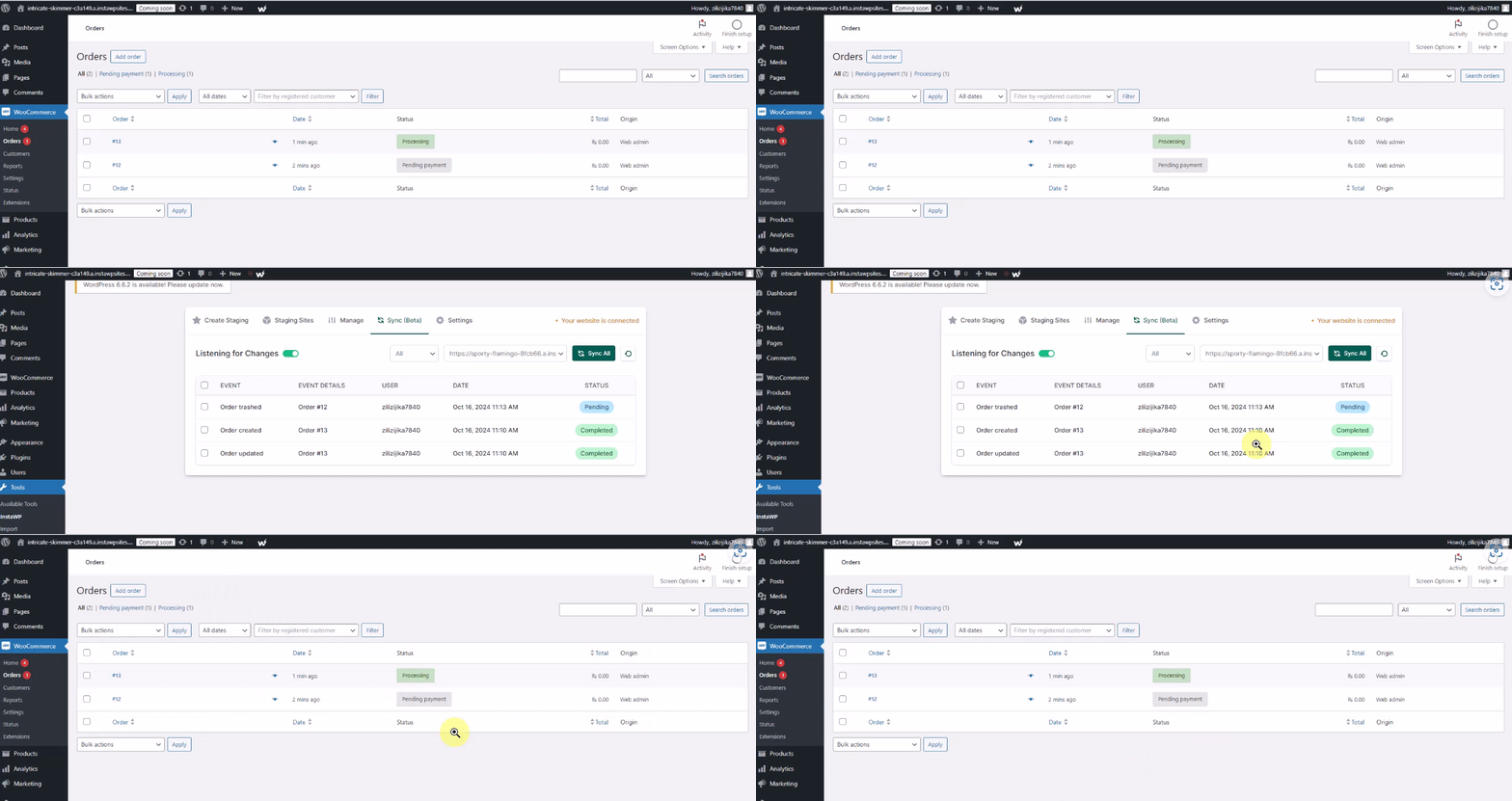
#5 – Better 2-way Syncing for WooCommerce sites.
2-way sync is the ability of InstaWP’s staging platform to synchronize content updates between live and staging environments. Most agencies love using it for e-commerce website development. So, we thought of stabilizing the 2-way sync as much as possible.
Managing WooCommerce sites using 2-way sync? You’ll love the improvements we’ve made to our product’s syncing abilities.
This update resolves issues with syncing order metadata (such as order totals, dates, and origins), ensuring your staging and live environments remain perfectly aligned. We’ve also fixed a bug that added blank items to WooCommerce orders on staging sites.
#6 – InstaWP Dashboard loads much faster now
This update is to ensure a better user experience for you and your team. You might have realized it already, didn’t you?
Our dashboard (everything in the dashboard, from tabs to pages) is now much faster than before. We are trying to optimize everything in our app, and that’s the result – it’s awesome; you can try and give us quick feedback so that our engineers feel motivated ?
Major UI Improvements from InstaWP Changelog 2.45.0
We love to keep things fresh and user-friendly for the InstaWP’s interface. So, here are a few changes you might notice in our UI:
- An updated design on the migration tracking page improves visibility and accessibility, making it easier to monitor migration processes.
- Enhancements to various UI/UX elements (e.g., dropdowns, icons) streamline interactions and improve the overall look and feel of the platform.
- Significant UI improvements to the InstaWP Live site’s Backup screen enhance functionality and user engagement, making backup management more straightforward and effective.
Major Fixes from InstaWP Changelog 2.45.0
At InstaWP, our team constantly monitors performance, feedback, and analytics to identify and resolve any issues that may affect your experience. Our goal is to ensure that InstaWP remains a robust and reliable platform.
The v2.45.0 update includes several important fixes that enhance the stability of key features, allowing you to manage WordPress sites with greater confidence.
- We fixed an error related to WaaS live pack pricing (per site). Previously, it was not loading correctly for some use cases.
- An issue with pull migration status updates is fixed in this release.
- The bulk-select feature now works correctly on the Connect page.
- Issues with WP core inventory management won’t affect our users anymore.
- We solved an issue with manual CPU bursts for live sites very recently.
- We have removed the visitor count (for InstaWP live) from your dashboard.
- A bug on the InstaWP live detail page is fixed.
- Posts’ meta-data is now saved correctly when triggered by action hooks.
- Synchronization of post meta-data saved via the save_post hook works fine now.