Advanced Access Manager (AAM) has earned a solid reputation as a powerful tool for controlling access to content in WordPress. It’s trusted by thousands of developers for managing user roles, securing backend access, and more. However, in the dynamic world of web development—especially for agencies handling multiple clients or complex setups—having alternatives isn’t about replacing AAM but enhancing flexibility and customization.
Whether you’re building membership sites, client dashboards, or gated content areas, sometimes a different plugin might better align with your workflow, UI preferences, or business goals. This post explores a variety of content restriction plugins that can serve as excellent alternatives or complements to AAM, depending on your specific needs.
Table of Contents
What is Advanced Access Manager—and Why Do People Love It?
Advanced Access Manager (AAM) is a powerful WordPress plugin designed to give administrators full control over user access and permissions. Whether you’re managing user roles, securing backend access, or restricting content on a granular level, AAM brings developer-level control to WordPress access management.

Here’s why it’s a favorite among WordPress pros:
✅ Granular Access Control: AAM allows you to restrict access to posts, pages, custom post types, admin menu items, widgets, and more—all with precision.
✅ Role and Capability Management: Easily create, modify, and assign user roles and capabilities without needing extra plugins.
✅ Backend and Frontend Restrictions: Protect both the dashboard and public-facing content with conditional rules.
✅ Multisite Support: Works well across WordPress networks, making it suitable for agencies managing large-scale setups.
✅ Developer-Friendly Hooks and Filters: For advanced use cases, AAM offers a rich API and customization options.
✅ Security Enhancements: You can block access by IP, configure login behavior, and even define read/write permissions per user.
Many agencies and developers prefer AAM because it keeps everything in-house—no need for third-party integrations to achieve detailed access control. It’s also lightweight, actively maintained, and has a strong community of users.
That said, as your client base grows and your use cases diversify—membership sites, eCommerce restrictions, or multilingual content—you may find yourself needing additional features or simpler UIs that other plugins are purpose-built to offer. And that’s where AAM alternatives come in.
What Makes a Great Content Restriction Plugin?
Before diving into the list of alternatives, it’s helpful to understand the criteria that agencies and developers typically look for:
- Role-Based Control: Assign content visibility based on user roles or custom capabilities.
- Membership & Paywall Support: If you’re monetizing content, integration with payment gateways is key.
- WooCommerce Compatibility: For eCommerce websites, product-based access or customer segmentation is crucial.
- Frontend Access Management: Allow users to manage their own accounts or upgrade memberships.
- Developer-Friendly Hooks: APIs and filters for deeper customizations.
- Multisite and Multilingual Support: Essential for global or networked websites.
- User Experience: Clean, intuitive admin panels reduce friction for your team or clients.
These features become especially critical when you’re managing multiple WordPress environments or delivering polished client projects.
Best Advanced Access Manager Alternatives
Looking for a better way to manage user roles and permissions in WordPress? Explore these top alternatives to Advanced Access Manager, offering enhanced flexibility, performance, and integration options for developers.
Pro Tip: Before diving into any Advanced Access Manager alternatives, it’s crucial to test their functionalities in a staging environment to avoid issues on your live site. With InstaWP, you can create staging sites instantly, allowing you to safely experiment with content restriction plugins, themes, and configurations.
InstaWP provides a risk-free staging ecosystem to test new features, troubleshoot errors, and perfect your setup—all without affecting your live site. Plus, it’s one-click setup makes launching a staging environment quick and hassle-free!
Guide: What Is a Staging Environment & Why You Should Have One
1. Paid Memberships Pro
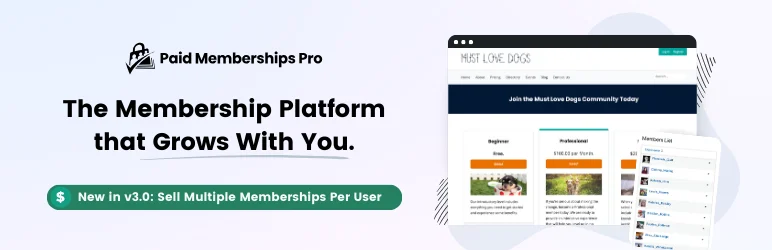
Paid Memberships Pro is a top-tier WordPress plugin designed to transform your website into a fully-fledged membership platform. This solution is perfect for businesses, organizations, and creators who aim to monetize their content and provide exclusive access to members.
With its flexible membership levels, robust access control, and easy integration with popular payment gateways, you can offer tailored content to your audience. Best of all, it features customizable pricing tiers, automated billing, and detailed reporting tools—making it one of the most comprehensive membership plugins for WordPress.
Core Features
- Ultimate Content Protection: Provides 28 ways to protect content, allowing sneak peeks or complete hiding of restricted content.
- Flexible Membership Management: Offers unlimited levels, group memberships, personalized content, and email communications.
- Effortless Recurring Payments: Comes with multiple payment gateways, flexible pricing, and customizable trials.
- Smooth User Experience: Features front-end user profiles, registration, login, and custom form fields.
- Powerful Admin Tools & Reports: Includes features for manual member addition, detailed reports, and site enhancements.
Use Cases
WordPress developers can use Paid Memberships Pro to create membership sites that offer restricted access to content, like courses, videos, forums, products, events, podcasts, etc. It’s also perfect for sites needing to manage multiple membership types and provide personalized content for each membership level.
User Experience and Design
This content restriction plugin offers an intuitive and user-friendly interface, with front-end user profiles, registration, and login. It also features customizable form fields and a membership account dashboard, providing a seamless experience for users.
Pricing Options
- Standard: $174/year
- Plus: $299/year
- Enterprise: $5,000+
2. Content Control
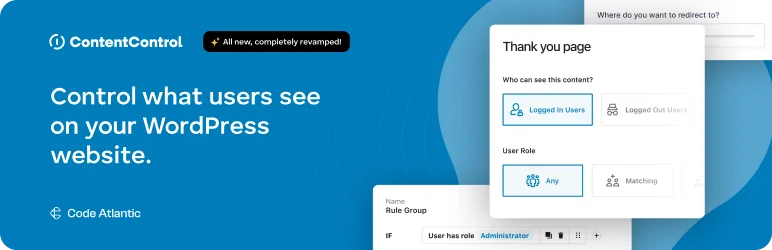
Unleash the power of content management with Content Control, the ultimate content restriction plugin for WordPress.
Tailored for bloggers, businesses, and developers who crave advanced content restrictions, this content restriction plugin brings unprecedented control over your site’s content visibility, access, and monetization. It allows you to restrict pages, posts, or custom content based on user roles or login status.
With seamless integration, you can set up powerful rules for controlling who sees what content, making it ideal for membership sites or gated content. Additionally, its easy-to-use interface ensures smooth management of access rights without complicated setups.
Core Features
- Complete Content Authority: Dictate who can access your website’s content based on user status, roles, or device type.
- Monetization Paywall: Tease your content and prompt users to purchase access, unlocking new monetization avenues.
- Custom Block Controls: Customize visibility and access down to individual blocks in Gutenberg and the Full Site Editor.
- Exclusive Membership Management: Design exclusive content for members and manage access effectively.
- Media Page Access Control: Control who can see your media attachment pages.
- Targeted User Redirection: Guide users to specific pages based on their roles.
- Secure API Endpoint Restrictions: Safeguard your site’s API endpoints from unauthorized access.
Use Cases
Perfect for WordPress developers who want to personalize user experiences, monetize content, or set up membership sites. Whether it’s creating a paywall for premium articles, designing members-only sections, or redirecting users based on their roles, Content Control is the tool you need.
User Experience and Design
Content Control boasts an intuitive interface designed for ease of use. With seamless integration with Gutenberg and Full Site Editor, and a handy shortcode for inline content protection, managing content access has never been easier.
Pricing Options
- Personal: $59.40/year (renews at $59.40/year)
- Plus: $119.40/year (renews at $119.40/year)
- Professional: $419.40/year
3. WP User Frontend
Take control of your WordPress site with WP User Frontend, the number one frontend post submission, membership, and profile builder plugin. This tool is perfect for website administrators and content creators who want to streamline and optimize their site’s user management system.
It allows users to submit content, edit profiles, and manage memberships directly from the frontend, removing the need for backend access.
With built-in form builders, you can easily create custom post submission forms and profile pages. The content restriction plugin also supports membership features, enabling you to monetize user-generated content and manage roles seamlessly.
Core Features
- Frontend Post & Profile Management: Allows users to create new posts, edit their profiles, and manage their memberships from the frontend, eliminating the need for backend access.
- Seamless Profile Updates: Registered users can conveniently update their profiles using default fields from the frontend.
- Intuitive Drag-and-Drop Form Builder: Quickly create forms with the necessary fields using the intuitive drag-and-drop feature.
- Custom Role-Based Posting: Control which user roles can make posts while restricting others, giving you maximum flexibility.
- Monetize with Subscription-Based Posting: Create subscription packs and charge per post, enabling you to monetize your content.
- Effortless ACF Integration: Connect form fields with ACF fields for a simplified viewing of user submissions.
Use Cases
WordPress developers can use WP User Frontend to create a seamless user experience for their site visitors, allowing them to submit posts, update profiles, and manage their memberships without having to navigate to the backend. E-commerce sites can leverage the plugin’s WooCommerce support to let users create products via frontend forms.
User Experience and Design
WP User Frontend boasts a user-friendly and intuitive interface that integrates seamlessly with other tools, including Advanced Custom Fields and WooCommerce. The content restriction plugin also offers customization options through its drag-and-drop form builder.
Pricing Options
- Pro Personal: $49/year (single site license)
- Pro Business: $89/year (5 site licenses)
- Pro Developer: $159/year (unlimited site licenses)
4. ARMember

Struggling to create a fully functional membership site on WordPress? Look no further than ARMember, the top-rated membership plugin with a modern interface and a wide range of features.
Perfect for businesses, non-profits, and professionals looking to enhance their online presence with a membership platform, ARMember offers advanced functionalities like customizable membership plans, automated billing, and flexible content protection.
With its intuitive design and robust features, you can easily set up and manage memberships, streamline user registration, and provide exclusive content to your audience with ease.
Core Features
- Effortless Member Management: Manage your members effortlessly with filters and manual approval options.
- Unlimited Membership Tiers: Create a variety of plans including free, finite/infinite paid, and auto-recurring subscriptions.
- Spam-Free Advanced Form Builder: Create spam-free forms for registration, login, profile editing, and more.
- One-Click Content Restriction: Easily restrict any content on your site with just one click.
- Customizable Email Notifications: Keep your members updated with customizable email templates.
- Robust Security Features: Enjoy peace of mind with inbuilt security features and brute force login protection.
Use Cases
This content restriction plugin is ideal for business consulting services, membership communities, professional organizations, and more. For instance, a yoga studio can use ARMember to offer online training and wellness programs through a subscription-based model. A non-profit organization can manage member directories, event sign-ups, and exclusive content.
User Experience and Design
ARMember boasts a user-friendly interface with drag-and-drop form-building capabilities. Its seamless integration with Gutenberg, Visual Composer, and Cornerstone enhances the user experience by allowing easy customization of forms and content.
Pricing Options
Lite version comes with support for PayPal and Bank Transfer payment gateways, and includes free in-built modules like Social Feature Module, Content Access Rules, and Live Form Editor. Full version Upgrade to access additional features and integrations, and is available at $69.
5.s2Member
Designed for websites seeking to monetize, grow their user base, and protect their premium content, the s2Member content restriction plugin is the ultimate membership solution.
It’s an ideal tool for content creators, businesses, and educational institutions looking to offer exclusive access to their audience. With s2Member, you can create versatile membership levels, manage subscriptions, and secure content effortlessly.
Its robust feature set includes customizable access controls, integration with major payment gateways, and detailed reporting, making it a powerful asset for managing and expanding your membership platform.
Core Features
- Unlimited Membership Sales: Sell unlimited memberships and manage subscriptions with ease.
- Premium Content Protection: Protect your premium content, including posts, pages, and even downloadable files.
- Secure PayPal Integration: Seamlessly integrates with PayPal, allowing swift and secure payment processing.
- Account Sharing Prevention: Prevent account sharing by limiting IPs and simultaneous logins.
- Branded Login Experience: Customize the WordPress login/registration look for a branded user experience.
- Enhanced Email Engagement: Features email list integration with services like Mailchimp for better audience engagement.
- Personalized Member Profiles: Offers custom profile fields for member accounts, providing a personalized user experience.
- Robust Security Measures: Provides robust security features, including account protection and security badges.
Use Cases
Whether you’re running an online course platform, a content-rich blog, or a business site, s2Member lets you turn free subscribers into paying members. For instance, an educational website can protect course materials, allowing only paid members to access them. Similarly, a blog site can offer premium articles or downloadable resources exclusively for members.
User Experience and Design
s2Member offers a user-friendly interface that makes configuration and usage a breeze. Its seamless integration with various tools like PayPal, bbPress, BuddyPress, and Mailchimp enhances the user experience. Moreover, its customizable login/registration look lets you maintain brand consistency across your site.
Pricing Options
The s2Member Framework is available for free and integrates with PayPal Website Payments Standard.
- Single Site License: $89 (one-time)
- Unlimited-Site License: $189 (one-time)
Choosing the Right Plugin: What to Ask Yourself
To determine the best solution for your project, ask:
- Are you monetizing content or just restricting access?
- Do you need simple visibility control or dynamic membership logic?
- Should the plugin integrate with WooCommerce or LMS tools?
- Does your client prefer a simple dashboard or developer-powered features?
- Are you building for a multilingual or multisite setup?
Choosing based on project needs rather than popularity ensures long-term scalability.
Bonus Tools to Enhance Access Control
Pairing your access plugin with the right tools can take it further:
- WP Fusion – Sync access rules with CRMs like ActiveCampaign or HubSpot.
- WooCommerce Subscriptions – Manage recurring revenue and access rules.
- WPML / Polylang – Restrict access by language version.
- User Switching – Test different user experiences.
- WP Activity Log – Track logins and permission changes for compliance.
Wrapping Up
Advanced Access Manager remains a capable and respected tool in the WordPress ecosystem. However, the needs of agencies and developers are not one-size-fits-all. Whether you’re creating gated content for an eLearning site or restricting access on a multilingual WooCommerce store, having alternatives empowers you to make the best decision per project.
Flexibility is the hallmark of great WordPress development. By testing, comparing, and deploying the right content restriction plugin, you’re not just enhancing security—you’re building smarter experiences for every user.


