v3.19.0 is about visibility and resilience. Visibility, because you can now watch your sites in real time and know exactly what your backups are doing. Resilience, because failed migrations no longer mean starting from scratch, and routine server updates no longer mean brief downtime.
Table of Contents
What’s New?
#1 – Revamped Backup System
Backups at InstaWP have been rebuilt from the ground up.
The new architecture uses snapshots, which means backups no longer compete with your production server for resources. Previously, running a backup meant your site was quietly shouldering extra load. Now, backups happen off the critical path entirely.
If you manage client sites or high-traffic environments, this is the difference between “backups run in the background” and actually meaning it.
#2 – Real-Time Site Monitoring
You can now view live CPU, RAM, and PHP process stats for individual sites directly from the dashboard.
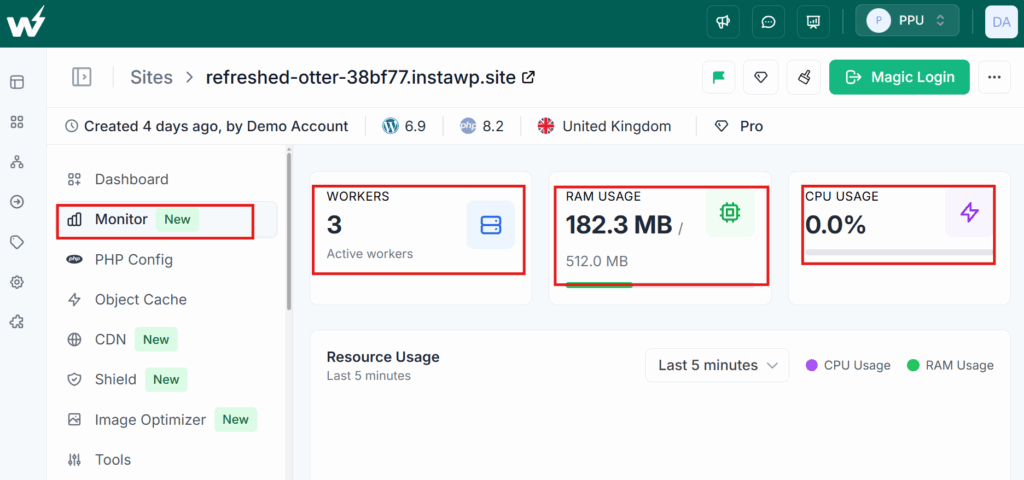
No more SSHing in to check top or guessing why a site feels sluggish. The metrics are right where you manage the site, updated in real time.
This is especially useful for:
- Debugging performance issues during client handoffs
- Monitoring resource usage after plugin changes or traffic spikes
- Keeping an eye on staging environments during load testing
#3 – CDN Cache Purge from WordPress
Content updates in WordPress now trigger CDN cache purges automatically through the InstaWP Connect plugin → InstaCDN wiring.
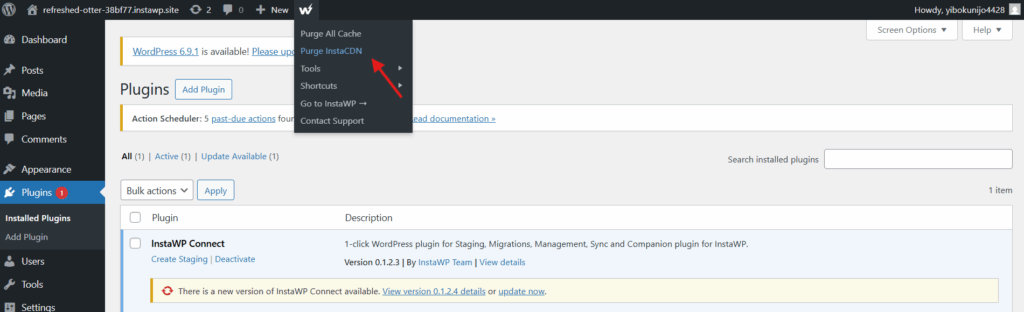
This closes a common gap: you publish a blog post or update a landing page, but visitors still see the cached version. Now, the CDN stays in sync with your content without manual purges.
#4 – On-Demand Backup
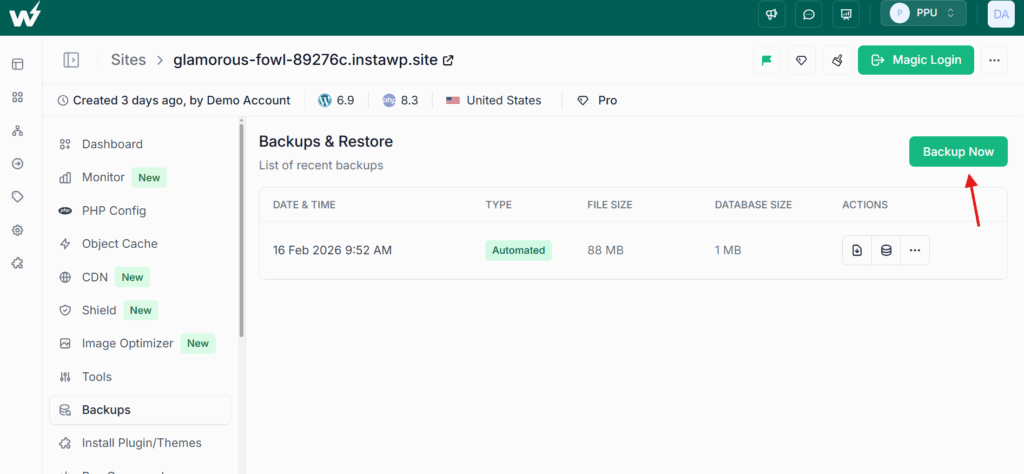
You can now take up to 3 backups per site on demand. This is for the moments when you are about to make a risky change and want a clean restore point; right now, not on a schedule. Quick, intentional, and available when you need it most.
#5 – Migration Retry
Failed end-to-end migrations can now be retried with a single click.
Instead of diagnosing a failure and restarting the entire process, the system now shows clear error indicators; what went wrong and whether a retry is available. One click, and you are back in motion.
This alone should save significant time for anyone running frequent migrations.
Improvements
#1 – WordPress REST API Through Shield
WordPress REST API requests now pass through Shield protection without being blocked.
If you rely on headless setups, mobile apps, or any integration that talks to the REST API, Shield no longer gets in the way. Protection stays on, legitimate API traffic flows through.
#2 – Backups Page Redesign
The Backups page has been redesigned with:
- Summary stats at the top: total backups, storage used, and type breakdown
- Filters for status, date, and server
- Size and runtime columns for each backup entry
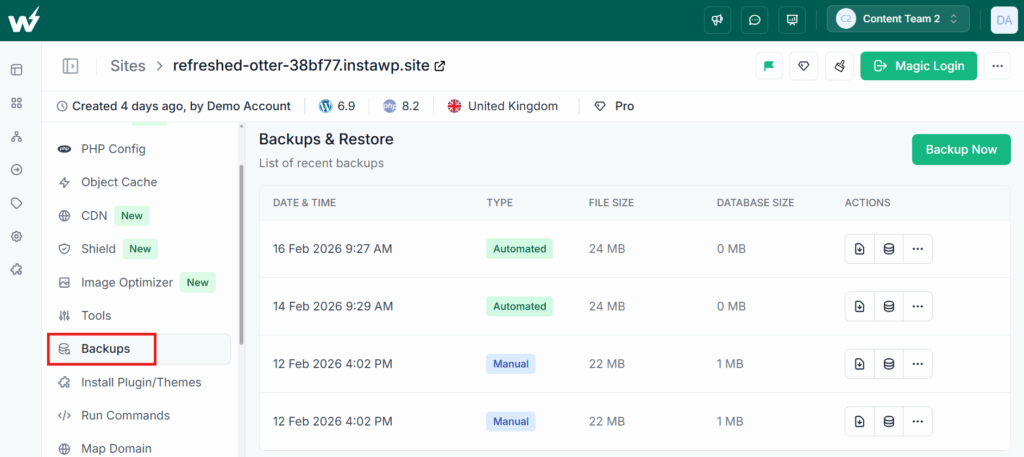
This turns the backups page from a flat list into something you can actually navigate and audit quickly.
#3 – Graceful Service Reloads
PHP version updates, SSL updates, and domain changes now reload services gracefully; no briefer 502 outages during routine operations.
This is one of those improvements that is easy to overlook until you remember how many times a quick PHP version switch caused a few seconds of downtime. That is gone now.
Fixes
App Fixes
- Demo site API accuracy Demo site API queries were returning incorrect matches due to missing token validation and case-sensitive email comparison. Both are now handled correctly.
- Domain migration on legacy databases Domains migration was failing on legacy databases because of non-nullable foreign key constraints on existing rows. This has been resolved.
- PHP warnings during migrations Migration scripts were throwing PHP warnings when files were deleted mid-transfer or directories were invalid. These edge cases are now handled cleanly.
- InstaMount server stability Server spikes caused by Windows client recursive directory scanning of
wp-content/pluginshave been fixed. InstaMount should now behave predictably regardless of client OS. - ManageWP Shield bypass persistence The ManageWP Shield bypass toggle was not persisting after page refresh due to a wrong JSON key used for the status check. Toggle state now saves and loads correctly.
Enterprise
Migration Retry for Enterprise Migrations
Migration retry support now extends to enterprise migrations; including providers like Bluehost, Loopia, and others. Failed migrations can be retried without starting the entire process over.
For teams running large-scale migrations across hosting providers, this removes one of the most frustrating bottlenecks: the all-or-nothing migration attempt.
Conclusion
v3.19.0 is a meaningful step forward for anyone managing WordPress at scale: backups that do not tax production, real-time visibility into site health, CDN that stays current with your content, and migrations that recover gracefully from failure.
If you have been waiting for fewer “what is happening?” moments and more “I can see exactly what is happening” moments — this is that release.