v3.7.0 is a big release, especially with the introduction of our new Local Mount feature. It also announces enhanced development workflows, API improvements, team management settings, and several under-the-hood fixes. Whether you’re a solo builder or managing large teams, this release is all about making your experience faster, clearer, and more flexible.
⚙️ What’s New?
#1 – Local Mounting for WordPress Sites
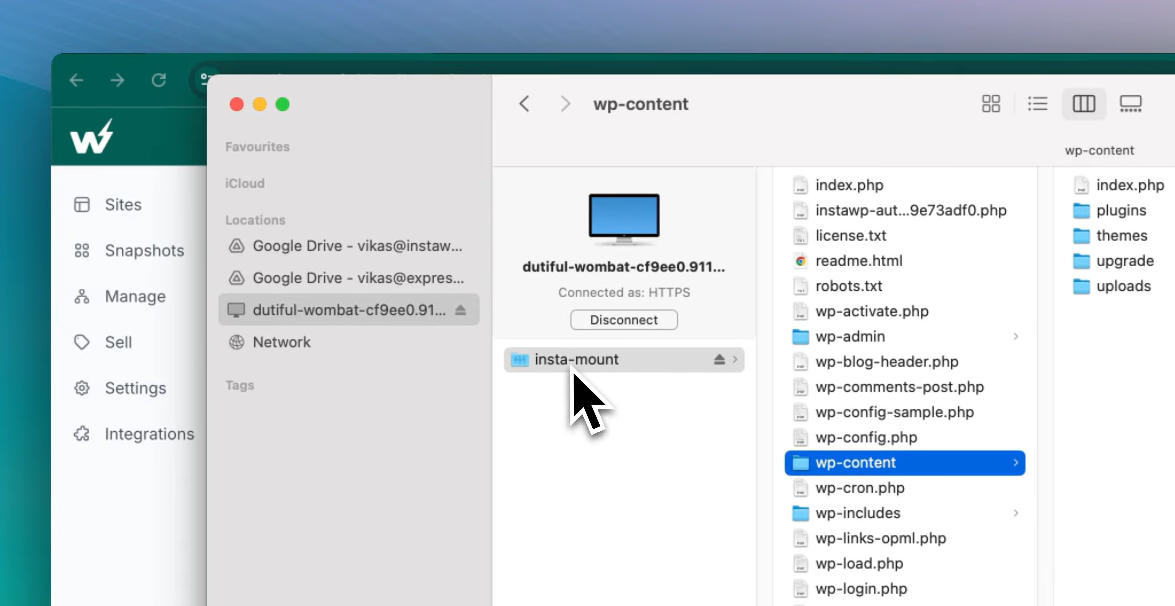
InstaWP offers the Local Mount feature for InstaWP sites. Local mount means linking a storage device (like a hard drive or partition) to a directory on your computer’s file system.
Mount InstaWP Sites as Local Folders (macOS, Windows, Linux)
This brand-new capability lets you mount your InstaWP site as a local folder on your Windows or macOS system. That means you can access and edit your site files directly from your desktop, with no need for repeated uploads or extra tooling. It’s like having your cloud WordPress environment available locally, instantly.
#2 – Team Settings Now in Sidebar
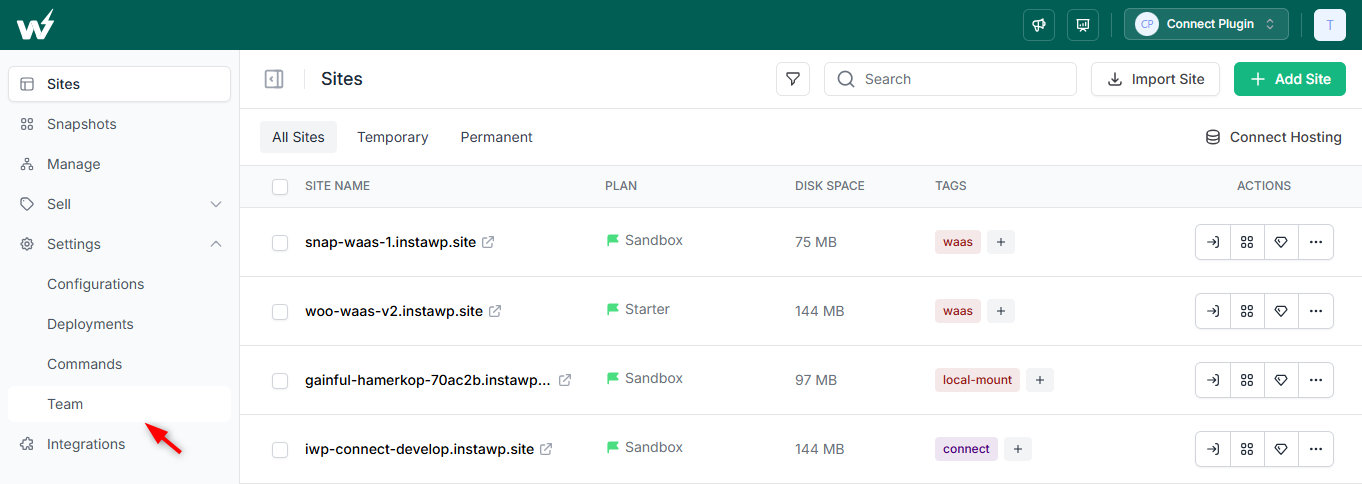
The Team Settings options are now easily accessible directly from the main sidebar for improved visibility and quicker navigation. Previously, it was less accessible from the dashboard directly. You’ll get all the team settings from the dashboard now.
#3 – Bulk Theme & Plugin Management
This feature will be a new experience for ‘Manage’ users. We have added a bulk selection feature here. Sometimes users want to update all the installed plugins and themes that require updates.
Also, they can install multiple plugins for their multiple advanced sites.
The beauty of this feature is that you can update or install a bulk amount of plugins or themes for your bulk site within one click. This feature is only available for advanced users.
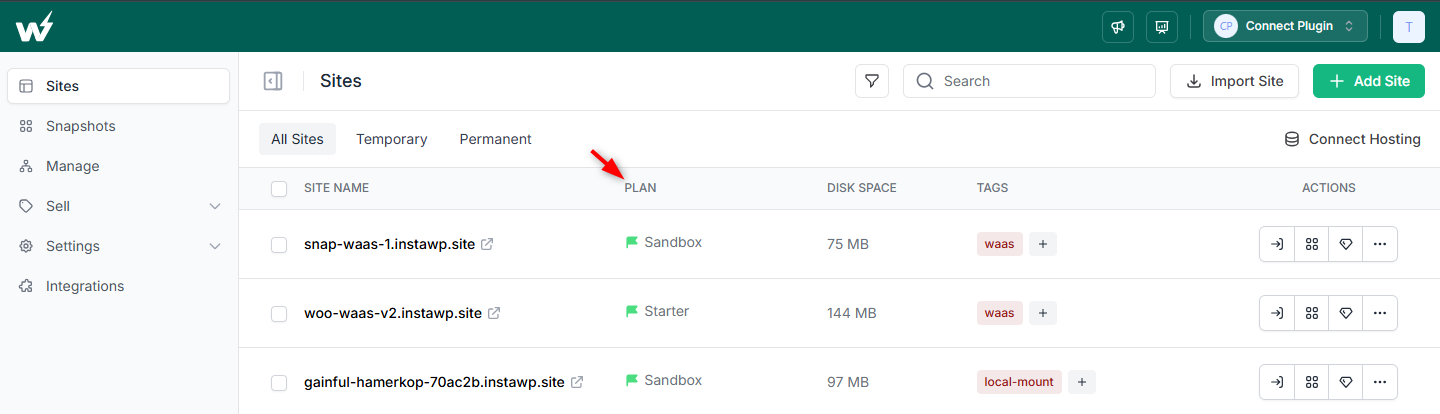
#4 – Plan Visibility for PPU Sites
The Sites table now displays the plan type of the site instead of just the expiry date. It also includes displaying the availability of features like CDN, Shield, or Backups, whichever the plan has.
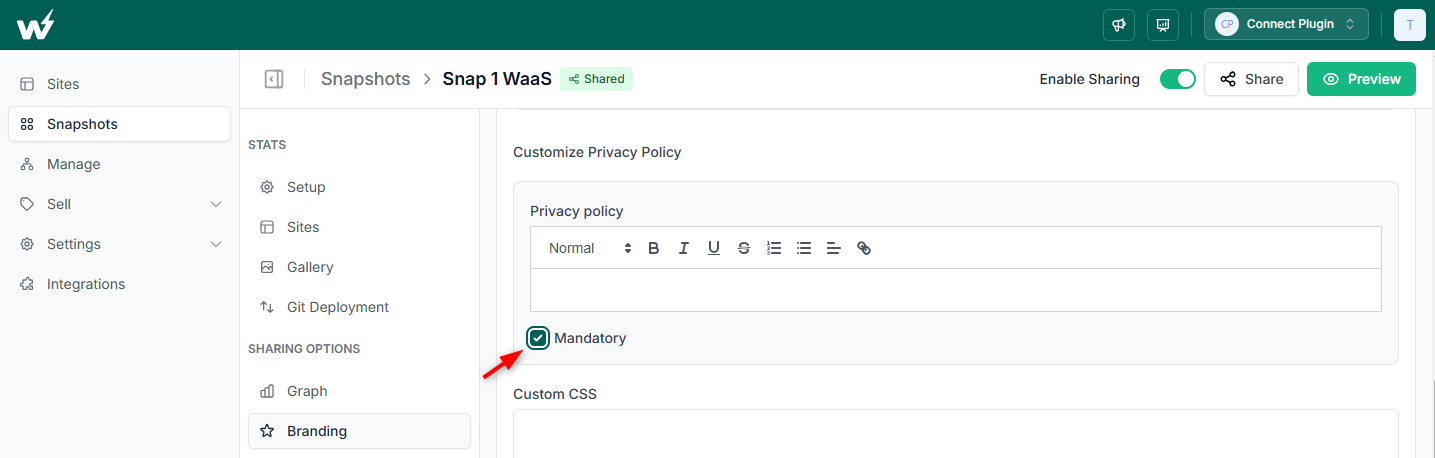
#5 – Privacy Policy Consent for Shared Snapshots
Shared snapshot users will get an option to make the privacy policy mandatory for their guest users. This means guest users will be prompted to agree to your terms before they can use your snapshot. It’s a valuable addition for creators who want more control over data practices. This feature helps maintain trust while keeping your shared demos professional and secure.
Improvements
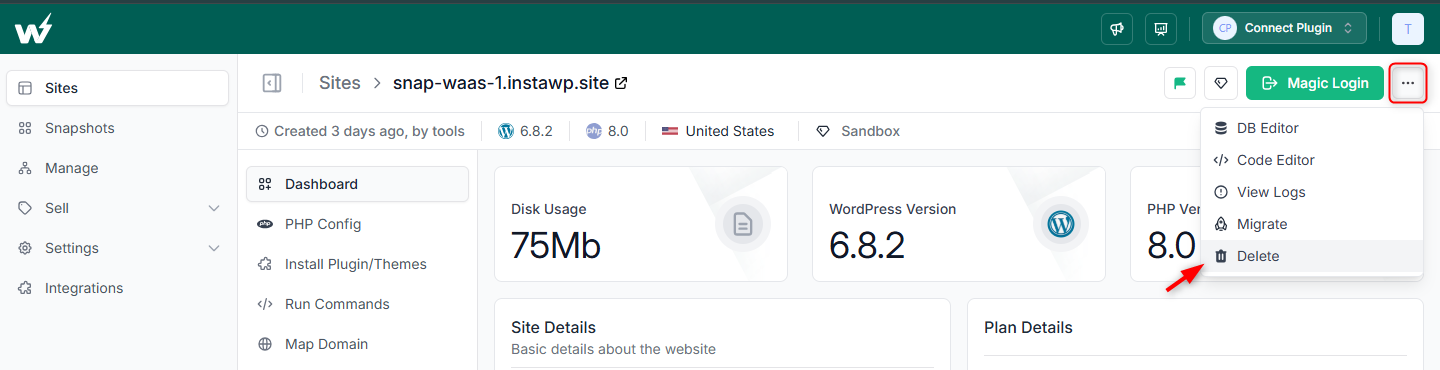
#1 – Site Delete Option on the Tools Section
Sites can now be deleted from the Site > Tools section of the Site Details Page. Earlier, this option was only available on the Sites page. It’s now added to the Site Details page for a better user experience.
#2 – Site Plans API for Developers
We’ve introduced a dedicated Site Plans API for developers and API users. This allows you to programmatically fetch plan-related data — such as available features, pricing, limits, and plan types — directly from your apps or dashboards.
#3 – Free Plan Limit Notices
Clearer messaging on free plan limits, including site count and lifetime usage. We’ve updated the way limits are communicated for the Free Plan.
Users will now see clearer indicators about how many free sites they’ve created, how many remain, and whether they’ve reached their lifetime quota. This transparency helps prevent unexpected expirations or blocks, giving you better control over site usage from the start.
#4 – Refreshed Migration Success Screen
We’ve redesigned the post-migration screen to offer a cleaner, more informative experience once your site has been successfully migrated.
Fixes
- Change Plan Popup: Fixed default plan selection and cancel button behavior.
- Sandbox Snapshot Graphs Restored: Graph has been re-added to the Sandbox details page of Shared Snapshot.
- Duplicate Snapshot Names Supported: You can now create snapshots with the same name as many as you want. It was not possible earlier.
Conclusion
v3.7.0 brings meaningful updates that prioritize local-first development, smarter workflows, and greater control for teams and advanced users. From mounting sites locally to streamlined plan visibility and team tools, this release is packed with practical enhancements to improve your day-to-day experience.
Have feedback or suggestions? We’re always listening — let us know what you’d like to see next.