Choosing the right hosting solution is a game-changer when it comes to managing WordPress websites. For agencies, providing the perfect hosting for your clients can elevate performance, boost security, and ensure scalability.
With various hosting types available, each catering to different needs, let’s dive into the most popular options and uncover their pros and cons to help you make the best choice!
Table of Contents
What Are Different WordPress Hosting Types
Most people use “WordPress hosting types” to describe infrastructure: shared, VPS, dedicated, and cloud. Agencies also talk about packaging models like reseller hosting. Separately, “managed WordPress hosting” describes who runs the ops work (updates, backups, security, performance tuning), and that managed layer can be applied on top of shared/VPS/cloud/dedicated.
At-a-glance Comparison of Different WordPress Types
| WordPress hosting type | Best for | What you manage | Key upside | Common gotcha |
|---|---|---|---|---|
| Shared | Small sites, predictable traffic | Almost nothing | Cheapest, simplest | “Noisy neighbor” limits + scaling wall |
| VPS | Growing sites, more control | Server stack | Dedicated resources | Sysadmin time + tuning required |
| Dedicated | High-traffic, complex stacks | Entire server | Max performance/control | Expensive + ops-heavy |
| Cloud | Spikes, campaigns, scaling | Infra + scaling rules | Elastic capacity | Cost spikes, complexity |
| Managed WP | Teams avoiding ops | Mostly site/content | WP-tuned + support | Less flexibility, higher cost |
| Reseller | Agencies bundling hosting | Client support + packaging | Recurring revenue | You inherit support burden |
Must Read: Your Guide to Finding the Best WordPress Hosting for Agencies
Let’s understand these different WordPress hosting types in detail for better understanding.
Shared WordPress Hosting
Among the WordPress hosting types, shared hosting is usually the entry point because it is the most affordable option.
In a shared WordPress hosting plan, one physical server hosts multiple websites, and each site gets an allotted slice of resources like storage, bandwidth, and processing power. The hosting provider maintains and updates the server, so you get convenience, but you also inherit the limits of a shared environment.
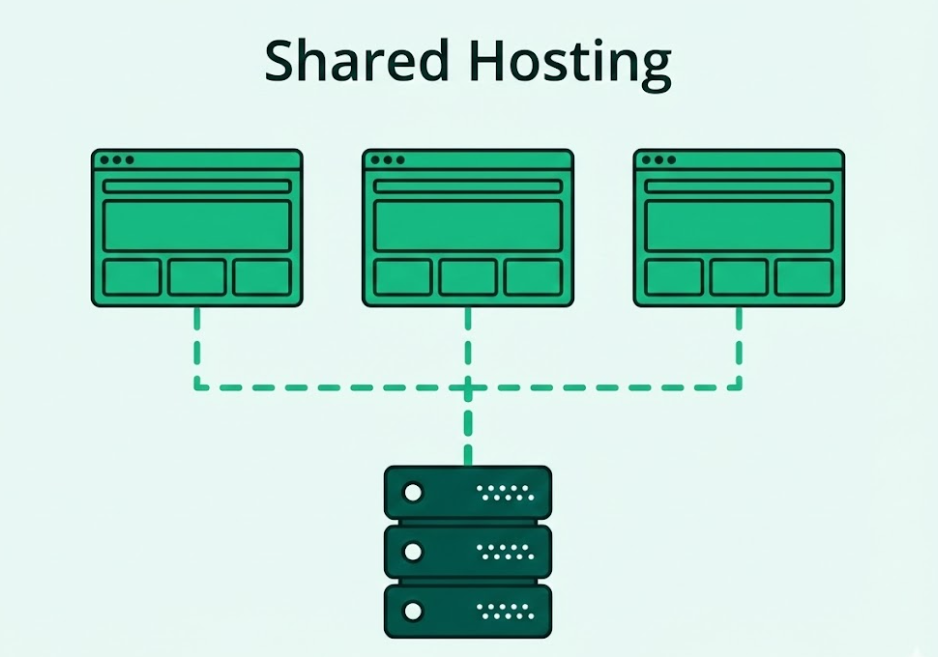
The easiest way to picture shared hosting is a coworking setup for websites. You rent a small space and the host takes care of the building, but you still share the same “utilities” with everyone else on that machine. When another site on the server gets a sudden influx of traffic or burns through resources, your site’s performance can be negatively affected too, even if you changed nothing.
Shared hosting is a smart choice when the site is simple and predictable, and when the client understands that the tradeoff for a lower price is less headroom during busy moments.
- Best fit for shared hosting: brochure sites, small blogs, early-stage business sites, and low-traffic marketing pages with predictable demand.
- Not a great fit: WooCommerce or membership sites, campaigns with traffic spikes, high-write workloads (forms, orders, logins), or any project where performance consistency is part of the promise.
From an agency lens, the real risk with shared hosting is not that it “cannot work,” but that it can fail in non-obvious ways. You can have a site that feels fine in normal conditions and then slows down during the exact hour the client cares about most, simply because the server’s shared resources are under pressure.
What to Check Before Putting a Client Site on Shared Hosting
If you do choose shared hosting, validate these up front. It will save you real hours later:
- Confirm modern PHP support (and the ability to switch versions), HTTPS, and current database versions.
- Ask about PHP workers / concurrent processes, CPU throttling policy, Memory limits, and I/O ceilings.
- Shared hosting often relies on WP-Cron (triggered by visits), which can be unreliable under low traffic and painful under high traffic. Ideally, you want real server cron support or a way to run scheduled tasks reliably.
- Look for automated backups plus a fast restore path (not “open a ticket and wait”).
- Understand whether accounts are isolated (containers/jails) and what protection exists against cross-account abuse.
Managed WordPress Hosting
Managed WordPress hosting is less about “which machine your site runs on” and more about who owns the operational work around WordPress. In other words, among WordPress hosting types, managed WordPress hosting is a service layer that can sit on top of shared, VPS, dedicated, or cloud infrastructure.
The promise is straightforward: the host takes care of the WordPress-specific heavy lifting so your agency can focus on building, shipping, and maintaining the site’s features instead of babysitting the server.
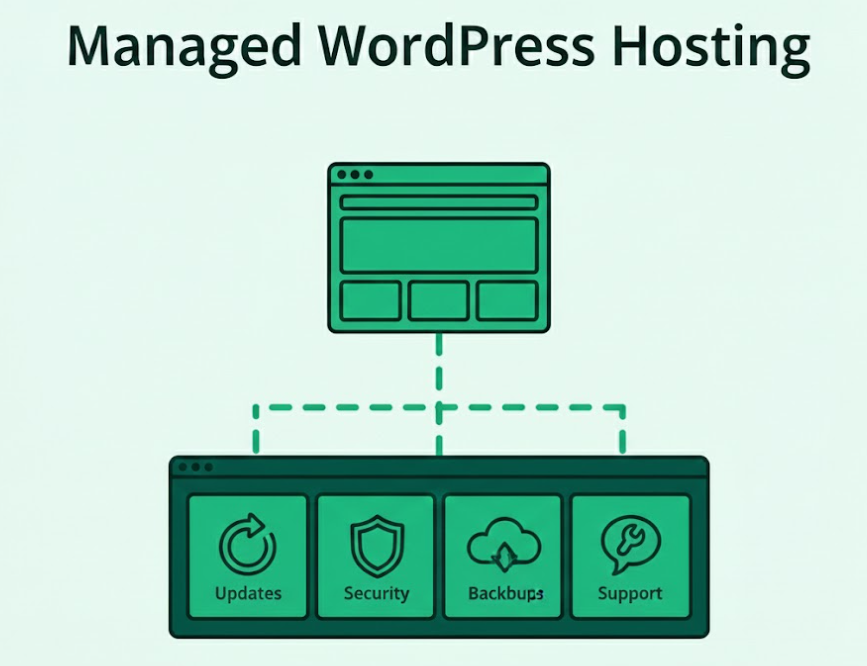
In a good managed WordPress hosting plan, the platform is tuned specifically for WordPress performance and reliability.
That usually includes a WordPress-optimized server stack, built-in WordPress caching, security hardening, proactive monitoring, and a support team that understands common WordPress failure modes (plugin conflicts, PHP issues, database bottlenecks, cache misconfiguration, and update-related breakages).
The tradeoff is flexibility. Managed environments often restrict certain plugins, limit server-level access, or enforce specific caching/security rules to keep the platform stable.
Managed WordPress hosting is the right WordPress hosting type when your priority is reducing operational risk and support load, especially for client sites where uptime, security, and consistent performance are part of the agreement.
- Best fit for managed WordPress hosting: Agencies maintaining multiple client sites that need predictable uptime, security, and performance without building an internal DevOps function, business-critical WordPress sites (including WooCommerce).
- Not a great fit: Projects that need full server control, custom server modules, or non-standard stacks that managed providers do not allow and ultra-budget sites where “lowest price” matters more than reliability, support, and ongoing maintenance
What to Check Before Putting a Client Site on Managed WordPress Hosting
- Get a clear list of responsibilities: core and plugin update handling, automated WordPress backups, malware scanning/cleanup, firewall/WAF coverage, uptime monitoring, and performance tuning. “Managed” can range from “we do backups” to “we actively prevent and resolve incidents.”
- Ask what is enabled by default: page caching, object caching support, CDN/edge delivery options, image optimization, and whether WooCommerce or logged-in pages are handled safely. Managed WordPress hosting should be WordPress-tuned, not just a generic server with a WordPress logo.
- Validate account isolation, WAF rules, DDoS protection, login protections, and how vulnerabilities are handled. Also confirm whether they provide audit logs or actionable security reporting for agencies.
- Confirm WordPress backup frequency, retention, offsite storage, and how fast restores are in real life. Agencies should also check whether restores are self-serve or ticket-based, and whether you can restore staging independently from production.
- Managed WordPress hosting should support safe releases. Check whether staging is included, how migrations work, and whether you can move changes from staging to production cleanly without manual copy-paste workflows.
- Test whether support is WordPress-competent (not just infrastructure-first). For agencies, also confirm multi-site management capabilities, role-based access, and how quickly incidents get escalated during business hours.
VPS (Virtual Private Server) WordPress Hosting
VPS hosting (Virtual Private Server hosting) is the “step up” option when shared hosting starts feeling unpredictable, but a dedicated server still feels like overkill. Instead of placing your WordPress site directly on the same pool of resources as everyone else, WordPress VPS hosting runs your site inside an isolated virtual machine on a physical server.
In practice, that usually means you get dedicated resources (allocated CPU/RAM), stronger isolation, and more control over the server environment than shared hosting can offer.
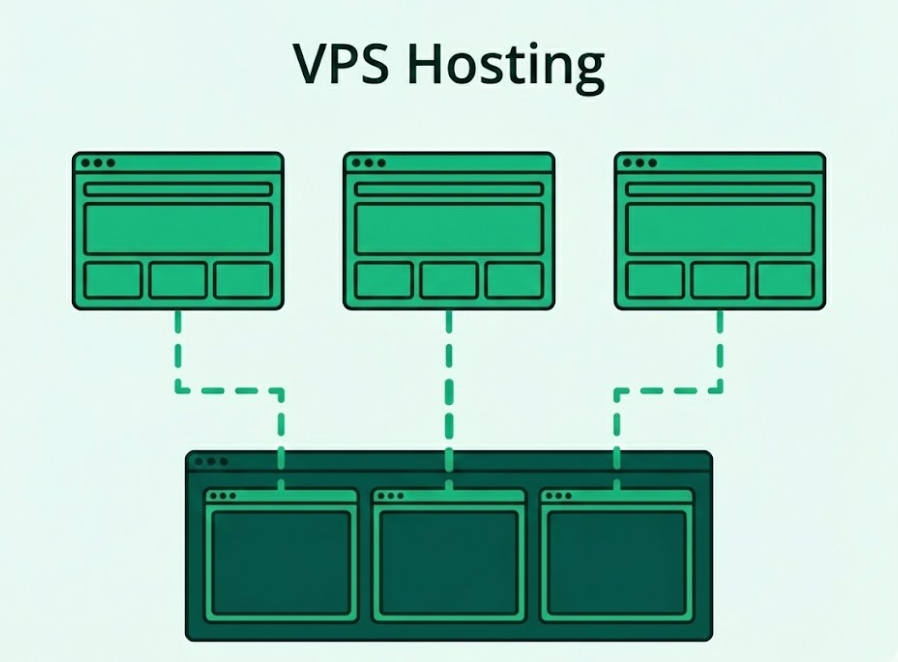
A good mental model is this: shared hosting is a coworking desk, while VPS WordPress hosting is a private office in the same building.
You still share the building, but your workspace is partitioned and reserved. That difference matters for WordPress because performance issues on shared hosting often come from “noisy neighbors,” whereas VPS hosting reduces that risk by carving out a fixed resource slice for your site.
The tradeoff is that VPS plans often expect you (or the host) to manage more of the stack: OS updates, security hardening, server-level caching, PHP tuning, and monitoring. If you want the benefits without the sysadmin overhead, a managed VPS plan is usually the right call, or managed WordPress hosting where the stack is maintained for you.
VPS is the right WordPress hosting type when you need more predictable performance and configuration flexibility, and you can support the operational responsibilities that come with it.
- Best fit for VPS hosting: Growing WordPress sites that outgrew shared hosting limits, WooCommerce, membership, or LMS sites that need steadier resources and better control over PHP and server tuning.
- Not a great fit: Low-traffic sites where budget is the only requirement, and teams that do not want any server maintenance responsibility and need a fully hands-off experience
What to Check Before Putting a Client Site on VPS Hosting
Before you move a client site to VPS hosting, validate the “ops contract” as much as the specs. A VPS can be a stable WordPress hosting type, but only if the ownership lines are clear and the stack is sized for real workloads.
- Confirm who handles OS updates, security patching, firewall rules, malware cleanup, uptime monitoring, and incident response. Many VPS plans are effectively “here’s your server, good luck,” which is fine only if your team is prepared to own that layer.
- Verify what’s truly dedicated (CPU, RAM) and what’s still shared (disk I/O, network). Then size for the workload, not just traffic. WooCommerce, LMS, and membership sites typically need more RAM headroom because logged-in users and dynamic requests keep PHP workers busy.
- Check the stack details you will actually tune on day one: web server (Nginx/Apache), PHP-FPM, OPcache, PHP version switching, and whether you can adjust PHP limits without submitting support tickets. This is where WordPress VPS hosting becomes meaningfully better than shared hosting.
- Ask what caching layers exist by default (page cache, object cache support, CDN options) and what is left to you. VPS hosting gives you more control, but “more control” also means you need a repeatable performance baseline so every client site does not become a custom snowflake.
- Do not stop at “daily backups included.” Confirm backup frequency, retention, where backups live, and how restores work. The most important question for agencies is: how quickly can you restore the site during business hours, and can you test restores without friction?
- Understand how upgrades happen when the site grows. Ask about vertical scaling steps, downtime windows, IP changes, and whether you can add resources without rebuilding the server. VPS is a great midpoint hosting type, but only if the next step (bigger VPS or cloud hosting) is straightforward.
Dedicated WordPress Hosting
Dedicated WordPress hosting means your WordPress site runs on a physical server that is reserved for you, not shared with other customers. Among WordPress hosting types, this is the “maximum control” option: you get full access to the server’s CPU, RAM, storage, and network capacity, and you are not competing with other sites for resources.
That isolation makes dedicated hosting attractive for performance consistency and strict compliance requirements, but it also raises the bar on infrastructure management.
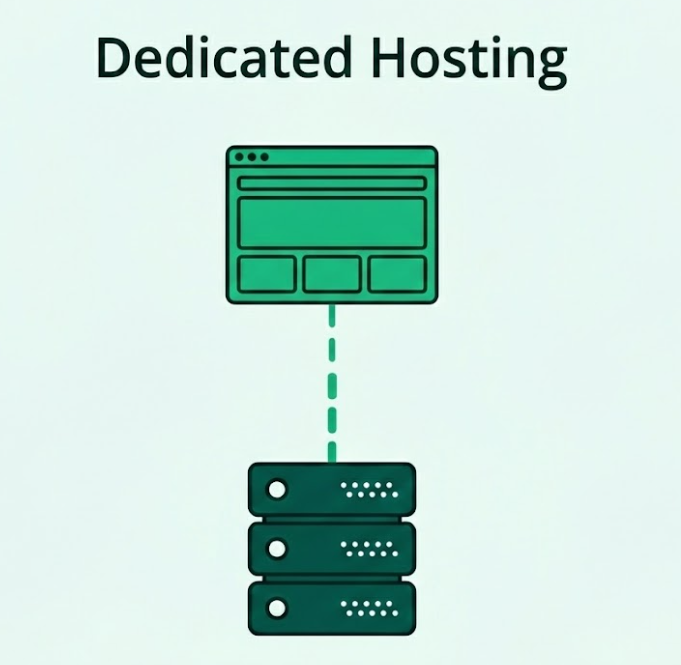
Think of dedicated hosting as owning the whole building instead of renting a unit. You are paying for predictable resources and the freedom to tune everything for WordPress: PHP versions and limits, server-level caching, web server choice, firewall rules, and how you handle traffic bursts.
The flip side is the operational burden. A dedicated server is not automatically “set and forget.” You still need patching, security hardening, monitoring, backups, incident response, and performance tuning. If your provider offers managed dedicated WordPress hosting, they take on a chunk of that work, but you should confirm exactly what’s included.
Dedicated hosting is the right WordPress hosting type when the cost of instability is higher than the cost of the server, and when the site has a workload that actually benefits from full-machine resources.
- Best fit for dedicated hosting: High-traffic WordPress sites, WooCommerce, membership, or publishing sites with heavy dynamic load, strict security needs, or compliance requirements
- Not a great fit: Small to mid-sized sites that mainly need better scalability (cloud hosting is often more efficient)
What to Check Before Putting a Client Site on Dedicated WordPress Hosting
- Confirm whether the server is fully managed, semi-managed, or unmanaged. Ask who owns OS patching, security updates, firewall configuration, malware cleanup, monitoring, and incident response. “Dedicated” only describes the hardware; it does not guarantee operational support.
- Validate CPU type, RAM, storage (prefer NVMe), and network throughput, then map that to your site’s real load patterns. For WooCommerce, membership, and LMS sites, also factor in PHP worker needs and database behavior during peak activity.
- Check what you can control without friction: web server (Nginx/Apache), PHP-FPM configuration, OPcache, PHP version switching, dataase tuning, and the ability to install performance tools. Dedicated hosting is valuable when you can actually tune the stack instead of being locked into defaults.
Cloud Hosting
Cloud hosting is one of the WordPress hosting types built for flexibility and scaling.
Instead of running your site on a single physical server (like shared, VPS, or dedicated hosting), cloud hosting typically runs your WordPress site on a pool of servers. That pooled setup matters because it makes it easier to add resources when demand increases and to keep the site running even if a single machine in the cluster has issues.
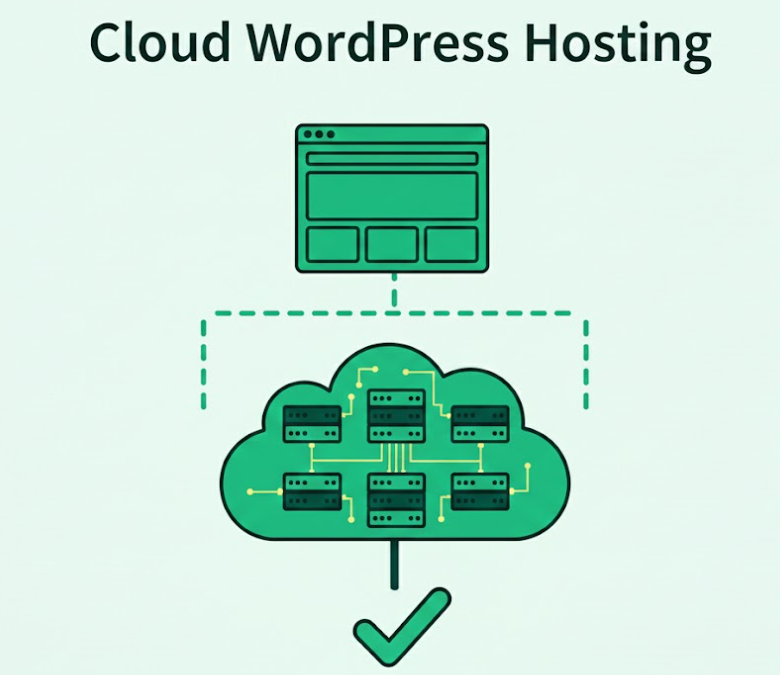
The practical benefit of cloud hosting is that it handles “spiky reality” better than traditional setups. If a campaign, product launch, or seasonal traffic surge hits, cloud infrastructure can scale resources without forcing an emergency migration. That said, cloud hosting is not automatically “faster” by default.
Performance still depends on how the stack is configured (caching, database tuning, PHP workers, CDN, and how dynamic pages are handled). The other tradeoff is cost predictability. Because cloud hosting can scale, costs can scale too, especially if there are traffic spikes, heavy background jobs, or inefficient queries.
Cloud hosting is the right WordPress hosting type when you need room to grow, resilience, and predictable performance during traffic bursts, and you want an infrastructure model that does not punish success.
- Best fit for cloud hosting: WooCommerce, LMS, membership, and agency-managed portfolios where uptime and scaling are non-negotiable
- Not a great fit: Very small sites with stable traffic where shared hosting is sufficient and budget is the only constraint
What to Check Before Putting a Client Site on Cloud Hosting
- Ask how scaling works in plain terms. Can you add CPU/RAM instantly (vertical), add more instances behind a load balancer (horizontal), or both? Also confirm whether scaling is automatic, manual, or policy-based, and what triggers it.
- Cloud hosting can be cost-effective, but only with boundaries. Check whether you have spending caps, alerts, or clear usage reporting, and whether bandwidth, backups, and CDN usage are included or billed separately.
- For WordPress, the database is often the bottleneck. Ask how the database is provisioned (single node vs managed DB), what backup/replication exists, and how it behaves under high-write load (orders, logins, form submissions, sync jobs).
Reseller Hosting
Reseller WordPress hosting is a packaging model rather than a “new infrastructure.” You buy hosting capacity from a provider and resell it to clients under your agency (often with white-label branding, custom plans, and your own pricing).
In the WordPress hosting types conversation, reseller hosting is popular with agencies because it turns hosting into a recurring revenue line and keeps client sites under one umbrella for easier billing and ongoing maintenance.
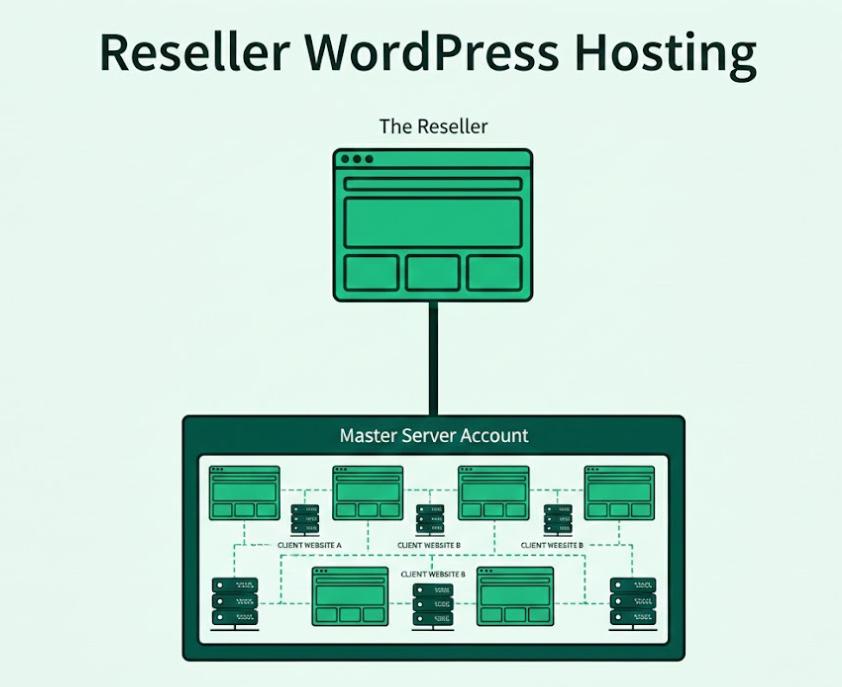
In practice, WordPress reseller hosting usually sits on top of shared hosting, VPS, or cloud infrastructure offered by the reseller provider. That means the quality of your reseller offering depends heavily on what the underlying platform is and how well the provider handles isolation, performance, backups, and support.
The real tradeoff is ownership. You become the “first line” for issues, client expectations, and coordination, even if the root cause is the upstream host.
Reseller hosting is the right WordPress hosting type when you want to productize hosting as part of a care plan, bundle it with maintenance, and keep control over the client relationship.
- Best fit for reseller WordPress hosting: Portfolios of small-to-mid client sites where centralized access, billing, and standardized environments reduce admin overhead.
- Not a great fit: High-traffic or high-risk sites where you need tight performance guarantees and direct infrastructure control.
What to Check Before Putting a Client Site on Reseller WordPress Hosting
- Confirm what you can brand (dashboard, client portal, nameservers), how you create client accounts, and whether clients can be given limited access without exposing other sites. Agencies need clean role separation.
- Verify account/container isolation, malware containment, and how cross-site risk is prevented. Reseller setups fail when one compromised site spills into others.
- Check backup frequency, retention, and restore workflow per site. Also confirm whether restores are self-serve and how quickly you can roll back a single client site without impacting others.
Enterprise WordPress Hosting
Enterprise WordPress hosting is the “high assurance” end of WordPress hosting types. It is designed for organizations where downtime, security incidents, or performance regressions have a real business cost, and where requirements go beyond a single server.
Instead of focusing only on raw resources, enterprise hosting is about architecture and guarantees: high availability, strict security controls, predictable performance at scale, and operational processes that hold up under pressure.
In most enterprise setups, WordPress runs across multiple layers: redundant infrastructure (often multi-region or multi-zone), managed databases, aggressive caching and edge delivery, hardened access controls, and separate environments for development, staging, and production.
The difference is not just “bigger servers.” It is the combination of platform design plus service commitments like SLAs, 24/7 incident response, audited security practices, and controlled change management.
For agencies, enterprise WordPress hosting often shows up when clients ask for compliance, traffic resilience, and support expectations that a standard shared/VPS plan cannot realistically meet.
Enterprise hosting is the right WordPress hosting type when reliability and risk reduction are the product, not an afterthought.
- Best fit: High-traffic or high-revenue WordPress sites where performance and uptime directly impact revenue, reputation, or operations
- Not a great fit: Small to mid-sized sites that mainly need “more headroom” (cloud hosting or managed WordPress hosting is usually enough)
What to Check Before Putting a Client Site on Enterprise WordPress Hosting
- Confirm whether the architecture is multi-zone or multi-region, how failover works, and whether it is automatic. Validate that “redundant” applies to the full chain: application layer, database, storage, and networking.
- Check WAF/DDoS protection, isolation model, access controls (SSO/SAML, least-privilege roles), vulnerability handling, and logging/audit trails. If compliance is a reason for choosing an enterprise, confirm what evidence and reports the provider can supply.
- Enterprise WordPress hosting should include a serious caching strategy (full-page caching, object cache support, CDN/edge delivery) and clear handling for dynamic areas like logged-in sessions, search, and checkout flows. Ask how they keep performance consistent during traffic surges.
Which is the Best WordPress Hosting for Agencies?
The best WordPress hosting for agencies depends on what you are hosting, how fast the site needs to be under real traffic, and how much operational work your team wants to own. A small local business site can run fine on shared hosting, while a growing WooCommerce store or membership site usually needs the consistency of cloud hosting or the reduced maintenance load of managed WordPress hosting.
In practice, agencies get the best results when they pick hosting based on risk and workload, not brand popularity. If the project has revenue pages, spiky traffic, or multiple stakeholders who expect “always on,” treat hosting as infrastructure, not an afterthought.
This is also where managed cloud hosting becomes a strong default because it blends cloud resilience with a WordPress-first management layer.
Must Read: Top Considerations for Agencies When Selecting WordPress Hosting
Every business and website has unique requirements based on factors like traffic, functionality, and budget. So, instead of chasing after the most popular hosting provider, you should focus on what suits your specific needs.
Here’s what to consider:
- Website Traffic and Growth Potential: If your client is just starting with a blog or a small website, shared hosting or VPS hosting could be enough. But, for a rapidly growing eCommerce site or high-traffic corporate website, you’ll need something more robust, like managed hosting or cloud hosting.
- Performance and Speed: For clients who are in need of fast load times and a seamless user experience, opt for managed WordPress hosting. It’s very crucial to select the hosting provider for agencies offering caching and CDN integration that will skyrocket your site’s speed.
- Support and Expertise: If your clients prefer a hassle-free, hands-off experience, consider a managed hosting provider with priority support. These services usually offer 24/7 expert support tailored to WordPress, meaning your clients don’t have to rely on generic hosting support that lacks specialized knowledge.
- Customization and Control: For agencies that require complete control over server configurations or want to install custom software, VPS hosting or dedicated hosting may be your best bet. This allows you to adjust server settings, install custom tools, and have more control over your hosting environment.
- Scalability: If your client’s website might scale quickly, or you anticipate sudden surges in traffic, look into cloud hosting. The flexibility and pay-as-you-go model ensures that resources are available when you need them, making it easier to scale up or down based on the website’s needs.
- Budget Considerations: For agencies working with tight budgets, shared hosting or reseller hosting is an affordable entry point. But if the budget allows for higher investment, managed WordPress hosting offers value in terms of speed, security, and a comprehensive package, including automatic backups and updates.
Must Read: How to Decide Which Hosting Plan is Good for Your Client’s Business
Conclusion: Choosing the Right Hosting for Your Agency
Choosing the right WordPress hosting type is really about matching infrastructure to workload and risk. Shared hosting can work for predictable sites, VPS and dedicated hosting make sense when you need deeper control, and cloud hosting is the safer bet for spikes, campaigns, and fast growth.
For most agencies, the real win is reducing operational drag while keeping performance consistent, which is why a managed layer on top of cloud infrastructure tends to scale best across client portfolios.
If you want to standardize this across projects, try InstaWP’s managed cloud hosting: launch a site fast, validate it in WordPress staging sites, then go live with fewer “it was fine yesterday” surprises.
FAQs
1. What is the best hosting for WordPress websites?
It depends on your needs! For agencies working with small businesses, shared hosting is often enough. For high-traffic sites or businesses that need more control, VPS or dedicated hosting might be ideal.u003cbru003eu003cbru003eu003cstrongu003e2. How much does WordPress hosting cost?u003c/strongu003eu003cbru003eu003cbru003eCosts vary based on the hosting type. Shared hosting can be as low as $3/month, while managed WordPress hosting or dedicated hosting can cost upwards of $30-50/month or more.u003cbru003eu003cbru003eu003cstrongu003e3. Should I choose cloud or VPS hosting for a growing website?u003c/strongu003eu003cbru003eu003cbru003eCloud hosting offers more scalability and flexibility, making it great for businesses with fluctuating traffic. VPS hosting provides dedicated resources and control, ideal for steady, growing sites.u003cbru003eu003cbru003eu003cstrongu003e4. Can I change my WordPress hosting later?u003c/strongu003eu003cbru003eu003cbru003eYes! You can always switch hosting providers, but make sure you migrate your website safely to avoid downtime.