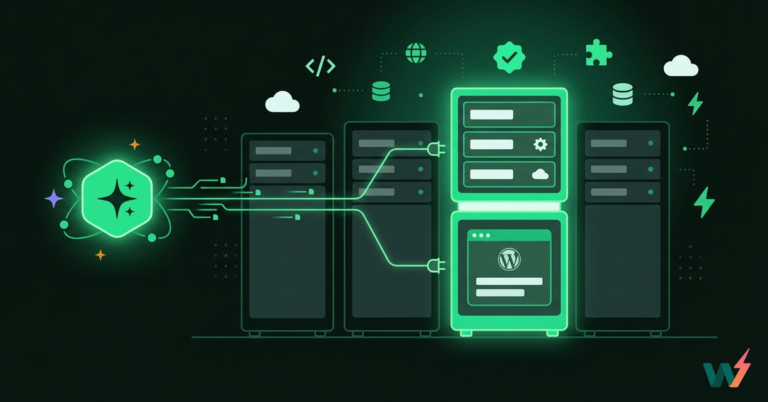
Cloud hosting vs VPS is not a specs debate. For WordPress agencies and developers, it’s a workflow decision that shows up in uptime, client escalations, WooCommerce traffic spikes, and how fast you can ship changes safely.
VPS hosting gives you control of a single server slice, but it also hands you the maintenance burden. Cloud hosting spreads risk across pooled infrastructure and scales cleanly. In this guide, we’ll break down the real VPS vs cloud hosting differences.
Table of Contents
Key Takeaway

Cloud hosting vs VPS: Cloud hosting uses pooled multi-server infrastructure, while VPS hosting is a fixed slice of one physical server.
Cloud hosting wins for most WordPress agencies because it scales better during traffic spikes and reduces single-host downtime risk.
VPS hosting suits stable workloads and teams that truly need deep server control, but it adds ongoing ops work.
InstaWP’s managed cloud hosting is the better choice over VPS for agencies because it combines cloud reliability with WordPress-first workflows like staging, cloning, safer releases, and performance tooling.
Cloud Hosting Overview
Cloud hosting runs your WordPress site on a pool of servers instead of relying on one physical machine. Think of it as shared infrastructure where compute, memory, and storage are allocated dynamically to your site.
If one server node has an issue, the platform can shift workloads to other nodes, which is why cloud setups are generally built for higher resilience and smoother scaling than single-server environments.
In practice, cloud hosting is powered by virtualization and orchestration. Your site runs inside an isolated environment (often a VM or container), while the platform handles resource allocation, load distribution, and recovery behind the scenes.
For WordPress agencies, that matters because you can handle real-world patterns like WooCommerce traffic spikes, content surges, and plugin update cycles without constantly upgrading a fixed server.

This is also where managed cloud hosting becomes the agency-friendly version of cloud. With InstaWP’s managed cloud hosting, you are not just renting infrastructure.
You are getting cloud hosting wrapped around a WordPress workflow, so things like staging environments, cloning, safe testing, and performance-focused options fit into the same dashboard where you run the sites. That makes cloud hosting feel less like server management and more like a repeatable delivery system for WordPress projects.
Must Read: Cloud Hosting for Startups: A Practical Guide
Pros and Cons of Cloud Hosting
Cloud hosting is best when you care about resilience and scaling more than server level control. The biggest advantages are smoother handling of traffic spikes, better uptime expectations, and less reliance on one physical server.
| Cloud Hosting Pros | Why it matters for agencies and devs |
|---|---|
| Handles sudden traffic spikes better | WooCommerce sales, email blasts, and viral posts won’t immediately force a server resize |
| Higher resilience to hardware failures | Less “one box went down, everything went down” stress during client escalations |
| Faster scaling decisions | You’re not stuck planning capacity weeks ahead for every client site |
| Better fit for multi-site operations | Easier to support many client sites without each one needing custom server babysitting |
| Lower ops burden when it’s managed | You spend more time shipping changes and less time patching, tuning, and firefighting |
| Usage-based cost alignment | You can match hosting spend to active sites and real usage, especially when clients churn or pause |
The trade-off is that costs can feel less predictable without usage limits, and you usually get fewer low-level customization options because the platform manages more of the stack.
| Cloud Hosting Cons | How to avoid it |
|---|---|
| Billing can be unpredictable | Add usage visibility and limits so traffic spikes don’t turn into surprise costs |
| Less deep server-level control | Choose cloud when you care more about reliability and workflow than root-level tweaking |
| Performance troubleshooting can be platform-driven | Use staging and repeatable testing to isolate plugin or theme issues before blaming infra |
VPS Hosting Overview
VPS hosting, short for Virtual Private Server hosting, is a virtualization based setup where one physical server is divided into multiple isolated virtual machines. Your VPS gets its own allocated slice of resources like CPU, RAM, and storage, which is why VPS hosting usually performs more consistently than shared hosting.
For many developers, VPS hosting is attractive because it offers more control over the server environment, often including root access, custom server stacks, and fine-tuned configurations.
The important limitation in a cloud hosting vs VPS comparison is that a VPS still depends on the health and capacity of a single physical host machine. You can scale a VPS by upgrading your plan, but that scaling is typically vertical and capped by what that underlying server can provide. If the host has hardware trouble, your VPS can be affected even if your own VM is configured correctly.

For WordPress agencies, VPS hosting can make sense when you have stable workloads, an in-house ops comfort level, and you truly need that deeper level of server control. But if your priority is shipping faster, testing changes safely, and managing many WordPress installs without becoming a server maintenance team, that is where managed cloud hosting tends to be the more practical default.
Pros and Cons of VPS Hosting
VPS hosting is best when you want control and predictable monthly pricing for steady workloads. The main advantages are deeper server configuration access and more consistent performance than shared hosting.
| VPS Hosting Pros | Why it matters for agencies and devs |
|---|---|
| More server control | Useful when you need custom server modules, uncommon stacks, or very specific tuning |
| Predictable monthly pricing | Easier to price retainers and hosting bundles for clients with stable traffic |
| Dedicated resource slice | More consistent than shared hosting when client sites are steady |
| Straightforward architecture | Easier to understand and manage if you already have sysadmin experience |
| Strong fit for fixed workloads | Great when you know exactly what the site needs and it rarely changes |
The downside is that you are still tied to one physical host machine, scaling is more limited, and the ongoing maintenance burden (security, updates, monitoring, tuning) often lands on your team.
| VPS Hosting Cons | What it usually leads to |
|---|---|
| Still tied to one physical host machine | Single point of failure risk that becomes a “why is the site down” support ticket |
| Scaling is capped and slower | You resize, migrate, or upgrade plans when growth happens, which adds downtime risk |
| More responsibility sits on your team | Security patches, monitoring, backups, performance tuning, and incident response pile up |
| Hidden agency time cost | Hours lost to ops work reduce margins and delay delivery across multiple client projects |
| Risky updates without a safe workflow | Plugin and PHP upgrades become scarier when you do not have reliable staging and rollback habits |
Cloud Hosting vs VPS: Which One is Better

When someone searches cloud hosting vs VPS, they’re usually trying to answer one practical question: which setup will run WordPress reliably without creating extra work. In this section, we’ll break down the real differences between VPS hosting vs cloud hosting that show up in day-to-day projects, not in marketing specs.
We’ll cover how each model handles traffic spikes, scaling limits, uptime and recovery, maintenance load, security responsibility, and cost behavior. Then we’ll connect those differences to what matters most for WordPress agencies and developers: shipping changes safely, keeping client sites stable, and avoiding infrastructure work that eats into delivery time.
Aspect 1: Scaling and traffic spikes
When comparing cloud hosting vs VPS, scaling is the first difference you’ll actually feel, especially on WordPress sites that do not have perfectly steady traffic.
Cloud hosting pulls resources from a pooled infrastructure. That means when your WordPress site suddenly needs more CPU, memory, or capacity, the platform can usually scale more smoothly because it is not limited to one physical server.
It results into:
- WooCommerce flash sale traffic jumps and the site stays responsive
- More concurrent users during checkout does not instantly tip the server over
- Heavy background activity (search, filters, cron jobs) is less likely to trigger a full slowdown
VPS hosting is a fixed slice of one physical machine. You can upgrade the VPS, but scaling is typically vertical and capped by the host server’s limits. When you hit those limits, the “fix” is usually resizing, migrating, or re-planning capacity.
- A sudden traffic spike causes slower admin, timeouts, or 500 errors
- WooCommerce cart and checkout feel sluggish under concurrency
- You end up upgrading for peak traffic and paying for it even when demand drops
Verdict: Cloud Hosting vs VPS Hosting: Which One is Better
Cloud hosting wins because scaling is built into the model.
When traffic jumps during a WooCommerce sale or a campaign spike, cloud infrastructure can pull capacity from a pooled environment instead of forcing you to resize a fixed VPS slice and hope you guessed the right limits. VPS hosting can perform well, but it hits ceilings faster and upgrades are reactive.
And, if you choose the best managed cloud hosting of InstaWP, you can absorb spikes more confidently and validate performance changes on staging before pushing live because it has:
- On-demand WP staging and cloning to test peak-load scenarios safely
- Built-in WordPress performance tooling to catch bottlenecks before traffic hits
- A WordPress-first managed environment that reduces manual scaling and ops overhead
Aspect 2: Uptime, failures, and recovery time
This is the difference that creates the most painful client messages: “The site is down. What happened?” In a cloud hosting vs VPS hosting comparison, the real-world gap is how each model handles hardware issues and how fast you can recover.
Cloud hosting is built on multiple servers. If one node fails, the platform can usually shift workloads to other nodes in the pool, which reduces the chance that a single hardware problem takes the whole site offline.
You experuince:
- Fewer total outages caused by one machine dying
- Faster recovery when an underlying server has issues
- Better continuity during maintenance events at the infrastructure layer
VPS hosting runs inside one physical host server. Even though your VPS is “private” as a virtual machine, it still relies on that single host machine. If the host has trouble, your VPS can go down with it.
- Outages that you cannot fix with WordPress troubleshooting alone
- Recovery that often depends on your host’s intervention
- More pressure to build your own redundancy and backup strategy
Verdict: Cloud Hosting vs VPS Hosting: Which One is Better
Cloud hosting wins on uptime and recovery because it reduces single-server dependency.
If one machine has a hardware issue, cloud platforms are built to shift workloads within the pool, so outages are less frequent and recovery is usually faster. With VPS hosting, your site still lives on one physical host, so a host-level failure can take you down even if WordPress itself is fine, and you often have to wait on provider intervention.
And, if you choose the best managed cloud hosting of InstaWP, you get stronger reliability with less panic because it has:
- Staging and cloning for safe incident reproduction and quick verification before fixes go live
- Centralized WordPress site management to access and troubleshoot sites faster without juggling servers
- A managed cloud setup designed to reduce downtime risk compared to single-host VPS dependence
Aspect 3: Maintenance workload and “who owns the ops”
In the real world, cloud vs VPS hosting becomes a question of time. Not time to launch a site, time you keep losing every month to maintenance, patching, and firefighting.
Cloud hosting, especially when it’s managed, is designed to offload a lot of infrastructure chores to the platform. You are not expected to spend your week tuning servers, chasing OS updates, or setting up monitoring from scratch.
- Fewer server-level tasks before you can focus on WordPress work
- Less time spent on security patching and base stack maintenance
- Easier to standardize environments across multiple client sites
With VPS hosting, you usually inherit more responsibility because you control more of the server. That control is great, but it comes with ongoing ops work that agencies often underestimate.
- You handle OS updates, firewall rules, backups strategy, monitoring, and performance tuning
- One misconfiguration can affect uptime or security
- The more client sites you host, the more maintenance grows into a constant background job
Verdict: Cloud Hosting vs VPS Hosting: Which One is Better
Cloud hosting wins on maintenance workload because the platform takes on more of the infrastructure burden. Instead of spending billable hours on OS patching, server hardening, monitoring setup, and performance tuning, agencies can focus on WordPress delivery and client outcomes.
VPS hosting gives you more control, but that control comes with ongoing ops responsibilities that quietly pile up as you add more sites, turning your team into part-time sysadmins.
And, if you choose the best managed cloud hosting of InstaWP, you reduce ops drag without sacrificing control because it has:
- A centralized dashboard to manage many WordPress sites without server babysitting
- Built-in tools for monitoring and troubleshooting so issues are handled faster
- Repeatable staging and cloning workflows that cut the risk and effort of updates
Aspect 4: Release workflow, staging, and rollback confidence
For WordPress agencies, the most expensive mistakes happen during changes, not during normal uptime. In a VPS hosting vs cloud hosting comparison, the key difference is how easily you can build a repeatable “test, approve, push, rollback” workflow.
Cloud hosting is a better foundation for standardized deployment workflows because you can treat environments as repeatable units. When the cloud platform is built around WordPress workflows, staging and cloning become part of the process, not an extra project.
- You can spin up a true-to-production staging copy, test updates, then push changes with confidence
- Rollbacks feel like a normal part of the workflow, not a panic move
- You avoid “works on my server” differences because environments are consistent
On VPS hosting, staging and rollbacks are possible, but they are usually something you have to design and maintain yourself. Many teams end up skipping staging because it is extra setup or because environments drift over time.
- Plugin or PHP updates get delayed because testing feels heavy
- Emergency fixes go straight to production under pressure
- Rollbacks rely on manual backups or improvised steps, which increases downtime risk
Shipping safely is what protects client trust and your margins.
Verdict: Cloud Hosting vs VPS Hosting: Which One is Better
Cloud hosting wins for release workflow because it supports repeatable, low-risk change management. Agencies do not just need a server, they need a reliable way to test updates, validate performance, and roll back safely when something breaks.
VPS hosting can support this, but you usually have to build and maintain the staging and rollback pipeline yourself, which is why teams skip it under pressure and end up testing in production.
And, if you choose the best managed cloud hosting of InstaWP, shipping safely becomes standard because it has:
- One-click staging and cloning to rehearse updates before touching live sites
- Snapshot-style rollback options so recovery is fast when changes go wrong

- A WordPress-first workflow where testing, QA, and deployment fit into the same hosting setup
Aspect 5: Cost behavior and margin predictability
This is where most teams get surprised. In a cloud hosting vs VPS comparison, the difference is not “which is cheaper,” it’s how costs change over time and how that impacts agency margins.
Cloud hosting often follows a usage-based model. That means your cost can better match what a site actually consumes, which is useful when you run many client sites that do not all need peak resources every day.
- You avoid paying for oversized capacity on sites that are quiet most of the month
- You can scale resources up when needed, then scale down when demand drops
- Hosting becomes easier to align with retainers and real site activity
The trade-off: if you do not track usage, spikes can create surprise charges. The fix is simple: clear visibility, sensible limits, and a platform that makes usage easy to manage.
VPS hosting is usually flat pricing. That predictability is nice, but it comes with a different problem: you pay for reserved capacity whether the site uses it or not.
- You upgrade the VPS for peak traffic, then keep paying that price even when demand falls
- As client sites grow, you keep resizing and re-planning capacity
- Costs look stable, but your efficiency drops because you are funding “just in case” resources
Margins depend on matching costs to real usage while keeping support load low.
Verdict: Cloud Hosting vs VPS Hosting: Which One is Better
Cloud hosting wins on cost efficiency because it can match resources to real usage instead of making you pay for peak capacity all month. VPS hosting looks predictable on paper, but agencies often end up oversizing servers “just in case,” then carrying that cost even when traffic drops.
Cloud hosting is more flexible for portfolios where some client sites are quiet and others spike, as long as you have visibility and guardrails to avoid surprise usage bills.
Costs stay aligned with agency reality with InstaWP’s native cloud WordPress hosting because it has:
- Usage-based hosting that better fits active vs inactive client sites
- Centralized monitoring and visibility so you can track what is consuming resources
- Staging environments to test performance changes before they cause expensive production load
Aspect 6: Performance consistency for dynamic WordPress sites
When people compare VPS vs cloud hosting, they often think only about raw speed. In reality, WordPress performance is about how the server handles concurrency, background tasks, and database-heavy moments, not just a homepage load test.
Cloud hosting tends to stay more consistent under mixed load because resources are backed by a larger pool. That helps when a site is doing multiple things at once: visitors browsing, WooCommerce carts updating, search and filters running, and cron jobs firing.
- Better stability during high concurrent users, not just single-user speed tests
- Fewer “random slowdowns” during busy periods
- More headroom for performance layers like object caching and CDN setups
VPS performance can be excellent, but it is easier to hit a ceiling because your VM has fixed limits. Once you hit CPU or memory constraints, WordPress slowdowns show up quickly, especially on dynamic pages.
- Admin gets slow during peak hours
- Checkout, account, and search pages degrade faster than expected
- You spend time tuning server settings and caching rules to delay the next upgrade
Clients rarely complain about “average performance.” They complain about the slow moments that hurt revenue.
Verdict: Cloud Hosting vs VPS Hosting: Which One is Better
Cloud hosting wins for performance consistency on dynamic WordPress sites because it handles concurrency and mixed workloads more smoothly. WooCommerce traffic, search and filtering, cron jobs, and logged-in user activity can push a VPS to its fixed resource ceiling fast, which is when slow checkouts and timeouts show up.
VPS hosting can be fast, but it stays fast only if you size it for peak and keep tuning it. Cloud hosting is a safer default when performance needs to stay steady under pressure.
Performance stays predictable with InstaWP’s best managed coud hosting because it has:
- Built-in performance tooling to spot bottlenecks before they hit revenue pages
- Native object caching support to reduce database load on busy sites

- Staging to test caching and performance changes safely before pushing live
Aspect 7: Security responsibility and risk exposure
In a cloud hosting vs VPS hosting comparison, security is less about which is “more secure” and more about who is responsible for what. That responsibility split decides how many security tasks land on your plate every month.
Cloud hosting platforms usually handle more of the infrastructure layer security, like underlying server maintenance, redundancy controls, and platform-level protections. In managed setups, you often get a cleaner baseline because the hosting provider standardizes the environment and keeps core infrastructure patched.
- Fewer server-level security chores for your team
- More predictable security posture across multiple sites
- Easier to apply consistent rules and monitoring at scale
With VPS hosting, you usually control more of the environment, which means you also own more of the security work. That includes OS patching, firewall configuration, SSH hardening, malware monitoring strategies, and incident response planning.
- Security tasks become ongoing maintenance, not a one-time setup
- A small misconfiguration can create a real risk window
- The more sites you host, the more your exposure grows unless your processes are tight
Verdict: Cloud Hosting vs VPS Hosting: Which One is Better
Cloud hosting wins on security responsibility because it reduces how much infrastructure security work lands on your team. With VPS hosting, you may get more control, but you also inherit more risk: OS patching, firewall rules, SSH hardening, monitoring, and incident response become ongoing tasks.
For agencies, that workload scales with every new client site. Cloud hosting, especially when managed, standardizes the baseline and lowers the chance of security gaps caused by manual server management.
If you choose the best managed cloud hosting of InstaWP, security stays easier to manage because it has:
- InstaShield edge security that blocks DDoS traffic, malicious bots, and injection attempts before they hit your server resources.
- Enterprise-grade WAF + real-time monitoring with AI-assisted threat detection, so threats are filtered proactively instead of after damage is done.
- Protection that covers production and staging environments, including blocking bots and malware-related traffic patterns, so test sites don’t become the weak link.
Aspect 8: Multi-site management and standardization at scale
This is where the cloud hosting vs VPS decision stops being technical and becomes operational. If you manage more than a handful of WordPress sites, the winner is usually the option that lets you standardize everything, not the one with the most knobs.
Cloud hosting is typically better suited for running many sites because it supports a more repeatable model: consistent environments, easier scaling per site, and less manual work to keep the underlying stack healthy.
- You can onboard new client sites faster because the environment is consistent
- You are less likely to have “this site behaves differently” issues across your portfolio
- You can apply the same process for testing, monitoring, and performance across sites
This is also where WordPress-first managed cloud hosting changes the game. With InstaWP’s managed cloud hosting, you are not stitching together separate tools for staging, cloning, and site access. You can manage those workflows from the same place you host, which helps agencies run many client sites without workflow chaos.
VPS hosting works well for a small number of sites, but standardization becomes harder as you scale. Many agencies end up with multiple VPS instances, different server stacks, and slightly different configurations over time.
- More “server drift” and inconsistent environments
- Updates and fixes take longer because each VPS is its own snowflake
- You spend more time managing infrastructure instead of delivering WordPress outcomes
Verdict: Cloud Hosting vs VPS Hosting: Which One is Better
Cloud hosting wins for multi-site management because it lets agencies standardize environments and workflows across dozens or hundreds of WordPress sites, without server drift and VPS-by-VPS babysitting. VPS hosting can work for a small set of sites, but as your portfolio grows, ops overhead and inconsistency become the real bottleneck.
And, if you choose the best managed cloud hosting of InstaWP, scaling your operations gets easier because it has:
- InstaWP Connect to connect and manage multiple live sites from one dashboard, plus staging and 2-way sync workflows.
- Bulk updates and scheduled updates, so plugin, theme, and core maintenance does not become manual work per site.
- Uptime monitoring, vulnerability scanning, and client reports, so you can run consistent maintenance across the whole portfolio.
Aspect 9: Control, customization, and “how much freedom you actually need”
In the cloud vs VPS hosting debate, “control” is often the reason people lean toward VPS. But for WordPress agencies, the real question is: do you need deep server freedom, or do you need predictable delivery and fewer moving parts.
Cloud hosting usually prioritizes standardization. You get an environment that is designed to be stable, scalable, and managed, but you might not get the same level of OS-level customization you’d expect on a VPS.
- You spend less time tweaking servers and more time shipping WordPress work
- Fewer custom changes means fewer weird breakpoints later
- Easier to keep environments consistent across many sites
For many agencies, that “less control” is actually a benefit because it reduces drift and operational risk.
VPS hosting usually gives you more freedom: server stack choices, custom services, deeper configuration, and root access. That is powerful, but it is also a responsibility multiplier.
- You can optimize for unique needs, but you must maintain those choices over time
- Troubleshooting becomes more complex because the environment is custom
- Scaling the same setup across many sites takes more effort
Verdict: Cloud Hosting vs VPS Hosting: Which One is Better
Most WordPress projects do not require exotic server customizations. Agencies usually win when the hosting environment is consistent, fast, and easy to manage across multiple sites. That is why InstaWP’s managed cloud hosting is often the better choice over VPS hosting: it gives agencies a WordPress-ready cloud setup where the focus stays on delivery workflows, not server tinkering.
- Configurable PHP settings and limits right from the dashboard, so you tune performance without server-level tinkering.

- Reusable Configurations to pre-define WordPress version, PHP version, plugins, and more for consistent environments.
- SFTP/SSH access plus wp-config editing tools, so developers can work efficiently without needing full VPS root ownership.
Aspect 10: Migration flexibility and upgrade path over time
Most agencies do not pick hosting once. They pick it, grow, inherit new requirements, and then need a clean path forward. In cloud hosting vs VPS hosting, the difference is how painful that evolution becomes.
Cloud hosting is usually easier to grow into. Because resources come from a pool, you can often expand capacity without a major architecture change. That makes long-term planning simpler when you are not sure how a client site will evolve.
- A site grows from brochure to WooCommerce without needing a full server rethink
- You can handle traffic growth without immediate migrations
- You are less likely to get stuck on a “too small VPS” problem at the wrong time
VPS hosting can be a great starting point, but growth often triggers a more disruptive path. When you outgrow the VPS, your options tend to be resizing, migrating to a bigger VPS, or moving to a different infrastructure model
- More maintenance windows and migration planning as sites scale
- Risk of downtime or performance issues during upgrades
- Agencies end up carrying old infrastructure decisions longer than they should
Verdict: Cloud Hosting vs VPS Hosting: Which One is Better
Client sites change fast. New marketing campaigns, SEO wins, new plugins, WooCommerce features, and third-party integrations can all increase load. A hosting setup that gives you a smoother upgrade path reduces stress and protects client trust.
This is another reason InstaWP’s managed cloud hosting is positioned as a better alternative to VPS hosting for agencies: it is built for growing WordPress workloads while keeping the path forward simple and workflow-friendly.
- InstaWP Connects with 1-click staging, migration, and 2-way sync, so you can move forward without rebuilding workflows every time.
- Multiple go-live migration paths, including supported providers via SSH and migration via URL, so you can choose the safest route for each client site.
- Clone and Snapshots to duplicate environments fast and keep repeatable rollouts and rollback-ready setups as your portfolio grows.
Conclusion
If your work is WordPress delivery at scale, the cloud hosting vs VPS decision is simple. VPS hosting gives control, but it also hands you ongoing ops work, scaling limits, and single-host risk that shows up at the worst time: client launches, WooCommerce spikes, and update days.
Managed cloud hosting is the smarter default because it is built for resilience, smoother scaling, and repeatable workflows.
If you want the version of cloud hosting that actually fits agency life, choose InstaWP’s managed cloud hosting. You get a WordPress-first stack where staging, cloning, safe testing, performance tooling, and security layers live in one place, so your team ships faster and sleeps better.
Move one production site to InstaWP cloud hosting this week, clone it to staging, run your update workflow once, and you’ll feel the difference immediately.
FAQs
u003cstrongu003eIs cloud hosting better than VPS hosting for WordPress?u003c/strongu003e
For most agencies and developers, yes. Cloud hosting is typically easier to scale, more resilient to hardware issues, and better suited for predictable workflows across many sites. VPS hosting can be great when you truly need deep server control and you are comfortable owning the maintenance.u003cbru003eu003cbru003eu003cstrongu003eWhat are the biggest VPS vs cloud hosting differences?u003c/strongu003eu003cbru003eu003cbru003eThe real differences are scaling behavior, uptime and recovery, maintenance workload, cost patterns, and how easily you can standardize workflows across multiple WordPress sites.u003cbru003eu003cbru003eu003cstrongu003eCloud hosting vs VPS which is better for WooCommerce?u003c/strongu003eu003cbru003eu003cbru003eCloud hosting is usually the better fit because WooCommerce is bursty: promos, cart activity, and checkout concurrency can spike fast. A cloud setup handles these pressure moments more gracefully than a fixed VPS slice.u003cbru003eu003cbru003eu003cstrongu003eWhat makes InstaWP cloud hosting “managed”?u003c/strongu003eu003cbru003eu003cbru003eManaged means you are not doing server babysitting as a side job. InstaWP focuses on giving agencies a WordPress-ready environment plus operational workflows like staging, cloning, and safe testing so your team can move quickly without fragile infrastructure routines.u003cbru003eu003cbru003eu003cstrongu003eDoes InstaWP cloud hosting include staging?u003c/strongu003eu003cbru003eu003cbru003eYes, InstaWP is built around staging and sandbox-style workflows. Agencies can clone sites, test changes, and validate performance before anything touches production, which reduces update risk.u003cbru003eu003cbru003eu003cstrongu003eCan I move from VPS hosting to InstaWP cloud hosting?u003c/strongu003eu003cbru003eu003cbru003eYes. The safest path is staged migration: migrate or clone the site, test on staging, validate checkout, forms, cron jobs, and caching behavior, then cut over. The key is treating migration like a release, not a copy-paste event.u003cbru003eu003cbru003eu003cstrongu003eDoes InstaWP support developer access like SSH or SFTP?u003c/strongu003eu003cbru003eu003cbru003eInstaWP is designed for developer workflows, including secure access options where needed, plus dashboard-level tools that reduce how often you have to jump into server mode.u003cbru003eu003cbru003eu003cstrongu003eDoes InstaWP cloud hosting help with performance?u003c/strongu003eu003cbru003eu003cbru003eYes, especially for agency portfolios. Beyond raw hosting, InstaWP supports performance-oriented workflows like testing changes on staging and using performance tooling to spot bottlenecks before they become production incidents. If you use object caching, that is a major win for database-heavy WordPress sites.u003cbru003eu003cbru003eu003cstrongu003eHow does InstaWP handle security for hosted WordPress sites?u003c/strongu003eu003cbru003eu003cbru003eInstaWP can layer security at the platform level, including protection designed to reduce DDoS-style abuse and malicious bot traffic, plus malware-focused defenses through InstaShield-style controls. For agencies, the value is consistency: security is standardized across sites instead of being manually recreated per VPS.u003cbru003eu003cbru003eu003cstrongu003eIs InstaWP cloud hosting good for agencies managing many client sites?u003c/strongu003eu003cbru003eu003cbru003eThat’s one of the strongest fits. Agencies benefit most when they can standardize environments, updates, monitoring, and reporting across many sites from a single workflow instead of running a collection of custom VPS setups.u003cbru003eu003cbru003eu003cstrongu003eIs cloud hosting more expensive than VPS hosting?u003c/strongu003eu003cbru003eu003cstrongu003eu003cbru003eu003c/strongu003eNot always. VPS looks predictable because it is fixed, but agencies often overpay for capacity “just in case.” Cloud hosting can be more cost-efficient when usage varies, as long as you have clear usage visibility and sensible limits.u003cbru003eu003cbru003eu003cstrongu003eIf I want control, should I still choose VPS hosting?u003c/strongu003eu003cbru003eu003cbru003eOnly if you truly need OS-level customization and you are ready to own the maintenance overhead. If what you actually want is control over WordPress outcomes, faster releases, and fewer emergencies, managed cloud hosting is usually the better decision.