When launching a client services agency or small-scale WordPress shop, starting with InMotion Hosting often makes sense. It’s affordable, reliable, and gets you online quickly. But as your client list grows and traffic scales, what once worked well may now become your biggest bottleneck.
Many WordPress agencies reach a stage where InMotion Hosting’s shared or VPS infrastructure simply can’t keep up, whether due to resource throttling, limited staging options, or unpredictable performance during peak traffic. That’s where exploring InMotion hosting alternatives becomes not just smart, but necessary.
This guide breaks down the top alternatives to InMotion Hosting in 2026, especially for agencies and freelancers who manage multiple client sites and need better scalability, faster performance, and stronger WordPress integration.
Table of Contents
InMotion Hosting Overview (2026)

InMotion Hosting has long been a popular choice for individuals, small businesses, and entry-level agencies looking for affordable web hosting. It offers a mix of shared, VPS, and dedicated hosting plans with SSD storage, free site migrations, and a 90-day money-back guarantee. Their WordPress-optimized plans also include one-click installs, malware protection, and a proprietary website builder.
Key Strengths:
- Generous money-back period (90 days)
- Free SSL, migrations, and domain on many plans
- SSD storage and built-in caching
- Good support for basic WordPress use cases
However, once your WordPress projects become more complex—or you’re managing multiple client sites—InMotion Hosting starts to reveal limitations that can affect performance, scalability, and developer workflows.
Why Agencies Outgrow InMotion Hosting
As your agency grows from launching brochure sites to managing eCommerce, LMS, and enterprise client projects, your infrastructure needs to scale too. Here’s where InMotion hosting starts to fall short:
1. Limited Vertical Scalability
While VPS and shared hosting plans serve early-stage projects well, they don’t scale gracefully as traffic spikes or site count increases. Agencies often need fine-grained resource control, which is lacking in most InMotion tiers.
2. No Developer-Focused Tooling
Serious WordPress agencies rely on tools like:
- Git integrations
- CLI commands
- Automated staging → live workflows
- Snapshot testing
InMotion’s ecosystem doesn’t offer these natively, leading to friction during high-velocity development cycles.
3. Slower Deployment and Clunky UI
Even basic actions like spinning up a staging environment or syncing databases take more steps than needed. The dashboard is built for general users, not for agile WordPress teams who need repeatable workflows.
4. Security Feels Passive, Not Proactive
While InMotion offers free SSL, DDoS protection, and basic malware scanning, it lacks:
- WAF configuration control
- Security audits
- Real-time failover
- Edge-level firewall rules
For agencies managing sensitive or transactional sites, this is a dealbreaker.
5. No Real Multi-Site Scaling Support
You can add multiple sites under one account, but without resource pooling, per-site firewalls, or dedicated staging environments, managing multiple sites becomes painful.
6. Aggressive Renewal Pricing
Like many entry-tier hosts, InMotion offers attractive intro pricing, but renewals jump significantly. Agencies scaling site count may find the ROI dips quickly.
When to Start Looking for InMotion Hosting Alternatives
You’ve likely outgrown InMotion Hosting if:
- You manage more than 10–15 WordPress client sites
- You need faster deployment and rollback pipelines
- Your sites get unpredictable traffic spikes
- You’re moving toward productized services or WaaS
- You rely on advanced developer workflows or automation
8 Best InMotion Hosting Alternatives for Agencies
Switching to more versatile managed hosting providers can offer the scalability lacking in InMotion hosting. Many managed hosting providers often provide more advanced resource allocation, better customer support, and enhanced performance, making them ideal InMotion hosting alternatives for agencies looking to expand efficiently and maintain client satisfaction.
1. InstaWP
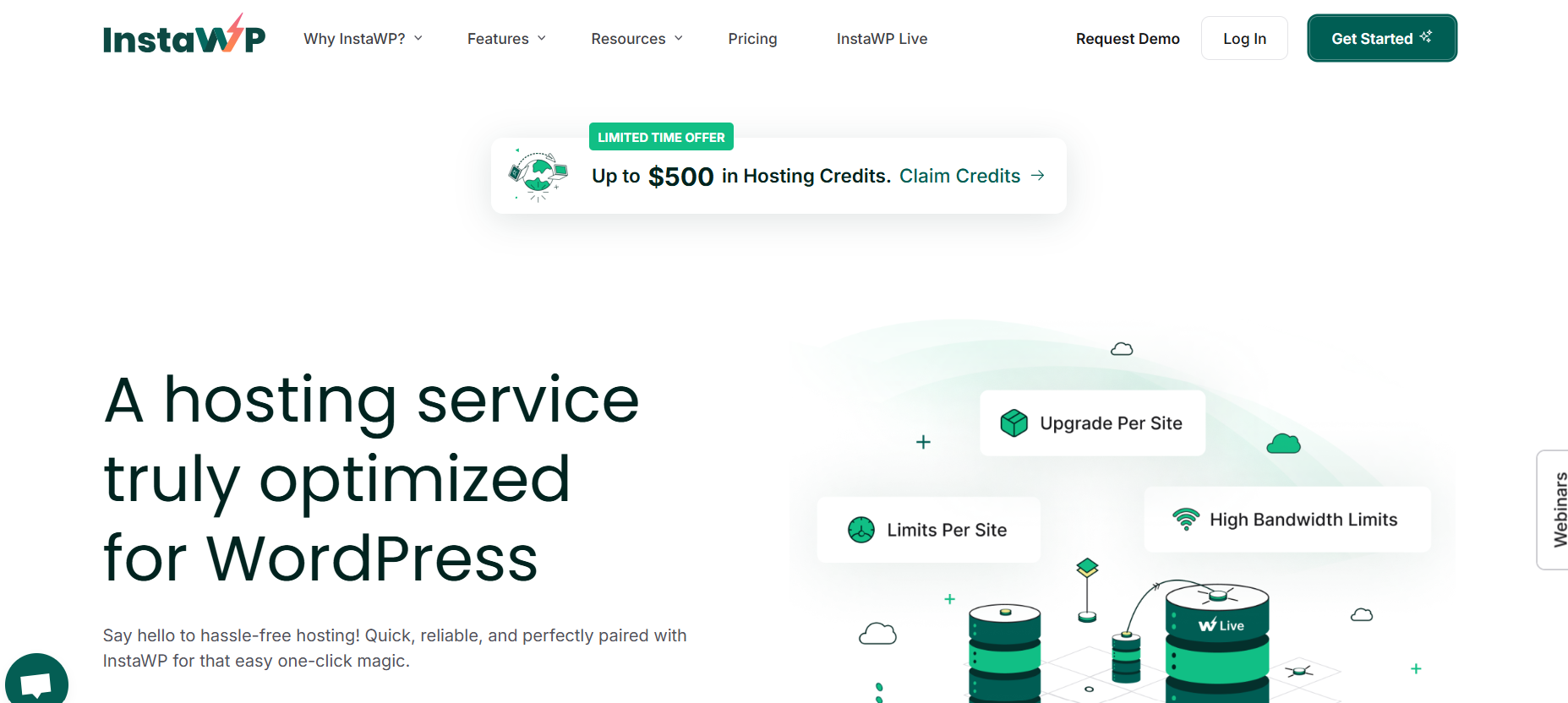
InstaWP offers fully managed WordPress hosting that eliminates the complexity of building, hosting, and managing WordPress sites. With infrastructure tailored specifically for WordPress, InstaWP provides high-performance hosting backed by expert support.
InMotion typically offers shared or VPS hosting packages where multiple sites often pull from the same pool of resources. This can lead to bottlenecks, slower load times, and unpredictable performance, especially when multiple client sites are hosted under one account.
In contrast, InstaWP provides fully isolated hosting per site, meaning each site gets its own dedicated CPU workers, disk space, backups, and bandwidth, with zero overlap. Plans start at just $2/month per site, and scale up to Elite tiers that support over 1 million monthly visitors with 10 dedicated workers.
Where InMotion offers basic security features like malware protection and automatic updates, InstaWP integrates Bunny Shield WAF, Layer-7 DDoS protection, and bot fingerprinting directly into the stack. These aren’t plugins; they’re baked into the edge layer of every site, stopping threats before they even reach WordPress.
Add to that hourly database backups, daily file backups, and instant restore options, and you’ve got a level of protection typically found only in premium enterprise hosting tiers.
WordPress Managed Hosting Features
- Real-time failover & hourly database backups
- Global CDN with edge caching for fast load times
- Web Application Firewall (WAF) + malware protection
- Seamless Git and CLI integration
- One-click staging + deployment
- Secure containerized site isolation
Everything about InstaWP is built to optimize managed WordPress hosting for developers and agencies who care about speed, stability, and workflow automation. Combined with multi-CPU resource allocation and real-time failover, these features make InstaWP a top InMotion hosting alternative for agencies needing high scalability and reliable site performance.
Interface: WordPress Workflow, Simplified
Unlike traditional dashboards that require toggling between cPanel, FTP, and database tools, InstaWP offers an all-in-one UI that’s built for real-world workflows as the best InMotion alternative:
- Launch, manage, and deploy WordPress sites from one screen
- Tag client sites by type, status, or billing model
- Clone any site in one click using Snapshots
- Collaborate with clients and contractors without sharing login credentials
? Bonus: You can even preview all client changes using staging links before deploying to production.
Managed Hosting Resources That Outpace InMotion
- Built-in CDN and edge caching reduce TTFB by up to 70%
- Multi-CPU allocation per site ensures consistent performance
- Four core data centers across global regions
- Site-level version control + rollback
Compared to InMotion’s general-purpose VPS plans, InstaWP offers multiple flexible hosting plans with resources that are tailored for real-world WordPress production environments.
Pricing Overview
There are many reasons to try InstaWP for managed WordPress hosting. But, its structured and affordable pricing plans are what make it a standout InMotion hosting alternative for agencies. InstaWP is intentionally priced to scale with you, not against you.
| Plan | Price/Site | Workers | Disk | Backups | CDN | Site Management |
|---|---|---|---|---|---|---|
| Free | $0 | 1 | 0.5 GB | Backup | No | No |
| Sandbox | $2 | 1 | 5 GB | Monthly | No | No |
| Starter | $5 | 2 | 10 GB | Weekly | No | No |
| Plus | $9 | 3 | 20 GB | Daily | Yes | Yes |
| Pro | $15 | 4 | 35 GB | Daily | Yes | Yes |
| Turbo | $25 | 6 | 50 GB | Daily | Yes | Yes |
| Elite | $45 | 10 | 75 GB | Daily | Yes | Yes |
? Best Use Cases
- WordPress agencies managing multiple client sites
- Developers building recurring revenue via templates or WaaS
- Freelancers needing instant staging + deployment for every project
- Plugin/theme creators offering demo sites
Why Choose InstaWP Over InMotion Hosting?
Here are few reasons that will compel you to choose InstaWP’s managed WordPress hosting over InMotion.
| Feature | InMotion Hosting | InstaWP |
|---|---|---|
| Built-in Staging & Snapshots | ❌ | ✅ One-click |
| Real-time Failover | ❌ | ✅ Built-in |
| Git & CLI Workflow Support | ❌ | ✅ Developer-ready |
| Per-Site Performance Scaling | ⚠️ Limited | ✅ Granular |
| Agency Dashboard & Site Filtering | ❌ | ✅ Built-in |
| Scalable Pricing Model | ❌ | ✅ Volume-based |
2. CloudPress
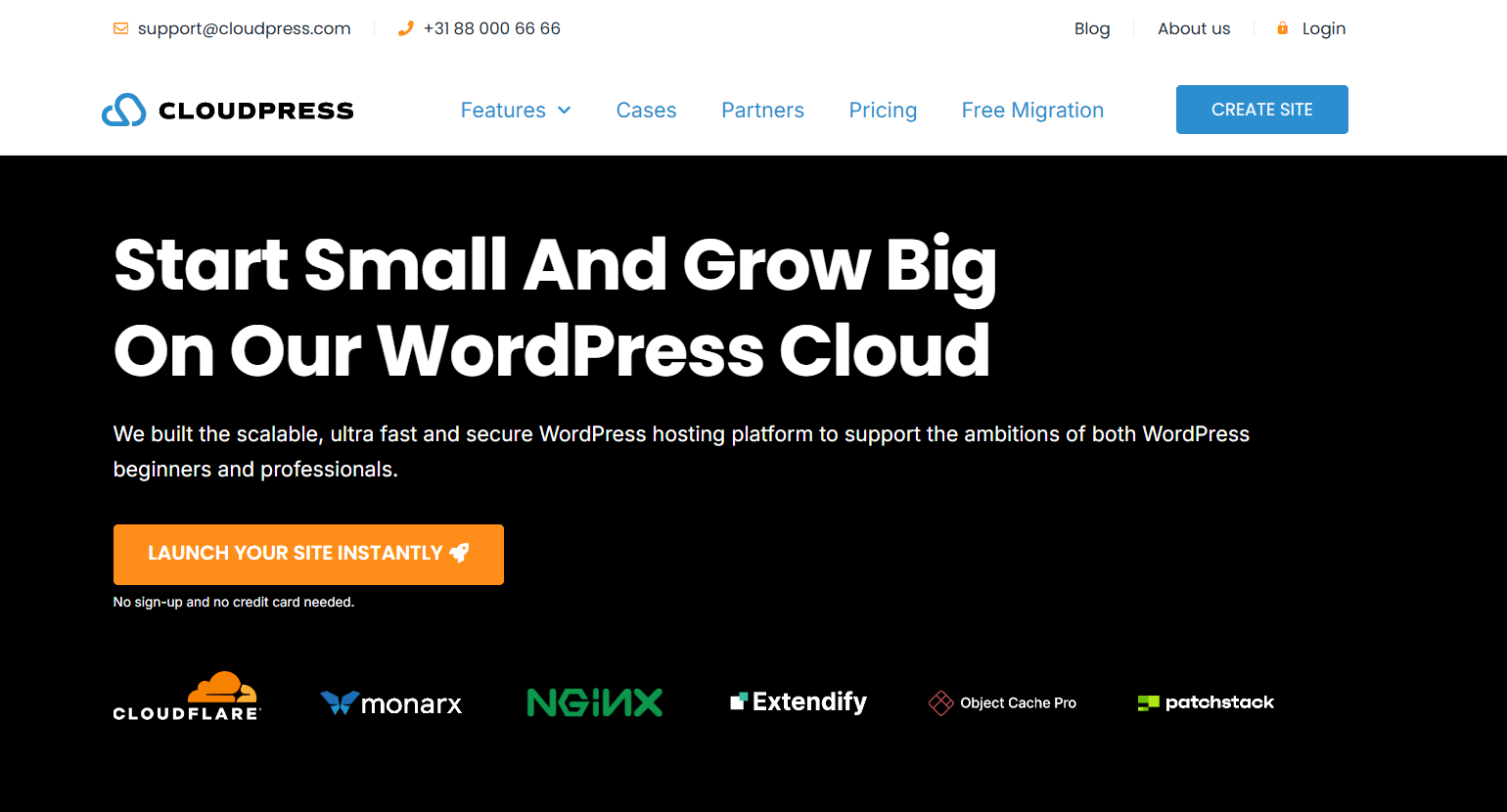
CloudPress is a managed hosting provider specifically engineered for WordPress, designed to deliver exceptional speed and security through its global CDN and AI-enhanced malware protection.
CloudPress not only optimizes image delivery and caching but also offers a unique mix of robust tools like Object Cache Pro and an enterprise-grade firewall, making it a dependable InMotion hosting alternative for businesses needing high-performance and resilient hosting.
WordPress Managed Hosting Features
- Global Edge CDN integration with full HTTP/3 support
- AI-powered malware scanning and threat detection
- Redis Caching + Object Cache Pro for ultra-fast queries
- Daily automated backups and 1-click restore
- PHP version selector, WP-CLI, and Git access
- Free SSL certificates on all plans
CloudPress hosting is tailored to ensure better WordPress performance optimization without requiring constant developer intervention.
Interface: Agency-Friendly and Non-Intimidating
CloudPress delivers a UI that is as sleek as it is functional. Even agencies without a dedicated DevOps team can handle advanced operations with ease.
- Visual site overview with real-time performance status
- Centralized domain and SSL management
- Easy-to-launch staging environments
- Built-in security dashboard with firewall status and scan logs
This clean dashboard makes CloudPress especially appealing to WordPress agencies that juggle multiple client environments.
Managed Hosting Resources Tailored to WordPress
CloudPress leverages high-end infrastructure to ensure top-tier resource delivery:
- Enterprise-grade Cloudflare integration (not just free tier)
- Redis-backed object caching for dynamic content
- Resource isolation to prevent “noisy neighbor” issues
- AI-based anomaly detection to auto-mitigate attacks
Compared to the limited caching and firewall rules on InMotion Hosting’s VPS, CloudPress offers a deeper, more intelligent hosting stack designed for real-time optimization.
Pricing Overview
CloudPress offers tiered pricing based on project complexity and performance needs:
| Plan | Price/Month | Key Features | Best For |
|---|---|---|---|
| Basic | $12 | For small websites with modest traffic | Freelancers, landing pages |
| Pro | $24 | Optimized for WooCommerce & LMS | Small agencies, course sites |
| Max | $48 | Built for mission-critical, high-traffic sites | Large agencies, publishers |
Unlike InMotion Hosting, which locks you into similar configurations regardless of site usage, CloudPress allows granular scaling per site, ensuring better cost efficiency.
? Best Use Cases
- Agencies hosting large blogs, LMS, or WooCommerce stores
- Clients with global audiences needing lightning-fast delivery
- Teams that want advanced caching and security with zero setup
- Developers who need Redis and Object Cache Pro built in
Why Choose CloudPress Over InMotion Hosting?
| Feature | InMotion Hosting | CloudPress |
|---|---|---|
| Global Edge CDN | ⚠️ Basic CDN | ✅ Enterprise Cloudflare |
| Redis & Object Cache Pro | ❌ | ✅ Built-in |
| AI Malware Protection | ⚠️ Limited | ✅ Automated & Adaptive |
| Per-Site Performance Scaling | ❌ | ✅ Tiered resource model |
| Developer Tools (WP-CLI, Git) | ⚠️ Partial | ✅ Full suite |
For agencies ready to move beyond the constraints of shared hosting and generic VPS, CloudPress offers serious horsepower and intelligent automation that takes the stress out of scaling.
3. SiteGround
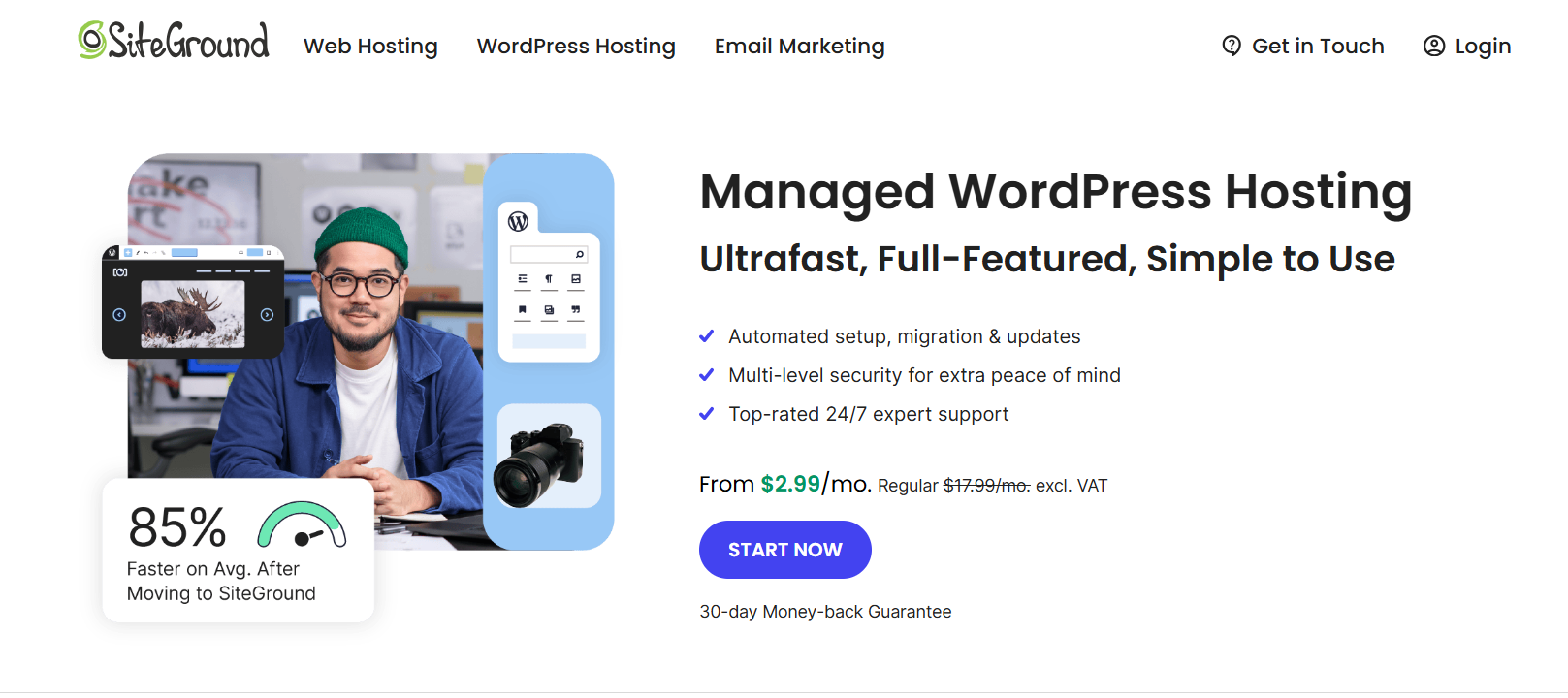
When agencies outgrow shared resources or hit support bottlenecks with InMotion Hosting, SiteGround emerges as one of the most trusted alternatives to InMotion. Powered by Google Cloud and known for its excellent customer support, SiteGround provides reliable infrastructure, top-tier security, and WordPress-centric tools—all tailored for growing agencies and developers.
If you’re comparing SiteGround vs InMotion, the difference lies in ease of use, developer features, and uptime reliability. For agencies managing multiple client websites, SiteGround is a highly efficient upgrade.
WordPress Managed Hosting Features
- Auto-updates for WordPress core & plugins
- Free CDN powered by Cloudflare + HTTP/3 support
- AI-driven security firewall to block bots and malware
- One-click staging, cloning, and site transfers
- On-demand backups + automatic daily restore points
- WordPress Starter wizard and performance-boosting plugin
Unlike InMotion’s generic stack, SiteGround is specifically optimized for WordPress, reducing reliance on third-party tools.
Interface: Built for Agencies and Freelancers
SiteGround offers a modern alternative to InMotion’s cPanel-based UI. Its custom dashboard helps you move fast without hiring DevOps:
- Staging tools for safe testing and previewing
- Site-specific file managers, DNS settings, and backups
- Collaborative access for teammates and clients
- Transparent resource tracking per install
Agencies working across 10–50 sites will appreciate how SiteGround streamlines day-to-day WordPress management.
SiteGround Hosting Resources vs InMotion
SiteGround vs InMotion becomes an easy win when you compare the infrastructure and automation:
| Feature | InMotion Hosting | SiteGround |
|---|---|---|
| Hosting Infrastructure | Proprietary VPS | Google Cloud Platform |
| Built-in CDN + Caching | ⚠️ Basic | ✅ Cloudflare + SuperCacher |
| AI Bot Protection | ❌ | ✅ Included on all plans |
| Renewable Energy Data Centers | ❌ | ✅ 100% Green Hosting |
| On-Demand Backups | ❌ | ✅ (GrowBig plan and above) |
For agencies working on client eCommerce, LMS, or portfolio sites, SiteGround ensures scalable performance that adapts to traffic spikes.
SiteGround Pricing Breakdown
SiteGround’s pricing is ideal for agencies in the growth stage:
| Plan | Price/Month | What You Get | Best For |
|---|---|---|---|
| StartUp | $2.99 | 1 website, daily backup, 10GB space | New freelancers |
| GrowBig | $4.99 | Unlimited sites, staging, caching | Small to mid-size agencies |
| GoGeek | $7.99 | Git, white-label, priority support | Developers & high-volume clients |
? Pro Tip: While renewal rates increase, the introductory pricing offers a low-risk path to test this InMotion alternative.
? Best Use Cases
- Agencies seeking a high-uptime WordPress host with built-in performance tools
- Freelancers who want to migrate from InMotion to a more intuitive dashboard
- Developers looking for automated staging and cloning environments
- Site managers needing white-label hosting without complexity
Why SiteGround is One of the Best Alternatives to InMotion Hosting
When evaluating InMotion hosting alternatives, SiteGround consistently checks boxes for performance, flexibility, and developer friendliness.
| Category | InMotion Hosting | SiteGround |
|---|---|---|
| Ease of Use | Basic dashboard | Custom Site Tools UI |
| Developer Tools | Manual staging only | 1-click staging + Git |
| CDN & Caching | Needs configuration | Built-in & optimized |
| Eco-Friendly Hosting | ❌ | ✅ 100% Renewable energy |
| WordPress Support | Standard | Specialized, 24/7 WP support |
For agencies that want to move away from limitations in uptime, staging, and performance found in InMotion, SiteGround is a strong, cost-effective alternative, especially for WordPress-powered operations.
4. WP Engine
For WordPress agencies managing high-stakes, high-traffic websites, WP Engine stands out as one of the most reliable and performance-driven InMotion Hosting alternatives. Designed exclusively for WordPress, WP Engine delivers advanced speed, security, and developer capabilities that go far beyond what’s available with traditional hosting platforms like InMotion.
If you’re comparing WP Engine vs InMotion, the choice comes down to premium performance, scalability, and a focus on WordPress excellence.
WordPress Managed Hosting Features
- Proprietary EverCache® for blazing-fast page loads
- Global CDN integration with smart routing
- Free SSL, daily backups, and 1-click restore points
- Managed WordPress updates and auto-healing technology
- Developer-friendly tools: Git, SSH, WP-CLI, and one-click staging
- Access to 35+ StudioPress themes and Genesis Framework
WP Engine is built for agencies that need enterprise-level WordPress infrastructure with guaranteed performance, even under traffic surges.
Interface: Precision Control for WordPress Professionals
WP Engine’s dashboard is designed for speed, clarity, and control:
- Multiple environments per site: dev, staging, and production
- Error and access logs are built into the dashboard
- Visual and code-based deploy options
- Usage insights for bandwidth, storage, and visits
- Support access from any screen—24/7 live chat or ticket
Whether you’re pushing new changes live or restoring a site after a failed plugin update, WP Engine gives agencies full transparency with minimal manual effort.
WP Engine vs InMotion Hosting: Performance Comparison
WP Engine outpaces InMotion in nearly every core hosting category for WordPress agencies:
| Feature | InMotion Hosting | WP Engine |
|---|---|---|
| Built-in Caching | ⚠️ Basic Varnish | ✅ EverCache® Engine |
| Auto-Scaling Under Load | ❌ | ✅ Included |
| Multi-Environment Workflow | ❌ | ✅ Dev + Stage + Prod |
| Advanced Developer Tools | ⚠️ Partial | ✅ Git, SSH, WP-CLI, API Access |
| WordPress Focus | General-purpose | 100% WordPress-specialized |
While InMotion is a decent start for smaller sites, WP Engine is designed for scaling without compromise.
Pricing Overview
WP Engine caters to professional agencies, startups, and enterprises. While it sits at a higher price point than InMotion, it delivers unmatched WordPress performance.
| Plan | Price/Month | Key Benefits | Best For |
|---|---|---|---|
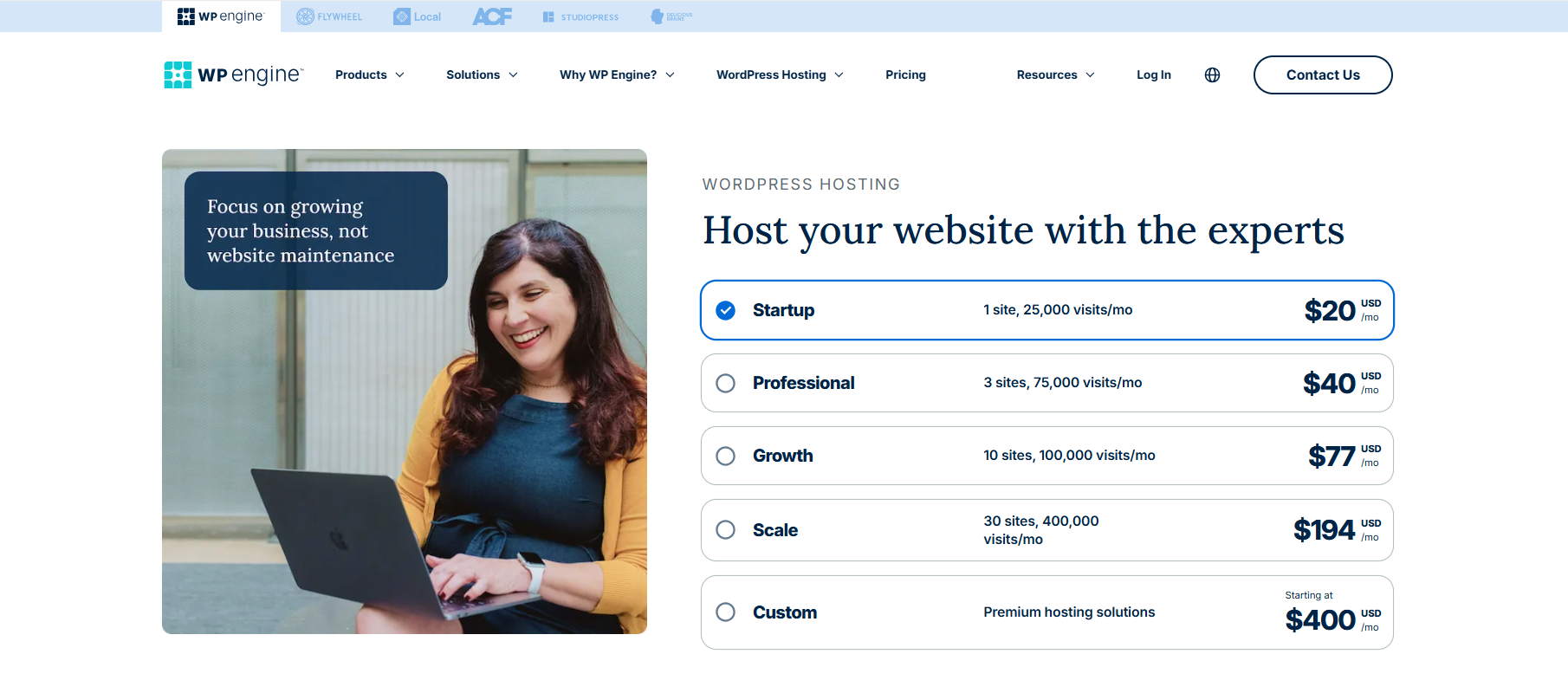
| Startup | $20 | 1 site, 10GB storage, 50K visits | Growing freelance businesses |
| Professional | $39 | 3 sites, 75K visits, staging environments | Small agencies |
| Growth | $77 | 10 sites, Genesis themes, advanced support | Scaling WordPress agencies |
| Custom | $400+ | Enterprise features, DDoS mitigation, GeoTarget | High-demand brands |
Pro Insight: You’re not just paying for hosting—you’re buying speed, stability, and uptime guarantees.
? Best Use Cases
- High-traffic WordPress publishers and blogs
- WooCommerce stores that need fast checkout and scalability
- LMS platforms and membership sites
- Agencies offering white-glove hosting services to premium clients
Why WP Engine is a Top Alternative to InMotion Hosting
If you’re hitting resource walls or struggling with inconsistent support on InMotion, WP Engine is a powerful upgrade.
| Category | InMotion Hosting | WP Engine |
|---|---|---|
| Hosting Focus | General-purpose | WordPress-exclusive |
| Performance Optimization | Shared VPS | EverCache®, Cloud CDN |
| Developer Experience | Basic | Full suite of dev tools |
| Staging & Backup | Manual or plugin-based | Built-in and automated |
| Uptime & Traffic Scaling | 99.9% standard | Scales with no performance dip |
If your agency is ready to elevate your WordPress game and offer clients lightning-fast, bulletproof websites, WP Engine is more than just an alternative to InMotion Hosting—it’s a strategic upgrade.
5. CloudWays

If you’ve outgrown the limitations of shared servers and are ready for more power, control, and cloud flexibility, Cloudways is a standout InMotion Hosting alternative worth serious consideration.
Unlike InMotion’s fixed-tier VPS plans, Cloudways gives you access to top cloud infrastructure providers—like Google Cloud, AWS, DigitalOcean, and more—wrapped in a managed dashboard that simplifies deployment and scaling. It’s ideal for agencies that want premium performance without the complexity of raw cloud setups.
When comparing Cloudways vs InMotion, the clear win is flexibility, developer tooling, and real-time resource scaling.
WordPress Managed Hosting Features
- Choice of cloud providers: Google Cloud, AWS, DigitalOcean, Linode, Vultr
- Built-in caching layers: Varnish, Memcached, Redis, and Nginx
- Free SSL, automated backups, and staging environments
- Integrated Cloudflare Enterprise CDN (optional)
- 24/7 real-time monitoring + alerting tools
- Dedicated firewalls and bot protection
Cloudways abstracts server management while preserving the customizability power dev teams love, making it a far more agile platform than traditional hosts like InMotion.
Interface: Developer-First but Beginner-Friendly
Cloudways’ dashboard balances power and usability. You don’t need to be a sysadmin to launch and scale efficiently:
- 1-click app deployment (WordPress, WooCommerce, Laravel, etc.)
- Real-time CPU/RAM tracking per application
- Easy cloning, staging, and domain mapping
- Team collaboration and role-based access controls
Whether you’re managing 5 or 50 sites, Cloudways makes multi-site WordPress management feel intuitive.
Cloudways vs InMotion Hosting: What You Get
Let’s break down how Cloudways compares directly against InMotion Hosting’s infrastructure and features:
| Feature | InMotion Hosting | Cloudways |
|---|---|---|
| Cloud Infrastructure | ❌ (proprietary VPS) | ✅ Choice of 5 cloud providers |
| Built-in App Staging | ⚠️ Manual or plugin-based | ✅ 1-click per app |
| Advanced Caching Stack | ❌ | ✅ Full-stack caching (Redis, Varnish) |
| Server-Level Monitoring & Alerts | ❌ | ✅ Built-in with 24/7 insights |
| Per-App Resource Control | ❌ | ✅ Dedicated isolation |
InMotion offers basic managed WordPress hosting; Cloudways gives you fine-grained control over each application’s performance envelope.
Pricing Overview
Cloudways uses a pay-as-you-go model, so you only pay for the exact resources you use.
| Cloud Provider | Entry Plan (per month) | Best For |
|---|---|---|
| DigitalOcean | $14 | Starter agencies, low-traffic sites |
| Vultr HF | $26 | Fast-loading marketing sites |
| Google Cloud | $37.45 | High-availability business sites |
| AWS | $38.56 | Scalable client projects |
Each plan includes free site migration, automated backups, 24/7 support, and firewall protection. Compare that to InMotion’s locked-in resource limits and steep renewal rates, and Cloudways offers far better ROI for agencies in growth mode.
? Best Use Cases
- Agencies that want to choose their own infrastructure without managing servers manually
- WooCommerce stores or LMS platforms need high-performance caching
- WordPress developers running multiple applications per server
- Teams scaling client sites with real-time traffic spikes
Why Cloudways is a Leading InMotion Hosting Alternative
Here’s why developers and agencies are making the switch from InMotion to Cloudways:
| Category | InMotion Hosting | Cloudways |
|---|---|---|
| Cloud Provider Choice | ❌ One-size VPS | ✅ Pick from 5 leading platforms |
| Staging, Cloning, Scaling | ⚠️ Plugin-dependent | ✅ Built into every deployment |
| Support + Monitoring | Standard | ✅ Real-time alerts + 24/7 help |
| Cost Efficiency | Fixed pricing tiers | ✅ Pay-as-you-go + scalable plans |
| Application-Level Control | ❌ None | ✅ Granular per-app settings |
If you’re ready to break free from the limitations of legacy VPS and shared hosting, Cloudways offers the flexibility, power, and performance your WordPress agency needs.
6. Kinsta
Agencies managing revenue-generating sites—especially those built on WooCommerce or advanced custom themes—often find that InMotion Hosting alternatives like Kinsta offer a more predictable, faster, and enterprise-ready environment.
Kinsta isn’t just another WordPress host. It’s a Google Cloud Platform-powered service that leverages container-based infrastructure and a zero-touch backend. If you’re weighing Kinsta vs InMotion, what stands out most is Kinsta’s ability to abstract all low-level complexity while still delivering elite performance metrics
WordPress Managed Hosting Features
- Hosted on Google Cloud’s premium tier network for faster routing
- Containerized architecture: each site runs in complete isolation
- Automatic scaling (CPU/RAM) based on traffic surges
- Malware scanning, hack cleanup, and enterprise-grade DDoS protection
- Daily backups with optional hourly backups for mission-critical projects
- Free migrations handled by in-house experts
Kinsta is a WordPress-specific hosting platform, but what makes it unique is that it behaves more like cloud-native infrastructure, with WordPress tooling layered on top.
Interface: No Clutter, All Control
Kinsta’s MyKinsta dashboard doesn’t try to replicate cPanel or Plesk—it’s built from scratch to suit the needs of modern web teams:
- Built-in analytics: bandwidth, response time, CDN usage
- Fine-grained control over PHP version, cache, restart, and log access
- Environment toggling: live, staging, and clone
- No learning curve—even for clients who aren’t tech-savvy
Compared to the traditional UX of InMotion, Kinsta feels like a tool created for collaboration, performance tuning, and transparency.
Kinsta vs InMotion Hosting: Where They Differ Most
The comparison between Kinsta vs InMotion Hosting becomes especially clear when evaluating under-the-hood performance and response to traffic stress.
| Hosting Element | InMotion Hosting | Kinsta |
|---|---|---|
| Infrastructure Backbone | Proprietary VPS | Google Cloud Platform (GCP) |
| Site Isolation | Shared or VPS instance | LXC container per WordPress site |
| Auto-Scaling | ❌ Manual upgrade needed | ✅ Instant resource elasticity |
| CDN & Caching | Basic options | ✅ Built-in CDN + Edge caching |
| Support Specialization | Generalist | ✅ WordPress-only experts |
In short, while InMotion gives you “hosting with WordPress compatibility,” Kinsta offers hosting built around WordPress best practices.
Pricing Overview
Kinsta is priced for performance, not commodity. While it may not be the lowest-cost InMotion Hosting alternative, it excels in value for high-performing use cases.
| Plan | Price/Month | Specs | Best Suited For |
|---|---|---|---|
| Starter | $35 | 1 site, 10GB SSD, 25K monthly visits | SMBs, bloggers needing fast loads |
| Pro | $70 | 2 sites, 20GB SSD, 50K visits | Growing agencies |
| Business | $115+ | 5+ sites, advanced analytics & support | High-traffic, content-heavy sites |
| Enterprise | Custom | Priority routing, SLA-backed support | eCommerce, publishers, LMS portals |
No sudden price hikes, no hidden renewals. And all plans include expert-led migration support.
? Best Use Cases
- Publishers with global audiences needing fast delivery across regions
- WooCommerce stores with complex inventory, checkout, and traffic variability
- Development agencies offering maintenance retainers for premium brands
- Businesses with compliance or performance SLAs that cannot afford downtime
Why Kinsta is a Powerful InMotion Hosting Alternative
When you need guaranteed performance under pressure, secure sandbox environments, and cloud-grade reliability without managing your own server, Kinsta checks every box that InMotion doesn’t.
| Key Capability | InMotion Hosting | Kinsta |
|---|---|---|
| Site-level containerization | ❌ | ✅ Yes |
| Instant vertical scaling | ❌ | ✅ Included in every plan |
| PHP worker customization | ❌ | ✅ Available |
| Edge CDN included | ⚠️ Extra setup | ✅ Yes |
| WordPress-specific support | Generalist | ✅ Dedicated WP engineers |
For WordPress agencies and developers whose performance needs are outpacing shared hosting, Kinsta is more than a safe bet—it’s a performance partner.
7. A2 Hosting

If you’re the kind of WordPress agency or freelancer who enjoys tuning every element of your server stack, A2 Hosting might just be the performance playground you need. Unlike the relatively locked-down nature of shared InMotion plans, A2 Hosting offers more developer-level access and fine-tuning, without the need to jump to expensive cloud solutions.
When comparing A2 Hosting vs InMotion, what jumps out is A2’s focus on speed optimizations and configurability, especially for performance-conscious WordPress projects.
WordPress Managed Hosting Features
- Turbo Servers with LiteSpeed/Edge caching (up to 20x faster page loads)
- Advanced caching stack: OPcache, Redis, Memcached
- Free site migration with zero downtime
- Developer-friendly tools: WP-CLI, SSH, Git pre-installed
- Free HackScan & brute force protection
- Staging environments + automatic daily backups
A2 Hosting bridges the gap between hands-on control and managed ease, giving developers a sandbox feel but with uptime guarantees and active support.
Interface: Freedom to Tinker
If cPanel-based workflows are your thing, A2 Hosting feels like home—but with enhancements. You don’t get a proprietary dashboard like Kinsta or InstaWP, but what you do get is root-level access and complete server transparency.
- Easy switching between PHP versions (v5.6 to 8.2+)
- Server Rewind™ for one-click restore points
- Git version control and staging management
- Advanced cron job scheduler, custom .htaccess configs
If you’ve felt boxed in with InMotion’s more generalized VPS environment, A2 Hosting lets you go under the hood with confidence.
A2 Hosting vs InMotion Hosting: The Key Distinctions
Here’s how A2 Hosting stacks up as one of the top alternatives to InMotion Hosting, especially for developers prioritizing performance freedom.
| Feature Area | InMotion Hosting | A2 Hosting (Turbo Plans) |
|---|---|---|
| Caching Infrastructure | Basic page cache | ✅ Edge caching, OPcache, Redis |
| PHP Control | Limited | ✅ Full PHP version toggle |
| Developer Tools | Basic SSH, Git optional | ✅ Pre-configured Git + WP-CLI |
| Page Load Speed | Standard SSD | ✅ NVMe SSD + Turbo Cache |
| Rollback + Restore | Manual backup | ✅ Server Rewind™ included |
Agencies working on custom themes or plugin testing often find A2 far more accommodating than the rigid setups offered by InMotion.
Pricing Overview
A2 Hosting’s Turbo Boost plans are positioned as mid-tier offerings but deliver performance that rivals premium hosts.
| Plan Name | Cost/Month | Key Highlights |
|---|---|---|
| Turbo Boost | $6.99 | 20x faster, NVMe SSDs, unlimited sites |
| Turbo Max | $14.99 | Increased PHP workers, 5x resources |
| Managed VPS | $39.99+ | Root access, choice of control panels |
Renewal pricing does rise (a drawback shared with InMotion), but first-term value is impressive, especially for performance-tuned builds.
? Best Use Cases
- WordPress developers need advanced caching and PHP control
- Agencies building performance-heavy membership or LMS sites
- Freelancers testing plugins/themes across PHP versions
- Teams deploying Git-controlled, staging-enabled builds
Why A2 Hosting is a Smart InMotion Hosting Alternative
What makes A2 Hosting stand out isn’t just its page load time. It’s the control and customization that WordPress developers often crave—but can’t get from cookie-cutter managed hosts.
| Comparison Metric | InMotion Hosting | A2 Hosting Turbo Plans |
|---|---|---|
| Performance Stack | Basic LAMP stack | ✅ LiteSpeed, Redis, OPcache |
| Development Flexibility | Restricted | ✅ Root access + WP-CLI/Git |
| Price-to-Performance | Moderate | ✅ Excellent first-term ROI |
| Staging & Testing Tools | Limited | ✅ Included with all plans |
Whether you’re running high-performance WooCommerce shops or staging new client projects, A2 Hosting offers the speed, flexibility, and tooling that InMotion Hosting often lacks.
8. Rocket.net
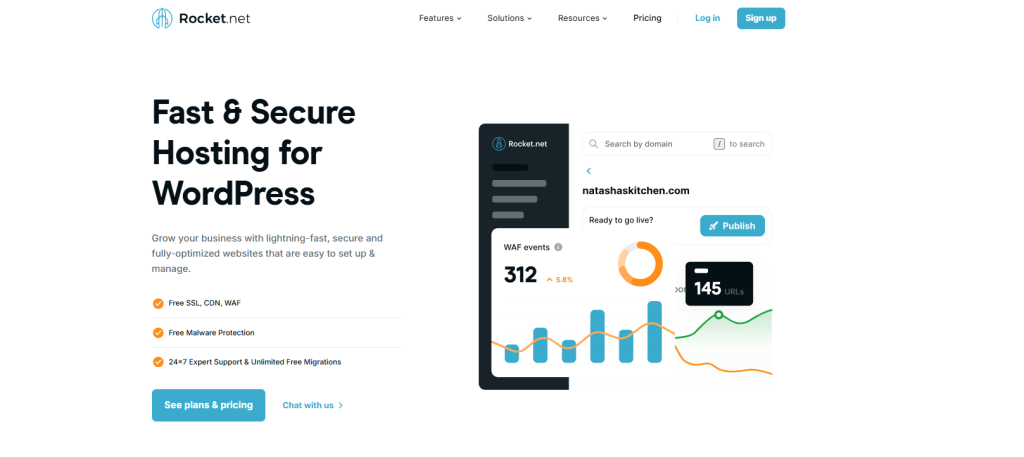
If performance and security are your top two priorities, Rocket.net presents a compelling alternative to InMotion Hosting. Designed from the ground up as an enterprise-grade WordPress-only platform, Rocket.net brings together cutting-edge technology, edge delivery via Cloudflare Enterprise, and zero-config security.
Unlike InMotion, which leans on traditional infrastructure, Rocket.net offloads complexity through intelligent defaults, making it ideal for agencies that want blazing-fast speeds without needing to manage a CDN, firewall, or caching system separately.
WordPress Managed Hosting Features
- Built-in Cloudflare Enterprise (included in every plan)
- Enterprise WAF, DDoS protection, and bot mitigation at edge level
- Full-page caching and dynamic edge rendering
- Automatic daily backups with 1-click restores
- PHP version selector, real-time malware scanning
- Instant deployment with free migrations
Rocket.net positions itself as performance-first and security-hardened, making it one of the most resilient InMotion Hosting alternatives for production-critical WordPress environments.
Interface: Minimal Setup, Maximum Protection
Rocket.net’s admin experience is built for clarity. Instead of burying developers under settings, it offers a curated dashboard where each feature works right out of the box:
- See live stats (bandwidth, cache hit ratio, threat blocks)
- Toggle between staging and production with zero downtime
- Manage domains, PHP, and cache settings with a few clicks
- Secure your site via HTTP/3, TLS 1.3, and DNSSEC by default
Unlike cPanel-heavy environments like InMotion, Rocket.net removes busywork so you can deploy confidently in minutes, not hours.
Rocket.net vs InMotion Hosting: Core Performance & Security Comparison
Here’s how Rocket.net rises as one of the top alternatives to InMotion Hosting, especially for security-conscious WordPress agencies.
| Hosting Feature | InMotion Hosting | Rocket.net |
|---|---|---|
| CDN Type | Standard CDN (optional) | ✅ Cloudflare Enterprise (included) |
| Malware & WAF Protection | Basic firewall | ✅ Edge-level protection + WAF |
| Bot Traffic Filtering | ❌ Not included | ✅ Real-time via Cloudflare Ruleset |
| Cache Optimization | Plugin-based | ✅ Built-in full-page cache |
| Global Edge Delivery | Limited | ✅ 275+ PoPs via Cloudflare |
Rocket.net integrates technologies that would otherwise require multiple third-party plugins and services—all managed for you.
Pricing Overview
Rocket.net’s pricing is premium, but it justifies the cost through included edge services that normally carry extra fees.
| Plan Name | Price/Month | Specs | Best For |
|---|---|---|---|
| Starter | $30 | 1 site, 10GB storage, 250K visits | Solo devs or single client site |
| Pro | $60 | 3 sites, 20GB, advanced caching & support | Growing agencies |
| Business | $100+ | 10+ sites, 50GB, custom WAF rules | High-volume agencies & ecommerce |
Every plan includes Cloudflare Enterprise, staging environments, and full malware cleanup, which is rare even among the best InMotion Hosting alternatives.
? Best Use Cases
- Agencies managing high-profile client sites that can’t afford downtime
- E-commerce businesses with global audiences requiring edge delivery
- Publishers needing real-time threat monitoring and instant recovery
- WordPress professionals who value “set it and forget it” security
Why Rocket.net Is One of the Most Secure Alternatives to InMotion Hosting
Rocket.net doesn’t just match InMotion—it replaces the need for multiple third-party services altogether. Its edge-first architecture dramatically reduces TTFB (Time To First Byte), safeguards your site from global threats, and simplifies WordPress hosting for developers and agencies.
| Feature Breakdown | InMotion Hosting | Rocket.net |
|---|---|---|
| Integrated CDN + WAF | ❌ No | ✅ Yes (Cloudflare Enterprise) |
| Automatic Caching & Purge | Plugin-based | ✅ Auto-optimized |
| Global Load Balancing | ❌ | ✅ Built-in |
| Malware Cleanup | Manual or 3rd party | ✅ Included in all plans |
| Developer Efficiency | Medium | ✅ Near-zero setup required |
If your WordPress agency is ready to step into the future of secure, scalable hosting, Rocket.net is a powerful, no-maintenance alternative to InMotion Hosting.
Final Say
When it comes to finding the best InMotion hosting alternative, InstaWP’s managed WordPress hosting stands out as a premier choice for small agencies and freelance WordPress developers. With its user-friendly interface, robust features like automated backups, staging environments, and seamless collaboration tools, InstaWP hosting streamlines the management of multiple client sites.
For those looking to enhance their hosting experience and scalability, InstaWP offers the perfect balance of reliability, efficiency, and support, making it the top contender in the competitive landscape of managed hosting providers.
FAQs
u003cstrongu003e1. What are the main reasons to consider alternatives to InMotion hosting?u003c/strongu003e
Many agencies find that as they grow, InMotion hosting’s shared and VPS plans limit their scalability and performance. Alternatives often provide better resource allocation, enhanced customer support, and features specifically designed for high-traffic environments.u003cbru003eu003cbru003eu003cstrongu003e2. How do I determine the right managed hosting provider for my agency?u003c/strongu003eu003cbru003eConsider your agency’s specific needs, such as scalability, performance, security features, and budget. Assess the providers based on their managed hosting features, pricing plans, and user reviews to ensure they align with your goals.u003cbru003eu003cbru003eu003cstrongu003e3. Are all the listed alternatives optimized specifically for WordPress?u003c/strongu003eu003cbru003eYes, each of the alternatives mentioned—InstaWP, CloudPress, SiteGround, WP Engine, and Cloudways—is specifically optimized for WordPress hosting. They offer features tailored to enhance performance, security, and ease of management for WordPress sites.u003cbru003eu003cbru003eu003cstrongu003e4. Can I migrate my existing website to one of these hosting providers easily?u003c/strongu003eu003cbru003eMost managed hosting providers offer migration services or tools that simplify the process. It’s advisable to check if the provider includes a migration assistance feature or has detailed guides to facilitate a smooth transition.u003cbru003eu003cbru003eu003cstrongu003e5. What pricing can I expect from these alternatives?u003c/strongu003eu003cbru003ePricing varies among providers. For example, InstaWP’s managed WordPress hosting starts at $2 per site/month, while other providers like WP Engine start at $20/month. It’s important to choose a plan that aligns with your current needs and offers room for future growth.u003cbru003eu003cbru003eu003cstrongu003e6. How does customer support differ among these hosting providers?u003c/strongu003eu003cbru003eCustomer support can vary significantly. Some providers, like WP Engine and SiteGround, are known for their exceptional support and quick response times, while others may offer limited support. Review user testimonials to gauge support experiences.u003cbru003e


