

Improve your WordPress SEO: Write better content and have a fully optimized WordPress site using the Yoast SEO…
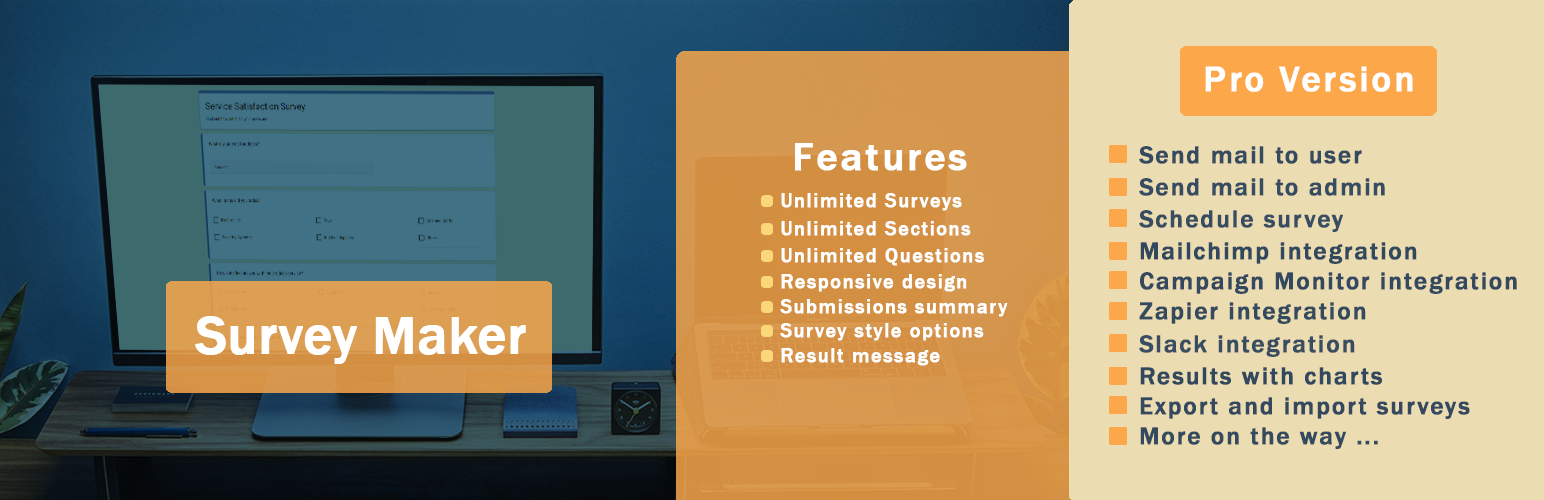
About Survey Maker – Best WordPress Survey Plugin
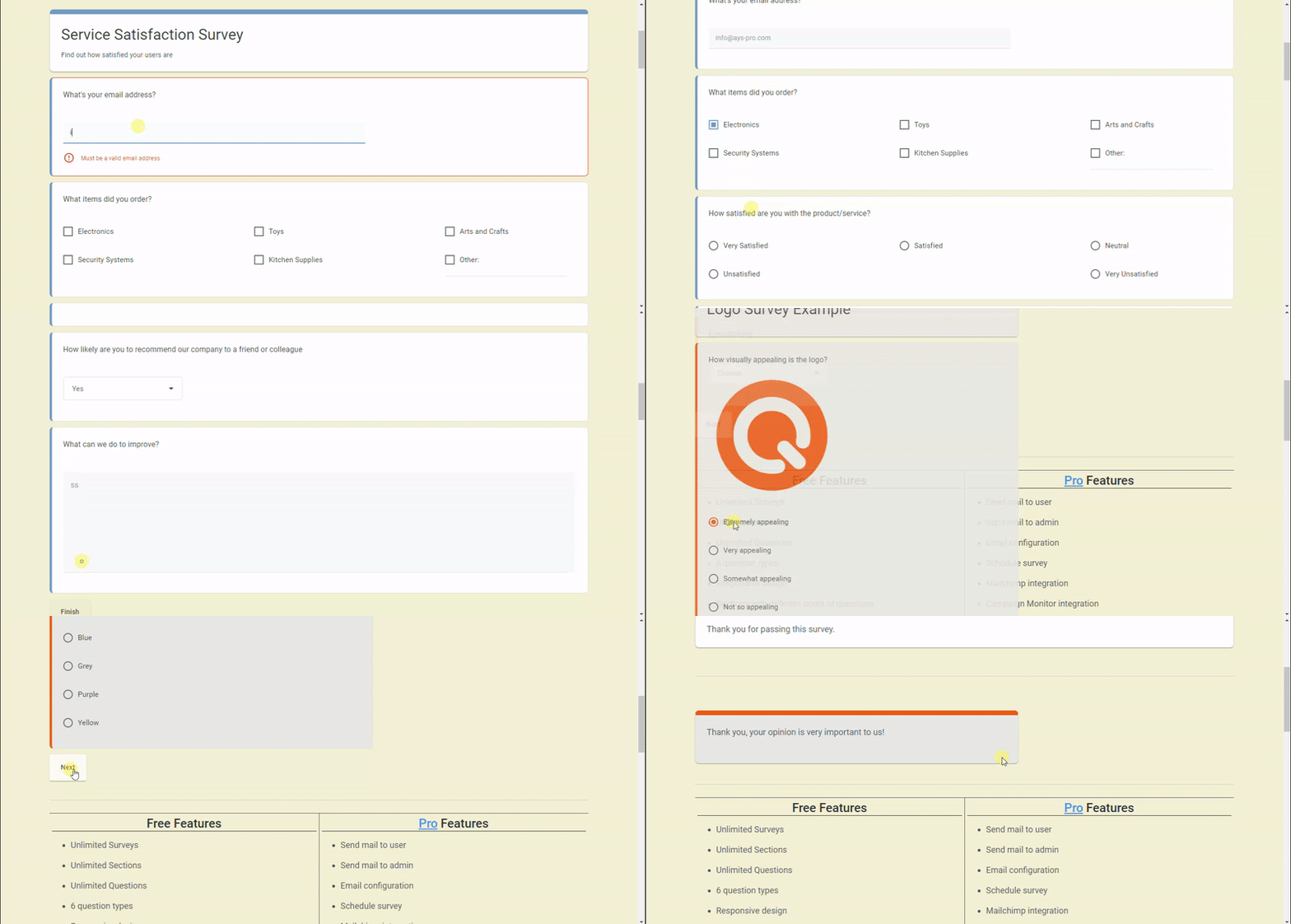
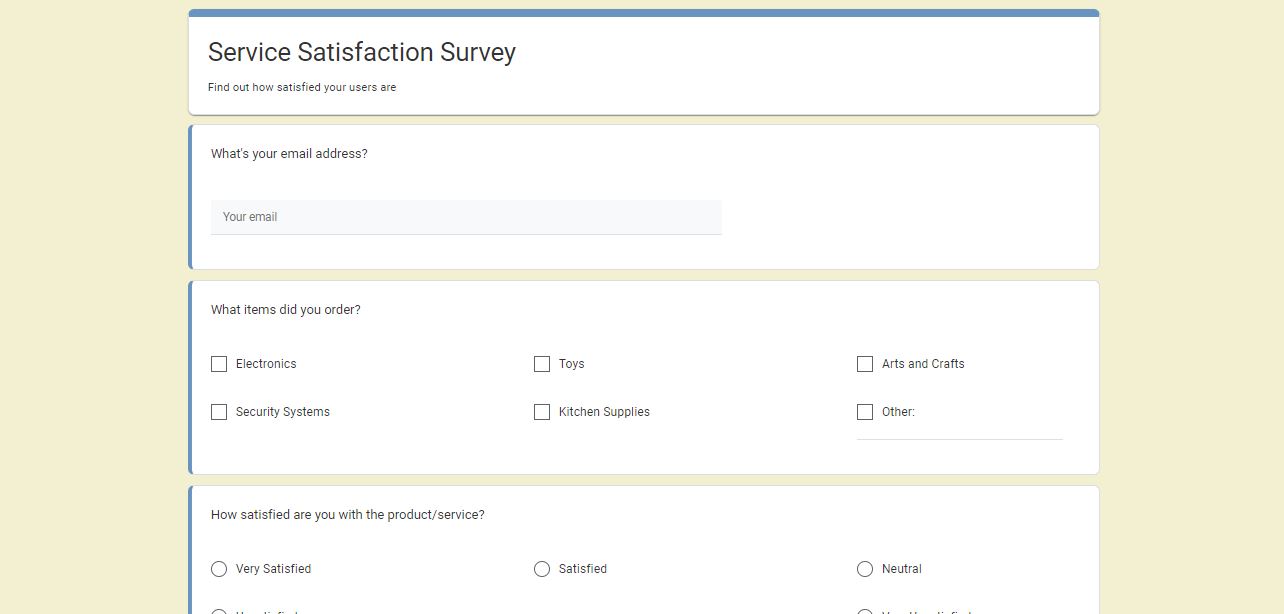
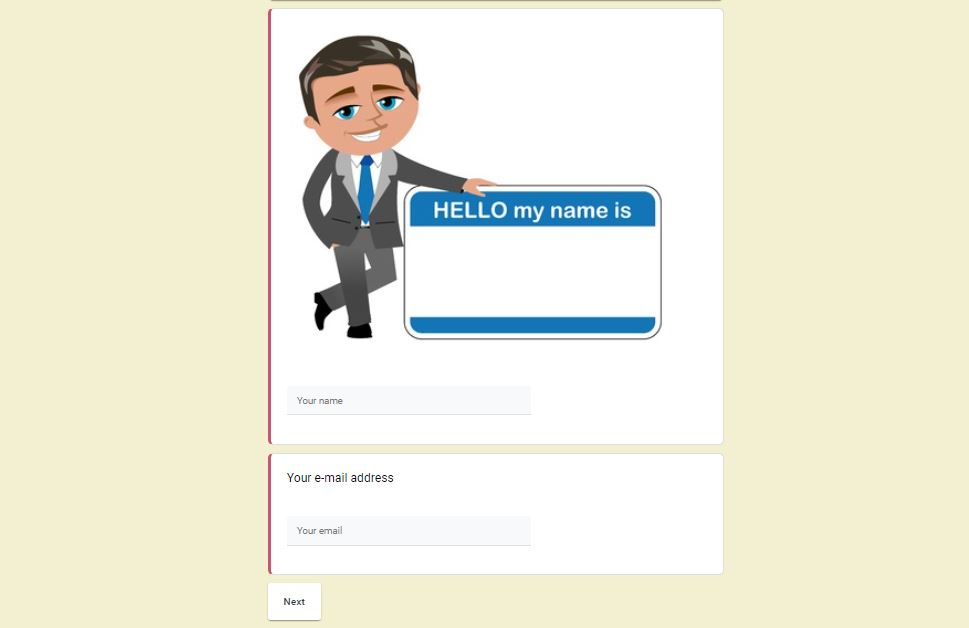
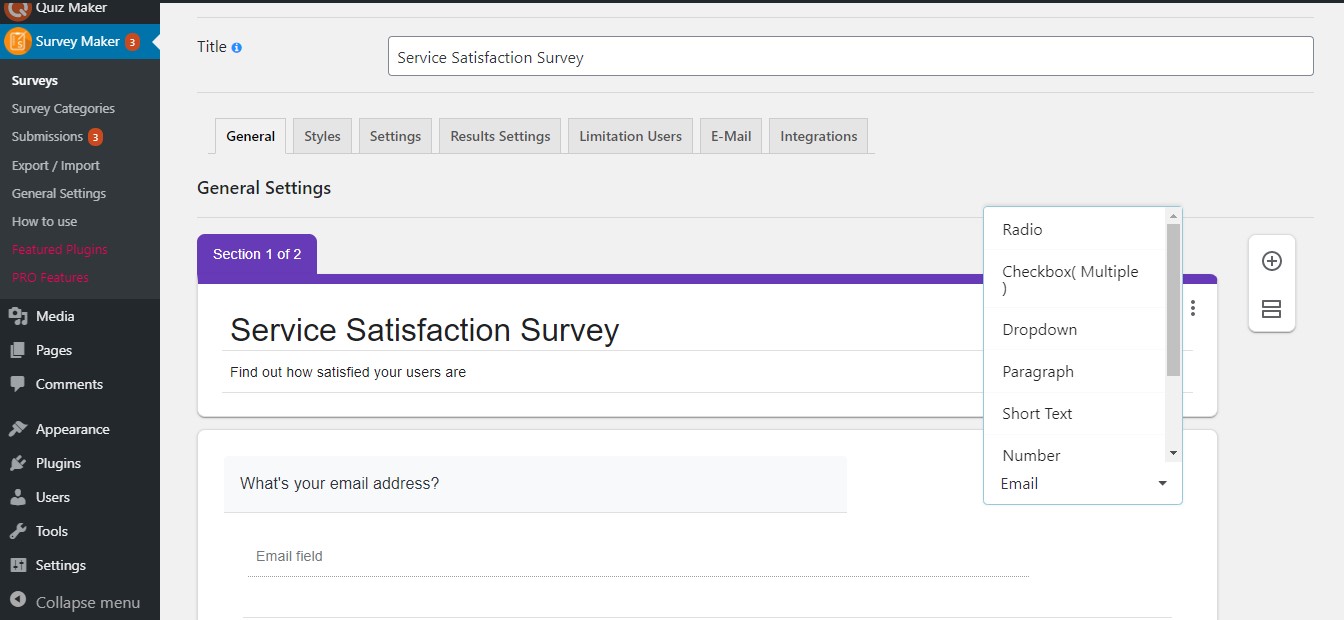
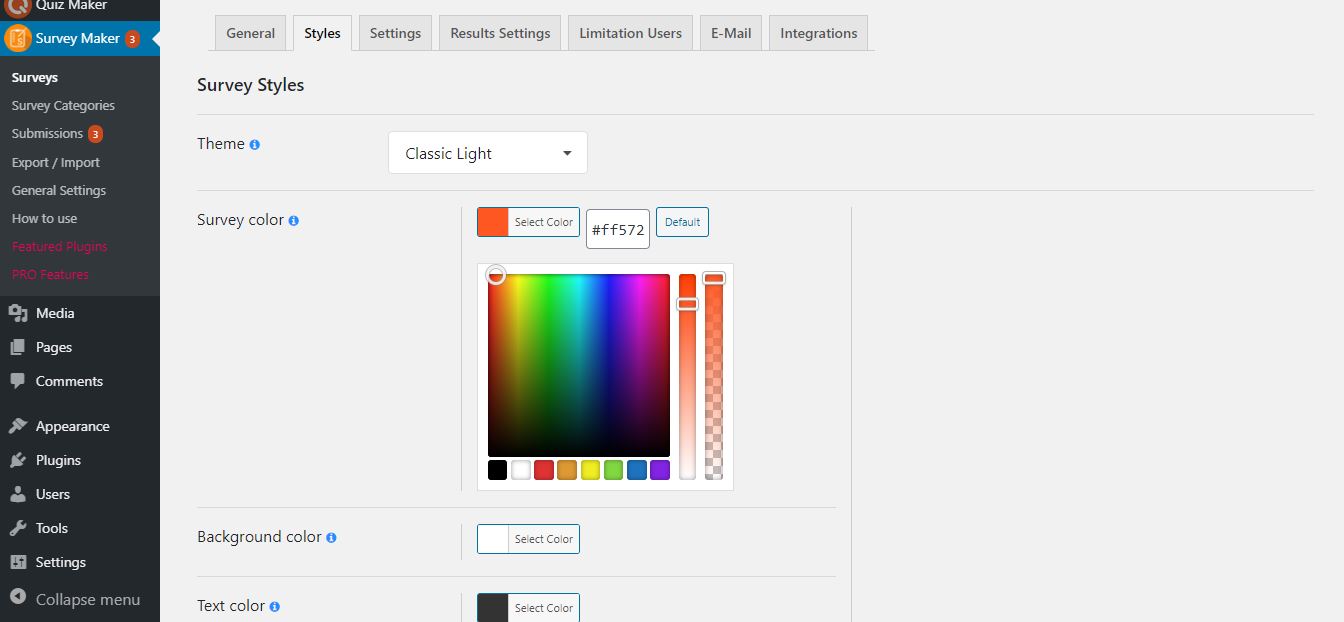
The WordPress Survey plugin is a powerful and easy-to-use tool for collecting data from a specific group of people and analyzing it. It offers a wide range of features and question types, and is fully customizable to match your website's style. With options for restrictions, multi-page tests, and real-time reporting, this plugin is a must-have for conducting research, gathering leads, and extracting insights.Screenshots


Changelog
5.1.4.6
- Added: Popup title background color option for mobile devices
5.1.4.5
- Improved: Security performance on the submissions page
- Updated: POT file
5.1.4.4
- Added: Pagination items positioning on mobile option
5.1.4.3
- Fixed: Select user filter issue on the submissions page
- Fixed: Style tab style issue on the surveys page
5.1.4.2
- Improved: Security performance on the admin dashboard
5.1.4.1
- Improved: Code correction on the admin dashboard
- Updated: POT file
- Tested: Compatible up to 6.7.2
5.1.4.0
- Added: Customization option for the Redirection Message text
- Fixed: PHP problem on the front-end
5.1.3.9
- Added: Popup Background On Mobile option
5.1.3.8
- Added: Progress bar text color for mobile devices
5.1.3.7
- Fixed: Mobile style issue on the Surveys page
- Updated: POT file
5.1.3.6
- Fixed: Show trashed survey submissions count issue
- Fixed: Email validation error text security issue
5.1.3.5
- Added: Survey logo position option for mobile devices
5.1.3.4
- Fixed: Question title security issue
5.1.3.3
- Added: Global Collapse/Expand functionality on the surveys page
5.1.3.2
- Added: New design for the Surveys page
5.1.3.1
- Added: Progress bar text transform option for mobile devices
5.1.3.0
- Fixed: Styles issue on the settings tab of the Surveys page
5.1.2.9
- Improved: Top banner styles on the admin dashboard
5.1.2.8
- Fixed: Style issue on the surveys page
5.1.2.7
- Added: Button border-radius on mobile option
5.1.2.6
- Added: New style for Survey cover photo image Position
5.1.2.5
- Added: Top save button on the Popup Survey page
5.1.2.4
- Added: Popup title Border radius option for mobile devices
5.1.2.3
- Added: Answer image sizing mobile option
5.1.2.2
- Improved: Styles issue on the surveys page
5.1.2.1
- Fixed: Style issue on the surveys styles page
5.1.2.0
- Added: Question image sizing on mobile option
5.1.1.9
- Improved: Styles on the Surveys page
5.1.1.8
- Added: Question image height on mobile option
5.1.1.7
- Improved: Admin dashboard styles
5.1.1.6
- Added: Question image width on mobile option
- Tested: Compatible up to 6.7.1
5.1.1.5
- Added: Answer image size on mobile option
5.1.1.4
- Added: Date question type
5.1.1.3
- Improved: Some changes on the admin dashboard
5.1.1.2
- Added: Popup height mobile option for Popup Survey
5.1.1.1
- Added: Popup width mobile option for Popup Survey
5.1.1.0
- Added: Confirmation box for unsaved changes on the admin dashboard
5.1.0.9
- Fixed: Survey style issue on Elementor block
5.1.0.8
- Fixed: Styling problem on the Surveys list table page
- Updated: POT file
- Tested: Compatible up to 6.7
5.1.0.7
- Improved: Styles on the Survey style page
5.1.0.6
- Added: Text transform on mobile option for Popup Survey
5.1.0.5
- Added: Minimal theme
5.1.0.4
- Improved: Styles on the Popup Survey page
5.1.0.3
- Added: Question caption text transform on mobile option
5.1.0.2
- Improved: Styles on the Survey page
5.1.0.1
- Added: Buttons top distance on mobile option
5.1.0
- Fixed: Save buttons style issue on the surveys page
5.0.9
- Added: Button alignment on mobile option
5.0.8
- Fixed: Number question type limitation issue on the front page
5.0.7
- Added: Survey section description alignment on mobile option
5.0.6
- Added: Survey section title alignment on mobile option
5.0.5
- Fixed: Styling problem on the Gutenberg page
- Updated: POT file
5.0.4
- Improved: Styles on the admin dashboard
5.0.3
- Improved: Security on the survey categories page
5.0.2
- Added: Answer gap on mobile option
5.0.1
- Added: Star rating question type
5.0.0
- Added: Question padding on mobile option
4.9.9
- Fixed: Some text typos in the options on the surveys page
4.9.8
- Added: Answer padding option for mobile devices
4.9.7
- Improved: Styles on the Submissions page
- Updated: POT file
4.9.6
- Fixed: Answer title security issue on the front page
4.9.5
- Added: Survey title alignment mobile option
4.9.4
- Improved: Styles on the General Settings page
4.9.3
- Improved: Social buttons option styles
4.9.2
- Added: Email validation error text customization on the General Settings Page
4.9.1
- Added: Modern theme
4.9.0
- Added: Default text customization section on the General Settings Page
4.8.9
- Added: Question caption text alignment on mobile option
4.8.8
- Improved: Styles on the surveys styles page
4.8.7
- Improved: Styles on the surveys styles page
4.8.6
- Added: Phone question type
4.8.5
- Improved: Info Text for the Elementor and Gutenberg blocks preview
4.8.4
- Added: Expand/Collapse functionality for survey options on the Surveys page
4.8.3
- Improved: Navbar styles on the surveys page
4.8.2
- Improved: Styles on the surveys page
4.8.1
- Improved: Survey theme images on the Style tab
- Improved: Some changes on the admin dashboard
4.8.0
- Updated: Redesign of the Survey Integrations Tab
- Updated: POT file
4.7.9
- Added: Message variables section for the Only for logged-in users option
4.7.8
- Added: Modified date message variable on the General Settings Page
4.7.7
- Added: Quick publish/unpublish links in the Popup Survey list table
4.7.6
- Added: Excerpt words count option for the Popup Survey title in the list table
4.7.5
- Added: Progress bar text letter spacing mobile option
4.7.4
- Fixed: Market Research Survey Template issue with the Woocommerce plugin
4.7.3
- Added: Buttons text letter spacing mobile option
- Tested: Compatible up to 6.6.1
4.7.2
- Fixed: Answer letter spacing option issue for Paragraph question type
- Updated: POT file
4.7.1
- Fixed: Responsiveness issue on the styles tab on the surveys page
4.7.0
- Added: Answer letter spacing on mobile option
4.6.9
- Improved: Disable next button option style on the surveys page
4.6.8
- Added: Popup title letter spacing on mobile option
- Tested: Compatible up to 6.6
4.6.7
- Fixed: Survey style issue on Elementor block
4.6.6
- Added: Survey section description letter spacing on mobile option
4.6.5
- Fixed: Save buttons style issue on the surveys page
4.6.4
- Added: Question caption letter spacing on mobile option
4.6.3
- Added: Survey section title letter spacing on mobile option
4.6.2
- Fixed: Style issue on the General tab on the Surveys page
4.6.1
- Improved: Style tab styles on the surveys page
- Tested: Compatible up to 6.5.5
4.6.0
- Added: Survey title letter spacing on mobile option
4.5.9
- Added: Progress bar text font size on mobile option
4.5.8
- Added: Question caption hide on mobile option
4.5.7
- Added: Text transform option for the live progress bar
4.5.6
- Added: Survey loader color option
4.5.5
- Added: Font size option for the Progress bar option
4.5.4
- Added: Letter spacing option for the progress bar option
- Tested: Compatible up to 6.5.4
4.5.3
- Fixed: Email validation issue on the front page
- Updated: POT file
4.5.2
- Added: Letter spacing option for the survey question caption option
4.5.1
- Improved: Submission page style on the admin dashboard
4.5.0
- Added: Site title message variable
4.4.9
- Improved: Survey page style on the admin dashboard
4.4.8
- Added: Letter spacing option for the survey buttons texts
4.4.7
- Improved: Integrations tab style on the general settings page
- Improved: Popup survey page style on the admin dashboard
4.4.6
- Improved: Number limitation option functionality on the front page
4.4.5
- Added: Letter spacing option for the survey answers
4.4.4
- Fixed: Number limitation issue on the front page
- Tested: Compatible up to 6.5.3
4.4.3
- Added: Letter spacing option for the popup title
- Fixed: Footer style issue on the admin dashboard
4.4.2
- Fixed: Style issue on the admin dashboard
- Updated: POT file
4.4.1
- Fixed: Make questions required option issue
4.4.0
- Added: Letter spacing option for the Survey section title
4.3.9
- Improved: Some changes on the admin dashboard
- Improved: Some changes on the general settings
4.3.8
- Added: Letter spacing option for the Survey section description
4.3.7
- Added: Letter spacing option for the Survey title
4.3.6
- Improved: Some changes on the admin dashboard
4.3.5
- Improved: Results settings tab style on the surveys page
4.3.4
- Added: Border radius option for the popup title
4.3.3
- Added: Close by pressing the ESC option for the popup survey
4.3.2
- Improved: General tab style on the surveys page
4.3.1
- Added: Popup title background color option
- Fixed: Button font size option issue on the surveys page
- Tested: Compatible up to 6.5.2
4.3.0
- Improved: Survey loaders style on the surveys page
- Updated: POT file
4.2.9
- Fixed: Question title security issue on the front page
4.2.8
- Added: Disable next button option
4.2.7
- Fixed: Ordering issue on the results page
4.2.6
- Improved: Settings tab style on the surveys page
4.2.5
- Added: Text transform option for popup title
4.2.4
- Fixed: JavaScript problem on the front-end
- Tested: Compatible up to 6.5
4.2.3
- Fixed: Add new button color issue on the surveys page
- Changed: Survey block category from General into WordPress in Elementor
4.2.2
- Fixed: Close templates modal functionality issue
4.2.1
- Added: Hide popup title on mobile devices option
4.2.0
- Fixed: Results container appearing issue on the front page
- Updated: POT file
4.1.9
- Added: Popup title font size option for mobile devices
4.1.8
- Improved: List tables page style
4.1.7
- Added: New survey templates
- Improved: Survey templates modal style
4.1.6
- Added: Popup title alignment option
4.1.5
- Added: Popup title text color option
4.1.4
- Added: Popup title font size option
- Fixed: Popup title displaying issue
- Fixed: Removed user problem on the admin dashboard
4.1.3
- Added: Show popup title option
4.1.2
- Added: Hide popup after close option
4.1.1
- Improved: Styles on the admin dashboard
- Tested: Compatible up to 6.4.3
4.1.0
- Fixed: User IP security issue
4.0.9
- Fixed: Option names spelling issue on the admin dashboard
4.0.8
- Added: Warning message about website server limitations
4.0.7
- Fixed: Security issue on the surveys page
- Fixed: Brand names spelling issue
4.0.6
- Fixed: Security issue on the survey categories page
- Fixed: Dropdown question type conflict with other answer on the surveys page
4.0.5
- Improved: Popup Survey style on the front page
4.0.4
- Added: Enable close popup after finish option
4.0.3
- Fixed: Some style issues on the admin dashboard
4.0.2
- Added: Show device type functionality on the submissions page
4.0.1
- Added: Full-screen mode option for Popup surveys
4.0.0
- Fixed: Styles issue on the surveys page
- Updated: POT file
3.9.9
- Improved: Survey templates modal style on the surveys page
3.9.8
- Added: Preview survey functionality in the Information pop-up
3.9.7
- Added: Hide popup after one submission option
- Tested: Compatible up to 6.4.2
3.9.6
- Updated: Italian translation
- Updated: Spanish translation
- Updated: POT file
3.9.5
- Fixed: Checkbox style issue on the surveys page
3.9.4
- Added: Popup position option for Popup surveys
3.9.3
- Fixed: Responsiveness issue on the Pro features page
3.9.2
- Fixed: Style issue on the Surveys page
3.9.1
- Added: Post title message variable
- Improved: Settings tab styles on the survey page
3.9.0
- Fixed: Security issue on the front page
3.8.9
- Fixed: Dropdown question type style issue in Gutenberg editor
- Improved: Styles tab inputs style
- Updated: POT file
3.8.8
- Improved: Footer Style on the admin dashboard
- Tested: Compatible up to 6.4.1
3.8.7
- Fixed: Style issue on the Popup Survey page
3.8.6
- Fixed: Preview survey functionality issue
3.8.5
- Added: Popup trigger option for Popup surveys
- Tested: Compatible up to 6.4
3.8.4
- Fixed: Responsiveness issue on the submissions page
3.8.3
- Fixed: Styling problem on the admin dashboard
- Updated: POT file
3.8.2
- Added: Show only in the first section option for survey cover photo
- Tested: Compatible up to 6.3.2
3.8.1
- Added: Information popup about the survey after creating a survey
3.8.0
- Improved: Add new button style
3.7.9
- Added: Background color option for popup surveys
3.7.8
- Fixed: Some style issues on the admin dashboard
3.7.7
- Added: Popup survey functionality
3.7.6
- Added: Message variables section for the Maximum number of attempts per user option
3.7.5
- Added: Select with/without description filter on the survey categories list table
3.7.4
- Added: Submissions menu item notification option on the general settings page
3.7.3
- Added: Menu notifications section on the general settings page
3.7.2
- Added: Confirmation Box before removing the List Table rows
- Added: Keywords for Gutenberg block search
3.7.1
- Added: Show survey categories count shortcode on the general setting page
3.7.0
- Added: Duplicate functionality on the Survey categories list table
3.6.9
- Added: Excerpt words count option for the Survey Categories list table
3.6.8
- Fixed: Banner security issue on the admin dashboard
3.6.7
- Fixed: Survey templates modal style issue
- Tested: Compatible up to 6.3.1
3.6.6
- Added: Post author Nickname message variable
3.6.5
- Added: Auto-generate custom post for the Front-end survey immediate preview
3.6.4
- Fixed: Security issue on the submissions page
3.6.3
- Improved: Banner style on the admin dashboard
3.6.2
- Fixed: Some style issues on the admin dashboard
- Tested: Compatible up to 6.3
3.6.1
- Added: Post author email message variable
- Improved: Plugin performance on the front page
3.6.0
- Fixed: Translation issue on the admin dashboard
3.5.9
- Improved: Dashboard styles
3.5.8
- Improved: Deactivate popup style on the plugins page
- Updated: POT file
3.5.7
- Added: Loaders for survey loader option
3.5.6
- Added: Home page url message variable
- Improved: Add new button style on the surveys page
3.5.5
- Improved: Survey main URL option functionality
3.5.4
- Fixed: A PHP issue in front page
3.5.3
- Improved: Required toggle style on the surveys page
3.5.2
- Added: Post ID message variable
3.5.1
- Added: Survey template choosing functionality
3.5.0
- Added: Loader before start option
3.4.9
- Added: User ID message variable
- Improved: Message variables section styles
- Tested: Compatible up to 6.2.2
3.4.8
- Added: User WordPress email message variable
- Fixed: Select surveys dropdown ordering issue
3.4.7
- Fixed: Security issue on the survey categories page
- Updated: POT file
3.4.6
- Fixed: Surveys displaying issue in Gutenberg editor
3.4.5
- Added: Current survey submission time message variable
- Improved: Message variables section style
3.4.4
- Fixed: Surveys ordering issue in Gutenberg editor
- Fixed: Checkbox question type results calculation issue
3.4.3
- Fixed: Message variables displaying issue on the surveys page
- Improved: Ask a question button style on the admin dashboard
3.4.2
- Added: Show Survey id message variable
3.4.1
- Fixed: Move the question to another section issue
3.4.0
- Added: Submission count message variable
3.3.9
- Fixed: Some style issues on the general setting page
3.3.8
- Fixed: Select survey issue on the Gutenberg editor
- Updated: POT file
3.3.7
- Added: Survey cover photo mobile height option
- Tested: Compatible up to 6.2
3.3.6
- Fixed: Responsiveness issue on the admin dashboard
3.3.5
- Added: Question image caption text transformation option
3.3.4
- Fixed: Select surveys dropdown style issue on the surveys page
- Updated: POT file
3.3.3
- Fixed: Some style issues on the admin dashboard
3.3.2
- Added: Title option for survey logo
3.3.1
- Improved: General tab style on the surveys page
3.3.0
- Fixed: Responsiveness issue on the Gutenberg editor
3.2.9
- Improved: Trash list tables functionality on the admin dashboard
3.2.8
- Added: Question image caption font size option for mobile devices
3.2.7
- Fixed: Some style issues on the admin dashboard
3.2.6
- Improved: Filters functionality for list tables on the admin dashboard
3.2.5
- Fixed: Some translation issues on the admin dashboard
- Updated: POT file
3.2.4
- Added: Show question title as HTML option
3.2.3
- Added: Lazy loading option for images on the general setting page
3.2.2
- Added: Question image caption font size option
- Fixed: Animation style conflict with some WordPress themes
3.2.1
- Fixed: Security issue on the submissions page
- Fixed: Dropdown question type style issue on the front page
- Updated: POT file
3.2.0
- Fixed: Translation issue on the admin page
3.1.9
- Fixed: Move question into section option issue after duplicating section
- Fixed: Navigation bars responsiveness issue on mobile devices
3.1.8
- Added: Move question into section option
3.1.7
- Fixed: Text types responsiveness issue on the surveys page
3.1.6
- Improved: Add option buttons style on the surveys page
3.1.5
- Added: Make question required by default option on the general setting page
3.1.4
- Fixed: Security issue on the submissions page
- Fixed: Escaping issue on the submissions summary shortcode
3.1.3
- Fixed: Sanitizing and escaping issue
3.1.2
- Fixed: Security issue on the admin dashboard
3.1.1
- Added: Message variables section for Social buttons option
3.1.0
- Added: Tooltip for Save buttons on the admin dashboard
- Improved: Collapsed questions view on the surveys page
3.0.9
- Fixed: Dropdown menu style issue on the admin dashboard
- Improved: Styles tab view on the surveys page
3.0.8
- Fixed: Styling problem on the admin dashboard
- Fixed: Buttons texts quote conflict on the admin dashboard
3.0.7
- Updated: POT file
- Fixed: Responsive style problems on the general settings
3.0.6
- Fixed: CSS style issue on the front page
3.0.5
- Fixed: CSS style issue on the admin page
3.0.4
- Added: Reset styles button on the admin dashboard
3.0.3
- Fixed: Duplicate section issue on the admin dashboard
- Fixed: Duplicate question issue on the admin dashboard
- Tested: Compatible up to 6.1.1
3.0.2
- Fixed: Answers grid view option issue on the front page
- Updated: POT file
3.0.1
- Added: Question image caption alignment option
- Fixed: Displaying the text color of the Limitation Users message option
3.0.0
- Fixed: Required question icon issue on the front page
- Tested: Compatible up to 6.1
2.9.9
- Added: Question caption text color option
2.9.8
- Fixed: Style problem on the admin dashboard
2.9.7
- Fixed: Previous/Next buttons alignment issue on the admin dashboard
- Fixed: Survey title height issue on the admin dashboard
2.9.6
- Added: Question padding option
- Tested: Compatible up to 6.0.3
2.9.5
- Added: Answers view alignment option
2.9.4
- Added: Question title alignment option
2.9.3
- Added: Question image caption option
2.9.2
- Added: Survey Links by Category shortcode
2.9.1
- Added: View button for survey main URL
- Fixed: CSS style issue on front page
2.9.0
- Added: Survey main URL option
2.8.9
- Fixed: Duplicate section option issue
2.8.8
- Added: Full screen button color option
2.8.7
- Added: Keyboard navigation on the front page
2.8.6
- Added: Cookie and IP limitation option
2.8.5
- Fixed: Translation issue on the How to use page
- Updated: POT file
2.8.4
- Added: Progress bar text color option
2.8.3
- Added: Buttons top distance option
- Tested: Compatible up to 6.0.2
2.8.2
- Added: Button alignment option
2.8.1
- Fixed: Select survey issue on the Gutenberg editor
2.8.0
- Fixed: Responsiveness issue on the general settings page on mobile devices
- Fixed: Section title displaying issue on the submission page
2.7.9
- Fixed: Responsiveness issue of message variables tab on the general settings page on mobile devices
2.7.8
- Added: Functionality to set the Required option for all questions at once in sections
- Fixed: Button padding options style issue on the surveys page
2.7.7
- Added: Documentation link on the plugins page
- Fixed: Survey logo image displaying issue on the front page
- Fixed: Other answer option style issue on the front page
- Updated: POT file
2.7.6
- Fixed: Survey cover photo displaying issue on mobile devices
- Fixed: Section description printing issue on the submissions page
2.7.5
- Fixed: Dropdown type style issue on the front page
- Fixed: Redirect delay option issue on the front page
2.7.4
- Fixed: Text types CSS issues on the front page
2.7.3
- Added: Admin email message variable on the general settings
2.7.2
- Fixed: Error message for required questions options quote issue
2.7.1
- Added: Redirect to another surveys after clicking on them functionality on the surveys page
2.7.0
- Added: Error message option for required questions
- Tested: Compatible up to 6.0.1
2.6.9
- Added: Functionality to insert message variables into the wp editor on the surveys page
2.6.8
- Added: Current survey author email message variable
- Added: Ability to show the current survey title on the surveys page
2.6.7
- Improved: Settings tab options arrangement
2.6.6
- Added: Users IP address message variable
2.6.5
- Added: Progress bar text option
2.6.4
- Added: Current survey page link message variable on the general settings
2.6.3
- Added: Show WordPress user roles shortcode on the general settings
- Fixed: Enable selection count button issue on the admin dashboard
2.6.2
- Fixed: Some style issues on the front page
2.6.1
- Fixed: Question type changing issue with text question types
- Changed: Community section style on the How to use page
2.6.0
- Added: Placeholder field for text question types
2.5.9
- Added: User wordpress role message variable
2.5.8
- Changed: Our Products submenu Interface design
2.5.7
- Added: Functionality to set the Required option for all questions at once
2.5.6
- Added: Hide the bar suboption for the live progress bar option
- Changed: The banner style on the admin dashboard
- Tested: Compatible up to 6.0
2.5.5
- Added: Redirect to the new tab suboption
2.5.4
- Added: Show user display name message variable on the general settings
2.5.3
- Added: Pagination items positioning by column option
- Updated: POT file
2.5.2
- Added: Answer font size option on mobile devices
2.5.1
- Added: Pagination items positioning option
2.5.0
- Added: Search by survey title functionality on the submissions list table
2.4.9
- Added: Hide the pagination text suboption for the live progress bar option
2.4.8
- Added: Search by category title functionality on the categories list table
2.4.7
- Added: Section description font size option for mobile devices
2.4.6
- Added: Show user nickname message variable on the general settings
2.4.5
- Added: Section title font size option for mobile devices
2.4.4
- Added: Section title font size option
2.4.3
- Added: Previous Survey button on the surveys edit page
- Tested: Compatible up to 5.9.3
2.4.2
- Added: View detailed button on the submissions page
2.4.1
- Added: Show questions count shortcode on the general settings
2.4.0
- Added: Next Survey button on the surveys edit page
2.3.9
- Added: Show user display name shortcode on the general settings
2.3.8
- Added: Survey title font size option for mobile devices
2.3.7
- Added: Survey color option for surveys on the submissions page
2.3.6
- Added: Show user email shortcode on the general settings
- Tested: Compatible up to 5.9.2
2.3.5
- Added: Show questions count option
2.3.4
- Added: Question count in the section box on the admin dashboard
2.3.3
- Added: Show sections count shortcode on the general settings
2.3.2
- Fixed: Responsiveness issue of charts on the submissions page on mobile devices
2.3.1
- Added: Current survey author message variable
- Tested: Compatible up to 5.9.1
2.3.0
- Added: Author filter on the surveys list table
2.2.9
- Added: Category filter on the submissions list table
2.2.8
- Added: Categories column on the submissions list table
2.2.7
- Added: Most popular survey shortcode on the general settings
2.2.6
- Added: Survey title box shadow parameters
2.2.5
- Added: Alt attribute for the question images
2.2.4
- Added: Section description font size option
2.2.3
- Added: Title text shadow option
- Tested: Compatible up to 5.9
2.2.2
- Fixed: JavaScript conflict with Elementor plugin
2.2.1
- Added: Creation date shortcode on the general settings
2.2.0
- Added: Creation date message variable
2.1.9
- Fixed: JavaScript problem on the front page
2.1.8
- Added: More actions button in the collapsed question
2.1.7
- Added: More actions button in the collapsed section
- Tested: Compatible up to 5.8.3
2.1.6
- Added: Button font-size option for mobile devices
2.1.5
- Added: Passed users count shortcode on the general settings
2.1.4
- Added: Change current survey creation date option
2.1.3
- Added: Show user nick name shortcode on the general settings
2.1.2
- Fixed: Paragraph question type text displaying issue on the submissions page
2.1.1
- Added: Show user last name message variable on the general settings
2.1.0
- Added: Show user last name shortcode on the general settings
2.0.9
- Added: Character length option for the Number question type
2.0.8
- Added: Min/Max limitation option for the Number question type
2.0.7
- Added: User first name message variable on the general settings
- Fixed: Share buttons style issue on the front page
- Fixed: Some JavaScript problems on the admin dashboard
2.0.6
- Added: Show user first name shortcode on the general settings
2.0.5
- Added: Heading for share buttons option
2.0.4
- Added: Link to open the survey category on the surveys list table
2.0.3
- Added: Enable Animation top option
2.0.2
- Added: Do not store User Names option on the General Settings
- Added: Do not store User Emails option on the General Settings
2.0.1
- Added: Allow HTML in section description option
- Fixed: JavaScript problem on the admin dashboard
- Tested: Compatible up to 5.8.2
2.0.0
- Improved: Displaying the count of text answers on the submissions page
1.0.1
- Fixed: Some style issues

