

Enables the previous "classic" editor and the old-style Edit Post screen with TinyMCE, Meta Boxes, etc. Supports all…

About Genesis Columns Advanced
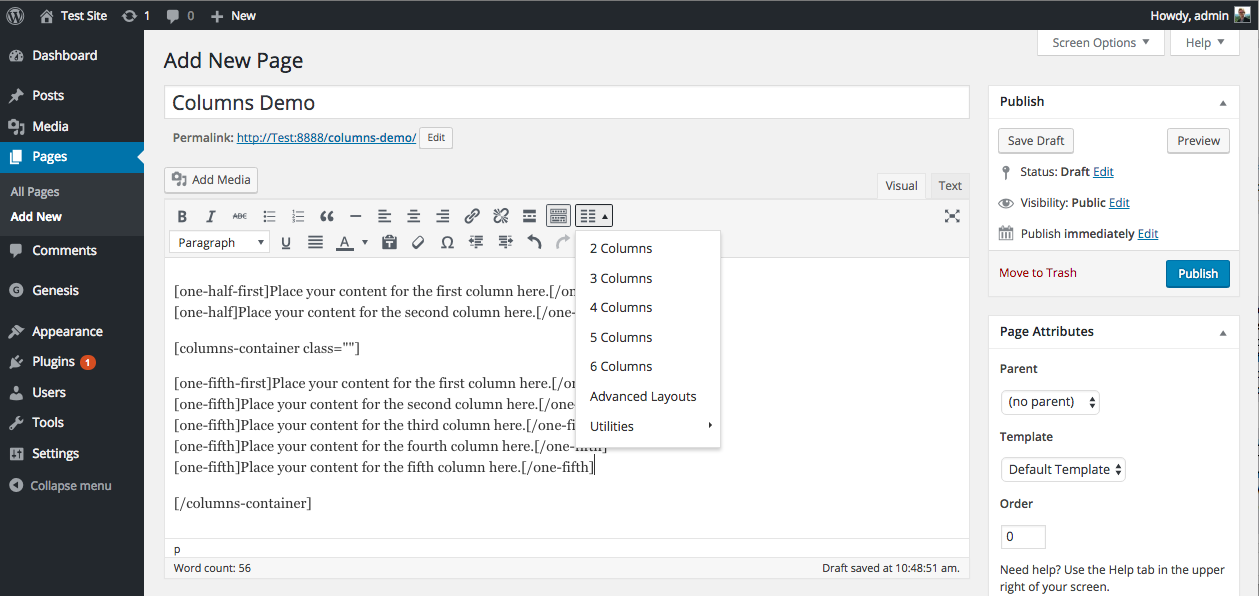
The Genesis Columns Advanced plugin is no longer being actively developed and is not needed for the block editor in WordPress. It is recommended to transition to the native WordPress Columns block instead. The plugin offers various features such as different column configurations, custom CSS classes, and utility shortcodes.Screenshots


Frequently asked questions
Is Genesis Columns Advanced still being actively developed?
No, the plugin is no longer being actively developed.
Does Genesis Columns Advanced require Genesis Framework?
No, starting from version 2.0, the plugin is completely standalone and does not require Genesis.
How can shortcodes be added using Genesis Columns Advanced?
Shortcodes can be easily added using a custom button in the WordPress editor or manually.
What are some features of Genesis Columns Advanced?
Some features of the plugin include: being fully translatable, loading its own CSS column classes, inclusion of fifths for 5 even columns, 42 different responsive column configurations, ability to add custom CSS classes to any column, three utility shortcodes for layout assistance, and a seamless integration with the core WordPress aesthetic.
How can I support the development of Genesis Columns Advanced?
You can support the development of the plugin by leaving a review, submitting a translation, reporting errors or bugs in the support forums, or making a donation.
Changelog
Update Notice (v2.0.4+)
Due to potential security concerns, style attributes that contain quotes and parenthesis are no longer supported. If you have added inline background images to column shortcodes, you will need to apply these styles via a custom CSS class instead.
2.0.5 (2023–01-13)
- Fixed PHP 8.0+ deprecation error (Thanks i4nd90)
2.0.4 (2022–12-28)
- Fixed potential security issues (Thanks WPScan)
2.0.3 (2017–1-12)
- Fixed bug with incorrect column widths (Thanks fourlightsweb)
2.0.2 (2016-8-14)
- Added default styling to columns-container shortcode to fix styling bug
2.0.1
- Fixed bug with missing styles for the vertical-spacer shortcode (Thanks DanaE23!)
2.0.0
- Complete plugin overhaul to comply with WP standards
- Plugin is now fully translatable
- Plugin is now completely standalone, does not require the Genesis Framework
- Added brand new UI for the TinyMCE popup
- Added fifths
- Added id and style attributes to all shortcodes
1.1.0
- Added class attributes to all shortcodes
- Added the columns container utility shortcode
1.0.4
- Updated readme
- Added new banner and icon
1.0.3
- Fixed bug associated with adding columns on HTTPS websites
1.0.2
- Fixed bug associated with columns with a width of two-fourths
1.0.1
- Fixed bug associated with wpautop
1.0.0
- Initial Release
