

Enables the previous "classic" editor and the old-style Edit Post screen with TinyMCE, Meta Boxes, etc. Supports all…

About AddFunc Head & Footer Code
This plugin allows administrators to easily add code to the head or footer section of individual posts, pages, or other content on their website. It is perfect for adding scripts like Google Analytics conversion tracking code or any other JavaScript code. It is a simple and lightweight plugin that is reliable and easy to use.Screenshots
Frequently asked questions
What does this plugin do?
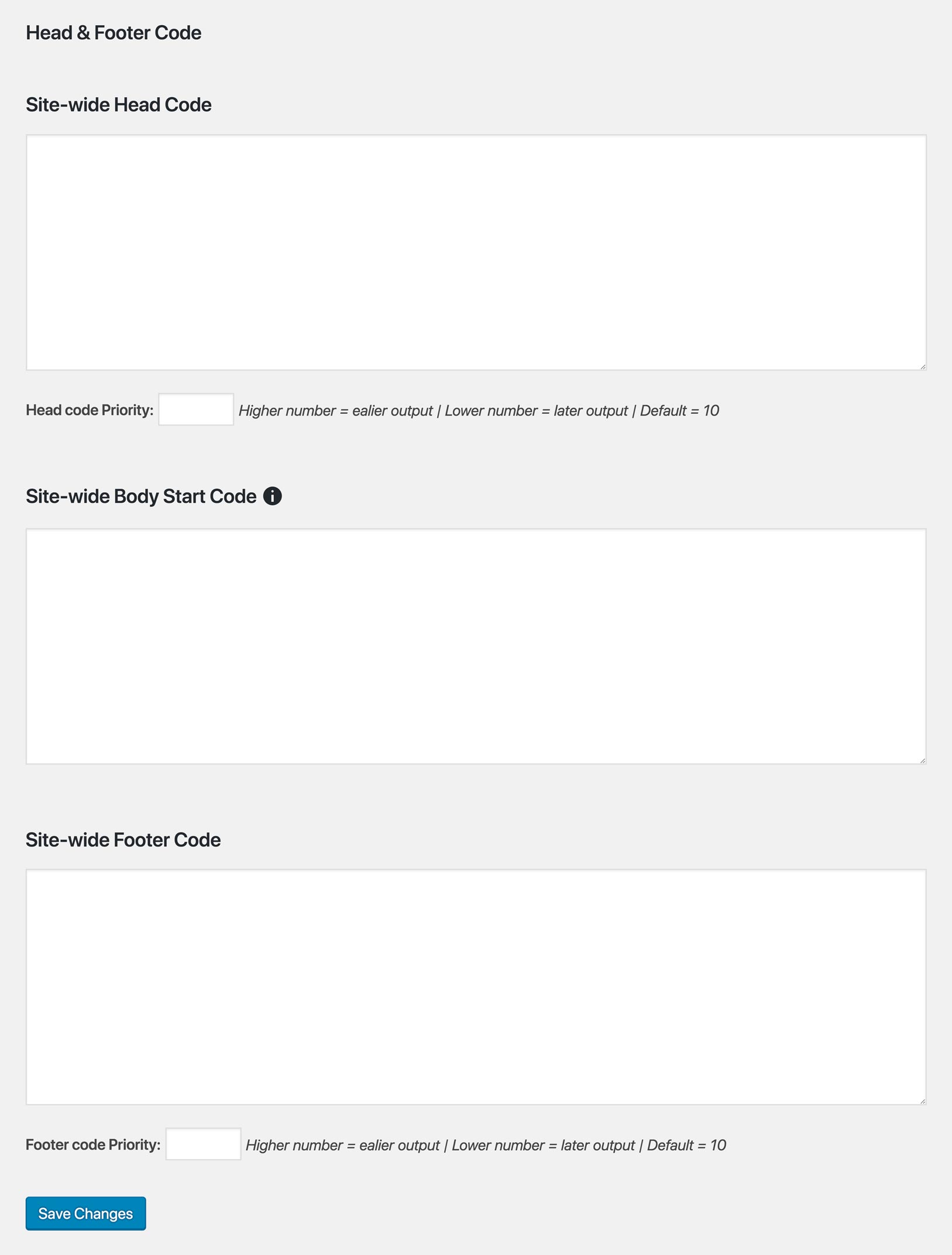
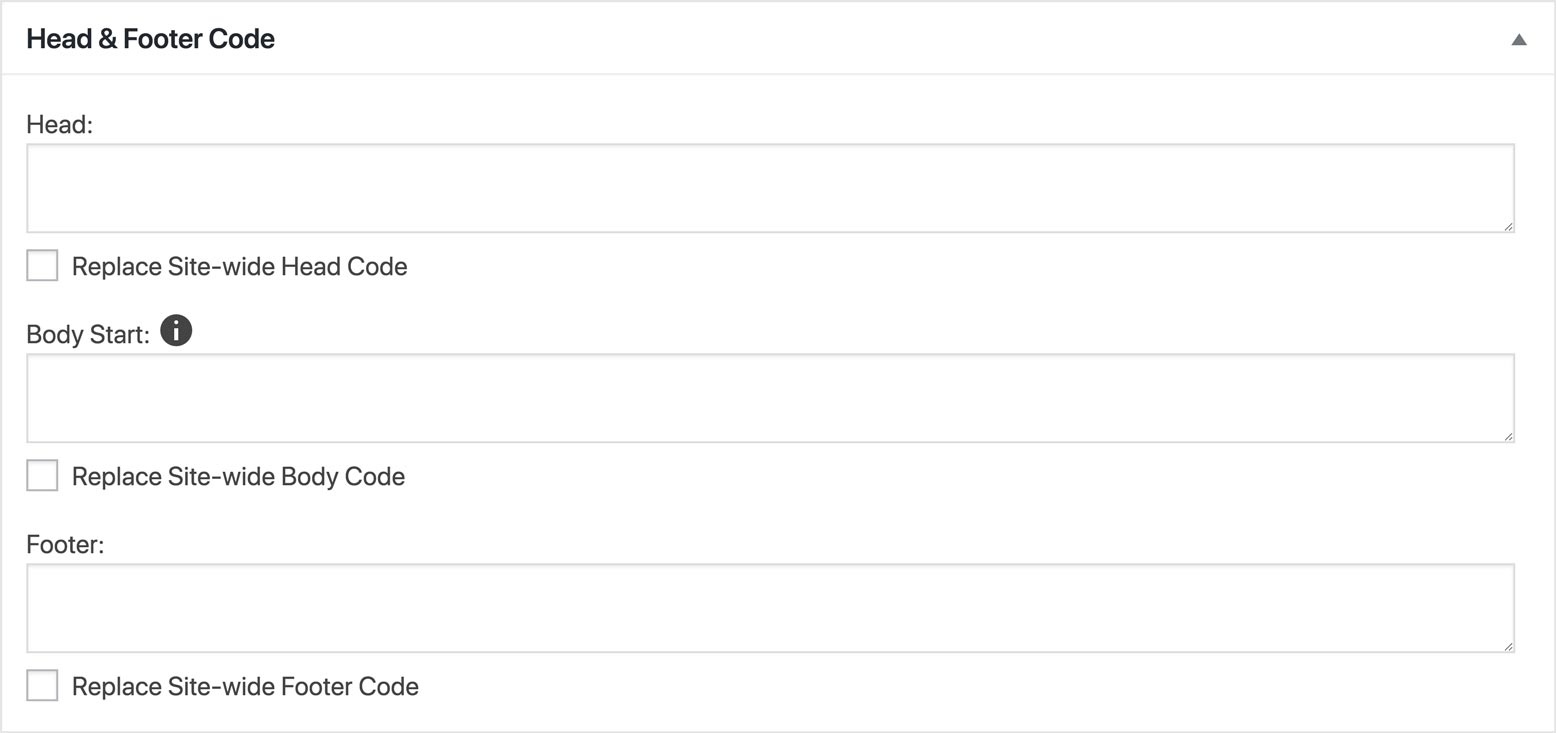
This plugin allows administrators to add code to the <head> and/or footer of an individual post (or page or other content) and/or site-wide. It is ideal for scripts such as Google Analytics conversion tracking code and any other general or page-specific JavaScript.
Is this plugin easy to use?
Yes, this plugin is very simple and lightweight. It provides a reliable solution for adding code to your website without any hassle.
Can I add code to specific pages only?
Yes, you can add code to individual posts, pages, or any other content on your website. This plugin allows you to add code site-wide or on a per-content basis.
What type of code can I add?
You can add any type of code to the <head> or footer of your website using this plugin. It is commonly used for scripts like Google Analytics conversion tracking code and other JavaScript.
Is this plugin reliable?
Yes, this plugin is known for its reliability. It provides a lightweight solution for adding code to your website without causing any performance issues.
Changelog
2.3
23 May 2019
- Fixes a PHP notice, which appeared on the login dialog when WP_DEBUG was ON. (I think I actually got it this time.)
2.2
23 Apr 2019
- Fixes a PHP notice, which appeared on the login dialog when WP_DEBUG was ON. Edit: not fixed, just a different error.
2.1
28 Nov 2018
- Removes the metabox from post types which are not public.
2
19 Sep 2018
- Adds… drumroll please… Body Start Code!
- Insert code immediately after the opening
bodytag! - Fields for individual page/post code as well as site-wide code.
- Optionally replace site-wide code with individual page/post code.
- All behaves the same as head code and footer code, except for priority (no priority setting).
- Note: There is no standard for opening
bodytag code in WordPress yet (contact me if I’m wrong). If there ever is, AddFunc Head & Footer Code may change so as to conform to the standard. We don’t think this will effect performance in anyway, but if it does, we will let you know through this change log. If necessary, we may even leave this feature in place along with the new standardized method.
- Insert code immediately after the opening
1.5.1
17 Sep 2018
- Removes individual post output on various pages:
- archive
- author
- category
- tag
- home
- search
- 404
1.5
13 Sep 2017
- Adds ability to set the output priority of the head code. Thanks to John Irvine at RD Technology Solutions for the suggestion.
- Adds ability to set the output priority of the footer code.
- Changes the metabox to a lower priority so it sits at the bottom by default instead of the top. Thanks to @enfueggo for the suggestion.
1.4
3 Apr 2017
- Adds option for individual post code to replace the site-wide code:
- Head and footer managed independently of each other.
- Individual post code appends to site-wide by default.
- Check the Replace Site-wide Head/Footer Code checkbox to replace or remove the Site-wide code for the respective area.
- Fixes post meta fields:
- No longer saves post meta fields when not needed.
- Deletes post meta fields if empty when saved/updated.
1.3
23 Jun 2015
- Corrects the generated path to options.php, so that the settings page can be found even on installs where the plugins directory is not at the standard /wp-content/plugins location.
1.2
19 Jun 2015
- Discovered addfunc-head-footer-code.php was saved with text encoding Western (Mac OS Roman). ~>:( Changed to Unicode (UTF-8).
- This was probably changed during a recent update on the plugin’s tags (the tags for the WordPress Plugin Repository), so maybe two weeks ago. Previous downloads should have been UTF-8.
- Also changed version 1.1 to UTF-8 because leaving a Mac OS Roman version in the repository would be pointless. So 1.1 and 1.2 are the same, except for the readme.txt.
1.1
28 Nov 2014
- Fixes meta box nounce.
- Changes all references to Average (including but not limited to “avrg”, “average”, etc.) to relate to AddFunc (changing project name).
- Changes a few other function and variable names for namespacing purposes.
- Submitted to the WordPress Plugin Repository under the name AddFunc.
1.0
7 Aug 2014
- Includes readme.txt.
- Submitted to the WordPress Plugin Repository.
0.4.1
6 Aug 2014
- Code cleaned up (mostly comments removed).
- Excludes unnecessary file: style.css.
0.4
8 Jul 2014
- Bug fix: replaced “my-meta-box-id” with “avrghdftrcdMetaBox” (duh).
0.3
27 Oct 2013
- Hid Head & Footer Code meta box from non-admin users.
0.2
15 Oct 2013
- Adds a Head & Footer Code settings page for site-wide code (for admins only).
0.1
14 Aug 2013
- Adds Head & Footer Code meta box to all pages, posts and cusom post types.
- Saves Head & Footer Code entry to the database as custom fields.
- Outputs code to the website in
wp_head()andwp_footer().
