Are you an event organizer seeking a smoother, more efficient way to handle RSVPs and ticketing? Look no further than the world of WordPress RSVP plugins! These savvy tools are not just for bloggers or e-commerce sites, they are game-changers for anyone who organizes events.
From webinars and workshops to sports club registrations and more, WordPress RSVP plugins can streamline your process, save you time, and even elevate your attendees’ experience.
In this article, we delve into a list of the very best event tickets and registration alternatives. These plugins are packed with features that transform the way you manage your events. Whether you need to quickly set up an event, manage attendees, customize your tickets, or even comply with GDPR rules, these WordPress RSVP plugins have got you covered.
Table of Contents
WordPress RSVP Plugins: Event Tickets and Registration Alternatives
Let’s discover how to integrate WordPress RSVP plugins into your WooCommerce store, manage email marketing for your events, and much more with these Event Tickets and Registration alternatives.
So, get ready to revolutionize your event planning and management process with our comprehensive guide to WordPress RSVP plugins.
Registrations for the Events Calendar – Event Registration Plugin
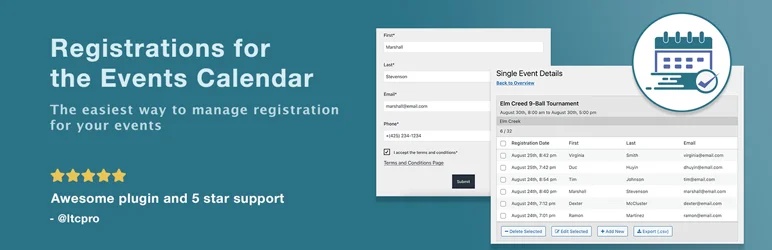
The Registrations for the Events Calendar – Event Registration Plugin is a powerful RSVP tool that facilitates the process of managing event registrations. Whether it’s a meetup, workshop, sports club registration, virtual event, or any other event, this WordPress RSVP plugin makes organizing and managing registrations a breeze.
This RSVP plugin addresses the challenge of efficiently handling event registrations, offering a user-friendly design and a host of customizable features to fit your specific needs.
Features and Benefits
- Quick Setup and Easy Start: Once activated, the plugin allows immediate collection of event registrations. It can be customized to appear on any page using a shortcode.
- Versatile Use: The plugin can be used for RSVPs for meetings, class registration, venue booking, webinar sign-ups, private instructor booking, and virtual events.
- User-Friendly Features: This WordPress RSVP plugin offers a single-page process to prevent incomplete registrations, customizable confirmation emails, and an easy unregistration process for attendees.
- High Customizability: Users can add text fields, choose how the form displays, customize labels and error messages, limit registrations, display a list of current attendees, and set a registration deadline.
- Powerful Backend Features: The plugin offers a database for registrations, duplicate email checks, review notifications, breakdown of registrations by event, and the ability to search, add, edit, and delete registrations.
- GDPR Compliance: This WordPress RSVP plugin offers tools for GDPR compliance, including data export and deletion, and requires attendees to agree to terms and conditions before registering.
Pricing Structure
This WordPress RSVP plugin is free to use with the premium version starting from $178.
Eventin Event Management Plugin
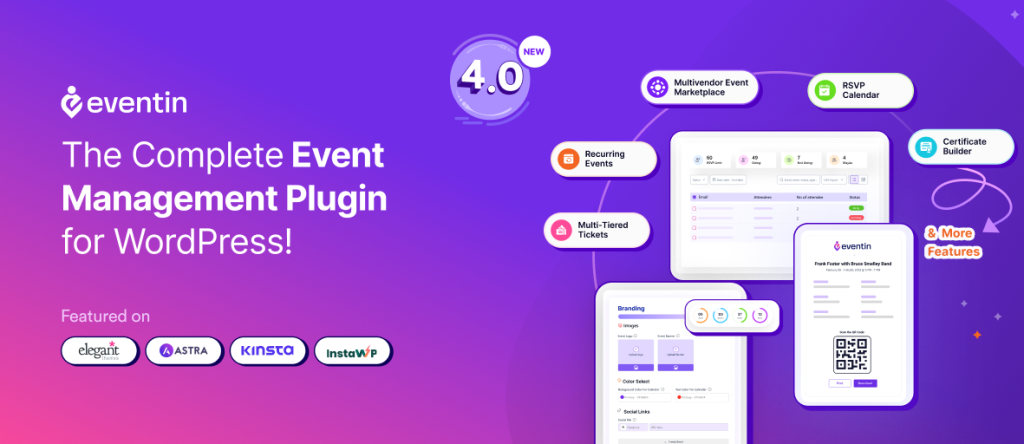
Eventin is a powerful event ticketing and registration plugin that simplifies the event management process for organizers. With its user-friendly interface, the Eventin event management plugin for WordPress allows users to effortlessly create and manage events, ensuring attendees can easily register and purchase tickets.
As one of the top alternatives to traditional WordPress RSVP plugins, the Eventin event manager plugin for WordPress offers a variety of features, including event payments through Stripe, PayPal, and WooCommerce, as well as integrations with Pabbly, Zapier, and SureTriggers to improve event workflows.
Features and Benefits
- Simplified Ticketing System: Eventin’s ticketing system allows users to create multiple ticket types (e.g., general admission, VIP) with pricing tiers and minimum and maximum purchase limits effortlessly.
- Customizable Registration Forms: Eventin allows you to create fully customizable registration forms for online events with unlimited extra fields for your attendees.
- RSVP Invitation: Helps admins anticipate event responses for profitability, design customizable RSVP forms, access RSVP reports, and send email reminders to ensure no response is missed.
- Real-Time Analytics: Eventin provides real-time analytics on ticket sales, registrations, and attendee demographics, enabling event organizers to make informed decisions for successful events.
- Email Marketing: Automate your event marketing campaigns with FluentCRM integration and keep organizers and attendees updated, reducing no-shows and improving engagement.
- Event Calendar: Improve your WordPress event management with a side calendar widget that syncs with iCal, Google, and Outlook calendars to track, plan, and never miss an event.
- QR Code for Attendees: Create unique QR codes for ticket buyers to easily manage guests at the entrance, confirm tickets, sell bulk tickets, and ensure stress-free event management.
- Recurring Events: Easily create recurring events daily, weekly, monthly, or annually.
- Certificate Builder: Reward event attendees by designing and issuing customizable PDF certificates directly from the Eventin dashboard.
Pricing Structure
This RSVP plugin is free to use, with the standard pro version starting at $69 per year with updates and extensive support.
RSVP and Event Management Plugin

The RSVP plugin is the perfect solution for managing attendees for any event. With its initial inception for a wedding, it has expanded to cater to a wide array of events such as business conferences, church gatherings, community events, birthdays, and more.
This versatile WordPress RSVP plugin was designed to streamline the cumbersome process of event management and make it as user-friendly as possible. It addresses the need for seamless planning and coordination for any event, regardless of its scale or nature.
Features and Benefits
- Open registration or private attendee list: This feature allows you to either open up your event to the public or keep it exclusive with a private attendee list. This ensures the right level of privacy based on your event’s nature.
- Custom questions: This feature enables you to tailor your registration form to the specific details you need from your attendees, enhancing data collection and event personalization.
- Import and export attendees: This feature simplifies attendee management by allowing you to import and export attendee lists, facilitating easy data transfer and organization.
- Ability for attendees to add additional guests: This feature provides flexibility for your attendees to invite more people, enhancing the event’s reach and fostering a sense of inclusivity.
- Easy to customize text: This feature allows you to personalize the text on your registration forms to align with your event’s theme or brand, enhancing brand consistency and attendee experience.
- Passcode or no passcode to RSVP: This feature gives you control over the security of your event by enabling passcode protection for RSVPs, ensuring only authorized attendees can register.
Pricing Structure
The plugin is free to use with the premium version starting from $89.
Add to Calendar Button

The Add to Calendar Button is a dynamic RSVP WordPress plugin that enables users to create attractive buttons with calendar links.
This WordPress RSVP plugin simplifies the process of adding events to personal calendars with just a few clicks. It addresses the need for efficient event management and RSVP, offering a seamless experience for both the host and the attendees.
Features and Benefits
- Easy Integration: The plugin can be integrated within seconds using either shortcode or the Gutenberg Block, making it user-friendly and convenient. This facilitates quick setup and smooth implementation into existing systems.
- Wide Calendar Support: The plugin supports a wide range of calendars including Google Calendar, Yahoo Calendar, Microsoft 365, Outlook, Teams, and automatically generated iCal/ics files. This ensures compatibility and accessibility across various platforms, streamlining scheduling processes.
- Versatile Event Types: This WordPress RSVP plugin supports timed and all-day events, one-time, multi-date, recurring events, and robust time zone and daylight saving management. This versatility caters to diverse event types and scheduling needs, enhancing flexibility in event planning.
- Customizable Appearance: The button comes with multiple themes including dark and light mode. Users can easily adjust almost every element by setting the respective simple attributes or manipulate all kinds of colors and further styling. This allows for personalized aesthetics, aligning with branding or design preferences.
- Expert Accessibility: The plugin provides optimized and adjustable UX for desktop and mobile, dynamic dropdown positioning, auto-generated Schema.org rich data for better SEO, full support for mouse, touch, or keyboard input (W3C WAI compliant), and supports 20+ languages, including RTL text for Arabic. This ensures seamless accessibility across devices and compliance with accessibility standards, enhancing user experience for a wider audience.
Pricing Structure
The plugin is free to use with the premium version starting from $3.79.
Event Tickets Manager

Event Tickets Manager is a comprehensive WordPress RSVP plugin that allows you to create, manage, and sell tickets for events on your WooCommerce store. This WordPress RSVP plugin eliminates the need for third-party service providers, thereby saving you the commission you would typically pay them.
It streamlines the entire process of event registration and ticket sales, giving you full control over your events.
Features and Benefits
- Barcode Scanning: This feature ensures a safe and secure experience for customers as it helps to prevent fraudulent activities. Each ticket has a unique code displayed as a scannable barcode for easy verification.
- Enable/Disable Shipping Charges: This gives you the flexibility to decide whether you want to include shipping charges for a particular event or item.
- My Event Tab in the My Account Section: This feature provides a personalized experience for customers by allowing them to view their purchases and list their tickets.
- Hide/Remove Expired Event: To keep customers updated, this WordPress RSVP plugin automatically removes expired events from their account.
- Ticket Stock Management: This feature allows you to manage the stock of tickets and keep track of how many are sold and how many are left.
- Set Location For Events With Google Maps: This feature gives a high-level view of your offline events by showing the exact location on Google Maps.
- Download Tickets As PDF: Customers can download their tickets as PDFs for offline use.
- WordPress Events Calendar: This feature provides an interactive calendar widget that displays upcoming, past, and ongoing events.
- Edit Your Ticket Content With A Breeze: This feature gives you an easy-to-use editor to update the content of the tickets.
- Validate Event Check-in Using Emails: This feature allows users to validate their check-in for the events through email verification.
Pricing Structure
This WordPress RSVP plugin is free to use with the premium version starting from $69.
RSVPMaker

RSVPMaker is an all-in-one event management and email marketing plugin that simplifies the process of scheduling, marketing and tracking RSVPs for your events.
The plugin allows users to collect event payments through PayPal or Stripe, send event marketing emails via integrations with Postmark and Mailchimp, and schedule and promote a wide range of events.
RSVPMaker solves the problem of managing multiple tools for event management by providing a comprehensive solution for event scheduling, promotion, registration, and payment collection.
Features and Benefits
- Event Scheduling and Promotion: RSVPMaker allows you to schedule and promote all sorts of events like conferences, seminars, parties, webinars, and more. This feature saves you the hassle of managing multiple tools for scheduling and promoting your events, streamlining your event management process.
- Registration and Payment Collection: With RSVPMaker, you can register attendees and collect payments using PayPal or Stripe. This feature makes it easy for your attendees to register and pay for your events, enhancing their convenience and increasing registration rates.
- Email Marketing: This WordPress RSVP plugin offers integrations with Postmark and Mailchimp, allowing you to send event marketing emails and RSVP confirmations. This feature ensures that your attendees are well-informed about your events, improving communication and attendance rates.
- Membership Management: RSVPMaker provides tools for emailing all your members or just those who have or have not registered for a specific event. This feature helps you manage your member communications effectively, fostering stronger relationships and engagement within your community.
- Event Creation and Management: RSVPMaker events are created and edited just like blog posts in the WordPress editor, with additional parameters like event date for chronological listing and calendar display. This feature allows you to manage your events easily and efficiently, ensuring accurate scheduling and organization.
- Free Extensions: RSVPMaker offers free extensions like RSVPMaker for Toastmasters and RSVPMaker Volunteer Roles for specific event management needs, providing additional functionality at no extra cost and catering to diverse event requirements.
Pricing Structure
This WordPress RSVP plugin is free to use.
What Are WordPress RSVP Plugins
WordPress RSVP plugins are tools designed to facilitate event management and coordination directly within a WordPress website. “RSVP” stands for “Répondez s’il vous plaît,” which is French for “Please respond.” These WordPress RSVP plugins allow users to manage invitations and track responses for events such as weddings, parties, conferences, workshops, and more.
Here’s how they typically work and the purposes they serve:
- Event Invitations: They enable you to create and send event invitations directly from your WordPress site. This could include details such as event name, date, time, location, and any other relevant information.
- RSVP Management: Users who receive the invitations can respond directly through the WordPress site, indicating whether they will attend, not attend, or are undecided. The plugin then tracks and organizes these responses for easy reference.
- Guest Management: Some RSVP plugins allow you to manage guest lists, including adding or removing guests, sending reminders, and even categorizing guests into different groups or categories.
- Customization: Depending on the plugin, you may have options to customize the RSVP form and invitation emails to match your website’s branding or the theme of your event.
- Integration: Many RSVP plugins integrate with popular calendar and email marketing services, allowing for seamless communication and coordination with your audience.
- Reporting and Analytics: Some plugins offer reporting features, providing insights into the number of attendees, response rates, and other metrics that can help you gauge the success of your event planning efforts.
Overall, WordPress RSVP plugins streamline the process of managing event invitations and responses, saving time and effort for event organizers while providing a convenient and user-friendly experience for attendees.
Final Word
These WordPress RSVP plugins revolutionize the way you manage your events. From easy setup and high customizability to powerful backend features, these WordPress RSVP plugins transform your website into an efficient event management platform.
They empower you to grow your audience, boost engagement, and establish your credibility in your niche. Whether it’s simplifying registrations, managing attendees, or selling tickets, these plugins are designed to make your life easier and your events more successful.
So, take the next step! Embrace these exciting possibilities and bring your event management to the next level.
FAQs About WordPress RSVP Plugins
- What are WordPress RSVP plugins, and how do they differ from traditional event ticketing systems?
WordPress RSVP plugins are tools designed to manage event invitations and responses directly within a WordPress website. Unlike traditional event ticketing systems, which focus on selling tickets, RSVP plugins are more geared towards managing guest lists and RSVPs for events where tickets may not be required or where attendance is by invitation only. - How do WordPress RSVP plugins help with event management?
These plugins help streamline the process of sending invitations, tracking RSVPs, managing guest lists, and communicating with attendees. They offer features like customizable invitation templates, RSVP forms, guest list management, and integration with calendars and email marketing services. - What are some key features to look for in a WordPress RSVP plugin?
Key features to consider include customizable invitation templates, flexible RSVP forms, guest list management tools, integration options with other services, reporting and analytics capabilities, and responsive customer support. - Can WordPress RSVP plugins handle large-scale events with hundreds or thousands of attendees
While some RSVP plugins may be more suitable for smaller events, there are plugins available that can handle large-scale events with ease. Look for plugins that offer robust performance, scalability, and support for managing large guest lists and RSVPs. - Are WordPress RSVP plugins easy to set up and use?
Yes, most WordPress RSVP plugins are designed to be user-friendly, with intuitive interfaces and straightforward setup processes. Many plugins offer step-by-step guides and documentation to help users get started quickly. - Can WordPress RSVP plugins be customized to match my website’s branding?
Yes, many RSVP plugins offer customization options, allowing you to tailor the look and feel of the invitation forms and emails to match your website’s branding or the theme of your event. - Do WordPress RSVP plugins support integration with third-party services like calendars and email marketing platforms?
Yes, integration with third-party services is a common feature among WordPress RSVP plugins. Look for plugins that offer integration with popular calendar apps like Google Calendar, as well as email marketing platforms like Mailchimp or Constant Contact, to streamline communication and coordination with your audience. - Are there any additional costs associated with using WordPress RSVP plugins?
While many RSVP plugins offer basic features for free, some may require a premium subscription or one-time purchase for access to advanced features or premium support. Be sure to check the pricing details of each plugin to understand any potential costs involved.


