Whether you’re planning a wedding, corporate event, or community gathering, the right plugin can make all the difference in streamlining your RSVP process. Say goodbye to the chaos and hello to simplicity with WordPress RSVP Plugins!
In this guide, we’ll dive into the world of WordPress RSVP Plugins, exploring how they can revolutionize your event planning experience and ensure smooth sailing from invitation to attendee list.
With the myriad of options available, it can be overwhelming to choose the perfect plugin for your needs. Fear not! We’re here to help you navigate through the sea of choices and find the ideal solution to fit your event requirements.
From real-time notifications to customizable forms, these plugins offer a plethora of features designed to simplify RSVP management and enhance the overall event experience.
Let’s embark on this journey together and discover how WordPress RSVP Plugins can transform your event planning game!
Table of Contents
Best WordPress RSVP Plugins to Check Out
Here are the best WordPress RSVP plugins that you can use to streamline everything related to events. From organization to event ticketing, these tools are here to help you in everything.
Event Tickets and Registration

Event Tickets is a comprehensive WordPress plugin designed to streamline event management, ticketing, and RSVP processes. With its versatile features, Event Tickets simplifies the task of organizing events and managing attendee registrations seamlessly within your WordPress site.
Event Tickets excels as an RSVP plugin by offering intuitive tools for managing guest lists, sending invitations, and tracking RSVPs effortlessly.
Event organizers can create events directly within WordPress, set RSVP options, and customize registration forms to collect necessary information from attendees. The plugin also allows for sending automated RSVP confirmations and reminders, ensuring smooth communication with guests.
Benefits of Using Event Tickets Plugin:
- Seamless Integration: Works seamlessly within WordPress, eliminating the need for third-party platforms for RSVP management.
- Simplified Event Management: Streamlines the process of organizing events and handling attendee registrations in one centralized location.
- Enhanced Communication: Facilitates efficient communication with guests through automated RSVP confirmations, reminders, and updates.
- Customization Options: Offers flexibility to customize RSVP forms and tailor them according to event requirements.
- Real-Time Insights: Provides real-time insights into RSVP status, attendee lists, and event registrations, enabling organizers to make informed decisions.
Key Features:
- RSVP Management: Efficiently manage guest lists, track RSVPs, and handle event registrations seamlessly.
- Customizable Registration Forms: Create personalized registration forms to collect essential attendee information.
- Automated Communication: Send automated RSVP confirmations, reminders, and event updates to guests.
- Real-Time Insights: Gain real-time insights into RSVP status, attendee lists, and registration details.
- Integration Capabilities: Seamlessly integrate with other plugins for ticketing, e-commerce, and email marketing.
Pricing Structure
The plugin offers free as well as pro version starting from $99.
Registrations for the Events Calendar – Event Registration Plugin
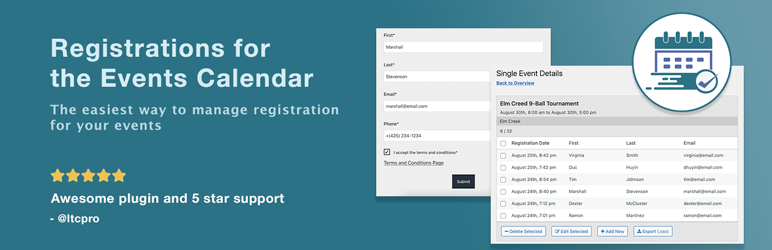
The Registrations for the Events Calendar is an efficient and user-friendly RSVP plugin designed for managing event registrations. It is a perfect tool for any event organizer, from meetups, classes, workshops, and tournaments, to virtual events.
This plugin allows users to collect and manage event registrations through a customizable form and email template. It is designed for simplicity and convenience, hence it is easy to set up and use, even for non-technical users.
The Registrations for the Events Calendar is an efficient and user-friendly RSVP plugin designed for managing event registrations. It is a perfect tool for any event organizer, from meetups, classes, workshops, and tournaments, to virtual events.
This plugin allows users to collect and manage event registrations through a customizable form and email template. It is designed for simplicity and convenience, hence it is easy to set up and use, even for non-technical users.
Benefits of using Registrations for the Events Calendar plugin:
- It simplifies the workflow, freeing up the user’s time.
- It is highly customizable, allowing you to add a personal touch.
- It has an optional display of a registered attendee list, which helps build community.
- It provides a straightforward event registration process, ensuring a world-class user experience.
Key Features:
- Quick Setup: As soon as you install and activate the plugin, you can begin collecting event registrations.
- Highly Customizable: Add as many text fields as you want to the event registration form. Customize labels, error messages, directions for attendees, and which fields are required.
- User-Friendly Features: Keep your event page uncluttered with a hidden registration form that can be revealed by clicking a customizable “Register” button. Follow-up with attendees via a customizable confirmation email.
- Powerful Backend Features: Registrations are saved in the WordPress database for easy event registration management. Get notifications when new registrations need to be reviewed.
- Tools for GDPR Compliance: Search for event registrations filtered by email address. Export all collected data attached to an email address. Delete individual event registrations or permanently delete all data attached to an email address.
Pricing Structure
The plugin is available in both free and Pro versions. The Pro version offers additional features such as multiple registration forms specific to each event, drag and drop registration form builder, online payments for events using PayPal, and much more.
RSVP and Event Management Plugin

The RSVP and Event Management Plugin is a tool designed to efficiently manage attendees for various events. It was originally developed for managing a wedding event. Still, its wide range of features cater to various events including business conferences, church gatherings, community events, birthdays, and many more.
The RSVP and Event Management Plugin is a tool designed to efficiently manage attendees for various events. It was originally developed for managing a wedding event, but its wide range of features cater to various events including business conferences, church gatherings, community events, birthdays, and many more.
Benefits of Using RSVP and Event Management Plugin
The benefits of using this plugin are numerous. It offers a user-friendly interface with customizable options for the front end, accessible from the WordPress admin area. Attendee management, a critical aspect of event planning, is made easy and can also be accessed via WordPress admin.
For additional features, users can opt for RSVP Pro, which provides capabilities for managing multiple events, setting up reminder emails, easier translations, and much more.
Key Features:
- Open registration or private attendee list: This feature allows the host to control who can see the event details and who can register for it.
- Custom questions: Tailor-specific questions based on your event needs.
- Import and export attendees: Easily manage your guest list by importing or exporting it.
- Additional guests: Attendees can add additional guests, providing flexibility.
- Customizable text: Personalize the event’s description and other text.
- Passcode or no passcode to RSVP: Offers an additional layer of security.
- Easy attendee management: Simplifies the process of tracking and managing guests.
- Associate attendees: This makes it easier for groups/families to RSVP all at the same time.
- Email notifications: Keeps attendees informed about the event.
Additional Features in RSVP and Event Management Plugin Pro
- Multiple events: Manage numerous events simultaneously.
- Text customizations: More options to personalize event details and descriptions.
- Public attendee lists: A feature to share the attendee list publicly.
- Notifications and reminders: Send notifications and reminders to attendees.
Pricing Structure
The plugin is free to use with additional features available in the premium version starting from $89/ year.
Add to Calendar Button

The Add to Calendar Button is a WordPress RSVP plugin that allows you to create attractive buttons with calendar links. With these links, people can easily add your events to their calendars. The plugin is highly customizable and can be set up in a few clicks. There is also a PRO version that provides advanced features and easier management of buttons and events.
Benefits of Using Add to Calendar Button
- Easy to set up: The plugin can be integrated in seconds. It can be used with a shortcode or Gutenberg Block, making it easy to add to any WordPress site.
- Customizable: The plugin offers multiple themes and modes, and you can adjust almost every element to fit your site’s design.
- Advanced features: The PRO version offers RSVP management and further convenience in setting up and managing buttons and events.
Key Features
- Supported Calendars: The plugin supports various calendars including Google Calendar, Yahoo Calendar, Microsoft 365, Outlook, Teams, and iCal/ics files.
- Supported Event Types: It can handle different event types including timed and all-day events, one-time, multi-date, recurring events, and more.
- Adjustable Look: The button comes with multiple themes as well as a dark and light mode. You can easily adjust almost every element by setting the respective simple attributes.
- Expert Accessibility: Optimized and adjustable UX for desktop and mobile, dynamic dropdown positioning, auto-generated Schema.org rich data for better SEO, full support for mouse, touch, or keyboard input, and support for 20+ languages.
Pricing Structure
The plugin is free to use.
Timely All-in-One Events Calendar

The Timely All-in-One Events Calendar for WordPress, now equipped with the RSVP Add-On, revolutionizes event management on your WordPress site. Seamlessly integrate RSVP functionality into your events, enhancing engagement and simplifying attendee management.
The RSVP Add-On extends the capabilities of the Timely All-in-One Events Calendar, empowering event organizers to efficiently manage RSVPs directly from their WordPress dashboard. It facilitates effortless RSVP collection, attendee tracking, and event management, all within a single, intuitive interface.
Event organizers can easily enable RSVP functionality for their events, allowing visitors to RSVP directly through the event listing on their WordPress site. Attendee responses are conveniently collated, providing organizers with a comprehensive overview of confirmed attendees, and enabling better planning and coordination.
Benefits of Using Timely All-in-One Events Calendar Plugin:
- Streamlined Event Management: Simplify RSVP collection, attendee tracking, and event coordination within your WordPress ecosystem.
- Enhanced Engagement: Encourage interaction and participation by enabling visitors to RSVP directly on your website.
- Effortless Integration: Seamlessly integrate RSVP functionality into your existing events calendar setup without compromising on user experience.
- Centralized Dashboard: Manage RSVPs alongside other event-related tasks from a centralized WordPress dashboard, improving efficiency and organization.
Key Features:
- RSVP collection and management directly from event listings
- Customizable RSVP forms to gather relevant attendee information
- Real-time attendee tracking and reporting
- Automated RSVP confirmations and reminders
- Integration with payment gateways for ticketed events (optional)
Pricing Structure
The plugin is free to use with pro features available in paid version.
Eventin
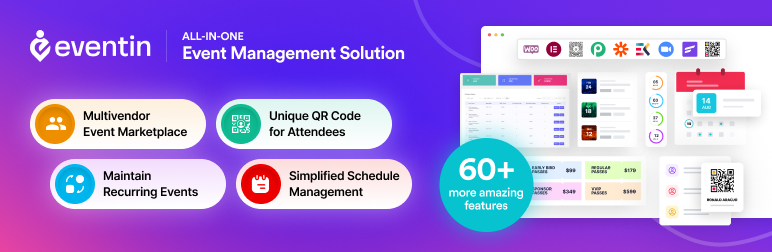
Eventin is a comprehensive WordPress plugin designed to simplify event management and streamline RSVP processes for users. With its intuitive interface and robust features, Eventin RSVP Pro empowers event organizers to effortlessly manage RSVPs, registrations, and attendee communications.
As an RSVP plugin, Eventin offers seamless RSVP management capabilities. Event organizers can create events with RSVP options, allowing attendees to confirm their attendance, select ticket types, and provide additional details.
The plugin provides organizers with real-time RSVP tracking, enabling them to monitor attendee numbers and manage event capacity effectively. Attendees receive confirmation emails upon successful RSVP, ensuring clear communication and reducing confusion.
Key Features:
- Customizable RSVP Forms: Tailor RSVP forms to gather specific information from attendees, such as dietary preferences (e.g., fructan vs fructose sugar preference, lactose intolerance) or guest names.
- Multi-Ticket Support: Offer multiple ticket types for events with varying prices or privileges, accommodating diverse attendee needs.
- RSVP Management Dashboard: Access a centralized dashboard to monitor RSVPs, track attendee details, and manage event logistics effortlessly.
- Automated Communication: Send automated confirmation emails to attendees upon RSVP, providing event details and important updates.
- Capacity Management: Set event capacity limits and receive notifications when RSVPs reach predefined thresholds, ensuring optimal event planning.
- Integration Compatibility: Seamlessly integrates with popular WordPress themes and plugins, enhancing functionality and versatility.
Benefits of Using Eventin Plugin:
- Efficiency: Streamline RSVP processes and event management tasks, saving time and effort for organizers.
- Enhanced Communication: Maintain clear and consistent communication with attendees through automated email notifications.
- Customization: Tailor RSVP forms and event pages to match branding and collect relevant attendee information efficiently.
- Scalability: Accommodate events of various sizes and complexities with robust RSVP and ticketing capabilities.
- User-Friendly Interface: Enjoy an intuitive interface that makes event management accessible to users of all skill levels.
Pricing Structure
Eventin plugin is available for free with premium features at an additional cost starting from $69/ year.
RSVPMaker

RSVPMaker is a comprehensive plugin for WordPress designed for event and email marketing. It provides a flexible platform for scheduling, promoting, and tracking RSVPs for events of all kinds, from conferences and seminars to parties and weddings. It also integrates with PayPal or Stripe to collect event payments and with Postmark and Mailchimp for reliable email delivery.
RSVPMaker is a comprehensive plugin for WordPress designed for event and email marketing. It provides a flexible platform for scheduling, promoting, and tracking RSVPs for events of all kinds, from conferences and seminars to parties and weddings. It also integrates with PayPal or Stripe to collect event payments and with Postmark and Mailchimp for reliable email delivery.
The benefits of using RSVPMaker include its versatility and ease of use. It allows you to schedule and promote any kind of event, register attendees, collect payments, and even create webinars and other online events. It also includes tools for formatting and sending email newsletters, and for managing membership-oriented websites.
Key Features:
- Schedule and promote a wide range of events.
- Register attendees and collect their information, including guest names.
- Collect payments via PayPal or Stripe.
- Create webinars and other online events using free resources like YouTube Live.
- Format and edit email newsletters within the WordPress block editor.
- Send emails through your own web server, an SMTP plugin, or integrated services like Mailchimp and Postmark.
- Generate and manage events on a recurring schedule.
- View RSVP reports on the administrator’s dashboard or download them as spreadsheets.
- Developer-friendly platform for building event-centric applications.
Pricing Structure
RSVPMaker is a free plugin with no premium features held back.
How Do WordPress RSVP plugins Help in Simplifying Event Management Process
WordPress RSVP Plugins are extensions or addons designed specifically to streamline the process of managing RSVPs (Répondez s’il vous plaît, or “please respond” in French) for events hosted on WordPress websites.
These plugins offer a range of features and functionalities tailored to facilitate the collection, organization, and communication of attendee responses for events such as weddings, parties, conferences, workshops, and more.
Here’s how WordPress RSVP Plugins help simplify the event management process:
- Effortless RSVP Collection: WordPress RSVP Plugins provide organizers with the tools to create customizable RSVP forms that seamlessly integrate with their WordPress websites. These forms typically include fields for guests to indicate their attendance status, additional guests, dietary preferences, and any other relevant information.
- Streamlined Guest List Management: Upon submission of the RSVP form, attendee responses are automatically compiled and organized within the WordPress dashboard. This centralized system allows organizers to easily manage and update the guest list in real-time, eliminating the need for manual data entry and spreadsheet management.
- Real-Time Notifications: Many WordPress RSVP Plugins offer real-time notification features that alert organizers instantly when a new RSVP is submitted. This ensures timely updates and enables organizers to stay informed of changes in attendance status, allowing for more efficient event planning and coordination.
- Customization Options: RSVP Plugins for WordPress typically offer a range of customization options, allowing organizers to tailor the RSVP forms to their specific event requirements. This may include adding custom fields, implementing conditional logic to display certain questions based on previous responses, and styling the form to match the event’s branding.
- Integration with Email Marketing Platforms: Some WordPress RSVP Plugins integrate seamlessly with popular email marketing platforms, enabling organizers to communicate with event attendees more effectively. Organizers can send personalized email invitations, reminders, and updates directly from their WordPress dashboard, enhancing attendee engagement and communication.
- Enhanced User Experience: By providing a user-friendly and intuitive RSVP process, WordPress RSVP Plugins enhance the overall experience for both organizers and attendees. Guests can easily RSVP to events directly from the website, while organizers benefit from simplified management and communication tools, resulting in a more seamless and enjoyable event planning experience.
Overall, WordPress RSVP Plugins play a crucial role in simplifying the event management process by providing organizers with the tools and features needed to collect, organize, and communicate attendee responses effectively, ultimately leading to more successful and well-coordinated events.
Final Word
WordPress RSVP Plugins are the ultimate secret weapon for event organizers seeking efficiency and ease in managing RSVPs. By harnessing the power of these plugins, you can bid farewell to RSVP headaches and embrace a smoother, more streamlined event planning process.
Whether you’re hosting a small gathering or a grand affair, investing in the right plugin can make all the difference in ensuring a successful event. So why wait? Take the plunge and elevate your event planning experience with WordPress RSVP Plugins today!
FAQs
- What are WordPress RSVP Plugins?
WordPress RSVP Plugins are addons or extensions designed to simplify the process of managing RSVPs for events hosted on WordPress websites. These plugins offer features such as customizable RSVP forms, real-time notifications, and guest list management tools to streamline the event planning process. - How do WordPress RSVP Plugins work?
WordPress RSVP Plugins work by allowing event organizers to create and embed RSVP forms directly onto their WordPress websites. Guests can then fill out these forms to indicate their attendance status and provide any additional information requested by the organizer. The plugin compiles and organizes the responses within the WordPress dashboard, providing organizers with a centralized system for managing the guest list and communicating with attendees. - What features should I look for in a WordPress RSVP Plugin?
When choosing a WordPress RSVP Plugin, consider features such as customizable RSVP forms with various field options, real-time notifications for new RSVPs, integration with email marketing platforms for communication, and user-friendly interface for both organizers and guests. Additionally, look for plugins that offer flexibility and scalability to accommodate different types and sizes of events. - Can WordPress RSVP Plugins integrate with other tools or platforms?
Yes, many WordPress RSVP Plugins offer integration with other tools and platforms to enhance functionality and streamline event management. Common integrations include email marketing platforms like Mailchimp or Constant Contact, event management platforms like Eventbrite or Meetup, and payment gateways for ticket sales or donations. - Are WordPress RSVP Plugins easy to use for both organizers and guests?
Yes, most WordPress RSVP Plugins are designed to be user-friendly for both organizers and guests. Organizers can easily create and customize RSVP forms using intuitive interfaces, while guests can quickly RSVP to events directly from the website without encountering any technical difficulties. - Do I need coding knowledge to use WordPress RSVP Plugins?
No, you typically do not need coding knowledge to use WordPress RSVP Plugins. These plugins are designed to be beginner-friendly and can be easily installed and configured using simple drag-and-drop interfaces. However, some plugins may offer advanced customization options that may require basic HTML or CSS knowledge for more tailored designs. - Are there free options available for WordPress RSVP Plugins?
Yes, there are free options available for WordPress RSVP Plugins, offering basic RSVP functionality and features. However, premium or paid plugins often provide more advanced features, customization options, and customer support. Depending on your event requirements and budget, you may choose to explore both free and paid options to find the best fit for your needs.


