Looking to level up your clients’ WordPress sites with surveys that aren’t just functional but also fabulous? Whether you’re collecting feedback, conducting research, or gathering insights, a good survey plugin for WordPress can make all the difference. But with so many options out there, finding the perfect WordPress survey plugin can feel like searching for a needle in a haystack.
Fear not! We’ve rounded up the 13 best survey plugins for WordPress agencies—tools that are as easy to use as they are powerful, with intuitive survey builders and customizable features to help you create seamless forms that your clients will love. Let’s dive in!
Table of Contents
What Are WordPress Survey Plugins?
WordPress survey plugins are tools designed to help you create, customize, and manage surveys on your WordPress site with ease. These survey plugins for WordPress act as powerful survey builders, allowing WordPress agencies to quickly design forms for feedback, polls, quizzes, and customer satisfaction surveys—without needing any coding skills.
A good survey plugin for WordPress offers a variety of features to simplify the survey creation process.
Whether you’re building a simple questionnaire or a complex multi-step survey, they provide an intuitive interface for adding different question types, such as multiple choice, checkboxes, or free text fields. Some even let you customize the appearance of your survey to match your website’s design.
Which Are the Best WordPress Survey Plugins?
When agencies go on the hunt for the best WordPress survey plugin for their clients’ sites, the options can feel endless. But here’s the catch—not every survey builder is worth a try.
Agencies need a survey plugin for WordPress that delivers maximum value at the best cost, without causing any functional issues on the client’s site. After all, you don’t want to trade ease of use for performance.
That’s why we’ve done the legwork and picked the best survey plugins that combine powerful features, seamless integration, and a user-friendly experience.
These survey builders offer everything you need to build effective surveys—whether it’s for customer feedback, market research, or engagement tracking—while ensuring smooth functionality for your client’s WordPress site. Let’s dive into the top picks!
1. Quiz And Survey Master

Plugin Stats to Know
Active Installations: 40,000+
WordPress Version: 4.9 or higher
PHP Version: 5.4 or higher
Type of Surveys It Can Build: Lead Generation Quizzes, Customer Satisfaction Surveys, Personality Tests, Trivia Quizzes, Assessments, Flashcards, Science Quizzes, Mathematical Quizzes, Multi-page Surveys
Price: Free Plan: $0; Pro Plan: $99/year
If you’re looking to create surveys on your WordPress site, Quiz and Survey Master (QSM) is a powerful and user-friendly WordPress survey plugin. Whether you’re building customer satisfaction surveys, lead generation quizzes, or fun trivia quizzes, QSM makes it easy to design surveys and quizzes that engage users and gather valuable insights.
With its drag-and-drop quiz maker, the QSM WordPress survey plugin empowers you to create surveys in a variety of formats to suit your needs. Let’s explore why this survey plugin for WordPress is a game-changer for WordPress site owners and agencies alike.
Key Features
- Drag-and-drop quiz builder for easy customization
- Wide range of question types including multiple-choice, short answer, and dropdown
- Advanced question types like matching pairs, radio grid, and checkbox grid (Pro plan)
- Customizable results pages based on quiz scores
- Built-in email notifications and integrations with marketing tools like Mailchimp and Zapier
- Fully responsive design, ensuring quizzes look great on any device
Pros and Cons
| Pros | Cons |
| Easy-to-use drag-and-drop interface | Limited reporting capabilities without the Pro version |
| Wide variety of question types and formats | No built-in analytics dashboard in the free version |
| Supports advanced integrations with marketing tools | |
| Highly customizable with CSS and text blocks |
2. Contact Form by WPForms
Plugin Stats to Know
Active Installations: 5+ million
WordPress Version: 4.9 or higher
PHP Version: 5.6 or higher
Type of Forms It Can Build: Contact Forms, Feedback Forms, Payment Forms, Surveys, Polls, Lead Generation Forms, Registration Forms, Multi-page Forms, Booking Forms, and more
Price: Free Plan: $0; Pro Plan: $49.50/year
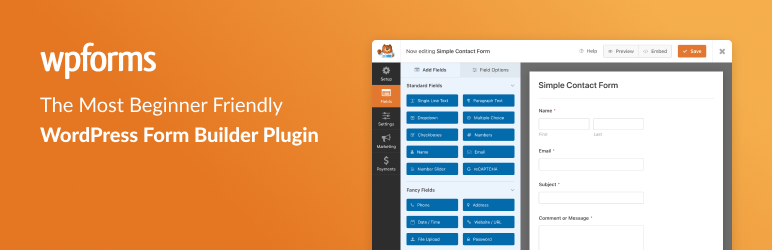
If you’re searching for a versatile and user-friendly WordPress survey plugin, WPForms survey maker is an ideal solution. Even though it’s a contact form maker, it has different functionalities to be used as the best survey builder for WordPress.
With its easy-to-use drag-and-drop survey builder, the WPForms survey plugin for WordPress allows you to create surveys, polls, and forms effortlessly. Whether you’re looking to design simple contact forms, customer satisfaction surveys, or payment collection forms, this
This survey builder offers all the tools you need to capture valuable insights and enhance your website’s functionality. Perfect for both beginners and seasoned developers, WPForms is the go-to survey plugin for WordPress for creating custom surveys and forms that engage users and deliver results.
Key Features
- Drag-and-drop survey maker for quick form creation
- Over 2,000 pre-built templates to suit different form needs
- Customizable results pages to display survey answers
- Built-in email notifications and integrations with Mailchimp and Zapier
- Mobile-friendly design for optimal user experience across devices
- Advanced payment integrations with PayPal, Stripe, and Square
Pros and Cons
| Pros | Cons |
| Easy-to-use drag-and-drop interface | Limited survey question types |
| Wide variety of form types and templates | Some advanced integrations are only available in the Pro version |
| Built-in payment integration (PayPal, Stripe, Square) | |
| Highly customizable with CSS and other options |

Plugin Stats to Know
Active Installations: 300,000+
WordPress Version: 4.0 or higher
PHP Version: 5.6 or higher
Type of Surveys It Can Build: Customer Satisfaction Surveys, NPS (Net Promoter Score) Surveys, Image Choice Polls, Quizzes, Price Calculators, Registration Forms
Price: Free Plan: $0; Pro Plan: Starts at $79/year
When it comes to creating dynamic forms that do more than just collect data, Formidable Forms stands out as a top-tier survey plugin for WordPress. Packed with powerful technical features, this WordPress survey plugin goes beyond being a simple survey maker—it transforms your forms into data-driven applications that deliver insights and functionality with ease.
From pre-built templates to mobile-responsive designs, Formidable Forms is optimized to help agencies build powerful forms faster, with technical capabilities like 125+ hooks for customization, integrated views for displaying data, and GDPR-compliant entry management.
With its blazing speed and versatile design, Formidable Forms is the ultimate WordPress survey plugin for professionals who want to take their projects to the next level.
Key Features
- Drag-and-drop form builder with advanced customization options.
- Built-in survey tools, including Likert scales, NPS, and star ratings.
- Custom calculator forms for dynamic pricing, budgeting, or order calculations.
- Data visualization tools to generate beautiful graphs and reports.
- Seamless integrations with marketing tools like Mailchimp and payment gateways.
- GDPR-friendly features for secure data handling.
Pros and Cons
| Pros | Cons |
| Highly flexible form builder with advanced styling. | Advanced survey features require the Pro version. |
| Built-in data visualization tools for reports. | Limited built-in email marketing integrations in the free version. |
| Supports complex conditional logic and calculations. | No A/B testing options for optimizing survey performance. |
Plugin Stats to Know
Active Installations: 100,000+
WordPress Version: 4.5 or higher
PHP Version: 5.6 or higher
Type of Forms It Can Build & Price: Contact Forms, Payment Forms, Surveys, Polls, Quizzes, Newsletter Forms, Registration Forms, User Submission Forms, Booking Forms.
Free Plan: $0 | Pro Plan: Starts at $49/year
Everest Forms is an excellent choice for agencies and businesses seeking a user-friendly form-building solution. Its robust free version and advanced premium options make it suitable for a wide range of use cases, from simple contact forms to complex surveys and multi-step forms.
If you’re looking for a powerful yet user-friendly survey plugin for WordPress, look no further than Everest Forms. Designed with simplicity and functionality in mind, this WordPress survey plugin empowers users to create a survey, contact forms, multi-step forms, and more in just a few clicks.
Its intuitive survey maker and drag-and-drop interface make it accessible to everyone, regardless of technical expertise.
Everest Forms is packed with robust features that cater to agencies and professionals alike. With pre-designed templates, you can jumpstart your form creation process, while unlimited field options—like text boxes, dropdowns, and checkboxes—offer endless customization possibilities.
The WordPress survey plugin even includes advanced functionalities like multi-step forms to improve user experience, file upload capabilities, and conditional logic to build smart, dynamic forms.
Everest Forms isn’t just another survey builder—it’s a complete solution for crafting professional, customizable forms that elevate your WordPress website’s functionality. Try it today and see how effortless creating forms can be!
Key Features
- Create custom forms effortlessly without needing to code.
- Save time with templates like contact forms, job applications, and surveys.
- View, edit, delete, or restore submitted form entries from the WordPress dashboard.
- Automatically generate PDFs of submitted forms for sharing or archiving.
Pros and Cons
| Pros | Cons |
| Easy-to-use drag-and-drop interface. | Some premium features like smart conditional logic and digital signatures are only available in the Pro version. |
| Free version includes advanced form fields and customization options. | Limited built-in spam protection in the free version (requires premium upgrades for additional security features). |
| Pre-built form templates save time. | Some advanced features, like multi-step forms and file uploads, require the Pro plan. |
| Wide integration options with email marketing and CRM services. | |
| Real-time email notifications and auto-responders. |
Active Installations: 100,000+
Type of Surveys It Can Build: Demographic Survey, Software Development Request Form, Relationship Questionnaire, Conversational Survey, Health Questionnaire, Net Promoter Score (NPS) Survey, and more.
WordPress Version: 4.5 or higher
Price: Free, Pro $59/year
Survey Maker is a versatile WordPress survey plugin that allows users to create highly customizable and engaging surveys for their websites. Whether you need to collect data for research, market insights, or customer feedback, this survey plugin WordPress is a robust tool for building surveys and analyzing results.
With its user-friendly interface, you can easily create a survey, tailor the question types, and embed it into any page using a simple shortcode.
Survey Maker offers a wide variety of question types and survey templates that ensure you can create the perfect survey for any purpose. Ideal for WordPress users, this survey maker lets you gather valuable data from your audience and display real-time results directly on your site.
Key Features:
- 20+ question types including radio, checkbox, dropdown, and more.
- Multi-page surveys with unlimited sections.
- Real-time data reporting with charts and statistics.
- Mobile-friendly, responsive design.
- Customizable themes to match your site’s branding.
- Integration with WordPress forms and easy embedding options.
Pros and Cons:
| Pros | Cons |
| Easy-to-use and beginner-friendly | Advanced features are only available in the Pro version |
| Highly customizable themes and question types | Limited support for free users |
| Supports real-time data analytics and reporting |
6. Brave
Plugin Stats to Know
Active Installations: 10,000+
Type of Popups & Widgets: Newsletter Opt-ins, Contact Form Popups, Sticky Bars, Sidebars, Modals, Lightboxes, EU Cookie Notices, Slide-ins, Exit Intent Popups, Multi-step Popups
WordPress Version: 4.5 or higher
Price: Free, Pro $49/year
Brave is a powerful WordPress survey plugin that empowers users to create visually stunning popups, lead generation forms, sticky elements, and interactive content.
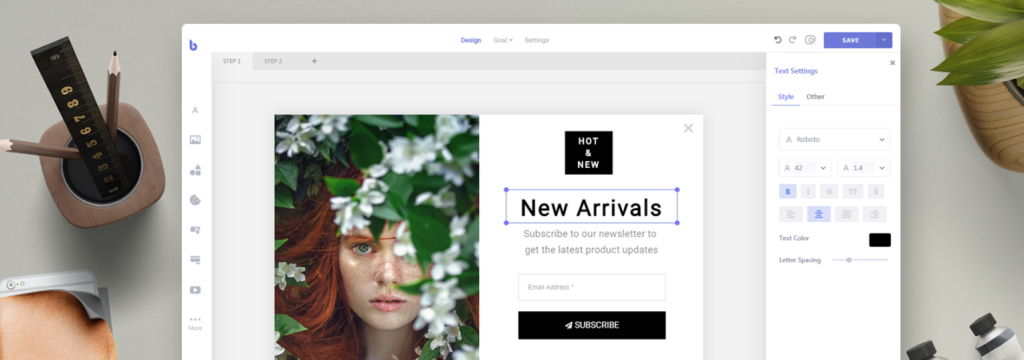
With its intuitive drag-and-drop builder, Brave offers a fast and easy way to design custom popups, create a survey, and convert visitors into subscribers, leads, and customers. The plugin offers everything from opt-ins to advanced forms, all customizable to fit your branding needs.
Whether you need a newsletter opt-in form, an exit intent popup, or an advanced multi-step survey, the Brave WordPress survey plugin makes it easy to create high-converting elements for your website without any coding.
The Pro version enhances its functionality with even more features like advanced targeting and unlimited form fields, allowing users to customize their survey maker for maximum engagement.
Key Features:
- Design popups visually without needing to code.
- Create sticky popups, modals, slide-ins, sidebars, and more.
- Build complex forms, including multi-step surveys and polls.
- Set visibility rules based on user behavior, device, traffic sources, and more.
- Track popup views, clicks, and form submissions to gauge performance.
Pros and Cons:
| Pros | Cons |
| Intuitive drag-and-drop popup builder | Some advanced features are Pro-only |
| Unlimited popups with no restrictions | Free version lacks some customization |
| Multiple targeting options for precise visibility | No A/B testing features |
| WooCommerce and email service integrations |
7. Poll Survey & Quiz Maker Plugin by Opinion Stage

Plugin Stats to Know
Active Installations: 10,000+
Type of Quizzes, Polls & Surveys: Personality Quiz, Trivia Quiz, Image Poll, Lead Generation Quiz, Customer Feedback Survey, User Experience Survey, Product Feedback Survey, Head-to-Head Poll
WordPress Version: 4.5 or higher
Price: Free, Paid plans starting at $19/month
Opinion Stage’s Poll, Survey, and Quiz Maker Plugin is a versatile WordPress survey plugin designed to help users easily create engaging quizzes, surveys, and polls. With a no-code interface, the survey builder allows for the quick creation of custom content using pre-made templates or AI-powered tools.
It’s perfect for businesses looking to generate leads, gather feedback, boost engagement, and personalize content.
From personality quizzes to customer feedback surveys, Opinion Stage provides customizable features such as smart logic, social sharing buttons, and responsive designs that are optimized for all devices. Whether you need to create a survey, collect contact information, or evaluate user satisfaction, this survey plugin WordPress is a great tool to enhance your website’s interactivity.
Key Features:
- Automatically generate professional quizzes and surveys with just a topic.
- Personalize the look and feel of your content using color themes, fonts, images, and custom CSS.
- Use built-in lead forms to capture valuable customer data.
- Personalize quizzes and surveys based on user responses.
- View detailed reports on responses, drop-offs, and user engagement through visual charts.
- Easily share your content across social media platforms to reach a wider audience.
- Ensure your content looks great and loads fast on any device.
- Choose from multiple poll types like list, image, thumbnail, and head-to-head formats.
Pros and Cons:
| Pros | Cons |
| No technical expertise required | Limited response count on the free plan |
| Fully customizable with design and branding | Some users may find the logic complex for advanced setups |
| Integrates with multiple third-party tools | |
| Easy-to-use interface with AI-powered creation tools |
8. TotalSuite
Plugin Stats to Know
Active Installations: 10,000+
Type of Surveys, Polls & Quizzes: Customizable Surveys, Polls, Quizzes, Tests, Feedback Surveys
WordPress Version: 4.5 or higher
Price: Free, Pro Version Available with Advanced Features
TotalSurvey is a powerful WordPress survey plugin designed to easily engage users and gather insightful feedback. Whether you’re creating surveys, polls, quizzes, or tests, TotalSurvey’s intuitive interface and customizable options make it easy to tailor the user experience to your brand.
The survey plugin for WordPress supports unlimited surveys, entries, and content blocks, allowing for flexibility in survey creation and management. It also offers robust analytics, entry management features, and a seamless experience across devices.
With responsive design and a variety of customizable skins, TotalSurvey survey builder ensures your surveys look professional and work flawlessly on all platforms. Additionally, the plugin’s analytics dashboard provides rich data insights, helping businesses make data-driven decisions to improve products, services, and user engagement.
Key Features:
- Create as many surveys as you need.
- Collect unlimited entries and customize surveys with various content blocks.
Pros and Cons:
| Pros | Cons |
| Unlimited surveys, entries, and content blocks | Initial setup may require a learning curve for new users |
| Customizable survey experience to fit your brand | No direct integrations with third-party apps on the free plan |
| Advanced analytics dashboard for rich insights | |
| User-friendly interface and entry management tools | |
| Responsive and mobile-friendly surveys |
9. Forminator

Plugin Stats to Know
Active Installations: 100,000+
Type of Surveys, Polls & Quizzes: Custom Forms, Interactive Polls, Quizzes, Payment Forms, E-Signatures, Surveys
WordPress Version: 4.9 or higher
Price: Free, Pro Plans Available (from $3/month)
Forminator is a powerful and versatile WordPress survey plugin that allows users to create custom forms, dynamic surveys, interactive polls, quizzes, payment forms, and more. Its user-friendly drag-and-drop visual builder makes it easy to set up and customize any form on your website.
This survey builder supports a wide range of form types, including customizable surveys, forms for user feedback, and payment collection forms, making it an ideal tool to create a survey for your website.
Forminator also provides live stats, displaying real-time feedback in visually appealing pie charts and graphs, making it a great survey plugin for WordPress for gathering user opinions and insights.
The Pro version offers additional premium features such as geolocation, e-signatures, Stripe subscriptions, and pro templates to enhance functionality. Whether using the free version or the Pro version, Forminator survey builder is perfect for businesses and developers looking to create a survey and optimize their forms for better engagement.
Key Features:
- Create as many surveys as you need, collect unlimited entries, and customize surveys with various content blocks.
- Easily duplicate, reset, import, and export surveys.
- Personalize welcome and thank-you messages, set authentication requirements, and control the number of entries per user session.
- Use intuitive browsing, keyboard shortcuts, and advanced filtering options to handle entries efficiently.
- Implement skip logic and jump logic to personalize survey paths based on user responses.
- Access detailed insights and analyze key metrics to measure survey success and user engagement.
- Export survey results in various formats for further analysis or reporting.
Pros and Cons:
| Pros | Cons |
| Easy-to-use drag-and-drop form builder | Can be complex for users with simple form needs |
| Supports a wide range of forms (surveys, polls, quizzes) | Requires time to learn advanced features for full use |
| Integrates with popular third-party applications | Some advanced features are locked behind the Pro plans |
| Payment integrations with Stripe and PayPal | May need Pro version for full feature set |
| Real-time analytics and visual feedback | Limited customization options in free version |
| Geolocation and E-Signature field in Pro versions |
10. involve.me
Plugin Stats to Know
Active Installations: 500+
WordPress Version: 4.5 or higher
Type of Surveys, Polls & Quizzes: Surveys, Quizzes, Calculators, Forms, Personality Quizzes, Lead Generation
Price: Free, Paid Plans Available at $29
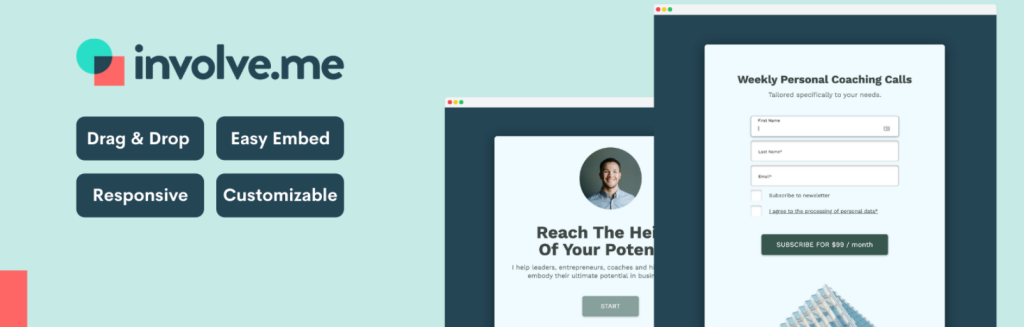
involve.me is an interactive WordPress survey plugin and form builder designed to help businesses boost engagement, collect valuable insights, and increase conversions.
With its drag-and-drop content editor, users can easily create professional surveys, quizzes, forms, and even calculators, without needing any coding experience. The plugin allows surveys to be embedded seamlessly into websites or displayed as pop-ups, increasing accessibility and participation.
involve.me also provides advanced features like personalized paths, logic jumps, and answer piping to create dynamic and engaging user experiences. These features make it an excellent survey maker to create a survey that offers tailored responses and deeper customer insights.
Fully customizable and branded surveys can be integrated with existing sales and marketing tools, making involve.me a powerful survey plugin WordPress for capturing, qualifying, and engaging leads.
Key Features:
- Tailor the design and elements to match your website’s branding (colors, text, images, videos, etc.).
- Customize survey flow with logic jumps and personalized paths to guide users through the survey based on their answers.
- Collect leads and segment them based on responses, syncing data with your CRM or email marketing tools.
- Generate automated AI reports summarizing feedback and providing key insights, helping businesses make data-driven decisions.
- Easily embed surveys into your WordPress site or show them as pop-ups to reach more users.
- Start with pre-designed templates and customize them to fit your needs, offering flexibility and speed in creating surveys.
Pros and Cons:
| Pros | Cons |
| Easy-to-use drag-and-drop editor | Premium pricing may be costly for small businesses |
| Highly customizable design options | Can be overwhelming for new users without prior experience |
| AI-powered insights and feedback summaries | Limited templates available in free plan |
| Seamless integration with CRMs and email marketing tools | |
| High conversion rates due to personalized survey paths | |
| Suitable for a variety of surveys, quizzes, and forms |
11. MightyForms
Plugin Stats to Know
Active Installations: 500+
Type of Surveys, Polls & Quizzes: Contact Forms, Surveys, Registration Forms, Payment Forms, Order Forms, Booking Forms
WordPress Version: 5.0 or higher
Price: Free, Paid Plans Available: Starter: $29; Pro: 99; Business: $499
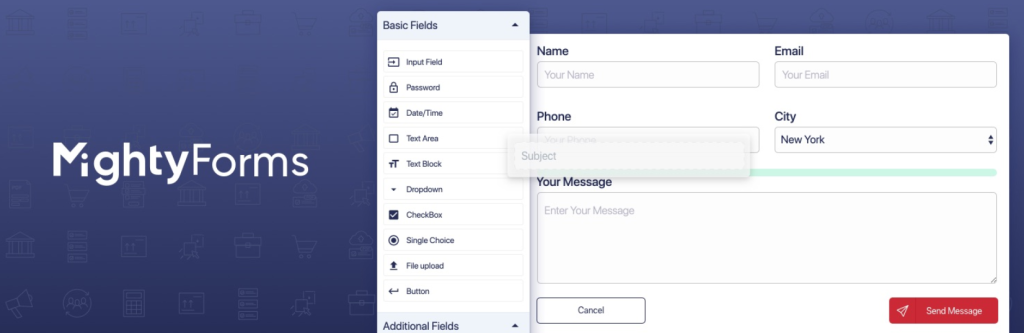
MightyForms is a powerful WordPress survey plugin and form builder, ideal for web developers and business owners who want to create beautiful, functional forms for their websites.
With a no-code drag-and-drop editor, users can create a wide range of forms, including surveys, contact forms, payment forms, and registration forms, without needing technical expertise. MightyForms is highly customizable and integrates with key platforms like Google Drive, Dropbox, and CRM systems to streamline workflows and efficiently capture leads.
MightyForms offers mobile-friendly forms and automated workflows to save time, improve productivity, and optimize business operations. It allows users to set up email notifications, SMS alerts, and autoresponders, ensuring forms are responsive across devices.
Whether creating a survey or other types of forms, MightyForms is a reliable survey plugin WordPress for enhancing website engagement and data collection.
Key Features:
- Personalize forms with brand colors, fonts, and logos to match your website’s identity.
- Create payment forms that handle one-time and subscription-based payments, with Stripe and PayPal integrations.
- Set up conditional logic to display specific form fields based on previous answers.
- Integrates Google reCAPTCHA to protect forms from spam submissions.
- Use WordPress Gutenberg block or shortcodes to easily embed forms into pages and posts.
- Track form submissions, view form performance, and gain insights into user behavior.
- Create registration forms for events, services, or products with tailored fields and personalized responses.
Pros and Cons:
| Pros | Cons |
| Easy-to-use drag-and-drop form builder | Higher pricing may be a barrier for small businesses |
| Fully responsive and mobile-friendly forms | The free plan is limited in functionality |
| Built-in payment processing with Stripe and PayPal | May require time to fully utilize advanced features |
| Integrates with Google Drive, Dropbox, and CRMs | Limited form submissions in lower-tier plans |
| Automates lead capture, notifications, and workflows | Some features are only available in higher-tier plans |
| Customizable design and branding options | No free plan for advanced features |
12. YOP Poll

Plugin Stats to Know
Active Installations: 10,000+
WordPress Version: 3.3 or higher
Type of Surveys It Can Build: Single Answer, Multiple Answer, Custom Fields, Scheduled Polls, Random Display Polls, Archiving Poll Results
Price: Free
YOP Poll plugin allows you to easily integrate a survey in your blog post/page and manage the polls directly from your WordPress dashboard, offering much more than similar survey plugins. It doesn’t lose sight of your needs and ensures that no detail is left unaccounted for when you create a survey.
To name just a few improvements, you can create polls with both single and multiple answers, customize a wide variety of options, and decide how to sort your poll information. Whether you’re managing the results, controlling which details are visible, or setting vote permissions, the YOP Poll survey plugin for WordPress provides comprehensive scheduling of your surveys and polls.
It can run multiple polls simultaneously (no limit included) or you can schedule them to start one after another. With its sorting functions, you can easily track and access past polls at any time.
Key Features:
- Create, edit, clone, or delete polls anytime
- Schedule polls to run simultaneously or consecutively
- Display one or more polls on your website using poll ID
- Allow other answers, multiple answers, and sorting by various criteria
- Display poll results by vote numbers, percentages, or both
- Add custom fields to collect additional information from voters
Pros and Cons
| Pros | Cons |
| Easy to use and integrate with WordPress | Limited customization in the free version |
| Supports multiple active polls at once | No advanced reporting in the free version |
| Customizable vote permissions |
13. Typeform

Plugin Stats to Know
Active Installations: 100,000+
WordPress Version: 5.0 or higher
Type of Surveys It Can Build: Forms, Quizzes, Surveys
Price: Free plan available, Premium plans vary
Typeform is a versatile WordPress survey plugin that offers a unique interface to engage audiences with visually pleasing forms, surveys, and quizzes. It allows users to create a survey or form that is enjoyable to fill out, enhancing user engagement and increasing the response rate.
Typeform is perfect for those looking to create interactive and engaging surveys or quizzes, helping businesses boost leads, expand their contact list, and collect valuable feedback.
Typeform’s unique ‘one-question-at-a-time’ interface feels more like a conversation, resulting in higher-quality responses. The plugin allows users to fully customize forms to match their brand and can be seamlessly embedded into any web page. As a survey plugin WordPress, Typeform is an excellent tool for businesses looking to create a survey that maximizes engagement and captures useful data.
Key Features:
- Add Logic Jumps for personalization and audience segmentation
- Create quizzes with the Calculator
- Show tailored endings based on user answers
- 30+ integrations with tools like Slack, Hubspot, Mailchimp, etc
- Customize the look of your Typeform with templates
- Metrics dashboard with beautiful reports
- Export responses to CSV and XLSX
- Integration with CRM or marketing tools
Pros and Cons
| Pros | Cons |
| Conversational forms and surveys | Cannot edit forms or see responses inside WordPress |
| High customization options | Incompatible with WordPress 4 and Gutenberg editor |
| Seamless integration with web pages | |
| Complements the brand style | |
| Works well on all devices |
How Survey Plugins are Useful to Website Owners
Survey plugins are incredibly useful for website owners in a variety of ways. Here are some key benefits:
- Collecting Feedback: Survey plugins allow you to gather feedback directly from your audience. Whether it’s understanding user experience, product satisfaction, or overall website feedback, surveys provide a structured way to collect valuable opinions.
- User Engagement: Surveys can enhance user engagement by encouraging visitors to actively participate. Engaged users are more likely to spend time on your site, providing you with additional opportunities to convey your message or promote your products and services.
- Market Research: Understanding your target market is crucial for any business. Survey plugins enable you to conduct market research efficiently. You can gather information about consumer preferences, trends, and expectations, helping you make informed business decisions.
- Improving Products/Services: With the feedback obtained through surveys, you can identify areas for improvement in your products or services. This direct insight from your audience can guide you in enhancing your offerings to better meet customer needs.
- Lead Generation: Surveys can be designed to include contact information fields, allowing you to generate leads directly from engaged users. This information is valuable for future marketing efforts and building a strong customer relationship.
- Understanding User Behavior: Surveys can include questions about user behavior, preferences, and habits. This data helps you tailor your content, marketing strategies, and user interface to better suit the needs and expectations of your audience.
- Data-Driven Decision Making: The data collected through surveys provides a foundation for making informed decisions. Rather than relying on assumptions, businesses can use real feedback to shape their strategies, resulting in more effective and targeted approaches.
- Customization and Flexibility: Most survey plugins offer a range of customization options, allowing you to tailor surveys to your specific needs. This flexibility ensures that the surveys align with your brand and the goals of your website.
- Measuring Customer Satisfaction: Surveys often include questions related to customer satisfaction. By regularly measuring satisfaction levels, businesses can identify areas where they excel and areas that may need improvement, contributing to overall customer retention.
In summary, survey plugins are useful tools for fostering engagement, gathering insights, and making data-driven decisions. They provide a direct line of communication between businesses and their audience, contributing to a more informed and responsive online presence.
How to Create a Survey for Free in WordPress?
Creating a survey in WordPress doesn’t have to cost a dime, and with the right survey plugin, you can get started in minutes—without breaking the bank. Whether you’re building a customer satisfaction survey or a product feedback form, there are plenty of free options to choose from. Here’s how you can easily create a survey for free using a WordPress survey plugin:
Choose the Right Survey Plugin for WordPress
First, you’ll need to pick a survey plugin for WordPress that fits your needs. Look for a free survey maker that offers drag-and-drop functionality, so you can quickly add questions without any coding knowledge.
A great survey builder will let you create customizable forms with various question types, including multiple-choice, text fields, and rating scales. We have just shared many amazing options for you.
Install and Activate the Plugin
Once you’ve selected your survey plugin, go to your WordPress dashboard and navigate to Plugins > Add New. Search for your chosen survey plugin and click Install Now followed by Activate.
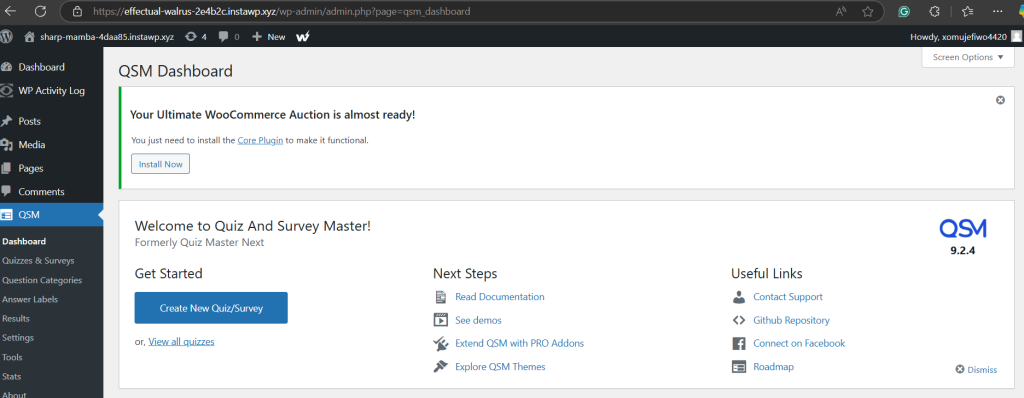
Create Your First Survey
With the plugin activated, head to the plugin’s settings in your dashboard. Most survey plugins have a user-friendly interface, allowing you to easily start building your survey. Add your questions, tweak the design to match your brand, and configure any advanced settings like email notifications or results tracking.
Publish and Embed Your Survey
Once you’re satisfied with your survey, you can publish it directly to a page or post on your WordPress site. Most survey plugins offer a shortcode or block that makes embedding your survey super simple—just copy and paste it where you want the form to appear.
And just like that, you’ve created a professional-looking survey, all for free. Now, you can gather valuable data without spending a penny, all thanks to your WordPress survey plugin!
Final Word
In the ever-evolving digital space, the significance of understanding your audience cannot be overstated. As we draw the curtains on our exploration of WordPress Survey Plugins, it becomes evident that these tools are more than mere add-ons; they are catalysts for meaningful engagement and informed decision-making.
As you navigate the expansive world of WordPress, consider the impact that survey plugins can have on your website’s functionality and user experience. Embrace the power of data-driven decision-making, and watch as your online presence flourishes with a deeper understanding of your audience.
FAQs
What is a WordPress survey plugin?
A WordPress survey plugin allows agencies to create and manage surveys on their clients’ websites. These plugins provide features like customizable questions, response collection, and data analysis to help gather valuable insights from visitors.
Why should I use a survey plugin for WordPress?
Using a survey plugin on WordPress helps agencies quickly collect feedback, conduct market research, improve user experience, and gather customer insights without the need for external tools or complex setups.
Are these survey plugins suitable for agencies with multiple clients?
Yes, many WordPress survey plugins are designed to handle multiple sites, providing agencies with the flexibility to manage surveys for different clients from one dashboard.
Can I customize the design of the surveys?
Most survey plugins offer customization options such as changing the colors, fonts, question types, and layout to match the design and branding of your client’s website.
Do these plugins support multiple question types?
Yes, most WordPress survey plugins allow a variety of question types, including multiple-choice, open-ended text, rating scales, dropdowns, and more, providing you with the flexibility to create engaging surveys.
Can I embed surveys into posts or pages?
Yes, most WordPress survey plugins make it easy to embed surveys directly into posts, pages, or even widgets, providing a seamless integration into your clients’ websites.


