In today’s digital era, the importance of email marketing cannot be overstated. Yet, delivering personalized, professional, and visually appealing emails can be a daunting task. Enter WooCommerce Email Customizer Plugins.
Designed to seamlessly integrate with your WordPress platform, these plugins allow you to revolutionize your email marketing strategy by customizing and enhancing your WooCommerce emails.
This article dives deep into the world of WooCommerce Email Customizer Plugins, offering a comprehensive guide to the best plugins on the market. By the time you finish reading, you’ll be well-equipped to choose the right plugin to deliver powerful, customized emails that align with your brand identity and effectively engage your audience.
Best WooCommerce Email Customizer Plugins
YayMail – WooCommerce Email Customizer
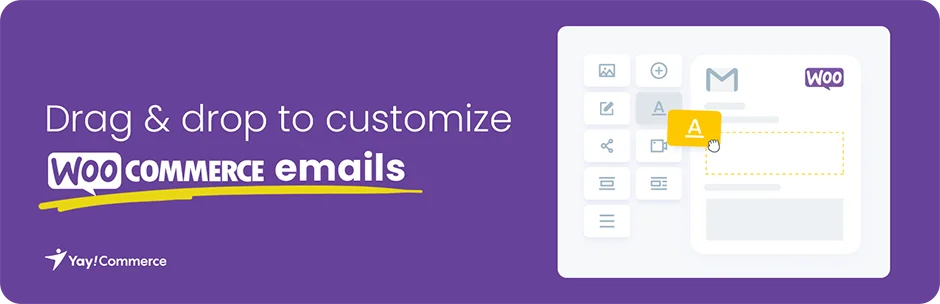
YayMail is a powerful WooCommerce email customizer plugin that brings the flexibility of a visual designer right to your email templates. The plugin aims to tackle the issue of bland, uncustomizable WooCommerce emails by providing an easy-to-use, drag-and-drop interface.
With YayMail, you can easily customize your WooCommerce emails, creating a more personalized and professional look that aligns with your brand identity.
Features and Benefits
- Custom WooCommerce Email Templates: Design unique email templates that reflect your brand’s identity, setting your store apart from others.
- Drag and Drop Interface: Easily customize your email templates with a simple, intuitive interface.
- Edit Everything: Total control over the content, layout, and design of your emails, ensuring your communication with customers aligns with your brand.
- Visual Email Editor: Design and preview your emails on the same screen for efficient editing.
- WooCommerce Preview Email: A built-in previewer lets you view a mockup order email and check an existing order’s email.
- Powerful Shortcodes: Use placeholders for order details, customer details, and more, to create a strong brand impression.
- Send Test Email: Send a test email template to ensure it looks good on various email clients and devices.
- Export/Import Email Templates: Easily back up, move, or share your customized email templates.
Pricing Structure
The plugin is free to use with the premium version starting from $59.
Email Customizer for WooCommerce – Virfice
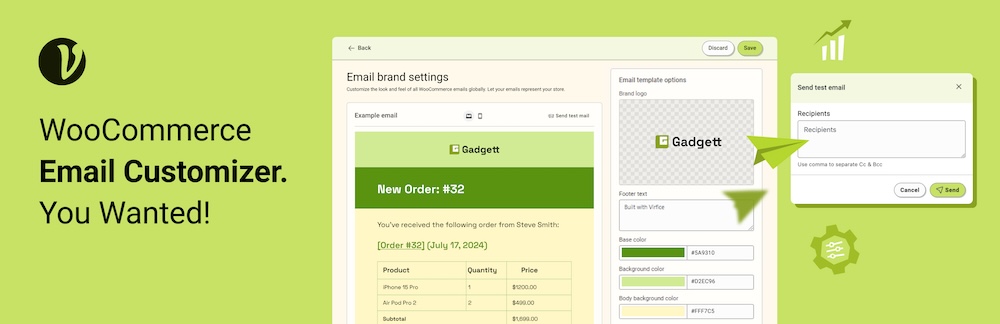
The Email Customizer for WooCommerce by Virfice is a versatile plugin that empowers you to tailor your WooCommerce transaction emails to reflect your brand’s identity seamlessly.
This plugin allows you to effortlessly customize and manage your email templates by adjusting colors, modifying content, adding your store’s logo, and incorporating social media icons. With real-time previews, you can ensure every email perfectly matches your branding before it’s sent.
Enhance your email communication by personalizing subject lines, setting custom sender and reply-to addresses, and sending test emails for WooCommerce emails to confirm everything is spot on before reaching your customers.
Features and Benefits
- Personalize Transaction Emails: Easily customize WooCommerce transaction emails to reflect your brand’s unique style.
- Manage Default Emails: Take control of all default WooCommerce emails, tailoring them to your specific needs.
- Built for WooCommerce: The plugin is exclusively developed for WooCommerce. So, it works smoothly with the current WooCommerce version and is committed to updating with the changes in WooCommerce.
- Send Test Emails: Send test emails to verify that all elements are correctly set before sending them out to customers.
- Add Your Logo: Incorporate your store’s logo into email templates for a more professional appearance.
- Edit Subject Lines: Customize the subject lines of your WooCommerce emails to better engage your customers.
- Set a Custom Sender Address: Specify a custom sender email address to ensure consistency with your branding.
- Include a Reply-To Address: Add a reply-to email address for better communication with your customers.
- Change Email Background Color: Modify the background color of your email body to match your store’s branding.
- Customize Footer Text: Edit the footer text of WooCommerce emails to include important information or branding.
- View Live Previews: Preview your customized emails in real-time to ensure everything looks perfect.
Pricing Structure
The plugin is free to use.
EmailKit – Email Customizer for WooCommerce & WP

EmailKit – a no-code drag-and-drop email customizer plugin, is a strong contender with a growing user base in a short period of time. It offers a good mix of WordPress and WooCommerce pre-built email templates. With EmailKit’s modern functionalities and creative elements, you can effortlessly transform the default WordPress and WooCommerce templates into branded transactional emails.
Features and Benefits
- Pre-built Templates: Equipped with versatile, engaging WordPress and WooCommerce templates to ease the work of beginners.
- Drag & Drop Builder: EmailKit features a visual builder interface that enables you to smoothly drag and drop elements to the dashboard, letting you move elements up and down as needed.
- Design Consistency: Enhance every bit of your email template with comprehensive design controls like background, typography, alignment, etc.
- Test Emails: Send a test email and make the necessary adjustments without leaving the plugin dashboard.
- Real-time Preview: Make edits and see the preview instantly without changing the screen.
- WooCommerce Compatibility: Built with WooCommerce users in mind, also compatible with all WooCommerce-related plugins.
- WooCommerce Elements: Ships with a range of (23+) WooCommerce elements for different actions like Shipping & Billing Address, Customer Note, Order Item, Back Order, etc.
- Responsiveness: Get an instant preview of your email template based on different devices like mobile and desktop from the editor panel.
- Template-centered Shortcodes: Embedding template-centric shortcodes helps you configure and automate various processes in your email messaging.
- User Friendly: EmailKit makes it a super comfortable email customization workflow for your WordPress emails with effective functions like redo, undo, reset, disable/enable, preview, test email, etc.
Pricing Structure
You can get started for free while the paid plans start at $35/year.
Email Templates Customizer and Designer for WordPress and WooCommerce

Email Templates Customizer and Designer for WordPress and WooCommerce is a dynamic plugin that revolutionizes the way you design and customize transactional emails for your WordPress and WooCommerce websites. The plugin offers a user-friendly interface to personalize your email templates, ensuring your brand’s identity is consistently reflected in your communications.
Features and Benefits
- Live Previews: You can preview your emails in real time to ensure they look as intended.
- Brand Consistency: Customize the colors, headers, footers, and body text to match your brand’s aesthetic.
- Variety of Template Styles: No more boring, generic templates. Choose from a variety of styles to suit your brand’s personality.
- Customizable Settings: Define settings such as the sender’s name and email address for a more personalized touch.
- Test Emails: Send test emails to the administrator’s email address to ensure functionality.
- Compatibility: The plugin is compatible with Post SMTP Mailer/Email Log, trusted by over 300,000 customers for daily email deliveries.
- Import/Export Custom Style Settings: You can import or export your custom style settings, allowing for easy sharing and consistency across different platforms or websites.
- Language Variety: Currently available in English, Spanish, French, Chinese, Portuguese, Dutch, Persian, Russian, and German, catering to a wide range of audiences.
- Github Collaboration: The plugin is open for collaboration on Github, inviting developers to contribute and enhance its functionality.
Pricing Structure
The plugin is free to use.
Email Template Customizer for WooCommerce

The Email Template Customizer for WooCommerce is a powerful plugin designed for those who find the default email template of WooCommerce plain and uninspiring.
This plugin offers a solution for building and customizing WooCommerce emails with numerous basic elements, WooCommerce elements and developmental tools. No coding knowledge is required to use this plugin, which allows users to drag and drop, edit and customize the contents in their email templates.
Features and Benefits
- Create and customize WooCommerce emails with several provided elements: This feature allows users to personalize their emails to fit their unique brand and style.
- Drag and drop to change the elements’ position on the template: This feature allows users to easily organize and design their email templates.
- Set rules to apply to each template: This feature allows users to send specific emails based on customer behavior and order details.
- Send emails with files attached: This feature allows users to attach files to their emails for a more informative and detailed communication.
- Send a test email before the real sending: This feature allows users to ensure their email looks and functions as intended before sending it to their customers.
- Preview email before sending with Desktop and Mobile version: This feature allows users to see how their email will look on different devices.
- Choose directions for languages with directions from LTR or RTL: This feature allows users to customize their emails for different languages and orientations.
- Import and export templates to another site: This feature allows users to share their templates across different sites.
Pricing Structure
The plugin is free to use with the pro version starting from $32.
Decorator – WooCommerce Email Customizer
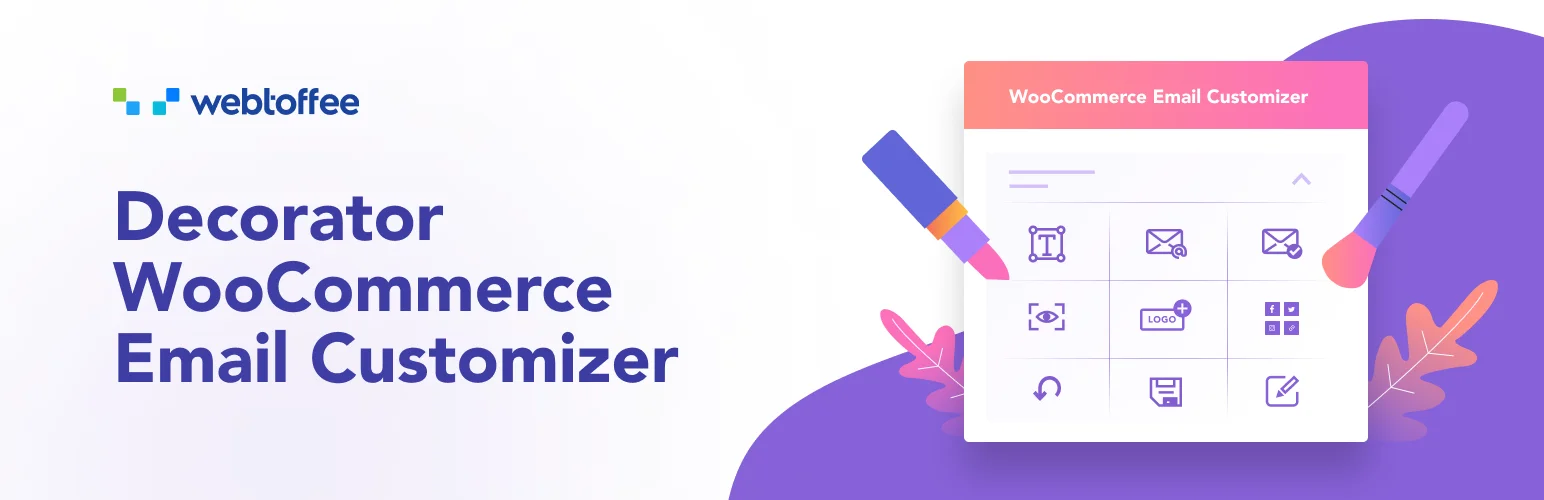
The Decorator – WooCommerce Email Customizer is a plugin designed to help you personalize the look and feel of your WooCommerce transactional emails. It allows you to change the default appearance of your emails using the native WordPress customizer.
This plugin is perfect for those who love the flexibility of the WordPress customizer tool and want to enhance the standard look of their WooCommerce emails.
Features and Benefits
- Prebuilt WooCommerce email templates: The plugin provides a variety of pre-built templates that can be customized to better suit your store. These templates can completely transform the design of your WooCommerce emails.
- Ability to edit email texts: You can easily modify the subject, heading, subtitle, and body text of your emails. The plugin also allows you to add images, social media links, and use sliders and color pickers for designing various parts of your emails.
- Customize all WooCommerce email types: All default WooCommerce emails for each order status can be customized with this plugin.
- Send a test email to your inbox: Test your email customizations by sending them to multiple recipients.
- Dynamic preview: The plugin provides a real-time preview of the changes you make to your emails.
- Add logo in emails: You can upload your company logo to your email templates to align with your branding styles. If you don’t have a logo yet, you can create one using an AI logo generator or logo maker to ensure it perfectly represents your brand.
- Show social media links in email: Include social media links like Facebook, Twitter, Instagram, and more in your WooCommerce email templates.
- Reset to default: If needed, you can reset your WooCommerce email templates to the default style.
- Save, publish, or schedule your customizations: Your email customizations can be published instantly or scheduled to be published at a later time.
- Apply the customizations to all emails: Update all default email templates with your customizations with a single click.
- Additional customization using custom CSS: Style your emails in your desired manner using additional CSS.
- Additional shortcodes: Create custom email content using additional shortcodes like customer name, order details, company name, etc.
Pricing Structure
This plugin is free to use and can be easily downloaded from the WordPress plugin repository.
Email Customizer for WooCommerce

The Email Customizer for WooCommerce plugin is designed to simplify and enhance the customization of transactional emails. With a simple and intuitive drag-and-drop template builder, this plugin lets you add a wide range of elements to your emails, from basic text and imagery to dynamic placeholders.
It helps businesses ensure their email communications are precisely aligned with their brand style and easy to understand for the recipient.
Features and Benefits
- 11 Default Templates: The plugin includes 11 default templates for various transactional emails, which can be fully customized to match your brand.
- Drag and Drop Builder: A user-friendly builder allows for quick and easy creation of email templates.
- Unlimited Rows: Add as many rows as needed to your email templates.
- Real-time Preview: See changes as you make them with a real-time preview option.
- Live Preview: Review a live preview of your email template before sending.
- Multiple Elements: Add a variety of elements to your email template, including basic and WooCommerce-specific elements.
- Dynamic Placeholders: Use placeholders such as customer name, site name, user login, and more to personalize your emails.
- Test Emails: Test the appearance of your email templates before sending.
- Compatibility: This plugin is compatible with most WooCommerce plugins.
- Email Elements: Add text, images, dividers, gaps, social accounts, buttons, and gifs to your email templates.
- WooCommerce Elements: Include elements such as headers, customer details, order details, billing details, shipping details, and downloadable products in your email templates.
- WooCommerce Hooks: Add hooks provided by WooCommerce to your email template as needed.
- Email Mapping: Set specific emails for each order status.
Pricing Structure
The plugin is free to use with the premium version starting from $39.
FunnelKit

FunnelKit Automations is a robust WordPress marketing automation engine designed to enhance your marketing workflows. It solves the problem of managing various marketing tasks by consolidating them into one powerful platform.
Whether you need to recover abandoned WooCommerce carts, set up post-purchase follow-up sequences, customize email templates, or integrate with other services like Zapier, FunnelKit Automations has got you covered.
With its seamless integration into WooCommerce, Funnelkit empowers you to design captivating and personalized email templates that leave a lasting impression on your customers.
Features and Benefits
- Unlimited Customization Options: From headers and footers to product grids and call-to-action buttons, Funnelkit offers an extensive library of customizable elements. Tailor every aspect of your emails to resonate with your audience and reinforce your brand message.
- Responsive Design: Ensure your emails look impeccable on any device with Funnelkit’s responsive design capabilities. Preview your templates in real-time across various screen sizes to guarantee a flawless user experience.
- Dynamic Content Integration: Personalize your emails with dynamic content placeholders that automatically populate with relevant information, such as customer names, order details, and product recommendations. Delight your customers with tailored messages that speak directly to their needs and preferences.
- Advanced Styling Options: Fine-tune the appearance of your email templates with advanced styling options, including custom fonts, colors, and spacing. Create visually stunning emails that captivate your audience and leave a lasting impression.
- Seamless WooCommerce Integration: Funnelkit seamlessly integrates with WooCommerce, allowing you to leverage your store’s data to create personalized email campaigns. Sync order information, product catalogs, and customer data directly into your templates for targeted messaging that drives sales.
Pricing Structure
The plugin is free to use with the premium version starting from $149.
What Are WooCommerce Email Customizer Plugins
WooCommerce email customizer plugins are tools designed to enhance the default email notification system of WooCommerce, a popular e-commerce platform built on WordPress. These plugins empower store owners to personalize and customize the emails sent to customers throughout the various stages of the purchasing process.
Here’s how WooCommerce email customizer plugins typically work and why they’re valuable:
- Customization Options: WooCommerce email customizer plugins provide extensive customization options for the design and content of transactional emails. This includes order confirmation emails, shipping notifications, order status updates, and more. Users can often customize elements such as logos, colors, fonts, and layout to match their brand identity.
- Personalization: These plugins enable personalization of email content based on customer data and purchase history. Store owners can dynamically include customer names, order details, product recommendations, and other relevant information in their emails. This personal touch helps create a more engaging and tailored experience for customers.
- Responsive Design: Many WooCommerce email customizer plugins offer responsive design features, ensuring that emails display correctly and look appealing across various devices and screen sizes. This is essential for delivering a seamless user experience and maximizing the impact of email marketing efforts.
- Ease of Use: These plugins typically come with user-friendly interfaces and drag-and-drop editors, making it easy for store owners to create and customize email templates without needing advanced coding skills. This accessibility allows businesses to efficiently manage their email communications and maintain consistency with their branding.
- Integration with WooCommerce: WooCommerce email customizer plugins seamlessly integrate with the WooCommerce platform, syncing order information, customer data, and product details directly into email templates. This integration streamlines the process of creating and sending transactional emails, saving time and effort for store owners.
- Advanced Features: Some WooCommerce email customizer plugins offer advanced features such as A/B testing, analytics and reporting, email scheduling, and conditional logic. These features empower businesses to optimize their email marketing strategies, improve engagement metrics, and drive conversions.
WooCommerce email customizer plugins enhance the default email notification system of WooCommerce by providing extensive customization options, personalization capabilities, responsive design, ease of use, seamless integration, and advanced features.
By leveraging these plugins, store owners can create engaging, branded email communications that enhance the overall shopping experience and contribute to business growth.
Final Word
Leveraging the right WooCommerce email customizer plugins can dramatically transform how your brand communicates with its customers. These tools offer a wealth of features that allow you to maintain brand consistency, improve customer engagement, and even recover lost sales.
The drag-and-drop interfaces, real-time previews, and test email functionalities ensure that your emails look perfect before they reach your audience. So, take the next step – explore these plugins and choose the ones that best align with your business goals.
FAQs About WooCommerce Email Customizer Plugins
- What is a WooCommerce email customizer plugin?
A WooCommerce email customizer plugin is a tool designed to enhance the default email notification system of WooCommerce by providing extensive customization options for transactional emails sent to customers. - Why should I use a WooCommerce email customizer plugin?
Using a WooCommerce email customizer plugin allows you to personalize and customize email templates to match your brand identity, improve customer engagement, and enhance the overall shopping experience for your customers. - How do WooCommerce email customizer plugins work?
These plugins typically offer user-friendly interfaces and drag-and-drop editors, enabling store owners to easily customize email templates with elements such as logos, colors, fonts, and layout. They integrate seamlessly with WooCommerce, syncing order information and customer data directly into email templates. - What customization options do WooCommerce email customizer plugins provide?
WooCommerce email customizer plugins offer customization options for design elements such as logos, colors, fonts, and layout. They also allow for dynamic content personalization based on customer data and purchase history. - Are WooCommerce email customizer plugins responsive?
Yes, many WooCommerce email customizer plugins offer responsive design features to ensure that emails display correctly and look appealing across various devices and screen sizes. - Can I integrate WooCommerce email customizer plugins with other marketing tools?
Depending on the plugin, integration with other marketing tools may be possible. Some plugins offer advanced features such as A/B testing, analytics and reporting, and email scheduling, which can complement your overall marketing strategy. - Do I need coding skills to use a WooCommerce email customizer plugin?
No, most WooCommerce email customizer plugins come with user-friendly interfaces and drag-and-drop editors, making it easy for store owners to create and customize email templates without needing advanced coding skills. - How can WooCommerce email customizer plugins benefit my business?
WooCommerce email customizer plugins can benefit your business by improving brand consistency, increasing customer engagement, driving conversions, and enhancing the overall shopping experience for your customers.


