Efficiency isn’t a luxury. It’s essential for staying competitive and meeting client expectations. For WordPress agencies, the key to thriving in today’s competitive environment lies in enhancing their efficiency. And for this, embracing WordPress automation is the best possible way.
By automating crucial operations, agencies can streamline workflows, reduce errors, and elevate the quality of their services. That’s the reason why more than 50% of business leaders wish to automate their agency’s repetitive tasks.
Table of Contents
Benefits of Automation for a WordPress Agency
The number of jobs being automated is increasing by 14% every year, which is enough to prove that automation is benefitting businesses.
By incorporating automation into your workflow, your agency can achieve unparalleled efficiency, consistency, and scalability. This not only boosts productivity but also enhances the quality of your output, enabling you to meet and exceed client expectations.
Here are six compelling benefits of automation for WordPress agencies:
- Enhanced Efficiency: Automation speeds up repetitive tasks, freeing up your team to tackle more complex projects and creative work.
- Consistency and Reliability: Automated processes ensure that tasks are performed the same way every time, reducing the risk of errors and maintaining a high standard of quality.
- Time Savings: By automating time-consuming activities, your team can complete projects faster, allowing you to take on more clients and grow your business.
- Scalability: Automation makes it easier to handle an increasing number of projects without overloading your team, supporting your agency’s growth and expansion.
- Improved Collaboration: WordPress Automation tools can enhance team collaboration by providing a structured and coordinated workflow, reducing bottlenecks, and improving communication.
- Proactive Management: Automated monitoring and maintenance can help you identify and resolve issues before they affect your clients, enhancing your reputation for reliability and customer service.
Agency Operations to Consider for WordPress Automation
If you’re a WordPress agency willing to thrive in 2026 and beyond, consider automating below-mentioned tedious yet crucial development workflow.
1. Website deployment or Staging
Website deployment refers to the process of making a website live for users, while staging involves creating a copy of the live website for testing purposes.
A WordPress staging site is a replica of the live site where developers can test new features, updates, and changes without affecting the live site.
The staging process is crucial for ensuring that any modifications made to the website do not disrupt the user experience or cause the site to crash.
How to Automate WordPress Deployment or Staging?
InstaWP simplifies and automates the deployment and staging process, making it easy for WordPress agencies to manage their projects efficiently. By leveraging InstaWP’s automated deployment and staging capabilities, WordPress agencies can enhance their operational efficiency, ensure consistent updates, and minimize the risks associated with manual deployments.
Here’s how:
- 1-Click Connection: InstaWP allows you to connect your live WordPress site with staging via URL. You just need to add the staging plugin InstaWP Connect on your live site to establish this connection.
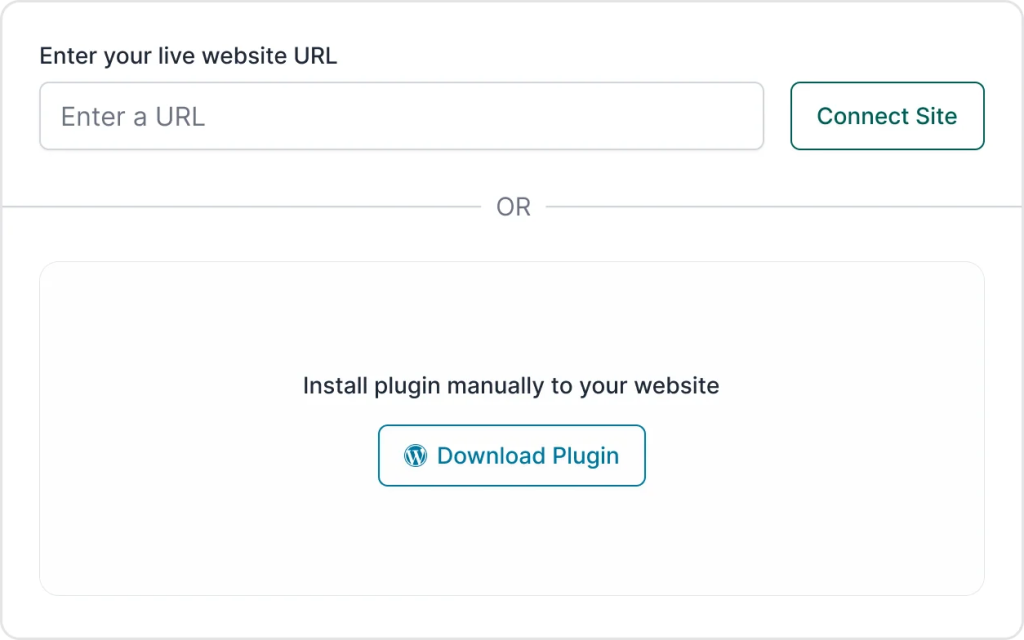
- Staging Site Creation: With InstaWP, creating a staging site is just a click away. You can create multiple staging sites to test different updates or changes without affecting the live environment.

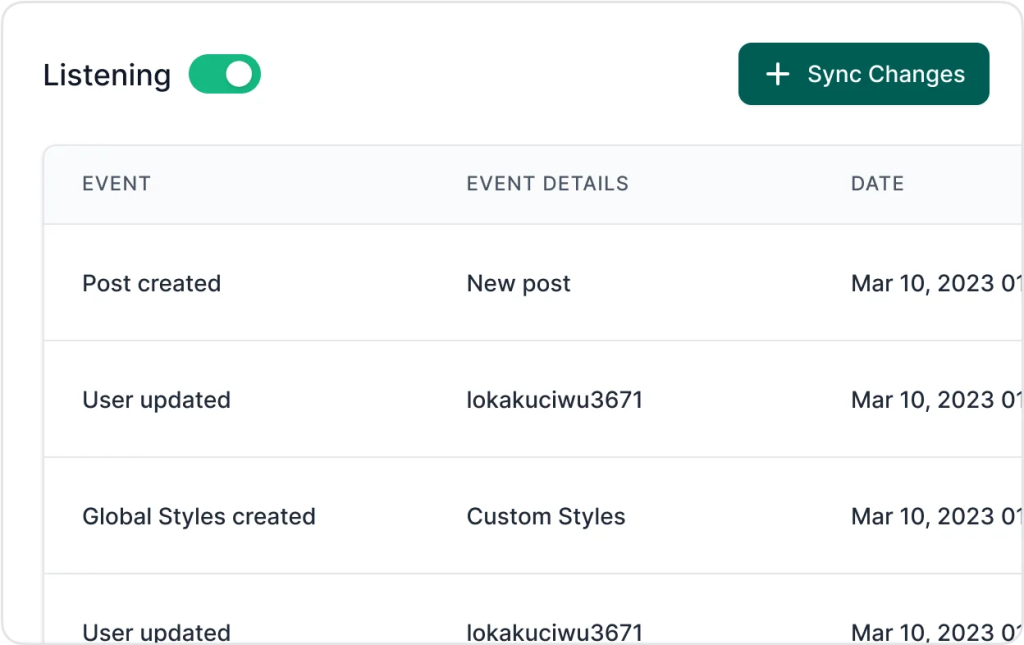
- Sync Changes: InstaWP offers a quick sync feature (2-way sync) that lets you apply changes from the staging site to the live site with the click of a button. This ensures that updates are consistent and hassle-free.
How Automating This Operation Will Benefit an Agency?
Automating the deployment and staging process offers several benefits to a WordPress agency:
- Efficiency: Automated deployment reduces the time and effort required to manually set up staging environments and push changes live. It’s going to save you 1 to 8 hours per project.
- Consistency: Automation ensures that the deployment process is consistent and error-free, minimizing the risk of human error related to manual deployment.
- Speed: Rapidly create staging environments and deploy updates, significantly speeding up the development cycle and time-to-market for new features.
- Risk Mitigation: By testing changes in a staging environment first, agencies can identify and fix issues before they affect the live site, reducing downtime and enhancing reliability.
2. Website Building
Website building involves creating a website from scratch or using pre-designed elements. Using templates can streamline this process significantly.
Templates are pre-made layouts that can be customized to meet specific needs, ensuring a consistent and professional appearance.
They are much more powerful than themes, as templates can include themes, plugins, and content structures, allowing for a quicker setup of new sites. Plus, setting up a website with templates in InstaWP is a matter of seconds (unlike theme installation).
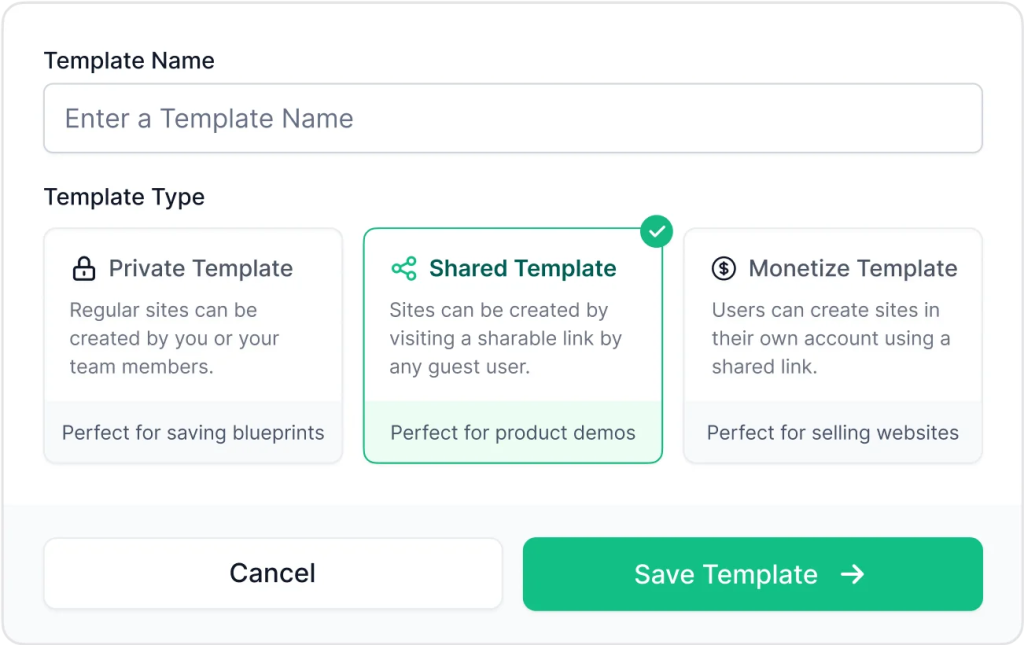
How to Automate Website Building with Templates?
InstaWP makes the process of building websites with templates simple and efficient:
- Template Library: InstaWP offers a comprehensive library of pre-made templates that agencies can use to quickly set up new websites. These templates are designed to be customizable, allowing you to tailor them to your client’s specific needs.
- Custom Templates: Agencies can create their own templates and save them in InstaWP. This feature allows you to build a library of custom designs that can be reused for different projects.
- Easy Setup: With InstaWP, you can save your sites as templates and quickly create new sites from them later. This process is straightforward and requires minimal technical knowledge, making it accessible to all team members.
Note – You can build shared templates to set up WordPress product demos as well.
3. QA with Git Integration
Quality Assurance (QA) ensures that the website functions correctly and meets the specified requirements before it goes live. However, developers have to invest a lot of their productive time in pushing changes and other git operations.
Integrating QA with Git allows for automated testing processes triggered by code changes in a Git repository. This integration ensures that every update to the codebase is tested automatically, identifying issues early in the development cycle.
With Git integration, WordPress agencies can enhance their development workflow, ensure better quality releases, and reduce the time to market. This results in more reliable websites, happier clients, and a more efficient development team.
How to Automate QA for your WordPress Agency?
InstaWP simplifies the process of automating QA with Git integration.
To begin with, the platform supports integration with popular Git providers like GitHub, Bitbucket, and GitLab. For this, you need to click Deployments and create a new deployment.
You can easily link your Git repository and branches to InstaWP sites and templates.

Automating QA with Git Integration
With Git integration in your InstaWP dashboard, here’s what you can do:
- Automate Site Updates: Any code push to the linked Git repository automatically updates the InstaWP site. This ensures that the latest code is always tested.
- Execute Commands: Post-merge, WP CLI, Composer, and npm commands can be run automatically, ensuring that all dependencies and configurations are up-to-date.
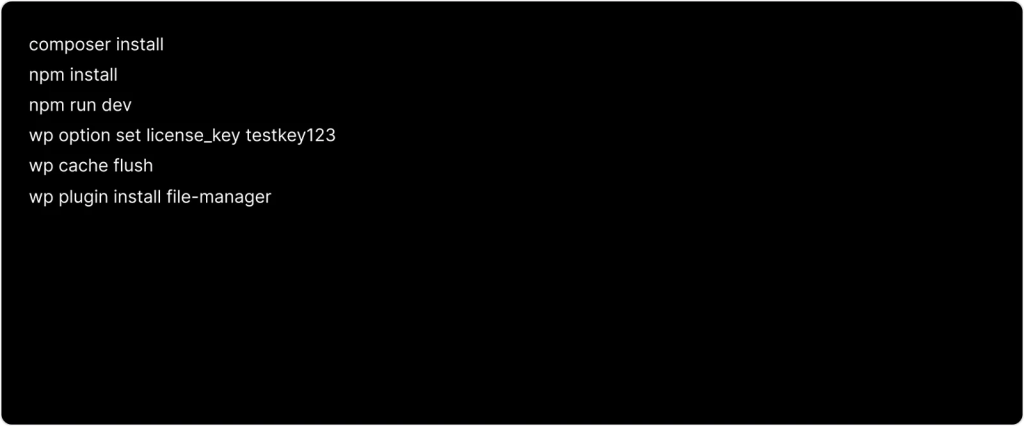
- Spin Multi-Dev Environment: InstaWP can automatically spin up new websites from a template whenever a repo’s branch is updated. This provides isolated environments for testing different scenarios and configurations.
- Webhooks and GitHub Actions: InstaWP allows you to set up webhooks or GitHub Actions to trigger automated QA processes. This means that every pull request can generate a new WordPress instance for thorough testing.
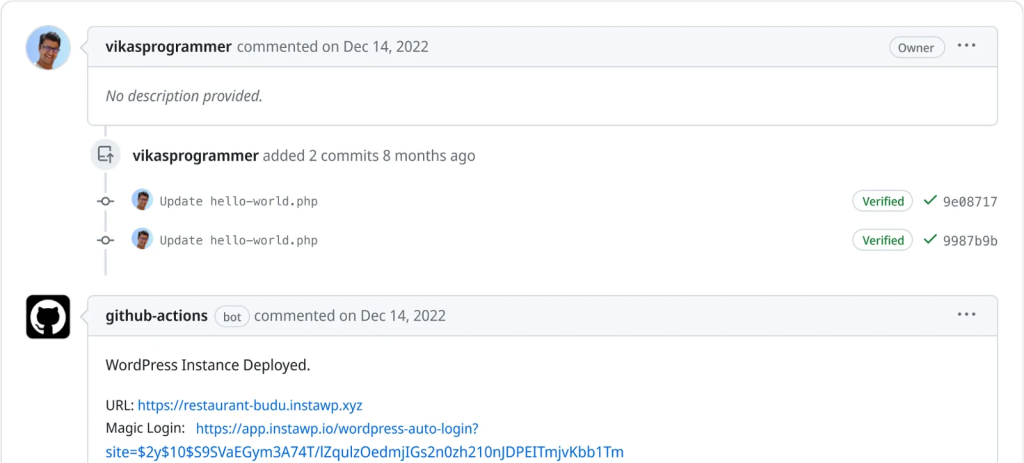
- Effortless Testing: InstaWP’s automation framework allows for tests to be run on various PHP and WordPress versions, ensuring compatibility and stability across different environments.
4. Selling websites you build
Imagine being able to sell websites and give trials for your sites, just like SaaS product owners do. Plus, no chasing after the client for payments and no deployment issues!
Yes, that’s possible with WaaS.
Website as a Service (WaaS) is a business model that enables developers to offer pre-configured, ready-to-use websites along with hosting, maintenance, and support.
This model allows clients to subscribe to a complete website package rather than purchasing a website outright, making it easier and more affordable for them to have a professionally managed online presence.
How to Automate Selling WordPress Websites Using WaaS?
1. Start by creating pre-configured templates that match the needs of your target audience. InstaWP allows you to design and save templates that can be easily reused.
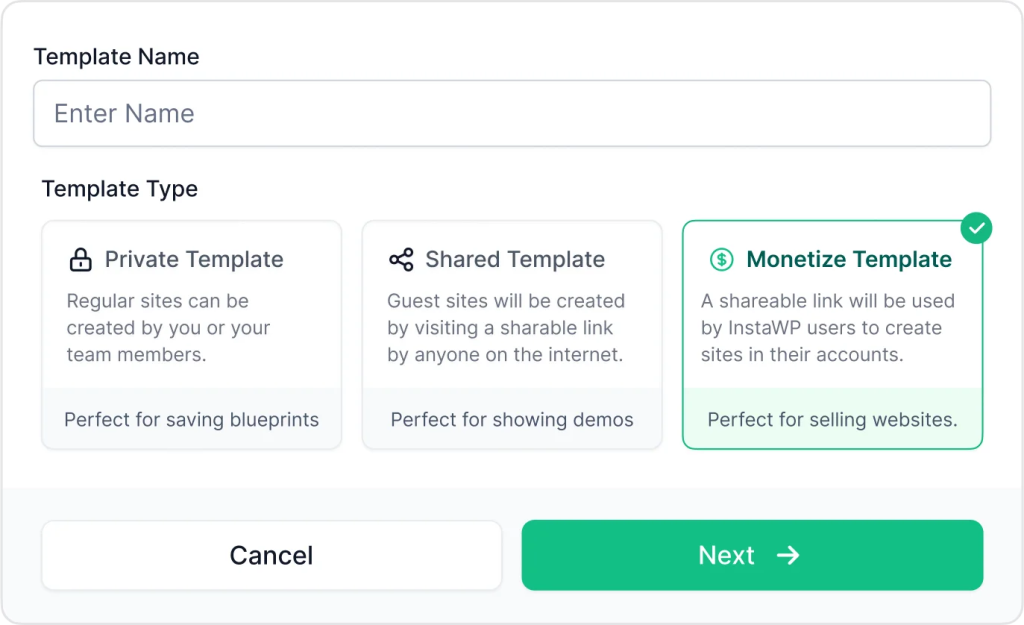
2. Enable monetization for your templates, allowing you to set prices and sell them directly through InstaWP. This turns your designs into revenue-generating assets.
3. Use InstaWP’s WaaS builder to guide you through setting up your WaaS platform. This includes integrating your templates, setting pricing plans, and configuring the checkout process.
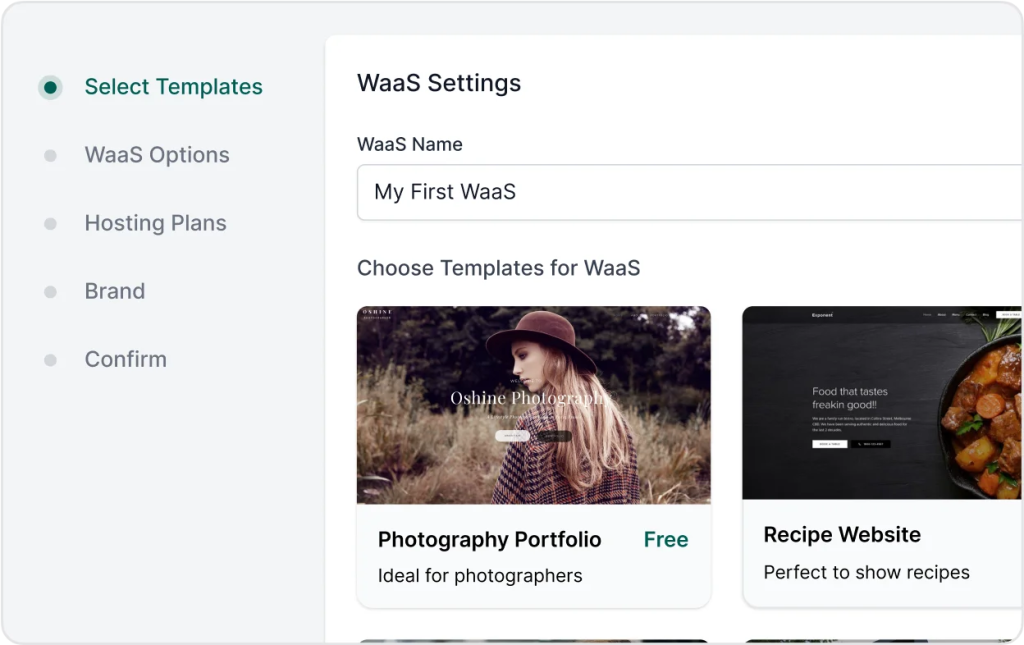
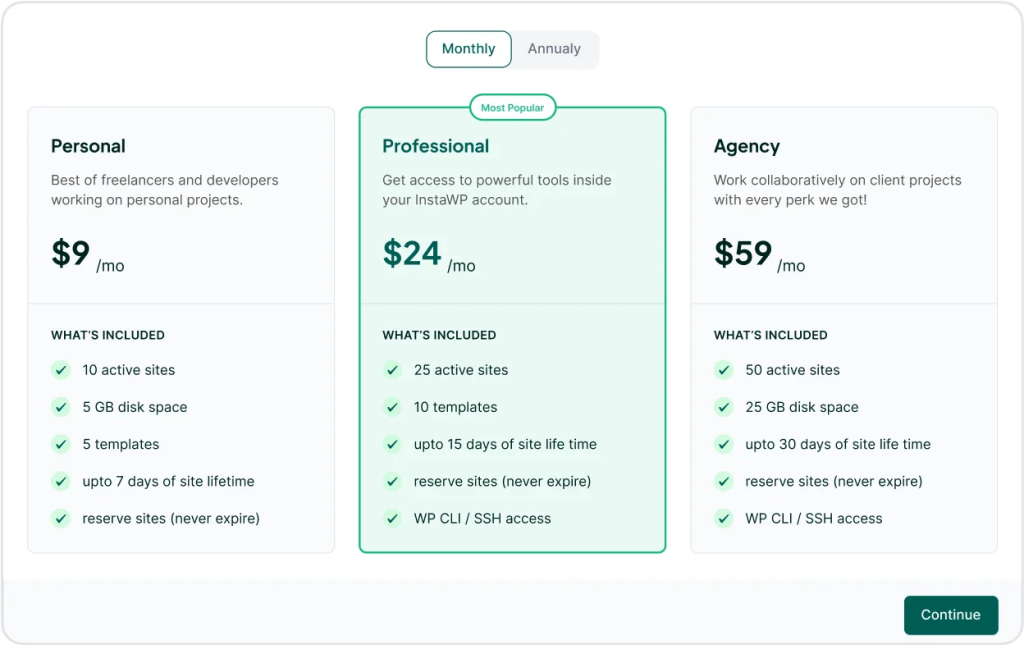
4. Connect your WaaS to reliable hosting services and sell customized hosting.
InstaWP simplifies this by allowing you to link or purchase hosting services directly within the platform, ensuring your clients receive a complete package.
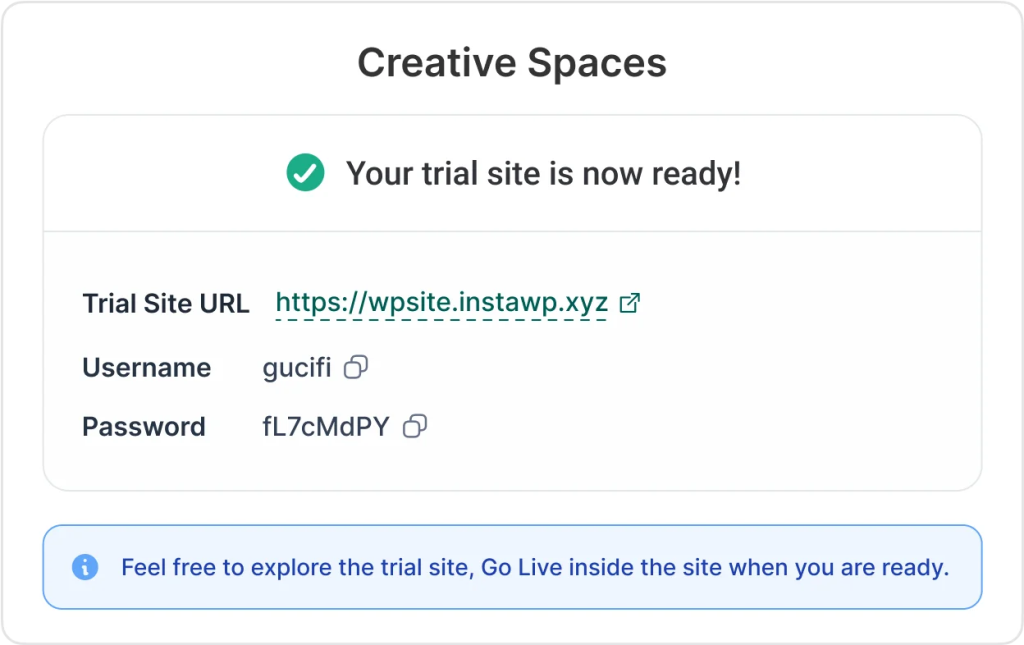
5. Offer trial periods for your websites, letting potential clients experience the value before committing. InstaWP supports time-limited trial sites that can convert to live sites with a single click.
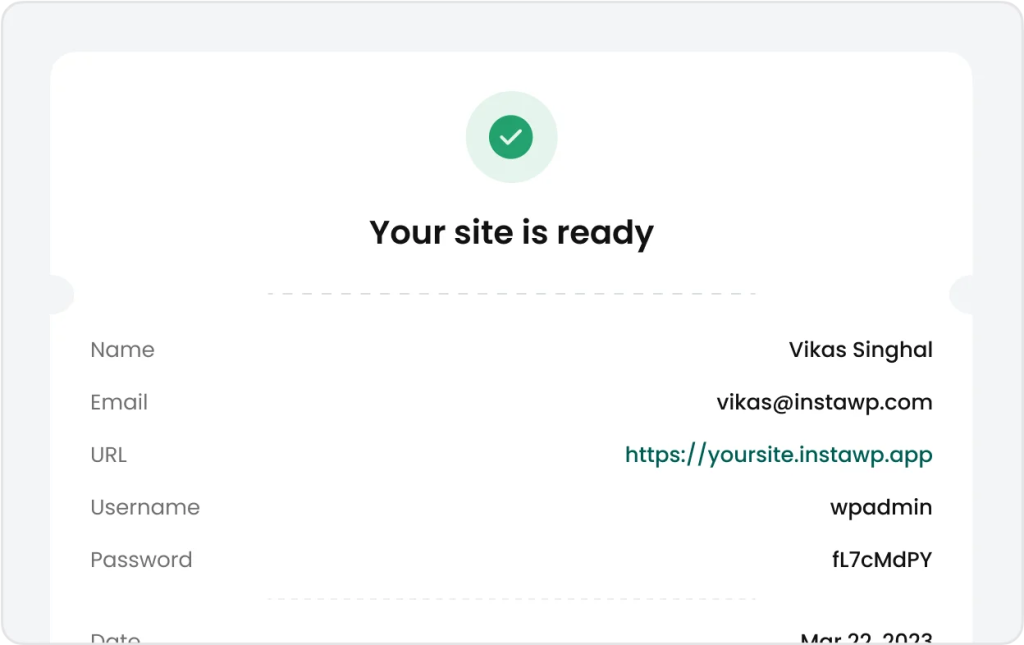
6. Provide your clients with a user-friendly portal where they can manage their websites, upgrade plans, and handle payments. InstaWP offers a customizable end-user portal to enhance client autonomy and satisfaction.
7. Use the user portal and automated communication to upsell additional services, such as premium support, SEO optimization, or custom design work.
5. Backups, Updates, and Monitoring
73% of IT leaders think automation can save 10-50% of the time for their employees so that they can work more efficiently, and they are right.
For example, think of these 3 operations:
- Backups involve regularly saving copies of your website data to prevent data loss.
- Updates include keeping the WordPress core, themes, and plugins up-to-date to ensure security and functionality.
- Monitoring involves continuously checking website performance, uptime, and security to detect and address any issues promptly.
Now imagine freeing your team from these regular tasks via WordPress automation. You will save plenty of time!
How to Enable Automated Backups and Monitoring?
Whether you have a site hosted with InstaWP’s Managed WordPress hosting or a site connected via the InstaWP plugin, all backups, updates, and monitoring can be managed from a single, intuitive dashboard.
Navigate to the Backups in your InstaWP dashboard. Here, you can view backups sorted by intervals. InstaWP automatically backs up your site, ensuring you always have a recent copy available.
You can also take on-demand backups for your sites hosted with InstaWP hosting.
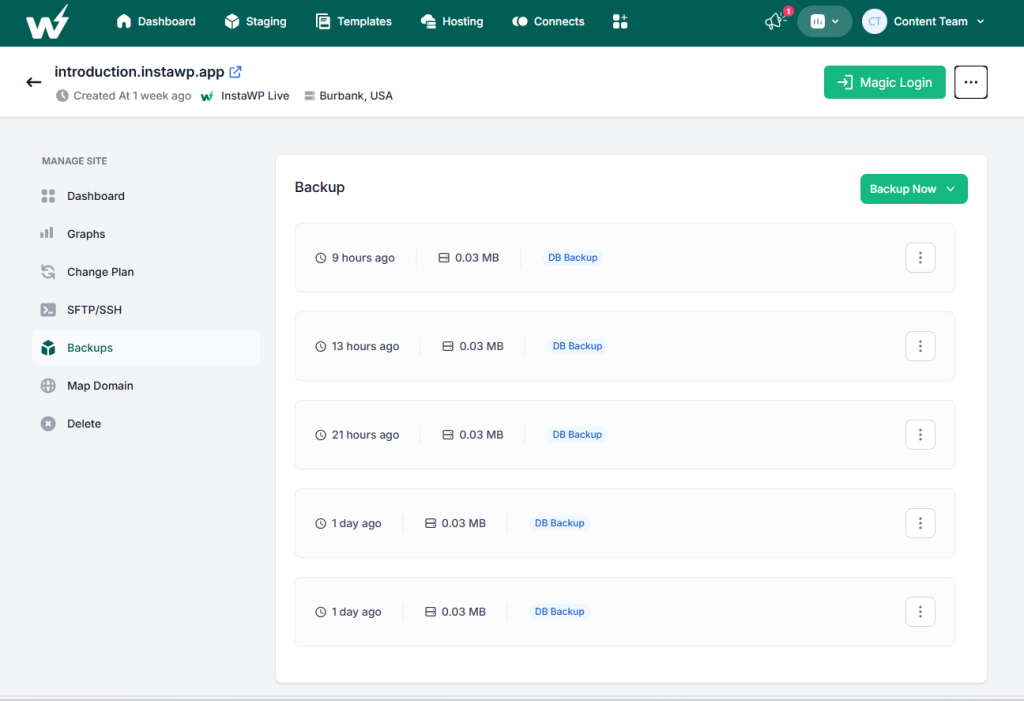
Besides the above, agencies can update WordPress core, plugins, and themes for the connected or hosted sites in 1 click with InstaWP. This ensures your site is always running the latest, most secure versions.
Graphs page will let you monitor your website’s performance without hiccups.
6. Change Management
Change management is a critical aspect of maintaining WordPress sites, especially when updates and modifications are frequent. Ensuring that changes made in a staging environment are accurately reflected in the live site without any hiccups is crucial.
Well, not with 2-way Sync that enables WordPress automation.
By using InstaWP’s 2-way Sync, you streamline your change management process, ensuring your live site always reflects the latest updates made in the staging environment.
How to Manage Your Websites Automatedly Using InstaWP?
- Set Up Your Staging and Live Environments:
Start by setting up both your staging and live sites within InstaWP. Read Instructions.
This setup ensures that both environments are ready to handle 2-way syncing. You will need our WordPress staging plugin for this purpose.
- Enable 2-Way Sync:
In the InstaWP dashboard, navigate to the sync settings and enable the 2-way Sync feature. This setting allows changes made in the staging environment to be automatically synced with the live site and vice versa.
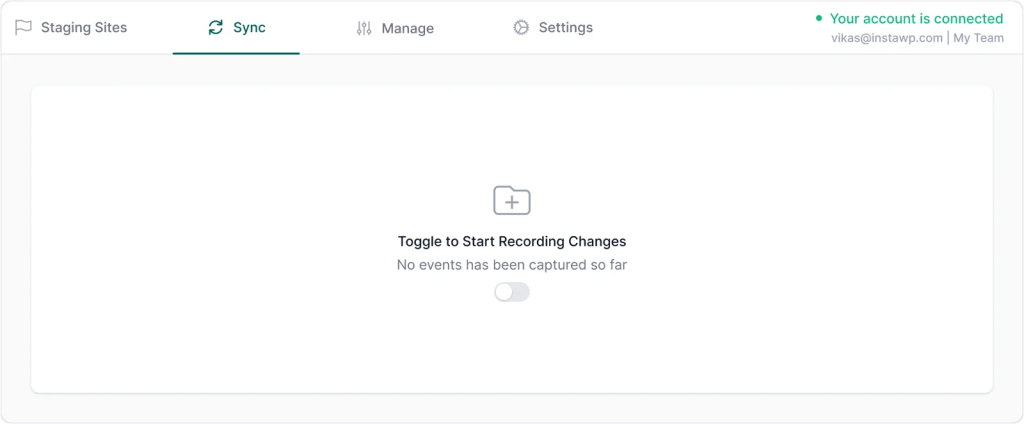
- Perform Your Changes in Staging:
Make your updates, test new plugins, or tweak the design in the staging environment. Experiment without the fear of breaking your live site. InstaWP’s robust staging environment ensures you have a sandbox to play in.
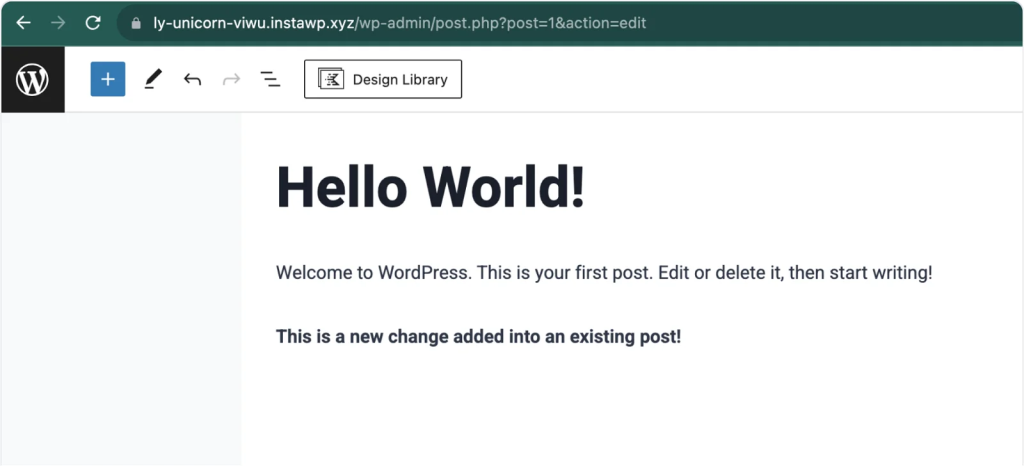
- Sync Changes Seamlessly:
Once you’re satisfied with the changes, InstaWP’s 2-way Sync ensures these modifications are automatically applied to your live site. You don’t need to manually replicate the changes, reducing the chances of errors.
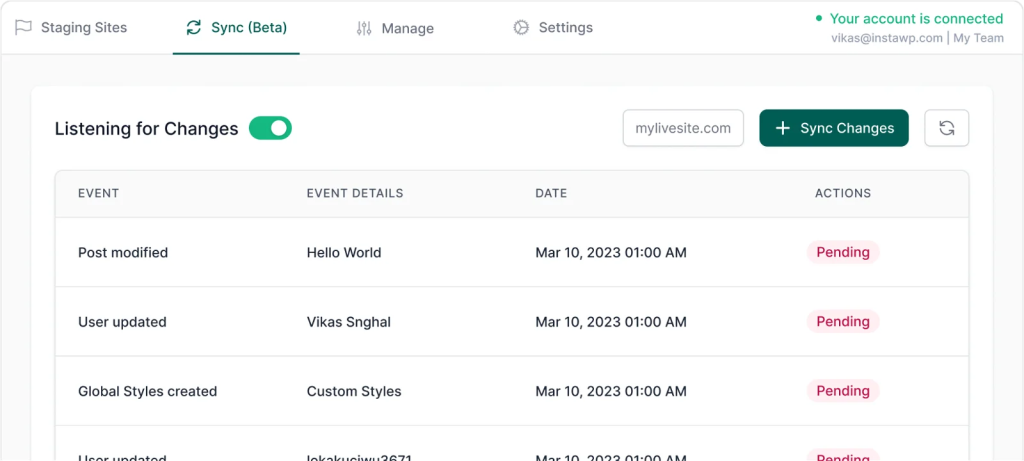
- Monitor and Manage:
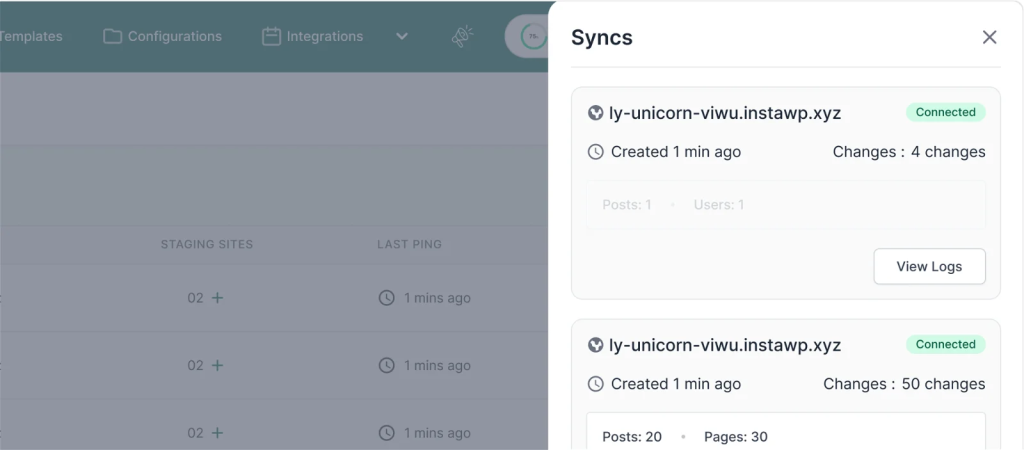
Use InstaWP’s intuitive dashboard to monitor the syncing process. The dashboard provides a clear view of what changes have been synced, ensuring transparency and control over your updates.
7. Performance Monitoring
Website speed and uptime are critical for user experience and SEO rankings. A slow-loading page can lead to an instant SEO ranking drop, which no client would love to see. Hence, agencies have to automate performance monitoring for their clients’ sites as manual monitoring isn’t practical.
How to Automate Performance Monitoring Using InstaWP?
InstaWP users have an advantage when it comes to continuous and real-time performance monitoring through the site management feature. Agencies can have a hold over Core Web Vital score of multiple sites from a single dashboard.
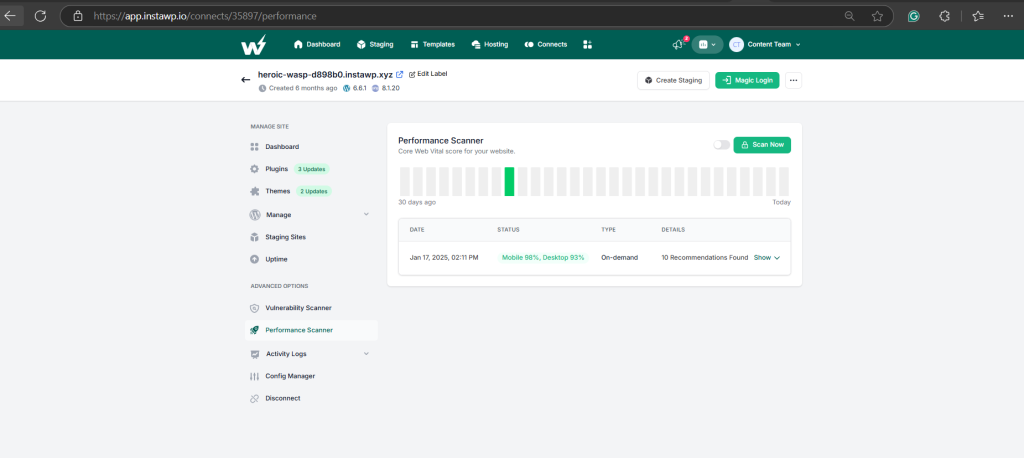
Not only this, you will receive instant notifications when sites go down or performance degrades. You can also generate regular WordPress maintenance reports and performance summaries for analysis.
All you need to do is:
- Install InstaWP Connect on the client sites and connect it with the InstaWP account.
- Login to InstaWP Dashboard and navigate to Managed/Connected sites.
- Select Performance Scanner from the left side of the many.
With this WordPress automation, agencies can quickly address issues before they impact users and make informed decisions to improve site performance.
8. Client Reporting
As an agency that promotes transparency, you must have to generate maintenance reports for all of your clients. Regular reports to keep them informed and demonstrate value, but creating them manually is labor-intensive.
Keeping tabs of different metrics, understandably combining them, and sharing the report with individual clients is indeed a tedious job and can consume crucial workhours. Hence, it’s high time to automate WordPress mainatence reports.
How to Automate Maintenance Reports?
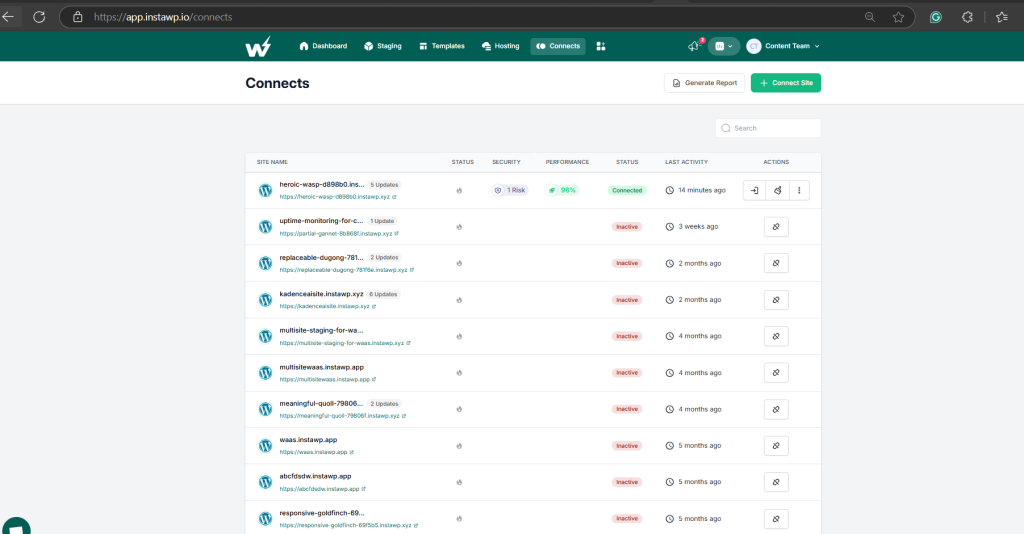
InstaWP allows agencies to generate maintenance reports for all the connected sites from a single dashboard. There is no need to switch tabs and collect different metrics for different client sites. You can even share the report directly with the client from the dashboard and decide which metrics to include.
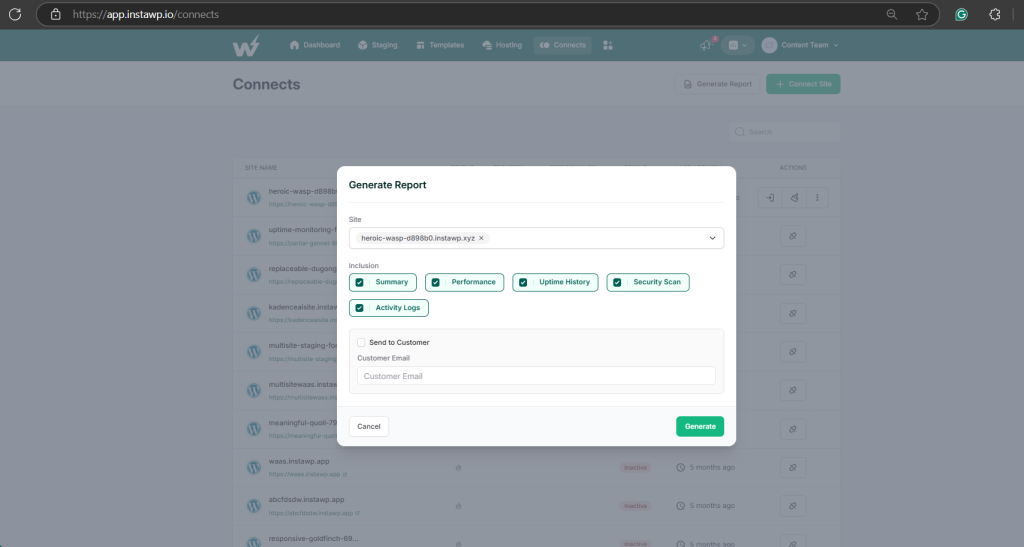
Agencies handling multiple sites can connect the sites with InstaWP and generate maintenance reports for any site from a single space; no tab shuffling and productivity loss.
Conclusion
For agencies (as well as individuals), WordPress automation can help grab a strategic advantage that streamlines workflows, minimizes manual errors, and allows teams to focus on creativity and innovation.
In this article, we delved into the critical operations that every WordPress agency should automate. We explained how deploying websites, creating staging, building sites from templates, integrating QA processes, and managing changes seamlessly can be automated using InstaWP. Hope it helped.
FAQs
u003cstrongu003eWhat are the primary benefits of WordPress automation for a development agency?u003c/strongu003e
Automating operations boosts efficiency, reduces errors, ensures consistency in website development, speeds up project delivery, enhances client satisfaction, and frees up resources for innovation and growth.u003cbru003eu003cbru003eu003cstrongu003eHow can automation improve website deployment and staging processes?u003c/strongu003eu003cbru003eAutomation streamlines the deployment and staging of WordPress websites by enabling quick setup, standardized configurations, and seamless transitions between development stages without manual intervention.u003cbru003eu003cbru003eu003cstrongu003eWhat role does Git integration play in automating QA processes for WordPress agencies?u003c/strongu003eu003cbru003eGit integration automates QA processes by enabling automated testing, version control, and deployment pipelines. It ensures that changes are thoroughly tested before deployment, enhancing the reliability and stability of websites.u003cbru003eu003cbru003eu003cstrongu003eHow does WaaS (Website as a Service) automate the process of selling WordPress websites?u003c/strongu003eu003cbru003eWaaS automates the selling of WordPress websites by providing pre-built templates, automated billing, subscription management, and integrated hosting solutions. It simplifies the process of offering websites as a service to clients.u003cbru003eu003cbru003eu003cstrongu003eWhat are the benefits of automated backups, updates, and monitoring for WordPress websites?u003c/strongu003eu003cbru003eAutomated backups, updates, and monitoring ensure website security, reduce downtime and improve performance by automatically backing up data, applying updates promptly, and monitoring website health in real-time.u003cbru003eu003cbru003eu003cstrongu003eHow does InstaWP support automated backups and monitoring for WordPress sites hosted elsewhere?u003c/strongu003eu003cbru003eInstaWP facilitates automated backups and monitoring for WordPress sites hosted elsewhere by offering robust tools that integrate seamlessly with various hosting partners, ensuring data security and site reliability.u003cbru003eu003cbru003eu003cstrongu003eCan InstaWP’s 2-way sync feature manage changes between staging and live WordPress sites efficiently?u003c/strongu003eu003cbru003eYes, InstaWP’s 2-way sync feature automates change management by synchronizing updates between staging and live WordPress sites seamlessly. It minimizes errors and ensures that changes are implemented smoothly.u003cbru003eu003cbru003eu003cstrongu003eWhat should WordPress agencies consider before implementing automation strategies?u003c/strongu003eu003cbru003eBefore implementing automation, agencies should evaluate their specific needs, choose reliable automation tools like InstaWP, train their teams, ensure compatibility with existing workflows, and prioritize security and data integrity throughout the automation process.