Most WordPress sites need a form. Most developers waste 10 minutes finding, installing, and configuring one. Not anymore. IvyForms is now part of the InstaWP plugin library, which means the next time you spin up a site, your form builder is already there, ready to go, before you have written a single line of code.
Table of Contents
Meet IvyForms: The Form Builder Built for People Who Ship
There is no shortage of WordPress form plugins. What there is a shortage of is form plugins that do not make you fight them.
IvyForms is different. It is clean, fast to learn, and gets out of your way. The drag-and-drop builder is intuitive from the first use.
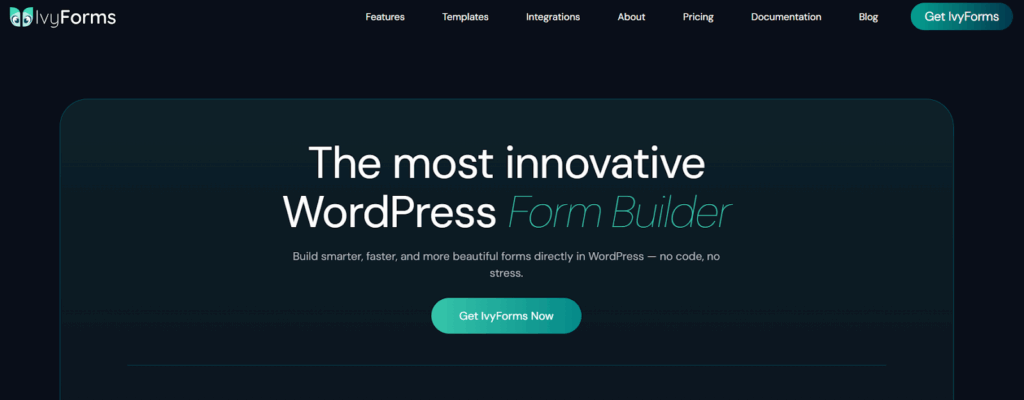
- The field library covers everything real projects actually need: text, paragraph, email, number, phone with automatic country code detection, name, address, radio buttons, checkboxes, single and multi-select dropdowns, date, and time.
- Submissions land directly in your WordPress dashboard, not in some third-party portal you have to log into separately or a spreadsheet you have to export and maintain yourself.
- Conditional logic makes forms smarter by showing or hiding fields based on what users select, which means shorter-feeling forms and higher completion rates.
- Multi-step forms break longer flows into manageable pages, so users never feel like they are staring down a wall of fields.
- Spam protection is built in. reCAPTCHA and honeypot options keep bots out without making real users prove they are human five times.
The feature that sets IvyForms apart from everything else in its category is its native integration with wpDataTables. Connect the two and every form submission automatically becomes a row in a live, filterable, interactive table on your site.
No importing. No syncing. No manual work. For agencies managing intake forms, surveys, or structured data collection, this is the kind of workflow improvement that actually sticks.
Why IvyForms Is Inside InstaWP Now
InstaWP’s plugin library exists because picking and installing the right tools is still one of the most repetitive parts of setting up a WordPress site.

Every time you spin up a new WP sandbox, staging, or a production environment, you end up installing the same handful of plugins. The plugin library cuts that to a single checkbox during site creation.
Forms show up in almost every WordPress project: contact pages, lead capture, client intake, event registration, booking confirmations, feedback surveys. A form builder is not optional on most sites. It is one of the first things you reach for.
Having IvyForms pre-installed from the moment a site spins up means you can start building the thing that actually matters, the site, instead of hunting through the plugin directory.
IvyForms is a genuinely good fit for the InstaWP audience.
- Developers who need to test a form configuration before deploying it to a live site benefit from having a disposable sandbox where they can build, break, and rebuild without any risk.
- Agencies building sites for clients can validate the form setup, confirm conditional logic works as expected, and share a preview link before handing anything over.
- Freelancers who deliver sites with working contact or booking forms can do a full end-to-end test in an isolated environment and then push changes live once everything checks out.
How to Use IvyForms Inside InstaWP
The whole thing takes about two minutes.
Step 1: Open the site creation dialog
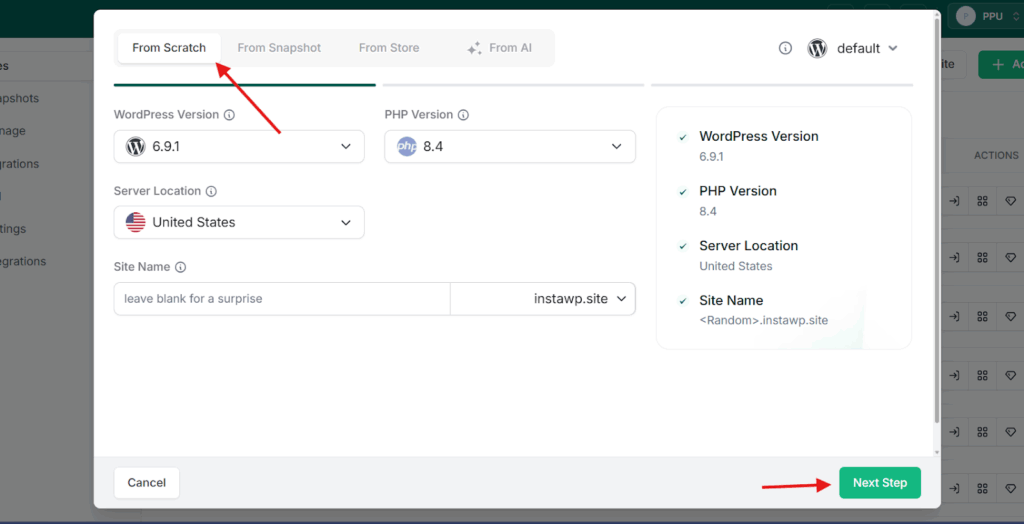
From your InstaWP dashboard, click “Add Site” to open the new site creation flow. Choose “From Scratch” if you are starting fresh.
Step 2: Select plugins
In the plugin selection step, navigate to the “Forms” category in the left sidebar. You will see IvyForms listed there.
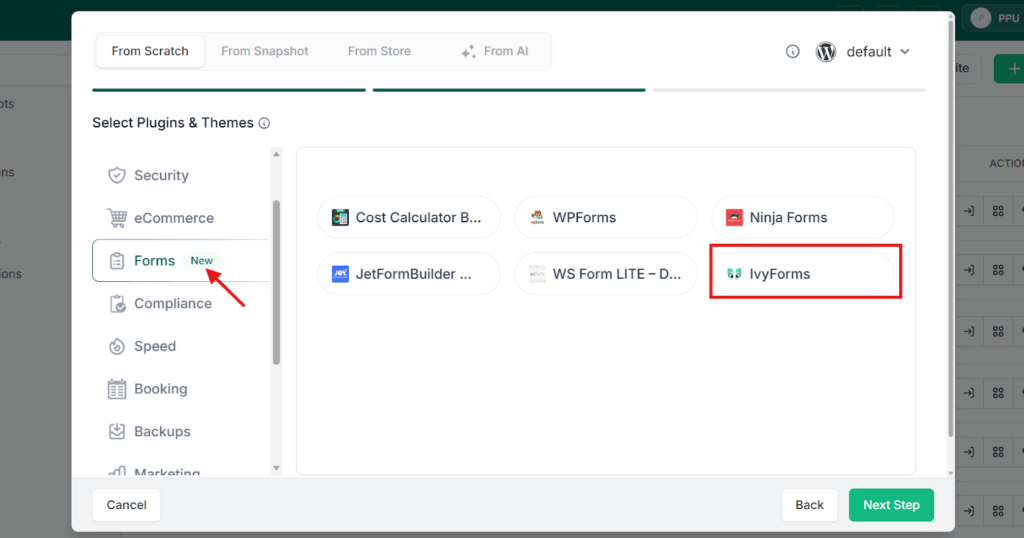
Select it along with any other plugins you need for the project.
Step 3: Choose your site plan and launch
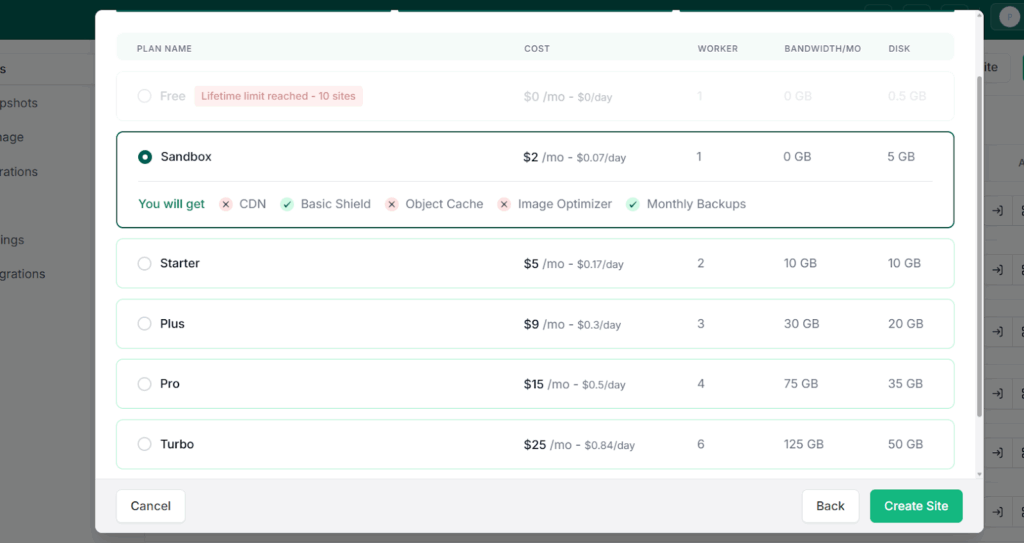
Pick the appropriate plan for your use case. For development and testing, the Sandbox plan works well. Your site will be ready in seconds with IvyForms pre-installed and activated.
Step 4: Build and test your forms
Log into the WordPress dashboard via the InstaWP magic login. IvyForms will be waiting in the sidebar.
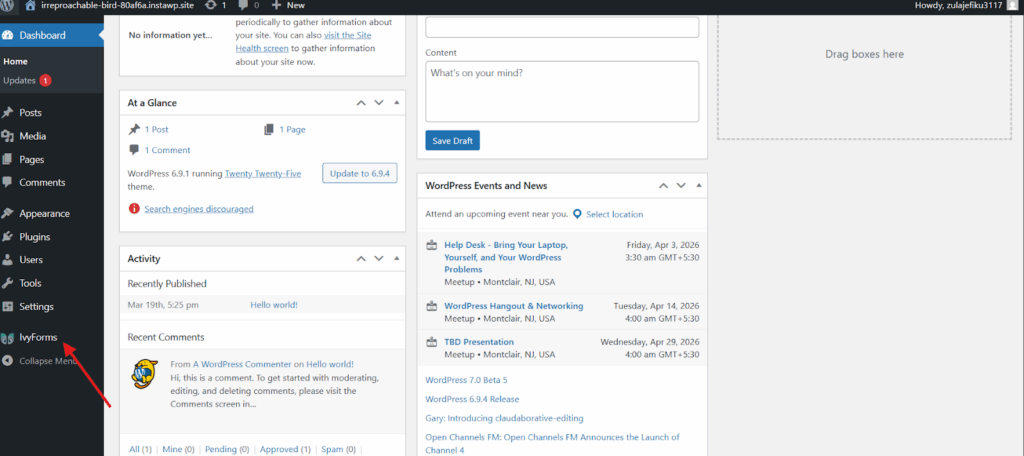
Build your forms, set up conditional logic, configure notifications, and submit test entries to verify everything behaves correctly.
No setup overhead. No plugin activation loops. Just a working form builder, ready when you are.
Conclusion
The best tools are the ones that are already there when you need them. IvyForms joining the InstaWP plugin library means one fewer decision to make, one fewer plugin to install, and one fewer configuration to get right before you can start building something real.
Forms are not optional on most WordPress sites. Now the form builder is not optional either. It ships with every site you create.
Get started free and claim $25 in credits. Create your first site with IvyForms pre-installed at instawp.com and see how fast a proper testing workflow can be.