

The Elementor Website Builder has it all: drag and drop page builder, pixel perfect design, mobile responsive editing,…
About WPScan – WordPress Security Scanner
The WPScan WordPress security plugin is no longer actively supported for non-enterprise customers, so we recommend using the Jetpack Protect plugin instead. WPScan uses its own vulnerability database to scan for WordPress vulnerabilities and offers options for scheduled scans and email notifications. The plugin has a Free API plan that covers 25 API requests per day and also checks for other security issues.Screenshots
Frequently asked questions
What is WPScan?
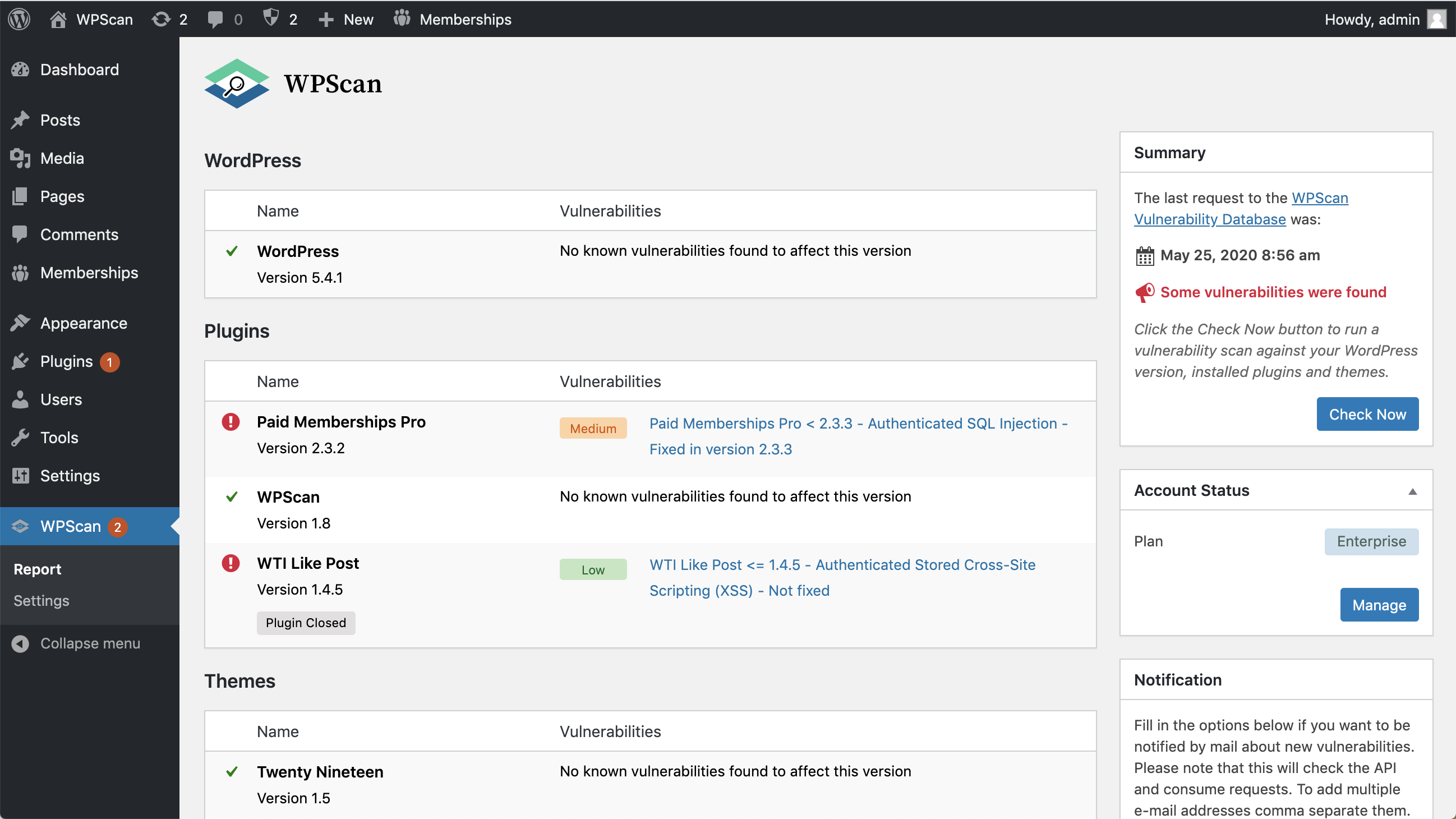
WPScan is a WordPress security scanner plugin that identifies vulnerabilities in your WordPress installation, plugins, and themes. It uses the WPScan WordPress Vulnerability Database, which has been updated daily since 2014.
Does WPScan require an API key?
Yes, to use the WPScan WordPress Security Plugin, you need a free API token. A Free API plan is available, which allows 25 API requests per day.
What does the Free API plan cover?
The Free API plan allows 25 API requests per day. This plan should cover approximately 50% of all WordPress websites, as it accounts for one API request for the WordPress version, and one request per installed plugin and theme.
What security checks does WPScan perform without an API token?
Without an API token, WPScan checks for debug.log files, wp-config.php backup files, and whether XML-RPC is enabled.
Is WPScan actively supported?
WPScan is no longer actively supported for non-enterprise customers. Jetpack Protect is recommended as a free alternative that leverages the WPScan database.
Changelog
1.16
- Allow report to be POST-ed to webhook URL or downloaded as JSON.
1.15.7
- Fix the way the plugin handles extension versions to be more accurate.
1.15.6
- Added a notice pointing regular users to Jetpack Protect
1.15.5
- Update “Tested up to”
- Some minor text changes
- Fix API conflict
1.15.4
- Fix images not loading on some hosted websites
- Update remediation links
1.15.3
- Fix fatal error in security checks
1.15.2
- Improve HTML and PDF report output
- Disable security checks setting
- Some refactoring
1.15.1
- Improved email alert text
- Improved PDF report download layout
1.15
- Fix memory_limit when using list_files()
- Use Action Scheduler
- Add security check remediation links
1.14.4
- Use new free API defaults
- Remove “Not found in database” message
1.14.3
- Don’t use HTTP_HOST in db exports check
1.14.2
- Revert DISABLE_WP_CRON check
- Fix HTTPS check
1.14.1
- Use the wp_check_password() function to check for weak passwords
1.14
- Uses the status endpoint to get account data
- Fixes the account status not being updated unless a scan is performed when the API token is updated/set
- Adds vulnerability found hook
- New security check: Check for weak user passwords
- New security check: HTTPS
- Clear plan info if API Token set to null
- Fixes automated scanning when plugin deactivated and reactivated
- Fixes cron job not being created when using the WPSCAN_API_TOKEN constant
- Change default scanning time to the current time
- Many other small improvements
1.13.2
- Fix XML-RPC check false positive
1.13.1
- Fix potential WP_Error issue in XML-RPC check
- Add version to client side CSS and JS
- Work towards PHP WordPress coding standards
1.13
- Improve the XML-RPC security check
- No longer run a scan when adding an API token
- Other small improvements & bug fixes
1.12.3
- Improve WPScan API error handling
- Add status URL on WPScan API errors
- Delete doing_cron transient on plugin activation
- Replace the xmlrpc_encode_request() PHP function
- Blur API token setting input box
1.12.2
- Fix bug: case statement should ‘break’
1.12.1
- Fix bug: Handle 404 API errors
1.12
- Code Refactoring
- Adds Security Check System
- Check for debug.log files
- Check for wp-config.php backups
- Check if XMLRPC is enabled
- Check if default keys are used in wp-config.php
- Check for code repo files .svn and .git
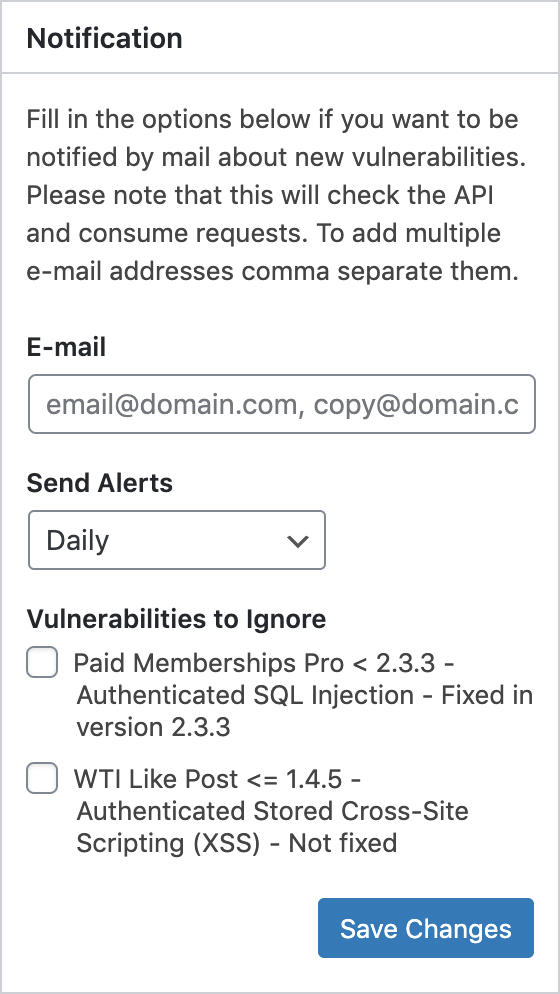
- Create a Vulnerabilities to Ignore meta-box
- Fixes Theme closed incorrect message and position in report
- Show message if API is not working
- Timeout cron jobs
- Fix 404 error in devtools
1.11
- Change references of wpvulndb to wpscan.com
1.10
- Add WPSCAN_DISABLE_SCANNING_INTERVAL constant to disable automated scanning
- Add an option in the settings to ignore items
- Add an option in the settings to set the scan time
- Show a not found in database message
- Other minor bug fixes
1.9
- Add scanning interval option to settings page
- Some other small improvements
1.8
- Show severity ratings for Enterprise users
- Show Plugin Closed label
- Add PDF report download
- Add account status meta box
- Add support for API token constant in wp-config.php file
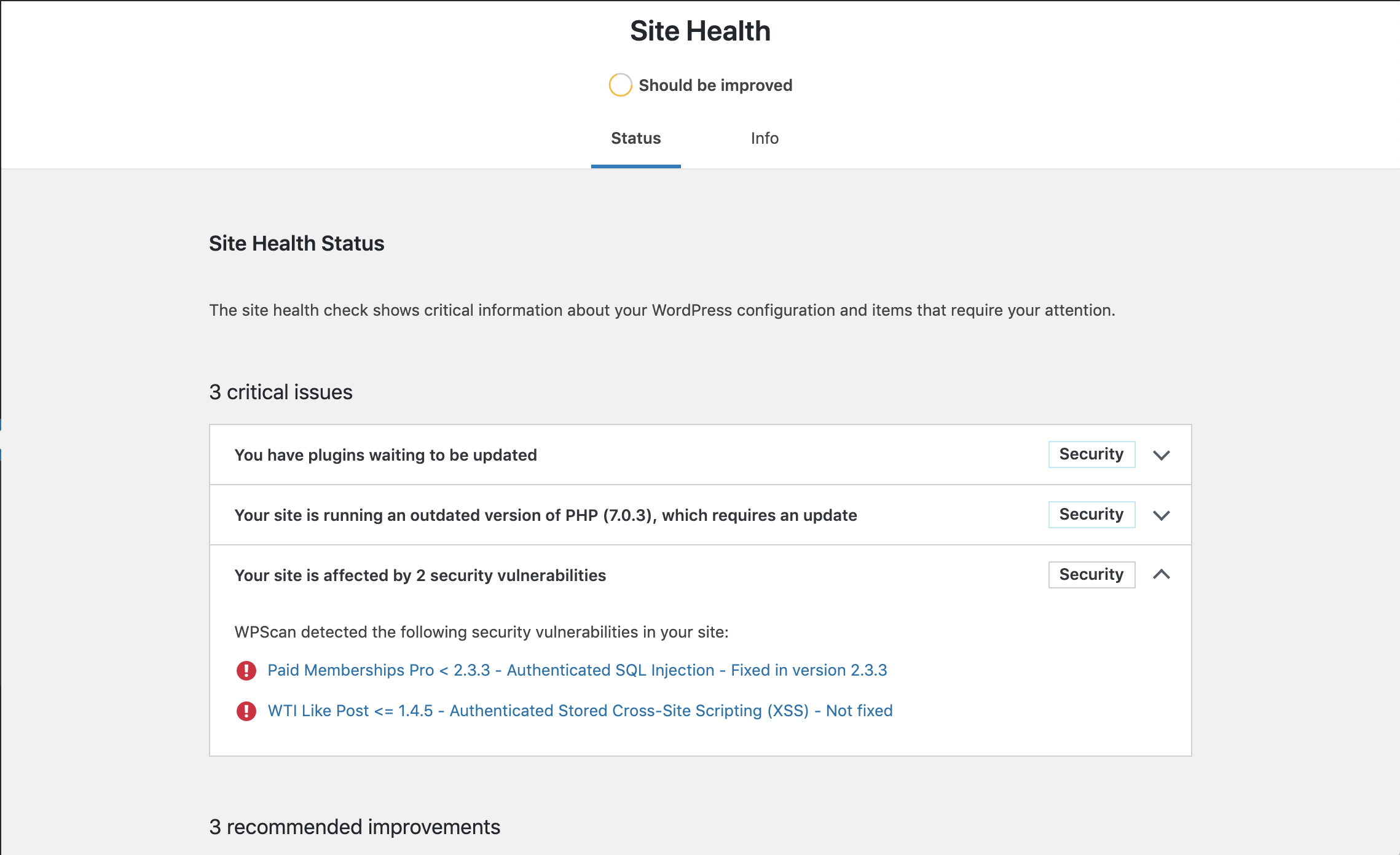
- Show vulnerabilities in Site Health
- Update menu icon to monochrome
1.7
- Updated text and messages to reduce confusion
- Removed WPScan_JWT class as no longer required
1.6
- Use the new slug helper method on all items on the page
1.5
- Better slug detection before calling the API
1.4
- Prevent multiple tasks to run simultaneously
- Check Now Button disabled and Spinner icon displayed when a task is already running
- Results page automatically reloaded when Task is finished (checked every 10s)
1.3
- Use the /status API endpoint to determine if the Token is valid. As a result, a call is no longer consumed when setting/changing the API token.
- Trim and remove potential leading ‘v’ in versions when comparing then with the fixed_in values.
1.2
- Add notice about paid licenses
1.1
- Warn if API Limit was hit
1.0
- First release.

