

Just another contact form plugin. Simple but flexible.
About WP Mail Logging
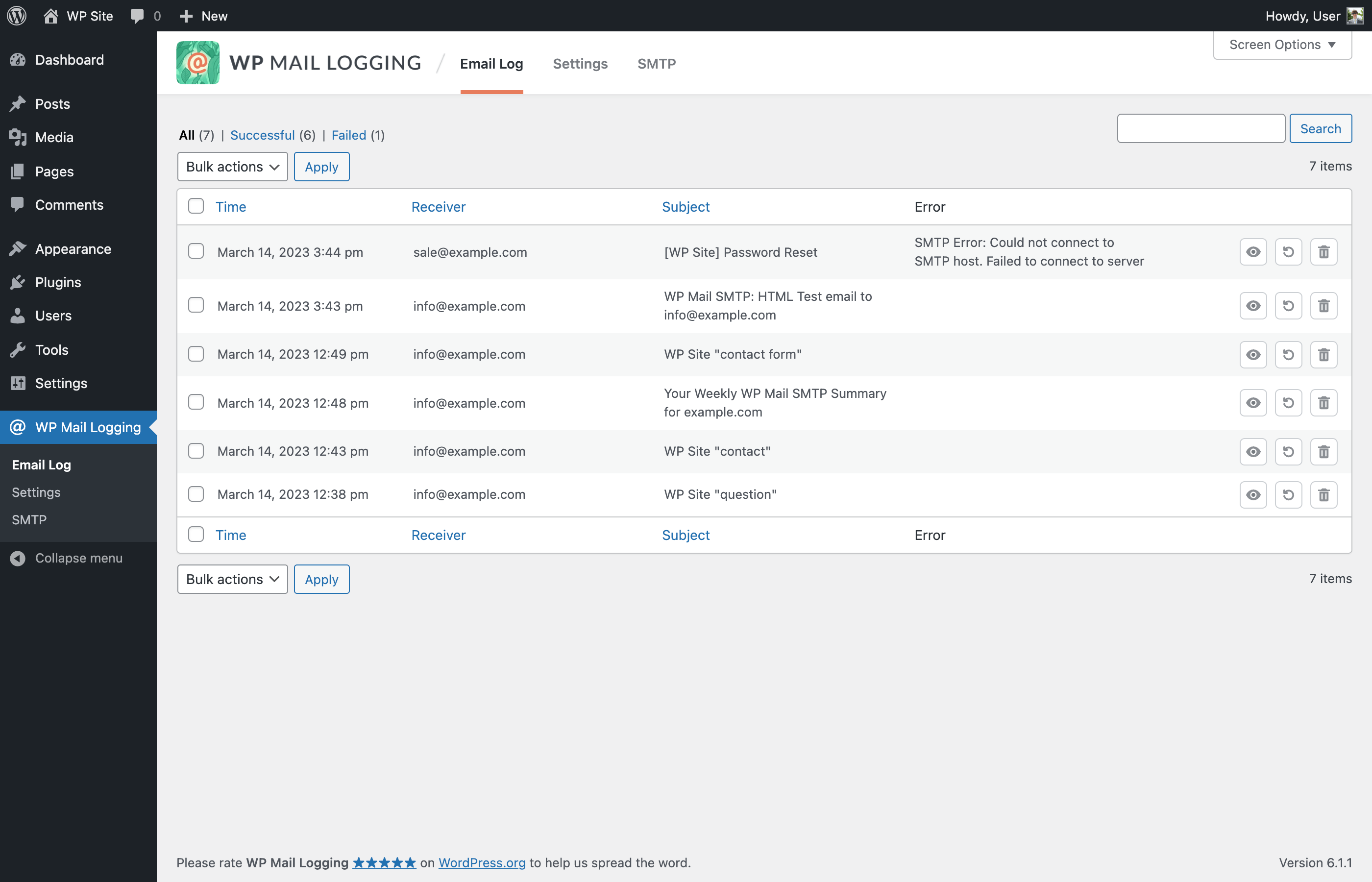
WP Mail Logging is a plugin that logs all outgoing emails from your WordPress site, allowing you to debug and fix any email sending issues. It also allows you to resend any emails that were not received by clients and provides a record of all emails sent from your site.Screenshots
Frequently asked questions
What is WP Mail Logging?
WP Mail Logging is a WordPress plugin that logs all emails sent from your WordPress site. It helps in resolving email sending issues and keeps a record of outgoing emails.
What information does WP Mail Logging store?
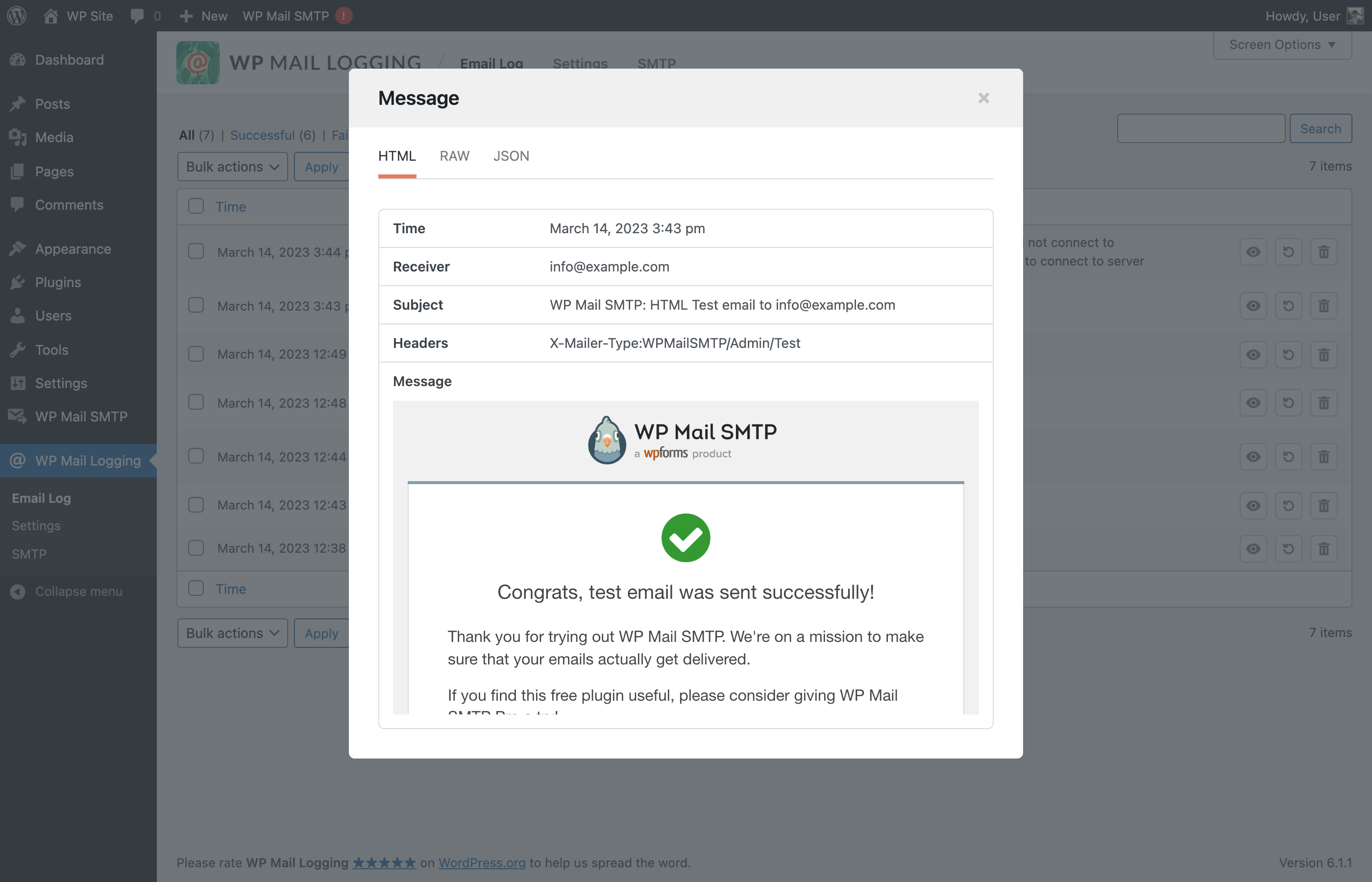
The plugin logs the email subject, content (HTML or text), attachments, headers, and any error messages. It also records the date and time of the email, and the receiver's email address.
Can I resend emails with WP Mail Logging?
Yes, the email logs allow you to resend any email that was sent from your site. This can be useful if a recipient did not receive an email.
Is configuration required for WP Mail Logging?
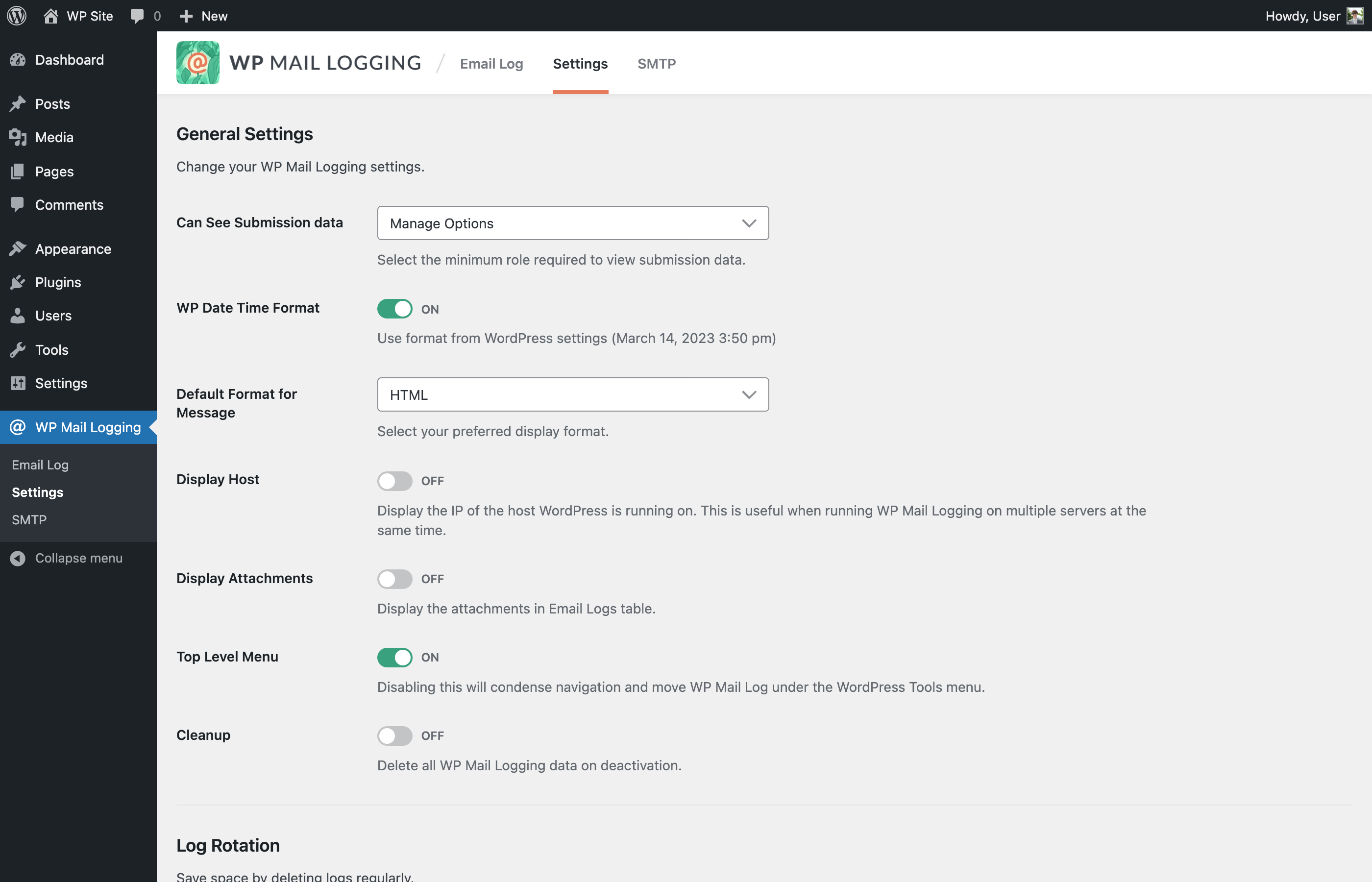
No, WP Mail Logging works immediately upon activation without any extra configuration needed.
Changelog
1.15.0 – 2025-09-09
Added: Support “Name email@domain.test” format on Receiver.
Added: New filters wp_mail_logging_allowed_html_email_html_preview and wp_mail_logging_allowed_protocols_email_html_preview.
Changed: Description for the option “Can See Submission data”.
Fixed: PHP Warning when JetPack plugin is also activated.
Fixed: Incorrect Headers format in modal row.
Fixed: Long non-breaking message not displaying properly when viewed as Raw.
Fixed: Some attachments are not displayed in the Email Logs table.
Fixed: PHP Warning “Notice: Function _load_textdomain_just_in_time was called incorrectly”.
1.14.0 – 2024-12-26
Fixed: PHP warning notice when another plugin or code snippet passed an associative array to WPML_Plugin::get_mail_headers().
Fixed: PHP warning notice on non-english locale WP configuration.
Fixed: PHP warning notice when another plugin passed a non-array variable to the filter plugin_action_links and wp_kses_allowed_html.
1.13.1 – 2024-10-10
Added: Action hook when saving email logs.
Fixed: Issue with email content type.
1.13.0 – 2024-10-08
Improved: Allow admins to always have access to WP Mail Logging logs.
Improved: Use the wp_mail_content_type filter to determine the email content type when saving the logs.
Fixed: Issue when emails with subjects that are more than 200 characters long are not logged.
Fixed: Make “Delete” and “Rename” in Bulk Actions selection translatable strings.
Fixed: Update Sendinblue string instances to Brevo.
1.12.0 – 2023-06-21
Added: Support UTF-8 encoded subjects.
Added: Search by filter.
Added: New filter hook for mail data before it’s saved.
Improved: Hide unrelated notices in admin plugin pages.
Improved: Use transient to cache certain DB calls.
Improved: Search logs by message optimization.
Fixed: Missing security checks in AJAX dismiss notices feature.
Fixed: MySQL 8 syntax error when sql-mode = ANSI_QUOTES.
Fixed: PHP Deprecated: Constant FILTER_SANITIZE_STRING.
Fixed: Logger breaks if no array passed from wp_mail.
Fixed: Line breaks on plain text email on “HTML” preview.
Fixed: Non-admin users can see and access “Settings” and “SMTP” pages.
Fixed: Escape the subject in logs table and single view.
1.11.2 – 2023-06-14
- Fixed: Email Log JSON preview security.
1.11.1 – 2023-06-08
- Fixed: Email Log HTML preview security.
1.11.0 – 2023-03-15
- Added: the ability to move the menu position in the top-level for easier access.
- Added: the ability to filter email logs.
- Improved: overall UI/UX.
- Removed: Redux Framework.
- Fixed: resend with HTML type email not working all the time due to headers parsing error.
1.10.5 – 2022-12-21
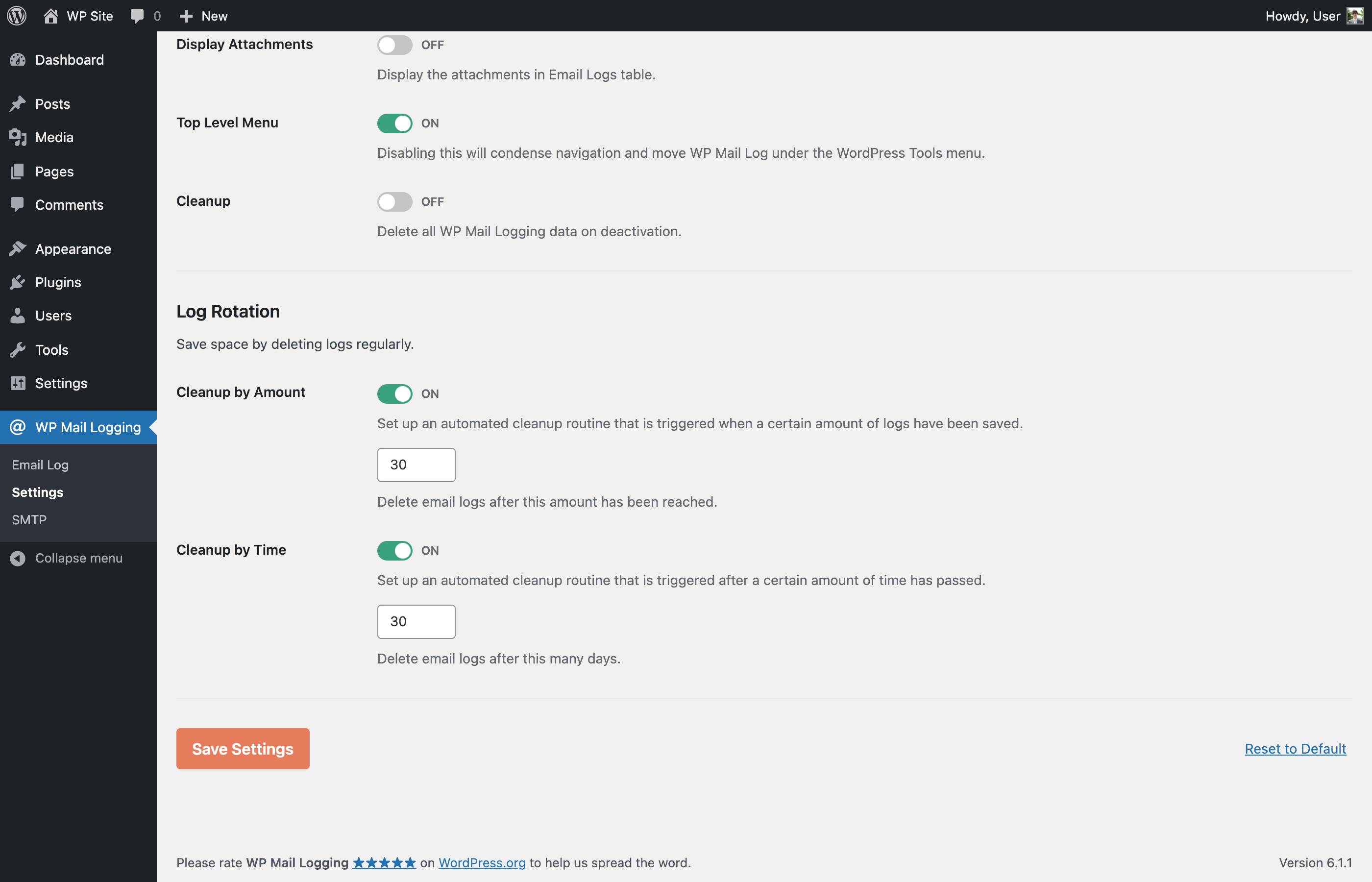
- Fixed: automatic email log deletion via Log Rotation settings.
- Fixed: PHP 8.1 issues.
1.10.4 – 2022-01-31
- Improved: reduced zip archive size.
1.10.3 – 2022-01-31
- Removed: Redux Framework template lib and banner loading. Thanks @kprovance!
1.10.2 – 2021-11-24
- Updated: Redux framework version to 4.3.4.
- Fixed: “disable_demo” PHP error. Thanks @Mike00mike!
- Fixed: changelog date typos. Thanks @Spreeuw!
- Removed: the Redux framework Gutenberg Library blocks. Thanks @Helenel!
1.10.1 – 2021-11-24
- Removed: Redux Framework connection notice. Thanks Jesse!
- Fixed: is_theme PHP error. Thanks @max3322!
1.10.0 – 2021-11-23
- Updated: Redux framework to 4.3.3.
1.9.9 – 2021-09-12
- Updated: support for WordPress 5.8.
1.9.8 – 2021-06-18
- Changed ownership!
1.9.7 – 2020-09-02
- Added: wpml_banner_display filter to hide MailPoet banner;
- Updated: support for WordPress 5.5.
1.9.6 – 2020-05-05
- Removed: contextual help tab.
1.9.5 – 2019-11-07
- Updated: plugin author.
1.9.4 – 2019-11-07
- Fixed: assets files.
1.9.3 – 2019-11-07
- Fixed: typo in readme.
1.9.2 – 2019-11-07
- Added: MailPoet banner;
- Updated: assets;
- Improved: menu position is now under wp-admin > tools.
1.9.1 – 2019-08-20
- MailPoet has claimed ownership. We’re grateful to Christian for all the work committed to this project over the years.
1.9.1, 2019-04-18
- Fix: log-view resources loaded on each page (performance issue)
- Fix: attachment icon is not displayed (e.g. if mime-type is unsupported)
1.0, 2014
- Hello matrix

