

Just another contact form plugin. Simple but flexible.

About Move Login
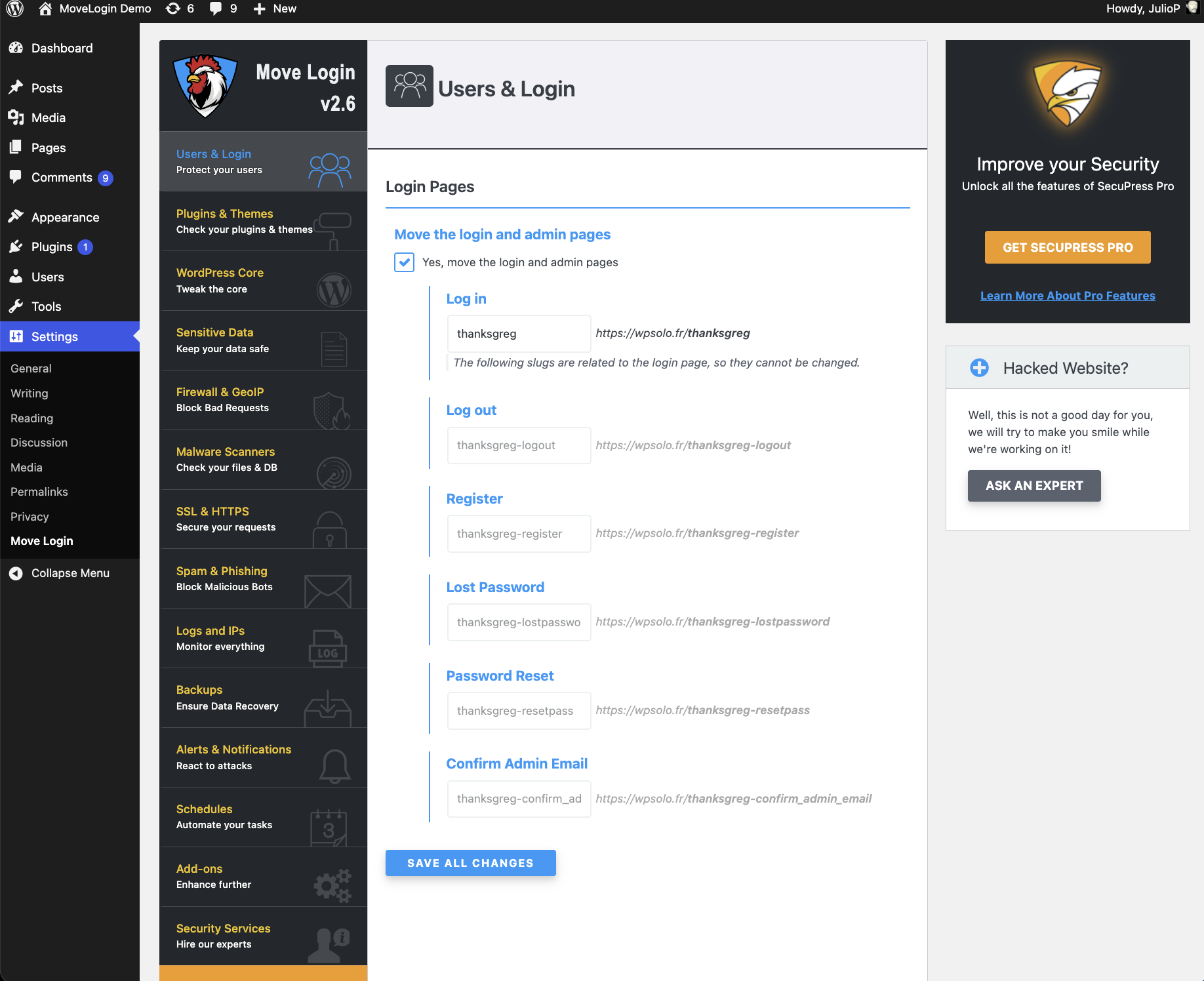
This plugin prevents access to the default WordPress login page and creates new URLs for login and logout. It helps protect against brute-force login attempts and makes the login URLs easier to remember. However, it is important to still use a strong password and avoid using "admin" as the login username.Screenshots
Changelog
2.5.3
- 2017/06/05
- New: preview your URLs while typing.
- New: you can leave a field empty to set its default value.
- Improved URL duplicates detection.
- Fixed the “Lost Password” redirection (and others).
- Dev stuff: fixed the filters in
sfml_is_apache(),sfml_is_iis7(), andsfml_is_nginx(). - Nerd stuff: improved the whole plugin code quality by updating the Coding Standard rules and applying new ones. Changed a few things in the class
SFML_Options.
2.5.2
- 2017/05/25
- New: a new option is available. Instead of redirecting to the a “WordPress” 404 error page, you can choose to directly trigger the 404 error. Pro: the user is not directed, the URL doesn’t change. Con: the user sees the browser error page, it probably is a simple white page (but do we really care?).
- Fixed the blank page that was displaying instead of redirecting the user to the new login URL.
- Dev stuff: you can now add custom options to the two existing radio groups.
- Nerd stuff: in case the plugin has trouble determining your server technology, take a look at
sfml_is_apache(),sfml_is_iis7(), andsfml_is_nginx(): returned values can be filtered with a MU plugin.
2.5.1
- 2017/05/14
- Added missing functions for compatibility with WordPress < 4.4.
2.5
- 2017/05/09
- New: some files from WordPress core were still able to redirect a logged out user to the new login URL. Now Move Login filters every redirection to prevent it.
- Dev stuff: the hook
sfml_wp_admin_erroris now deprecated. Please use the filtersfml_login_redirect_locationinstead.
2.4.3
- 2017/03/26
- Fixed an error preventing the plugin uninstallation. My diabolical plan to be on every website has been discovered ?
- Updated some translations to exclude non-translatable strings and as many HTML tags as possible.
- Use
WP_Filesystem_Directto write files.
2.4.2
- 2017/02/04
- Fixed a simple PHP warning.
2.4.1
- 2017/01/07
- Added missing test for PHP version :s
2.4
- 2017/01/03
- Move Login now requires PHP 5.3 at least!
- New: tell cache plugins not to cache the login pages (constant
DONOTCACHEPAGE). - Improved: nginx support should be fine now.
- I’ve revamped the plugin with what I’ve done on SecuPress (lots of things have changed internally).
2.3
- 2016/04/04
- Tested with WP 4.5.
- Code quality improvements.
- Fixed a notice with php7.
- Mark the option “Do nothing, redirect to the new login page” as not recommended.
- If not logged in, deny access to
wp-signup.phpandwp-register.php(mono-site installations). - When blocking access, use a 501 error code instead of 500.
- Added compatibility with websites that are not using port 80 and 443.
2.2.2
- 2015/11/22
- Login over https on a non https site should finally work (๑˃̵ᴗ˂̵)و
2.2.1
- 2015/10/04
- The URL used in the password protected posts form (slug
postpass) is back in the rewrite rules: this URL can be discovered by inspecting the form code, so it must not use the login URL. - Bugfix: the URL used in the password protected posts form and those used to retrieve a password are working fine again.
2.2
- 2015/09/18
- Removed
postpass,retrievepasswordandrpfrom the rewrite rules: they are useless and they can be used to find the login page. - Fixed a bug in multisite where rewrite rules were inserted after the WordPress rules.
- The plugin will not display a message ON EVERY BLOODY UPDATE anymore, only if the
.htaccess/web.configfile needs to be updated and it is not writeable. Well, too bad… it is the case this time. (╯°□°)╯︵ ┻━┻ - The code box after the settings form is now hidden by default and can be shown by clicking a button.
- Some code cleanup.
2.1.5
- 2015/08/26
- Back-compat is getting annoying. Last try before dropping support of old versions of WP.
2.1.4
- 2015/08/26
- Bugfix for WP < 3.6:
Call to undefined function wp_is_writable().
2.1.3
- 2015/08/05
- New: ready for the new WordPress 4.3 headings in admin screens (but you won’t see any difference).
2.1.2
- 2015/07/23
- Bugfix: Added missing base URL in rewrite rules for Nginx when the site is not installed at the domain root.
- Bugfix: php warning in settings page.
2.1.1
- 2015/06/08
- Bugfix: Added missing semicolon in rewrite rules for Nginx.
2.1
- 2015/03/01
- New: Installations where WordPress has its own directory are now supported. (〜 ̄▽ ̄)〜
- New: For multisite, the log in address in the “new site” welcome email is now filtered. Unfortunately there are some other places where the log in address can’t be changed, regarding the user/site registration messages. A bug ticket is open.
- Improvement: All rewrite rules have been improved. Feedback from Nginx users are welcome (as you may know, I’m a Nginx n00b).
- Improvement: Better handling of
network_site_url(). - Bugfix: slugs were not stored in
SFML_Options::get_slugs()before being returned. Trivial perf improvement. - The filter ‘sfml_options’ can’t be used to add options, only to modify existing values.
- Removed some unused global vars.
2.0.2
- 2015/02/24
- Same as below… Fingers crossed. >_>
2.0.1
- 2015/02/24
- Fixes a fatal error for multisites.
2.0
- 2015/02/22
- Most of the plugin has been rewritten.
- New: you don’t need my framework Noop to have a settings page anymore (yes, you can uninstall it if it’s not used elsewhere). ᕙ(⇀‸↼‶)ᕗ The bad news is there are no settings import/export/history anymore (and it won’t come back). Make sure your settings are ok after upgrading.
- New: the plugin disable some WordPress native redirections to administration area and login page. For example, https://example.com/dashboard/ was leading to https://example.com/wp-admin/. This should solve a bunch of bugs.
- New: the rewrite rules for Nginx servers are now provided in the plugin settings page as information. Thank you Milouze.
- Improvement: bugfix for IIS servers.
- Improvement: better French translations.
- Bugfix: fix double slash in network site url (used for lostpassword).
1.1.4
- 2014/04/28
- Plugins can now add their own action to Move Login more easily with the filter
sfml_additional_slugs. Even without doing anything, Move Login handle custom actions added by other plugins, but the url can’t be customizable. Now, these plugins can add a new input field to let users change this new url, and it’s very simple. - Side note: I’ve just released a new version for my framework Noop (1.0.6). Now you can import and export your settings via a file, see the new tab in the “Help” area.
1.1.3
- 2014/04/01
- Bugfix for php 5.4.
1.1.2
- 2014/03/29
- Bugfix: don’t block users accessing the script
admin-post.php. - Changed i18n domain.
- If Noop is not installed, add a link in the “settings” page.
- Added a direct link to download Noop, some users may not be able to install plugins directly.
- Code improvements and small bugfixes.
1.1.1
- 2013/12/17
- Bugfix.
1.1
- 2013/12/16
- Code refactoring.
- Requires WordPress 3.1 at least.
- New: the URLs can be customized, with a filter or a settings page. The settings page needs another plugin to be installed, it’s a framework I made (Noop). See the Move Login row in your plugins list, there’s a new link.
- New: support for custom actions in the login form (added by other plugins).
- New: choose what to do when someone attempts to access the old login page.
- New: choose what to do when someone attempts to access the administration area.
- New: enabling permalinks is not required anymore.
- Todo: provide rewrite rules for Nginx systems.
1.0.1
- 2013/09/30
- Very minor bug fix: messed the author link -_-‘
1.0
- 2013/09/20
- First stable version.
- New: 1 new action called
sfml_wp_login_erroris now available for thewp-login.phperror message, you can use your ownwp_die()or redirect to another error page for example.
1.0-RC2
- 2013/09/12
- Bugfix: activation for multisite with not writable .htaccess file, a wrong message was shown, preventing activation (was I drunk?).
- tested on multisite with subdomain.
- SecuPress is joining the project ?
1.0-RC1
- 2013/09/11
- New: Multisite support (must be “network” activated).
- Enhancement: updated the set_url_scheme() function to the one in WP 3.6.1 (used for WP < 3.4).
- Enhancement: better rewrite rules.
- Bugfix: The plugin rewrite rules are now really removed from the .htaccess file on deactivation.
0.1.1
- 2013/06/04
- Bugfix: php notice due to a missing parameter.
- Bugfix: incorrect network_site_url filter.
0.1
- 2013/06/03
- First public beta release
- Thanks to juliobox, who’s joining the project ?

