
Just another contact form plugin. Simple but flexible.
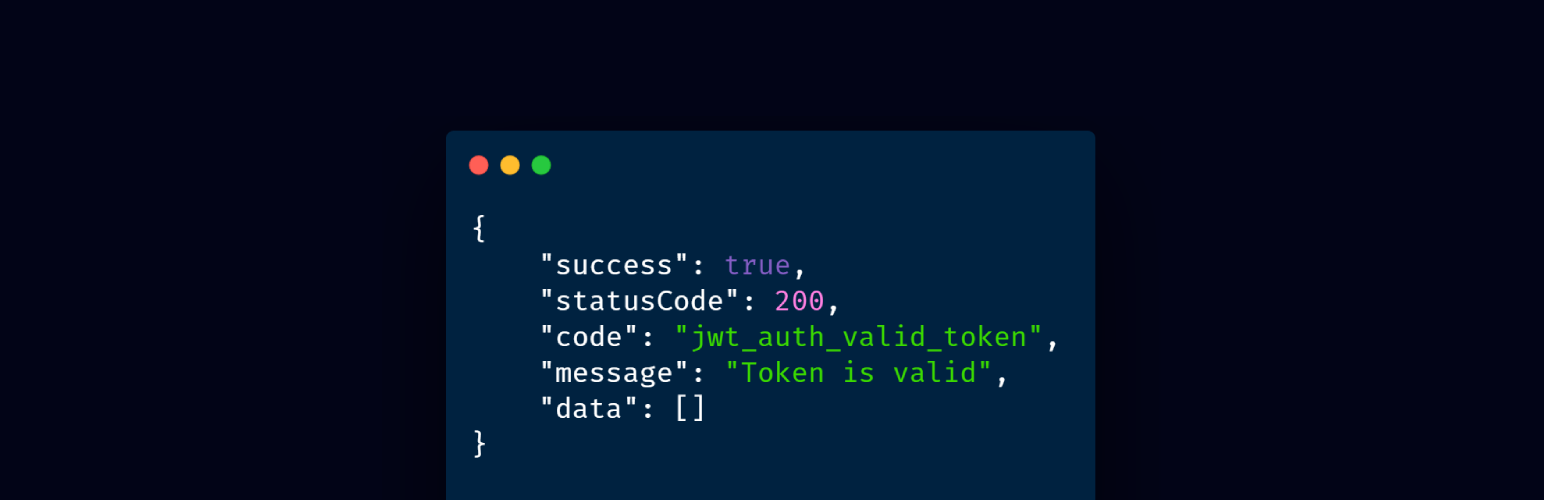
About JWT Auth – WordPress JSON Web Token Authentication
WordPress JSON Web Token Authentication is a plugin that allows for REST API authentication using tokens. It is easy to use and provides a convenient way to implement JWT Authentication in WordPress. The plugin has support available through the WordPress support forum, GitHub issues tracker, and a Discord channel for faster response.Changelog
3.0.2
- Fix: Do not revalidate authentication headers if a valid user was determined already. (#75)
- Fix: Added debugging timeframe before purging refresh tokens. (#93)
- Fix: Fixed unnecessary user account lookup for device listing on user profile page. (#84)
- Fix: Added more granular refresh token validation error messages. (#78)
- Fix: Added integration for new CORS filter hook rest_allowed_cors_headers in WordPress 5.5.0. (#97)
- Fix: Updated Guzzle to v7.8.1 (used in tests only). (#112)
3.0.1
- Updated firebase/php-jwt to 6.3 to address security issue in versions prior to 6.x.
3.0.0
- New feature: Added support for refresh tokens.
- New feature: Added automated end-to-end tests using PHPUnit.
- Breaking change: Reduced default access token lifetime to 10 minutes.
- Breaking bugfix: All authentication error responses are using the correct HTTP status code 401 (Unauthorized) instead of 403 (Forbidden) now.
- Breaking change: Removed whitelist. To retain similar functionality, install a separate plugin, such as https://wordpress.org/plugins/disable-rest-api-and-require-jwt-oauth-authentication/
2.1.6
- Added automated asset updates from GitHub.
2.1.5
- Removed dev and build files from distribution.
2.1.4
- Added update warning and information relevant to updating to version 3.
2.1.3
- Fix some missing composer files in 2.1.2.
2.1.2
- Updated to fix a number of issues highlighted by wpcs.
2.1.1
- Updated firebase/php-jwt to 6.3 to address security issue in versions prior to 6.x.
2.1.0
- It’s possible now to whitelist an endpoint with specific method (GET/POST). See PR #47
2.0.0
- Breaking change: rename
jwt_auth_valid_token_extrafilter tojwt_auth_extra_token_check. Please check if you use this filter. - Breaking bugfix: the actual http statusCode didn’t follow the response statusCode. Now the actual http statusCode follows the response statusCode.
- New feature: connected device. Thanks @pesseba.
- Might be a breaking change: Add WordPress & WC default endpoints to
jwt_auth_default_whitelistto prevent error when visiting WordPress admin area. - Documentation: prevent misleading example by updating the
jwt_auth_whitelistusage.
1.4.2
- Bugfix: add
permission_callbackargument since it’s required in WP 5.5
1.4.1
- Bugfix: the previous
/wp-json/wp/v2/*whitelisting didn’t work. It should be/wp-json/wp/v2/(without the star char).
1.4.0
- Whitelist
/wp-json/wp/v2/*by default. This will prevent the plugin from breaking the default WordPress administration (gutenberg, etc). - Bugfix: fix the problem with WordPress subdir installation. See issue.
1.3.0
- Filter Change:
jwt_auth_valid_token_responseshould only filter the $response array instead of the wholeWP_REST_Response. Please check if you use this filter ? - README update about
jwt_auth_whitelistfilter usage. That filter should be added directly (without hook) OR insideplugins_loaded. Adding it toinit(or after that) will not work.
1.2.0
- Critical Bugfix: WooCommerce admin breaks. With this change, WooCommerce admin should be good.
- New Filter: We whitelist some endpoints by default to support common plugin like WooCommerce. These default whitelisted endpoints are change-able via
jwt_auth_default_whitelistfilter.
1.1.0
- Support WooCommerce by ignoring
/wp-json/wc/and/wp-json/wc-auth/namespace. You can usejwt_auth_whitelistfilter if you want to whiteist other endpoints. See Whitelisting Endpoints section in the description tab.
1.0.0
- Filter Change: Rename
jwt_auth_token_payloadfilter tojwt_auth_payload - Filter Change: Rename
jwt_auth_token_responsefilter tojwt_auth_valid_credential_response - Critical Bugfix: The auth only restricted wp-json/jwt-auth/v1/* endpoints. So endpoints under other namespace were not restricted. With this change, other endpoints are restricted now. If you need to whitelist some endpoints, please read about Whitelisting Endpoints section in the description tab.
- New Filter:
jwt_auth_valid_token_response - New Filter: Make possible to whitelist specific endpoints via
jwt_auth_whitelistfilter. - New Filter: Make possible to change the token issuer by providing
jwt_auth_issfilter. - New Filter: Make possible to change the supported algorithm by providing
jwt_auth_algfilter. - New Filter: Make possible to change the valid token response by providing
jwt_auth_valid_token_responsefilter. - Add support for site with disabled permalink.
0.1.3
- Add
jwt_auth_do_custom_authfilter so that developer can use custom authentication like OTP authentication or any other.
0.1.2
- Working version.

