

Just another contact form plugin. Simple but flexible.
About Insert PHP Code Snippet
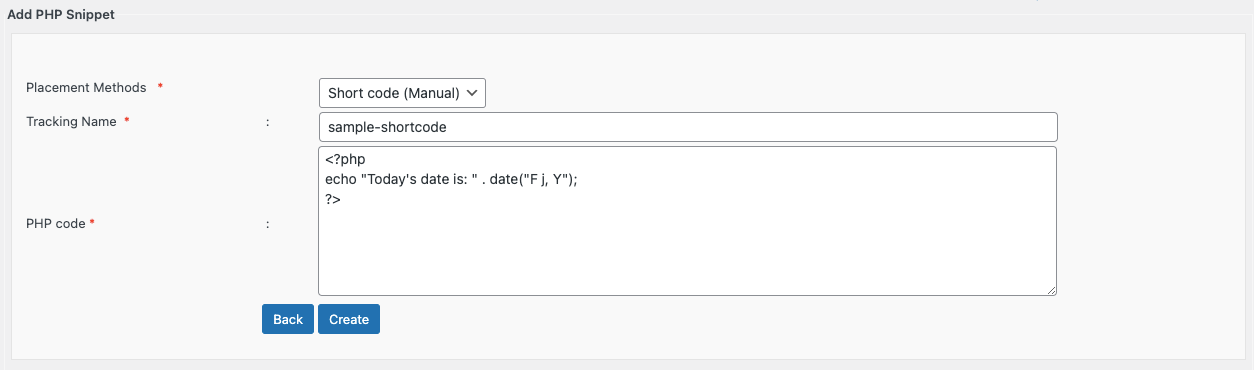
Insert PHP Code Snippet is a plugin that allows you to convert PHP code snippets into shortcodes. These shortcodes can be easily inserted into your posts, pages, or widgets using a dropdown menu in the WordPress editor. The plugin is developed and maintained by XYZScripts and is compatible with WordPress 5.0+ and PHP 7+.Screenshots
Frequently asked questions
What is Insert PHP Code Snippet?
Insert PHP Code Snippet is a WordPress plugin that allows you to add PHP code to your pages and posts easily using shortcodes. It converts PHP snippets into shortcodes for convenient use.
How do I use PHP snippets with this plugin?
You can create shortcodes corresponding to any PHP code snippet. These shortcodes can then be used in your posts, pages, or widgets.
Does it support widgets?
Yes, the plugin supports PHP snippet shortcodes in widgets.
How do I access the shortcodes in the editor?
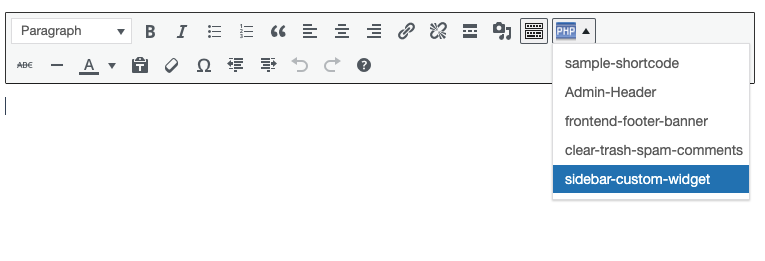
The shortcodes generated by the plugin are easily available as a dropdown menu in the standard WordPress content editor and in widget settings.
What are the requirements for this plugin?
The plugin requires WordPress 5.0+ and PHP 7+.
Changelog
1.4.1
- Fixed image size issue reported
- Updated snippet dropdown in editor to allow only shortcodes in Manual Placement mode
- Fixed minor bugs and optimized performance
1.4
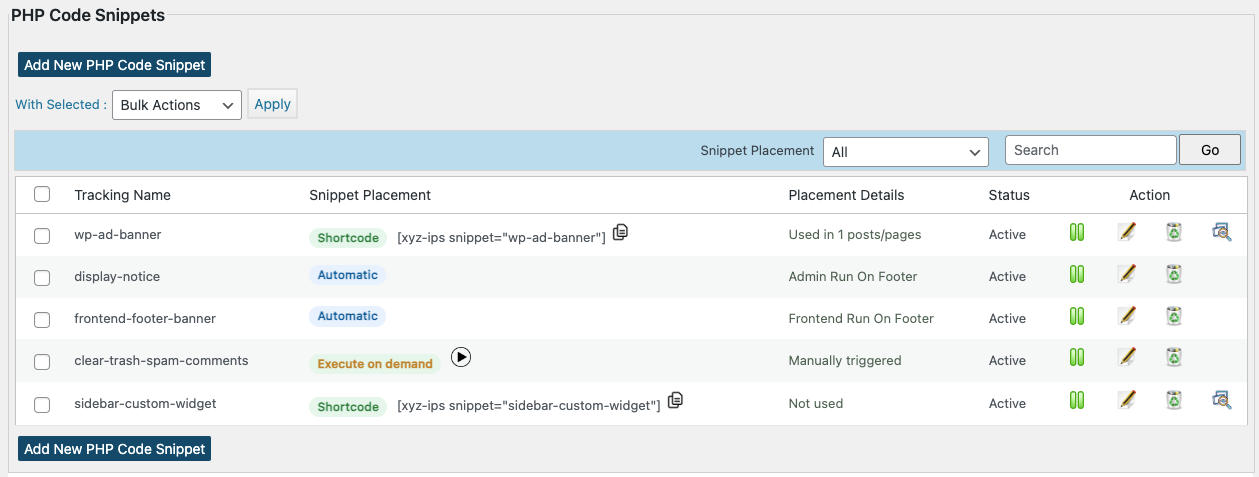
- Added new Snippet Placement Methods: Automatic, Execute on Demand, and Shortcode (Manual) for more flexible snippet placement options.
- Added Snippet Placement filter on the Manage Snippets page
- Improved compatibility with the latest WordPress versions
- Fixed minor bugs and optimized performance.
1.3.8
- Added “Execute shortcodes in editors” setting for Elementor and other editor compatibility
- Updated about page with new premium feature details, including automatic placement locations
1.3.7
- Updated nonce verification for bulk actions to prevent CSRF attacks
- Compatibility with WordPress 6.6.1
1.3.6
- Exception handling updated
- Minor bugs fixed
1.3.5
- Patch security vulnerability
- Compatibility with latest version of WordPress
1.3.4
- Minor bugs fixed
- Compatibility with latest version of WordPress
1.3.3
- Minor bugs fixed
- Option to send exception report to email
1.3.2
- Option to enable exception handling
- Option to preview snippet
- Database collation issue fixed
- Minor bugs fixed
1.3.1
- Notice errors fixed
1.3
- Snippet selection support in classic editor block of Gutenberg
- Support for Search Snippet by name
- Navigation Improvements
1.2.6
- Support for Bulk Actions(activate,deactivate,delete)
1.2.5
- Added fix for output buffering issue
1.2.4
- Removed deprecated widget initializing function
1.2.3
- Option to enable auto insert of php opening tags added.
1.2.2
- Automatic detection and correction of php opening and closing tags in snippet
- Updated nonces and validations
- Premium version details and comparison added
1.2.1
- Nonces Added
- A few bug fixes
1.2
- Compatibility with wordpress 4.3
- Added options to sort snippets in admin area by id and title
- Removed redirection after snippet edit
1.1
- Snippet chooser TinyMCE plugin modified
- Compatibility with wordpress 3.9
- A few bug fixes
1.0
- First official launch

